-
-
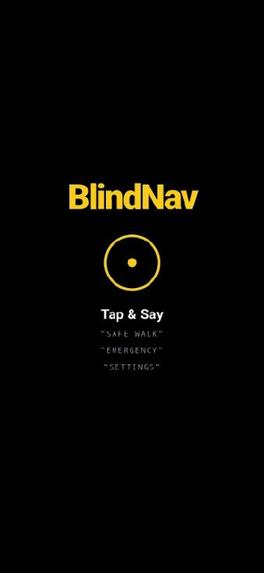
Front page
Inspiration
Visually impaired individuals navigate the world using primarily two tools: a white cane or a trained guide dog. While both are essential, they only provide limited awareness—mostly of what lies directly below or immediately nearby. There is no affordable, widely available solution that helps users understand what’s ahead of them in real time.
We were inspired by a simple question: What if a smartphone could act as digital eyes—without requiring sight? BlindNav was born from the idea of adding a third layer of mobility that enhances confidence, safety, and independence without replacing existing tools.
What it does
BlindNav is a voice-first mobile accessibility app that helps visually impaired users navigate their surroundings safely. -Detects obstacles, stairs, and hazards ahead using the phone’s camera
-Provides real-time voice guidance and vibration alerts
-Allows users to ask visual questions like “Is there a chair on my left?”
-Includes one-command emergency assistance
-Works alongside a cane or guide dog as an added safety layer
-The app is fully usable without looking at the screen.
How we built it
BlindNavis built as a web-based mobile application with a strong focus on accessibility:
-Frontend: React with Tailwind CSS for high-contrast, accessible UI
-AI Vision: Multimodal image analysis using Google Gemini
-Camera Access: Web MediaStream API
-Voice Interaction: Web Speech API for speech recognition and text-to-speech
-Device Awareness: Gyroscope and orientation APIs to rescan when direction changes
The system processes camera frames every few seconds and converts visual hazards into simple, structured instructions.
Challenges we ran into
-Balancing frequent camera scanning with performance and battery usage
-Preventing audio overload while still keeping users informed
-Designing reliable feedback when internet connectivity becomes unstable
-Ensuring AI responses were consistent, concise, and safe for real-world navigation
Accomplishments that we’re proud of
-Built a fully voice-driven navigation experience ,Successfully combined audio and haptic feedback for safety alerts ,Implemented graceful failure handling instead of silent errors ,Created a solution that adds to existing mobility tools rather than replacing them
What we learned
Accessibility is about trust, not just features, Fewer words and clearer signals are better than constant feedback, Designing for visually impaired users requires rethinking every default UI assumption, Responsible AI means clearly communicating when the system cannot help,
What’s next for BlindNav
Our next major step is Map-Based Navigation.
Planned features include:
-Turn-by-turn walking directions using voice guidance
-Integration with map data to detect intersections, crossings, and landmarks
-Indoor navigation support for public buildings and campuses
-Personalized routing preferences (safer paths, fewer obstacles, familiar routes)
Long term, we aim to make BlindNav a complete mobility companion, combining real-time environment awareness with reliable destination-based navigation.


Log in or sign up for Devpost to join the conversation.