-
-
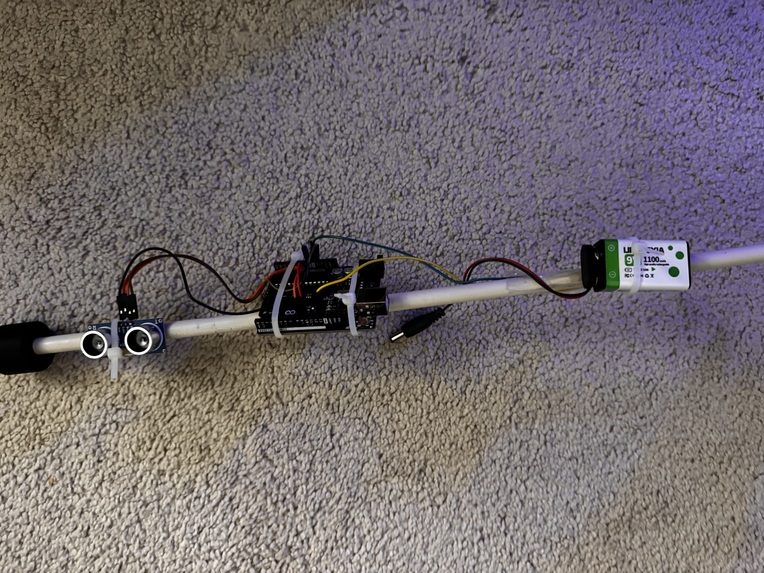
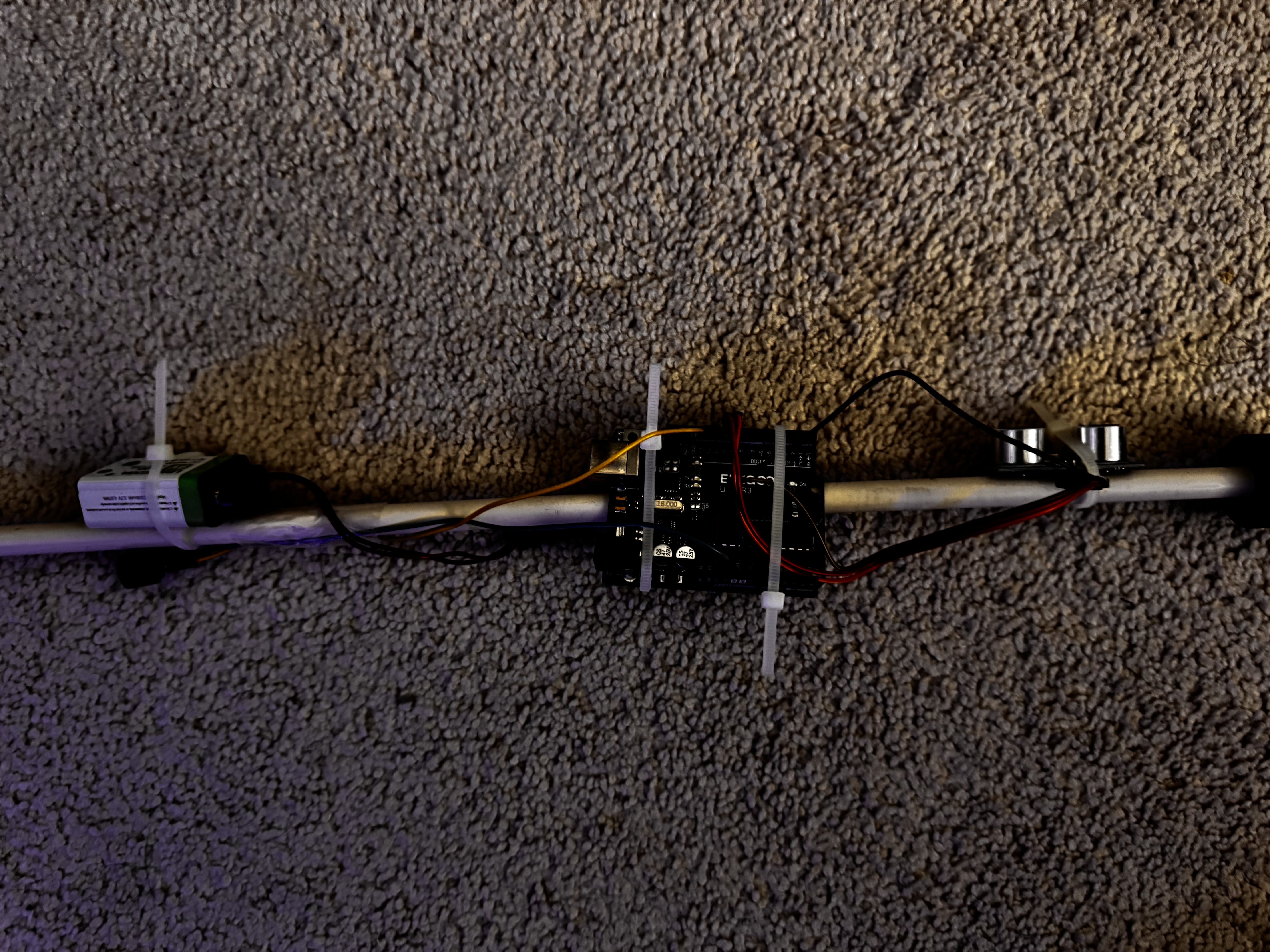
Full view of the electronics
-
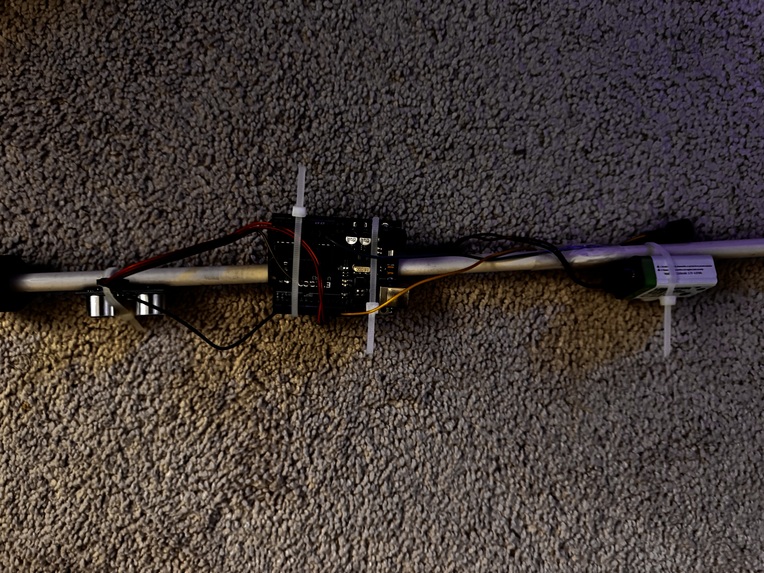
Close up
-
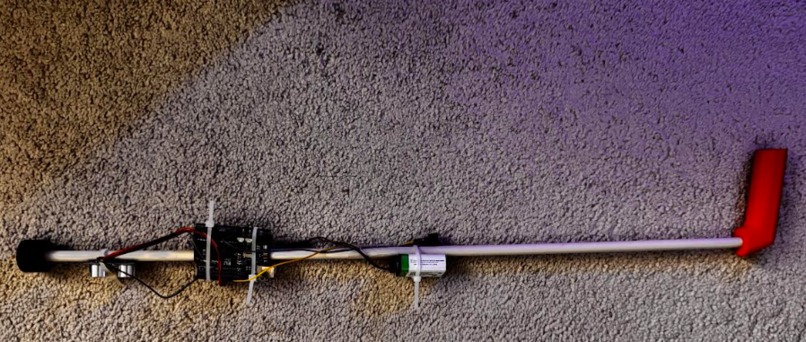
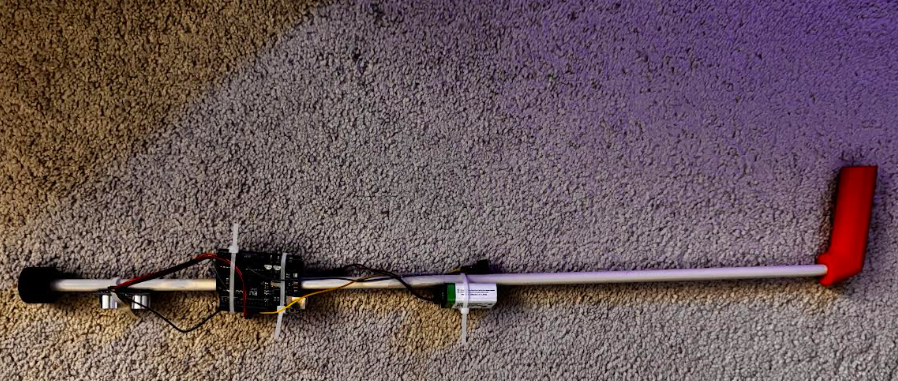
Full view of the cane
What inspired you to make a project this way?
We wanted to develop a project that tackled a real-life problem using technology rather than a project that just showcased what a sensor or microcontroller was capable of. So our idea was to iterate on the concept of an age-old instrument, the cane.
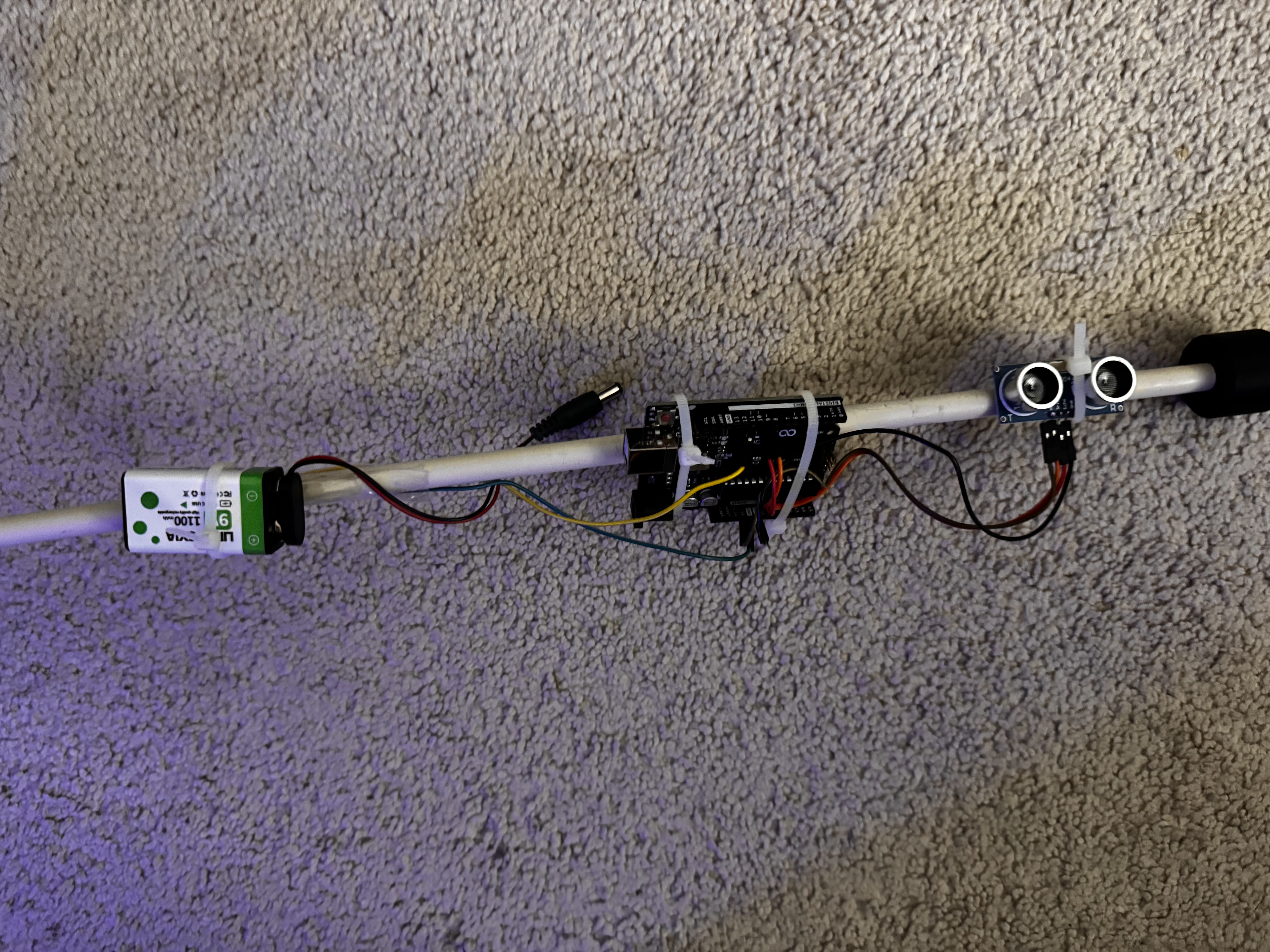
Through our project, we planned to use an Arduino microcontroller and an ultrasonic sensor to determine if there is anything in front of the cane and inform the user via an audible indicator when there is an object nearby. We presumed that this could aid in spatial navigation, allowing the user to identify obstructions from farther distances.
We intended to develop this system into a low-cost and accessible guide for visually impaired individuals.
The concept was elegant. The execution was quite another story…
We designed the system to work using an Arduino and an ultrasonic distance sensor. The ultrasonic distance sensor works by emitting an ultrasonic wave and then timing how long it takes to bounce back from an object. The Arduino interprets how long it takes the ultrasonic wave to come back to determine the distance from the obstacle. We wrote a program to play a buzzer if an obstacle is detected. This buzzer was configured to vary in frequency based on the distance measured between the cane and the obstacle.
Here is an example of the differences in buzzer frequency executed in our code.
// 31-50 cm = slow beeps
  else if (distance > 30) {
    digitalWrite(ledPin, HIGH);
    if (millis() - lastBeepTime >= 700) {
      digitalWrite(buzzer, HIGH);
      delay(80);
      digitalWrite(buzzer, LOW);
      lastBeepTime = millis();
    }
  }

  // 21-30 cm = medium beeps
  else if (distance > 20) {
    digitalWrite(ledPin, HIGH);

    if (millis() - lastBeepTime >= 450) {
      digitalWrite(buzzer, HIGH);
      delay(80);
      digitalWrite(buzzer, LOW);
      lastBeepTime = millis();
    }
  }
One of our main hurdles was to allow the prototype to function by itself. The system worked when it was plugged into the computer via USB, but we struggled to configure it to work reliably on the power supply of a rechargeable 9V battery. We had to check the battery, the connector, the wires, and the Arduino power input.
We also had difficulty with the ultrasonic sensor returning inconsistent values. When testing the sensor on the line as we were moving past an obstacle, it would sometimes jump to 0 or a large number when there was actually no obstacle there. When the object was moved closer, the values would sometimes jump, sometimes stay the same. We fixed the program by using a timeout when measuring the sensor and capping the maximum distances that the Arduino would read.
The other big obstacle was practicality. Our first idea was all electronic, but it didn't look or feel like it could be easily clamped onto a cane and used with one. We did not want it to have all sorts of wires and electronic parts that hung from the side of the prototype.
To solve this, we now began using CAD to design a more practical and better-organized way of mounting the components. CAD also helped us consider the physical size of the system, how the parts would need to fit together and how the electronics could fit into the cane, instead of just being mounted onto it. As we designed the CAD model for our device, we focused on the practicality for a visually impaired user. As a result, we tuned the ergonomics of our 3D-printed handle to be both comfortable to hold and to angle the ultrasonic sensor in the correct direction.
It changed our focus from just getting the electronics to work to actually thinking like engineers designing a real product.
Working on the project we found that it is not just enough to make some code run. Hardware, software, power and design all have to work in tandem. Something that works well in simulation on a computer may be useless in real life if it is not executed with the user in mind.
We gained a greater appreciation for the value of troubleshooting. Whenever we encountered an error, we had to think of several different reasons for the trouble rather than jumping to the conclusion that the code was at fault. We would test our components, test out the connections, examine the power supply, tweak the code, and then rebuild the physical system.
This is just to show the main principle of our system, the current prototype of the Arduino Smart Cane: an Arduino LED can sense an obstacle in front of the user using an ultrasonic sensor and alert with a sound.
There is room for improvement. In our future version, we could employ more than one sensor to detect obstacles coming from all directions, make many different buzzer patterns according to the distance, redesign and improve the case with CAD, and make the electronics more compact, reliable, and protected from environmental conditions. Additionally, we could utilize more advanced microcomputers, such as the Raspberry Pi, to implement obstacle identification features. A future prototype could utilize our newfound knowledge of ultrasonic sensors in tandem with identifications from an OpenCV-configured autofocus camera, allowing us to provide more case-sensitive obstacle warnings to facilitate smoother navigation.
Most importantly, this project showed us what this whole engineering process is like. We had an idea, built a prototype, struggled with power, sensor readings, and whether it was actually practical, and through testing, programming, and CAD, refined our design. Rather than simply asking, "Can this idea work?" we learned to ask the much more meaningful question, "How can we actually make this useful for its target audience?"


Log in or sign up for Devpost to join the conversation.