-
Homepage
-
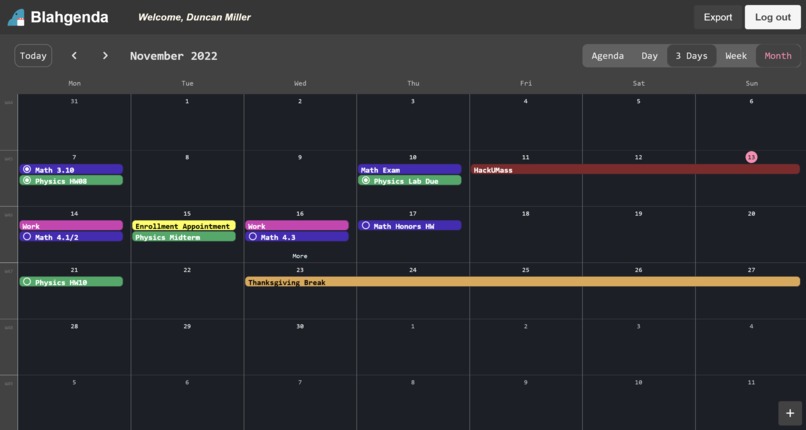
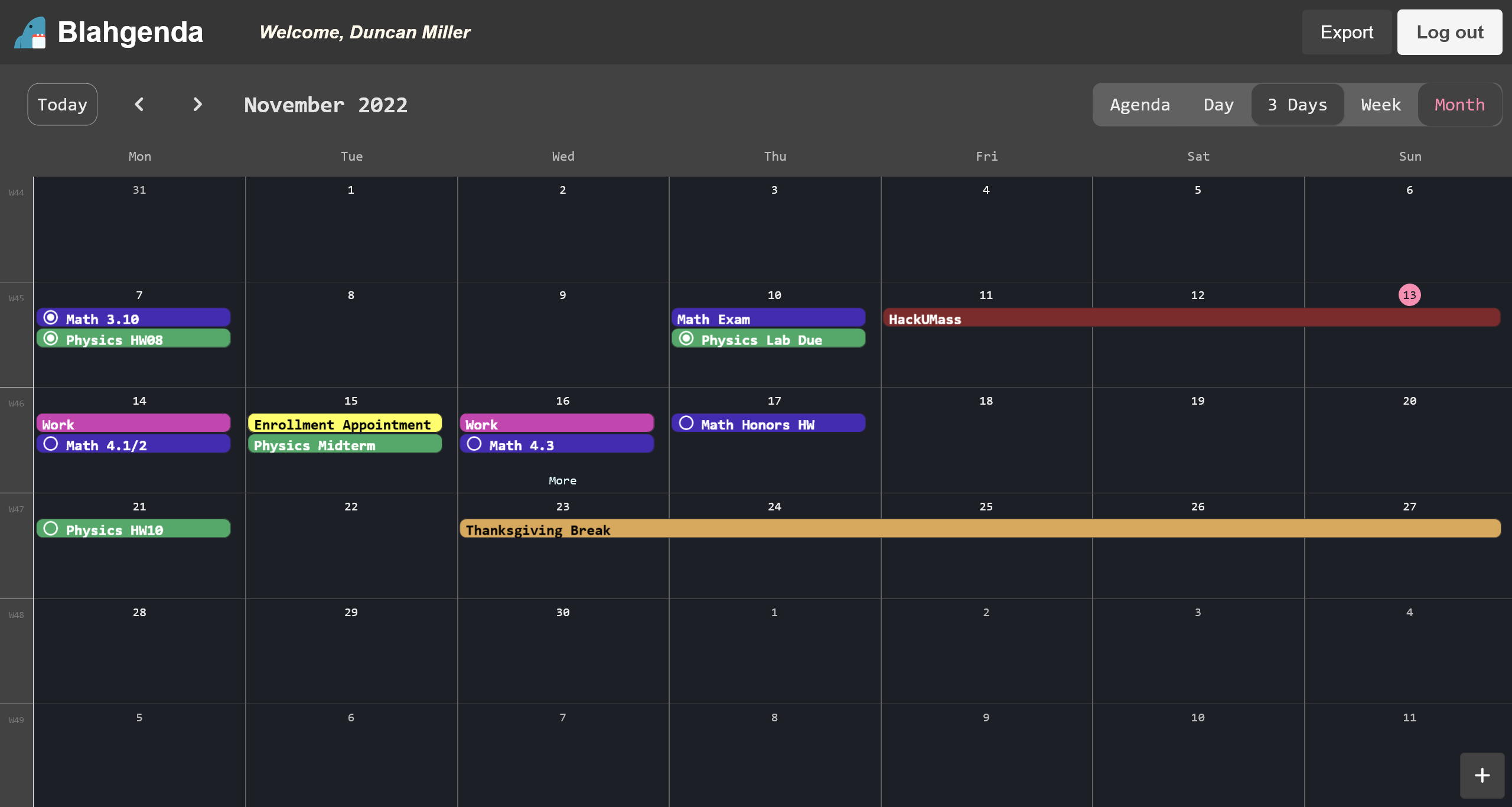
Calendar - Month View
-
Blahgenda Logo
Inspiration 🏫🎒⁉
As college freshmen, we have all been struggling to keep up with our schedules. Hopping from classes to club meetings to UMass events to homework/task due dates is extremely overwhelming. Like most other students, we all resorted to using some online calendars/organizers like Google Calendar, Calendly, or Outlook.
However, all of these had different problems. Some features were there in some calendars and some others were in other calendars. It is also extremely inconvenient to switch calendars from one service to another. Some calendars didn't have any distinction between tasks and events, which could make other calendars unreadable if we had tasks inputted as events that lasted the whole day. Lastly, a lot of the calendars we used didn't have any built-in priority-related features which often made it hard to decide which events we could go to if we were double-booked.
To solve all our problems with organizers, we decided to build our own. Inspired by our trustful and supportive friend, Blahaj the stuffed shark, we decided to make him our logo and part of our name (Blahaj + Agenda). In addition, the “blah” scoffs at existing solutions as we aim to create the best one for students.
What it does 📅🦈🕤
The first thing to do on Blahgenda is to create an account. Every user has a specific username and password that allows them to access their account where they can create events and tasks each with special priority and color, location, and description or notes for each. For tasks, you also have the added functionality of due dates in addition to “Do dates” (the date when you would like to get it done) and also a handy check box so when you’re finished with the task, you can mark it as complete.
Thanks to Kalend, there are a few options as to how you can view your calendar. You can view an agenda layout that displays all of your events for the month while sorting them daily based on priority. There is also a 3-day display, a week display, and a month display. You are also able to edit or delete an event or task from anywhere that you are able to view it.
You are also able to export your calendar as an up-to-date ICS file so you are able to import your events anywhere.
How we built it ⚒🛠⚙
Services
- Domain.com - Our .tech domain is registered through them
- Amazon Web Services - An EC2
t2.mediuminstance hosts Appwrite using Docker behind an NGINX proxy (+ Certbot for SSL) - Appwrite - Provides our backend (database, authentication, API) plus storage buckets and functions that can be triggered by events and cron schedules
- Cloudflare - Cloudflare DNS secures the site, and Cloudflare Pages serves the frontend application
- VS Code Live Share - Collaboration between team members and sharing of local sites
Frontend (JSX & Sass)
- Webpack, React, Bulma
- Kalend - React component provides a helpful calendar view to fill with events, from agenda view to monthly view
Challenges we ran into 🏃♂️🏃♂️🏃♂️🏃♀️
We came in thinking we all had similar experiences with web development. It wasn’t until a bit after hacking began that we realized there was a skill gap that would limit our ability to build what we set out to do in time.
We wanted to use Twilio to verify users’ phone numbers and allow them to text event details to add to Blahgenda. However, we investigated the option in the second half of the hackathon and ran into issues verifying numbers for Caller ID (?), and weren’t able to resolve them.
Setting up Appwrite was easy until attempting to access it. Cross-origin issues plagued the API and took a bit of our time before resolving them by just placing an NGINX proxy in the middle.
We realized some potential difficulties and drawbacks with the package we chose for the calendar view (Kalend) a bit too late. The event views do not know what day they appear on, so in the Agenda tab, multi-day events just show the event’s start/end times for each day instead of when they start and end on that specific day. Adding a simple marker for priorities also required copy-pasting the package’s existing views and modifying them, which wasn’t very friendly.
Accomplishments that we're proud of 🏆🥇
The generating ICS file uses Appwrite functions to run on every user creation -- the .ics file exists <0.1s after the account is created -- and every 15 minutes. Its storage API was useful to utilize user IDs to access the files using a public URL. This calendar can be imported via URL into e.g. Google Calendar.
Figuring out how to use Appwrite functions & storage to our advantage without requiring another service running on the AWS EC2 instance or another service entirely
The logo for Blahgenda
What we learned 🧠🏫
- How to use Appwrite
- How some basic AWS services work and how to navigate the dashboard
- Some team members were introduced to React and/or SASS
- How to function with a limited amount of caffeine and sleep
What's next for Blahgenda ⏭📅🦈⏭
- Creating an easy way to share individual events or tasks with people
- Add a way to search for events
- Different calendars/categories
- Phone integration (e.g. using Twilio, see challenges) to add events without visiting the site
Built With
- amazon-ec2
- amazon-web-services
- appwrite
- bulma
- cloudflare
- html
- javascript
- react
- sass
- ubuntu
- webpack




Log in or sign up for Devpost to join the conversation.