Inspiration
Official paper is full of identifiers. A clinic invoice carries a name, a street address and a card number. A tenancy page carries an ID number and a bank account. A payslip carries most of them at once. The common advice now is "just ask an AI", which in practice means photographing the whole page and pasting it into a cloud chatbot.
Hybrid inference allows a different split. The model that reads the page can run on the device, and the stronger cloud model only needs the text with the identifiers taken out. Blackline turns that split into a boundary you can see. It is for renters, patients and migrant workers who are handed official paper and want to ask what it means without giving away who they are.
What it does
- Drop a JPEG or PNG of a page, or open one of three fictional specimens: a clinic invoice, a tenancy page and a payslip.
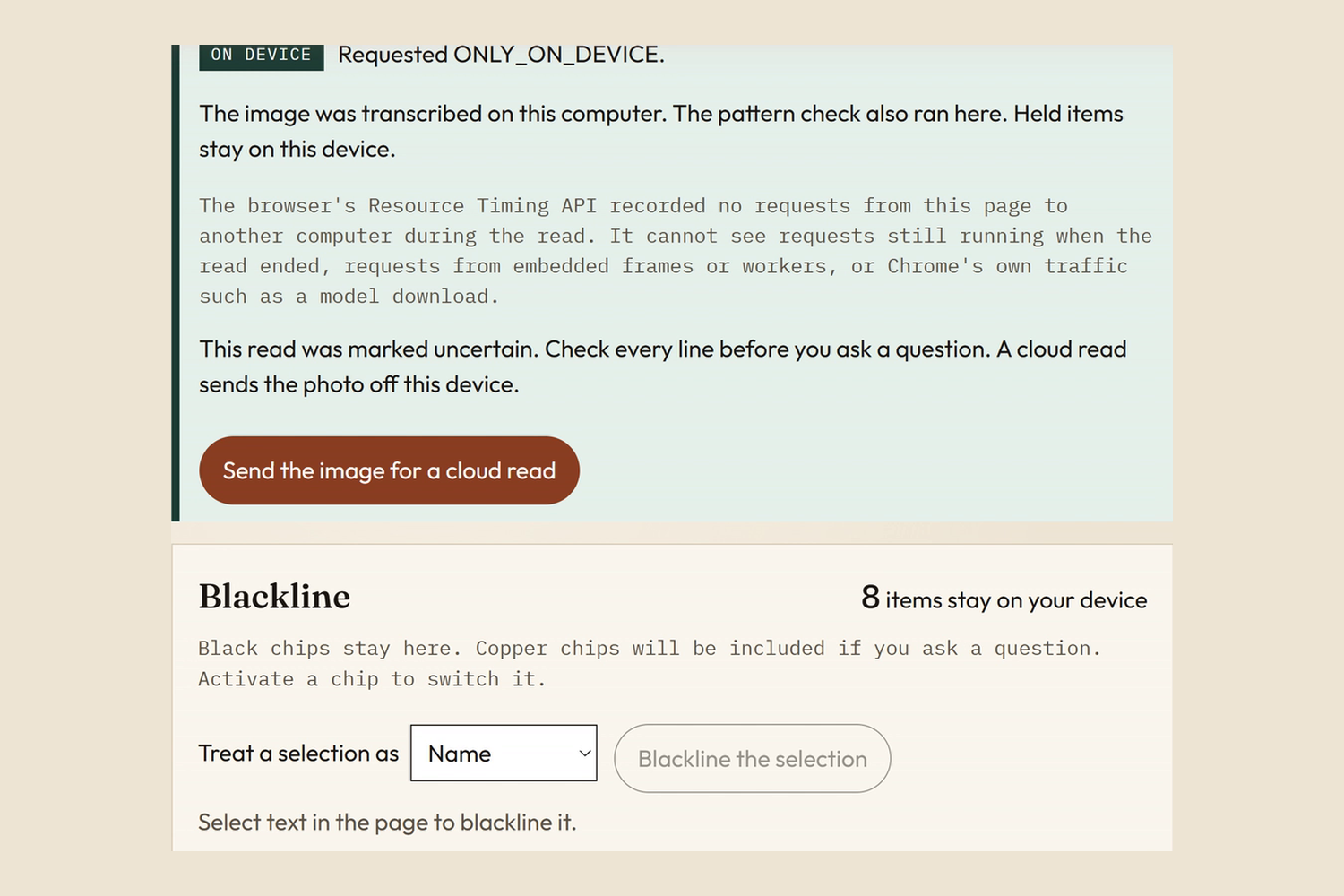
- Gemini Nano, running in Chrome on your computer, transcribes the page and flags personal details. A deterministic pattern check runs beside it: emails, phone numbers (including Singapore +65 numbers), NRIC/FIN-like IDs, card-like digit runs, IBANs, labelled account numbers, and dates of birth next to a birth label.
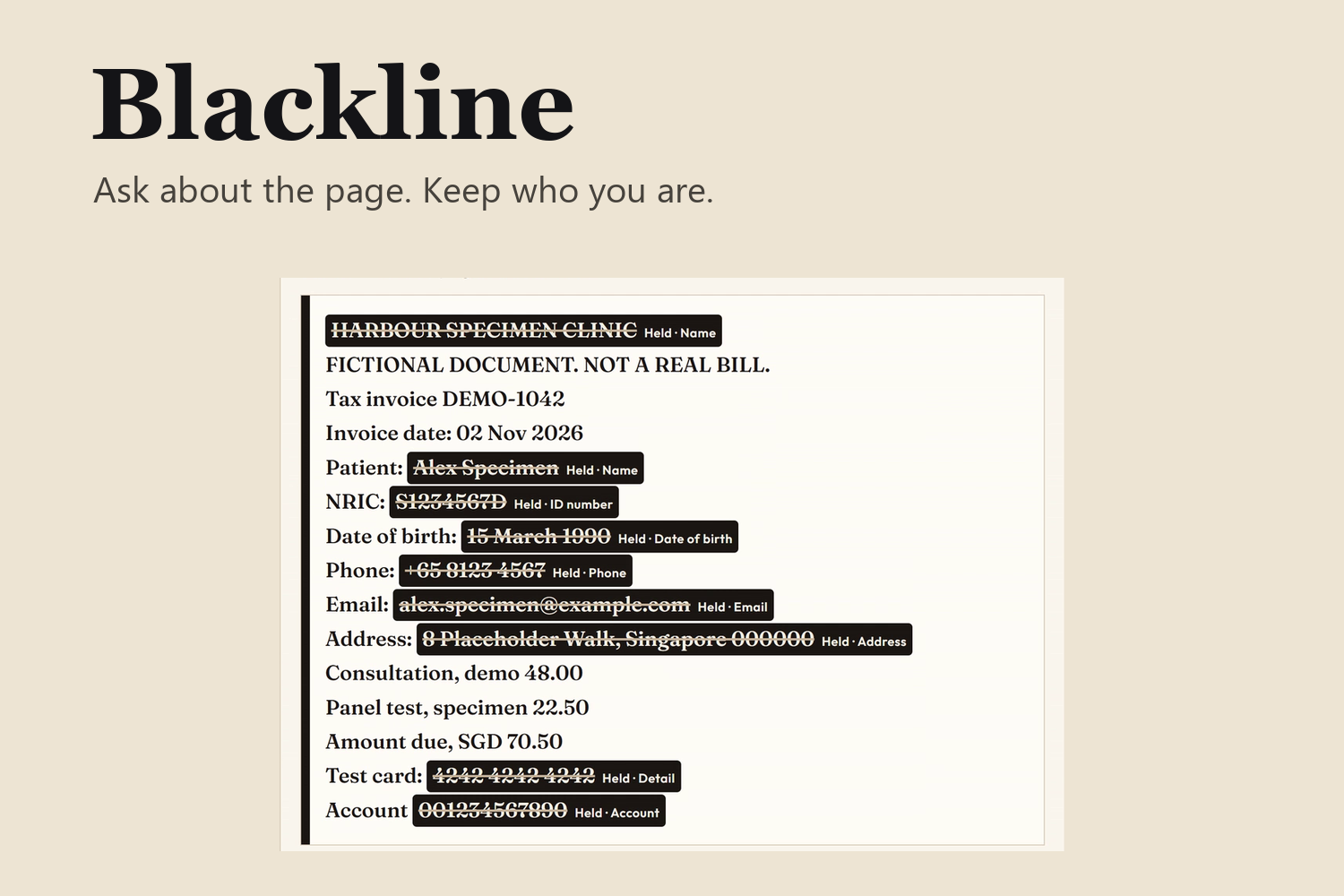
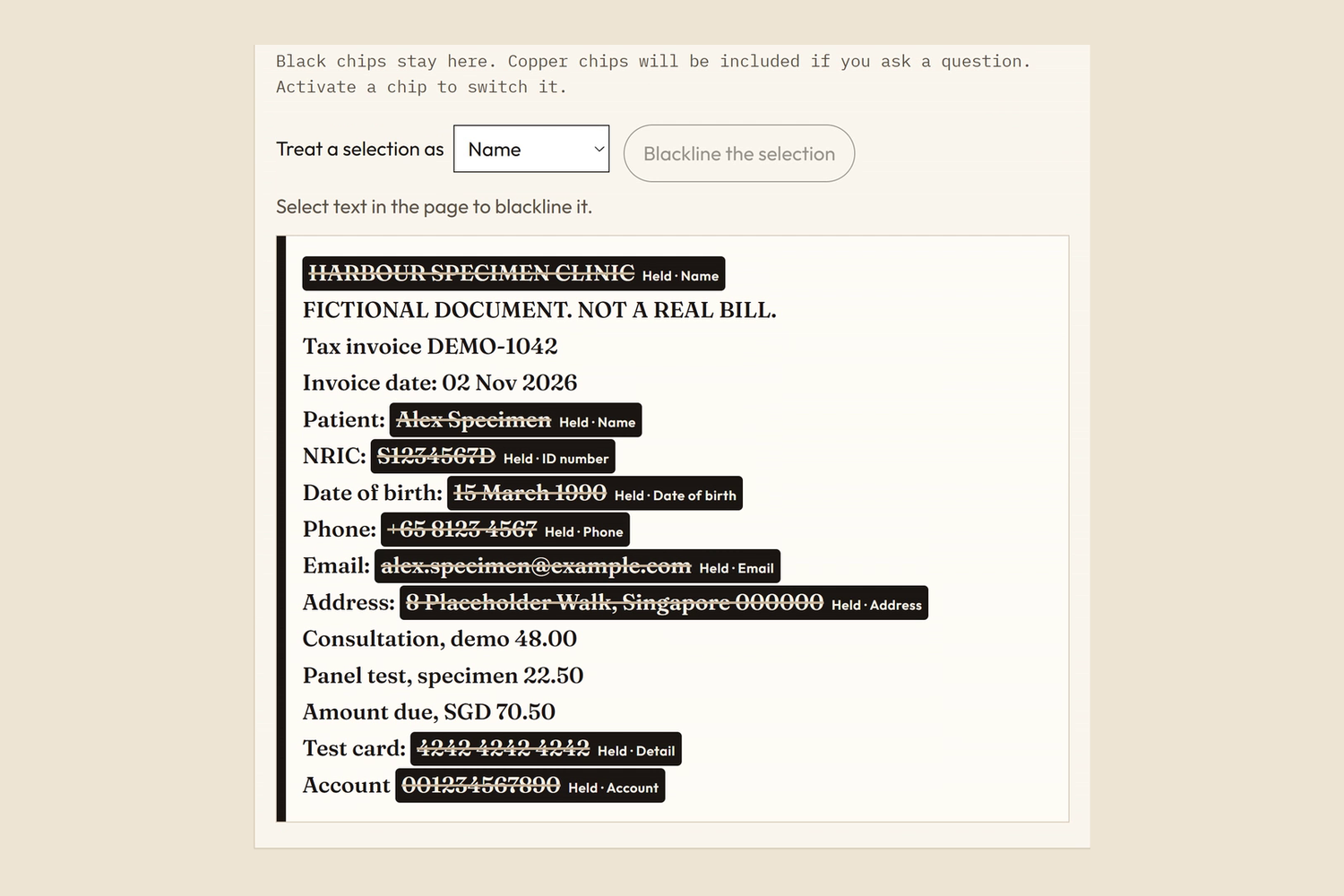
- You get a blackline: every held detail is struck out as a black chip, with the reason it was held. Tap a chip to reveal it (it turns copper and will be included), or select any text and blackline it yourself.
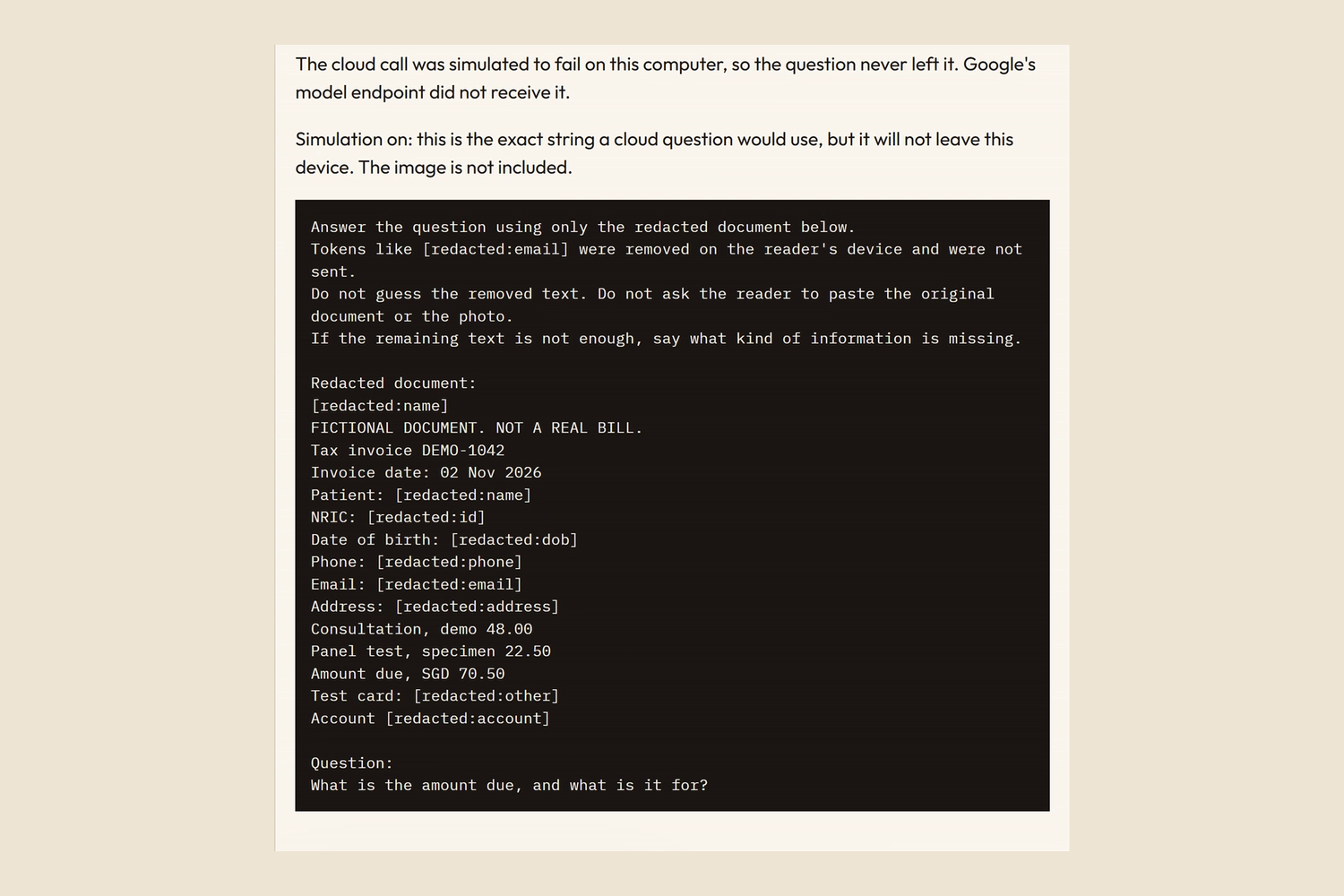
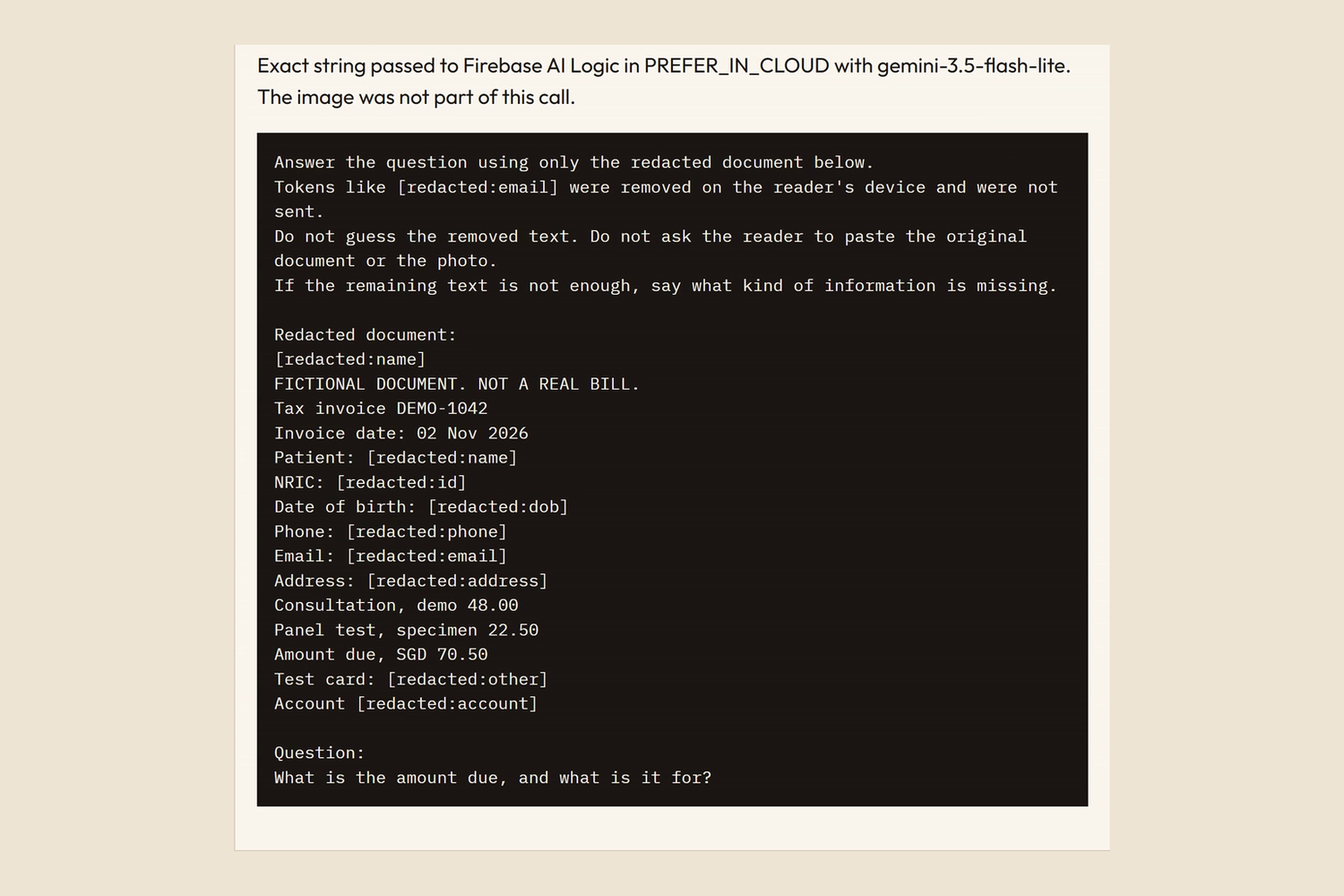
- Ask a question. Only the redacted text and your question are sent to the cloud model. The exact string is shown under What the cloud saw.
- Every result carries a badge, ON DEVICE or CLOUD, taken from the SDK's own
inferenceSource, not from a guess.
When you are offline, Gemini Nano answers on the device and the app says the answer is limited. If Nano cannot run in your browser, the photo is not uploaded quietly: a consent button says the image will leave the device, and the cloud reads it only after you press it.
How Firebase AI Logic is used
Every model call goes through the Firebase AI Logic web SDK (firebase/ai, JS SDK 13.3) with the Gemini Developer API backend on the free Spark plan. The inference mode is chosen per step, because in this app the mode is a privacy decision:
- Reading a scan:
ONLY_ON_DEVICE. If Nano cannot run, the read stops with an error. It never falls back on its own. - Reading a scan when Nano is unavailable:
ONLY_IN_CLOUD, and only after the explicit consent button. - Asking a question online:
PREFER_IN_CLOUDwithgemini-3.5-flash-lite. If the cloud call fails, the SDK answers with Gemini Nano on the device. Only redacted text is involved either way. - Asking a question offline:
ONLY_ON_DEVICE. - Showing the fallback: a "Simulate a cloud failure for questions" switch passes
requestOptions.baseUrlpointing at a blocked port on the same computer, so the SDK's realPREFER_IN_CLOUDfallback runs on camera and the question never leaves the device.
Structured output is set for both paths (responseSchema for the cloud, responseConstraint for Nano), so a read returns the same JSON either way. initializeDeviceModel() runs only after a click, with a progress bar for the first download. App Check protects the AI Logic calls: the debug provider on localhost, and reCAPTCHA Enterprise (Google Cloud Fraud Defense, on its free tier) on the hosted demo.
How it's built
React 19, TypeScript and Vite, with Vitest tests for the pattern check, the redaction merge, the extraction parser and the Prompt API detection. The project was created on 12 Nov 2026 from the official Vite React TypeScript template; everything past the starter was written during the contest. It was built with AI coding assistants, as the rules allow, and the README says so. Apache-2.0.
Challenges
- The convenient mode was the wrong one. Reading the SDK's dispatch code showed that
PREFER_ON_DEVICEsends the request, photo included, to the cloud whenever the on-device model is not available. For a privacy tool that would be a silent upload. Reads now useONLY_ON_DEVICE, and the cloud read sits behind the consent button. - Detecting the Prompt API. Chrome exposes
LanguageModelas a class, so a check for a plain object missed it. Detection now accepts a class with a staticavailability(). - Neither layer is enough alone. On the specimen invoice, Nano caught the patient's name and street address, which no pattern can, and missed the test card number, which the pattern check caught. Both layers run, and you confirm the blackline before anything is sent.
- Honest labels after a fallback. When the cloud call fails and Nano answers, the cloud may still have received the request before the error. The panel says the text "may or may not have arrived" instead of claiming the cloud saw nothing.
Accomplishments
- Reading the specimen invoice on the test PC held 8 details, and the tab's network log showed no requests to Google while Nano worked. The app now shows this itself: after each read it reports the requests the browser recorded going from the page to other computers (normally none for a device read).
- The three paths were exercised on a real Chrome install: on-device read, cloud question, offline question. The cloud-failure fallback was tested by making the cloud endpoint fail inside the page.
- What leaves the device is visible down to the exact string, before and after sending.
What we learned
- In a hybrid app the inference mode is a privacy setting, not only a speed setting.
- On-device inference is single-turn and takes inline JPEG or PNG images. That limit fits a read-then-ask flow well.
- Structured output has to be declared twice, once per backend, or the two paths drift apart.
What's next
- App Check enforcement switched on for the hosted demo, which already sends valid reCAPTCHA Enterprise tokens.
- PDF pages, rendered to images on the device before the read.
- Answers in the reader's own language.
Built With
- app-check
- chrome-built-in-ai
- firebase
- firebase-ai-logic
- gemini
- gemini-nano
- react
- typescript
- vite
- vitest
