-
-
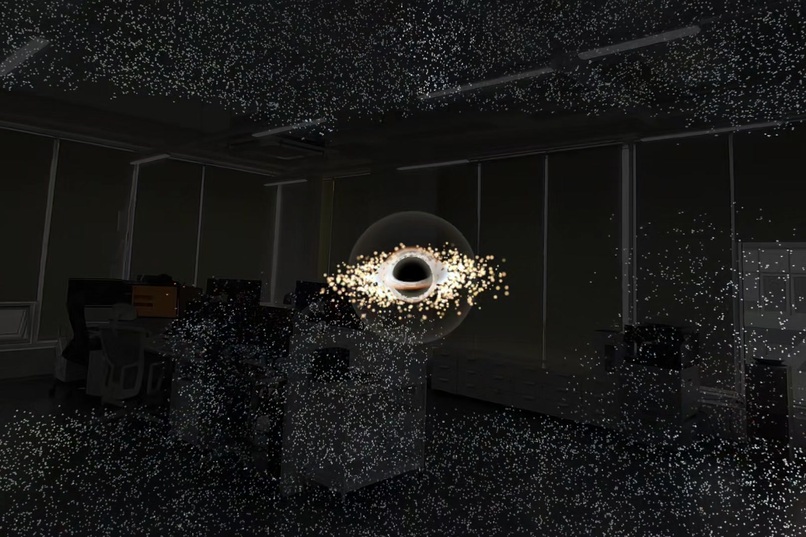
In the dark, a small black hole condenses and bursts. Its points scatter and settle, and your real room fades in around them.
-
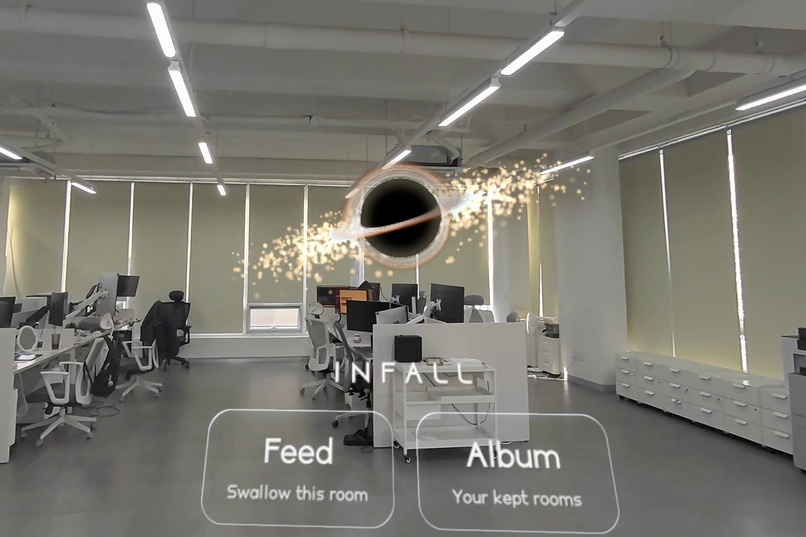
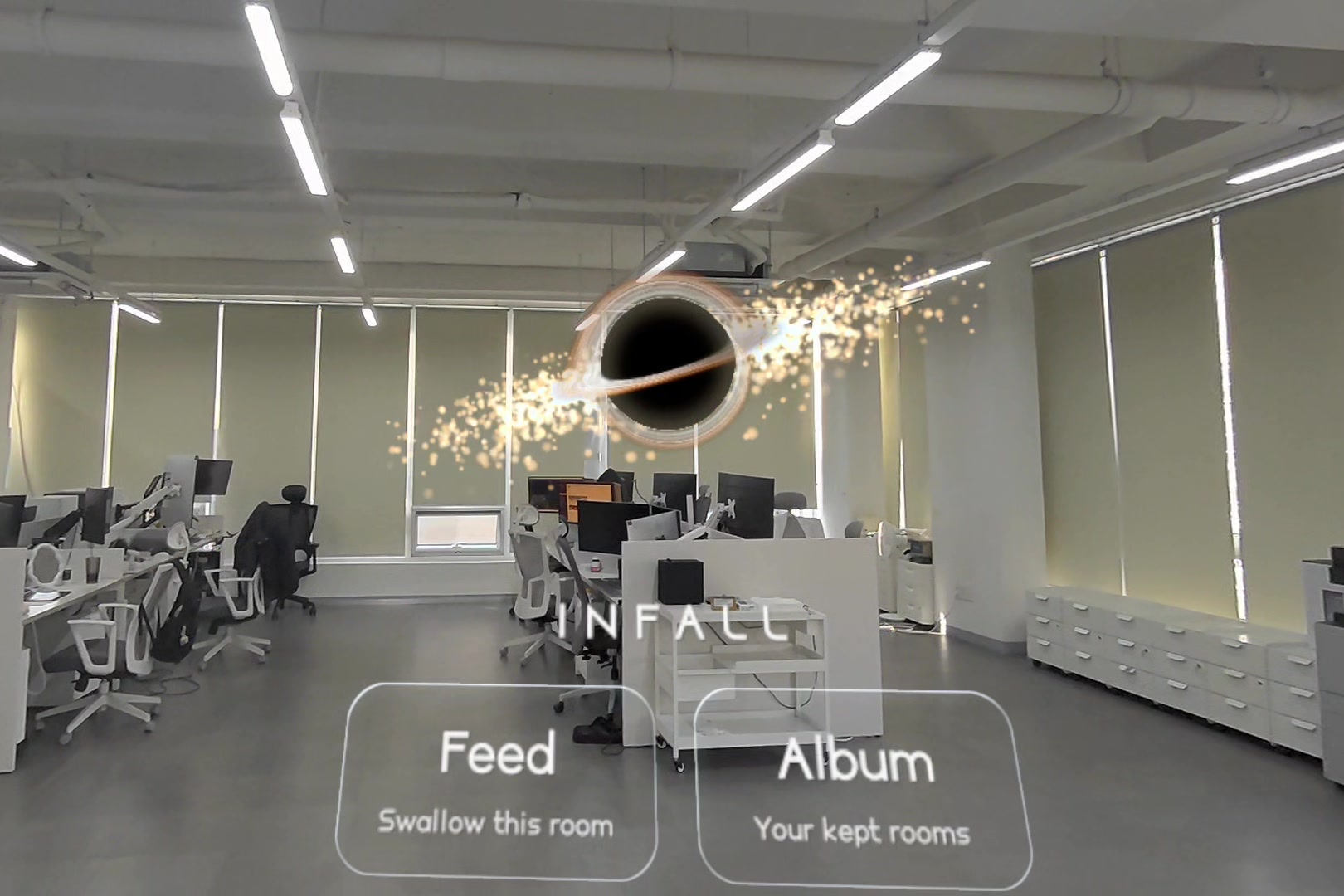
The home menu floats under the black hole: Feed to swallow the room you’re in, Album to visit the rooms you’ve kept.
-
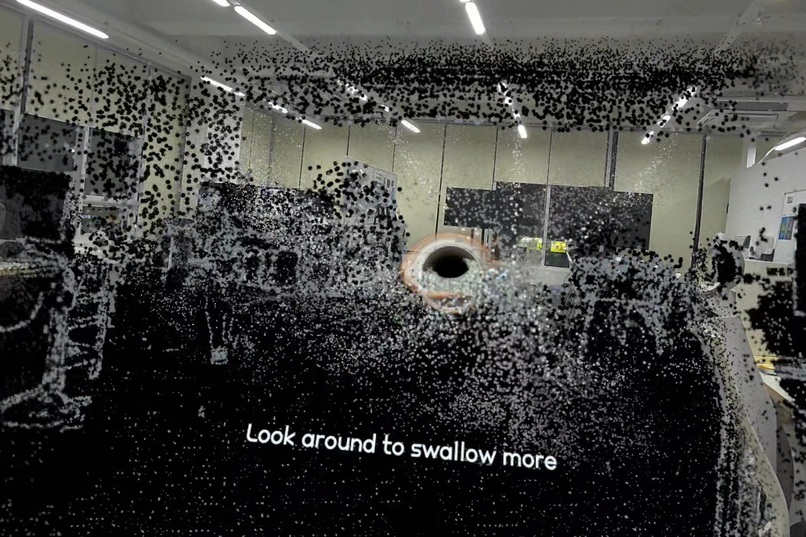
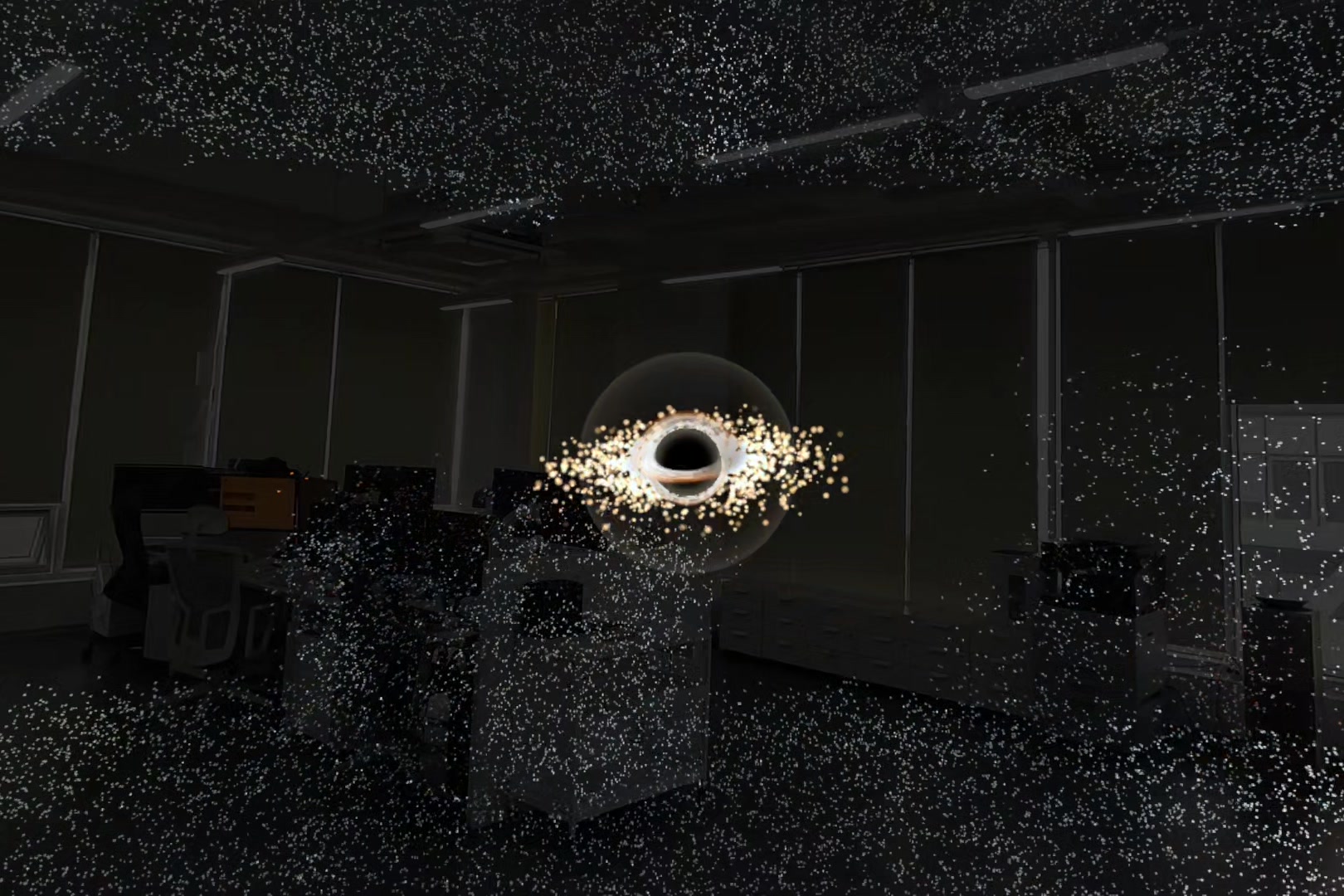
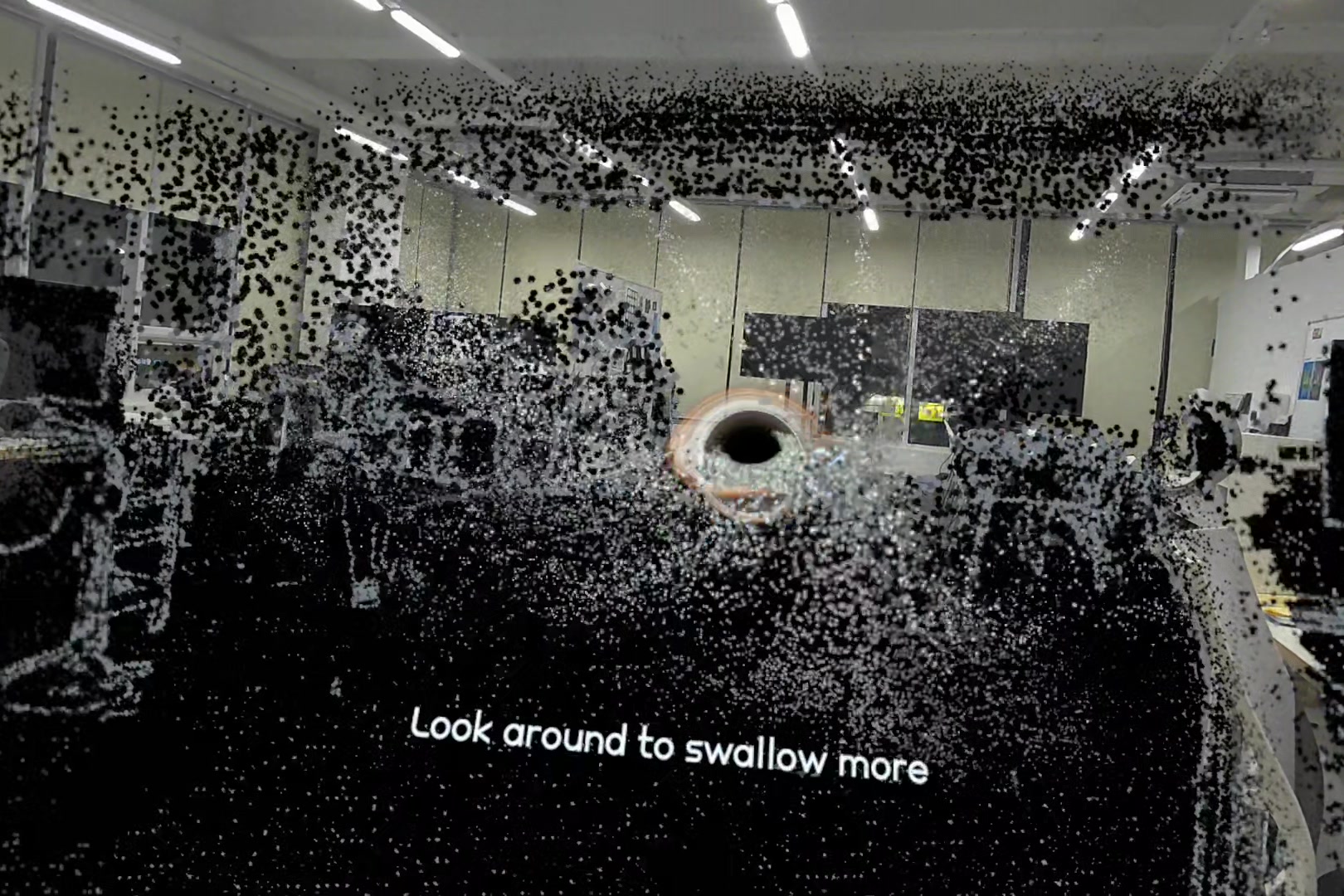
Pinch and hold to feed. The black hole eats whatever you look at, pulling the room in as hundreds of thousands of colored points.
-
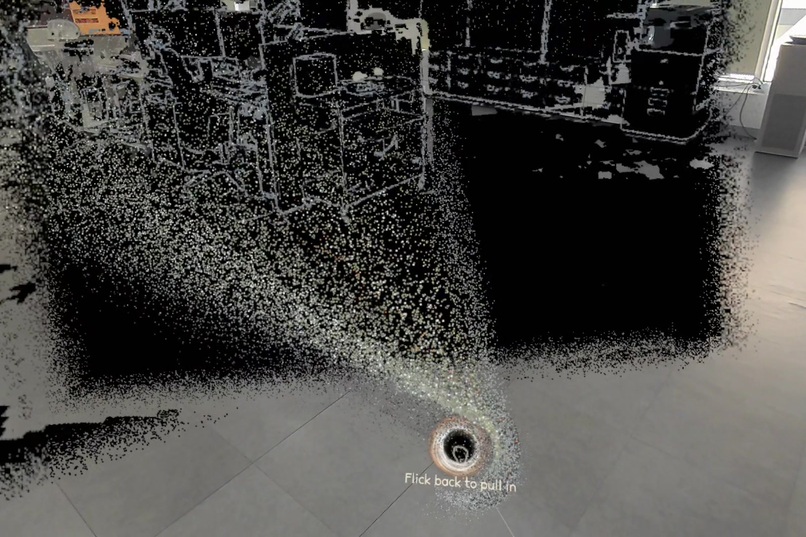
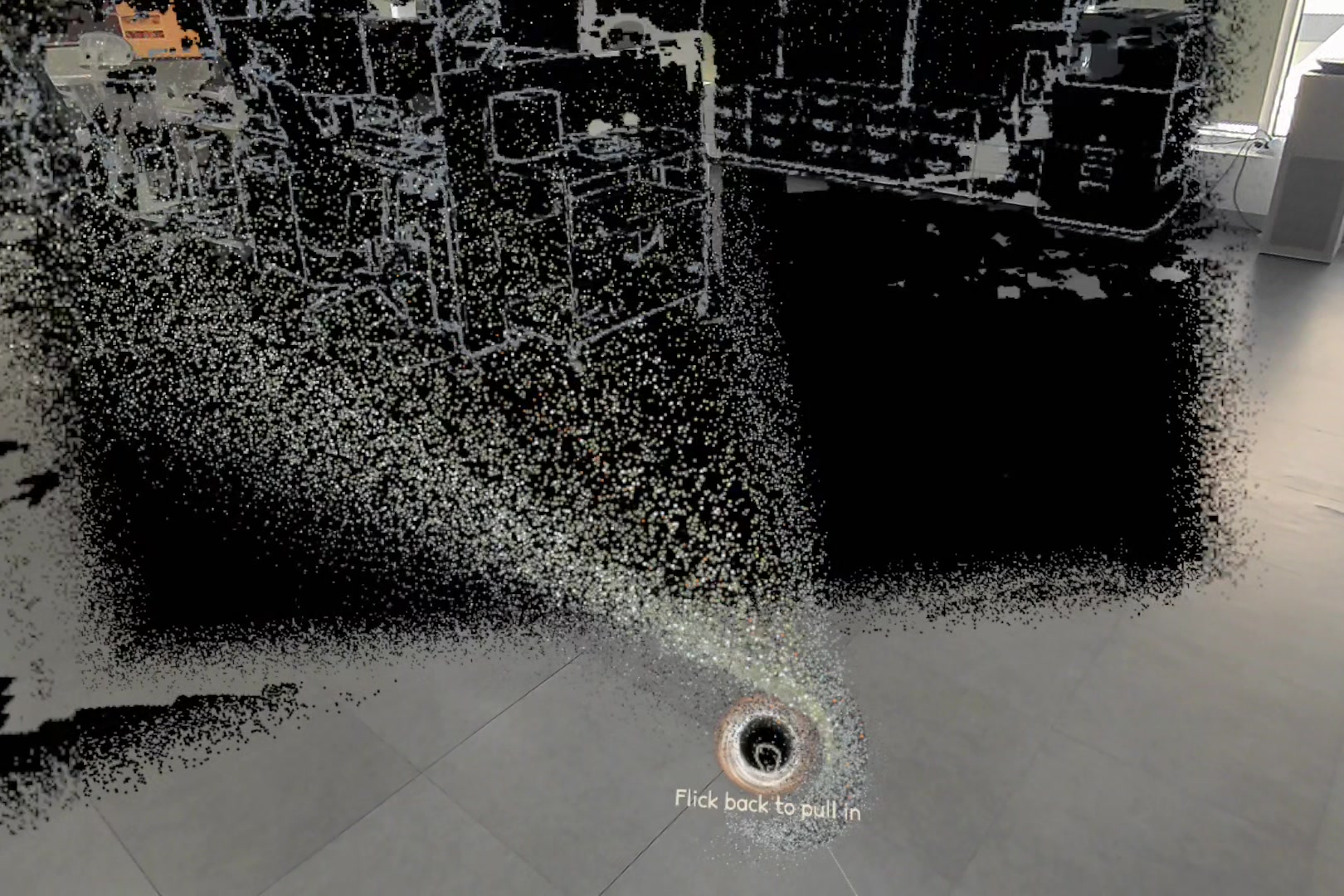
What it has eaten turns black, leaving only thin white outlines of desks and walls. Turn your head to swallow more.
-
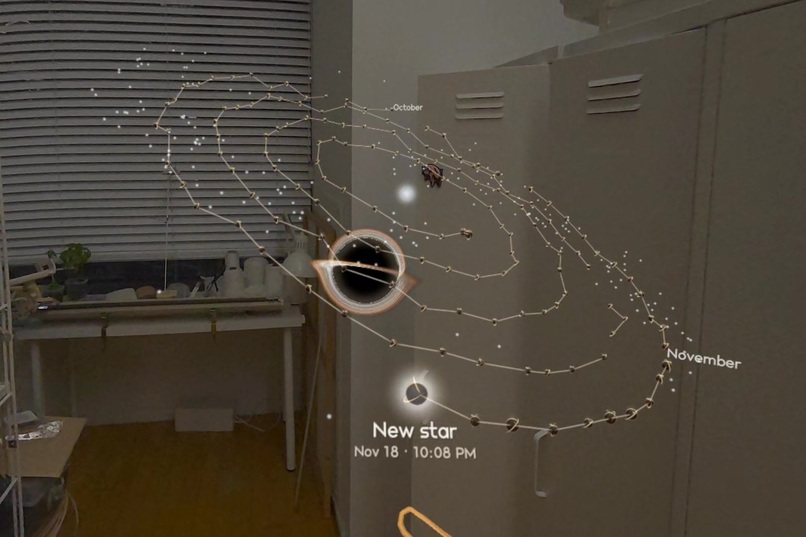
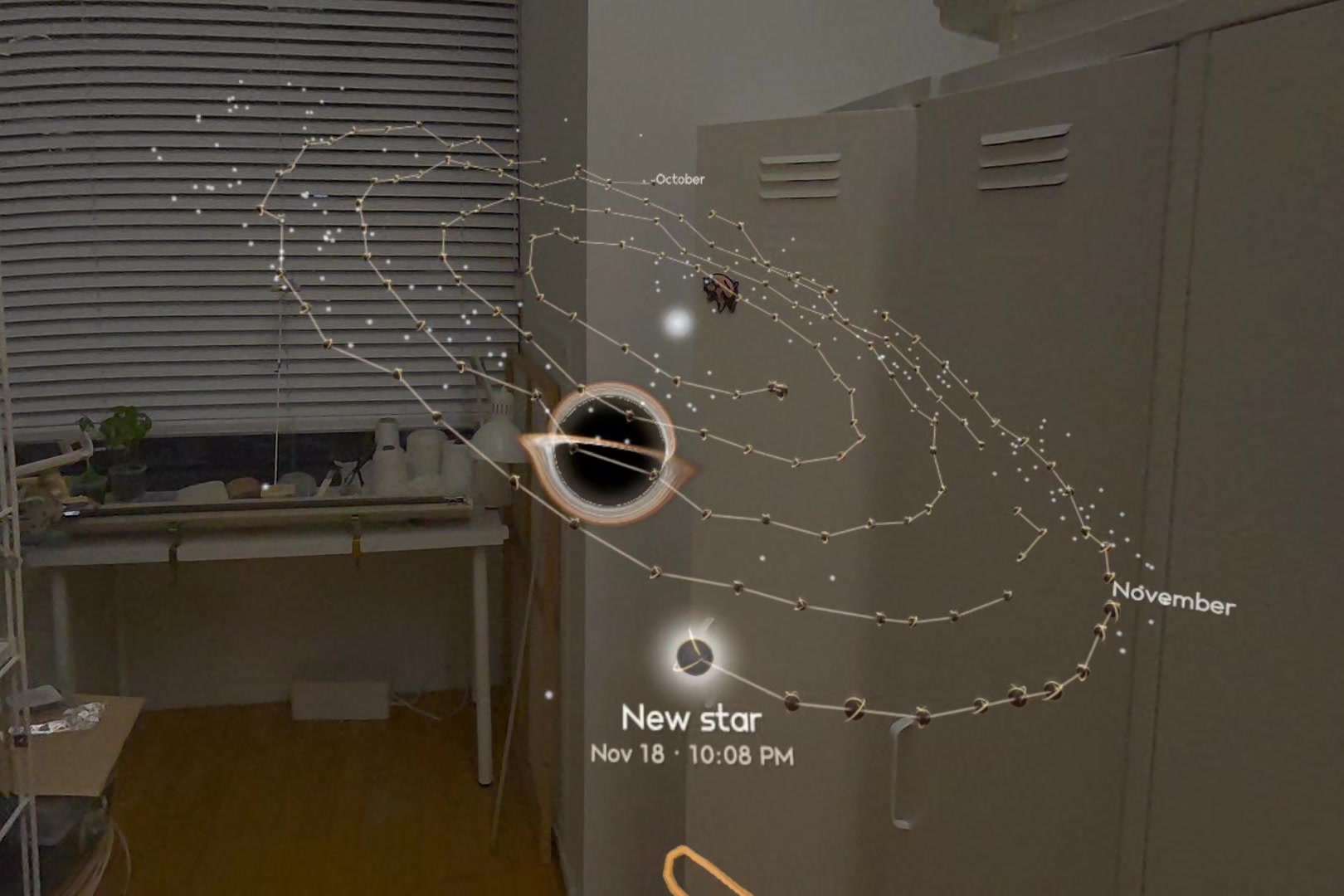
Hold a pinch to finish. The room folds into a single star and takes its place in your constellation, stamped with the time you kept it.
-
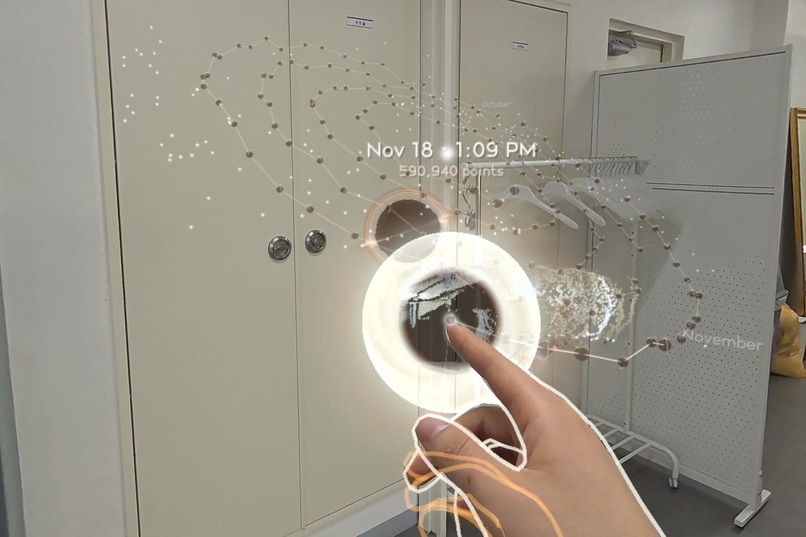
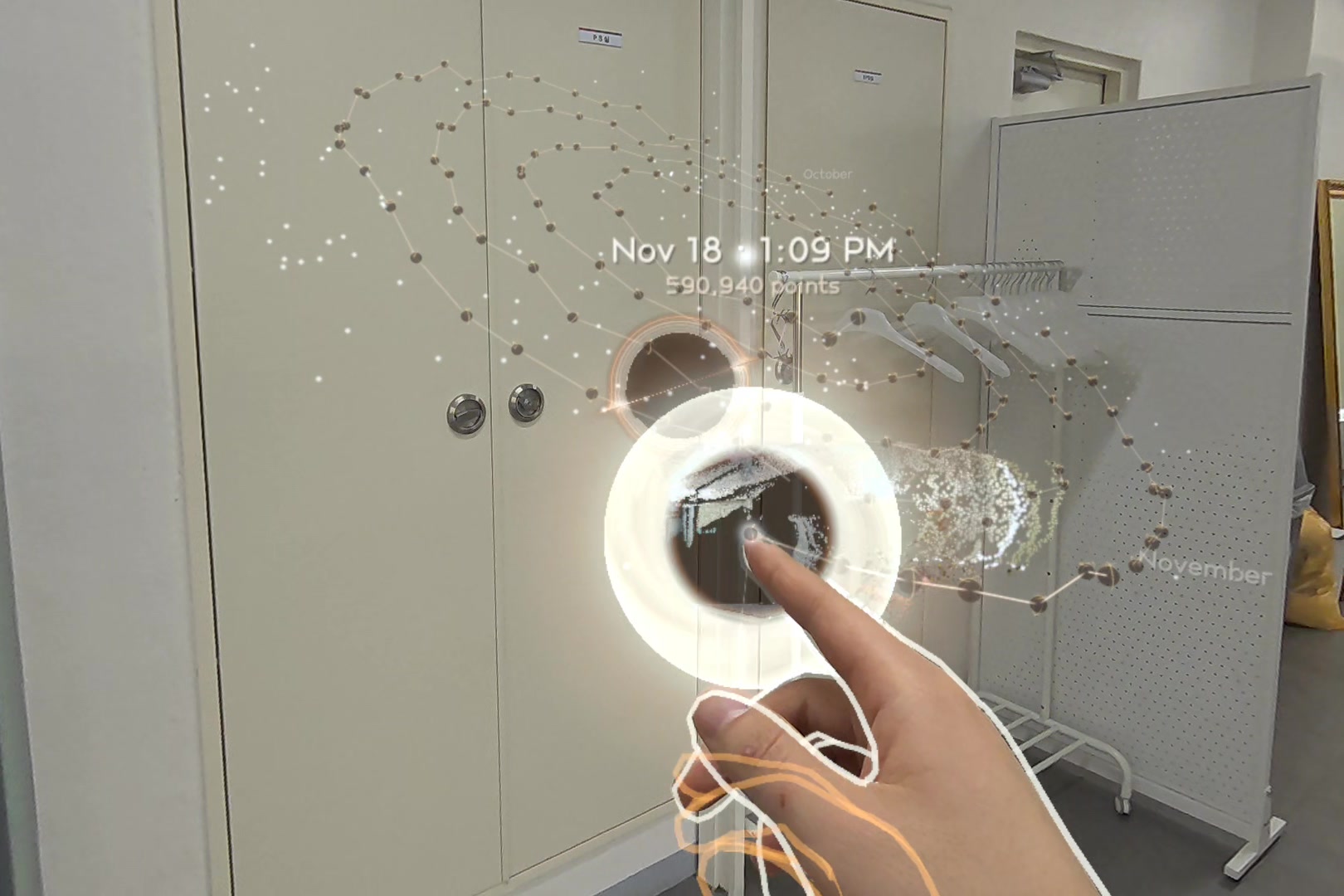
Your stars form a constellation. Pinch one and pull it out, and a glass orb shows that room in miniature with its date.
-
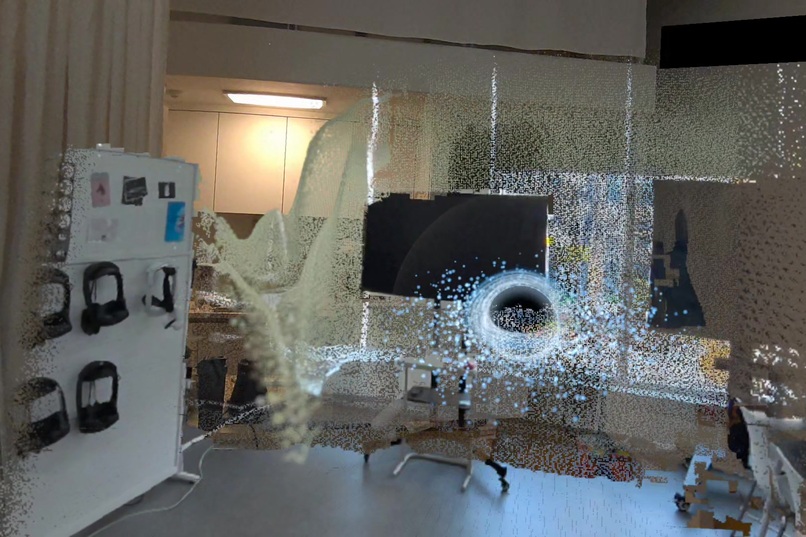
Spread both pinched hands apart. The black hole flips into a white hole, and the saved room pours out at full scale.
-
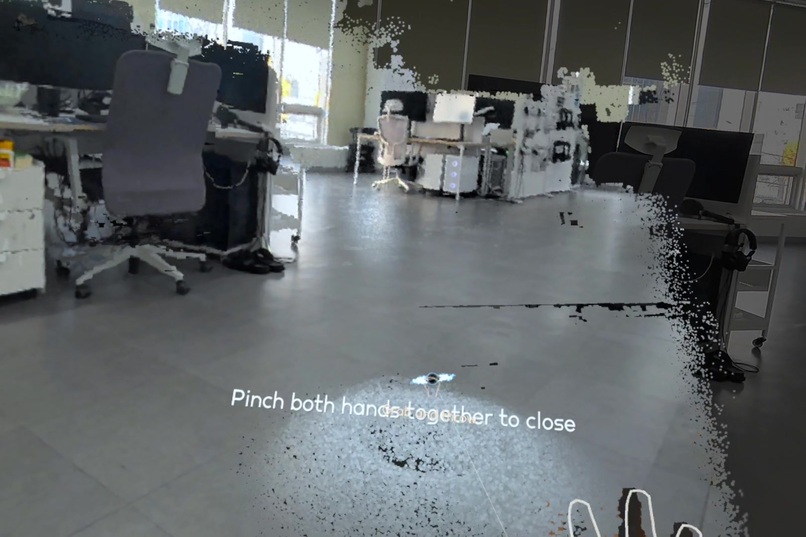
The saved office now stands around you, life-size. The white hole keeps spinning on the floor, stirring the points it brought back.
-
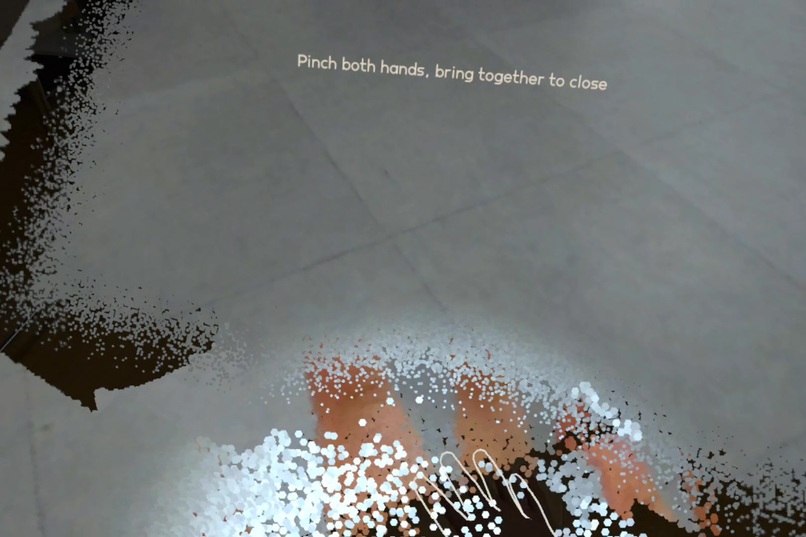
Reach into the room and the points part around your hand. The space you kept is something you can touch, not just look at.
-
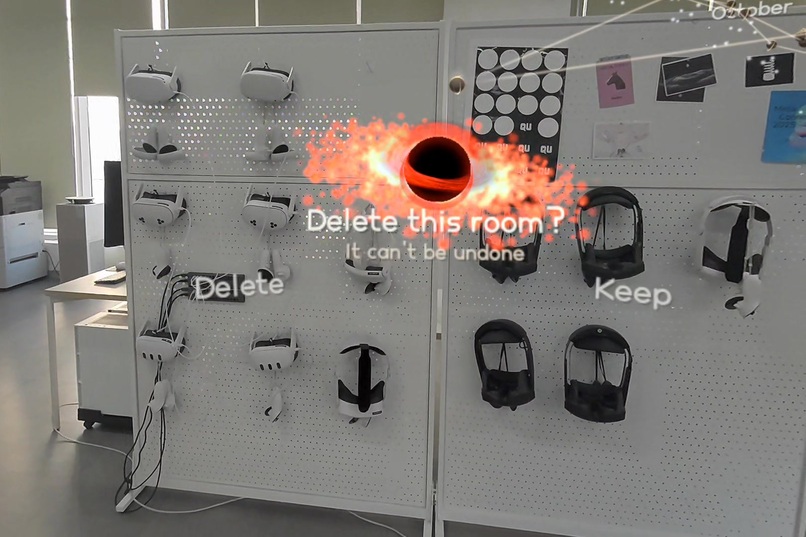
To let a room go, drop its star into the black hole. It turns red and asks once: Delete or Keep.
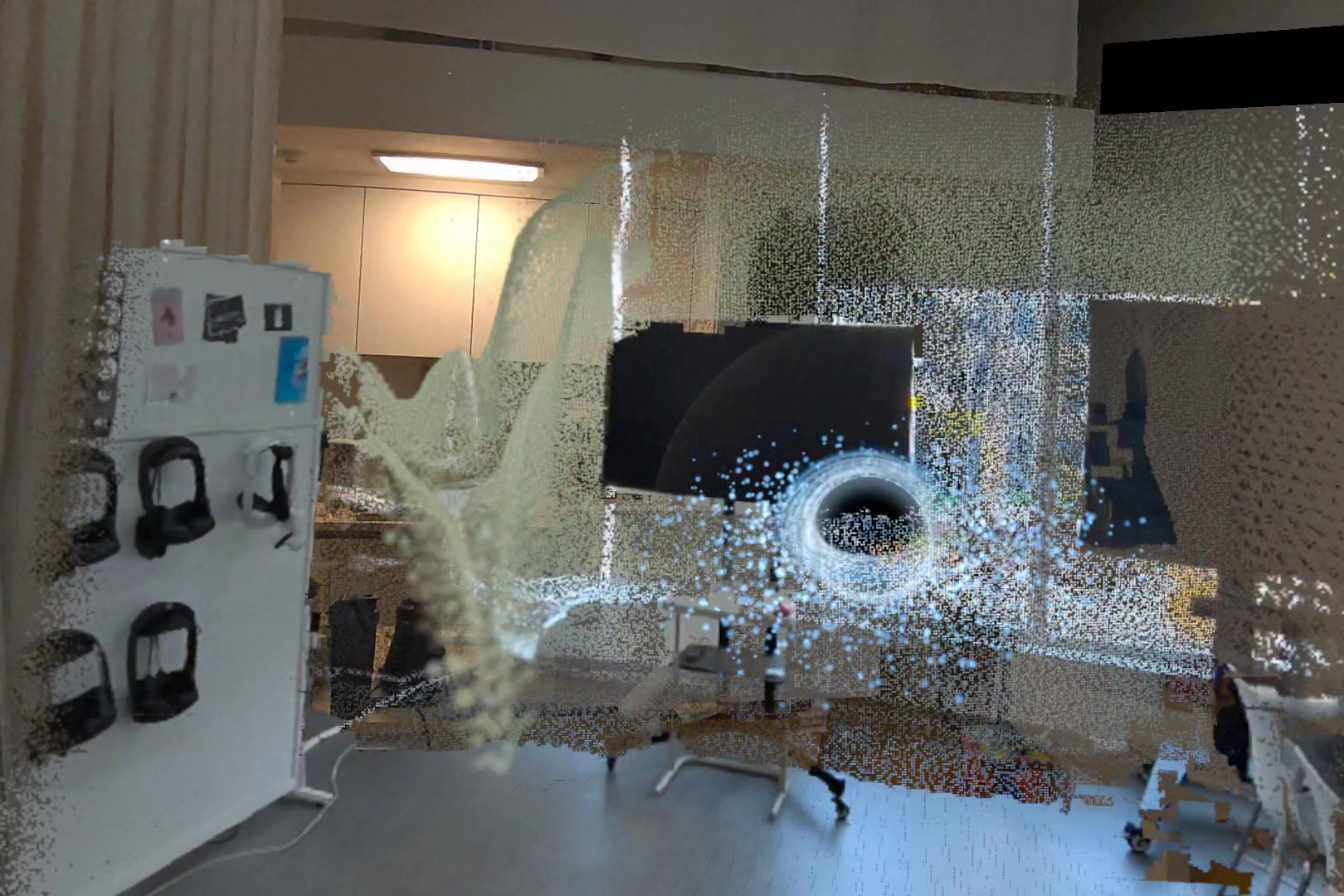
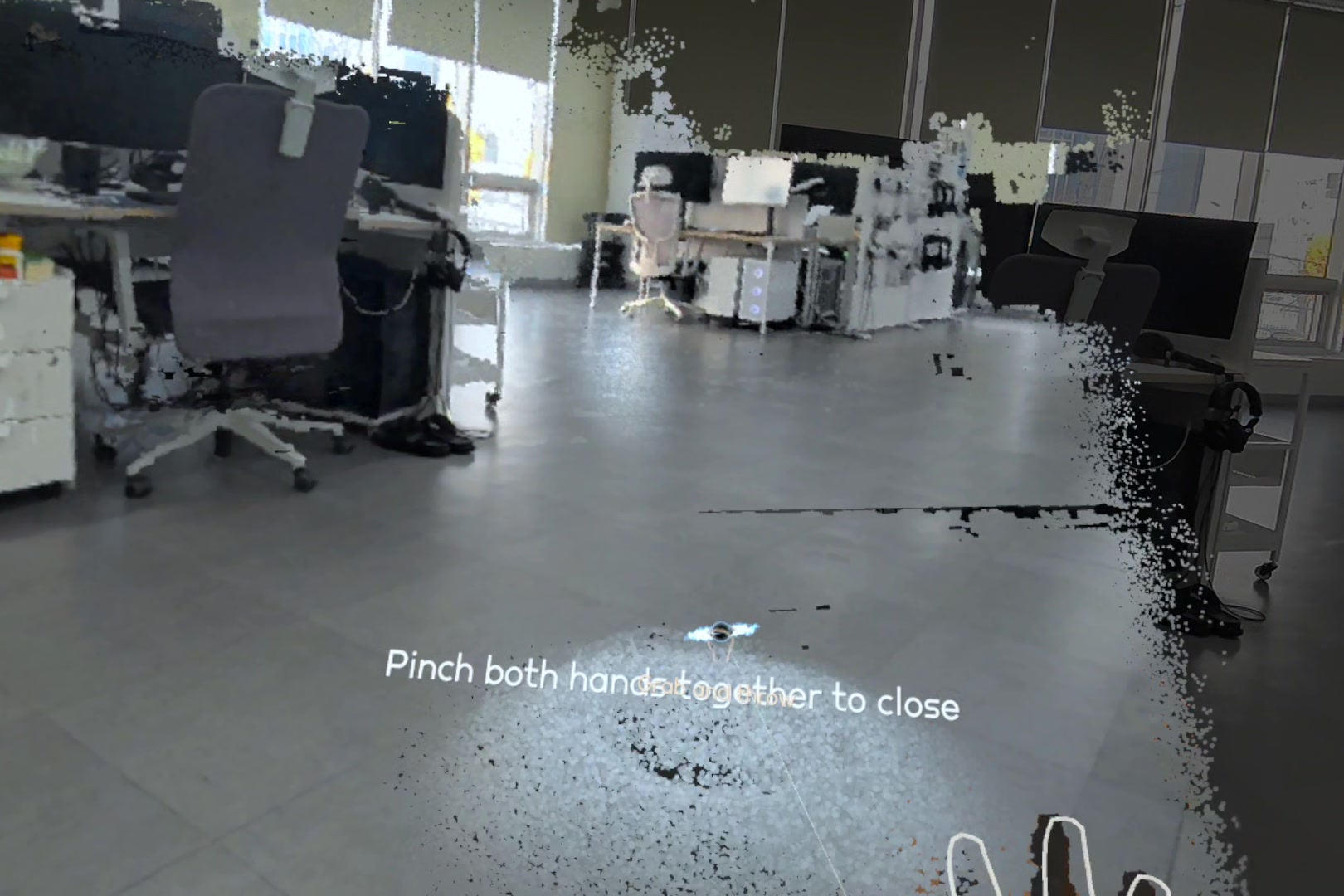
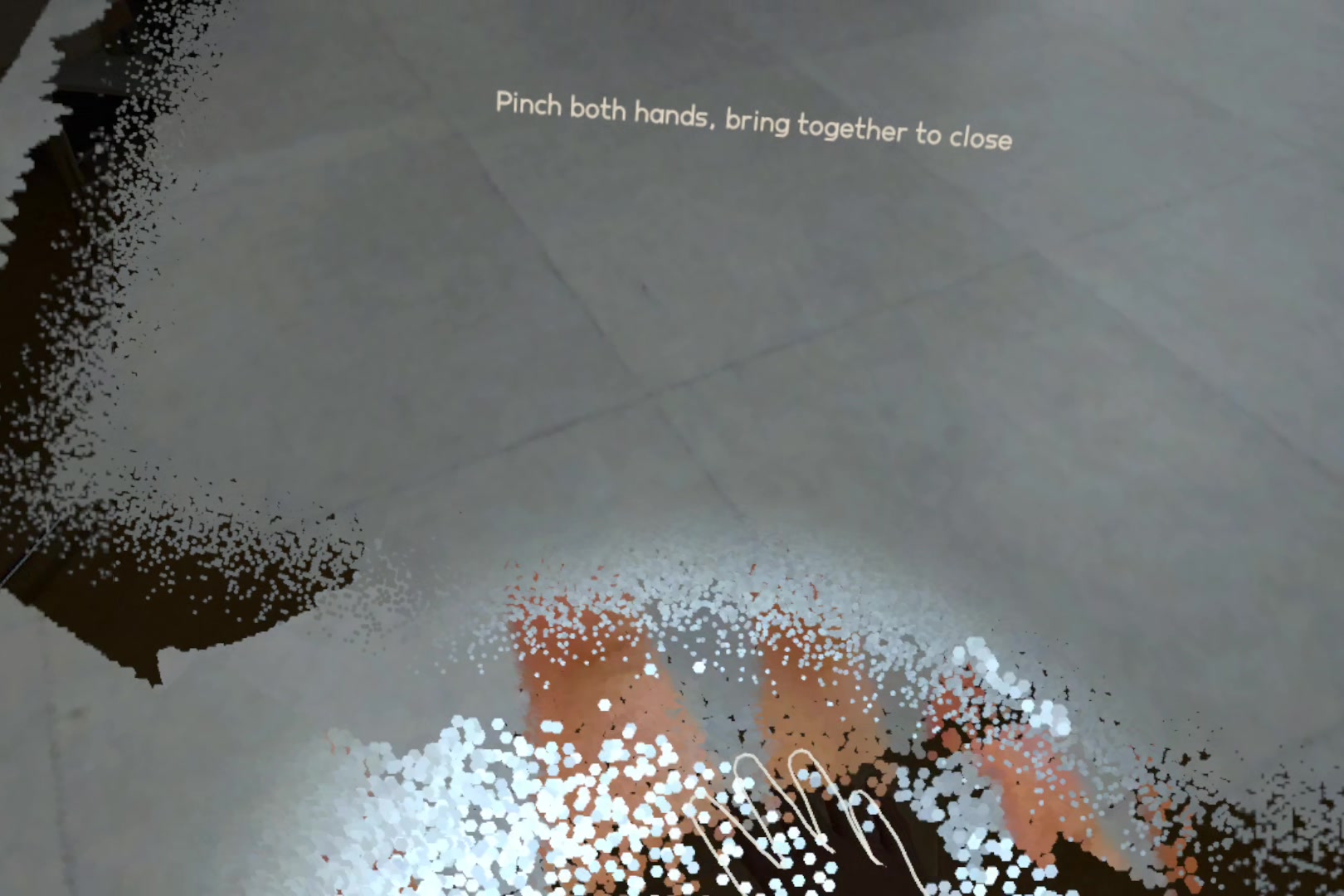
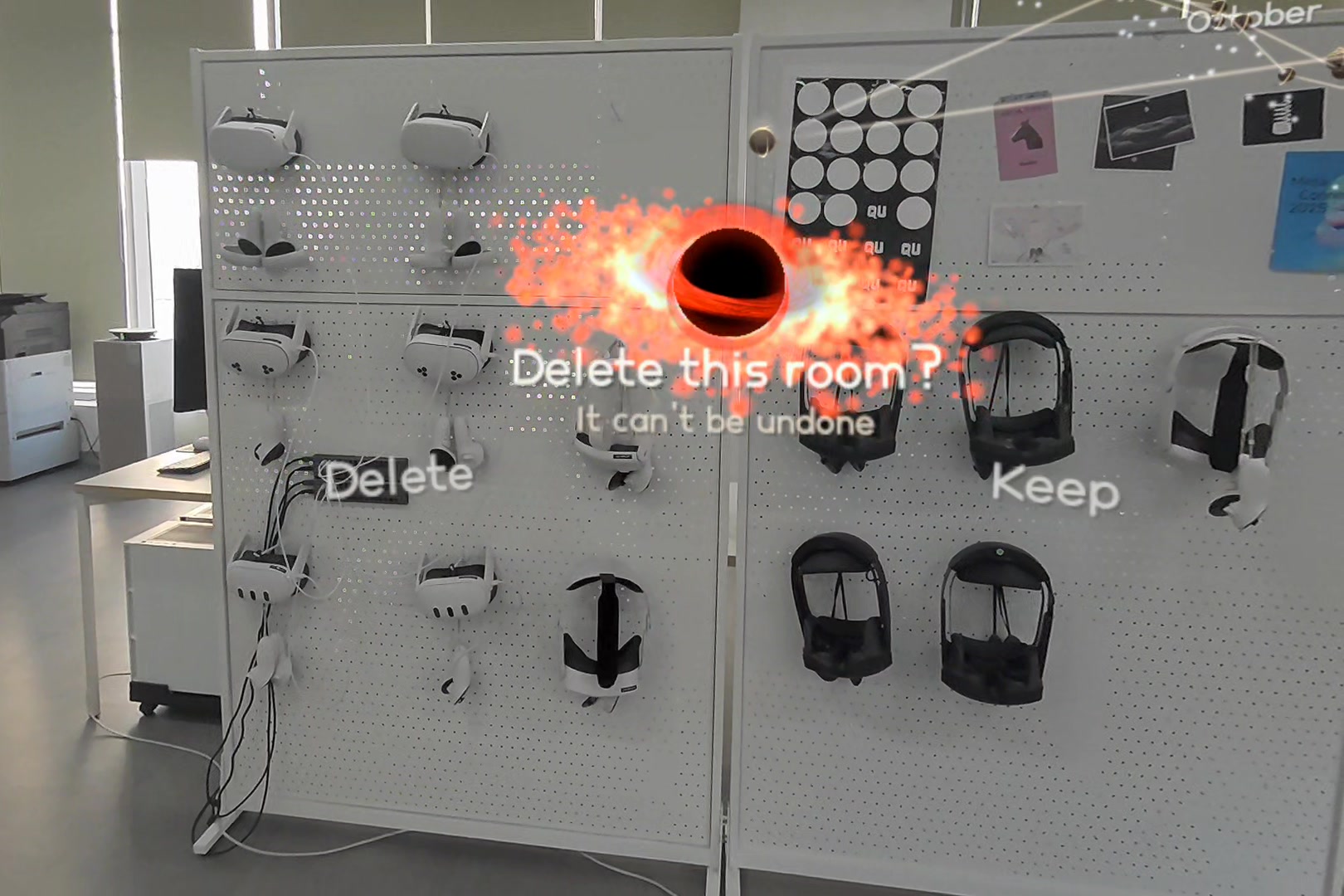
A black hole eats the room you're standing in, folds it into a star, and gives it back life-size somewhere else. It only works on a headset: it needs passthrough to see your room, depth to know its shape, and your hands to hold it.
Inspiration
Most ways of saving a place try to give it back exactly as it was. A photo, a video, a 3D scan: you open it and see the same thing again.
I wanted the opposite. When you open a room you saved in Infall, it shouldn't be a perfect replay. It should be a chance to reinterpret it.
So a black hole swallows the room, and a white hole gives it back, life-size, wherever you are now. The same desks and walls return, but in a different light, in a different place, and in a form you can walk through, reach into and push around. You're not looking at a copy of the room. You're seeing it again in a new way, and that visit becomes part of how you remember it.
What it does
- Feed. Pinch and hold toward the black hole. It eats whatever you look at, in real camera color, as hundreds of thousands of points. What it has eaten turns black, leaving thin white outlines. Hold a pinch for five seconds to finish.
- Keep. The room folds into a single star in your constellation, stamped with the time you kept it.
- Album. The star under your finger swells with its neighbors. Pinch one and pull it out; a glass orb shows that room in miniature.
- Open. Spread both pinched hands. The orb grows and fades, and a white hole pours the room out around you at full scale, even in a different place.
- Play. Reach in and the points part around your hand. The white hole pushes the room aside as it moves. Bring both hands together to close.
- Let go. Drop a star into the black hole to delete it, after a Delete / Keep check.
How I built it
Unity 6.3 (URP), OpenXR and Meta XR SDK v207. The Passthrough Camera API gives color, the Depth API gives shape, and each camera frame is matched to the head pose of the moment it was taken, so points stay on the real surfaces while you move. If the headset has a room scan, Infall uses it; if not, it runs without one.
Points are drawn from one GPU buffer with no mesh per point, and a compute pass culls them to what the eyes can see every frame. Rooms are saved at 19 bytes per point before compression, against 108 for a standard 3D Gaussian splat .ply, with position error under 0.03 mm.
Challenges I ran into
The biggest challenge was optimizing hundreds of thousands of points so a whole room could be swallowed, kept and unfolded on a standalone headset without dropping frames.
On Quest 3, 200,000 opaque points held 72 fps, but 600,000 transparent points flying at once fell to about 58 fps. So:
- At most 200,000 points fly in any burst; the rest appear as they land.
- Settled points are drawn as round cutouts on two triangles.
- The opening burst loads its points invisibly over several frames before it fires.
- A room is capped at about 600,000 points.
What I learned
Designing interactions that feel intuitive, and a UX that stays accessible to someone who has never worn a headset, was harder than the rendering. A gesture that seems obvious to me can be invisible to a first-time user. My captions kept growing until I added ghost hands that simply do the motion, and I learned to test every gesture by asking whether someone could do it without reading anything.
Added during the competition
The earlier version was a WebXR prototype with procedural color. During the competition I rebuilt it natively for Quest: real camera color, hands-only interaction, the star album with miniature previews, opening a room in another place, playing inside it, two-hand open and close, delete, guide hands, sound, and the performance work above.
What's next
I want to keep refining the experience so it feels intuitive and consistent from start to finish: one gesture language across feeding, the album and opened rooms, clearer feedback at every step, and more accessible options for people who find pinching or two-hand gestures difficult.
Infall is also going cross-platform. The WebXR version runs in a phone browser, so you can feed a room on your phone anywhere, then open it on Quest to walk through it and play inside it. Both share the same .ply format. After that: sharing a star with a friend, and saving what you do inside an opened room as a new layer.
Built With
- compressed-ply
- compute-shaders
- csharp
- depth-api
- gaussian-splatting
- gpu-instancing
- hand-tracking
- hlsl
- meta-quest-3
- meta-xr-sdk
- mixed-reality
- mixed-reality-utility-kit
- openxr
- passthrough
- passthrough-camera-api
- spatial-audio
- unity
- urp

