Inspiration
What it does
How I built it
Challenges I ran into
Accomplishments that I'm proud of
What I learned
What's next for Black Hole
Black Hole
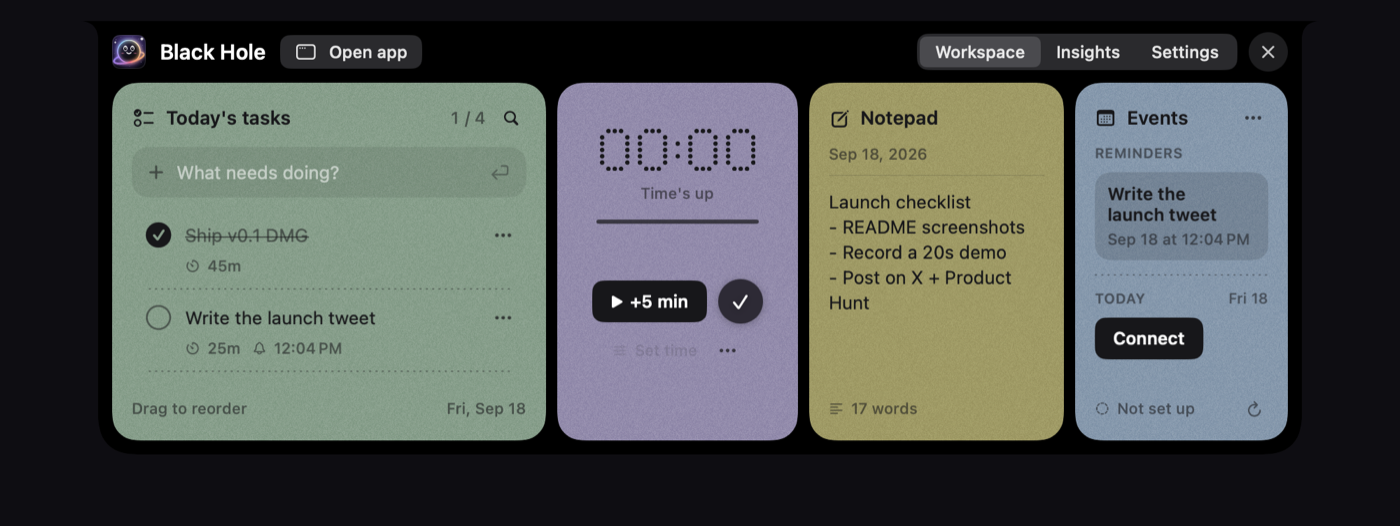
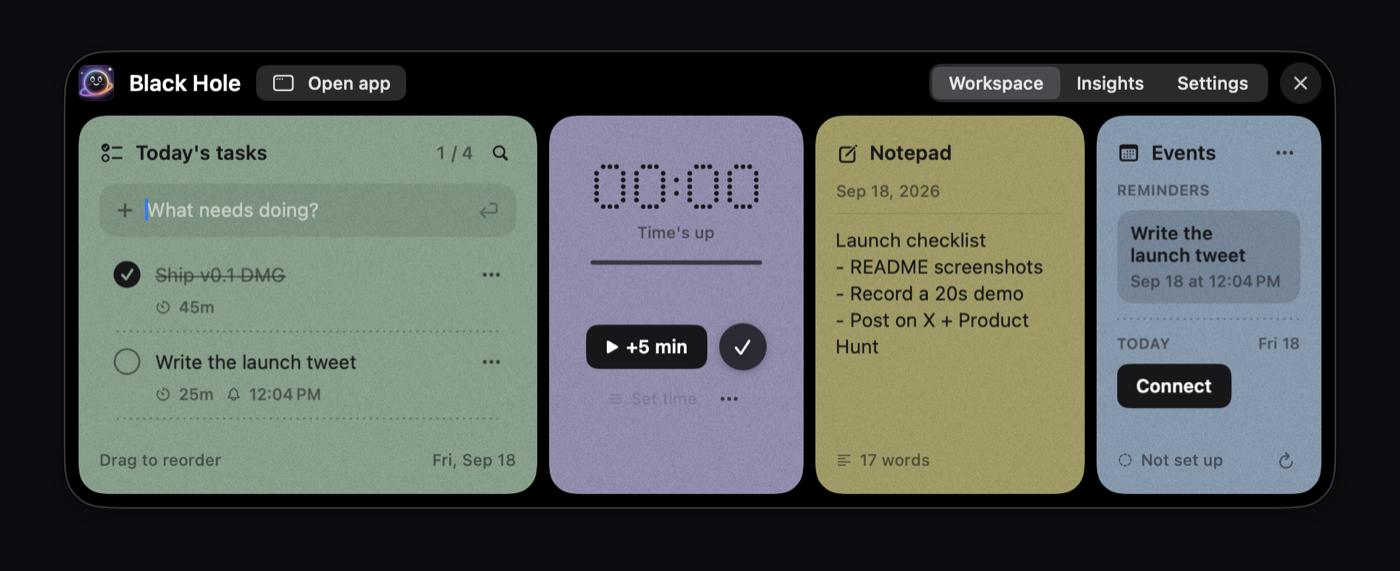
Black Hole is a free, open-source macOS app that keeps your working day in the notch. Hover the notch (or press Option-N) and a workspace drops out with today's tasks, a focus timer, a daily notepad and today's calendar. Move away and it disappears.
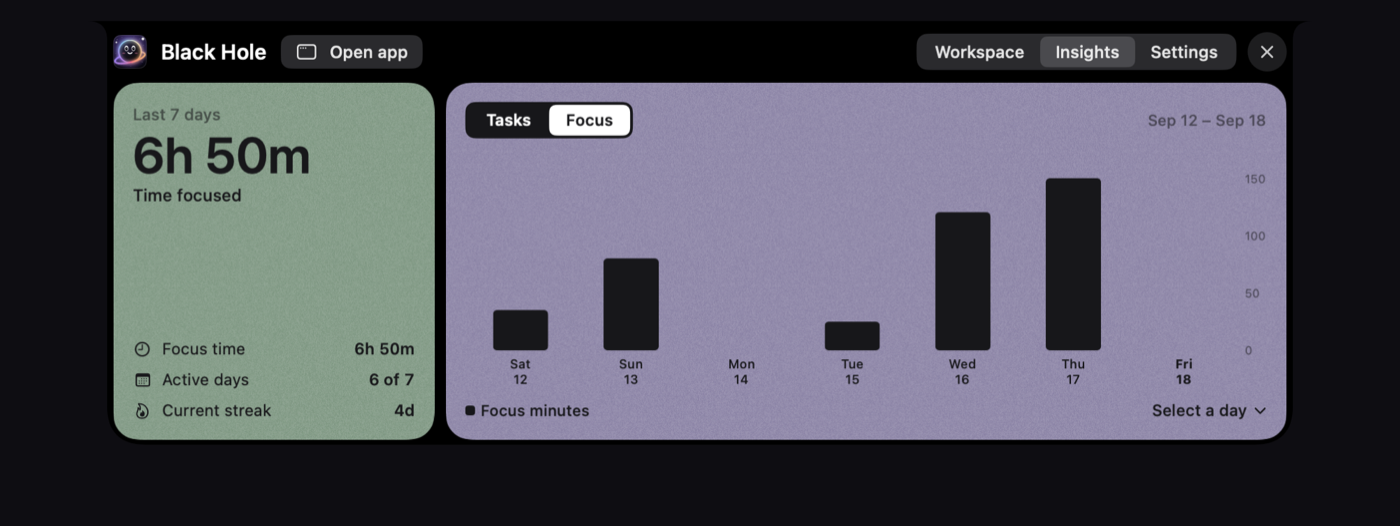
Tasks can be added, checked off, reordered, timed and reminded. Unfinished work rolls over to tomorrow. The focus timer is countdown or stopwatch; while it runs the notch becomes a live island with progress and time left. The notepad saves as you type; Cmd-Return turns a line into a task. Events from iCloud, Google and Outlook appear colour-coded and read-only. Five minutes before a meeting the notch counts down; clicking joins the call. Spotify controls and weekly insights are included. Without a notch, use the top of the screen or a floating button.
An optional MCP server lets Claude, ChatGPT and Cursor manage tasks, focus, notes and insights on your Mac. Data stays local. MIT licensed.
Key features
- Today's tasks: add, check off, drag to reorder, time limits, reminders; unfinished work rolls over
- Focus timer: countdown or stopwatch; live notch island with progress and time left; pauses on sleep
- Daily notepad: autosave; Cmd-Return turns a line into a task
- Calendar events: iCloud, Google, Outlook; read-only; meeting countdown and one-click join
- Spotify controls in the notch (previous, play/pause, next)
- Insights: focus time, completed vs planned tasks, active days and streak
- Works without a notch via top-of-screen workspace or a draggable floating button; optional MCP for Claude, ChatGPT and Cursor
Requires macOS 14 or later on Apple silicon. Website: https://getblackhole.app
Built With
- macos
- mcp

Log in or sign up for Devpost to join the conversation.