Inspiration
We've all been there — standing in a grocery aisle, squinting at a tiny ingredient label, trying to figure out if something is actually vegan or if "natural flavors" is hiding something. As college students, we noticed our friends making food choices blindly — one friend accidentally consumed gelatin for months thinking it was plant-based, another had no idea their "healthy" protein bar contained BHA, a preservative classified as a possible carcinogen by IARC. We realized the problem isn't lack of willpower — it's lack of accessible, instant intelligence at the point of decision. BiteIQ was born from a simple question: what if your phone could read a food label and tell you everything your body needs to know, in seconds?
What it does
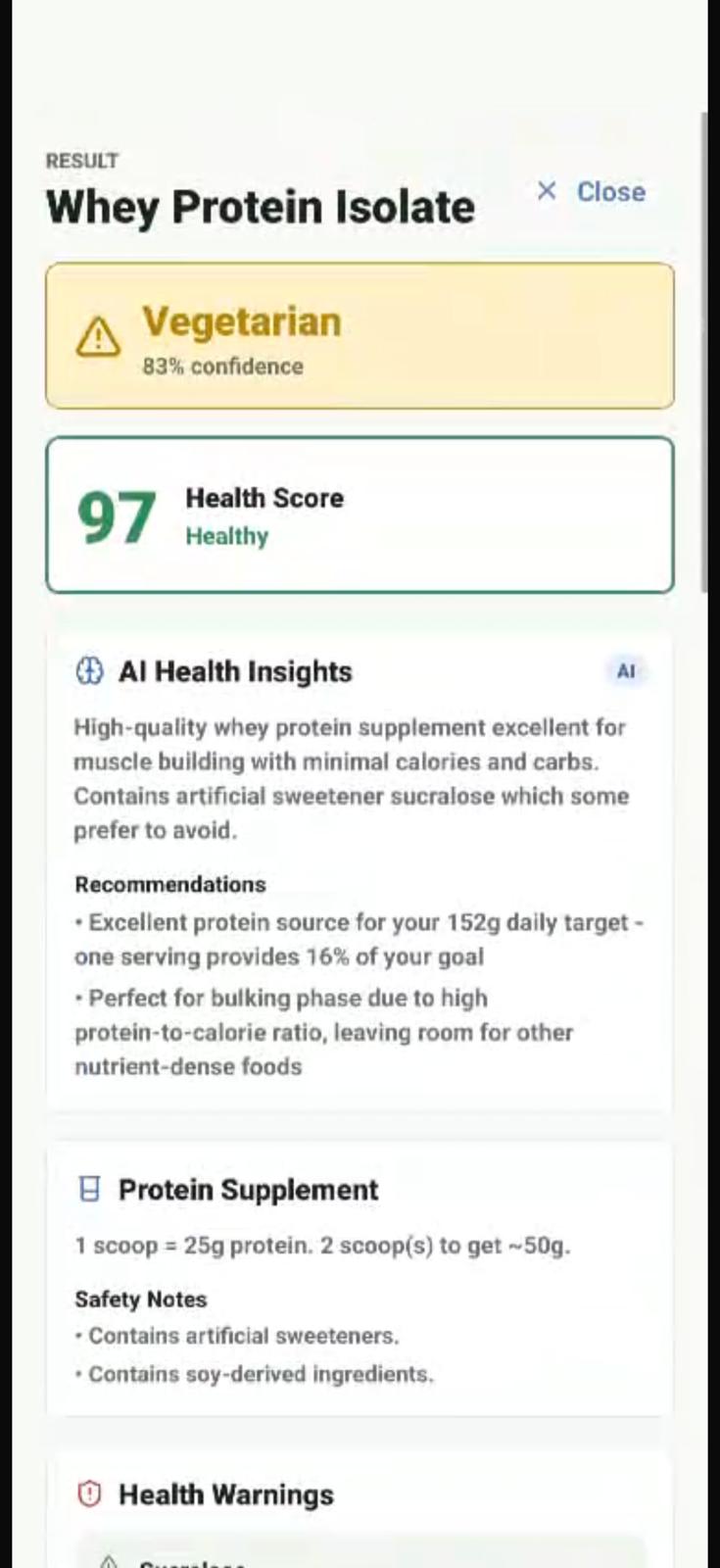
BiteIQ is an AI-powered food and fitness intelligence app. Users scan any packaged food label — via camera, photo upload, text paste, or barcode — and instantly receive:
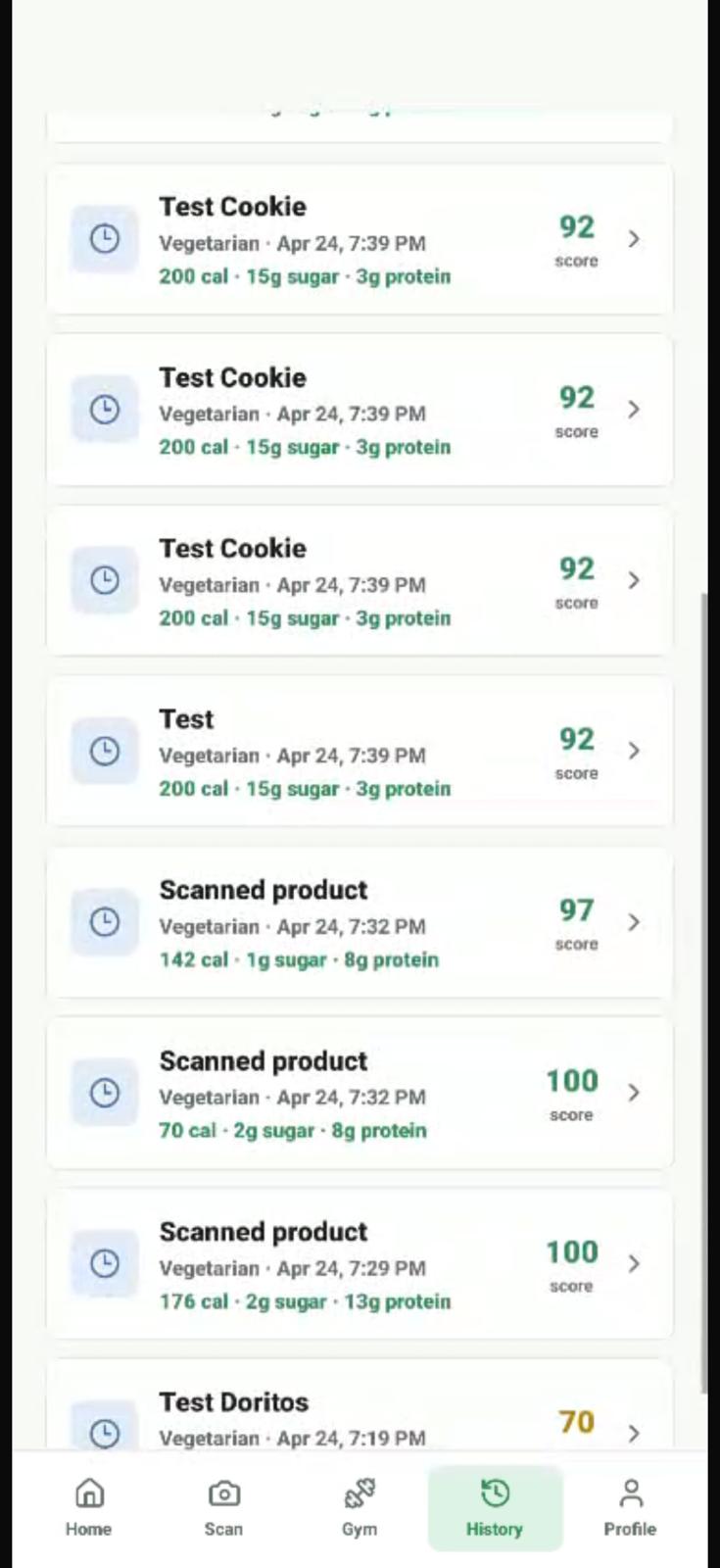
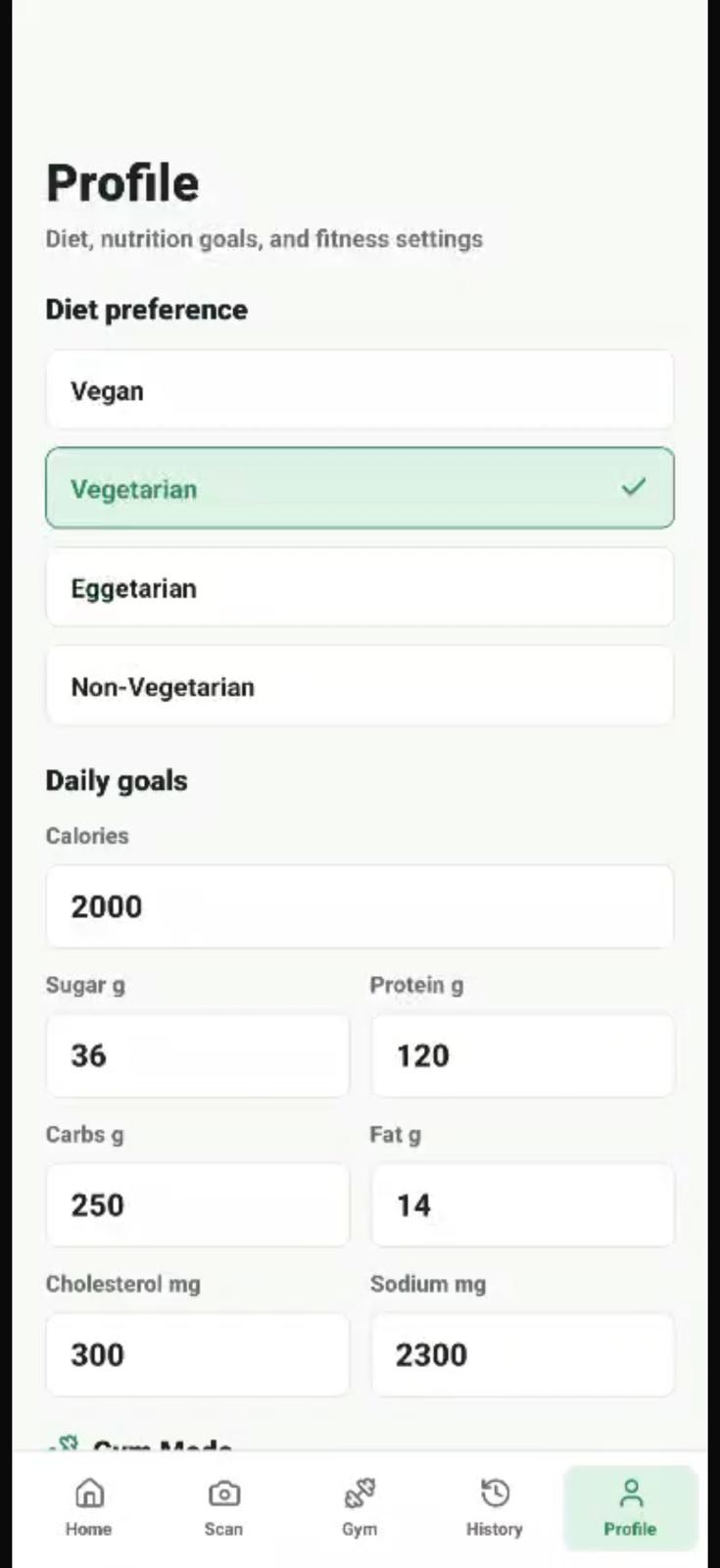
- Dietary classification (Vegan, Vegetarian, Eggetarian, Non-Vegetarian) with flagged ingredients and confidence scoring
- Full nutrition extraction — all 11 FDA-standard fields including saturated fat, trans fat, cholesterol, sodium, and dietary fiber
- Health risk scoring (0–100) using a weighted penalty system:
$$\text{Score} = 100 - \sum_{i} P_i$$
where penalties $P_i$ include trans fat ($-20$), high saturated fat ($-10$), high sodium ($-10$), high cholesterol ($-10$), and flagged additives ($-5$ to $-10$ each)
- AI health insights powered by Claude, using medically cautious language ("associated with," "linked to") — never claiming direct disease causation
- Evidence-backed references from FDA, WHO, IARC, NIH, CDC, and EFSA with direct source links
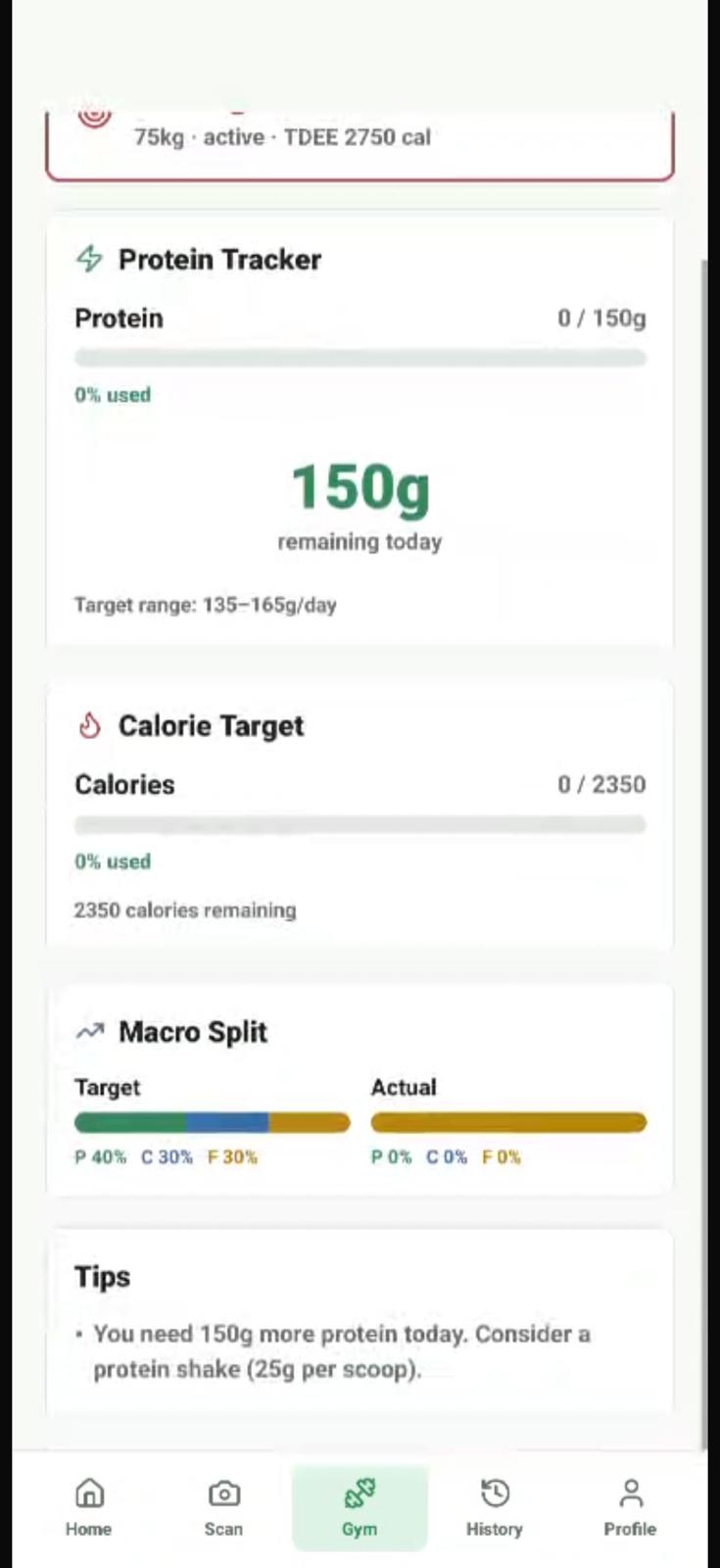
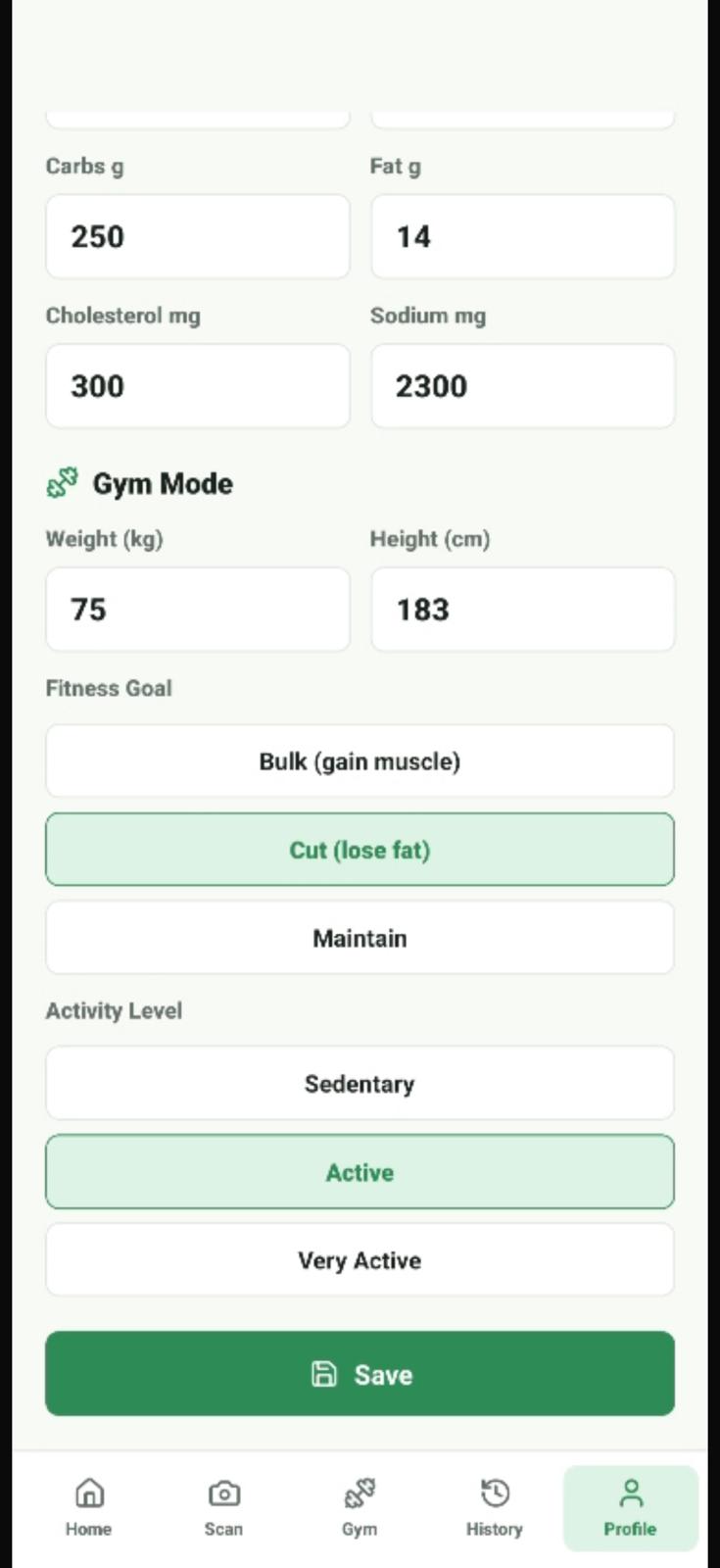
- Gym Mode with personalized protein targets calculated as:
$$\text{Protein (g/day)} = \text{weight (kg)} \times k, \quad k \in [0.8, 2.2]$$
depending on fitness goal (bulk, cut, maintain), plus macro split tracking and supplement intelligence
- Daily intake tracking across 7 dimensions with progress bars and goal warnings
How we built it
Backend: Node.js + Express with a modular service architecture — separate services for OCR (Tesseract.js), ingredient parsing, dietary classification, nutrition extraction, health risk detection, gym calculations, and Claude AI integration. The ingredient knowledge base covers 22 items across dairy, meat, fish, egg, plant, and ambiguous categories with alias matching. The health risk engine maintains regex patterns for 20 risky additives, each mapped to research evidence.
AI Integration: Claude API (claude-sonnet-4-20250514) with a structured system prompt that enforces strict JSON output and medically cautious language. The AI receives full nutrition data, ingredient lists, health warnings, and the user's gym profile to generate contextual recommendations.
Frontend: React Native (Expo) with a clean Apple Health-inspired design. Five screens: Home, Scan, Gym Dashboard, History, and Profile. Color-coded health indicators (green/yellow/red), macro progress bars, and a camera overlay for label scanning.
Data pipeline: Camera → Tesseract OCR → text cleaning → ingredient segment extraction → allergen detection → ingredient matching → classification → nutrition regex parsing (11 fields) → health scoring → evidence attachment → Claude AI → results.
Challenges we ran into
OCR accuracy was our biggest battle. Real-world food labels have curved surfaces, glare, tiny fonts, and inconsistent formatting. Tesseract would confuse "0g" with "Og", merge lines together, or miss entire sections. We built a multi-layer normalization pipeline with specific regex fixes for common OCR artifacts.
Ingredient ambiguity — "lecithin" can be plant or egg-derived, "natural flavors" could be anything, "mono- and diglycerides" might come from animal fat. We built a confidence scoring system and an ambiguous category so the app is honest about uncertainty rather than guessing.
Claude API integration kept falling back to rule-based mode because the .env file was in the project root but the backend ran from a subdirectory. Debugging the dotenv path resolution on Windows taught us to never assume relative paths.
Phone connectivity — university WiFi (eduroam) blocks device-to-device connections. We had to pivot to USB tethering with ADB reverse port forwarding to get the phone talking to the local backend during development.
Accomplishments that we're proud of
- The evidence layer is real. Every additive warning links to actual FDA, WHO/IARC, or NIH sources — not generic health advice, but specific regulatory findings. When we flag Red 3, we cite the FDA's own carcinogenicity determination.
- Gym Mode actually calculates. It's not a static page — it computes TDEE from BMR, adjusts calorie targets for bulk/cut/maintain, calculates protein ranges based on body weight, tracks actual vs. target macro splits in real-time, and detects protein supplements automatically ("1 scoop = 25g protein, 2 scoops to meet your goal").
- Claude gives genuinely useful advice. Because we pass the user's gym profile, the AI says things like "Excellent protein source for your 152g daily target — one serving provides 16% of your goal" instead of generic nutrition platitudes.
- End-to-end in one session. From broken vegan classification to a fully working AI-powered food + fitness intelligence app with 6 screens, 8 backend services, and evidence-backed health scoring — built and running on a real phone.
What we learned
- OCR is a preprocessing problem, not a recognition problem. 80% of our accuracy gains came from text cleaning, not from tuning Tesseract.
- AI integration is only as good as the context you feed it. Passing structured nutrition data + gym profile + health warnings to Claude made the difference between generic responses and genuinely personalized advice.
- Cautious language matters in health apps. "Associated with increased risk" is responsible. "Causes cancer" is irresponsible. The system prompt makes this enforceable.
- Real-world mobile development is 30% code, 70% environment. ADB, port forwarding, .env paths, network isolation — the code worked immediately, but making devices talk to each other was the real challenge.
What's next for BiteIQ
- On-device OCR via Google ML Kit to eliminate server round-trips and work offline
- Barcode scanning with the camera (currently text-input only) using the device's native barcode reader
- Weekly nutrition analytics — trend charts showing intake patterns over time
- Meal planning integration — suggest meals that fill remaining macro gaps for the day
- Community features — share scan results, rate products, crowdsource ingredient data
- App store deployment — production hosting and submission to Google Play and Apple App Store
Built With
- adb
- ai
- api
- claude
- expo-camera
- expo-image-manipulator
- express.js
- json
- lucide-react-native
- native
- node.js
- ocr
- openfoodfacts
- react
- tesseract.js
- typescript
- zod


Log in or sign up for Devpost to join the conversation.