-
Faces1
-
Faces2
-
Faces3
-
Faces4
-
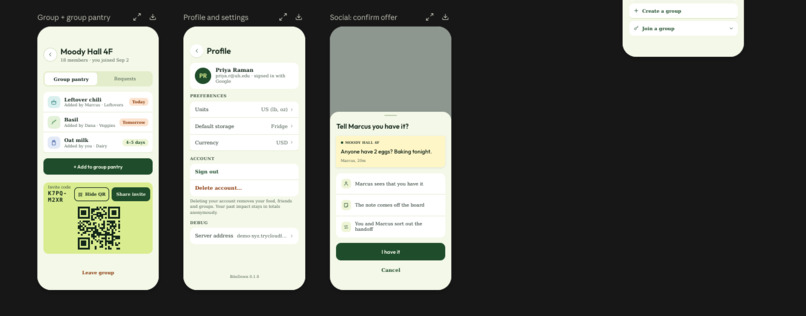
Faces5
-
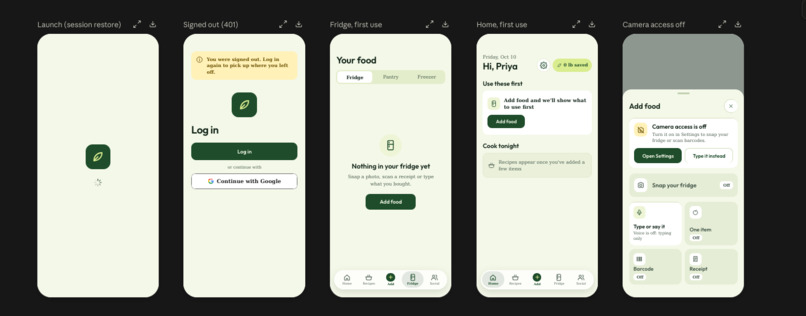
Faces6
-
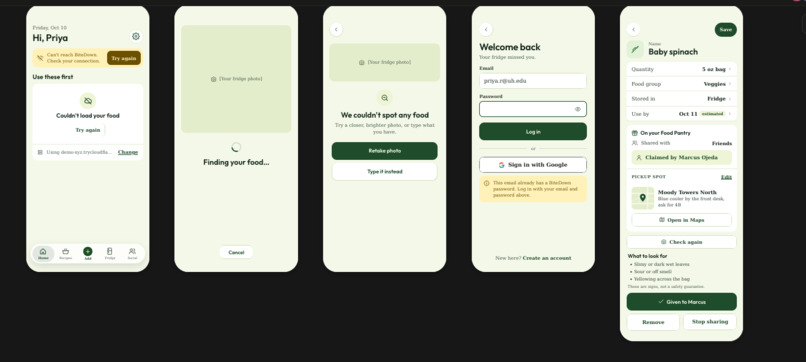
Faces7
-
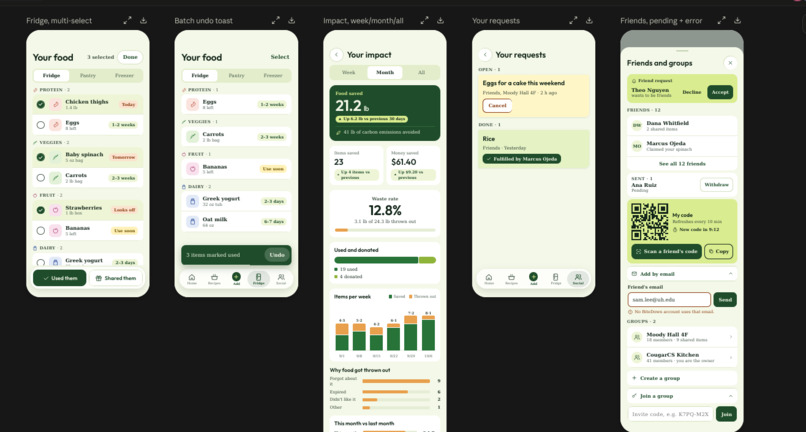
Faces8
-
Faces9
Inspiration
In shared student fridges, food gets pushed to the back, forgotten, and thrown out. Nobody plans to waste it. Figuring out what's about to go bad and what to cook with it just takes more effort than ordering takeout. And when someone has extra food, there's rarely an easy way to offer it to a friend down the hall who could use it.
We wanted to make the next action obvious: see what needs attention, cook with it, or give it away.
What it does
BiteDown is an iOS app for students and shared households.
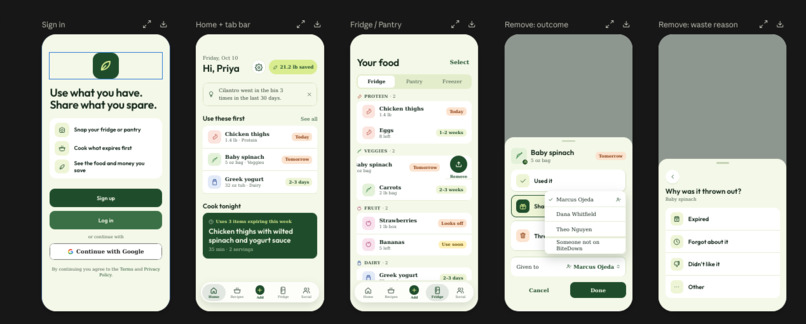
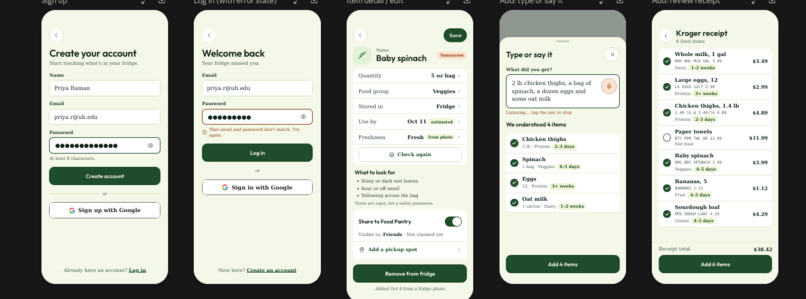
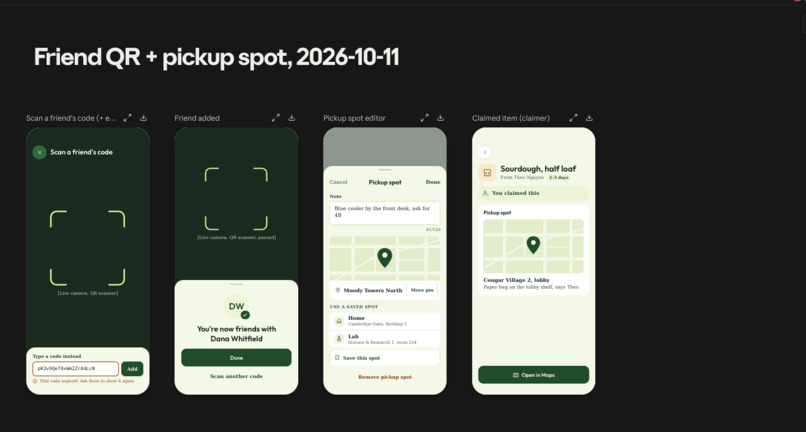
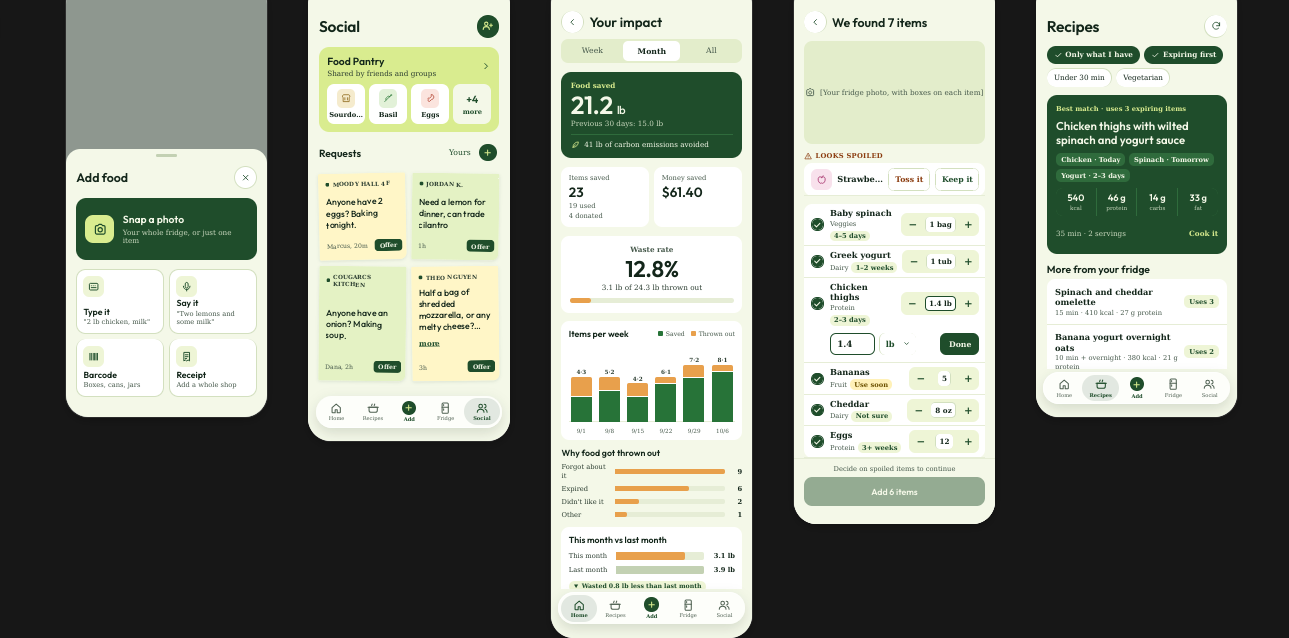
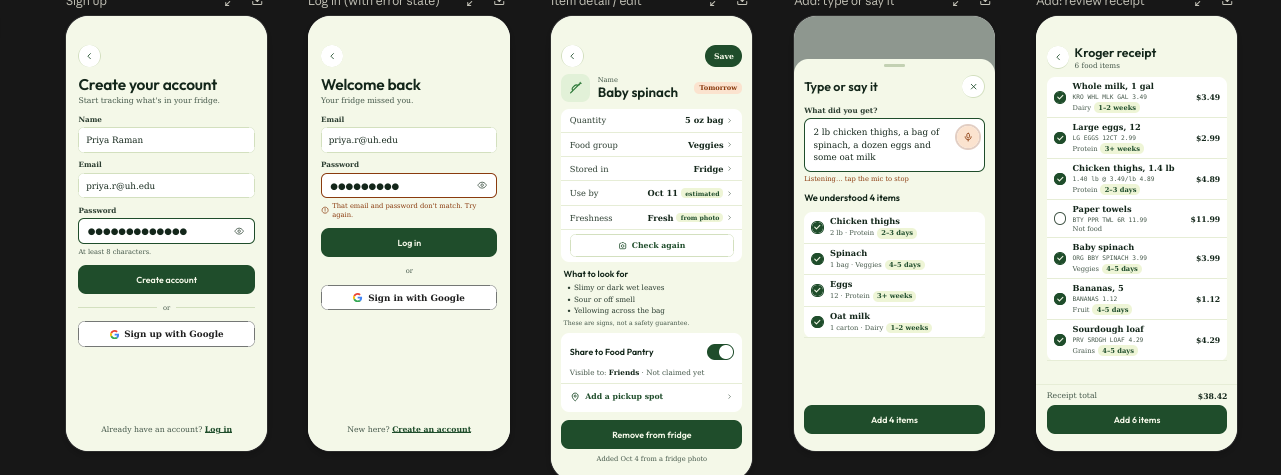
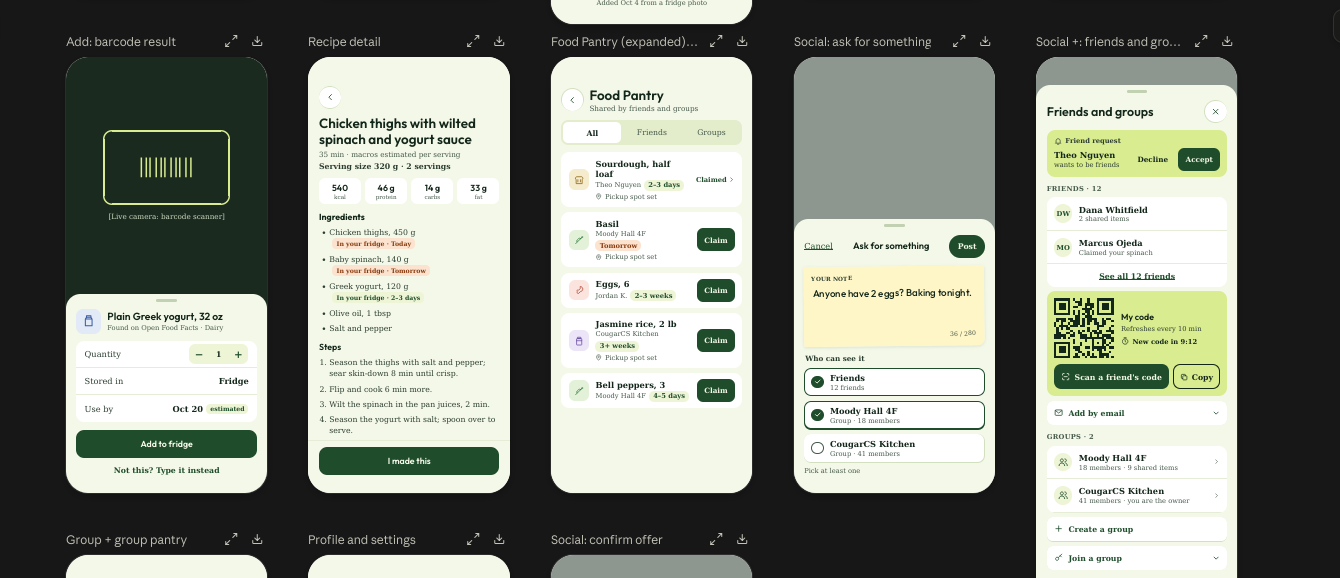
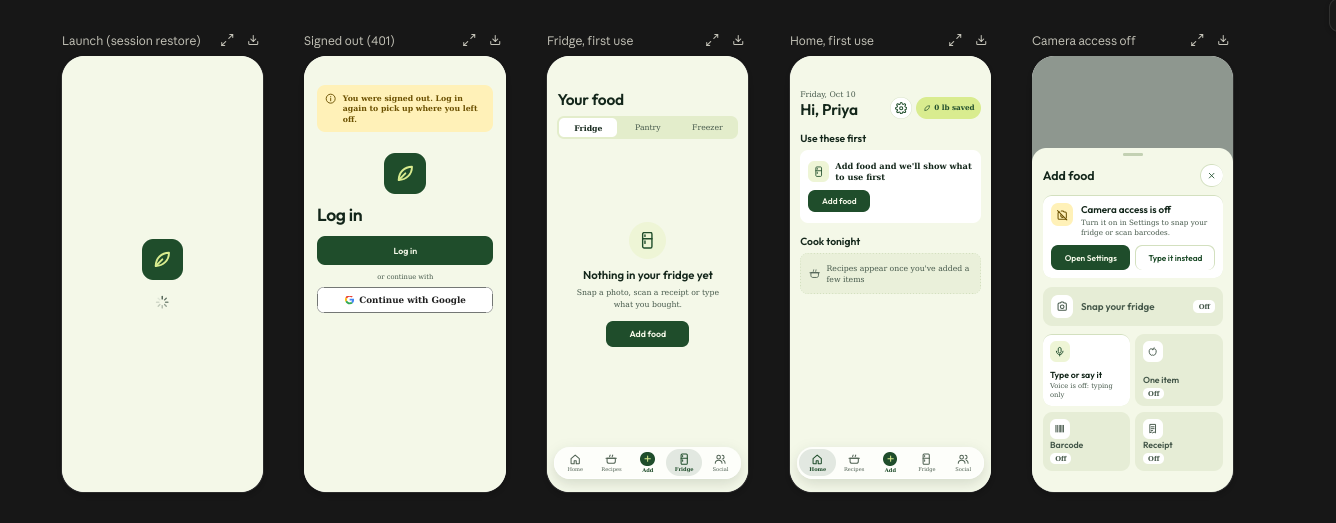
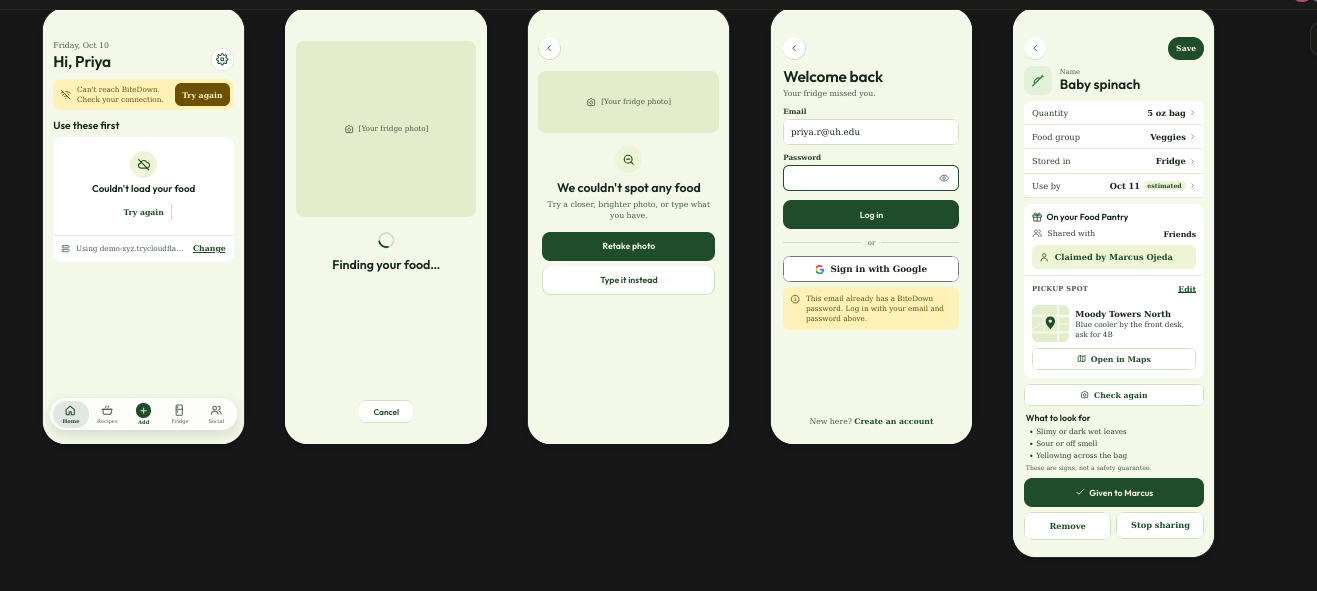
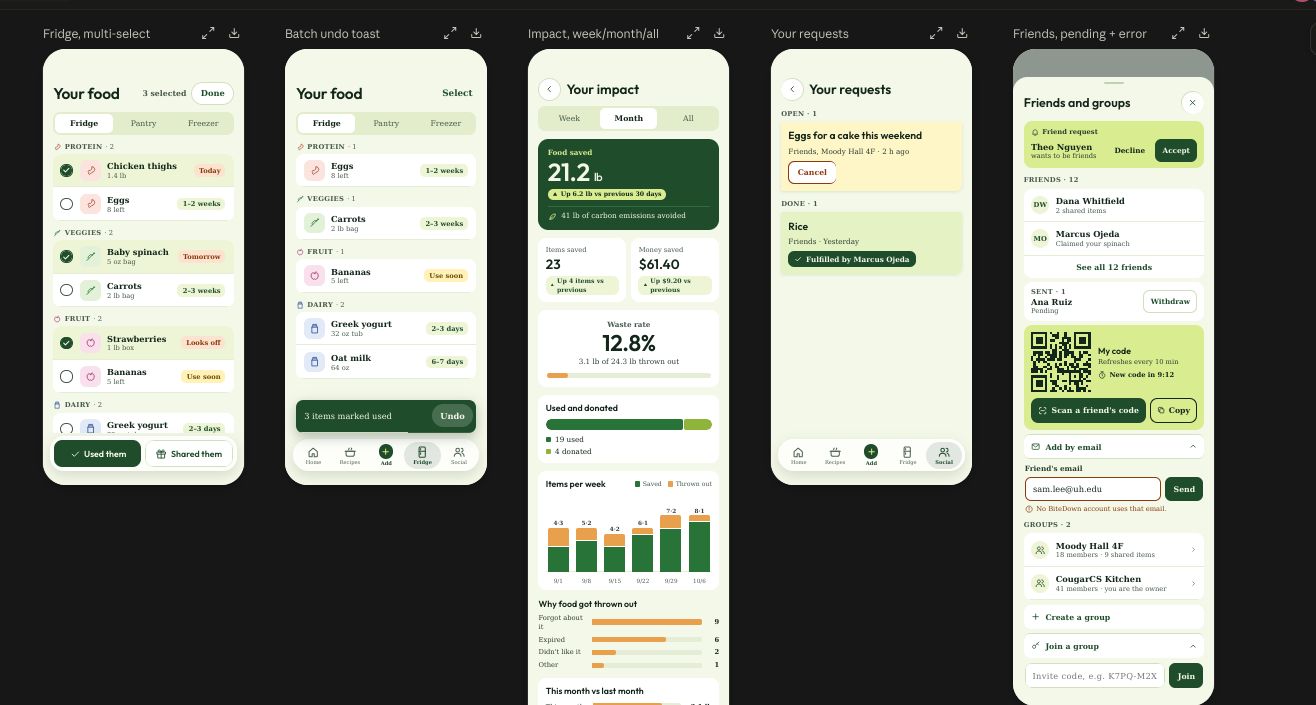
- Know what you have. Add food by hand, or snap a photo and review what the app suggests. Nothing goes into your inventory until you confirm it.
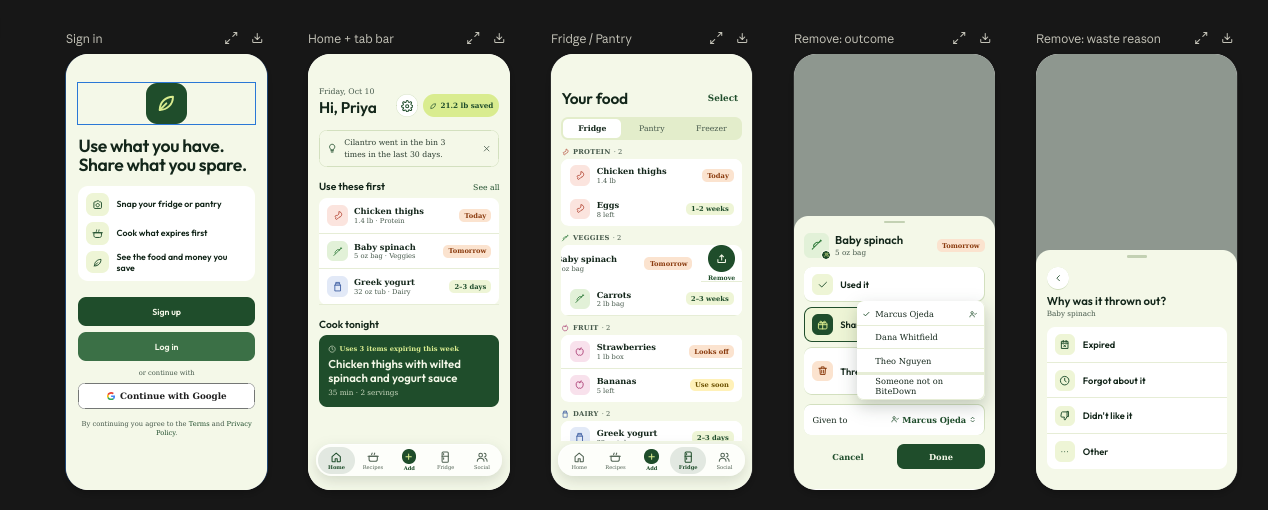
- Use next. Your fridge and pantry are sorted by estimated freshness, so the items that need attention rise to the top. Dates are clearly labeled as estimates, and you can correct them.
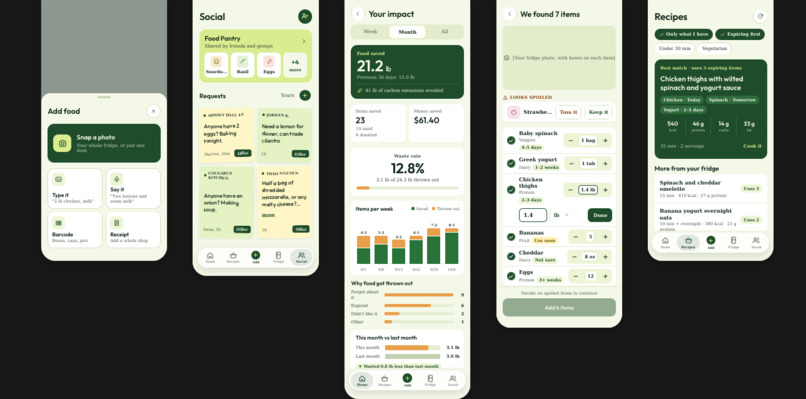
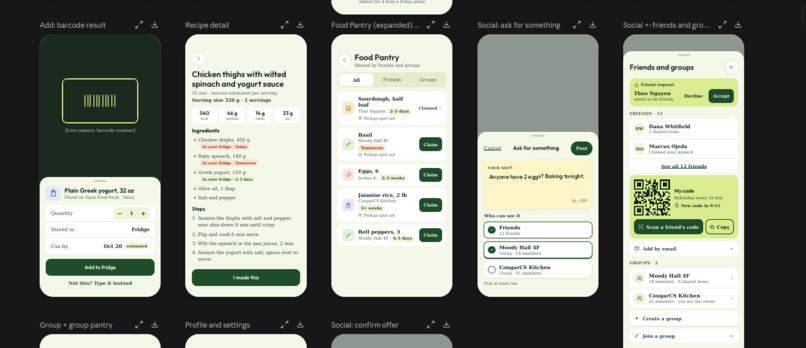
- Make a meal. Gemini suggests recipes that prioritize the ingredients you need to use first, and shows which ingredients you have and which you'd need to buy.
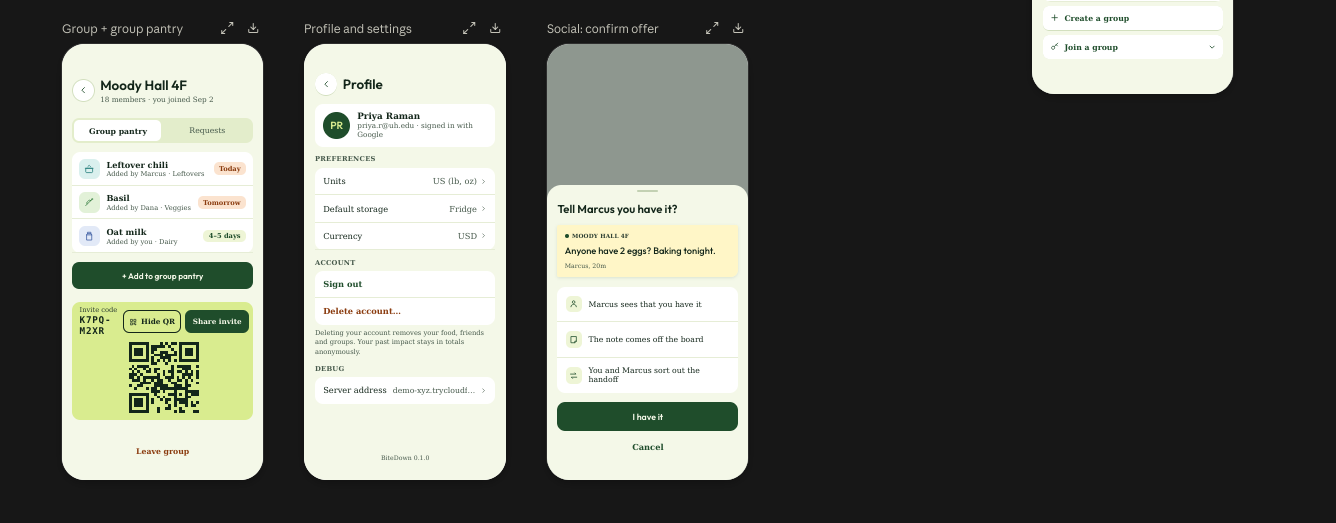
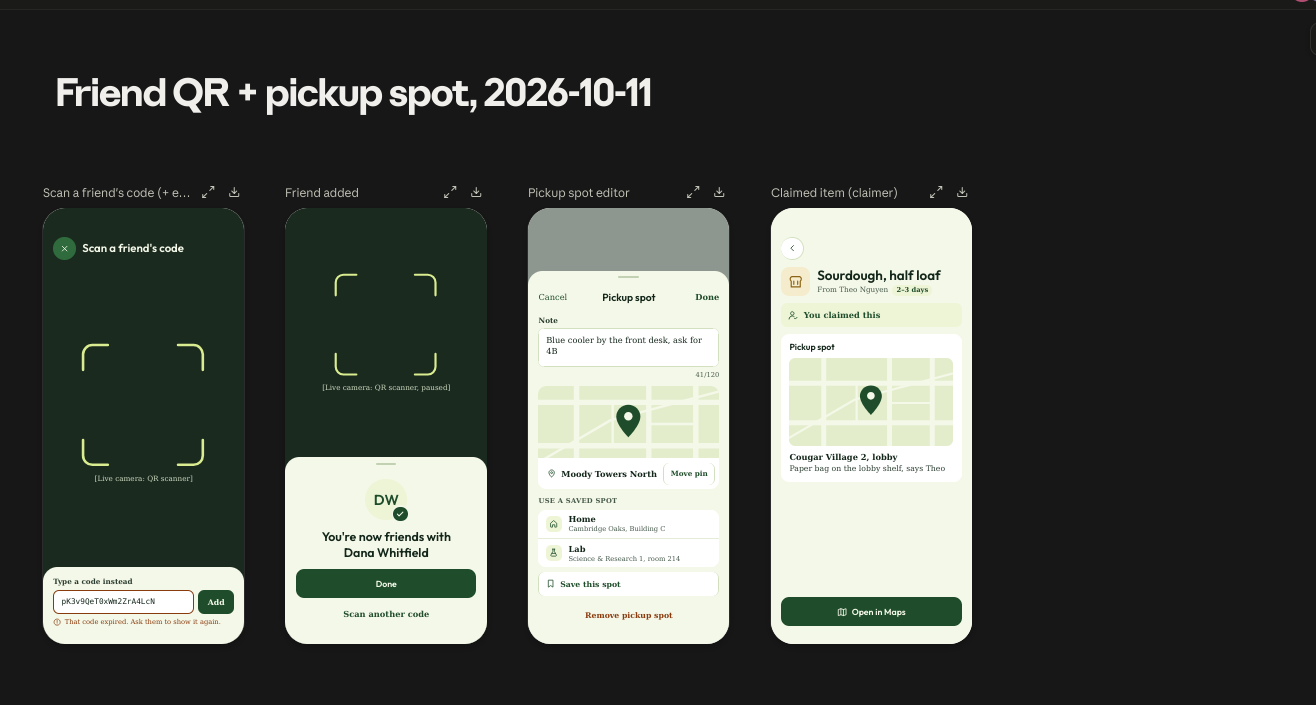
- Share the extra. Offer food to friends or groups, share a group pantry, and post requests for ingredients you need.
- Record what happened. Mark items as used, donated, or discarded. Every action is timestamped, building a history of food use and waste with weekly trends and tips.
We're careful about what we claim. A photo can't prove food is safe, so visible-spoilage flags are prompts to check, not verdicts. Value and CO₂e impact figures are modeled estimates built on recorded actions, not proof of waste prevented.
How we built it
- iOS: SwiftUI app generated with XcodeGen, with a shared design system, an API client with live and mock modes, and Keychain-stored sessions.
- Backend: Flask API with SQLAlchemy and Alembic, JWT auth, and email plus Google sign-in. It handles inventory, sharing, friends and groups, and insights.
- Data: PostgreSQL with TimescaleDB, so every food event (added, used, donated, discarded) is stored as time-series data for trends and the impact dashboard.
- AI: Google Gemini powers photo recognition, text parsing, recipe suggestions, and shelf-life estimates.
- Experimental vision: We also trained YOLO models on Colab for food detection and freshness classification. The data pipeline combines eight openly licensed datasets (Roboflow, Kaggle, Mendeley, Zenodo, figshare) into one dataset, checked so training images don't leak into the test set. The model runs as an optional Docker service, and the app falls back to Gemini whenever it's off or fails.
- Infrastructure: Docker Compose runs the API, database, and optional ML service locally.
Challenges we ran into
- Scope. Our first idea included receipt scanning, barcodes, notifications, nutrition, and more. We had to cut hard to protect one complete flow: photo, confirm, see what needs attention, cook, record.
- Honest freshness. You can't read an exact expiration date from a photo. We designed date estimates that come from printed labels, food type, and storage, label each one with its source, and let users override them.
- Messy training data. Some datasets had hidden shortcuts. In one fish dataset, tray color tracked the freshness label; meat images were confounded by scene. We documented these risks instead of trusting a single accuracy number.
- Integration. Coordinating a backend, an iOS app, an AI service, and an ML service across four people meant agreeing on data formats early and keeping fallbacks everywhere.
Accomplishments that we're proud of
- A backend that covers the whole product: inventory with undo, sharing across friends and groups, and time-series impact tracking.
- A photo flow that keeps working when a model is down, falling back from our YOLO service to Gemini and then to manual entry.
- Training our own detection and freshness models from eight openly licensed datasets, with full attribution.
- Being honest in the product itself about what AI can and can't tell you about your food.
What we learned
- A reliable end-to-end demo beats a long feature list.
- AI is most useful when the user stays in the loop: suggest, confirm, correct.
- Showing estimates honestly builds more trust than overstating them.
- Dataset quality problems hide in places you don't expect, like background color.
What's next for BiteDown
- Finish connecting all iOS screens to the API.
- Score the YOLO model on held-out data and only promote it if it beats Gemini.
- A guided "Fridge Cleaning" checklist so new users can add everything they already own in minutes.
- Receipt scanning to add groceries automatically.
- Pilot with a few student households to measure real behavior change over weeks, not just a demo.
Built With
- alembic
- docker
- flask
- google-colab
- google-gemini
- google-sign-in
- jwt
- kaggle
- postgresql
- python
- roboflow
- sqlalchemy
- swift
- swiftui
- timescaledb
- ultralytics
- xcode
- xcodegen
- yolo


Log in or sign up for Devpost to join the conversation.