-
-
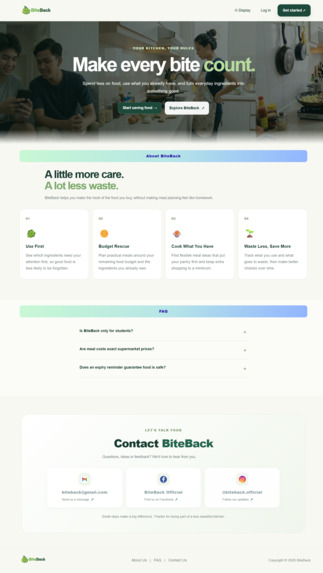
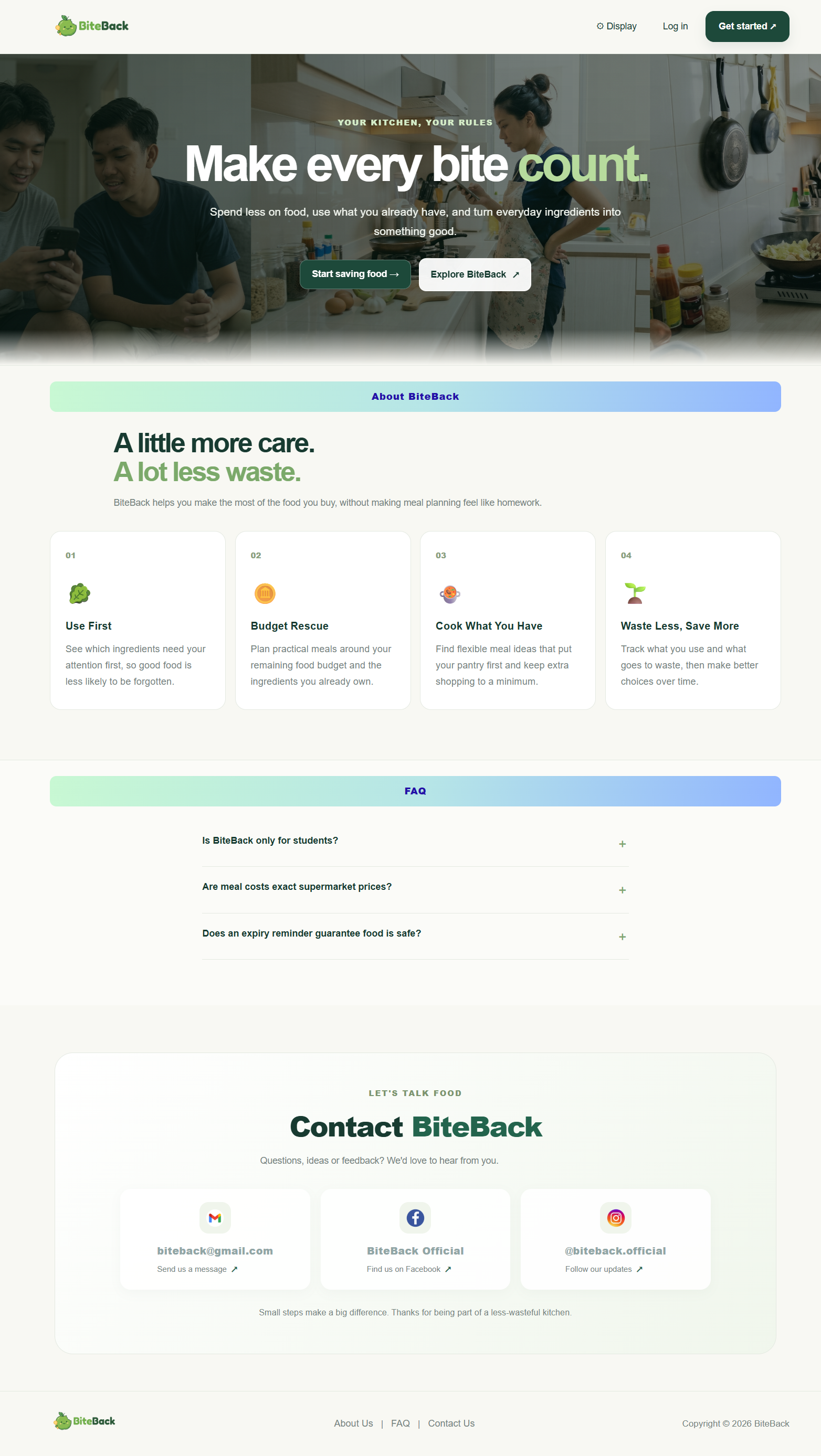
Introduces BiteBack’s mission to reduce food waste and save money.
-
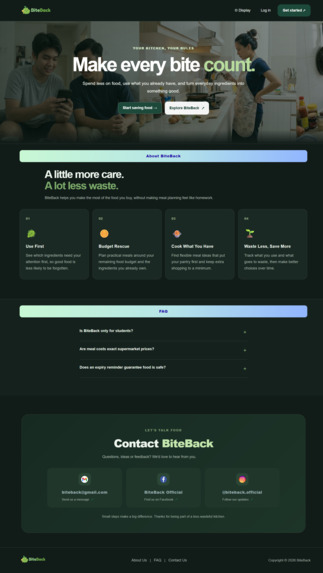
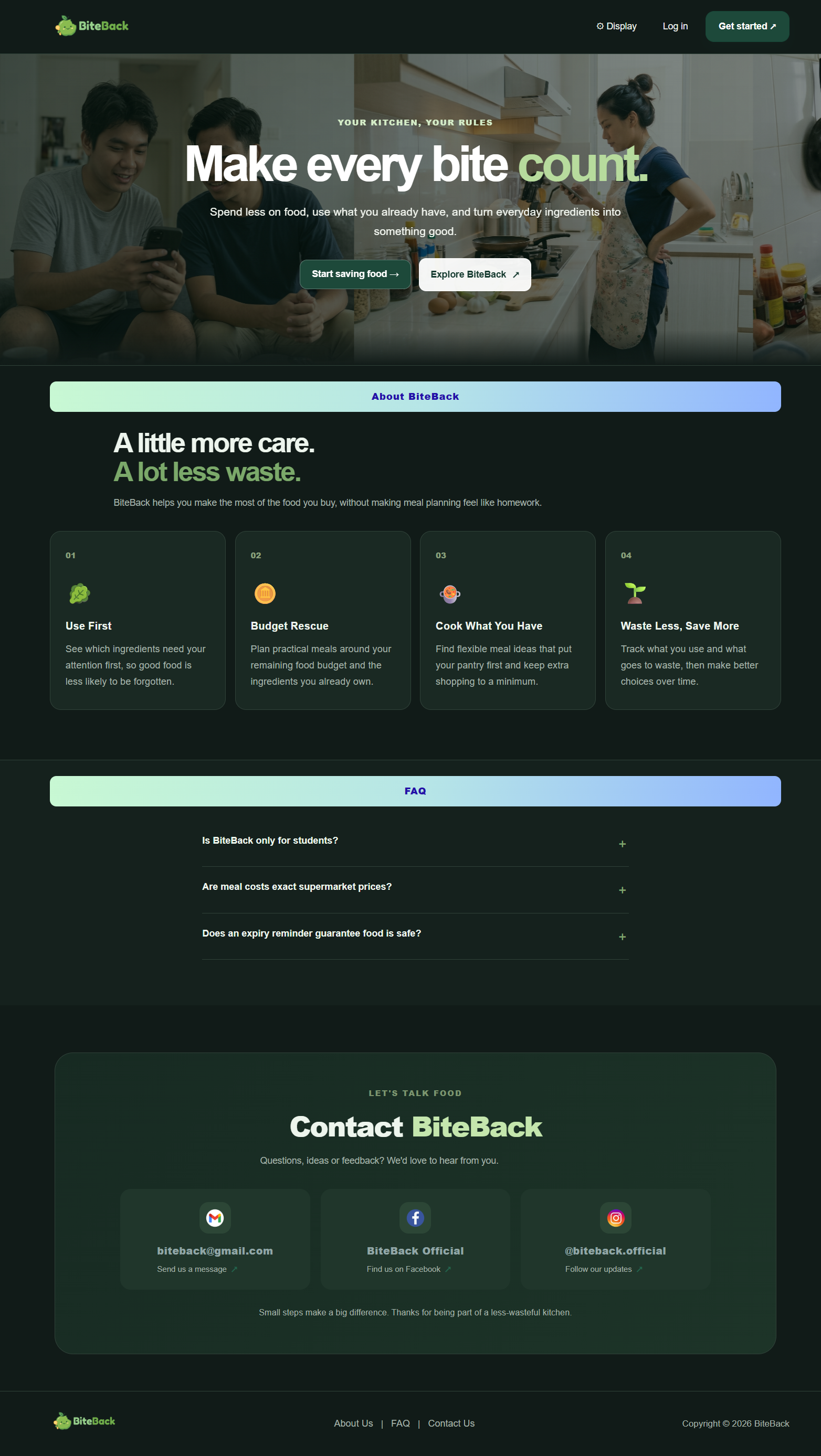
Showcases BiteBack’s features with a sleek dark theme.
-
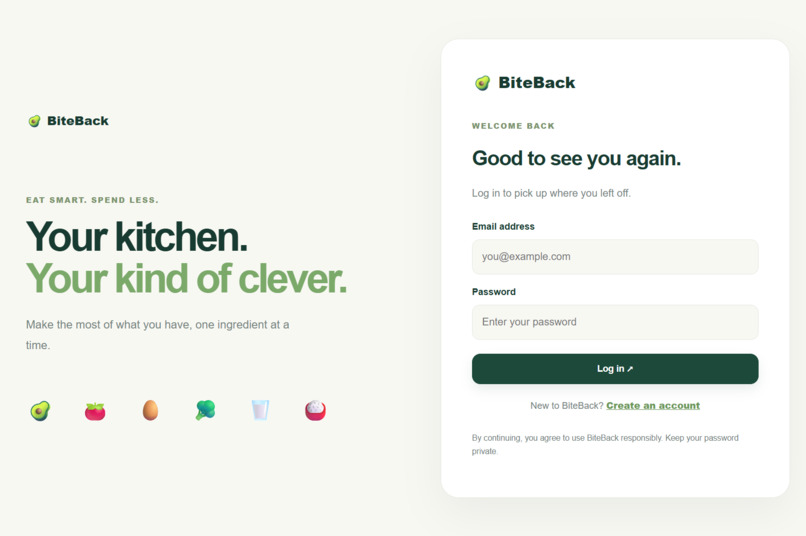
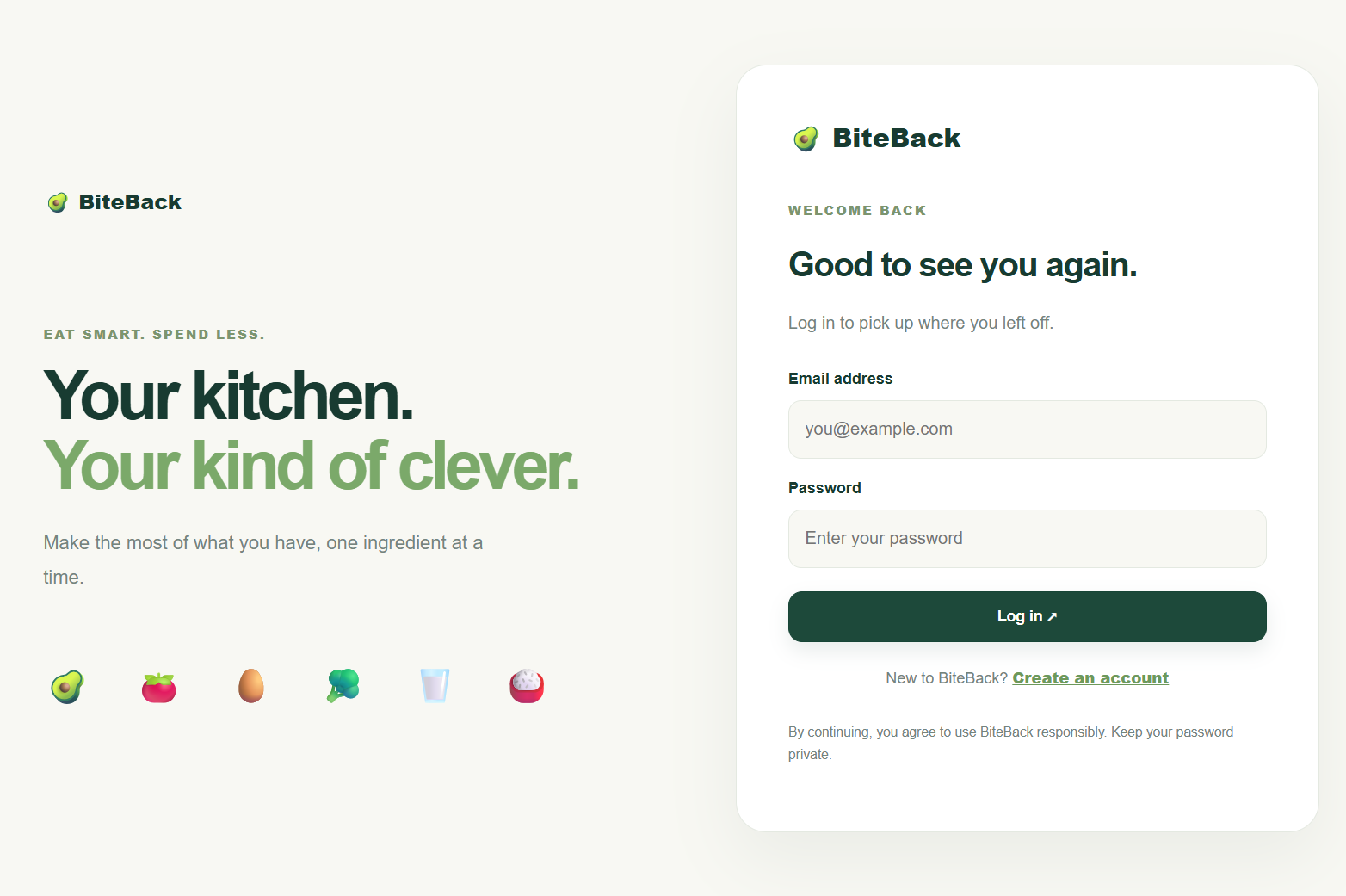
Allows users to securely access their BiteBack accounts.
-
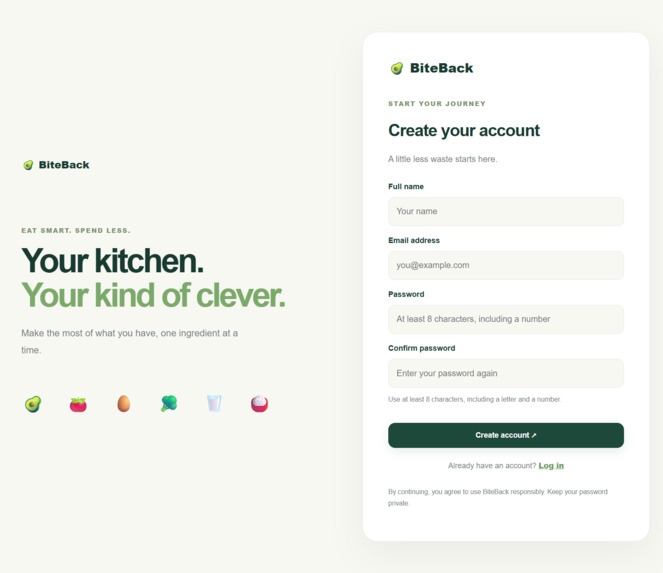
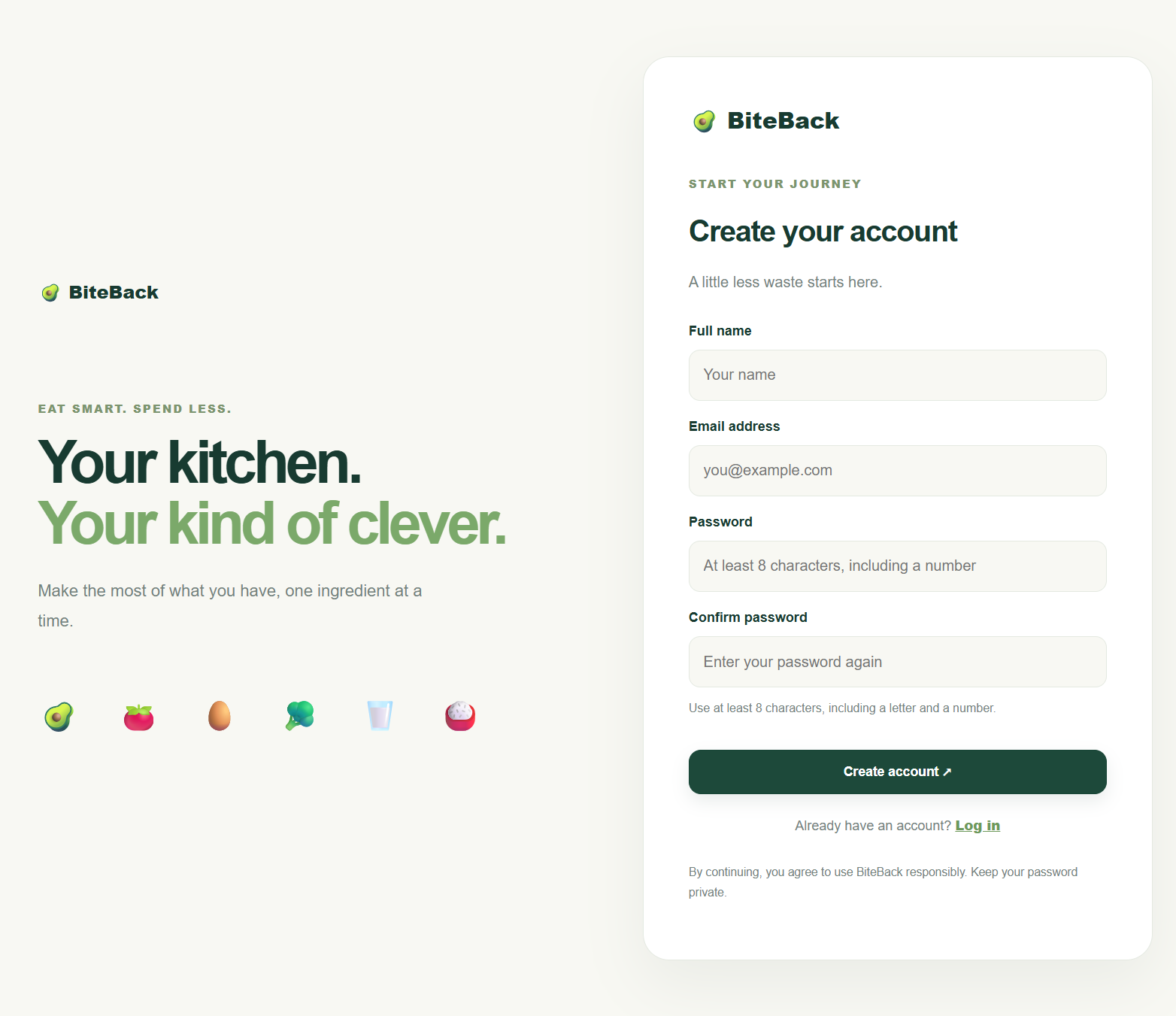
Enables new users to create their BiteBack accounts.
-
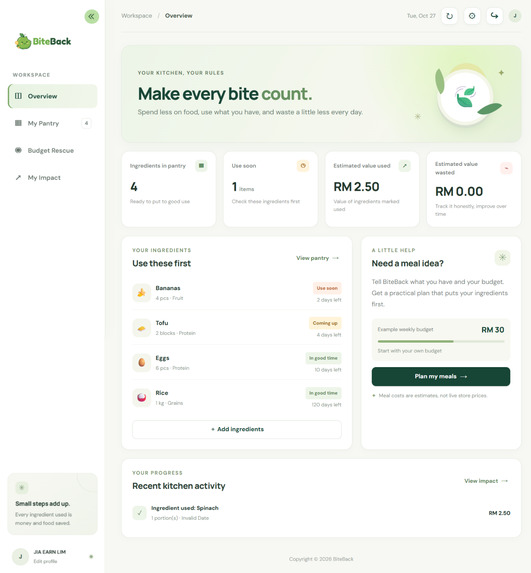
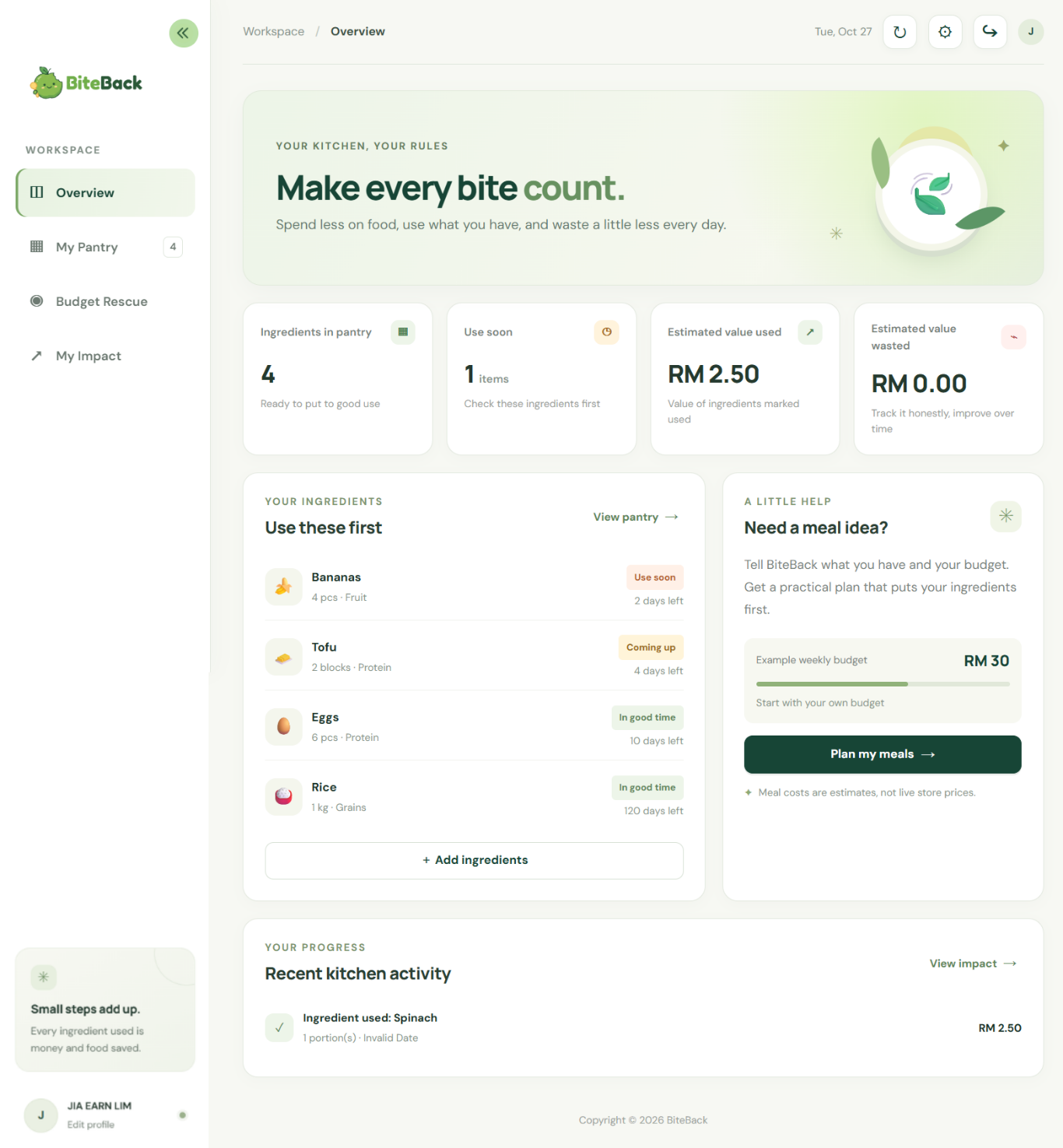
Summarises pantry items, estimated savings, and upcoming expiries.
-
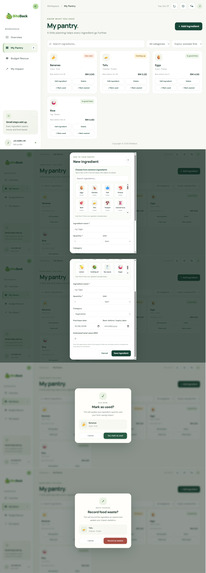
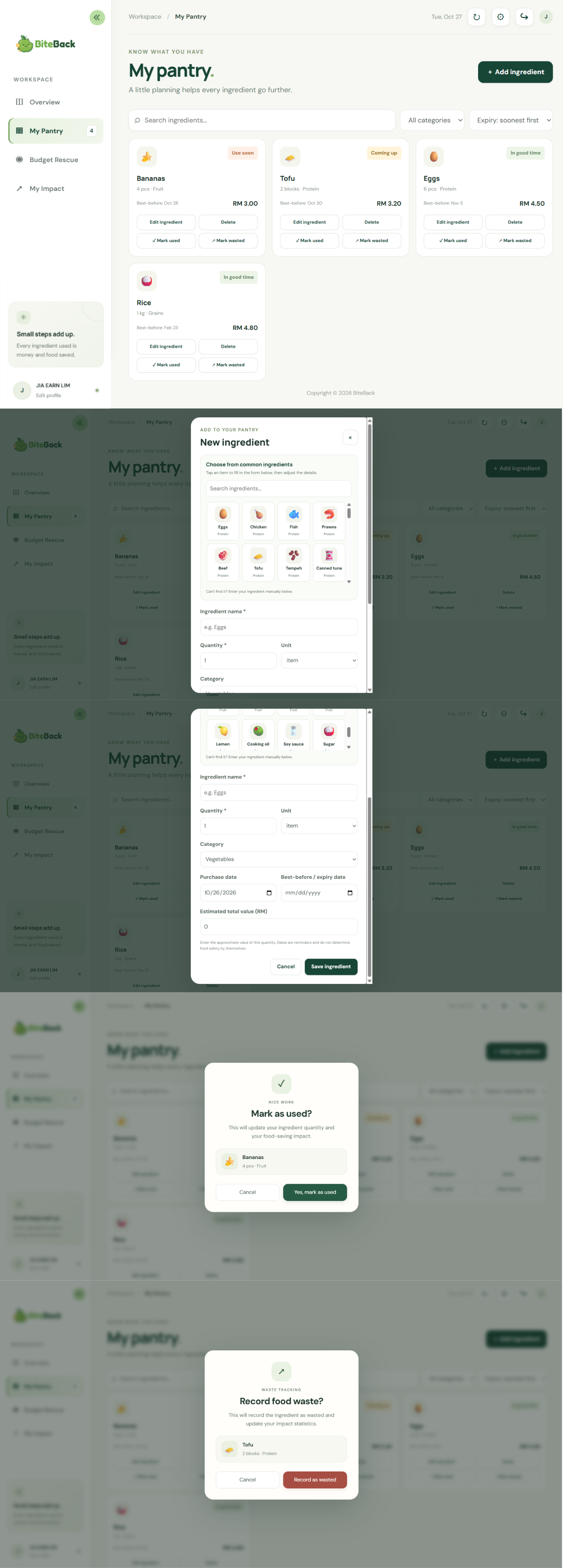
Manages ingredients, quantities, categories, and expiry dates.
-
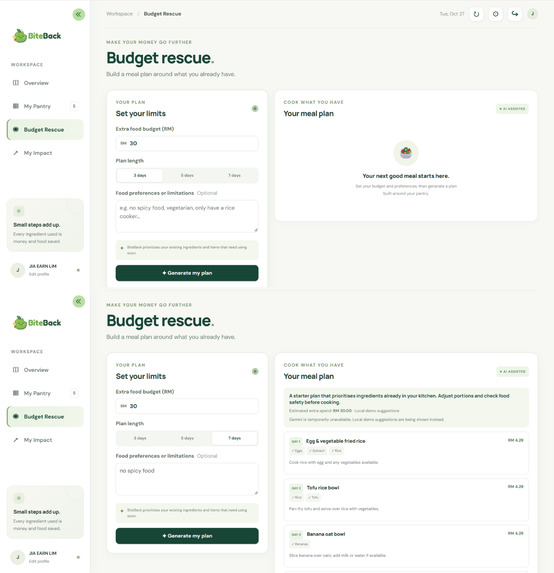
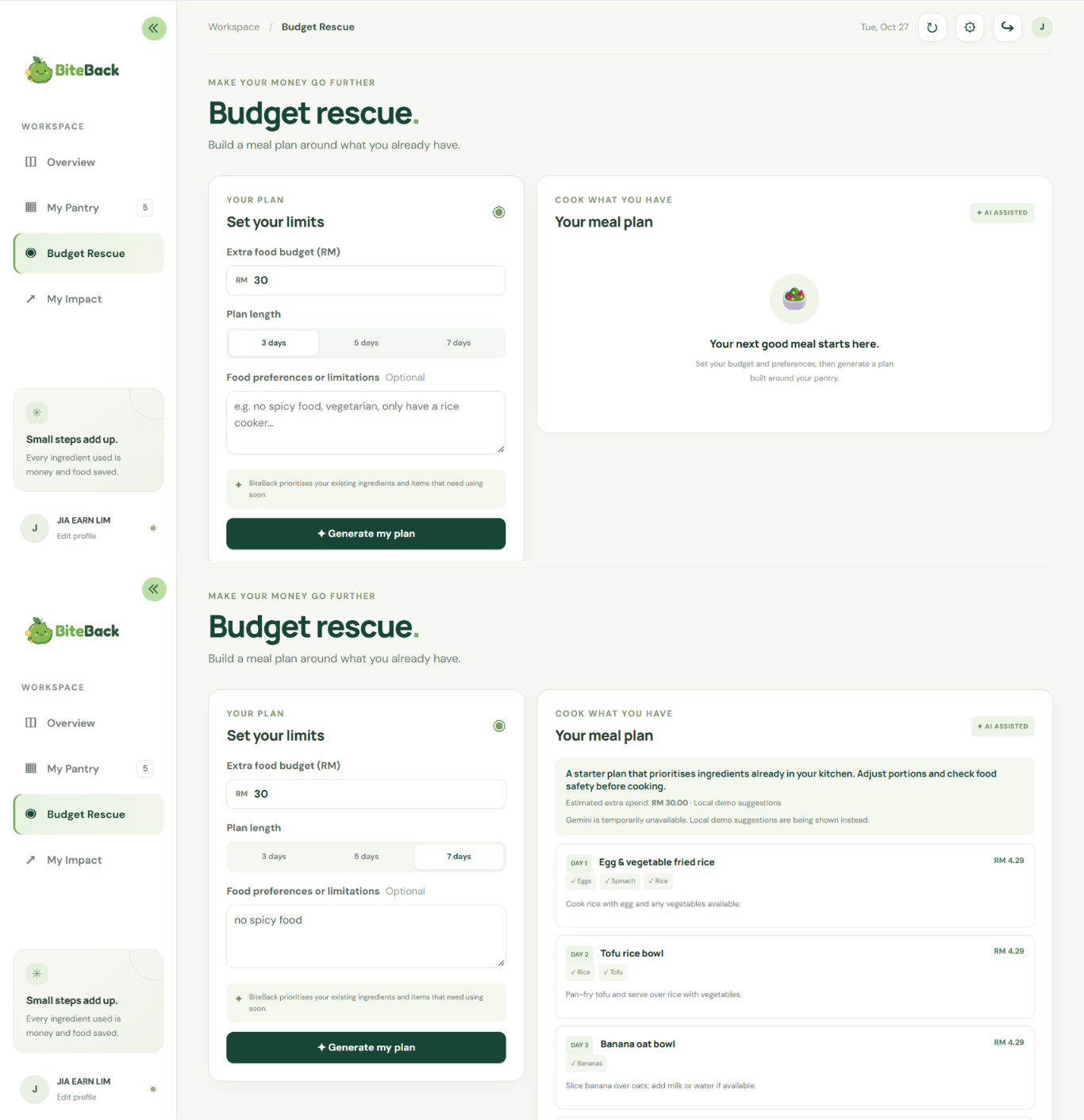
Generates affordable meal plans using existing ingredients.
-
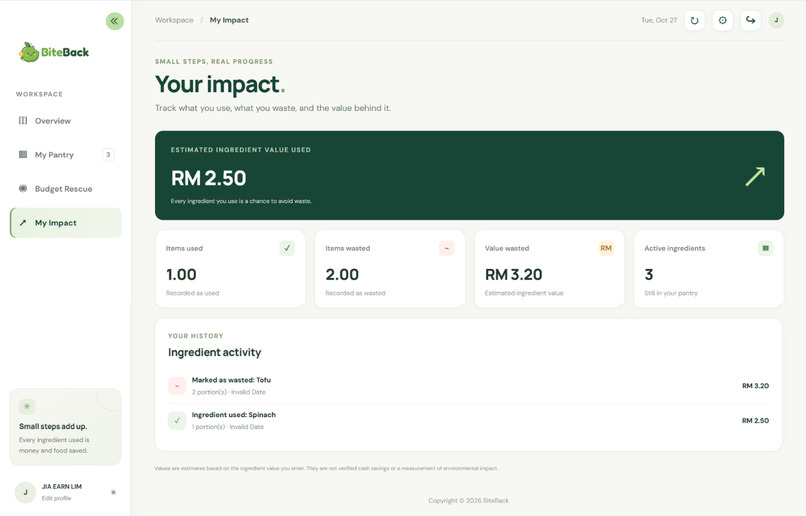
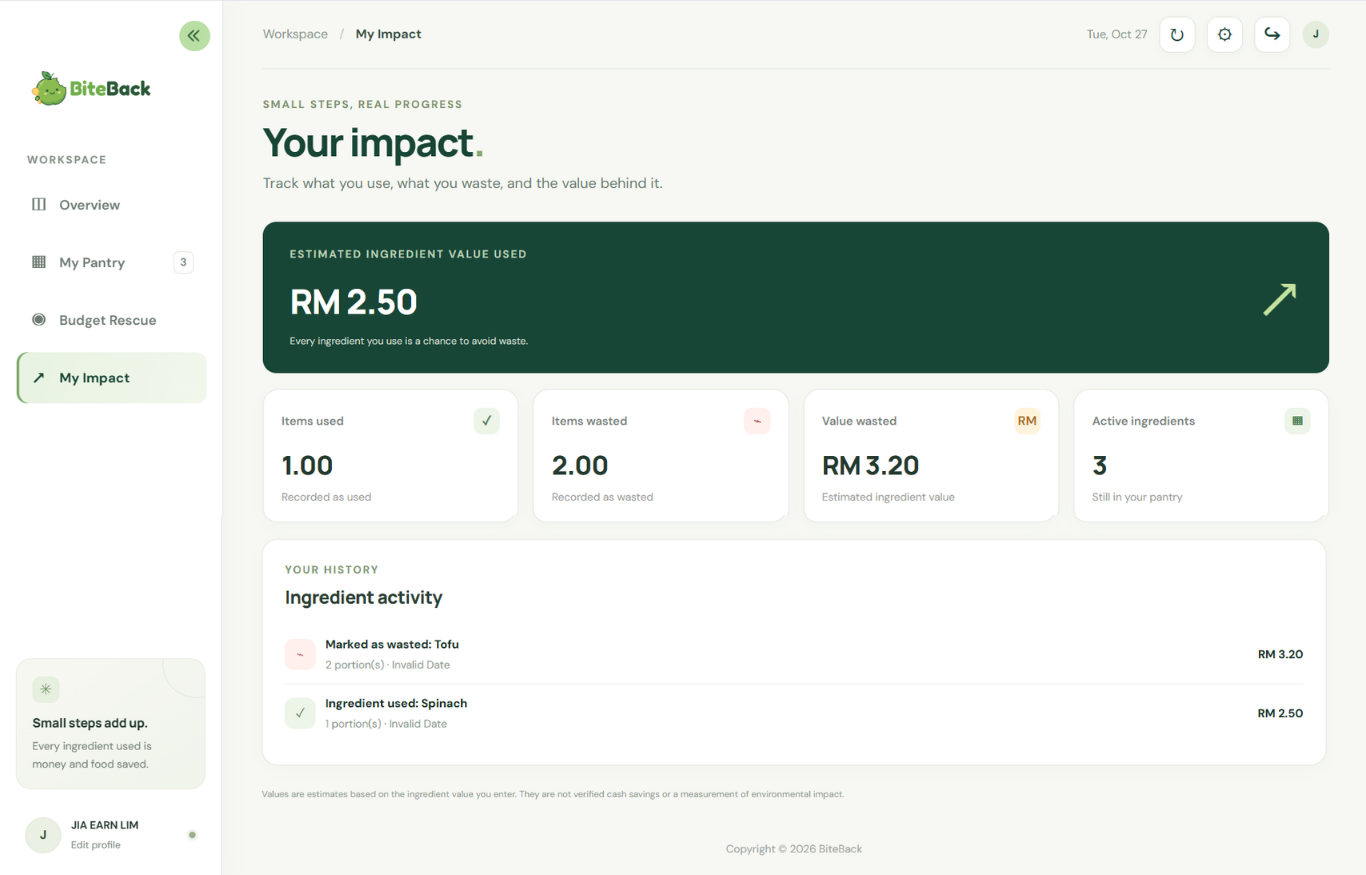
Tracks ingredients used, food wasted, and estimated value.
-
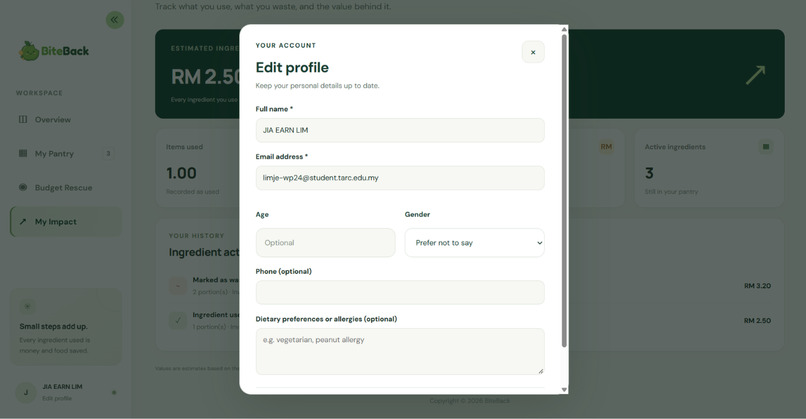
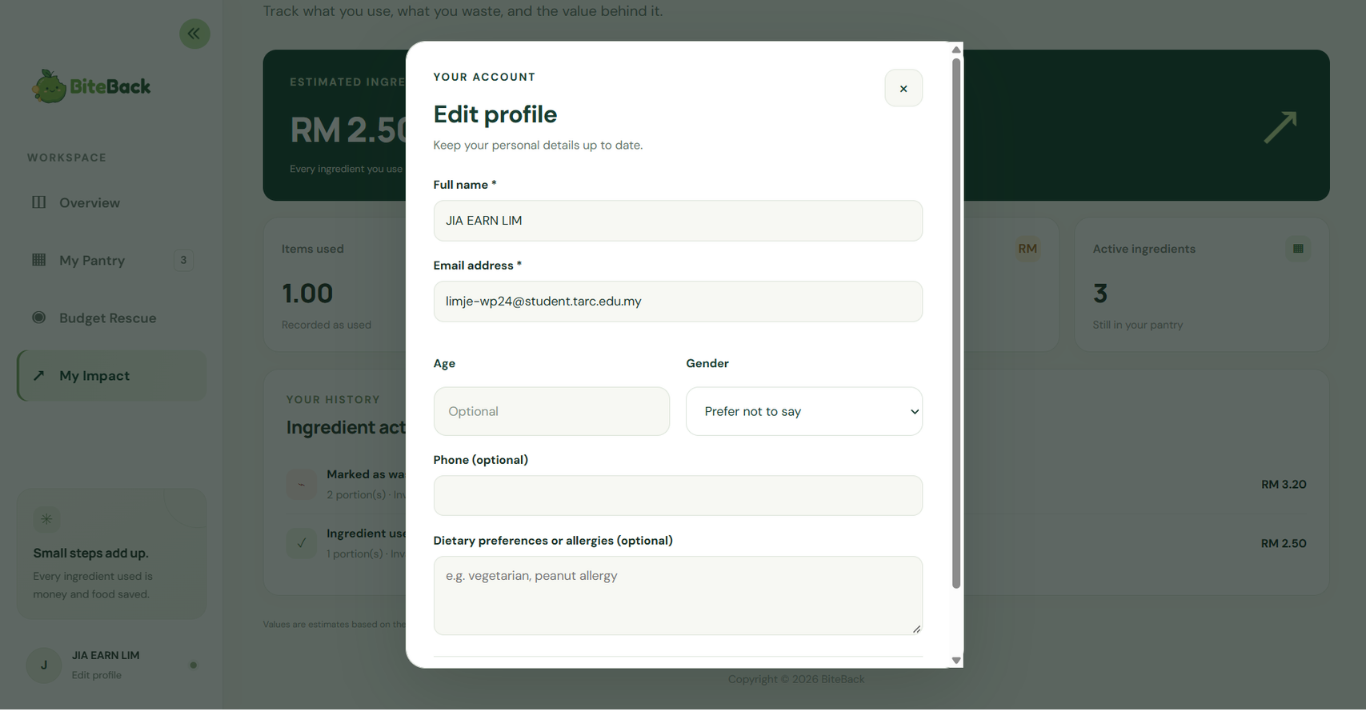
Lets users update their personal and dietary preferences.
## Inspiration
Food waste and food budgeting are everyday challenges, especially for students who need to manage their expenses while making the most of the ingredients they buy. As university students, managing daily expenses while avoiding food waste can be challenging. Students often buy groceries without a clear meal plan, forget ingredients stored in their kitchens, or struggle to decide what to cook with the food they already have. Ingredients may expire before they are used, leading to unnecessary spending and waste.
We wanted to explore how a simple digital tool could help people become more aware of their food inventory, make more practical meal decisions, and reduce avoidable waste.
This inspired us to build BiteBack, a web application that connects food inventory management, budget-conscious meal planning, and food usage tracking in one place. Instead of encouraging students to buy more ingredients, BiteBack helps them make better use of what they already have. Our goal is to make food management more accessible, affordable, and convenient for students in Malaysia.
## What it does
BiteBack is a food inventory and budget meal-planning web application designed specifically for Malaysian university students. It combines ingredient tracking, meal planning, and waste monitoring in one platform.
Its main features include:
Use First: Users can add, edit, and delete food items, recording their quantities, categories, purchase dates, expiry dates, and estimated values. Ingredients can be prioritised by expiry date, helping users identify which items need attention first.
Budget Rescue: Users can set a food budget in Malaysian Ringgit (RM), choose a meal-planning period of three, five, or seven days, and enter food preferences or limitations. BiteBack generates a meal plan designed around available ingredients and the user's budget.
Cook What You Have: Users can explore meal suggestions based on available ingredients. The application supports optional Google Gemini API integration for meal-planning suggestions. When the API is unavailable or its response fails validation, BiteBack provides clearly labelled local demo suggestions instead.
Waste Less, Save More: Users can record food quantities as used or wasted. The application tracks estimated food values and recent activity, helping users understand their food consumption and identify opportunities to reduce waste.
Personalised Dashboard: The dashboard brings together pantry information, ingredients that need attention, estimated ingredient value used or wasted, and recent kitchen activity.
Personalised Accounts: Users can register, log in, and manage their profiles. Each account has its own pantry records, food activity, and saved meal plans, keeping individual food data separate.
Customisable Interface: Users can adjust display preferences, including light and dark modes, font sizes, and interface density, for a more comfortable experience.
Interactive Landing Page: The landing page introduces BiteBack's purpose through food-themed visuals and animations, alongside About Us, FAQ, Contact Us, and social media links.
By bringing these functions together, BiteBack encourages users to check what they already own, plan meals more thoughtfully, and become more aware of food waste.
## How we built it
We developed BiteBack as a web application using a combination of responsive frontend technologies and a Python-based backend. Our approach was to combine practical food-management functions with a student-friendly interface.
Frontend: HTML structures the landing page, authentication screens, and dashboard. CSS provides the visual design, responsive layouts, interactive states, and display customisation. JavaScript handles dashboard interactions, ingredient management, meal-plan requests, and dynamic updates.
Backend: We used Python and Flask to handle HTTP routes, account registration and login, session management, database operations, and communication between the frontend and the meal-planning functionality.
Database: SQLite stores user accounts, ingredient records, food usage and waste events, and generated meal plans. The database is initialised automatically, with sample ingredients provided for the initial demonstration.
AI-Assisted Meal Planning: We implemented an optional Google Gemini API integration using Python HTTP requests to generate meal suggestions based on available ingredients and user preferences. The application also includes a local fallback mechanism to maintain meal-planning functionality when the API is not configured or unavailable.
Development and deployment: We used GitHub-ready project files, a requirements file for Python dependencies, and a Render-compatible deployment configuration. The project also includes documentation for local setup, environment variables, and deployment.
We designed the application around four core workflows: managing ingredients, planning meals within a budget, receiving cooking suggestions, and recording food consumption or waste.
Throughout development, we refined the interface, expanded the ingredient selection options, improved button interactions, and added profile-editing and display-customisation features. We used AI assistance for coding guidance, debugging, and design refinement while making implementation decisions and adapting the results to the project's requirements.
## Challenges we ran into
One challenge was connecting different parts of the application into a coherent workflow. Ingredient tracking, expiry-date prioritisation, budget input, meal-plan generation, and activity statistics need to work together rather than feel like unrelated features.
Another challenge was making the AI-assisted functionality usable even when an external API is unavailable. API configuration, network errors, and service limitations can interrupt meal generation. We addressed this by implementing a local fallback and distinguishing demo-generated suggestions from API-generated results.
We also needed to make the interface understandable for users who may not be familiar with food inventory management. The dashboard therefore groups related information together and highlights ingredients that need attention. Display settings provide additional flexibility for different viewing preferences.
Finally, we had to consider the limitations of the information being presented. Expiry dates are reminders rather than guarantees of food safety, and estimated ingredient values cannot establish actual savings. These limitations helped us define what BiteBack can reasonably demonstrate and what would require further development.
## Accomplishments that we're proud of
We are proud to have developed BiteBack into a connected food-management platform rather than a standalone recipe generator or simple grocery list.
Our key accomplishments include:
We connected ingredient tracking with expiry-date prioritisation, helping users identify what to use first.
We developed a budget-based meal-planning workflow that considers existing ingredients and user preferences.
We made an optional AI integration with validation and a local fallback, allowing the meal-planning experience to be less dependent on an external service.
We created an impact dashboard that records food usage and waste through estimated ingredient values and activity statistics.
We built an interactive landing page and a customisable dashboard to make the experience more engaging and accessible.
We documented the setup and deployment process so that the project can be inspected and developed further.
Most importantly, BiteBack turns a familiar student problem into a practical workflow: knowing what food is available, deciding what to cook, staying within a budget, and being more conscious about waste.
## What we learned
Through this project, we learned that building a useful application involves more than implementing individual features. The data model, backend routes, frontend interactions, and user interface must work together reliably and be understandable to the people who need them.
We gained practical experience with Flask routing, SQLite database operations, account authentication, JavaScript-driven interfaces, API requests, environment variables, and deployment configuration. We also learned the importance of handling API failures instead of assuming an external service will always be available.
Another important lesson was the need to distinguish helpful estimates from verified outcomes. Showing estimated ingredient value can improve awareness, but it should not be presented as proof of money saved or environmental impact achieved. Also, estimated meal costs are not guaranteed market prices, and recorded food values do not independently prove actual savings or environmental benefits. Similarly, an AI-generated meal plan should not be treated as verified nutritional or allergen advice.
We learned how to connect a Flask backend with an interactive JavaScript frontend, structure application data using SQLite, and associate database operations with authenticated users. We also gained experience in designing API integrations that validate external responses and provide fallback behaviour when dependencies fail.
Another important lesson was the difference between a working prototype and a fully validated real-world solution. Estimated meal costs are not guaranteed market prices, and recorded food values do not independently prove actual savings or environmental benefits. Similarly, an AI-generated meal plan should not be treated as verified nutritional or allergen advice.
We also learned the importance of testing account boundaries, data consistency, error handling, and user interactions, not just whether the main page loads. Finally, using AI development tools taught us to review, adapt, and understand generated suggestions rather than relying on them without verification.
## What's Next for BiteBack
Our next goal is to make BiteBack more personalised, accurate, reliable, and useful for everyday use.
Potential improvements include:
Stronger Multi-User Data Isolation: Further strengthen account-level access controls to ensure that each user can access only their own ingredient records, meal plans, and activity history.
Smarter Food Tracking and Expiry Reminders: Introduce notifications for ingredients approaching their expiry dates and improve quantity tracking when ingredients are used, helping users make better use of the food they already have.
More Realistic Budget Planning: Improve meal-plan generation by considering available ingredient quantities, portion sizes, dietary preferences, and more realistic local grocery prices, making budget estimates more practical for Malaysian students.
More Personalised Meal Recommendations: Expand cooking suggestions based on available ingredients, preparation time, cooking preferences, and different skill levels, helping users discover practical ways to use what they already own.
More Detailed and Reliable Meal Information: Provide clearer preparation instructions and optional nutritional and allergen information, with appropriate verification and clear safety limitations.
Better Food-Waste and Savings Insights: Develop more informative historical summaries and meaningful comparisons of recorded food usage, estimated food waste, and potential savings, helping users understand their habits and identify areas for improvement.
Improved Mobile Experience: Further optimise the interface for mobile devices so that students can conveniently manage their ingredients and meal plans wherever they are.
More Robust Deployment and Security: Strengthen persistent data storage, error handling, account protection, and production security to improve reliability before supporting broader public use.
We envision BiteBack becoming a practical everyday companion that helps students make more intentional food choices, get more value from the ingredients they buy, and develop sustainable habits that reduce avoidable food waste. By combining smarter food management with realistic budgeting and personalised meal planning, we hope to make eating well while spending less easier and more accessible.

Log in or sign up for Devpost to join the conversation.