-
-
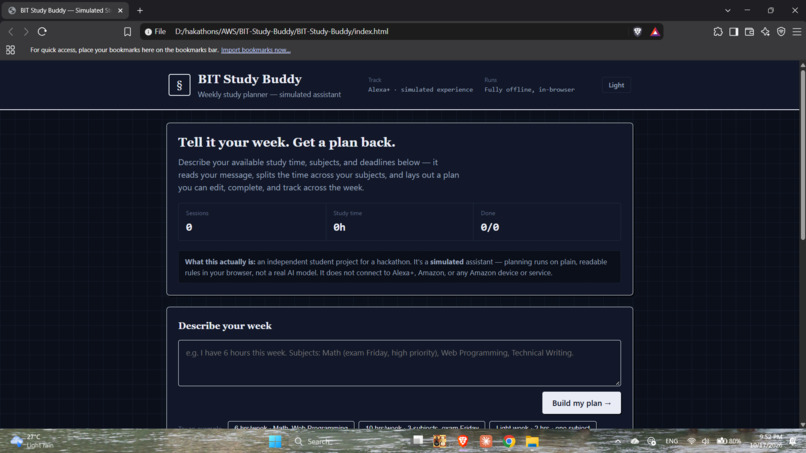
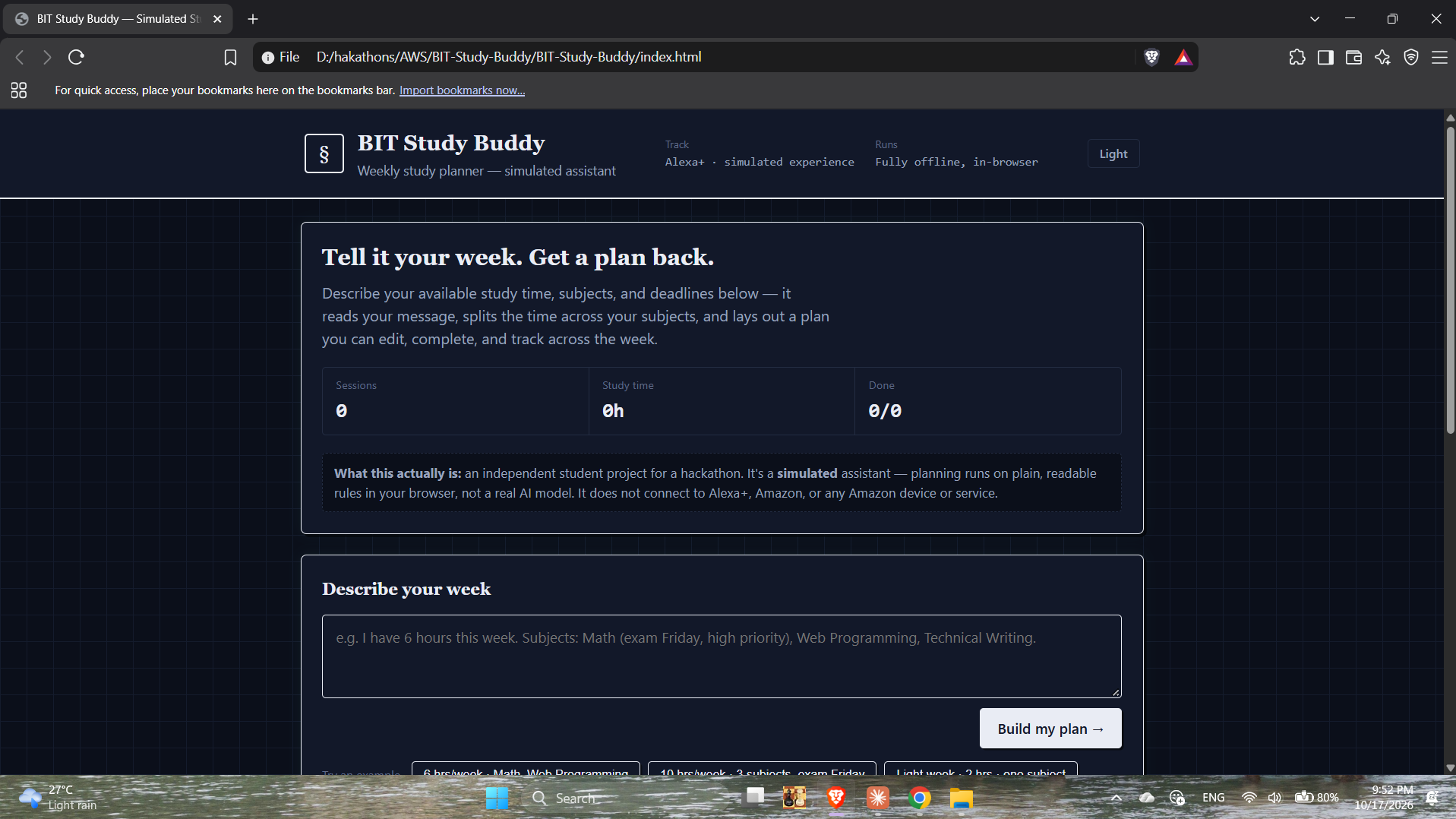
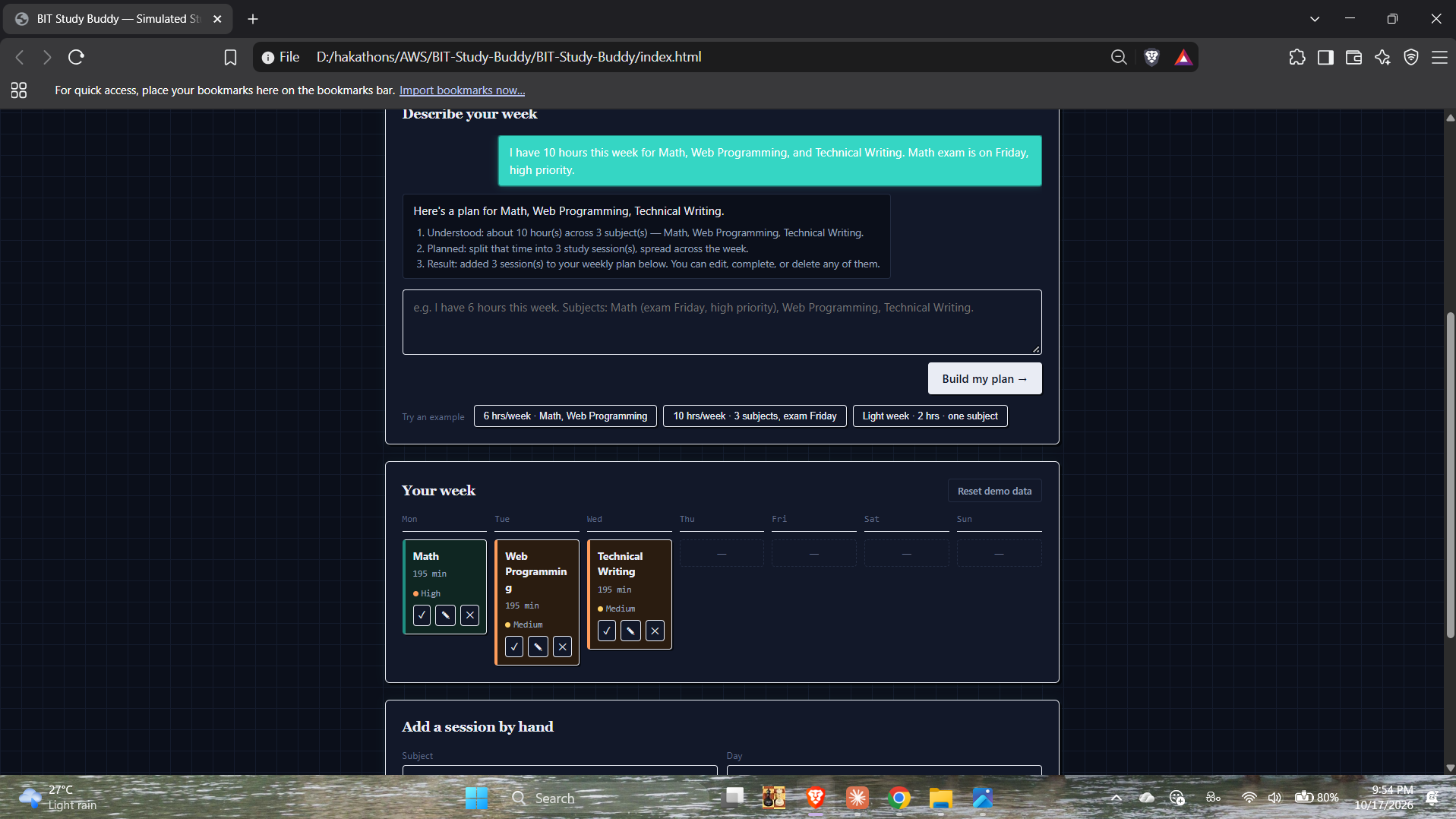
Welcome screen — describe your week and get a study plan back. 100% simulated, runs offline in your browser.
-
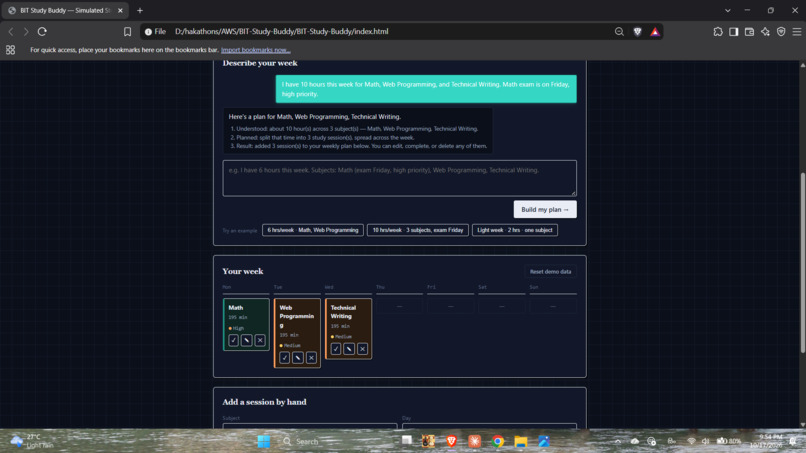
Describing a week in plain language auto-generates a weekly plan — sessions spread across days, color-coded by priority.
-
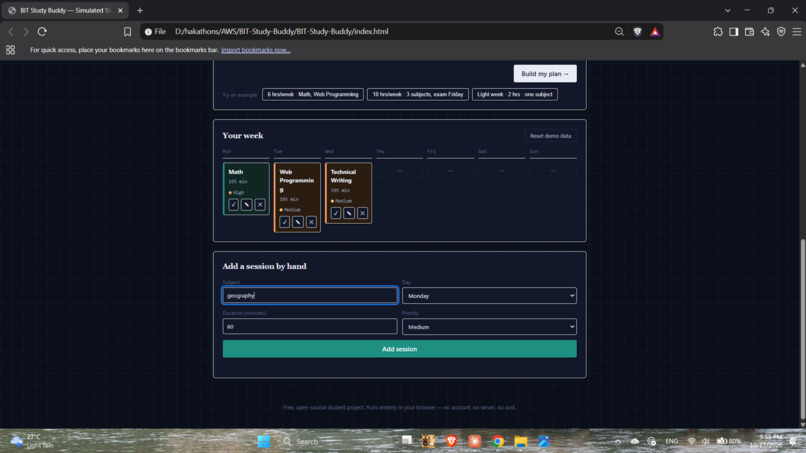
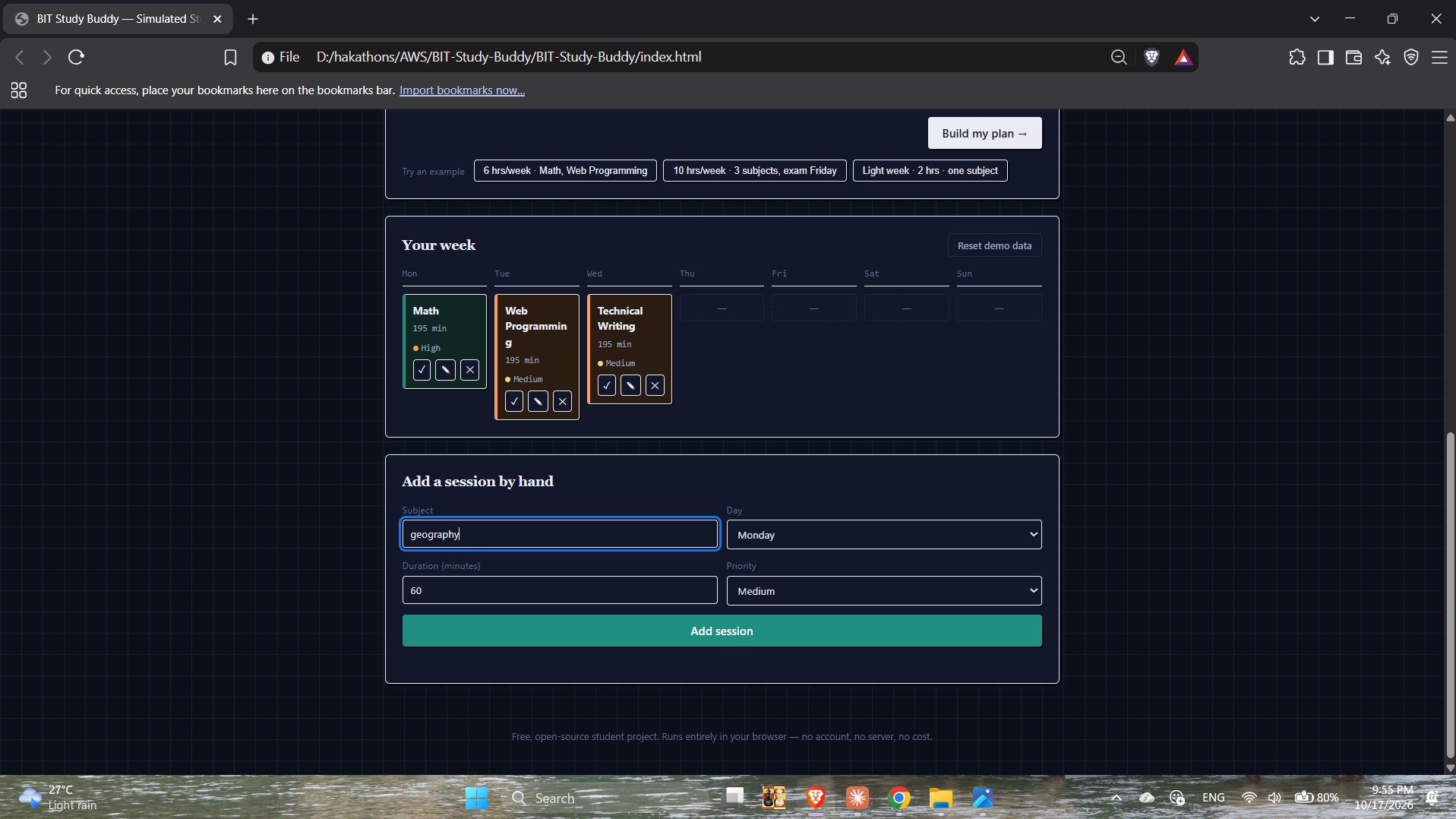
Add a study session manually, or edit/complete/delete any generated session — fully editable, all stored locally.
Inspiration
As a BIT (IT) undergraduate, I'm constantly juggling multiple subjects, assignments, and exam dates — and I often lose track of how to split my limited free time across them. I wanted to see what a simple, honest "study assistant" would look like for the Alexa+ simulated-experience track: no real AI model, no AWS, no paid services — just plain, transparent logic that any student could read and trust.
What it does
BIT Study Buddy lets a student describe their week in plain language — available hours, subjects, and deadlines — in a chat-style box. The app parses that message with simple, readable JavaScript rules (not a real AI model) and lays out a weekly study plan, spread across the days of the week, with each session marked by priority. From there, a student can mark sessions complete, edit them, delete them, or add new ones by hand. Everything is saved locally in the browser — no account, no server, and no cost.
The app is explicit on-screen that it is a simulated assistant: it does not connect to Alexa+, Amazon, or any Amazon device or service.
How I built it
Plain HTML, CSS, and JavaScript — no frameworks, no build tools, no paid APIs. The "understanding" step is a small rule-based text parser (keyword and pattern matching) that extracts subjects, hours, and priority signals from what the student types. The weekly plan is rendered as a day-by-day grid, with subjects colour-coded automatically so sessions are easy to tell apart at a glance. All data persists in the browser's localStorage, so a plan survives a page reload with nothing to install or sign into.
Challenges I ran into
This is my first hackathon, so most of the challenge was process, not just code: understanding Devpost's submission flow, making sure the "simulated experience" approach genuinely fit the Alexa+ track's rules, and recording and uploading a demo video for the first time. On the code side, the trickiest part was the text-parsing logic — getting it to correctly split a sentence into clean subject names without picking up stray words like "high priority" as a subject.
Accomplishments that I'm proud of
Shipping a complete, polished, end-to-end working app — solo, as a first-time hackathon participant — with zero cost and zero external dependencies. I'm also proud of how transparent the app is about what it actually is, rather than overstating its capabilities.
What I learned
How to scope a hackathon project realistically for a solo first-timer, how Devpost submissions actually work from registration to video to final submission, and a lot about writing small rule-based parsers that behave predictably.
What's next for BIT Study Buddy
Smarter parsing of natural language requests, a calendar/export view, and optional reminders — still kept fully free and offline.
Built With
- css
- html
- javascript
- localstorage


Log in or sign up for Devpost to join the conversation.