-
-
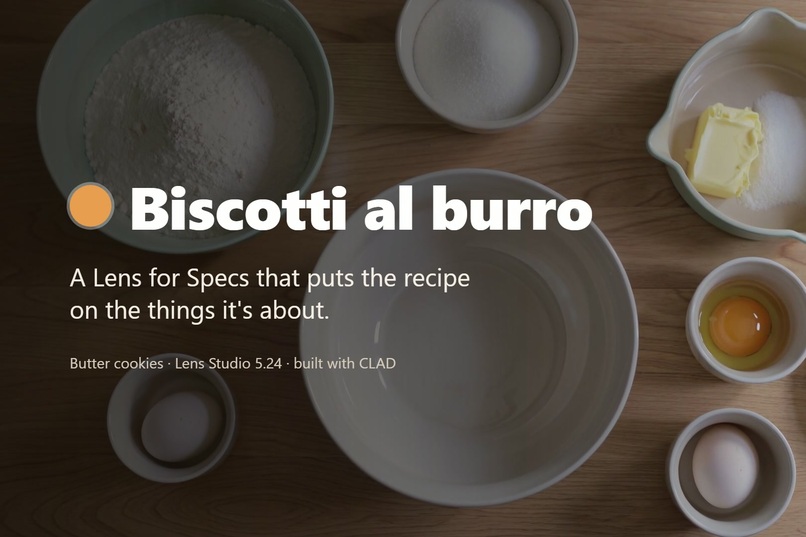
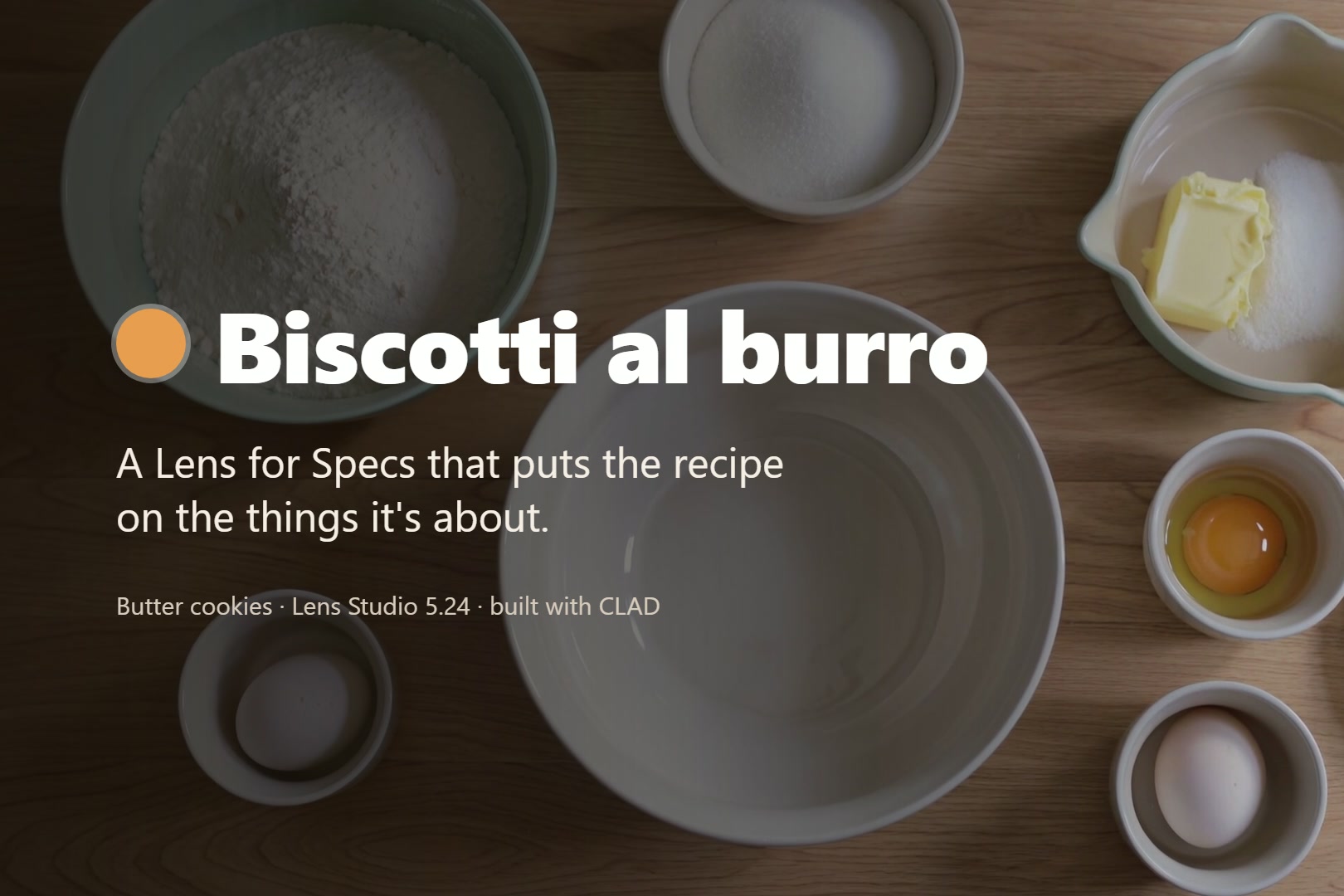
Biscotti al burro: the recipe on the things it's about. Background: AI-generated kitchen footage.
-
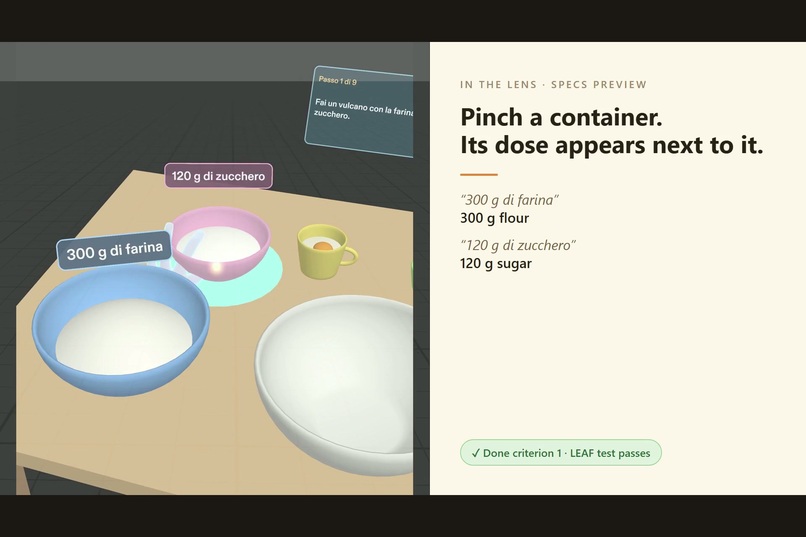
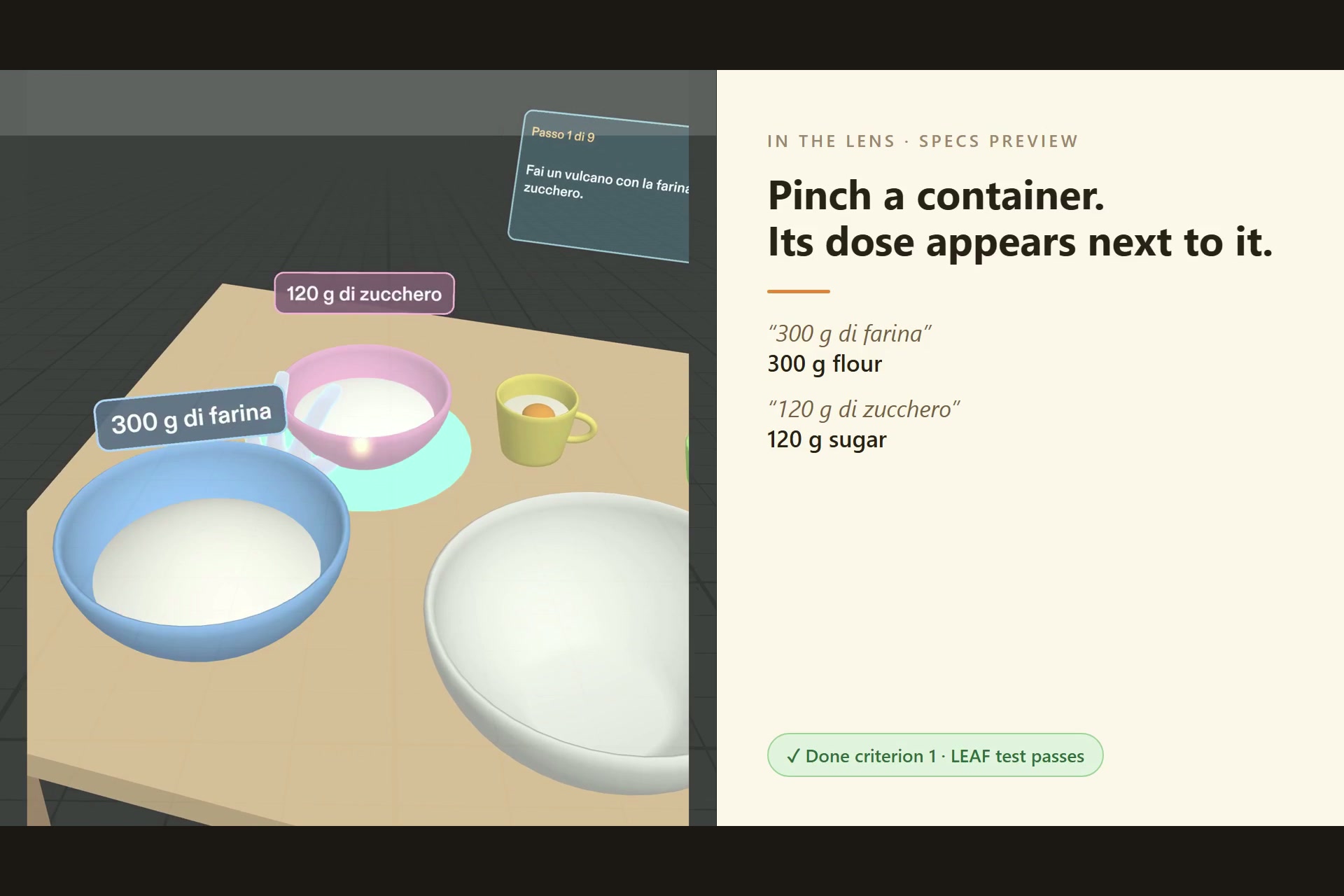
Pinch a container: its dose appears next to it ("300 g di farina", "120 g di zucchero").
-
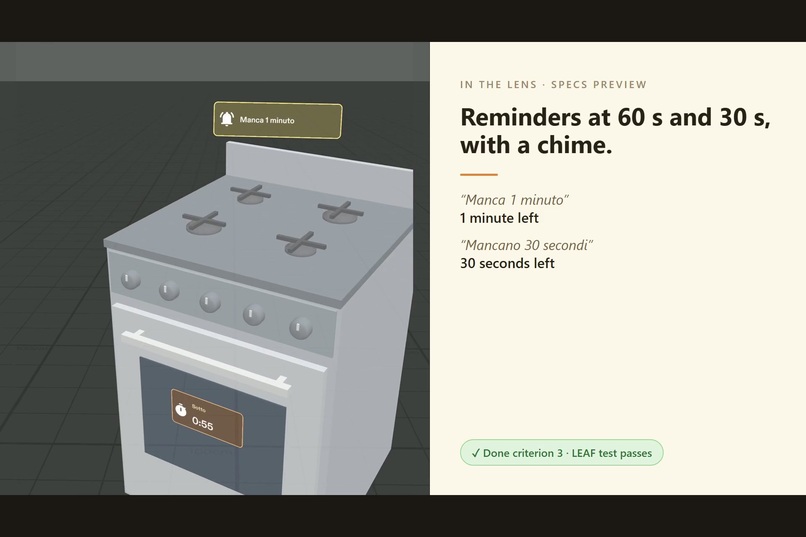
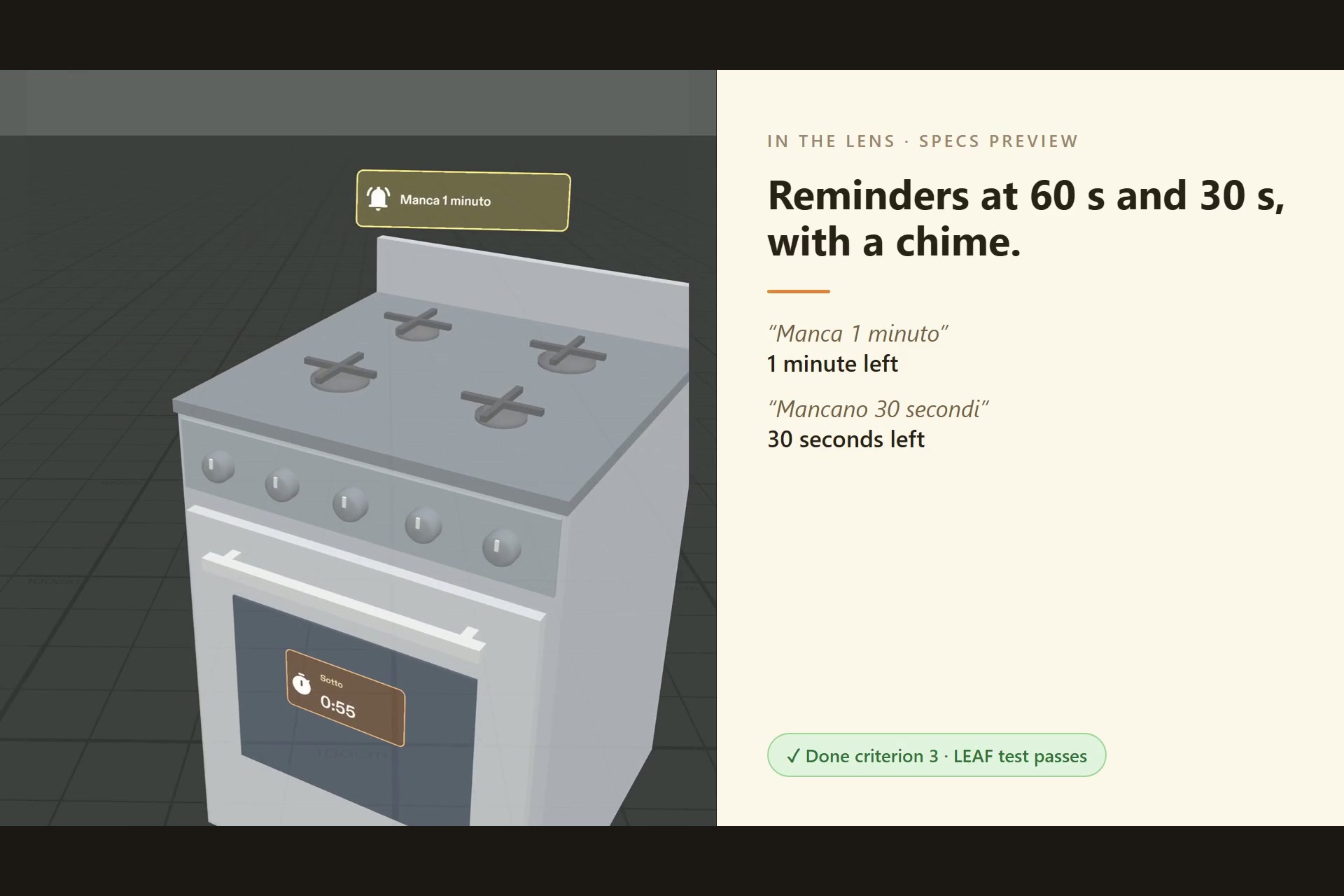
60 s and 30 s before the end: a reminder bubble and a chime above the oven.
-
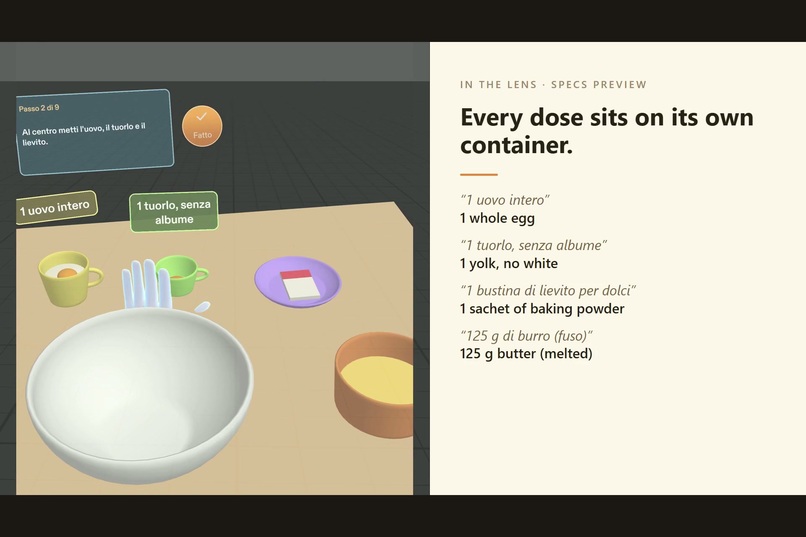
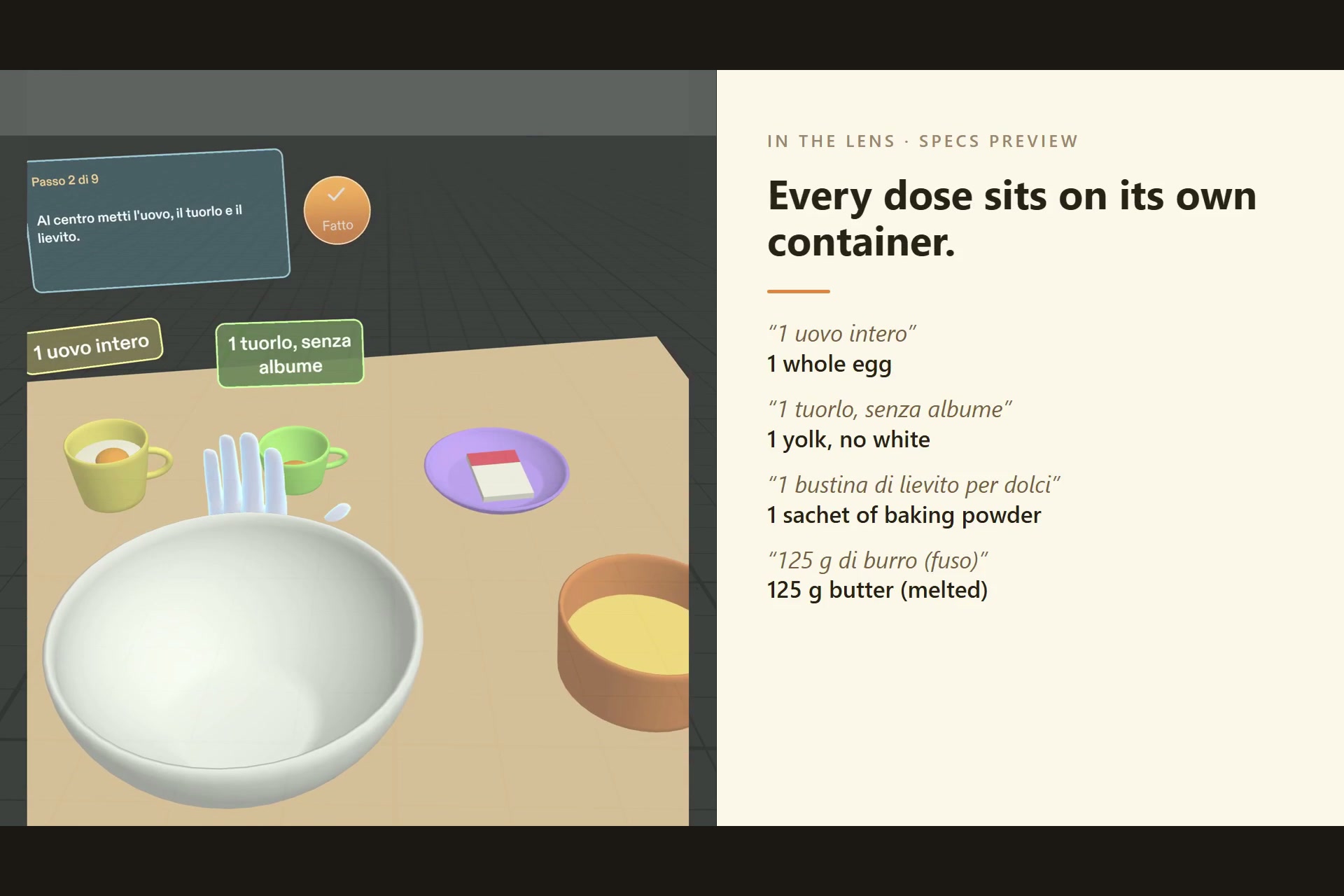
Every dose on its own container: egg, yolk, baking powder, melted butter.
-
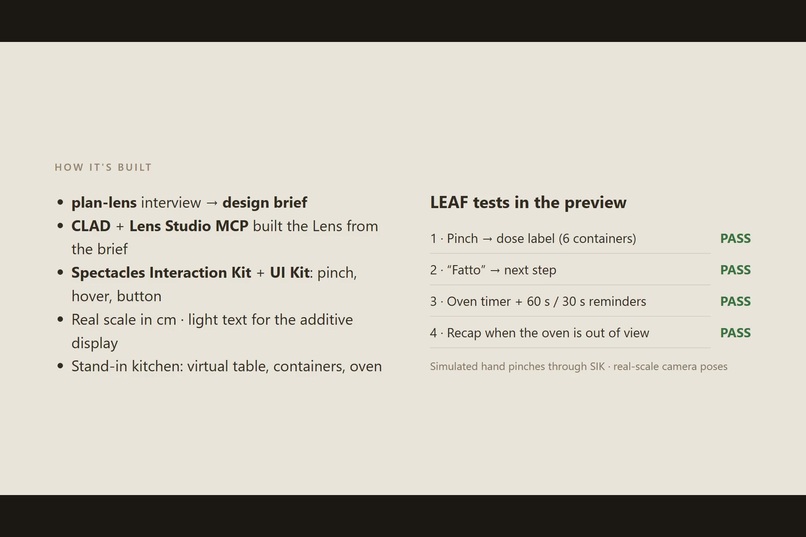
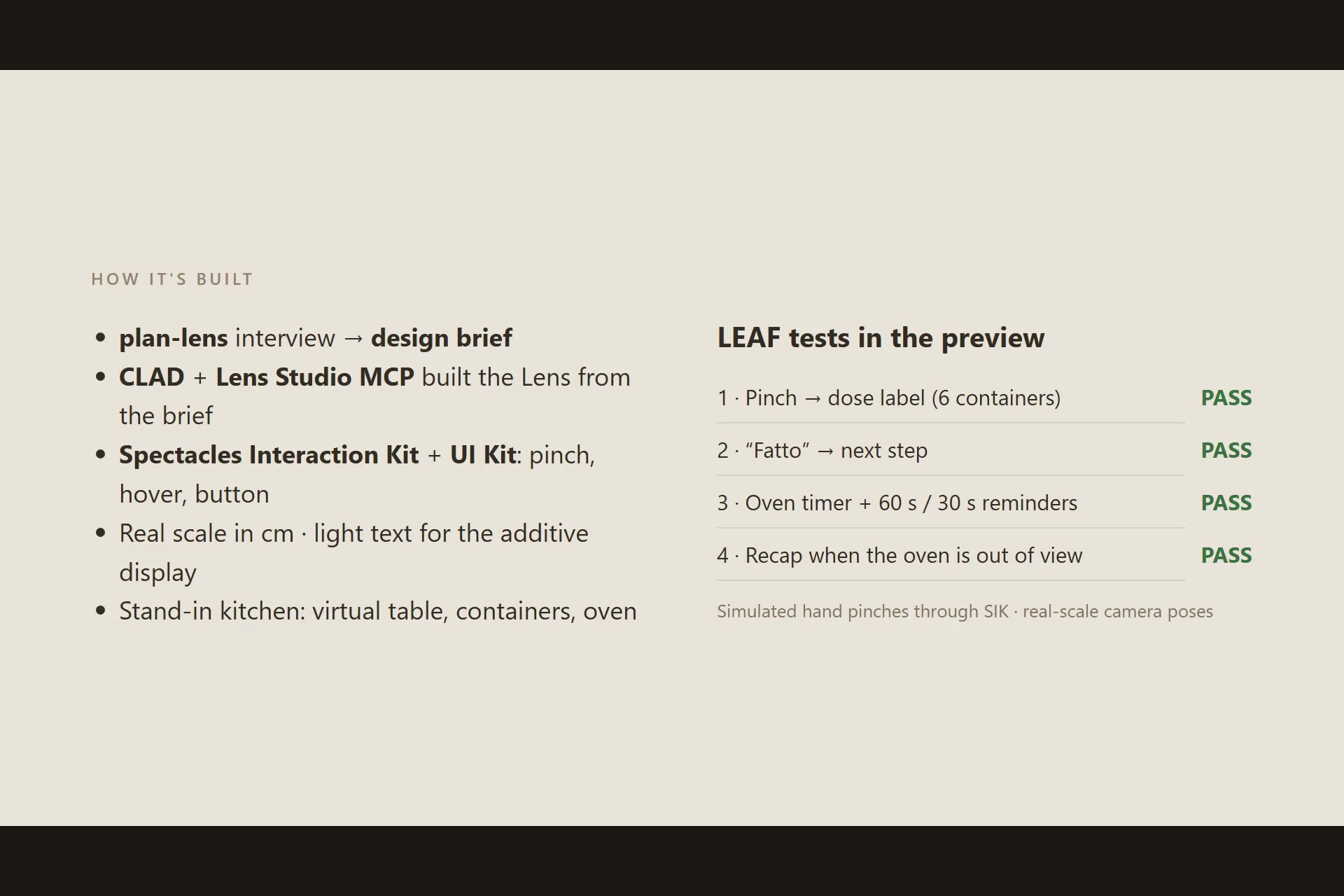
How it's built: plan-lens brief, CLAD + Lens Studio MCP, SIK + UI Kit. 4 of 4 LEAF tests pass.
-
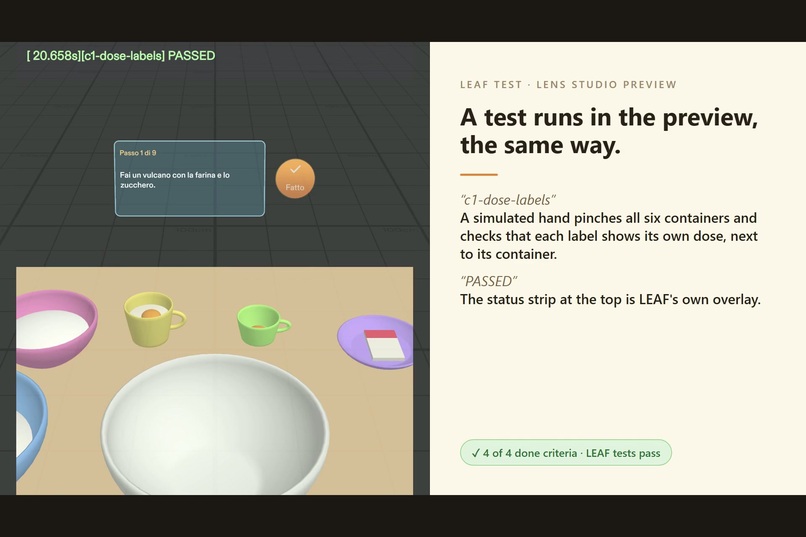
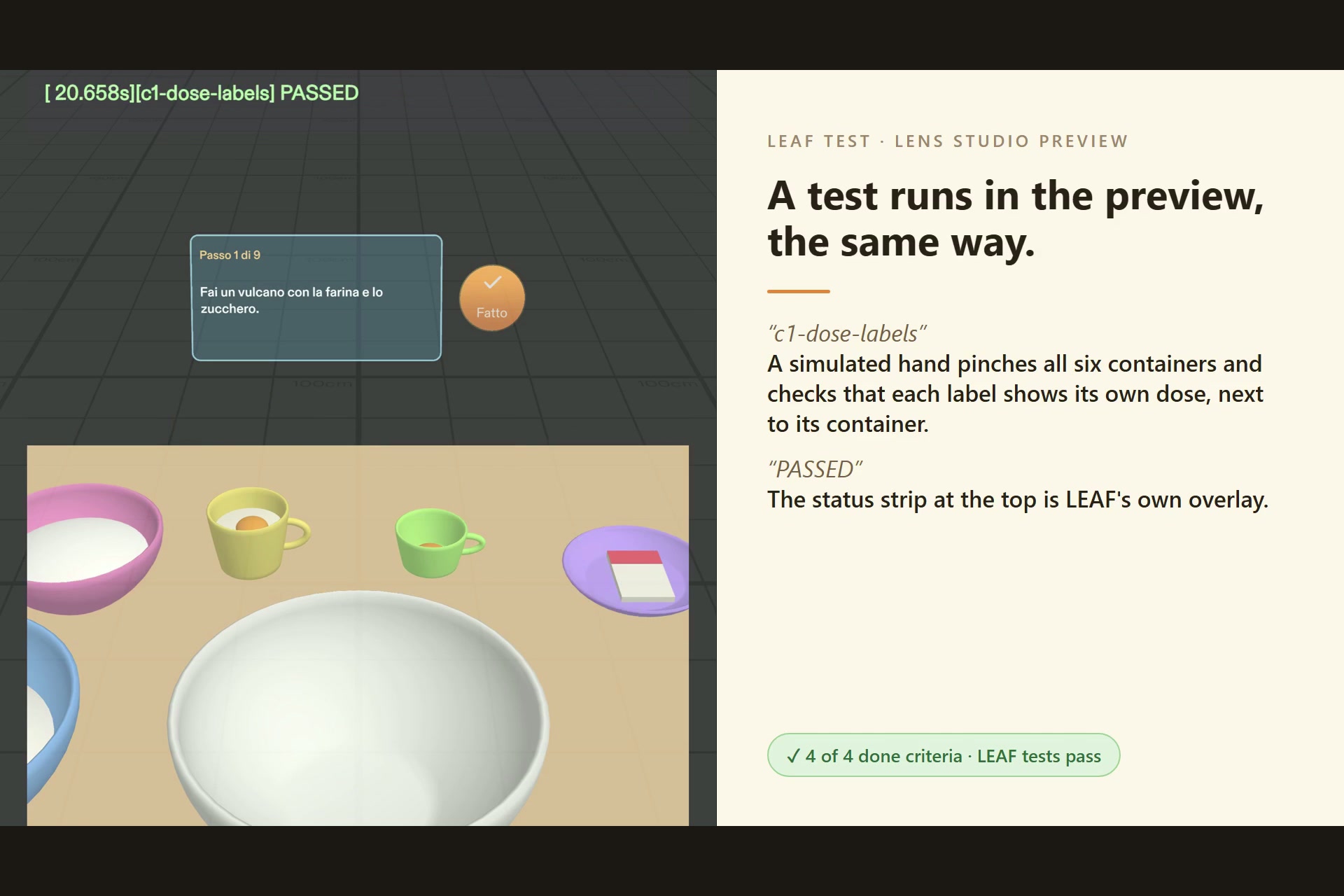
LEAF test c1-dose-labels running in the Lens Studio preview: PASSED.
-
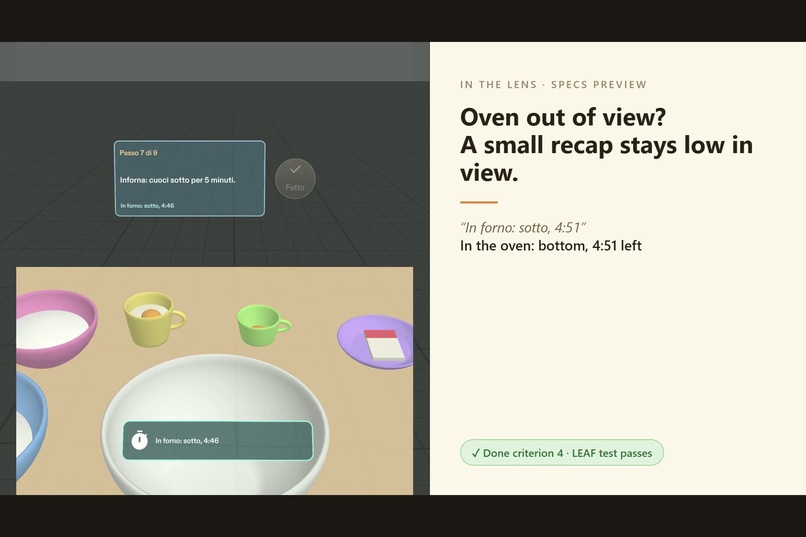
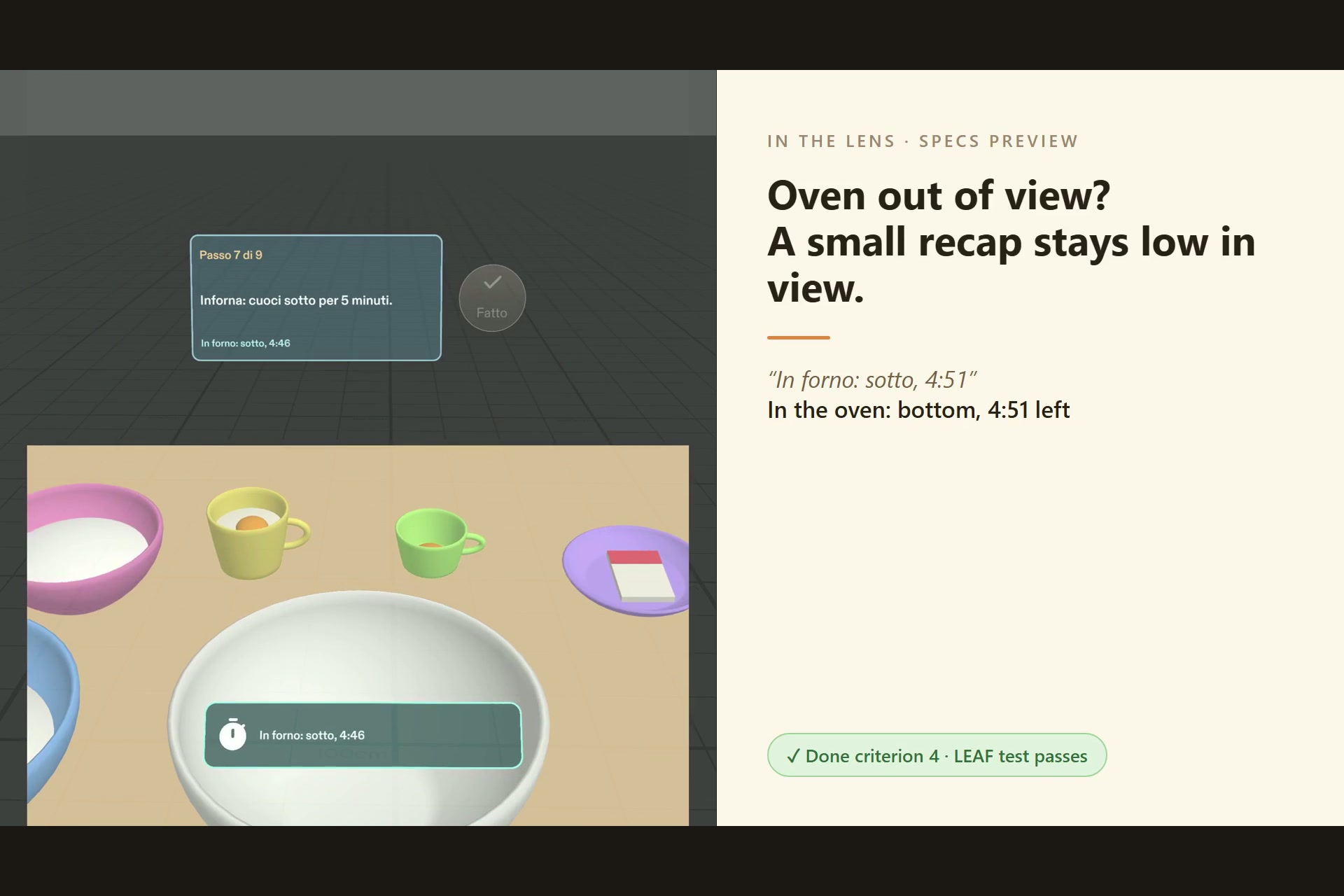
Oven out of view: a small recap stays low in view with what's cooking and the time left.
-
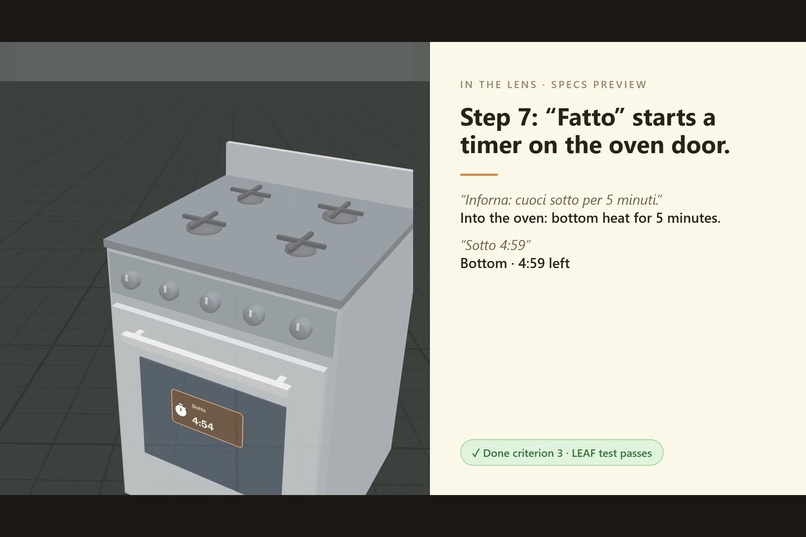
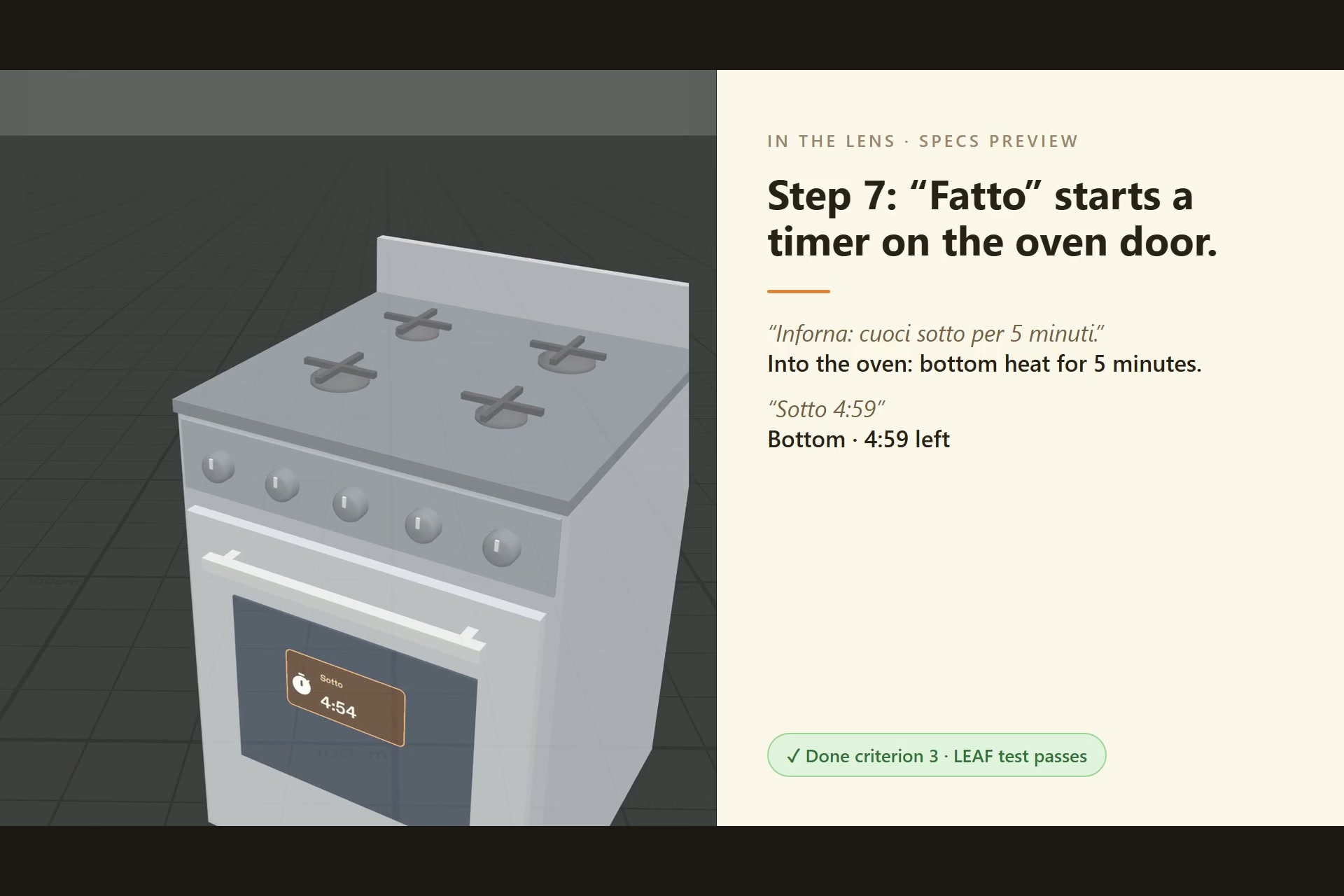
Step 7: "Fatto" starts a 5-minute timer on the oven door ("Sotto" = bottom heat).
Inspiration
When I bake butter cookies I keep going back to look at the recipe. But with my hands covered in butter and flour, I can't scroll a phone. I wanted the recipe to sit on the things it's about.
What it does
- Doses on the containers. I pinch a container and its dose appears right next to it, about 10 cm above the rim: "300 g di farina", "120 g di zucchero"… A label goes away when the step that uses it is done.
- The current step at the back of the table. One big round Fatto ("done") button moves to the next step. All 9 steps are in Italian, exactly as my recipe says them.
- A timer on the oven itself. On step 7, Fatto starts a 5-minute bottom-heat timer on the oven door, 1.2 m to the right of the table. When it ends, a chime plays and the oven says "Ora cuoci sopra" ("now cook on top"). Fatto then starts the top phase, and at the end the oven says "Controlla: devono essere appena dorati" ("check: they should be just golden").
- Reminders. 60 s and 30 s before the end of each phase, a reminder and a chime call me back to the oven.
- A recap when the oven is out of view. While a timer runs and the oven leaves my view, a small strip stays low in view, about 1 m away: what's cooking, and the time left.
How I built it
- plan-lens interview (the learn-specs skill pack): my idea, checked against AR design practice and what the preview can show. It produced my design brief (
devpost/design-brief.mdin the repo), with the spatial moment, where things live, when things show, and four done criteria. - CLAD (the Lens Studio agent plugin for Claude Code) built the Lens from the brief through the Lens Studio MCP. It used the Spectacles Interaction Kit for pinch and hover, UI Kit for panels and the button, and real scale in centimeters. Text is white on tinted panels because the display is additive.
- A stand-in kitchen, because the preview can't see my real kitchen: a virtual table, six containers of different colors and sizes, and a gas oven. A pinch on a container stands in for recognizing it.
- LEAF tests, one for each done criterion. A simulated hand pinches through the real SIK path, and each test checks the scene. All four pass in the preview. A test-only time scale lets the timer test run without waiting 10 minutes.
- The demo video was recorded from the Lens Studio preview while a LEAF "demo-tour" scenario played the whole recipe with the same simulated hand.
Challenges I ran into
- Field of view. On Specs the table sits well below eye level, and the field of view is narrow. While working I look down at the bowl, and I turn my head to read the labels at the sides.
- The additive display. Black is transparent, so I couldn't use dark text on light panels.
- Testing a 10-minute timer. I needed a test-only speed setting. Recording the video showed that a reminder must start at real speed, or a fast-forwarded frame can skip part of its 10 seconds.
Accomplishments that I'm proud of
- The whole recipe works end to end in the preview, from the first pinch to "Biscotti pronti. Buon appetito!"
- Every done criterion in my brief has a LEAF test that passes.
What I learned
- Design the spatial moment first: where my eyes are, and where my hands are.
- What "logic proven" means compared with "feel unproven".
- How to turn a design brief into testable done criteria.
What's next for Biscotti al burro
- Recognize my real bowls, by color and size, and my real oven.
- Voice: say the ingredient while reading.
- Try it with real dough on my hands: whether the labels and the recap stay readable, and whether a chime is noticed in a real kitchen. That part is still feel unproven.
AI use and pre-existing work
The idea, the recipe and the design decisions are mine (devpost/design-brief.md). The code and the scene were generated by CLAD from that brief. The packages are by Snap (Spectacles Interaction Kit, UI Kit, LEAF). In the video, the kitchen footage is AI-generated (Kling on Higgsfield) and the narration is my own cloned voice. The Lens footage is a real recording of the Lens Studio preview.
Built With
- clad
- claude-code
- leaf
- lens-studio
- lens-studio-mcp
- specs
- spectacles-interaction-kit
- spectacles-ui-kit
- typescript

Log in or sign up for Devpost to join the conversation.