Inspiration
Picture a biology classroom. The chapter is the circulatory system, and on the board is a diagram of the heart — flat, four labelled chambers, a set of arrows. The student copies it, memorises which arrow goes where, answers the question in the exam, and a week later none of it is left.
The problem isn't the student, and it isn't the teacher. It's the medium. Anatomy is three-dimensional, it's in motion, and everything in it is connected to something else. A printed page is none of those things — it's a still photograph of a process.
Two things do teach it properly. A cadaver lab, which needs a medical college. And licensed 3D anatomy software, which is sold per seat, per year, and priced for hospitals. Neither one reaches the classroom we just described.
So we built the version that does: a 3D anatomy lab that opens in a browser tab, with no licence, no install, and no server behind it.
What it does
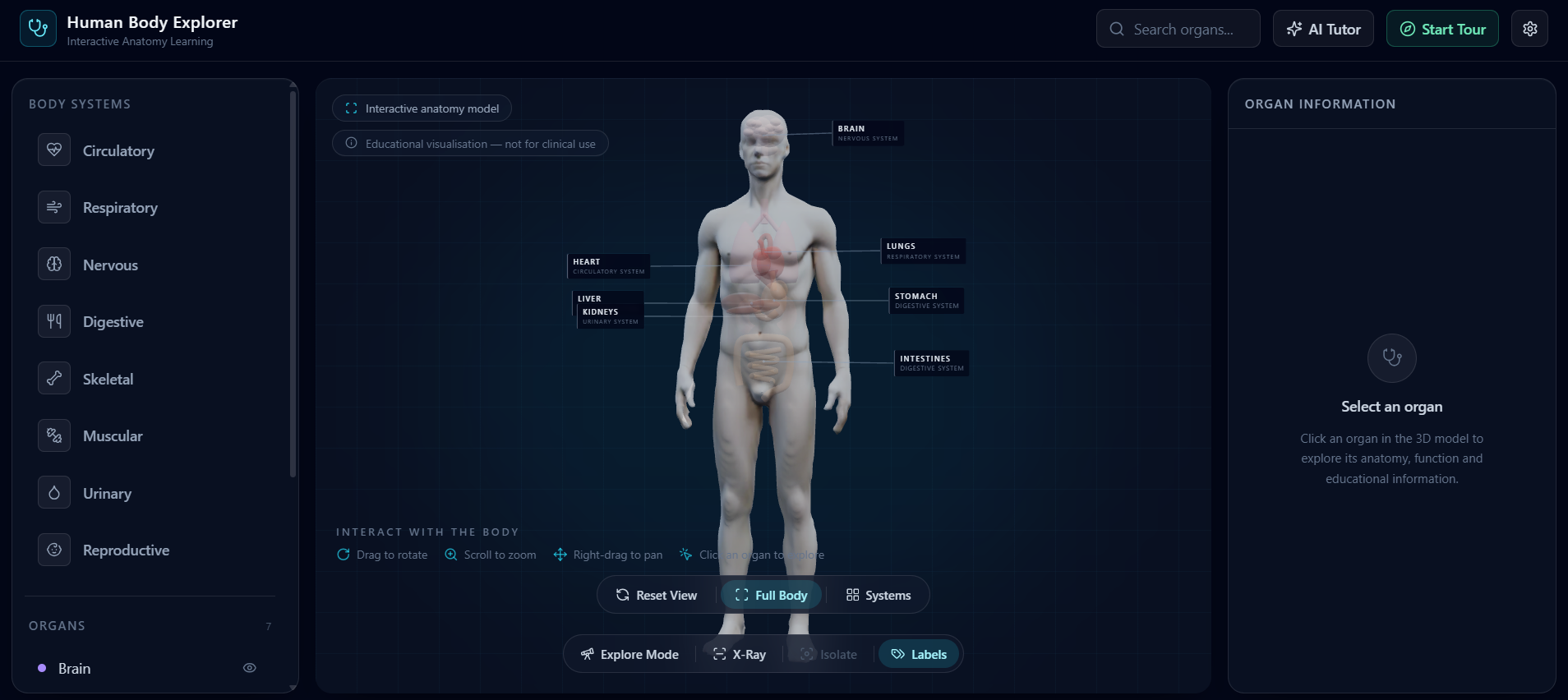
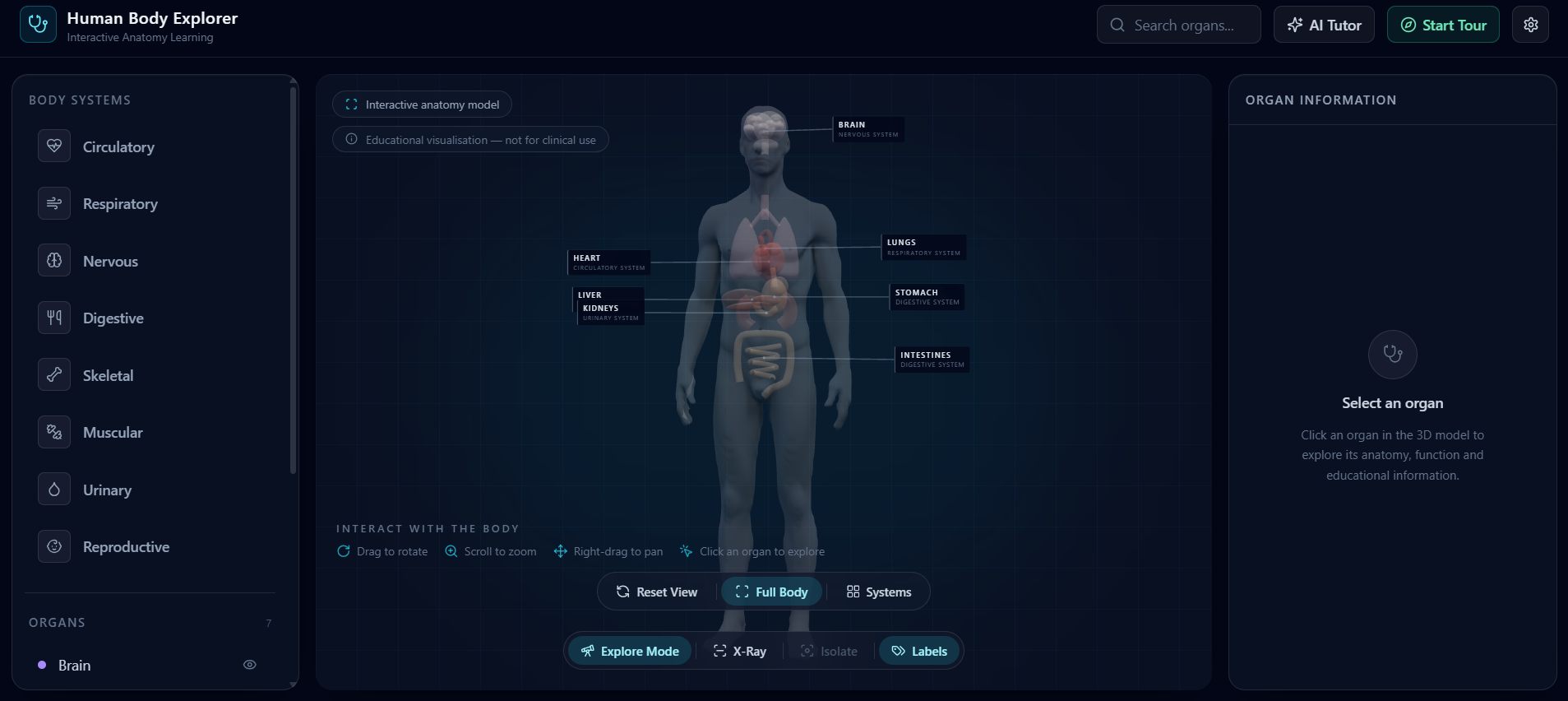
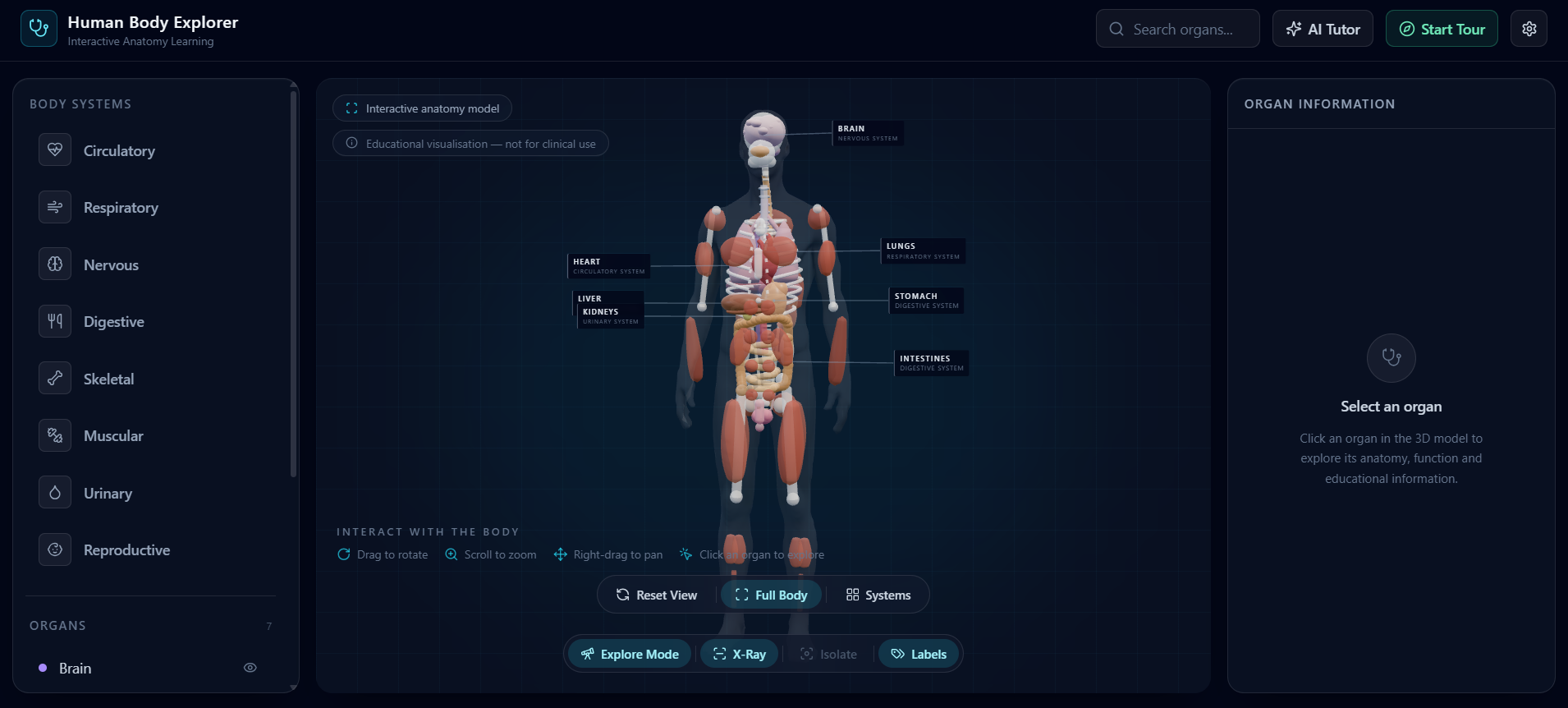
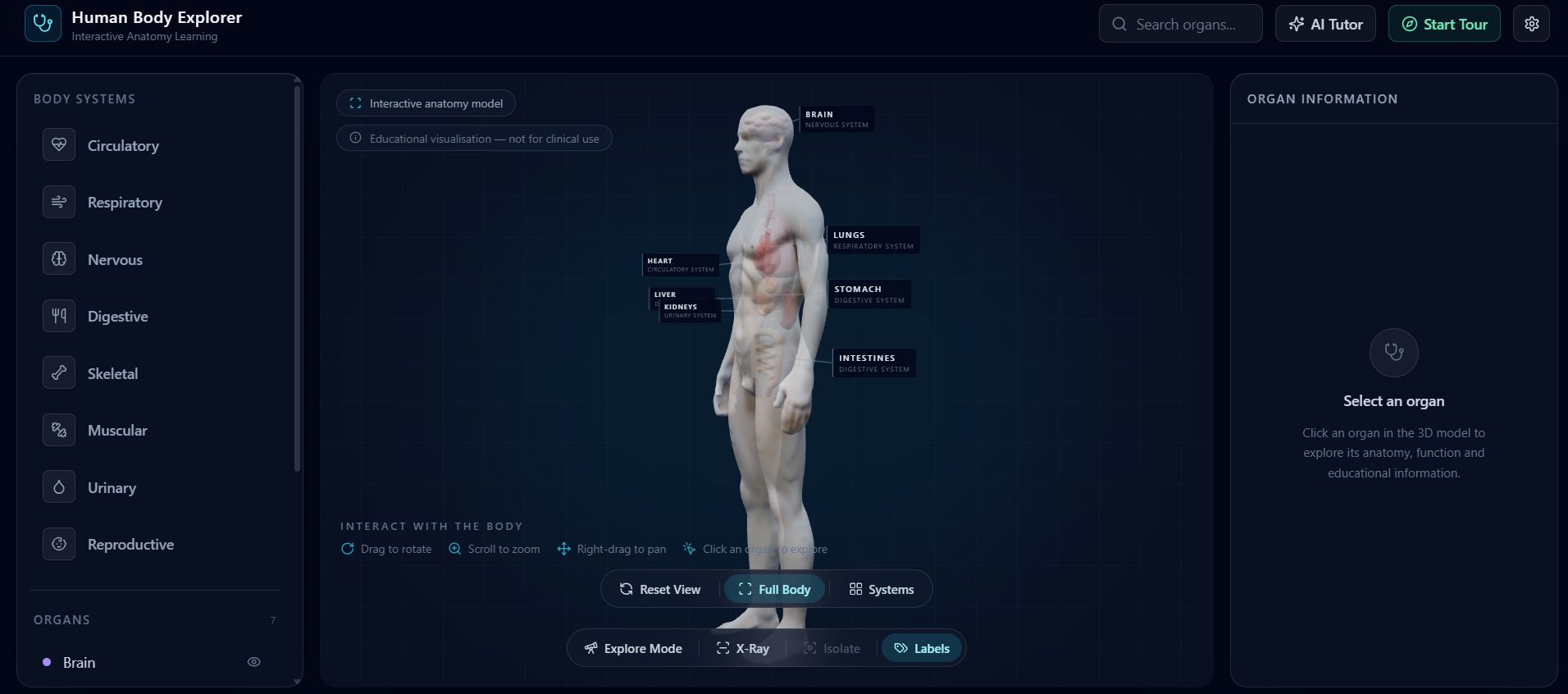
BioVerse is an interactive 3D human body you can open up and ask questions of.
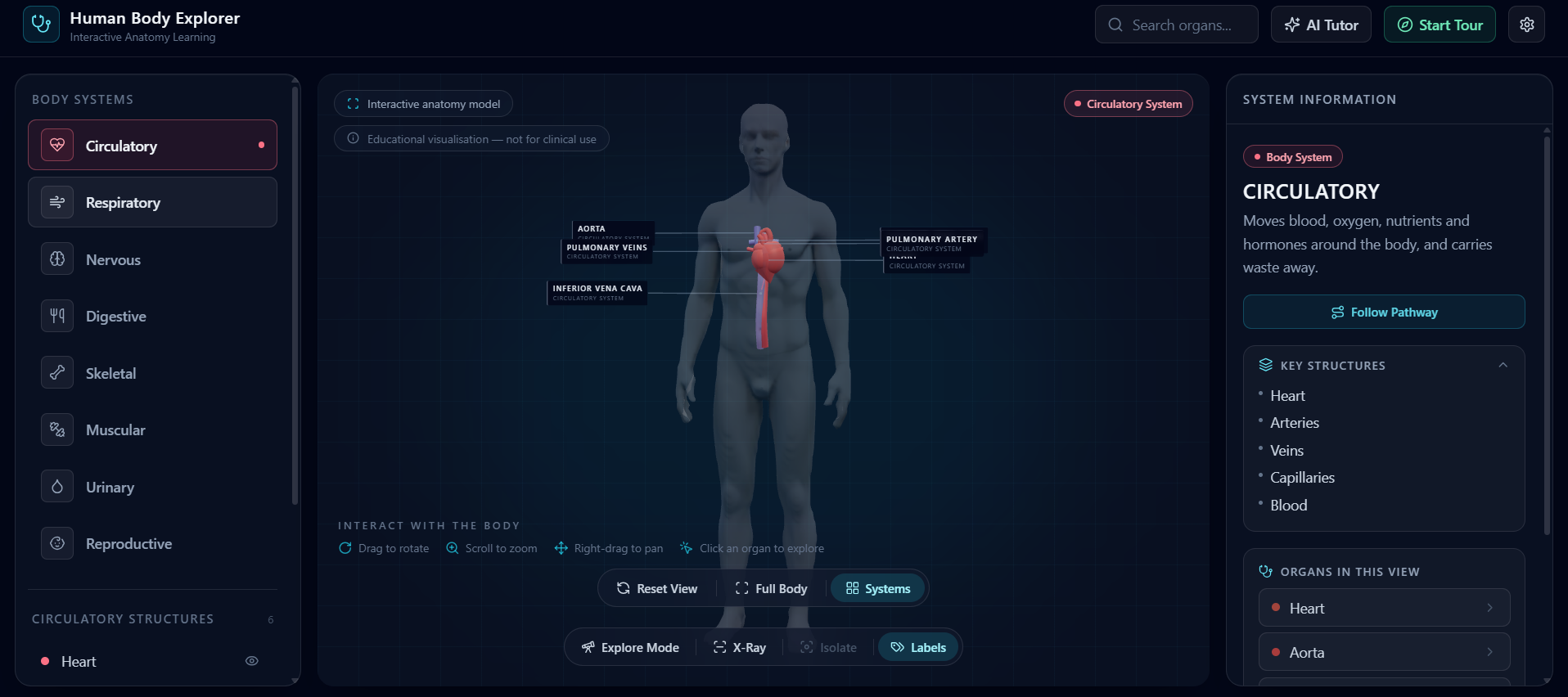
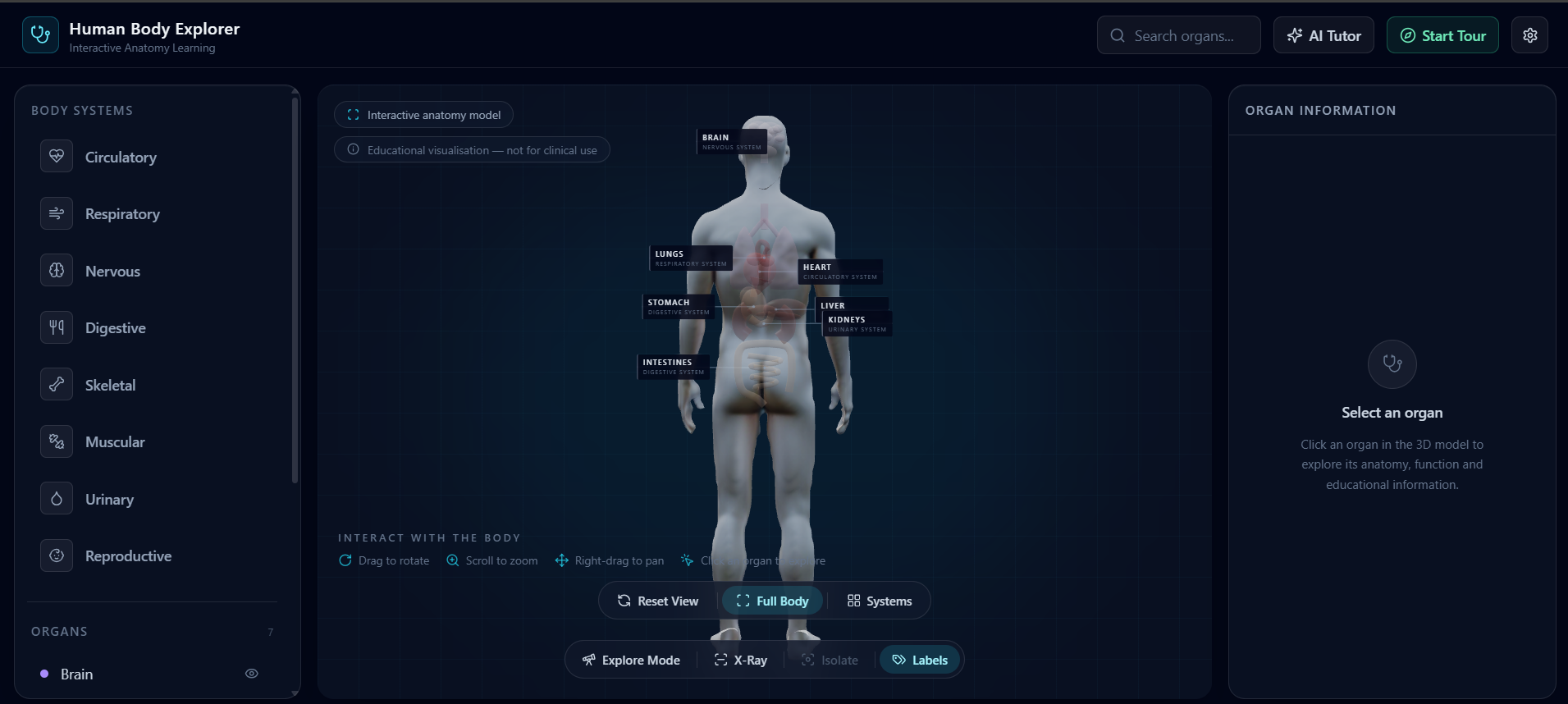
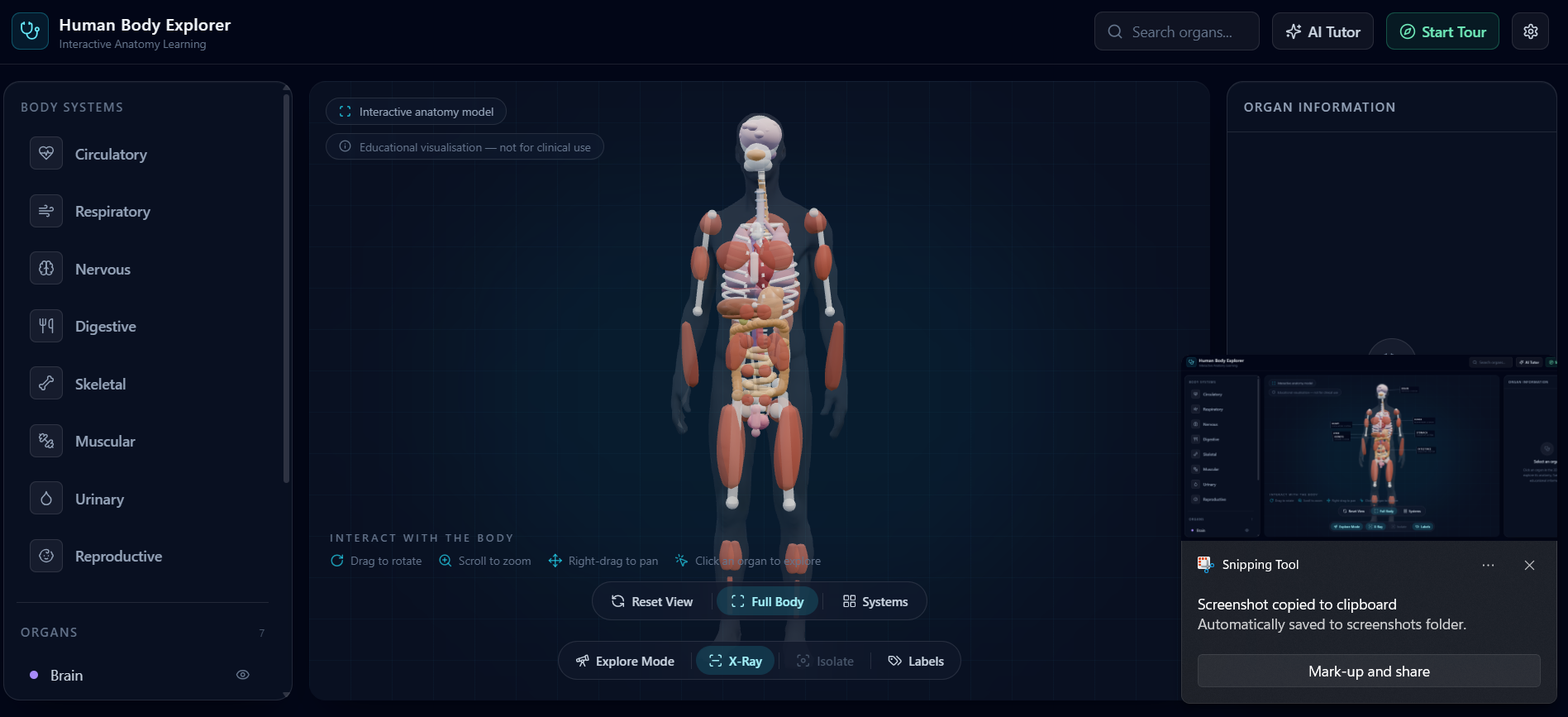
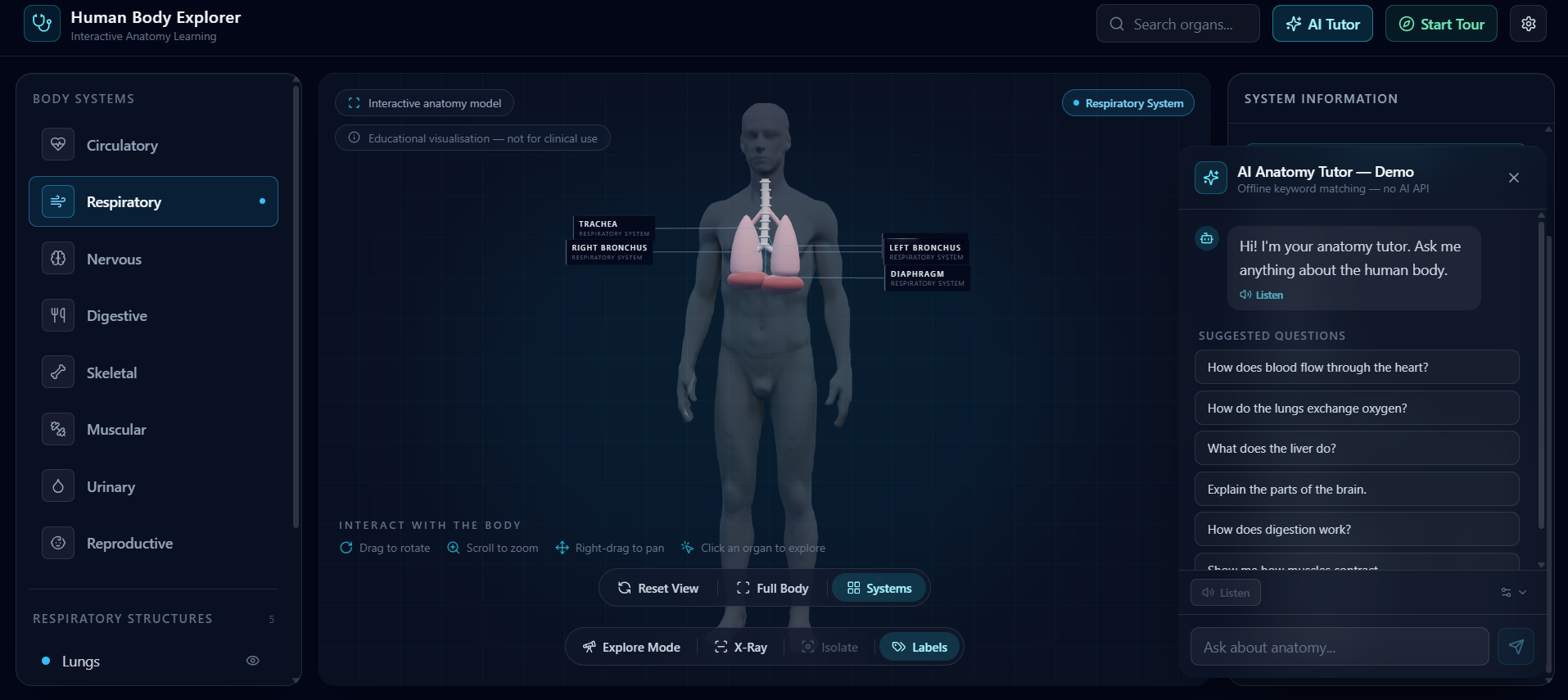
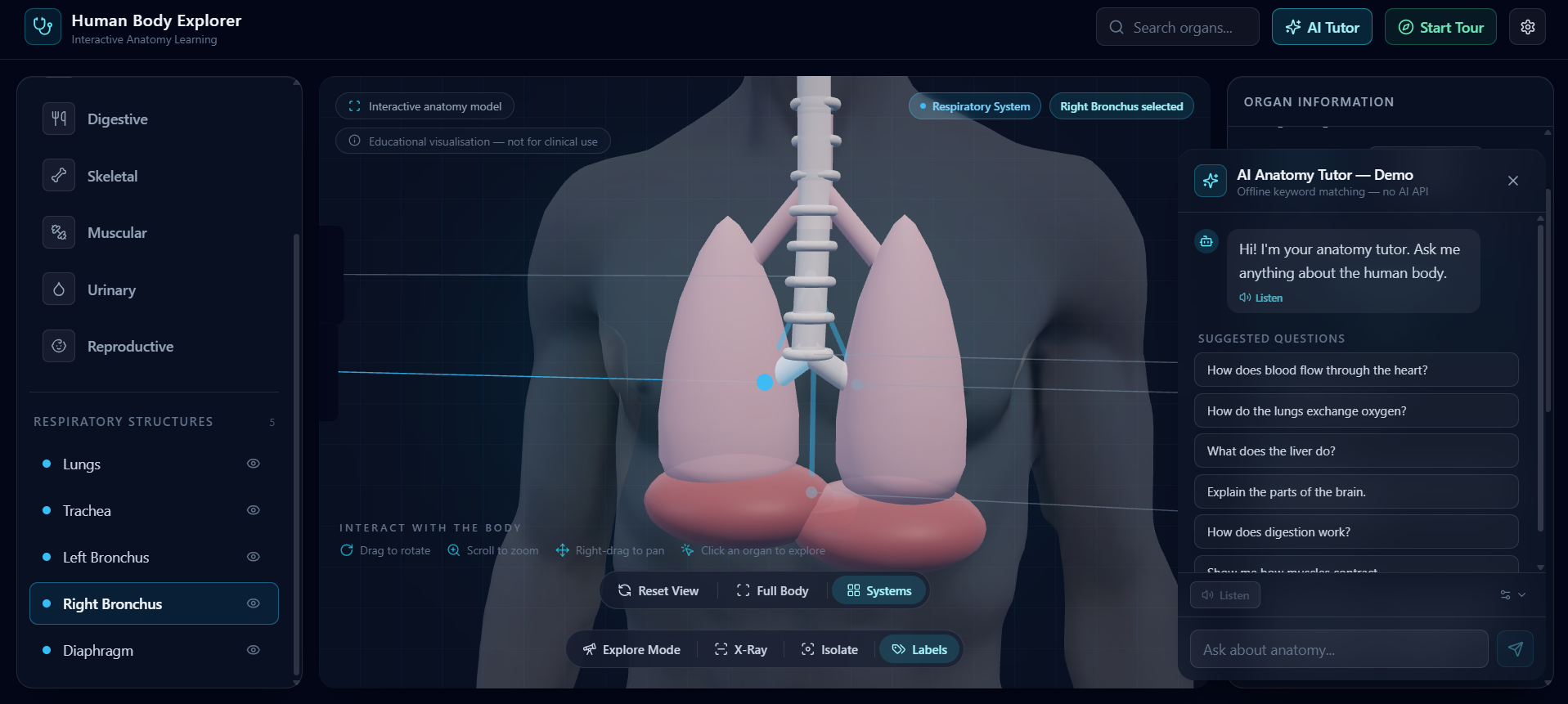
63 anatomical structures across 8 body systems — 7 primary organs, 43 supporting structures, and 13 reproductive structures — positioned on a real anatomical model you can rotate, zoom and click. Click any structure to get what it does, where it actually sits (described in anatomical terms, derived from its real position in the model), and what it's connected to — the part a textbook diagram never shows. Watch systems run. An animated blood-flow circuit through the heart and lungs. Digestion walked through in six stages. A movement explorer for muscles that shows which one contracts and which releases — the agonist/antagonist pair, not just a label — plus peeling the muscular system back by layer: surface, deep, deepest. Follow a pathway structure by structure, with the camera tracking each link through the system. See through the body with X-ray, strip everything but one structure with isolate, and turn anatomical labels on when it's time to revise. Ask the anatomy tutor a question in plain language. It answers — and the answer drives the 3D scene: it selects the structure, moves the camera, and starts the relevant animation. Nobody clicks anything. Take the guided tour — 14 structures, narrated aloud, with the model highlighting whatever the narration is naming as it says it.
The whole thing renders on the client. No backend, no API key, no per-user cost, and it keeps working when the wi-fi doesn't.
How we built it
Stack: React 18 + Vite, Three.js through react-three-fiber and drei for the 3D scene, Tailwind for the interface, and the browser's built-in Web Speech synthesis for narration. A single ~1.7 MB GLB anatomical model carries the geometry.
The architectural decision that shaped everything else was to derive data rather than hand-author it, because 63 structures is the point where hand-authoring quietly becomes the whole project:
Every structure's camera focus target is measured from its actual mesh inside the GLB, not typed by hand. We wrote a separate inspection pass (plus a Python measuring script) that reads the model and reports real coordinates. That's why the camera lands correctly on all 63 instead of the eight we'd have had patience to tune manually — and why adding a structure doesn't mean tuning a camera. Location descriptions ("right of midline, in the thoracic cavity") are generated from each structure's coordinates through a shared anatomical frame, instead of being written out 63 times. "Connected to" is derived from a single pathway graph per system — the same graph that powers the Follow Pathway animation. One source of truth, two features. Tissue colours come from an anatomical palette keyed by structure, with the system accent applied only as emissive on hover and selection — so the body looks like a body at rest, and lights up when you interrogate it.
The anatomy tutor is a scored keyword-matching engine over a hand-authored knowledge base — strong phrases weighted 3×, general terms 1× — so "blood flow" beats a passing mention of "heart". It's deliberately not an LLM, and we label it as a demo in the UI. What matters is the seam: askTutor() is async and returns { answer, organId, systemId, matched, suggestions } — exactly the shape a model call would return. Swapping a real model in behind it is a contained change, not a rewrite.
The view logic — what's visible, what's dimmed, what the body's opacity should be given x-ray, isolate, explore mode, a selected system and an active search — got extracted into pure functions with their own Node test suites, alongside tests for the tutor, the anatomy catalogue and the mesh measurements.
Challenges we ran into
The camera never landed where we thought it would. Our first version used hand-estimated coordinates for each organ. They looked fine for the heart and the brain and increasingly wrong for everything else — the camera would fly confidently to empty space beside the kidney. Rewriting focus targets to be measured from the real meshes fixed the whole class of bug at once, and is the single change we'd repeat first.
Fifty-plus structures on screen at once is soup. Showing everything we'd modelled made the app less useful than a diagram. We split the catalogue into two rendering tiers — the seven primary organs faintly visible at rest, everything else revealed when you choose its system or search for it — so the default view stays readable.
Detailed structures fighting their own ancestors. We started with a single combined "intestines" organ. Once we modelled the small and large intestine properly, all three rendered at once — one blob sitting on top of the detailed pair. Rather than delete the combined organ (still useful for search and for the tutor to talk about), we added a supersession rule: it stays in the catalogue and hides from the 3D layer whenever its replacements are visible.
Tailwind can't see class names you build at runtime. Our per-system colours were being assembled with string concatenation, and half of them silently didn't exist in the output CSS. Every system colour is now a complete literal class name, with a raw hex alongside it for the 3D scene, where Tailwind classes mean nothing.
Making the model follow the voice. Highlighting each structure as the narration named it meant tracking mentions inside the spoken string and matching them against the catalogue mid-utterance — and doing it without the tour restarting every time speech state changed. Speech synthesis also behaves differently across browsers and can be missing entirely, so every voice feature degrades to a readable line instead of a broken button.
Deciding what not to claim. It was tempting to call the tutor "AI-powered" and let judges assume. We chose to label it a demo in the product and say so out loud instead. It cost us a buzzword and bought us a story we can defend line by line.
Accomplishments that we're proud of A complete body — 63 structures, 8 systems — where every single one is clickable, searchable, focusable and correctly described, not a demo where three organs work and the rest are decoration. Asking a question moves the model. The explanation and the visual are one object rather than a paragraph next to a picture. It's the thing everyone who tries it reacts to. It runs offline, on a school laptop, with no licence and no backend — which is the difference between a nice demo and something a classroom could actually use. We tested the boring parts: view state, catalogue integrity, tutor matching and mesh measurement all have their own suites, so a new structure can't quietly break the camera. We shipped an honest AI story instead of a fake one.
What we learned
Derive, don't transcribe. Anything you'd have to write 63 times — positions, locations, connections — is a function you haven't written yet. Every derived field also became a feature we got for free. Measure the asset, don't guess at it. Half a day writing a mesh-inspection pass replaced days of eyeballing coordinates, and made every future structure cheap. Restraint is a feature in 3D. Rendering everything we had made the product worse. Deciding what not to show is most of the interface design. Pull the branching logic out of the render. Once x-ray, isolate, explore mode, system selection and search could combine, the states multiplied fast. Moving that into pure, tested functions is what kept the viewport component from becoming unmaintainable. A well-shaped seam beats a rushed integration. Designing the tutor's return shape around what a language model returns means the upgrade is a swap, not a rebuild — and we can say exactly what's real today.
What's next for BioVerse
A real language model behind the tutor, using the interface we already built for it — so it answers the questions we never anticipated, while still driving the 3D scene through the same organ and system IDs. Quiz mode: instead of naming the organ, find it. Click the pancreas. Trace the path a red blood cell takes. Assessment that uses the model rather than a multiple-choice list. Narration in regional languages — in the classroom we started from, the barrier is as often English as it is the diagram. More systems — lymphatic and endocrine are the obvious gaps. A classroom pilot. We haven't run this with real students yet, and that's the next thing that would actually teach us something. Teacher mode, projector-first layout, and a syllabus mapping come out of that, not before it.
A textbook shows you a picture of the body. BioVerse lets you open it up.

Log in or sign up for Devpost to join the conversation.