-
-
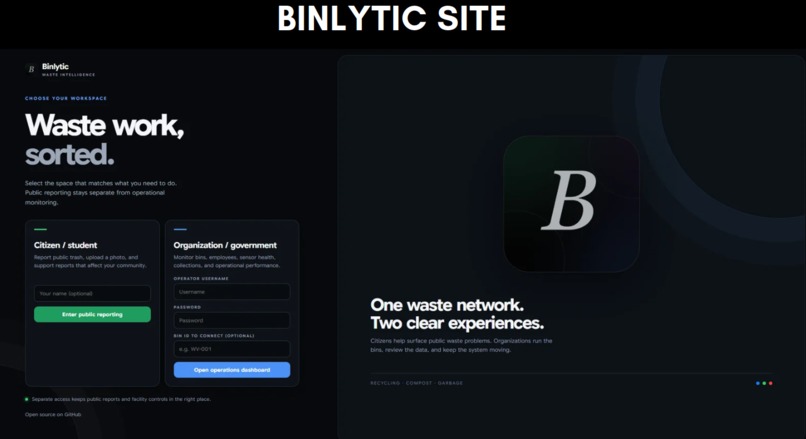
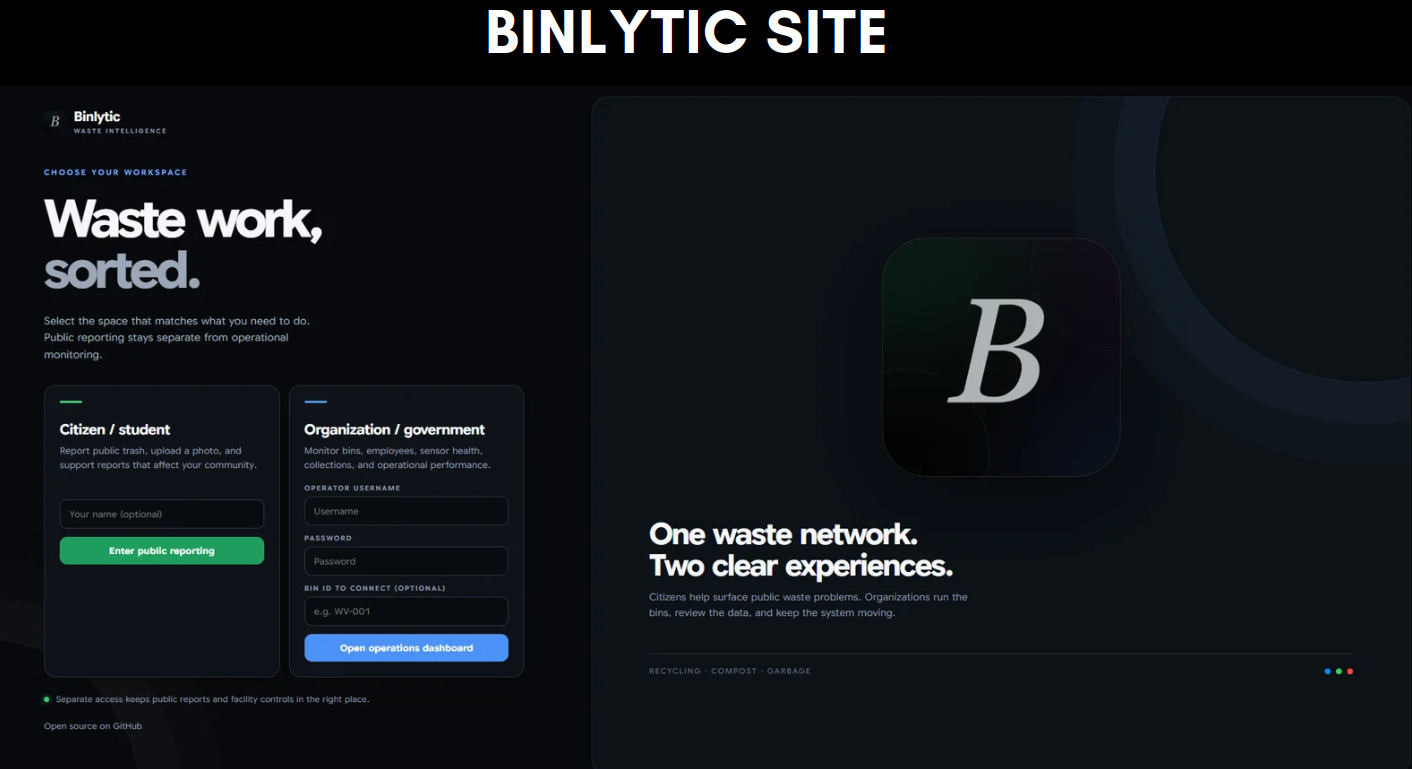
BINLYTIC SITE
Inspiration
Waste sorting sounds simple until you're actually standing in front of three bins holding a coffee cup and trying to figure out where it goes.
In busy places like malls, food courts, campuses, community centres, and other public spaces, people often have only a few seconds to make that decision. Signs help, but they still depend on every person knowing the local waste rules, reading the signs, and making the correct choice.
Through our research, surveys, observations, and conversations with people who deal with waste, we realized that incorrect sorting creates another problem too:
Once an item is thrown away, traditional bins provide almost no information about what actually happened.
Facility staff are still left checking bins, dealing with contamination, monitoring capacity, and responding when something goes wrong.
So we asked a simple question:
What if the bin made the decision instead?
Instead of requiring the user to decide between garbage, recycling, and compost, Binlytic identifies the item, determines where it belongs, opens the correct compartment, verifies that the disposal actually happened, and records the event.
That eventually became the core idea behind Binlytic:
Classify → Route → Verify → Record
What it does
Binlytic AI is a retrofit smart waste-management system designed for malls and other high-traffic commercial and public spaces.
For the user, the interaction is intentionally simple:
Show the item. Wait for the compartment. Drop it.
Behind those few seconds, however, a lot is happening.
1. Detect
The user presents an item to the camera.
OpenCV handles the live camera feed and helps us process and frame what the camera is seeing before the image reaches our recognition system.
We also designed Binlytic around a defined presentation area. We do not want a camera in a busy food court trying to classify every cup, wrapper, and person that happens to appear in the background.
The system is supposed to respond to an item intentionally being presented for disposal.
2. Identify
We use CLIP (Contrastive Language-Image Pre-training) with PyTorch to determine what the object most likely is.
Instead of building a traditional custom classifier that requires us to train every category from scratch, CLIP allows us to compare an image against natural-language descriptions of different objects.
CLIP converts both the camera image and our text descriptions into numerical representations called embeddings.
We compare those embeddings using cosine similarity:
$$ similarity = \frac{I \cdot T}{|I||T|} $$
Where:
- (I) represents the image embedding
- (T) represents a text embedding
- (I \cdot T) is their dot product
- (|I|) and (|T|) represent the lengths of the two embeddings
CLIP normally compares normalized embeddings, meaning their lengths are 1:
$$ |I| = |T| = 1 $$
The comparison therefore effectively becomes:
$$ similarity = I \cdot T $$
CLIP performs this comparison against our different object descriptions. A description with a higher similarity is a stronger candidate for what the camera is seeing.
But we quickly learned something important:
The highest-scoring answer is not necessarily a trustworthy answer.
3. Validate
Binlytic does not simply choose whichever CLIP result has the highest score and immediately open a compartment.
We built an additional validation layer around the recognition model.
Suppose the strongest destination receives a score of (S_1) and the second strongest receives (S_2).
We can calculate the difference between them:
$$ margin = S_1 - S_2 $$
If that margin is extremely small, the winning destination may technically be first, but the system has little evidence separating it from the alternative.
Through repeated testing, we experimented with confidence and rejection thresholds to determine when a result was reliable enough to accept and when it should be rejected or escalated.
Our validation system considers things such as:
- minimum similarity
- separation between competing destinations
- repeated-frame stability
- contamination conflicts
- unknown-item handling
- rejection and fallback behaviour
Multiple-frame confirmation is particularly important because one camera frame can be blurry, partially blocked, or captured at an unusual angle.
Instead of asking only:
"What is the highest-scoring answer?"
Binlytic also asks:
"Is this answer reliable enough for us to physically act on it?"
4. Apply local waste rules
Recognizing an object and deciding where that object belongs are two different problems.
We deliberately separated them.
Object recognition ≠ waste routing
CLIP might determine that an object is a coffee cup, bottle, wrapper, food container, or another item.
A separate local rule layer then determines whether that object belongs in garbage, recycling, compost, e-waste, or another configured stream.
This matters because waste rules can vary between municipalities and facilities.
The visual appearance of an object does not suddenly change when it crosses a city boundary, but the rules governing its disposal might.
By separating recognition from routing, Binlytic can adapt to different facilities without requiring the entire vision model to be retrained.
5. Route the item
Once a destination has been accepted, our Python software communicates the decision to an ESP32.
The ESP32 is programmed using Arduino C++ and controls the physical hardware.
Depending on the decision, it activates the appropriate servo and opens the correct waste compartment.
The user can then dispose of the item without needing to decide which waste stream to use.
6. Verify the disposal
This became one of the most important parts of Binlytic.
It would have been easy for us to record an item as soon as the AI classified it.
But we realized:
AI prediction ≠ confirmed disposal
Seeing a bottle through the camera does not prove that the user actually threw the bottle away.
So after Binlytic opens the correct compartment, an ultrasonic sensor checks for a physical disposal event.
The ultrasonic sensor is not responsible for identifying the object. That is the job of the vision system.
Instead, it answers a different question:
Did a physical drop occur through the compartment that we opened?
This gives the different parts of the system clear responsibilities:
Vision → What is the object?
Waste rules → Where should it go?
ESP32 → Open the correct route
Ultrasonic sensor → Did a physical disposal occur?
Only after physical confirmation can the event be treated as a confirmed disposal.
7. Record and analyze
Once a disposal is confirmed, the event is sent to our management dashboard.
Instead of a waste station being a completely passive object, Binlytic can now produce operational information.
Our system can track information including:
- confirmed disposal activity
- waste-stream distribution
- estimated compartment fill
- contamination indicators
- unknown objects
- collection information
- system health
- historical waste patterns
The goal is not just to help the person standing at the bin.
It is also to give facility teams better information about what is happening across their waste infrastructure.
8. Alert employees
We also built a dedicated Android employee app.
Facility managers may want detailed analytics, but an employee servicing bins usually needs something much simpler:
Which bin needs attention, what happened, and what needs to be done?
The app gives workers access to current bin information and operational alerts without requiring them to continuously watch the management dashboard.
9. Learn
Waste is incredibly varied, so we also wanted Binlytic to have a path for dealing with objects it does not confidently recognize.
Unknown examples can be stored for review.
After a human confirms what an object actually was, that reviewed example can contribute to future recognition.
This means our long-term system is not simply:
Camera → Prediction
It is:
Detect → Identify → Validate → Route → Actuate → Verify → Record → Analyze → Learn
How we built it
Binlytic ended up combining a lot more technologies than we originally expected.
We integrated computer vision, AI, embedded systems, IoT communication, web development, Android development, sensors, and physical actuation into one prototype.
Python
Python is at the centre of our computer-vision and decision-making system.
It connects the camera pipeline, CLIP recognition, our validation logic, waste-routing rules, communication with the ESP32, and parts of our backend.
OpenCV
OpenCV handles the live camera input and image-processing side of WasteVision.
It allows our program to continuously work with camera frames and prepare the relevant visual information for classification.
CLIP + PyTorch
Our recognition system uses CLIP through PyTorch.
One major reason we chose CLIP was flexibility.
With a conventional custom-trained classifier, adding new categories can require collecting, labelling, cropping, orienting, and training on many example images.
CLIP gives us a strong starting point using natural-language descriptions.
That is particularly useful for waste because different facilities may encounter very different objects.
At the same time, we are not limited to text descriptions.
Reviewed images can also contribute learned visual references, giving us a path to make Binlytic increasingly specialized as it encounters real-world waste.
This gives us both:
Fast adaptation using language
and
Specialization using reviewed images
Confidence and rejection logic
CLIP provides the recognition capability, but we built additional logic around its output.
We experimented with:
- minimum similarity thresholds
- destination margins
- repeated-frame confirmation
- contamination conflicts
- unknown rejection
- fallback behaviour
This was necessary because an AI system controlling physical hardware needs to know more than which answer came first.
It needs to determine whether the evidence is strong enough to act.
ESP32 + Arduino C++
The physical prototype is controlled by an ESP32 programmed using Arduino C++.
The ESP32 interfaces with hardware including:
- servo motors
- ultrasonic sensors
- an OLED display
- environmental sensing
- Wi-Fi communication
Once WasteVision accepts a destination, the ESP32 receives the routing command and controls the appropriate physical mechanism.
Ultrasonic sensors
Our ultrasonic sensors provide physical verification after a route has been selected.
They also give us another source of information about what is happening inside the waste station.
This helped us move away from blindly trusting software events and toward combining digital decisions with physical evidence.
HTTP / REST APIs + JSON
Binlytic is not one giant program.
Its different components communicate using HTTP/REST-style API endpoints and JSON.
This connects:
WasteVision ↔ ESP32 ↔ Backend ↔ Dashboard ↔ Employee App
Keeping the components separated makes the architecture easier to modify and gives us a much clearer path toward future deployment across multiple devices.
Management dashboard
Our web dashboard was built using Python, HTML, CSS, and JavaScript.
It provides facility teams with information including:
- confirmed item counts
- destination distribution
- estimated fill
- contamination
- collection information
- hardware health
- timeout events
- unknown items
- historical reporting
Instead of only reacting when a garbage can visibly overflows or becomes contaminated, the goal is to provide information earlier.
Android employee app
We developed our Android application using Kotlin and Jetpack Compose.
The employee app provides a more focused interface for workers who need operational information and alerts rather than the complete management analytics interface.
Wireless communication and OTA
The ESP32 communicates over Wi-Fi, allowing the physical controller to communicate wirelessly with the rest of the system.
We also implemented OTA, or Over-the-Air, firmware updating.
OTA gives us a path toward updating ESP32 firmware without physically reconnecting a computer to every controller.
That becomes increasingly important when thinking beyond one prototype toward many deployed units.
Git + GitHub
We used Git and GitHub throughout development for version control and collaboration.
By the end, our technology stack included:
Python + OpenCV + CLIP + PyTorch + ESP32 + Arduino C++ + Ultrasonic Sensors + Servos + HTTP/REST + JSON + HTML/CSS/JavaScript + Kotlin + Jetpack Compose + Git/GitHub
Challenges we ran into
Speed vs. reliability
One of our biggest challenges was classification latency.
Nobody wants to stand in front of a garbage bin waiting several seconds for an AI model to think.
But immediately trusting one camera frame creates another problem.
A single frame can contain:
- motion blur
- an unusual orientation
- partial obstruction
- poor lighting
- a temporary incorrect prediction
That created a trade-off:
More verification ↔ lower latency
We experimented with confidence thresholds, repeated-frame confirmation, camera positioning, and hardware acceleration to find a practical balance.
We also tested our program on NVIDIA hardware because our PyTorch-based recognition pipeline can take advantage of CUDA acceleration.
This taught us that making Binlytic "faster" was not simply about maximizing frames per second.
What actually matters is balancing:
Accuracy + Reliability + Latency
Classification wasn't enough
At first, getting the camera to recognize an object felt like the hard part.
Then we realized:
Recognizing an object doesn't mean the user actually disposed of it.
If our dashboard recorded every successful classification as a disposal, our analytics could become misleading.
That realization led us to add physical confirmation.
Instead of:
Prediction → Database
we moved toward:
Prediction → Physical Action → Sensor Confirmation → Confirmed Event
That was one of the points where Binlytic started feeling less like an AI demonstration and more like a complete system.
Hardware being hardware
Software can be annoying.
Hardware finds entirely new ways to be annoying.
We had to coordinate servos, ultrasonic sensors, Wi-Fi communication, the ESP32, camera positioning, displays, and computer vision without one component interfering with another.
Our prototype uses inexpensive and accessible hobby hardware, which was extremely useful for rapid development but naturally introduced limitations.
A commercial Binlytic would obviously not have loose jumper wires and a breadboard exposed inside a mall garbage station.
A production version would require:
- enclosed electronics
- rated components
- stronger actuators
- better protection from liquids and debris
- more durable mechanical systems
- components designed for thousands of repeated interactions
The prototype is meant to prove the architecture, not pretend that hobby hardware is already commercial hardware.
Teaching the AI to say "I don't know"
Real garbage is messy.
A bottle can be crushed. A label can be torn. A package can be covered in food. An object can be upside down, partially hidden, wet, or completely unfamiliar.
We eventually realized that forcing the AI to always provide an answer was the wrong goal.
Sometimes:
Rejecting an uncertain prediction is better than confidently making the wrong decision.
That realization shaped our thresholds, unknown handling, stability checks, and fallback behaviour.
Making different systems work together
Another major challenge was integration.
Getting an AI model to work by itself is one thing.
Getting the AI to communicate with an ESP32, control a servo, wait for a physical sensor response, send the result back to a backend, update a dashboard, and make the same information available to an Android app is a completely different problem.
A lot of our work went into making those individual components behave like one system.
Accomplishments that we're proud of
We're proud that Binlytic grew far beyond the image classifier we originally imagined.
We successfully integrated:
- real-time computer vision
- CLIP-based semantic recognition
- custom confidence and rejection logic
- repeated-frame validation
- configurable local waste rules
- servo-controlled physical routing
- ultrasonic disposal verification
- ESP32 networking
- system fail-safes
- a live management dashboard
- an Android employee application
- unknown-item review and learning
- wireless communication
- OTA firmware updates
We're also proud that we designed Binlytic around the idea of retrofitting existing waste infrastructure.
Instead of assuming a facility should immediately replace every waste station it already owns, our prototype explores whether intelligence can be added to existing infrastructure using accessible hardware and adaptable software.
Our prototype was built using widely available components such as an ESP32, webcam, servos, ultrasonic sensors, and an OLED display.
But probably the part we're most proud of is the closed loop.
Binlytic isn't simply:
Camera → AI prediction
Our architecture became:
Detect → Identify → Validate → Route → Actuate → Verify → Record → Analyze → Learn
We built a system where a software decision creates a physical action, that physical action can be checked using a sensor, and the resulting confirmed event can become useful operational data.
What we learned
We started Binlytic thinking mostly about AI.
We finished it thinking much more about systems engineering.
Getting CLIP to recognize an object was only one piece of the problem.
We also had to ask:
- What if the model is uncertain?
- What if the top two predictions are extremely close?
- What if the camera sees a blurry frame?
- What if the user never drops the object?
- What if a sensor becomes obstructed?
- What if the ESP32 disconnects?
- What if communication becomes unreliable?
- What if two locations have different recycling rules?
- What if Binlytic encounters something it has never seen before?
We also learned an important distinction:
Confidence ≠ correctness
A classifier can still produce a highest-scoring answer even when none of the available answers are particularly good.
Once software starts controlling physical hardware, blindly trusting that answer becomes much more serious.
That's why our thresholds, stability checks, rejection logic, fail-safes, and physical verification became just as important to us as the classifier itself.
We also realized that waste management doesn't end with the person standing in front of the bin.
There are custodians, facility managers, collection teams, and sustainability staff who need useful information after the disposal occurs.
That realization pushed us to build the dashboard and employee app.
Probably our biggest takeaway was:
A smart system shouldn't just make decisions. It should know when to question them.
What's next for Binlytic
Binlytic is a prototype, not a finished commercial product.
There is still a lot we want to improve.
More real-world testing
Our first priority would be gathering significantly more real-world data.
We want to test Binlytic under the exact conditions it would eventually experience:
- different lighting
- different camera angles
- crushed packaging
- dirty containers
- partially visible objects
- unfamiliar items
- different users
- different facilities
Instead of simply saying the system "works," we want to quantify exactly how well it works.
Future testing would focus on metrics including:
- classification accuracy
- destination accuracy
- false-routing rate
- rejection rate
- end-to-end latency
- physical confirmation reliability
This would also allow us to refine our current empirically selected thresholds using a much larger dataset.
Commercial-grade hardware
Our current prototype proves the architecture using accessible components.
A future version would replace breadboard-style electronics and hobby components with enclosed, rated hardware designed for continuous public use.
We would also like to experiment with load cells and additional sensors.
For example, combining:
Vision classification + ultrasonic passage detection + measured weight change
could provide stronger physical verification and improve fill monitoring.
Persistent data and cloud infrastructure
As Binlytic grows, we also want to expand how its data is stored and managed.
A future backend could use a database such as MongoDB for persistent disposal records, device information, unknown-item review, labels, confidence information, and learned references, while dedicated object storage could handle larger image files.
This would make it much easier to manage data across many Binlytic installations.
A Binlytic network
Our longer-term goal is for multiple installations to contribute to a shared learning system.
Imagine one Binlytic encountering an unusual package that another installation has already learned.
Validated visual knowledge could eventually be shared between installations.
However, we would continue separating visual recognition from local disposal rules.
The principle would be:
Share what the object looks like.
Keep where the object belongs configurable locally.
That means an installation in one municipality could help another recognize an object without incorrectly assuming that both municipalities have identical recycling rules.
Fleet management
At larger scale, facility operators could manage multiple Binlytic installations through one platform.
A mall, campus, airport, or other large property might have many waste stations.
Instead of treating those stations as isolated bins, Binlytic could treat them as a connected fleet.
That opens the door to:
- centralized system monitoring
- remote updates
- maintenance alerts
- waste-pattern analysis
- collection prioritization
- comparison between locations
- smarter servicing
Scaling busy locations
Binlytic is not intended to make one waste station serve an unlimited number of people.
High-traffic areas could deploy multiple Binlytic stations in parallel, just as busy food courts already use multiple waste openings and stations.
This allows capacity to scale with demand rather than forcing every disposal through one machine.
Binlytic Mobile
We are also exploring Binlytic Mobile.
In larger commercial environments, mobile waste stations could eventually be assigned or scheduled to higher-demand areas based on disposal patterns and facility requirements.
Instead of assuming that waste infrastructure always has to remain in one fixed location, future Binlytic systems could respond to where demand is actually occurring.
Our long-term vision
We started this project by asking:
Can we build a bin that figures out where your garbage belongs?
By the end, our question had become much bigger:
What if waste infrastructure could understand what was happening, verify it, learn from it, and give facilities the information they need to manage waste better?
That's where we want to take Binlytic next.
Smarter disposal → better data → better waste management.

Log in or sign up for Devpost to join the conversation.