-
-
logo
-

mascot
-
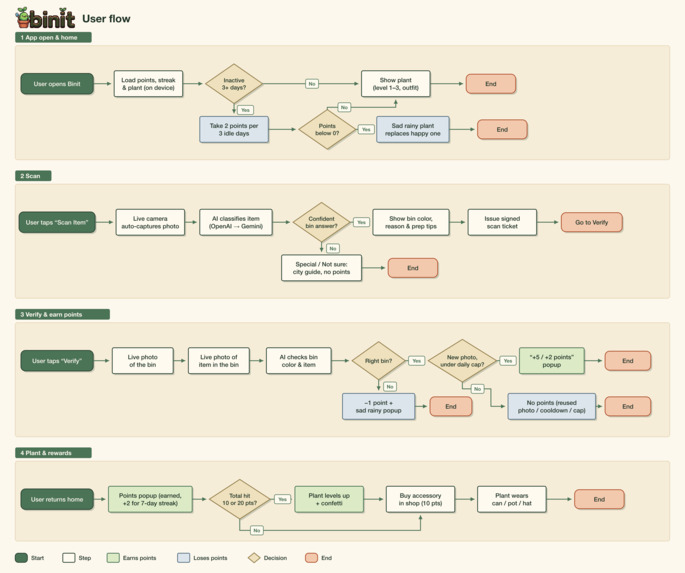
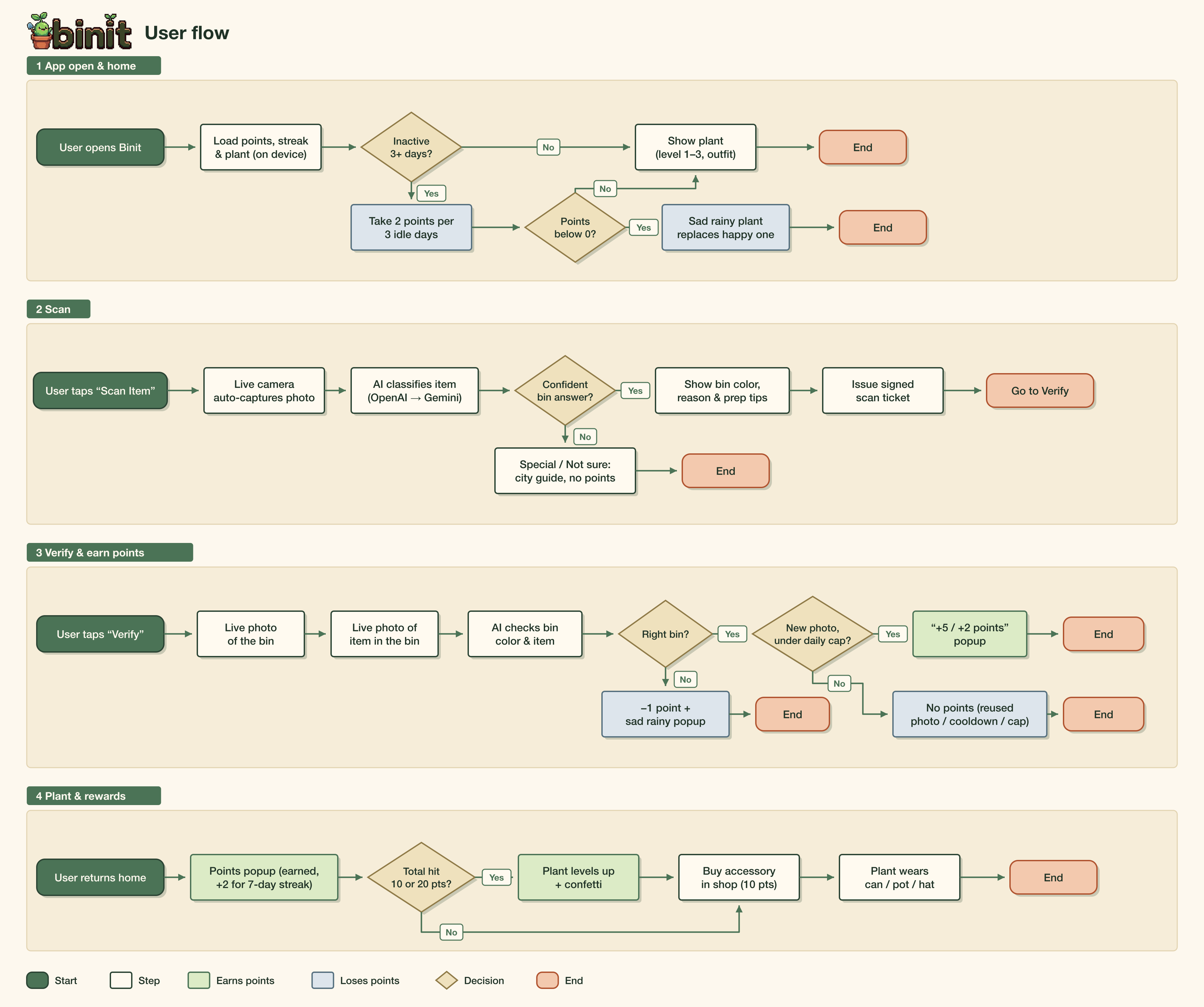
user flow chart
-
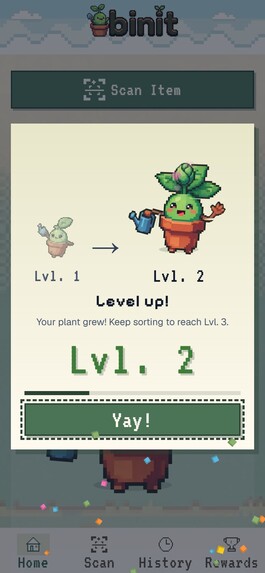
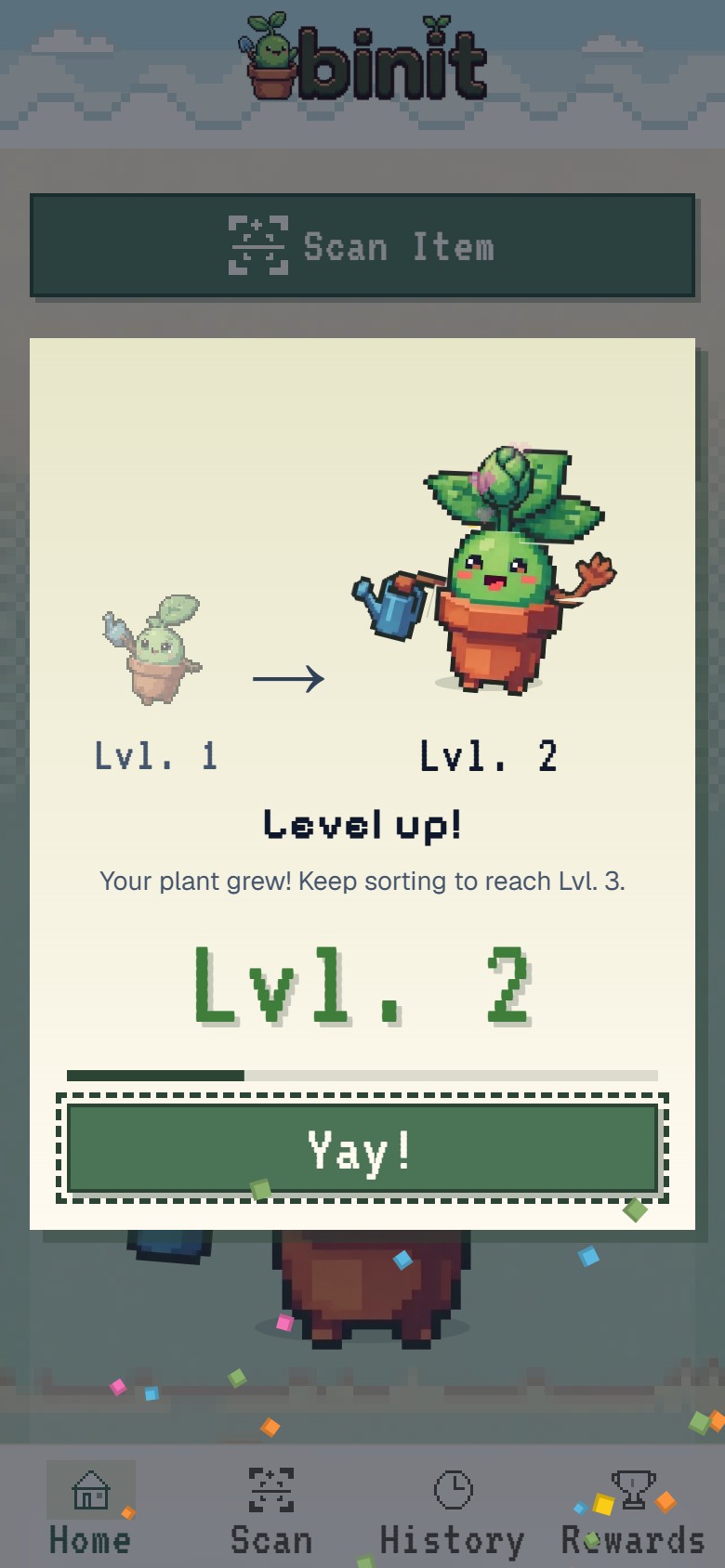
Level up from 1 to 2
-
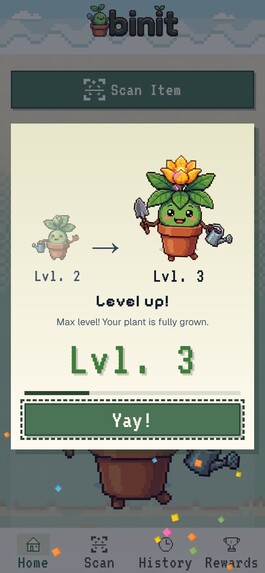
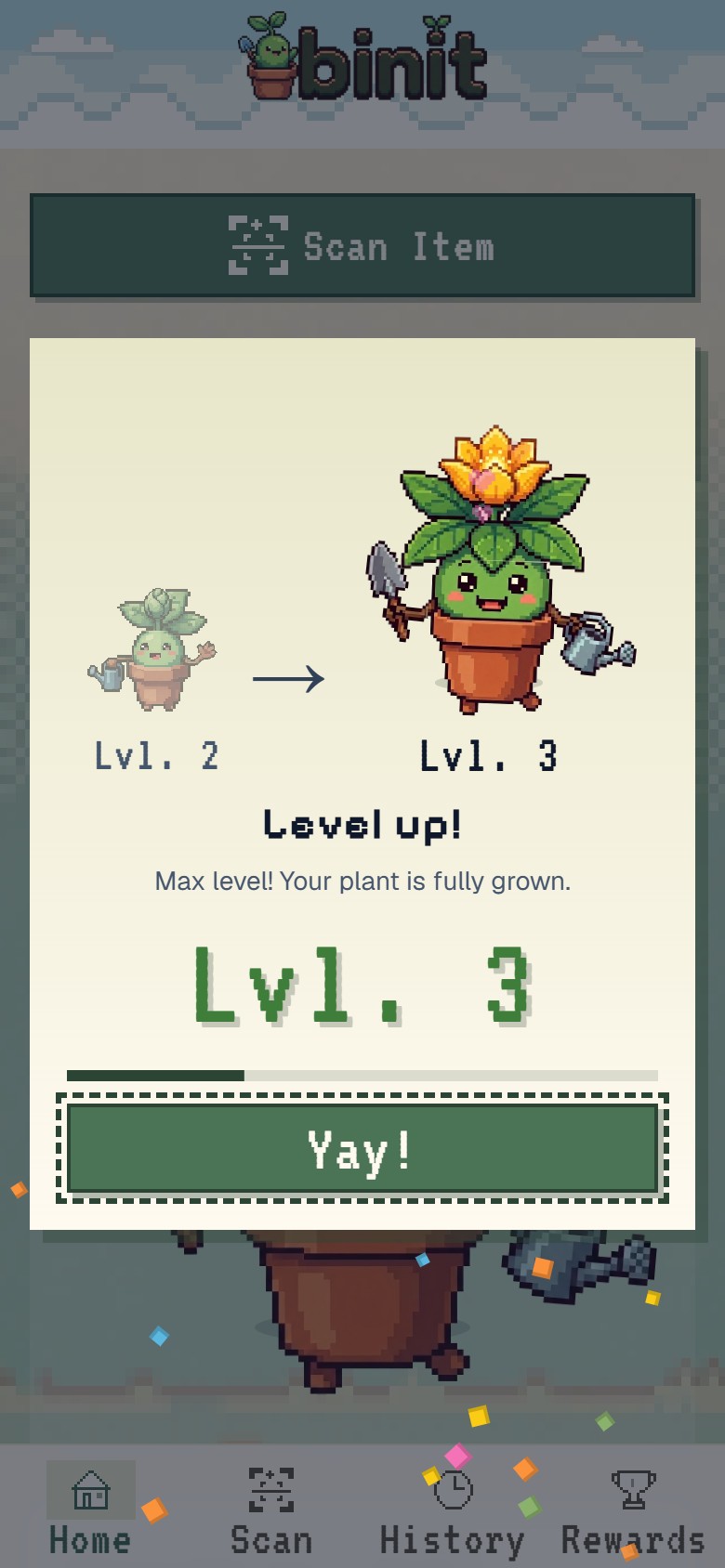
Level up from 2 to 3
-
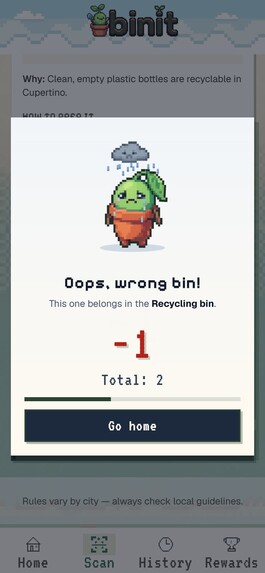
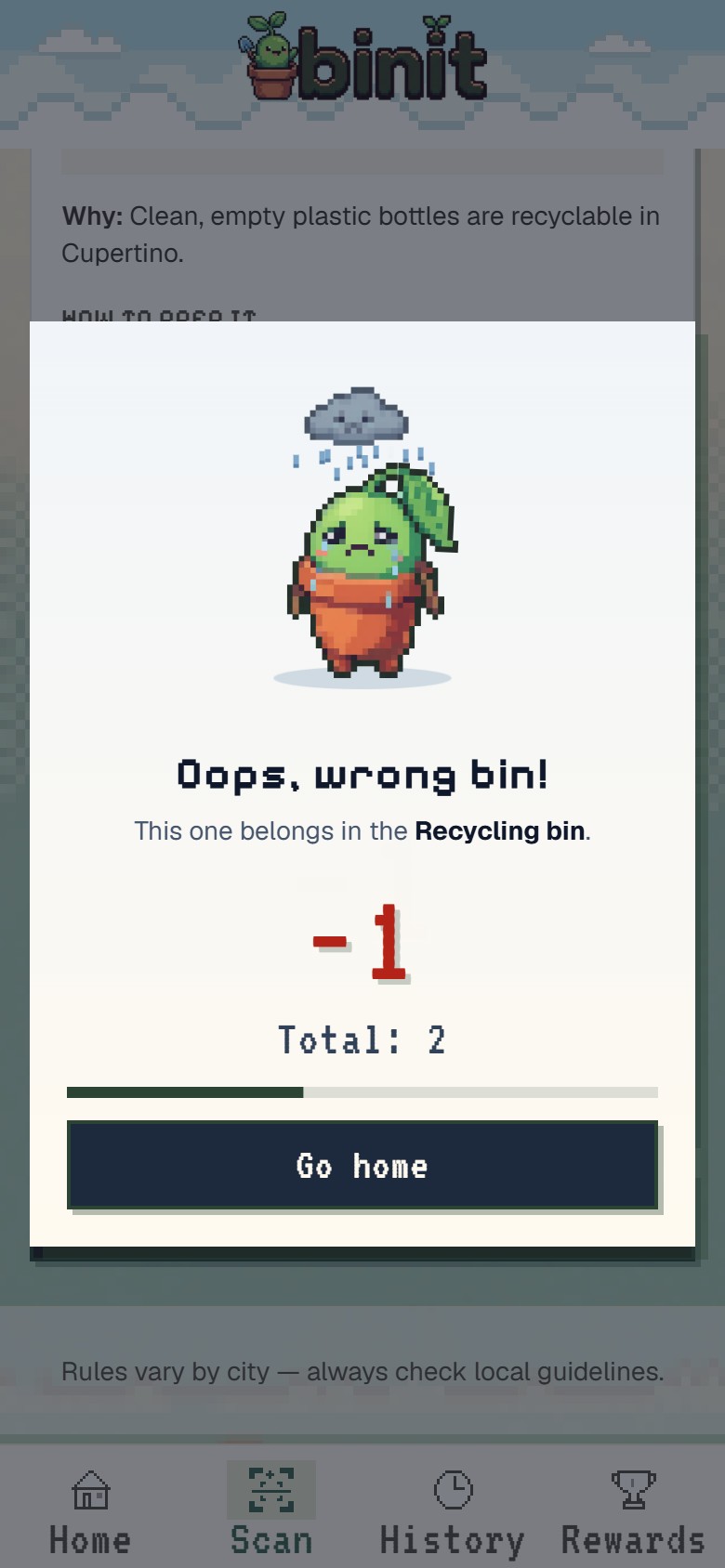
Pop-up for point loss
-
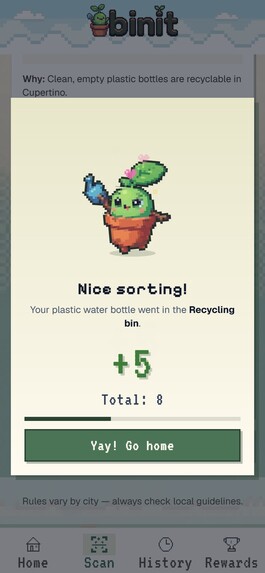
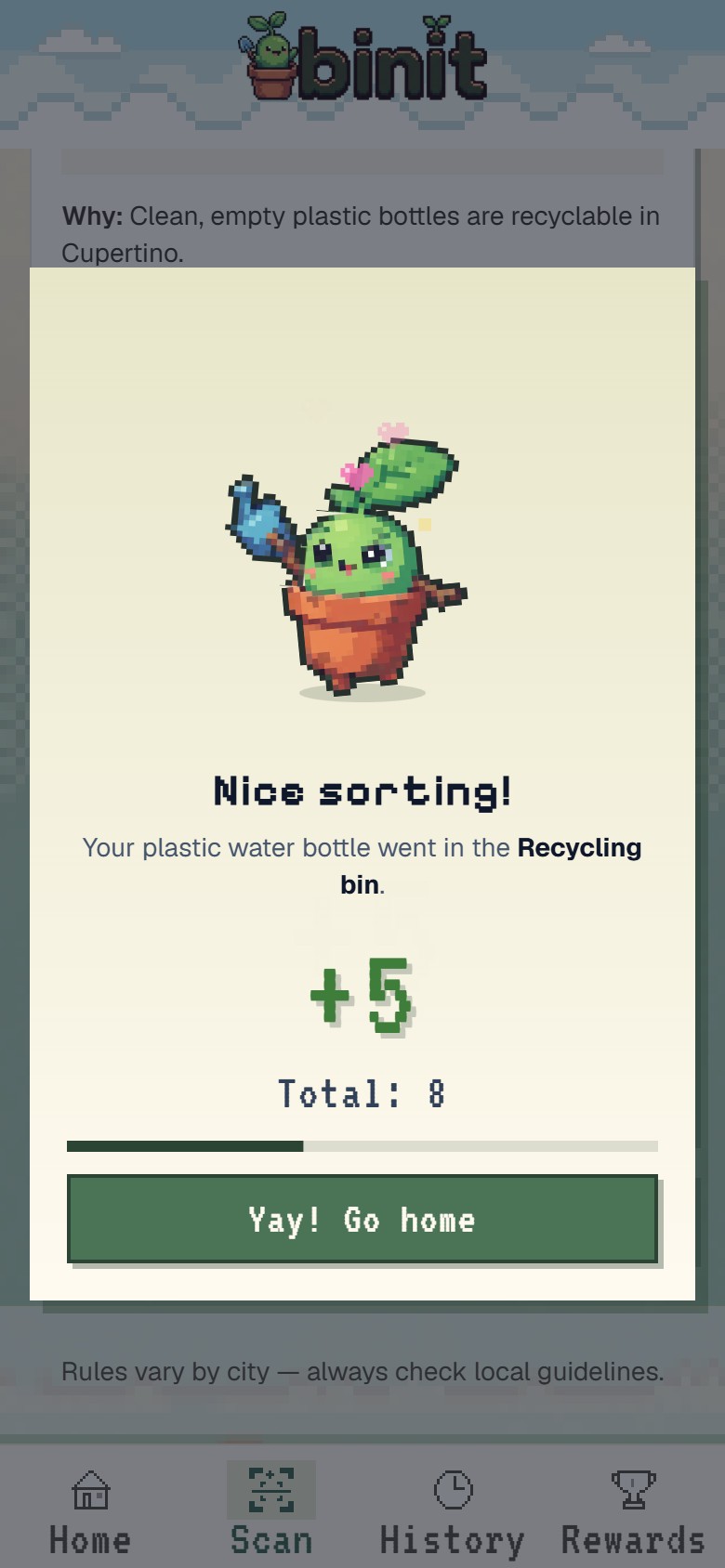
Pop-up for point gain
-
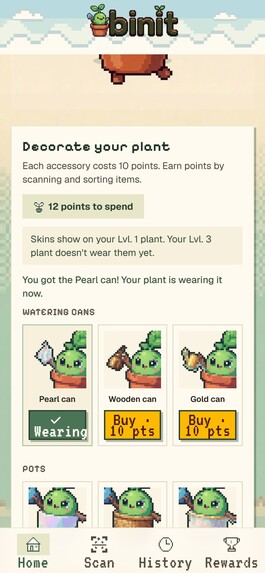
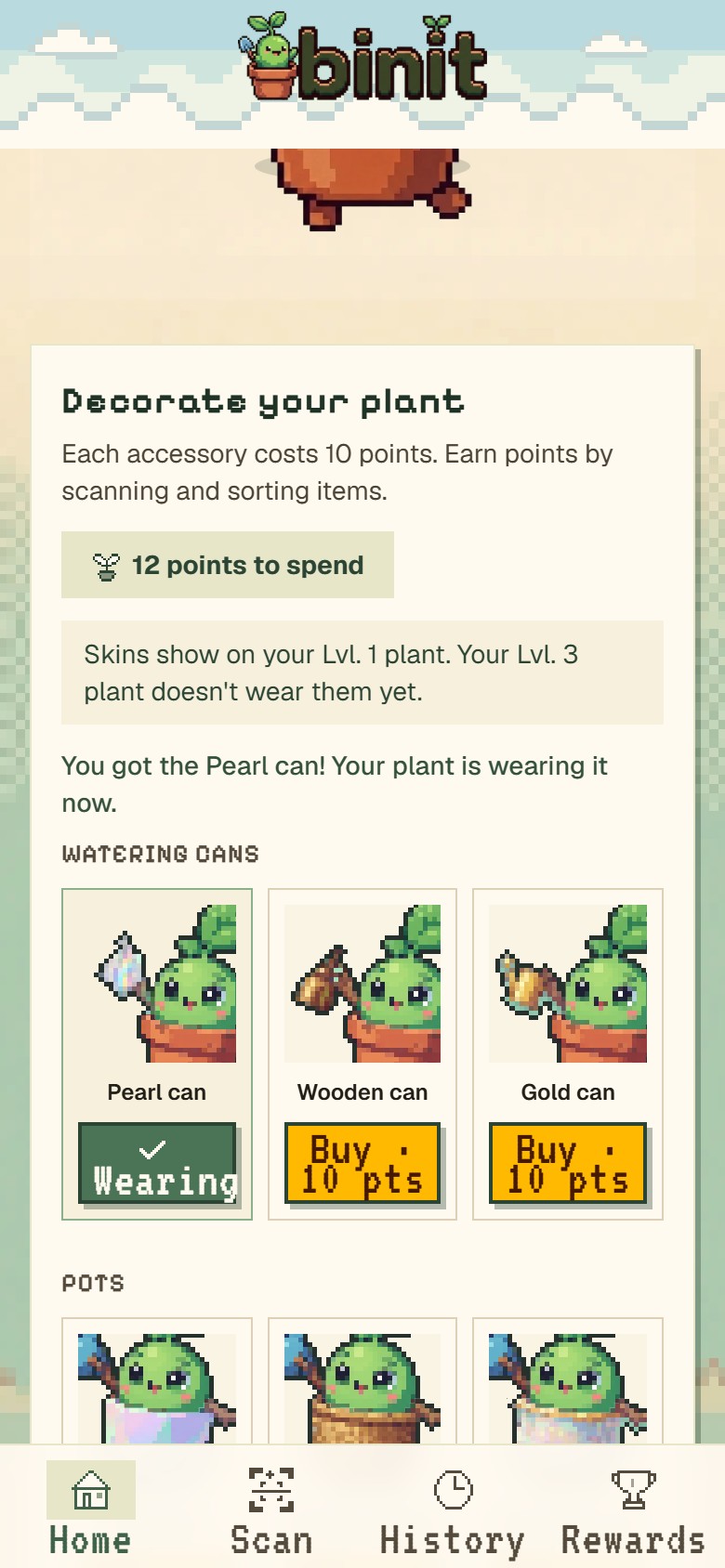
Item options
-
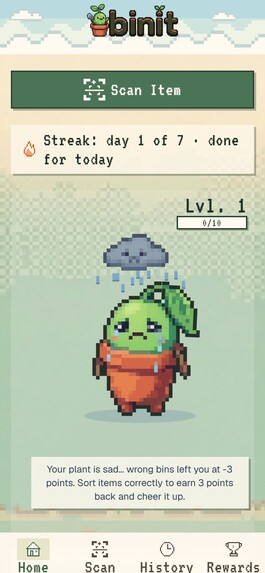
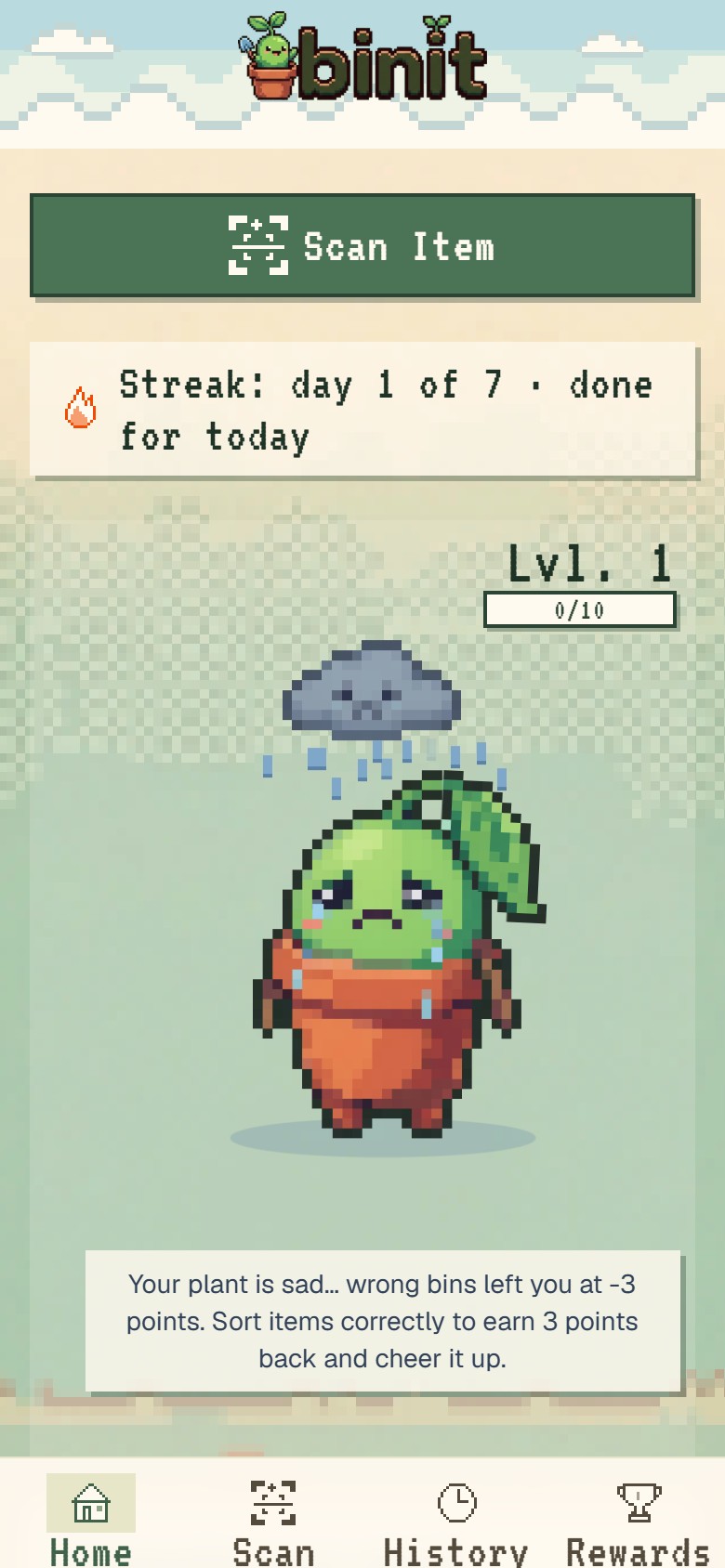
total point below 0
-
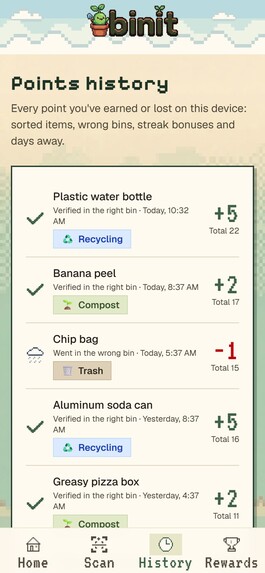
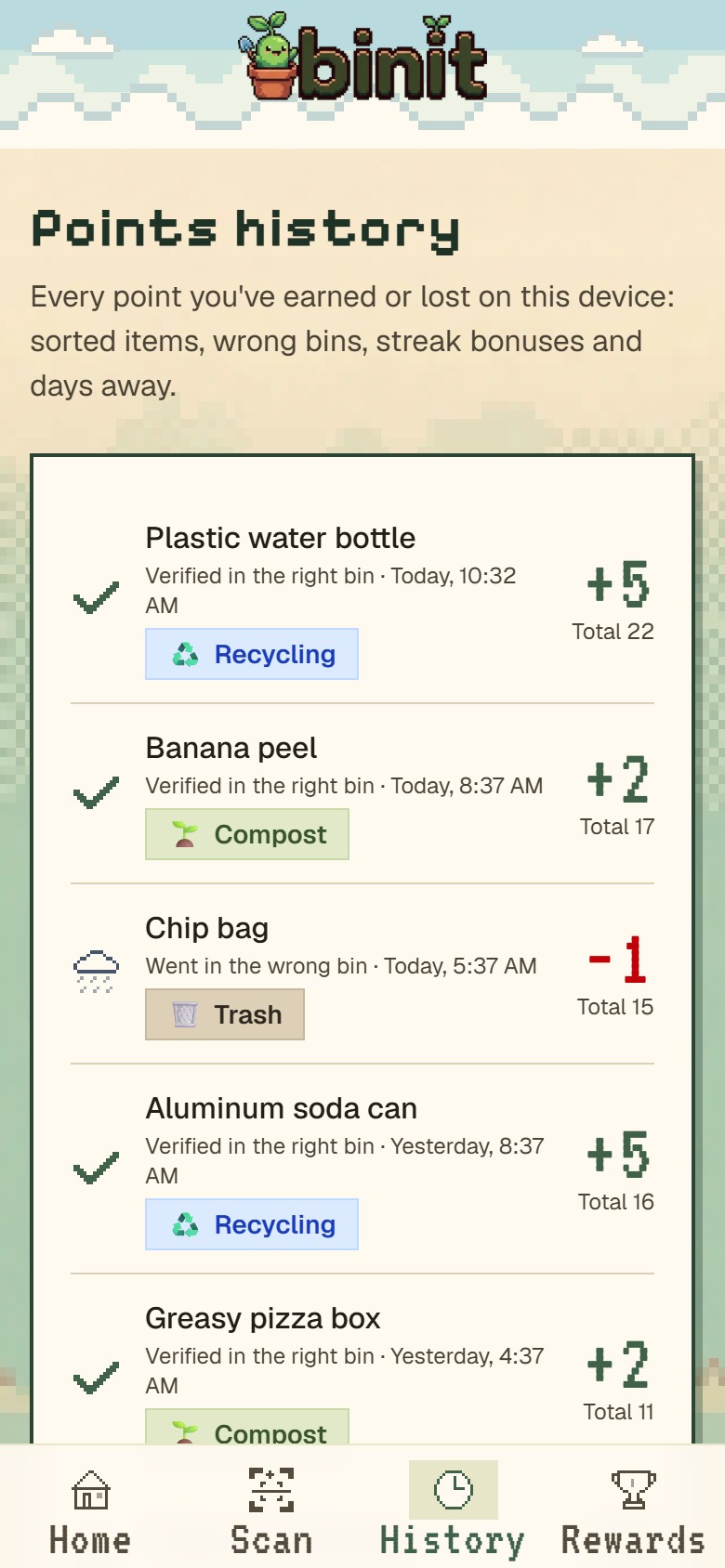
History page
-
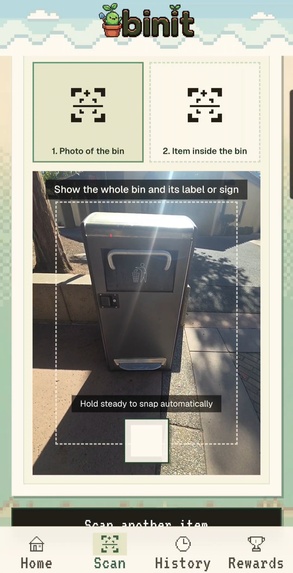
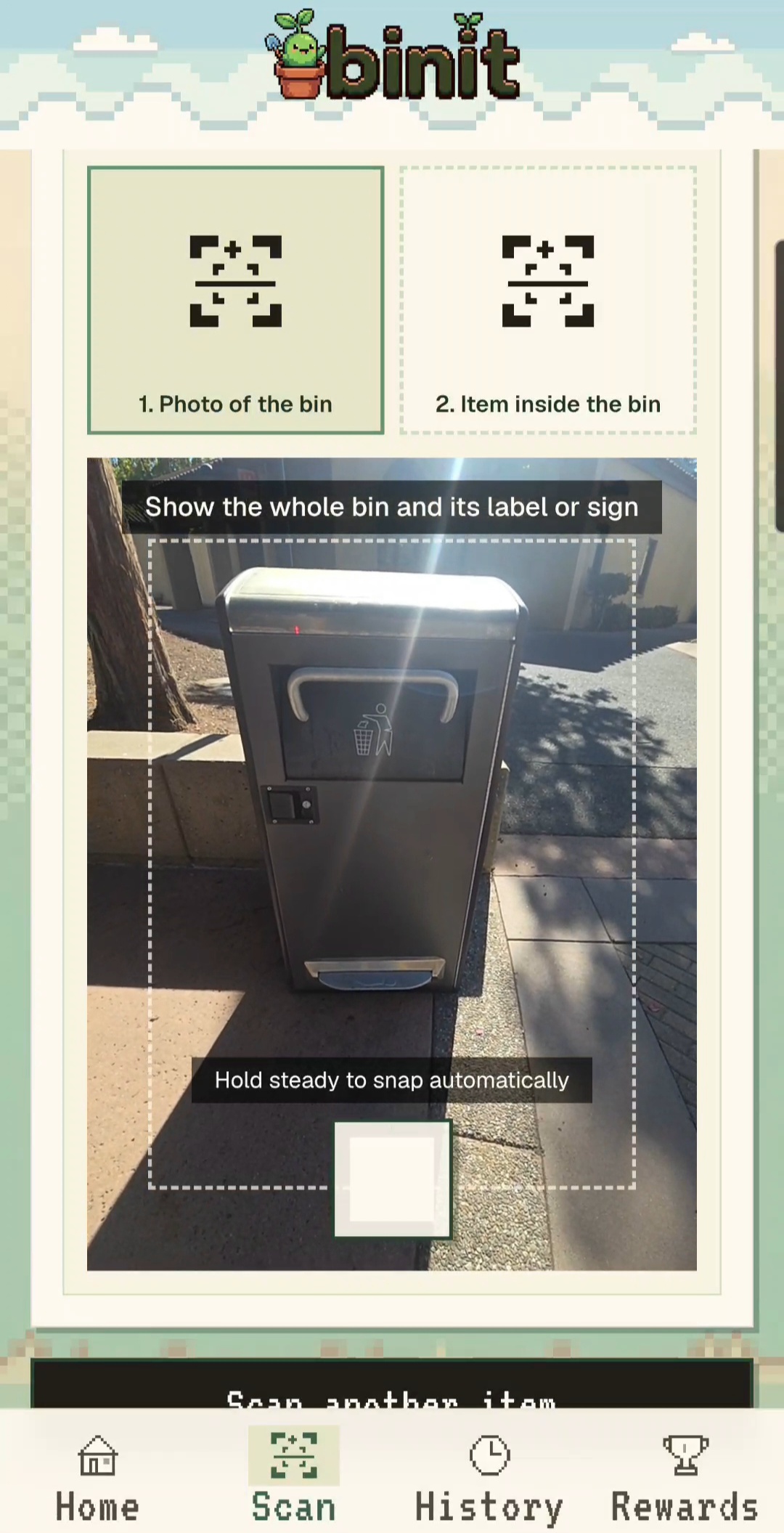
Verification Step
-
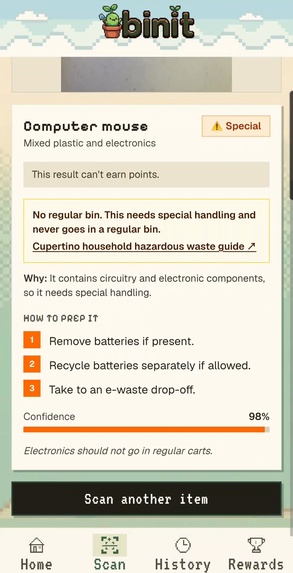
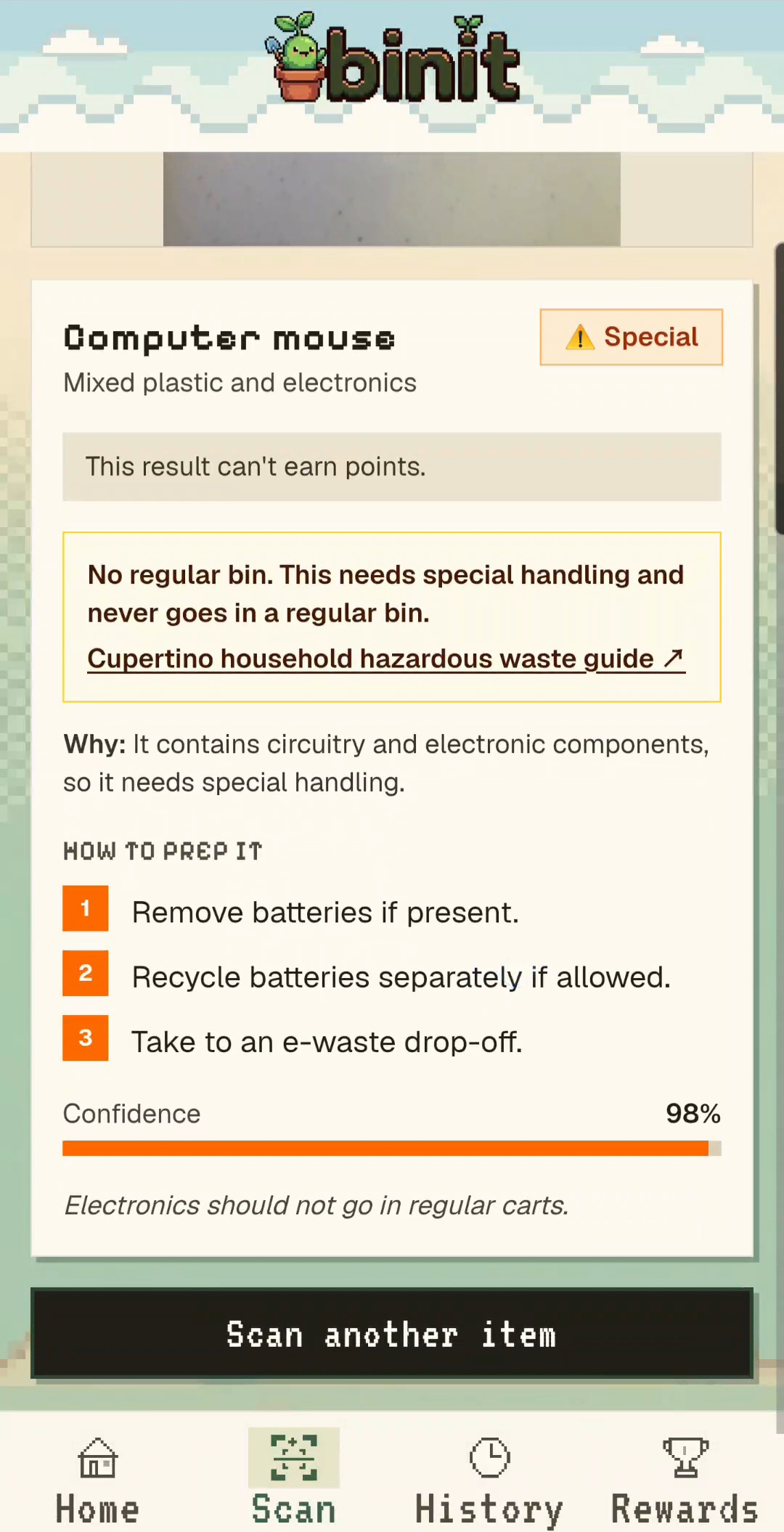
Scanned Item Instruction

Inspiration
It started with a pizza box. We were standing in front of three bins, arguing about where a greasy one goes, and none of us actually knew. When we looked up Cupertino's rules, it got worse: the pizza box goes in compost, but "compostable" plastic forks go in the trash. We'd been doing it wrong for years.
Every city has different rules, and nobody reads a 12-page PDF while holding garbage. Wrong items can contaminate a whole load, so even people who care end up sending recycling to the landfill. We wanted something that tells you where it goes right there at the bin, and makes you want to do it again tomorrow.
What it does
Open Binit, tap Scan Item, and tap "I'm ready." The camera captures the item on its own once it's steady. Binit tells you which bin it goes in (blue recycling, green compost or gray trash), why, and how to prep it, like "rinse it" or "take the lid off." Batteries and electronics get flagged as special, with a link to the city's hazardous waste page. If the AI isn't sure, it says "not sure" and sends you to the city guide instead of guessing.
To earn points you have to prove it: take a photo of the bin, then a photo of your item inside it. Binit doesn't just look at the bin's color, because plenty of bins at schools, offices and parks aren't color-coded. It reads the words on the bin or the sign above it ("RECYCLING," "COMPOST," "LANDFILL," in any language), recognizes symbols like the recycling arrows or food pictures, and even checks the shape of the opening and what's already inside. Color is only a last hint. Right bin: +5 for recycling, +2 for compost or trash. Wrong bin: you lose a point, and yes, you can go negative.
Your points live in a little pixel plant on the home page. It walks around, waves, waters itself, and you can pick it up and drag it around (it hops when you let go). It grows into a new look at 10 and 20 points, with confetti and a level badge, and it can level back down if you lose points. You can spend points on watering cans, pots and hats for it. Every gain and loss pops up with an animation and shows in your history. Sort 7 days in a row for a bonus. Disappear for 3 days and you lose points. If your points drop below zero, your plant gets a rain cloud and cries until you earn your way back.
How we built it
Binit is a Next.js 16 app with React 19, TypeScript and Tailwind CSS v4, deployed on Vercel.
- Scanning: the camera runs in the browser, waits until you're ready, then auto-captures when the frame is steady. The photo goes to OpenAI with a prompt built from Cupertino and Recology's rules, and Google Gemini takes over if OpenAI fails. We check the answer on the server before showing it.
- Bin recognition: in the verify step, the AI looks for the strongest clue it can find: printed words or signs first, then symbols and pictures, the shape of the opening, what's inside, and color last. It reports which clue it used, and if color is the only clue, it won't count the answer as confident.
- Fairness: every scan gets a signed ticket and can only pay out once, the same photo can't earn twice, verification has to happen within 10 minutes, and there's a daily cap of 50 points. You get one retry if a check fails, and "AI busy" errors don't use it up.
- The plant: the original art was single pixel images, so we cut each sprite into layers (leaf, watering can, pot, face) with CSS so the parts move on their own and accessories can be mixed and matched. Levels 2 and 3 have their own art and animations.
- Look and feel: a pixel landscape background, a pixel sky header with drifting clouds, pixel fonts and icons, and the Binit logo, all built from one shared theme so every screen matches.
- Rules in one place: bins, points, penalties, streaks and levels live in one config file, so another city would mostly mean swapping rules.
Photos are processed in memory and never stored. Points, history and your plant are saved in your browser.
Challenges we ran into
- The rules themselves. Some items, like juice and soy milk boxes, aren't clearly covered in the city's guide. Instead of guessing, we made the app say "not sure" until we can confirm.
- Not every bin is blue, green or gray. Our first version leaned on bin color, which breaks the moment you leave a Cupertino curb. School and office bins come in every color. We switched to reading labels, signs and symbols first, so Binit works with a much wider range of bins.
- People will cheat for points. Our first version could be farmed by scanning the same photo again and again. That's how we got to two-photo verification, photo fingerprints, signed tickets and a daily cap.
- Making still art feel alive. Getting the leaf to sway and the watering can to tip without visible seams took a lot of pixel-by-pixel measuring.
- Pages that never really close. Next.js keeps visited pages alive in the background, so coming back to Scan sometimes showed an old result, and the home plant missed point changes made on another page. We had to reset and re-check state whenever a page comes back.
- Three people, one codebase, one weekend. We hit merge conflicts more than once. We learned to keep pull requests small, pull before every change, and restyle through shared theme settings instead of editing each other's components.
Accomplishments that we're proud of
- The full loop works on a real phone: scan, sort, prove it, and watch your plant react.
- Binit recognizes bins by their labels and icons, not just color, so it works well beyond home curbside carts.
- The AI admits when it doesn't know, which matters more than we expected.
- The pixel world feels like one thing, from the logo and cloudy sky to a crying plant under a rain cloud.
What we learned
Specific beats generic: "this goes in Cupertino's green bin" is far more useful than "recycle more." A rewards system only feels fun if it feels fair, so the anti-cheat work mattered as much as the cute parts. And we learned a lot about building fast together without stepping on each other's work.
What's next for Binit
- Accounts, so your points, history and plant follow you to any device.
- Redeeming points for real rewards, ideally with the city or Recology.
- More cities, starting with Cupertino's neighbors.
- An impact view that shows how much you've kept out of the landfill.
Built With
- css3
- eslint
- google-gemini
- html5
- javascript
- localstorage
- mediadevices-api
- next.js
- node.js
- openai
- react
- sharp
- svg
- tailwind-css
- turbopack
- typescript
- vercel
- web-crypto-api


Log in or sign up for Devpost to join the conversation.