Inspiration
Every January I wrote goals into a notes app and never opened it again. The problem was never the list — it was that the list lived somewhere I had to choose to look. The one screen I look at hundreds of times a day without choosing is the Lock Screen. So the question became: what is the smallest goal tracker that fits on a wallpaper and is still fun to fill in?
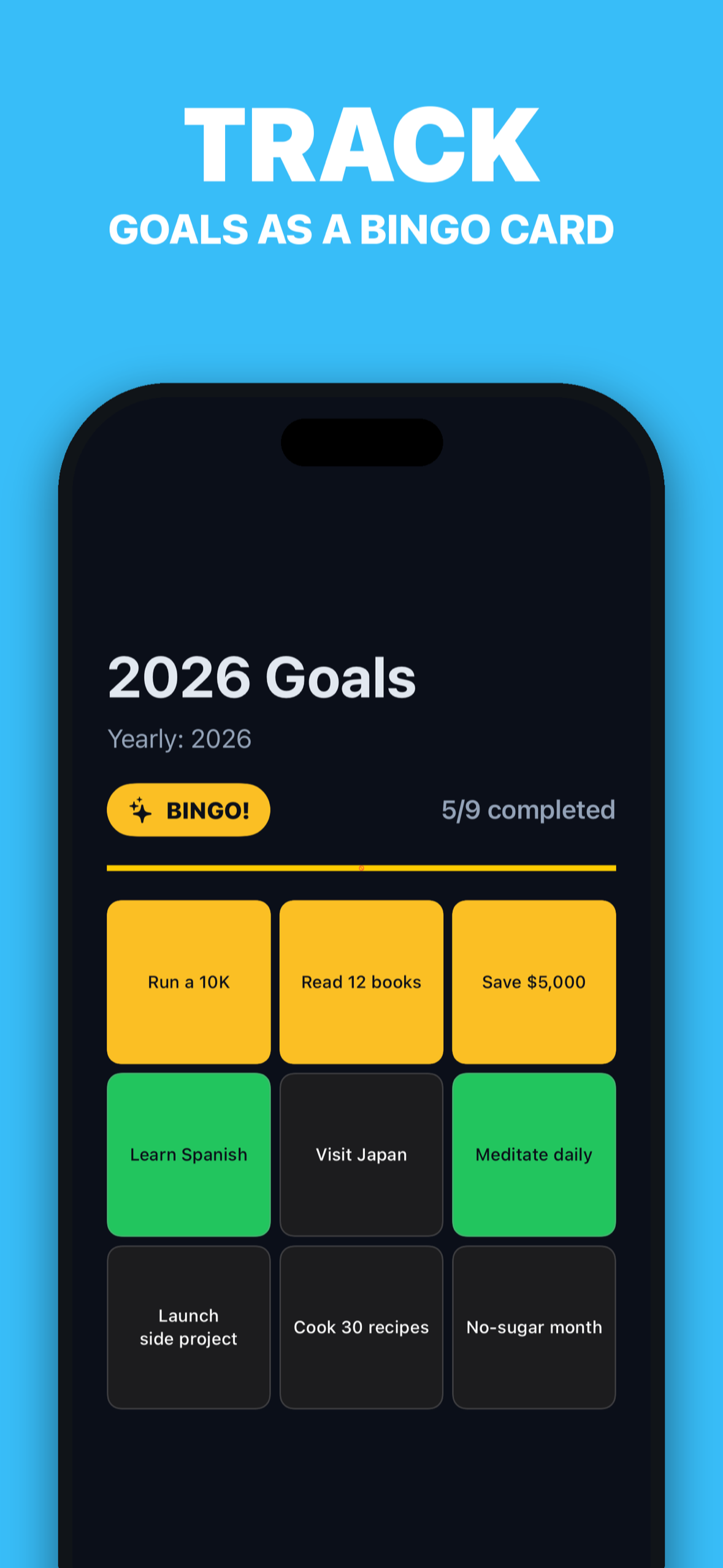
A bingo card. 9, 16, or 25 squares, one goal each. Complete a row and you get a BINGO. It needs no streaks, no daily check-ins, no guilt — just a grid that slowly fills up in front of you.
What it does
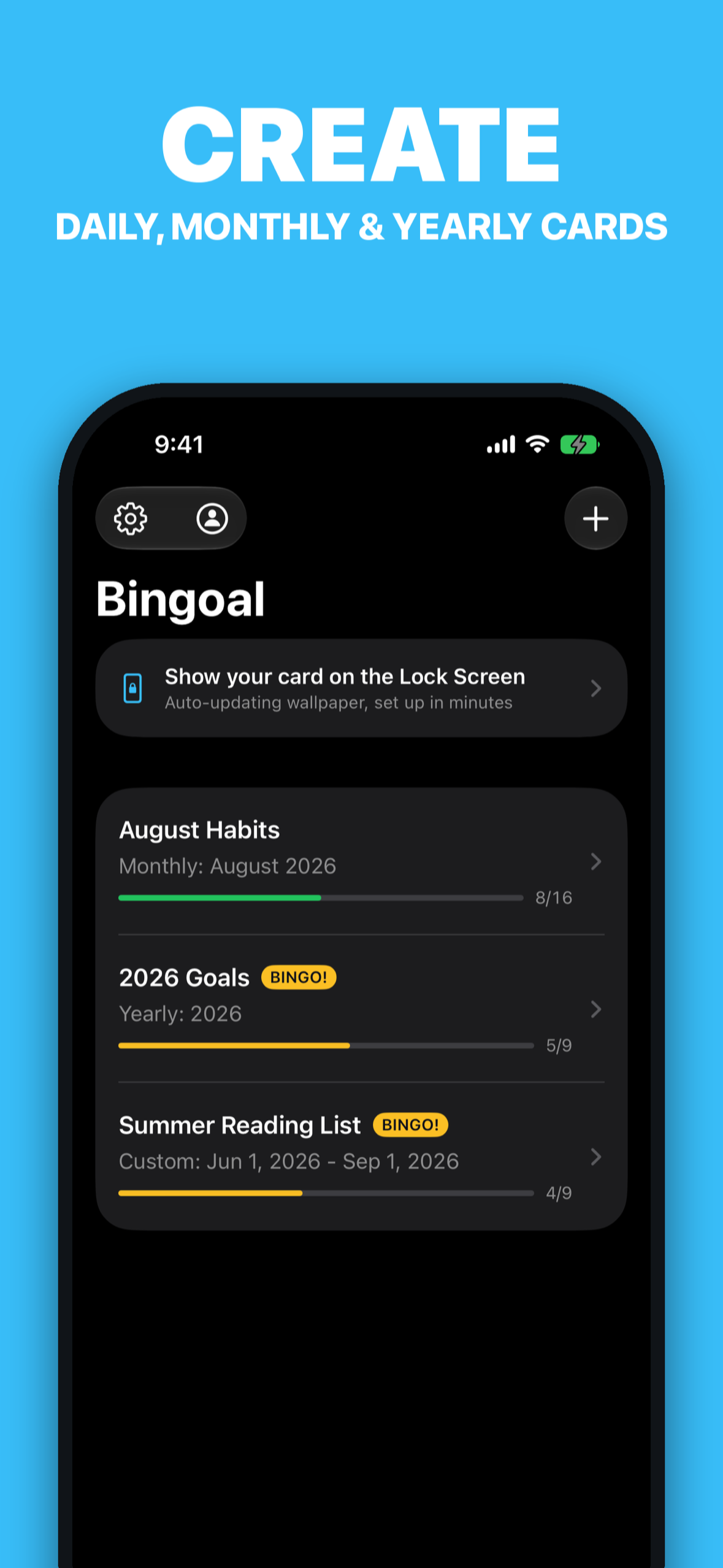
- Put your goals on a 3×3, 4×4, or 5×5 bingo card for a day, a month, a year, or any period.
- Tap a square when it's done. Rows, columns, and diagonals light up as bingo lines, with confetti and a cheer that escalates from "first line" to "blackout".
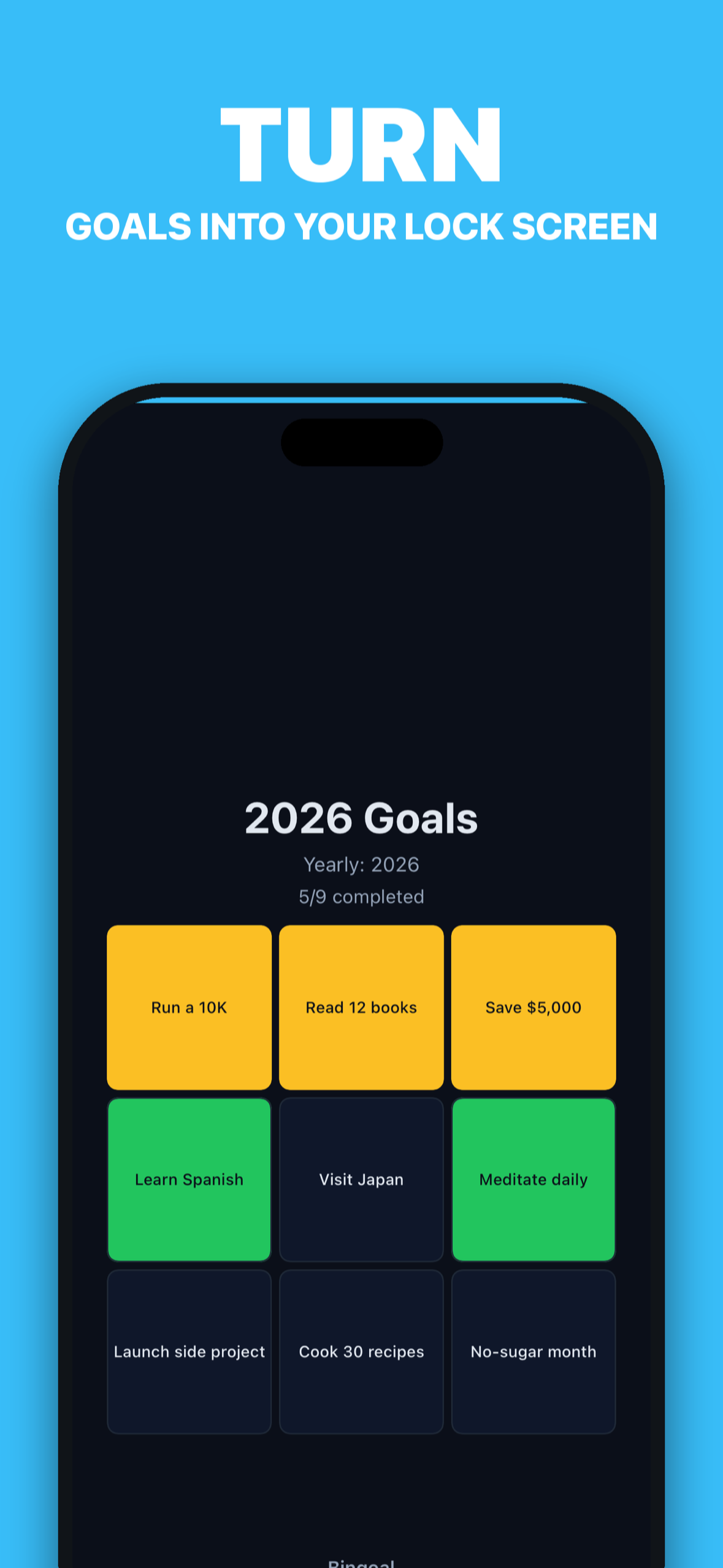
- Lock Screen wallpaper (iPhone): the card renders at your device's exact pixel size, and a one-time Shortcuts automation redraws the wallpaper whenever you open or close Bingoal. Your progress is on the Lock Screen without you doing anything.
- Widgets: Home Screen (small/medium) and Lock Screen accessory widgets (circular/rectangular) on iOS; desktop widgets on Mac.
- Native Mac app: your card in the menu bar with one-click toggling, and as the desktop wallpaper.
- Bingoal Pro: iCloud sync between iPhone and Mac, eight wallpaper themes plus a custom palette, matching app icons, and blending one of your own photos into the wallpaper.
- No account, no server, no analytics. Cards stay on device; sync goes through the user's own iCloud.
How we built it
- One SwiftUI codebase, one target, iPhone + Mac (Swift 6 strict concurrency, Tuist). Same bundle ID on both platforms, so Bingoal Pro is a universal purchase.
- Local-first data: cards are a single
cards.jsonin an App Group container. The WidgetKit extension reads it directly and the app callsreloadAllTimelines()on every save, so widgets never lag behind. - Lock Screen pipeline: an App Intent (
GetLockScreenWallpaperIntent) returns the rendered wallpaper as a file, and a bundled Shortcuts automation ("When Bingoal is opened or closed → Get wallpaper → Set wallpaper") does the rest. The app ships an iCloud link to the pre-built shortcut so setup is two taps. - Sync without a backend: CloudKit private database, a custom zone, change tokens, and a single merge rule everywhere — union by card ID, newer
updatedAtwins. The same rule powers device-to-device sync links (bingoal://sync#…). - Monetization with RevenueCat: the "Bingoal Pro" entitlement gates sync, themes, and photo blending. On iOS the paywall is a remote RevenueCat Paywall (edited in the dashboard, no app update needed); on macOS it's a native package list built on the same offering. Anonymous RevenueCat app-user IDs plus StoreKit restore mean identity is fully Apple-managed — we never had to build accounts.
- Landing page: Vite + React + Tailwind on Cloudflare Pages, English/Japanese, hosting the privacy policy and terms that App Review requires.
Challenges we ran into
- iOS 26's "Set Wallpaper" action produced a black poster when the image came from an app intent (the stored layers were fine; only the composite went black). iOS 27 fixed it. We ended up shipping OS-specific setup guides: the older "Set Photo as Wallpaper" flow on iOS 26, a single automation on iOS 27.
- Shared Shortcuts links don't serialize default toggle values. "Run Immediately" never survived sharing, so recipients got "Ask Before Running" and just a notification. The guide now makes users confirm that one toggle explicitly.
- The lifetime product was first created as a consumable. App Store Connect can't change an IAP's type or reuse a product ID, so we re-created it as non-consumable under a new ID and re-pointed the RevenueCat entitlement and
$rc_lifetimepackage. Caught before launch — otherwise Pro would have expired and restore wouldn't have worked. Entitlement only attached to Test Store products. Sandbox purchases unlocked Pro, production wouldn't have. Fixed by attaching all three App Store products to the entitlement.
macOS ignores re-setting the same wallpaper URL, so the desktop wallpaper alternates between two filenames.
What we learned
- "Always in sight" is a stronger habit lever than any notification. Once the card was on the Lock Screen, the app itself became almost optional — which is the point.
- Not running a server is a product feature, not just a cost decision: it made "no account" honest, and it made a lifetime purchase safe to sell.
- Set up entitlements and products through the API and verify them with a real production build before submission; the dashboard makes it easy to configure the sandbox and forget production.
What's next
- Shared cards for couples and small teams (still via CloudKit, still no server).
- Apple Watch complication for the "one square to bingo" moment.
- More automation surfaces: Focus filters and a Control Center control to mark today's square.
Built With
- app-intents
- appkit
- cloudkit
- ios
- macos
- react
- revenuecat
- revenuecat-paywalls
- shortcuts
- storekit
- string-catalog
- swift
- swift-6
- swiftui
- tailwindcss
- tuist
- typescript
- vite
- widgetkit
- xcode

Log in or sign up for Devpost to join the conversation.