-
-
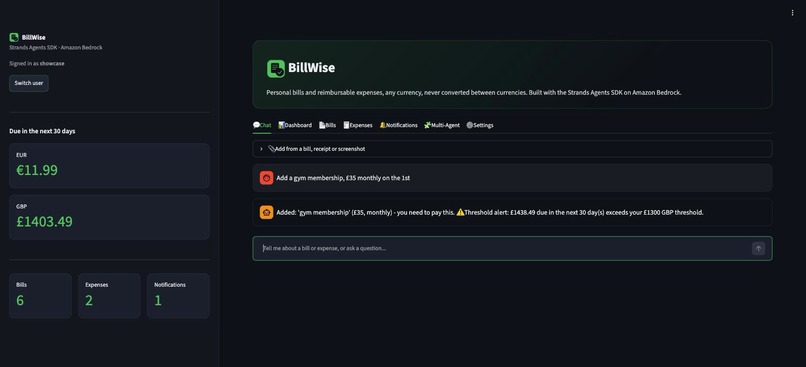
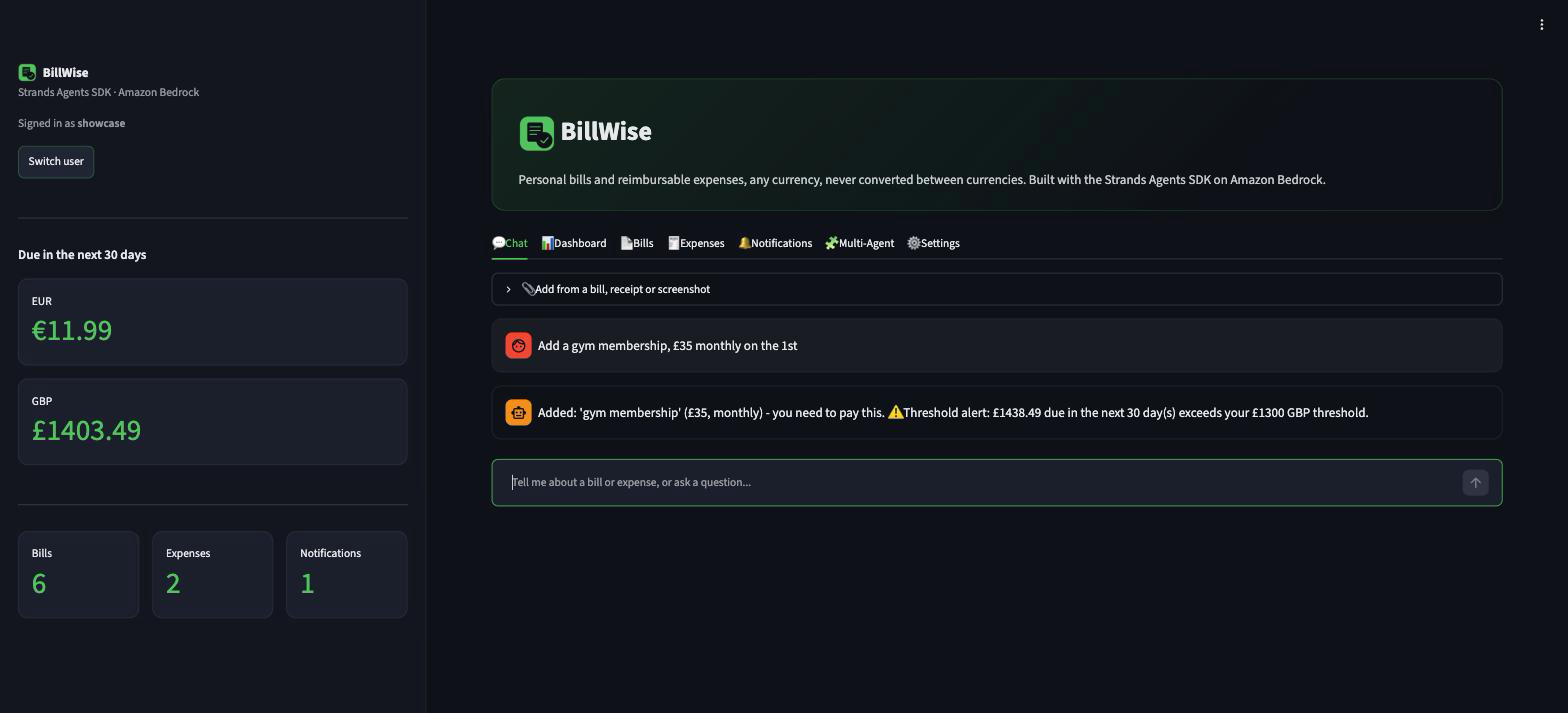
Chat Add
-
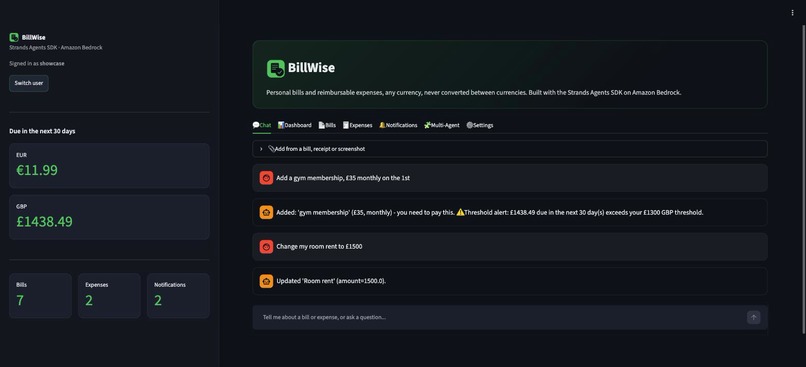
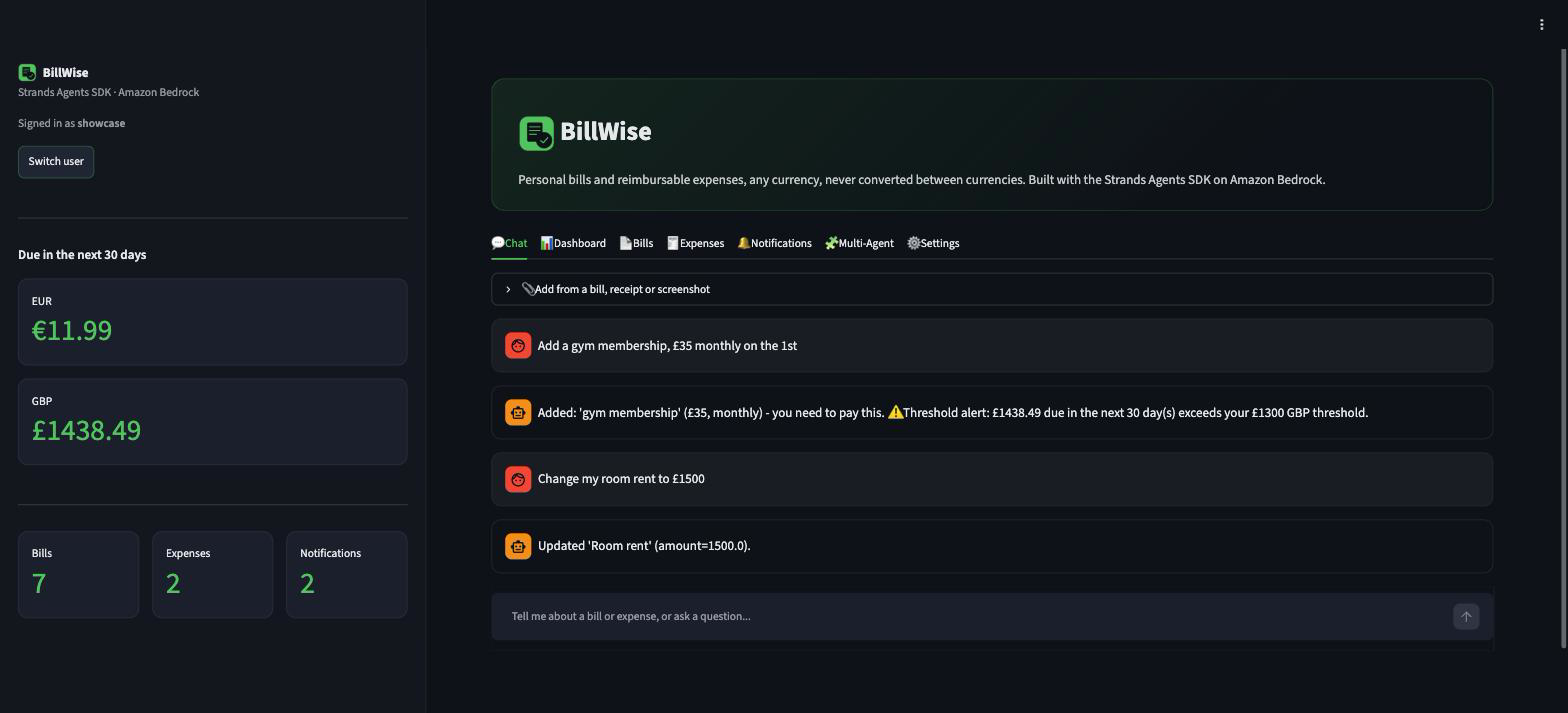
Chat Edit
-
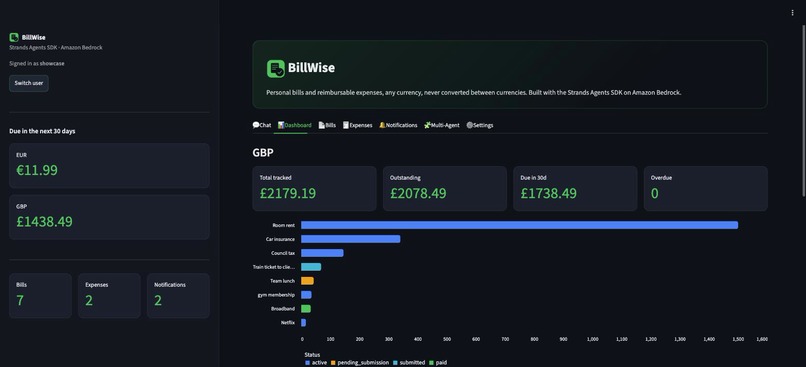
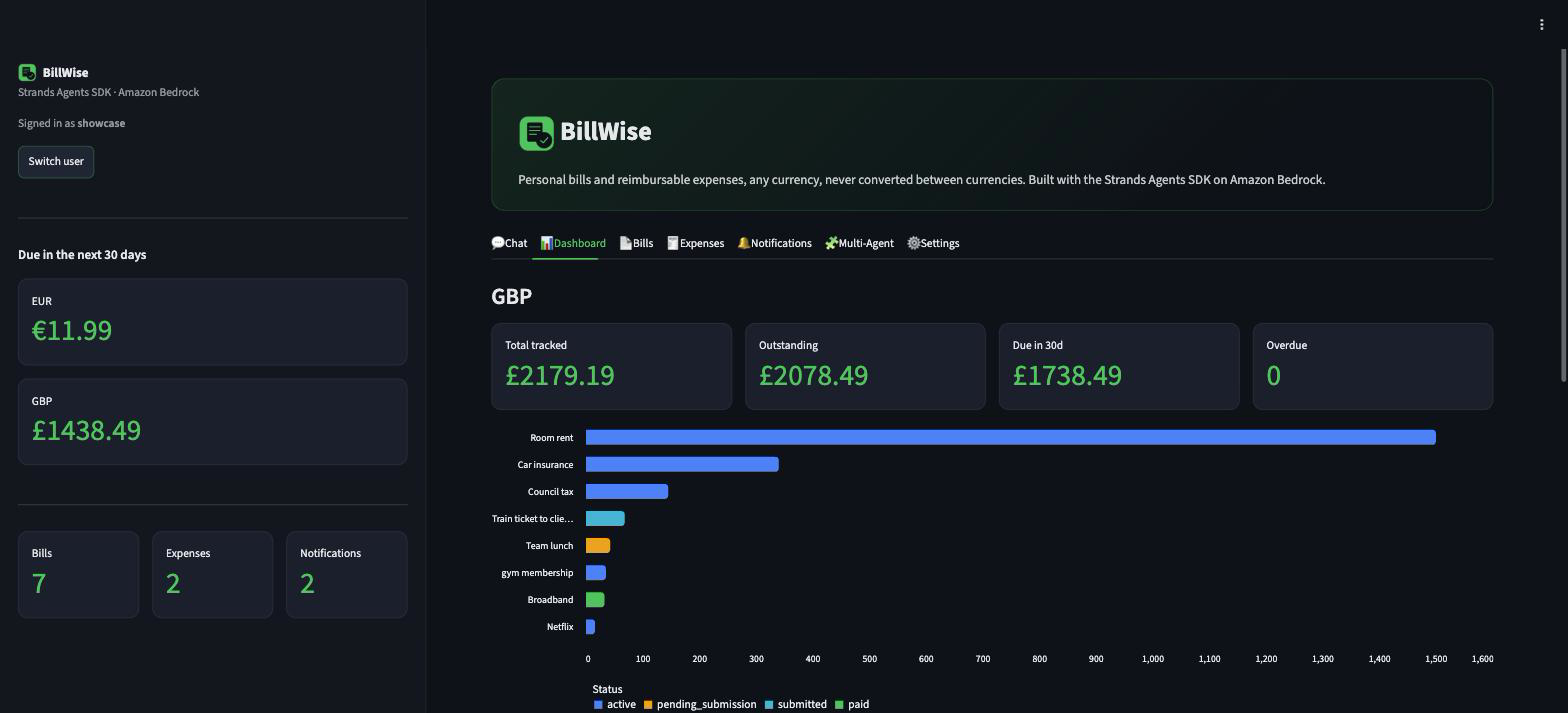
Dashboard
-
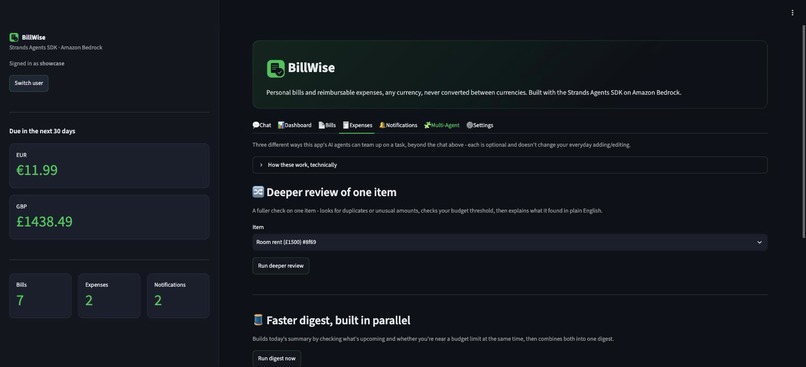
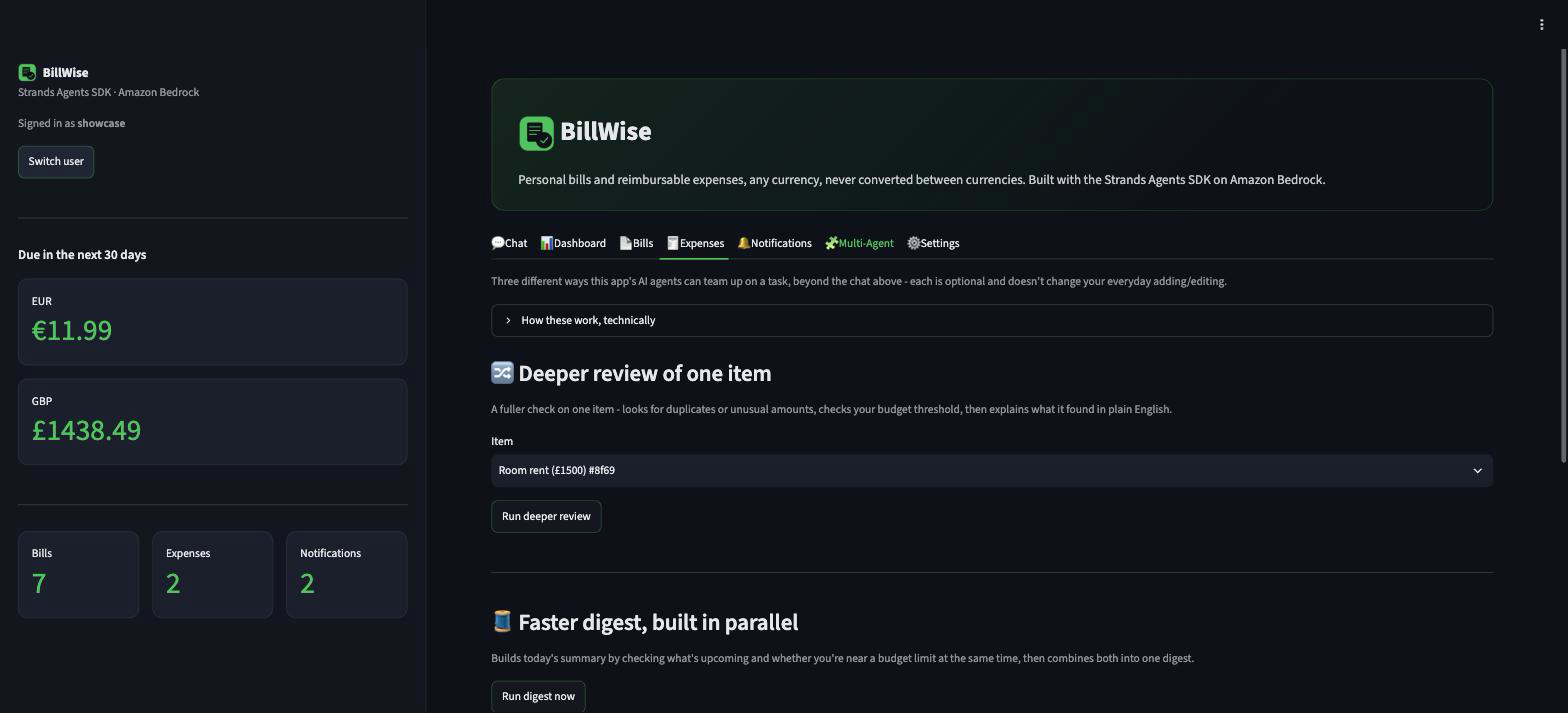
MultiAgent
-
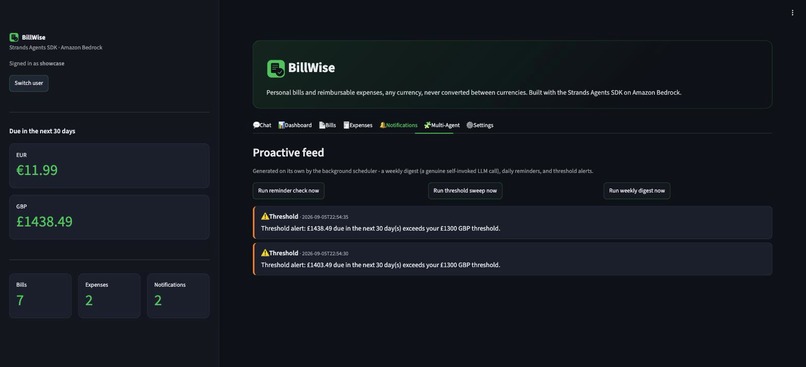
Notifications
-
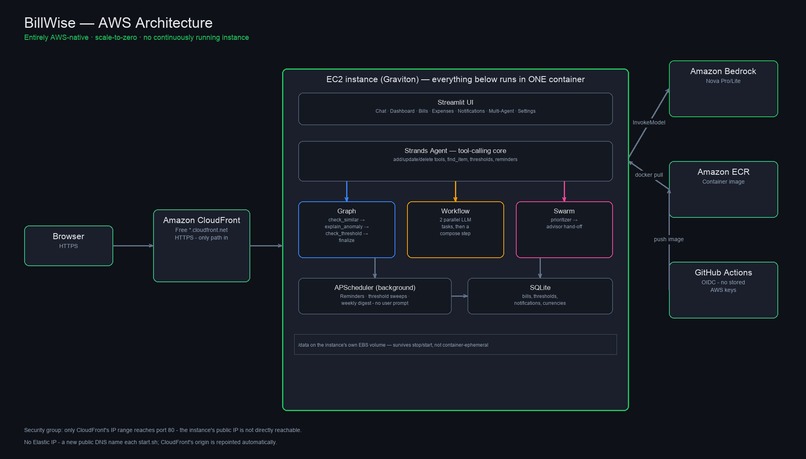
Architecture
-
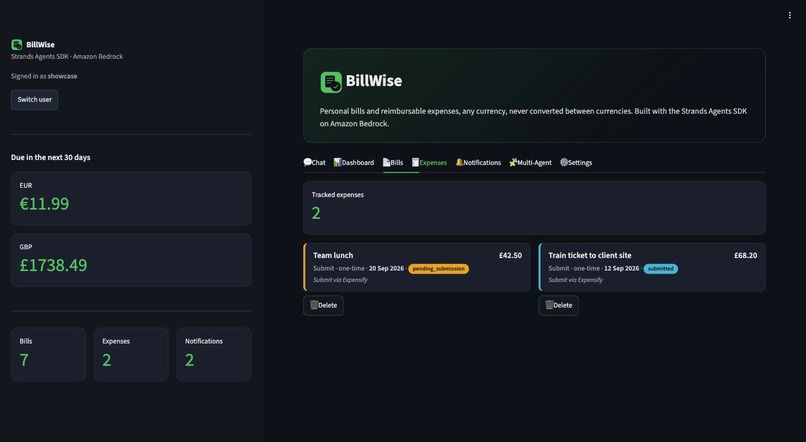
Expenses
-
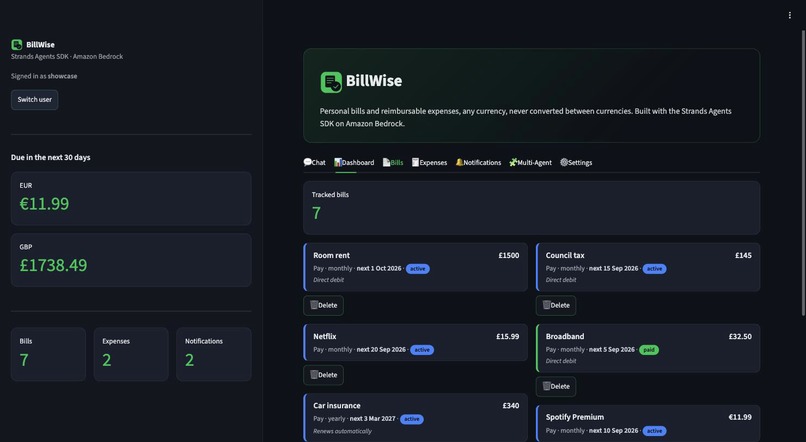
Bills
-
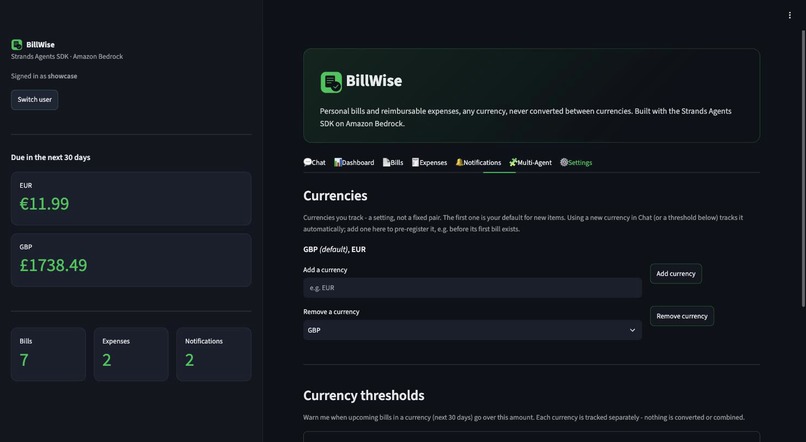
Settings
-
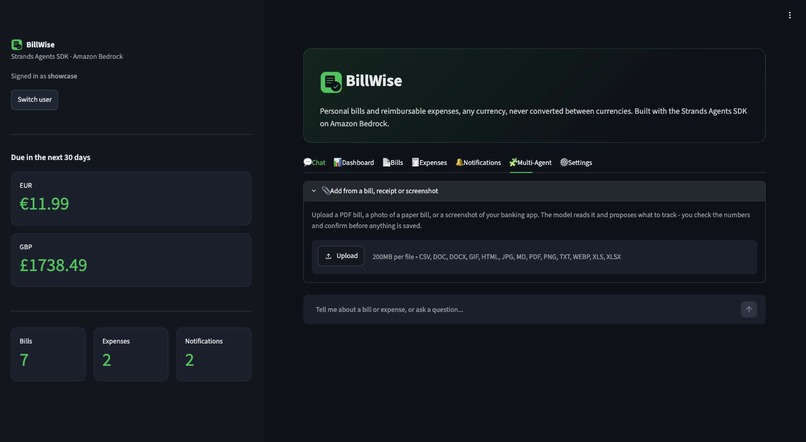
Bill Upload
-
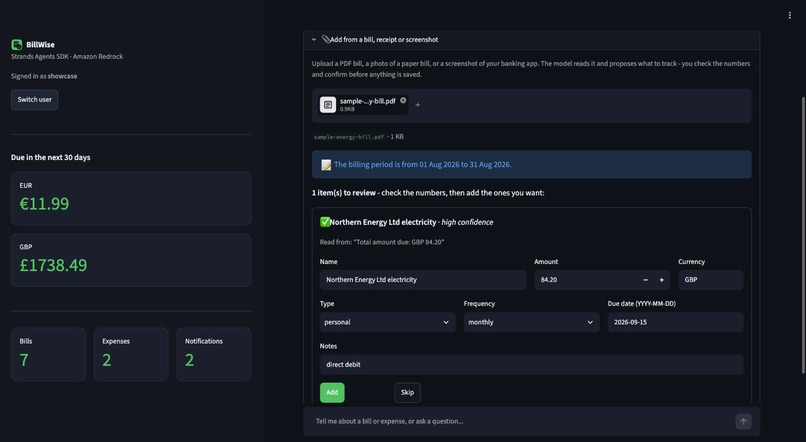
Bill Upload Extracted
-
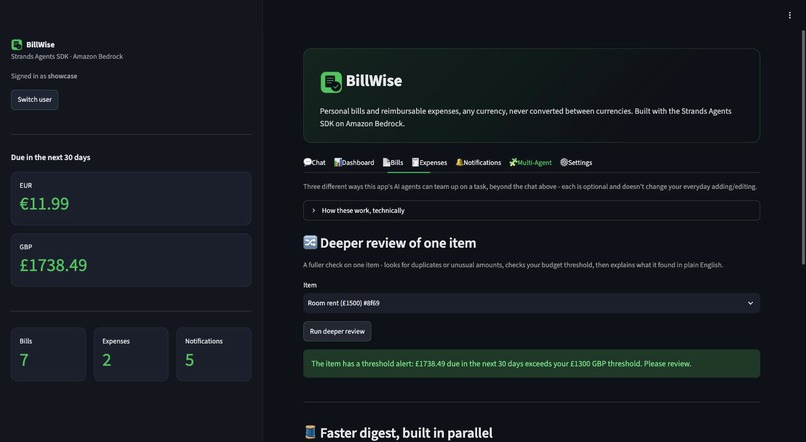
MultiAgent Graph
Built with AWS
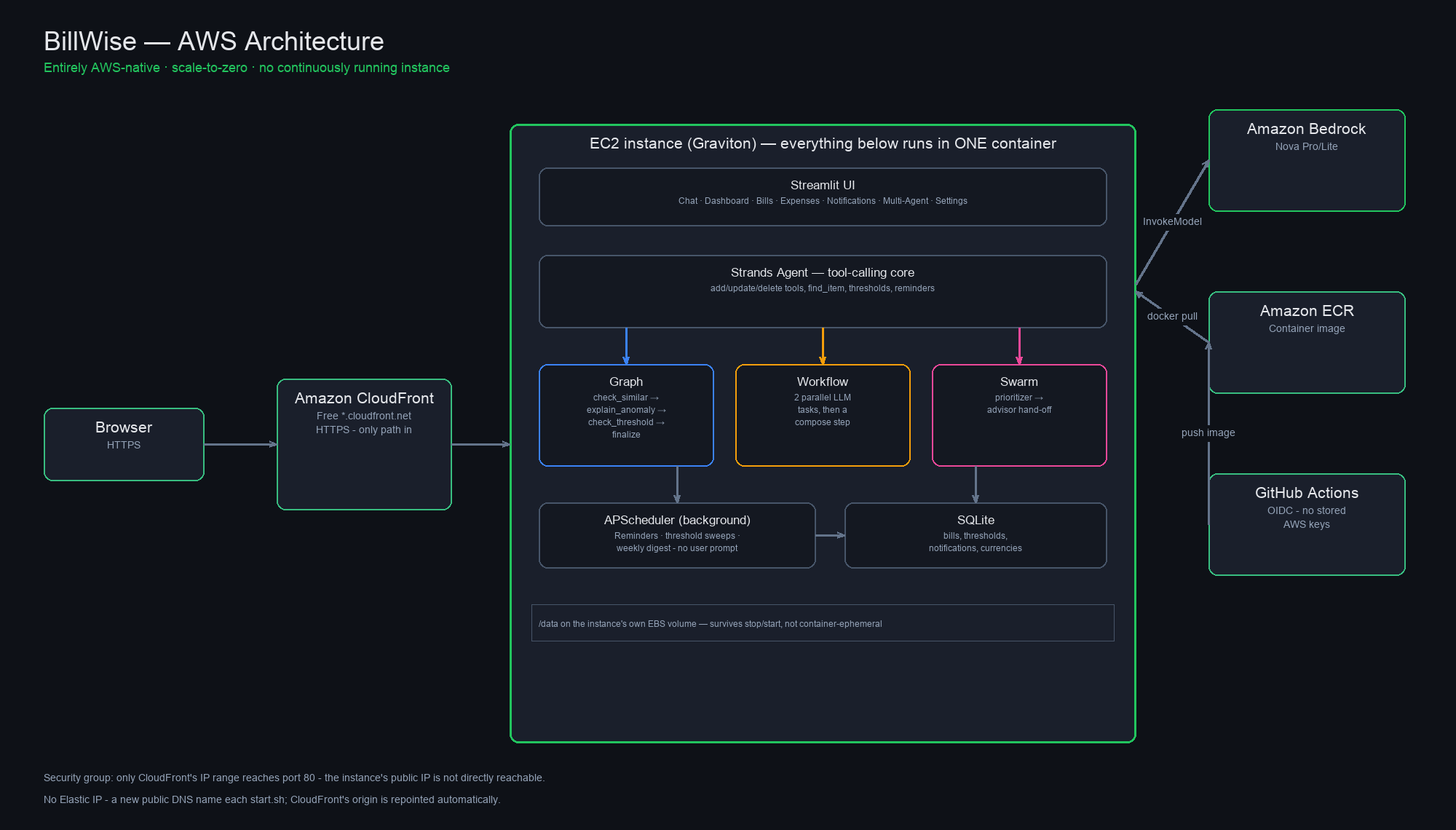
Every piece of intelligence and every piece of infrastructure in this project is AWS's:
- Amazon Bedrock (Nova Pro/Lite): the model behind every agent turn, including the primary chat agent, and the Graph/Workflow/Swarm multi-agent patterns.
- Strands Agents SDK: the tool-calling framework and the
Graph,Workflow, andSwarmorchestration primitives, three genuinely different multi-agent shapes, not three ways of doing the same thing (see How I built it). - Amazon EC2 (Graviton/ARM): the production compute, a single
t4g.smallinstance, stopped between sessions so it isn't billed 24/7. - Amazon EBS: the instance's own root volume holds the SQLite database, surviving a stop/start with no separate storage service.
- Amazon CloudFront: sits in front of the instance and gives it free HTTPS on a
*.cloudfront.netURL, so there's no load balancer running 24/7, and the instance's own port 80 only accepts traffic from CloudFront itself. - AWS Systems Manager Session Manager: shell access with no SSH key pair and no open port 22.
- Amazon ECR: the private, scanned-on-push image registry.
- AWS CloudFormation: the entire stack (security group, IAM role, ECR, EC2 instance) as one idempotent template, no hand-clicked resources.
- IAM OIDC federation: GitHub Actions authenticates to AWS with no stored access keys.
Every one of these is a genuine AWS service in active use, right down to deployment.
Inspiration
The prompt for the Agents for Humans hackathon resonated with me immediately: "Every day, people lose hours to small, repetitive tasks like paying bills... instead of another app people open and manage, the agent runs autonomously and only surfaces when there's a real decision to make."
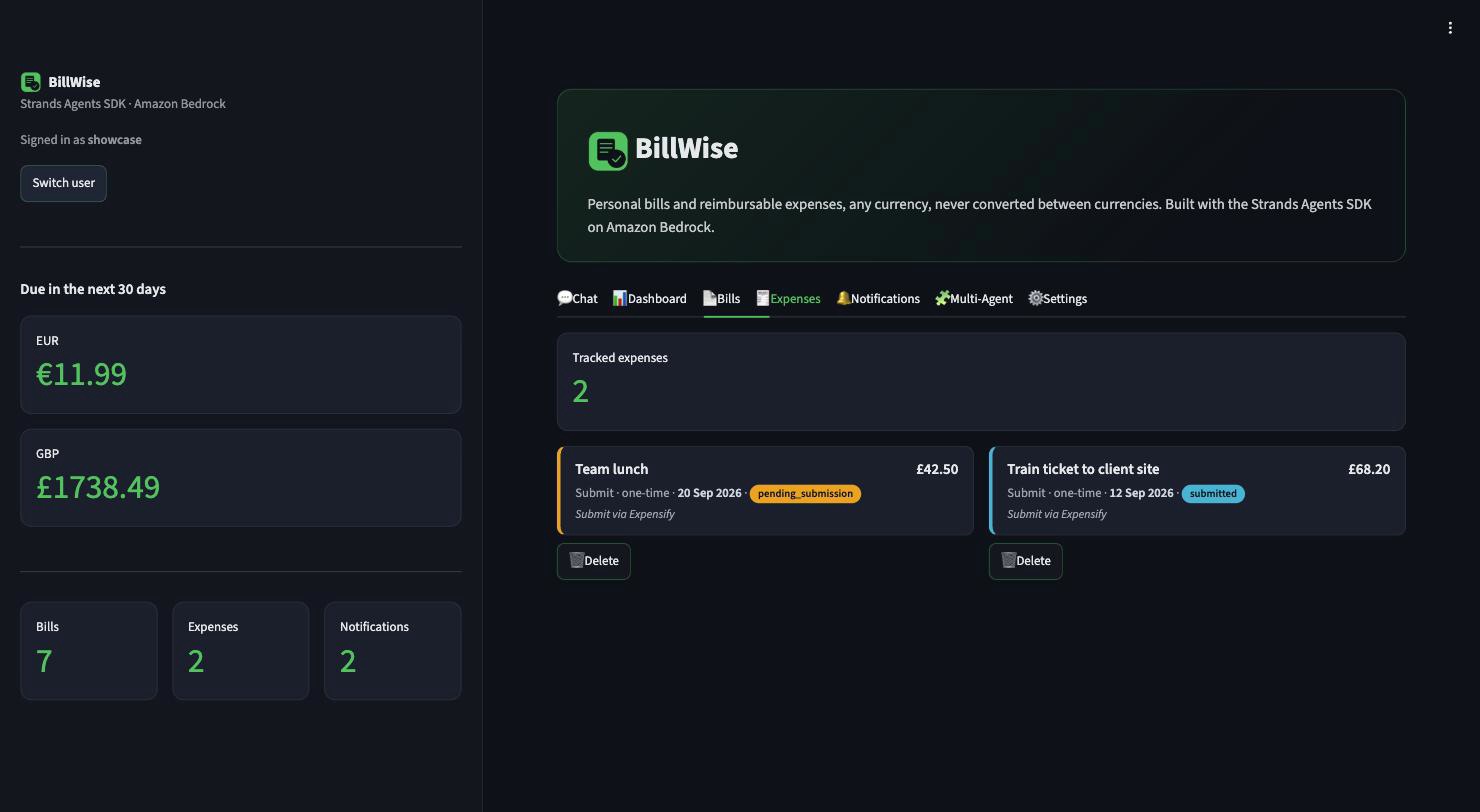
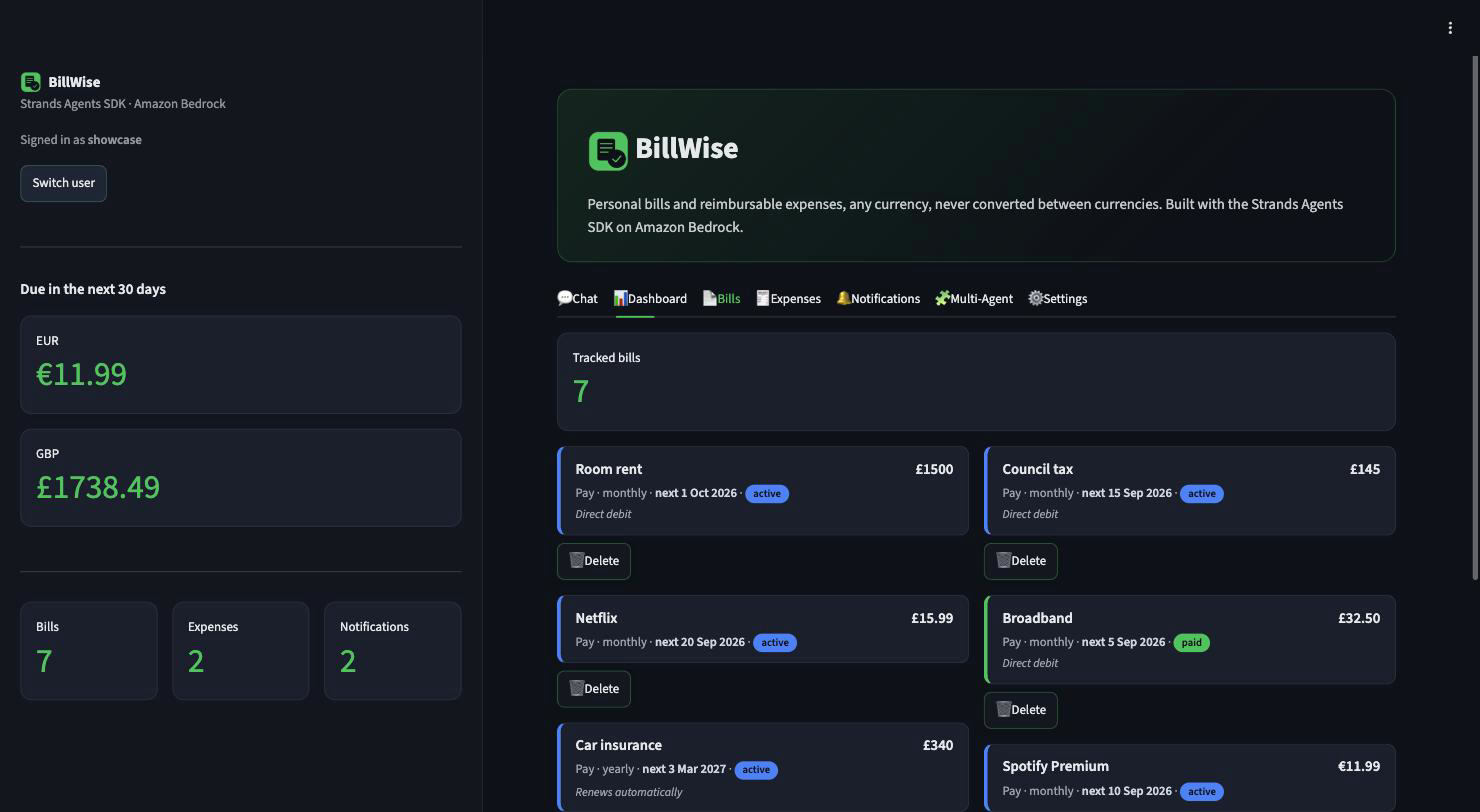
Tracking money across different buckets has always been a pain for me. I constantly juggle two totally different heads: personal recurring bills (rent, WiFi, gym, Netflix, council tax) and office reimbursable expenses (client dinners, cab receipts, train tickets that I must claim before finance closes the monthly payroll cycle).
Like most engineers, I started with Excel and Google Sheets. But spreadsheets are purely passive. They don’t ping you when a bill is due, they don't complain if you punch in an extra zero by mistake, and updating them on mobile while commuting is an absolute headache. Trying to find the exact row, updating cells, fixing broken formula references... it just doesn't work long-term.
I didn't want another app to micromanage. I wanted an autonomous partner running quietly in the background that I could talk to naturally: "Mark Netflix as paid," "what bills are coming up this week?" or "update my room rent to £1500." It should just understand context, catch silly human errors before saving to DB, and only ping me when there's an actual decision to make, like an upcoming due date or a threshold breach.
What it does
BillWise is an end-to-end intelligent bill and expense tracking agent built with Streamlit and Amazon Bedrock. Rather than just being a cosmetic chatbot stuck next to a standard dashboard, the entire backend is driven by genuine agent tool-calling:
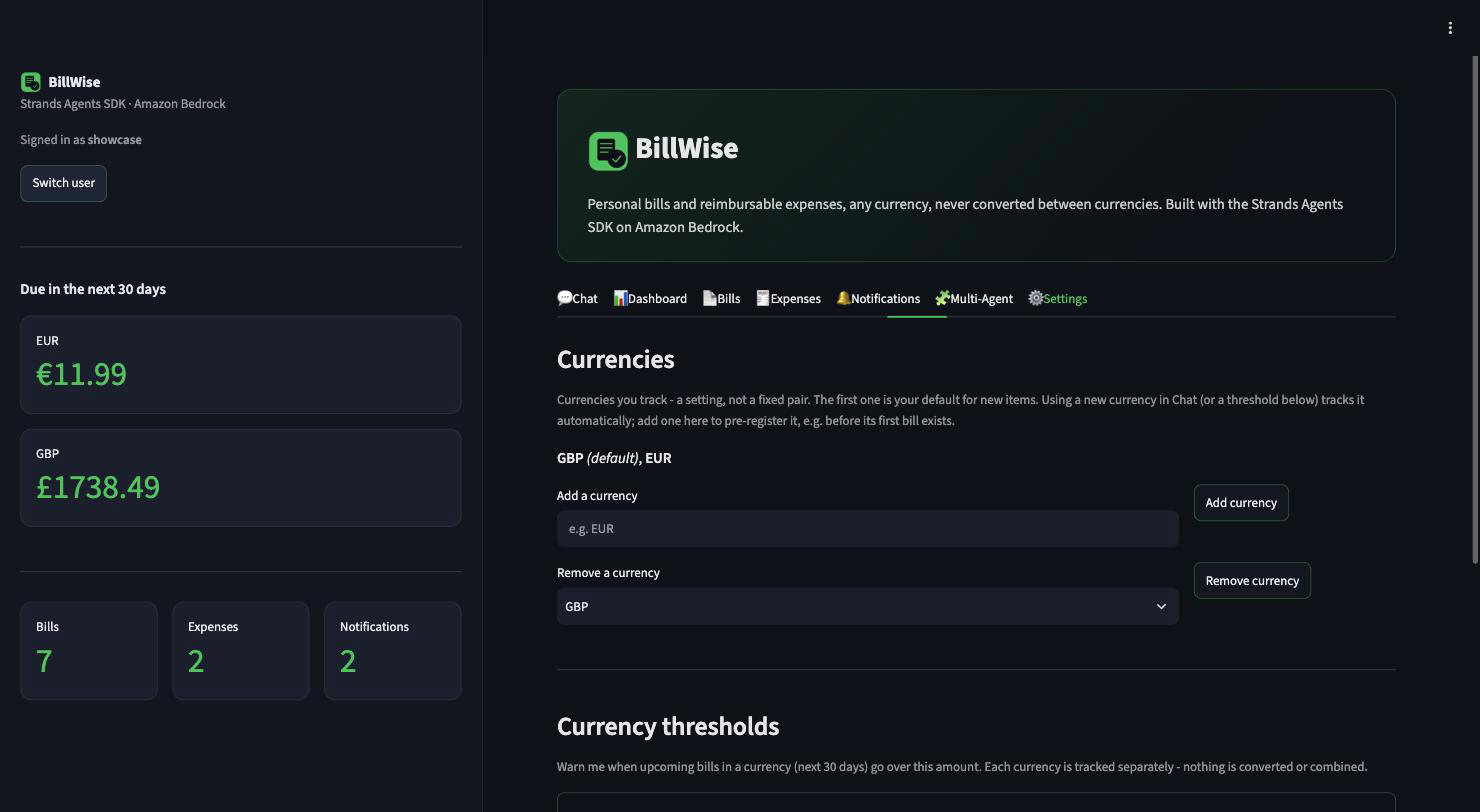
- Conversational CRUD: Adding, updating, checking, and deleting expenses are all proper tool calls executed by the agent.
- Strict Multi-Currency Policy: Defaults to GBP with support for one additional secondary currency (e.g. USD, EUR) to keep personal and business accounting clean and segregated.
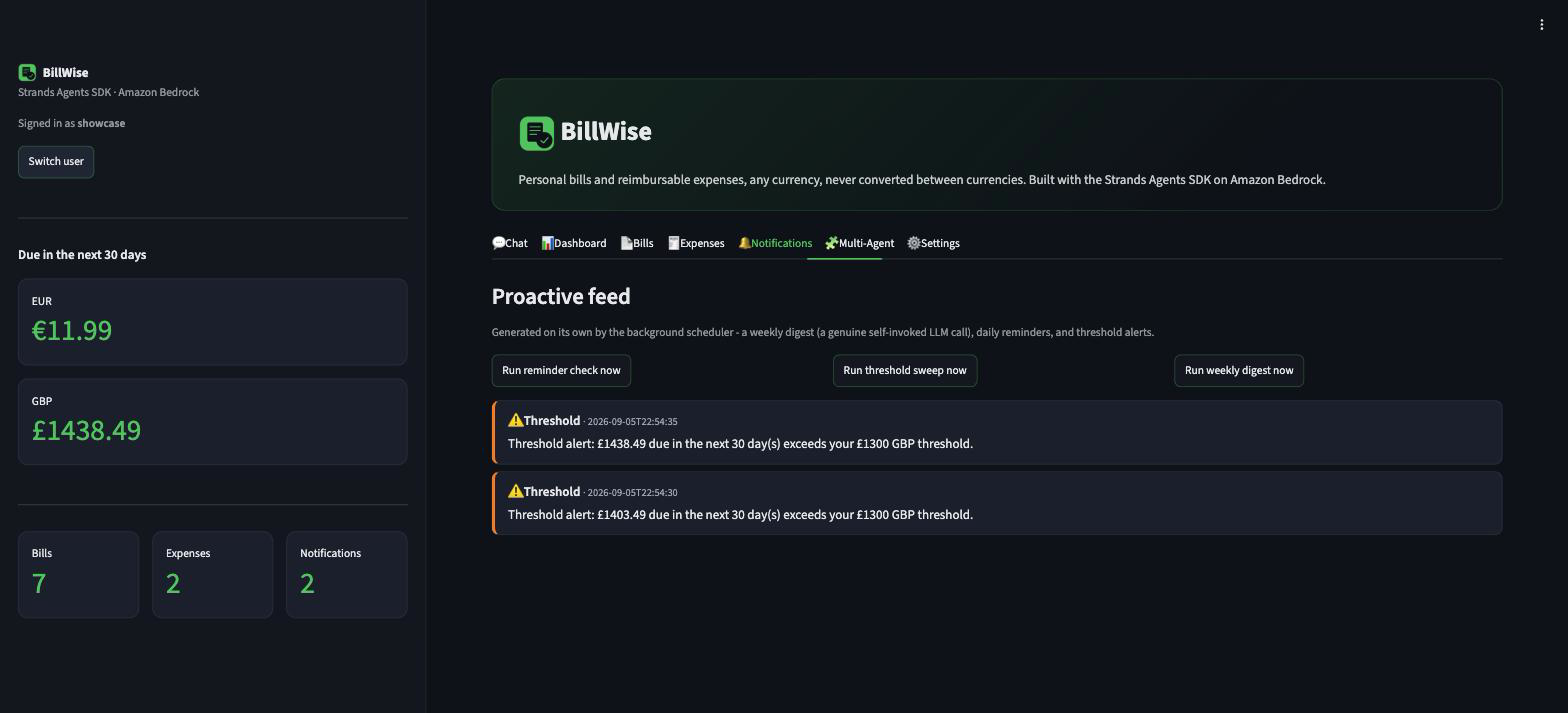
- Proactive Notifications & Digests: A background scheduler fires timely due-date reminders, budget threshold alerts, and a weekly digest without needing any manual prompt.
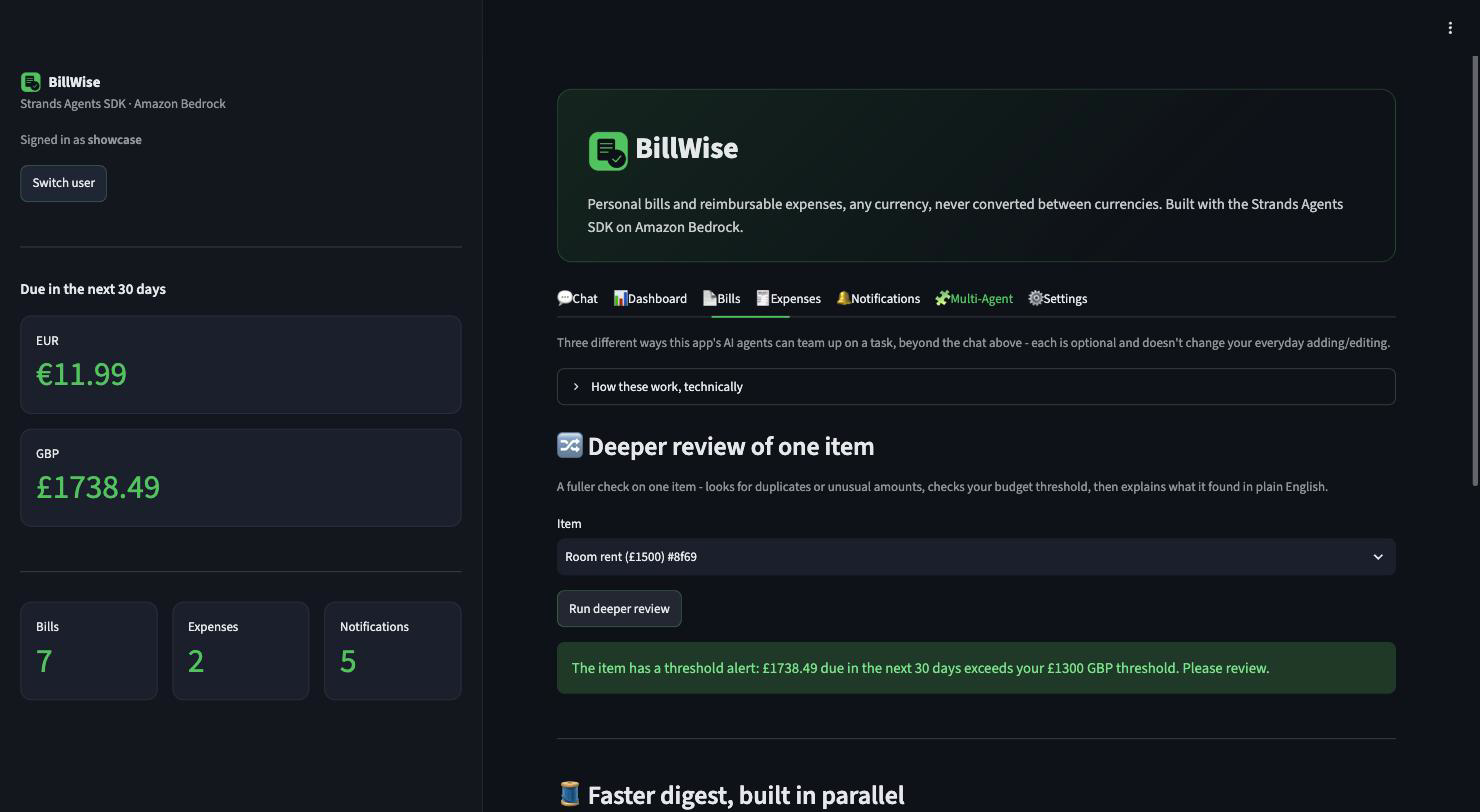
- Smart Multi-Agent Architecture: Uses the Strands Agents SDK to orchestrate three distinct patterns where they actually make engineering sense:
- A Graph for structured verification with conditional branching.
- A Workflow for running independent audit and digest jobs in parallel.
- A Swarm for collaborative, open-ended budget optimization ("where am I overspending and what should I cut?").
Why this fits the brief:
- Everyday Agents track: it removes the actual daily chore, tracking bills and reimbursable expenses, and only interrupts you when there's a real decision (a due date, a threshold breach).
- Technological Implementation: real tool-calling with the Strands Agents SDK's
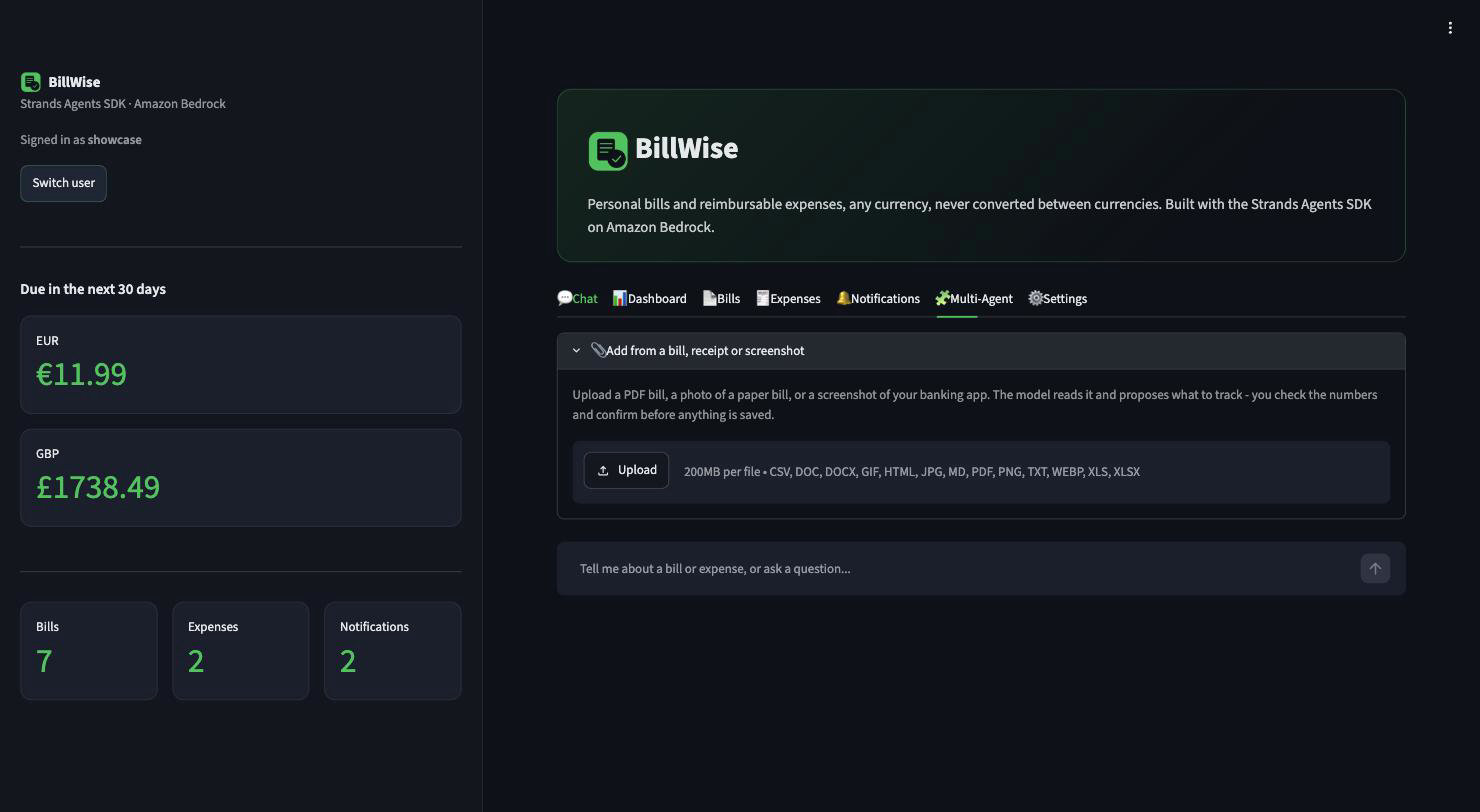
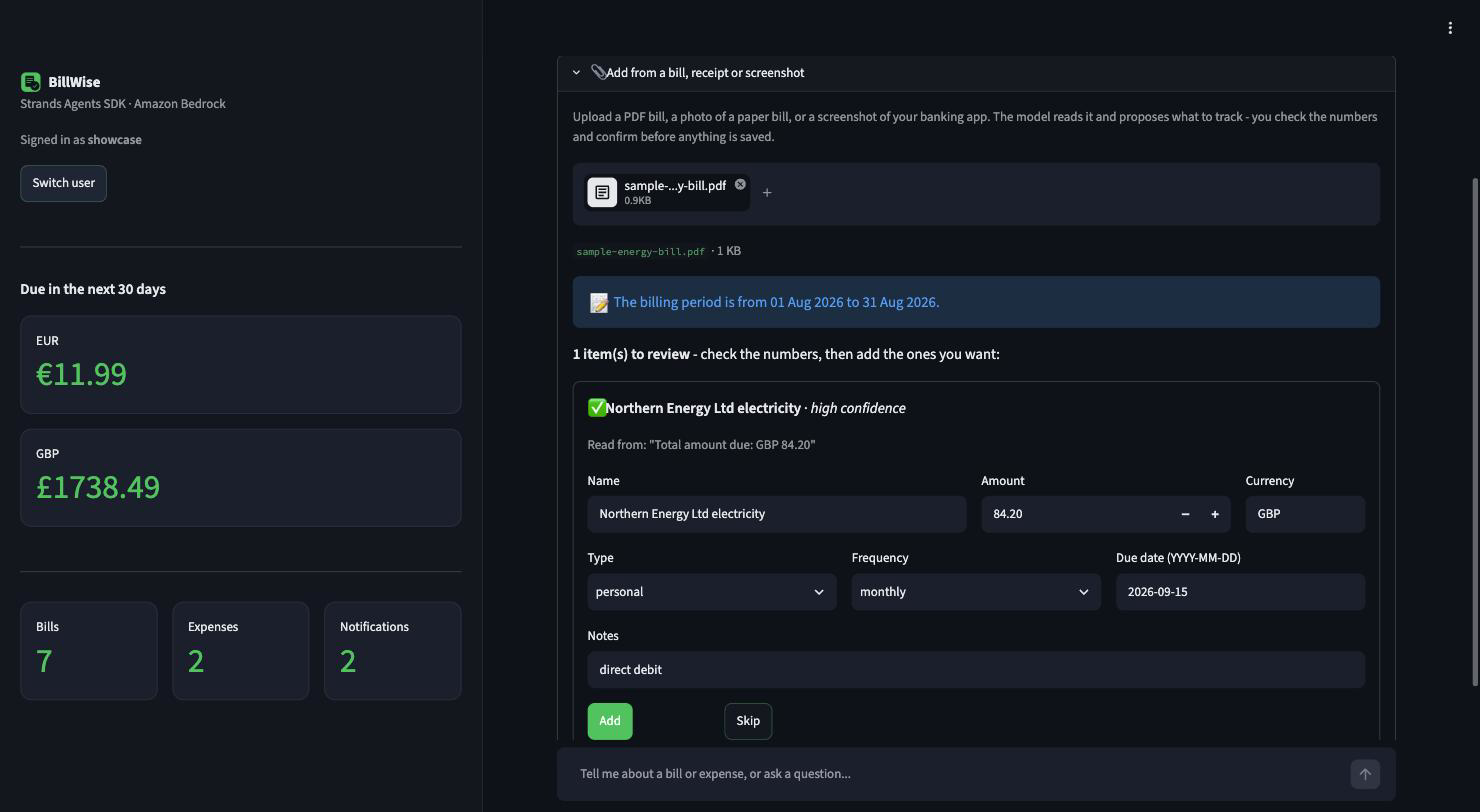
Agent,Graph,Workflow, andSwarm, full Bedrock Nova integration, and 370 automated tests (353 unit/integration + 17 Playwright) that need no AWS access, plus 11 more against a real Bedrock model. - Design & Coherence: one coherent Streamlit product, not a chatbot bolted onto a dashboard: chat, live KPIs and charts, bill upload via Bedrock vision, and an installable PWA.
- Potential Impact: solves a real, everyday pain point (missed bill penalties, blown budgets, forgotten reimbursements) for anyone juggling personal and work expenses.
- Creativity & Originality: three multi-agent patterns chosen because the problem shape actually calls for them, not stacked on for the sake of using the SDK.
- Cloud Frugality: a full AWS deployment that costs literally \$0 in compute when stopped.
How I built it
The stack is Python, Streamlit, Strands Agents SDK, and Amazon Bedrock (Nova models), with persistent SQLite on EBS:
A few architectural choices and engineering decisions:
- Deterministic Python logic beats prompt engineering for core business rules: Instead of blindly hoping the LLM will remember currency restrictions,
core._currency_checksits in Python and validates every mutating tool (add_bill_or_expense,update_bill_or_expense,set_currency_threshold). The model simply cannot be sweet-talked into bypassing system constraints. - Real mutation over delete-and-recreate hacks: Initially, saying "change my room rent to £1500" was tricky because naive implementations either created duplicate records or wiped out historical tracking. I built
update_bill_or_expenseas an explicit in-place mutation tool that runs the exact same sanitisation pipeline as creation. - Purpose-driven multi-agent patterns (no resume padding): I didn't just slap Graph, Workflow, and Swarm together to tick hackathon boxes. The Graph pattern's
explain_anomalynode only fires conditionally when an anomaly is actually flagged; the Workflow triggers tasks in parallel because they have zero data dependencies; and Swarm is strictly reserved for subjective financial planning where multiple perspectives add real value. - Frugal, practical AWS deployment: As an engineer, keeping cloud bills down is second nature. Why run an ALB, NAT Gateway, or managed DB cluster 24/7 for a personal tracking app when you're not using it? I packaged the app onto a single Graviton ARM EC2 (
t4g.small) instance provisioned cleanly via CloudFormation. The SQLite database rests securely on the EBS root volume. When I'm done,./scripts/stop.shhalts the instance, dropping compute cost to literally \$0 when idle. - No static Elastic IP waste: AWS charges for unattached or idle Elastic IPs. So I skipped EIPs altogether. Whenever
./scripts/start.shboots the instance,./scripts/status.shprints the newly assigned public IP. Perfectly cost-effective and practical.
Challenges I ran into
1. Prompt following consistency between model tiers:
I explicitly instructed the agent: if a user refers to an item unambiguously (e.g., "mark Netflix as paid"), execute update_status directly, and don't ask unnecessary clarifying questions like "Did you mean Netflix?". During testing, Nova Lite kept second-guessing and asking confirmation, whereas Nova Pro followed the instruction to the letter. Switching default orchestration to Nova Pro solved this immediately. It proved that smaller models failing on strict negative constraints isn't always a capability issue, it's an instruction adherence issue.
2. A Streamlit rendering bug that had nothing to do with the agent: Setting a threshold that was already breached correctly wrote an alert to the notification feed, but it didn't show up on the Notifications tab until some unrelated later action. The cause: Streamlit re-runs the whole script top to bottom on every interaction, and it renders every tab's content in the order the tabs are declared (Chat, Bills, Expenses, Notifications, Multi-Agent, Settings), regardless of which tab is actually visible. Since the threshold form lives in Settings, which is declared after Notifications, a notification added while handling that form was appended to the list only after the Notifications tab had already been rendered for that pass, so it never made it into the HTML sent to the browser. Switching tabs doesn't trigger a rerun, so the alert stayed invisible until something else did. Fixed by having the action stash its result in session state and call a rerun immediately, so the very next pass renders Notifications with the new entry already in place. This kind of bug only shows up in a real running browser, not in unit tests, which is exactly why the test suite also includes Playwright coverage.
3. "Persuadability" of LLMs: Early on, I tried letting the model enforce currency thresholds and limits directly via prompt instructions. Big mistake. If a user insisted enough ("No, please add a third currency just this once, it's urgent"), the model would often cave in and do it! That’s when I pulled all validation out of the prompt and wrote deterministic Python guards. Code doesn't get persuaded.
4. Clean tool-chaining vs human-friendly UI:
To allow chaining multiple tools in one turn without extra lookups, add_bill_or_expense returns an internal [id=<uuid>]. But users shouldn't see ugly UUIDs cluttering their chat. So the agent can still use the id for other tool calls in the same turn, but before anything reaches the chat bubble, regex filters strip that internal tag out.
Accomplishments I'm proud of
- Rock-solid intent resolution: Saying "paid the gym bill" automatically queries the DB, finds the matching item, verifies context, and updates status cleanly without making the user fill tedious dropdowns.
- Zero-nonsense architecture: No over-engineered microservices for the sake of buzzwords. Solid Python validation, clean Streamlit components, and AWS Bedrock doing what it's best at.
- Pocket-friendly cloud infra: A complete AWS deployment blueprint that costs practically pennies to run and zero when stopped, with data fully persisting on EBS.
- Real test coverage, not just a number to quote: 353 unit/integration tests plus 17 Playwright UI tests, all runnable with no AWS access, and 11 more that hit a real Bedrock model to check the whole thing actually works before anything touches production.
- A public demo that doesn't need a login: the live deployment runs in a lightweight multi-user mode. Pick a name and you get your own sandbox, pre-loaded with sample data, with no password and no shared state with anyone else trying the demo at the same time.
What I learned
First and foremost: never delegate critical business rules or financial validations solely to system prompts. A prompt is an advisor, but deterministic code is the judge.
Secondly, working with the Strands Agents SDK taught me when multi-agent patterns actually make sense versus when a single agent with good tools is plenty. Over-engineering agent graphs without clear branching logic is just unnecessary latency and token burn.
What's next
- Adding Amazon Bedrock Guardrails for an extra layer of automated content filtering and PII protection.
- Replacing the demo's name-only entry gate with real accounts via Amazon Cognito, so family members can track a shared flat's expenses with proper logins instead of just a per-name sandbox.
- An EventBridge + Lambda idle watchdog to automatically trigger
stop.shif no requests come in for 30 minutes, ensuring zero accidental billing surprises.
Try it yourself
# Run locally (Python 3.10+) - zero AWS setup needed to explore the UI
# (it falls back gracefully without Bedrock creds - only sending a chat
# message needs them)
git clone https://github.com/iams0nus/BillWise.git && cd BillWise
python3 -m venv venv && source venv/bin/activate
pip install -r requirements.txt

# See real, realistic data immediately
python3 seed_demo_data.py
streamlit run app.py                 # http://localhost:8501

# Tests
pytest                                # 370 tests, no AWS credentials needed

# Deploy the real thing to AWS (cheapest option: one EC2 instance, ~3 commands)
cd deploy/aws
./scripts/setup.sh && ./scripts/build_and_push.sh && ./scripts/status.sh
Built With
- altair
- amazon
- amazon-bedrock
- amazon-cloudfront
- amazon-ec2
- amazon-ecr
- amazon-web-services
- aws-cloudformation
- aws-systems-manager
- docker
- github
- github-actions
- pwa
- python
- sqlite
- strands-agents-sdk
- streamlit
