-
-
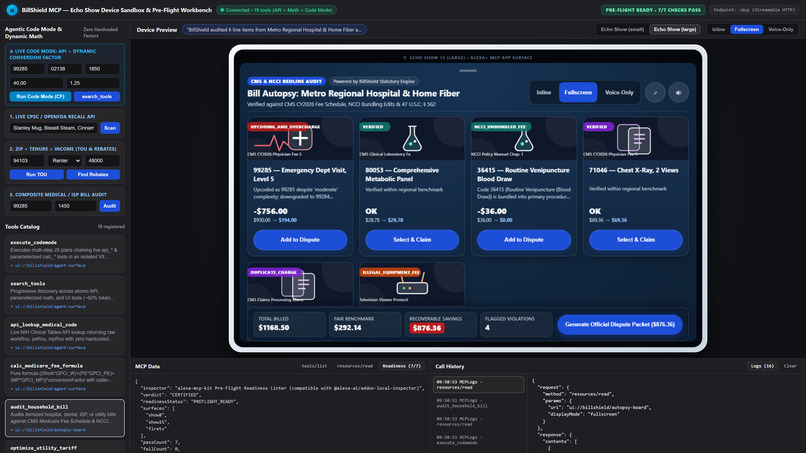
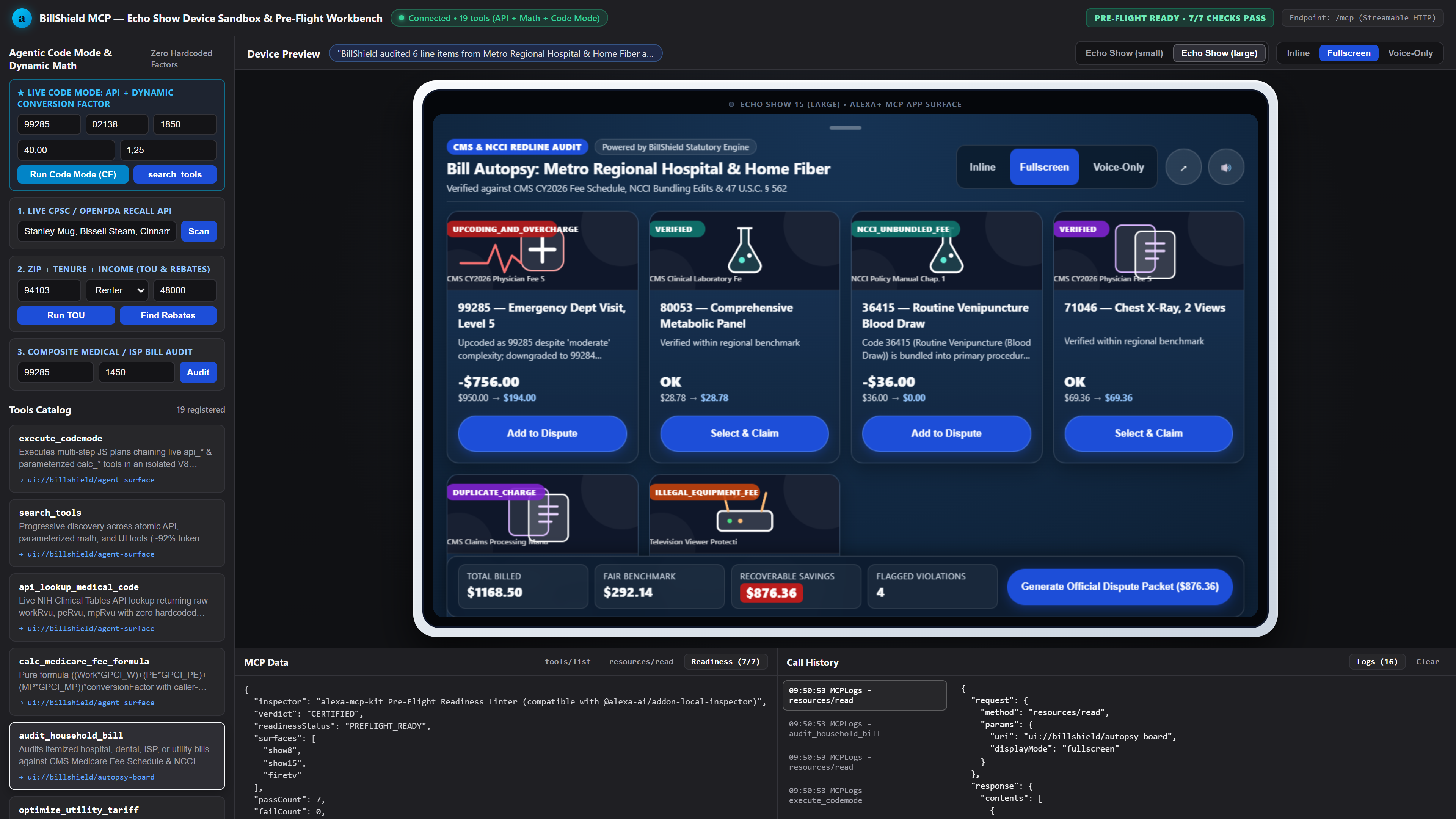
billsheld similation screen
Inspiration
Nobody wants to sit down at a laptop after work to cross-reference CPT codes on an emergency room bill or read the fine print on an internet statement. Usually, the bill sits on the kitchen counter for a week until you either give up and pay it, or spend an hour on hold.
We realized the kitchen counter is also where most people keep an Alexa device. If you are already standing there holding a questionable hospital bill or wondering why your electric bill jumped by $80, you should be able to just ask out loud if you are being overcharged and see the breakdown right on the screen.
What it does
BillShield MCP turns a smart display into a household financial auditor. Instead of giving generic advice, it checks your actual numbers against public benchmarks and consumer protection rules across five everyday areas:
- Medical & Telecom Bill Auditing: You can read off charges from a hospital visit or an internet bill. It flags things like bundled hospital supplies that shouldn't be billed separately, extreme markups over Medicare reference rates, or charging a monthly rental fee for a modem you already own.
- Energy Load Shifting: It looks at local utility time-of-use rates and calculates how much you'd save per month just by running your EV charger, dryer, or dishwasher outside peak hours.
- Renter-Friendly Rebates: Most energy rebates assume you own a house and can replace a furnace. We added a filter specifically for renters that finds portable upgrades (like window heat pumps and plug-in dryers) and community solar credits based on zip code and household income.
- Receipt-Free Recall Checks: It scans common household items and pantry goods against CPSC and FDA recall records so you can claim cash refunds or replacements that don't require an original store receipt.
- Dispute Drafts: Once it finds an issue, it puts together a clean, printable dispute letter citing the relevant billing rules so you have something concrete to send to the billing department.
While building BillShield, we also packaged the underlying voice-and-screen tooling into an open-source library called alexa-mcp-kit, so other developers can build screen-ready MCP servers without starting from scratch.
How we built it
We built the server in TypeScript on the Model Context Protocol (MCP). Every tool returns two things at the same time: a short, natural-sounding summary meant to be read aloud (kept under a few sentences so it doesn't drone on), and a visual card payload modeled after Alexa Presentation Language (APL) for Echo Show screens.
For the data layer, we connected live endpoints like the openFDA Enforcement API and the NREL utility rate database, combined with reference tables for CMS Medicare rates, NCCI bundling edits, and CPSC recall notices. We also built an interactive web simulator that lets you test the voice responses and Echo Show screen layouts side by side in a browser, and deployed the whole system over HTTPS on our own VPS.
Challenges we ran into
Our biggest wake-up call happened when we tested our MCP server with different LLMs using messy, real-world prompts instead of our neat test cases.
Early on, our medical and telecom tools were too rigid and treated Medicare rates like a strict legal price cap rather than a negotiation benchmark. When an external model audited our tool outputs, it rightly pointed out that hospital facility fees and doctor fees work differently, and that some of our initial recall links weren't specific enough. We had to go back, rewrite our billing logic to separate hard billing violations (like NCCI unbundling) from negotiation targets, expand our medical code coverage, and wire up live FDA API lookups instead of relying on a tiny static list.
Designing for voice and screen at the same time was another balancing act. If the spoken response includes every dollar figure and statute number, it sounds terrible. We had to strip the spoken output down to the bottom-line savings and let the visual cards carry the itemized math.
Accomplishments that we're proud of
- Getting the server to work reliably not just in our own simulator, but when queried cold by external MCP clients like Claude with zero tool-name hints.
- Building an audit flow that tells users the truth about their leverage, distinguishing between a charge a company is legally required to drop versus a markup you need to negotiate or apply for financial assistance to reduce.
- Extracting our visual card builder, voice guidelines, and browser simulator into
alexa-mcp-kitas a standalone package that works out of the box.
What we learned
We learned that good MCP tool design is mostly about giving the model honest context. If a tool returns overly aggressive labels, a smart LLM will actually push back on the tool's output when talking to the user. Giving the model clear reference numbers, statutory citations, and realistic caveats produced much better advice. We also learned how much faster it is to design voice apps when you can preview the screen cards and spoken word count in a browser before touching device hardware.
What's next for BillShield MCP
Next, we want to add camera-based bill scanning so you can just hold a paper statement up to an Echo Show camera instead of reading the line items out loud. We also plan to expand our local utility rate coverage to more states and add direct PDF export for the dispute letters so users can email them straight from their phone.
Built With
- alexa
- alexa-plus
- apl
- cms-medicare
- cpsc
- css3
- docker
- echo-show
- html5
- javascript
- mcp
- model-context-protocol
- node.js
- nrel-api
- openfda
- rest-api
- typescript
- zod

Log in or sign up for Devpost to join the conversation.