-
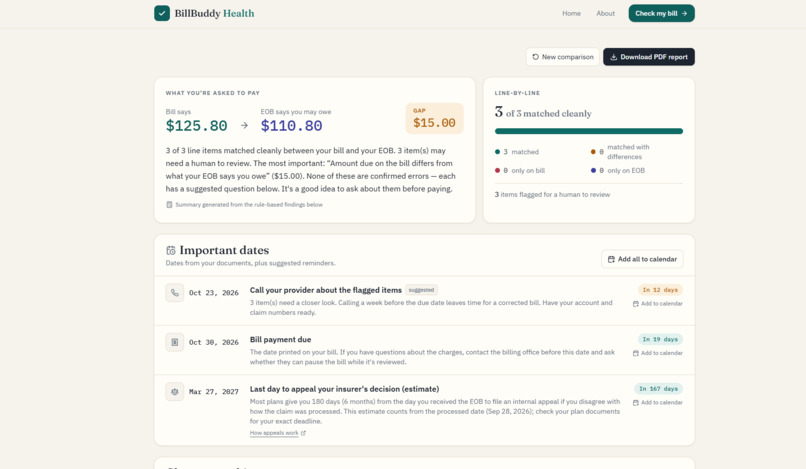
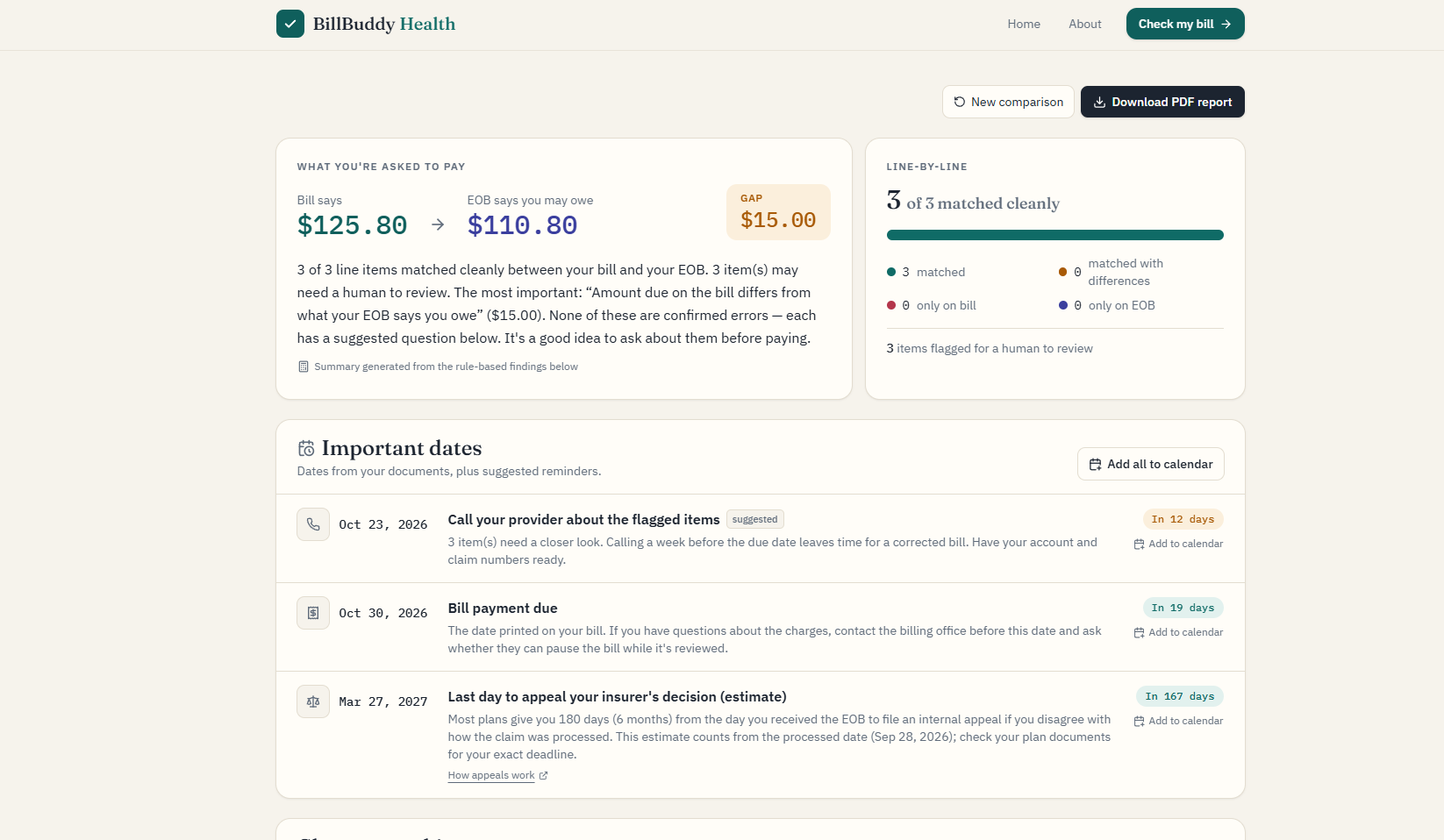
Results after analyzing sample bill and EOB
-
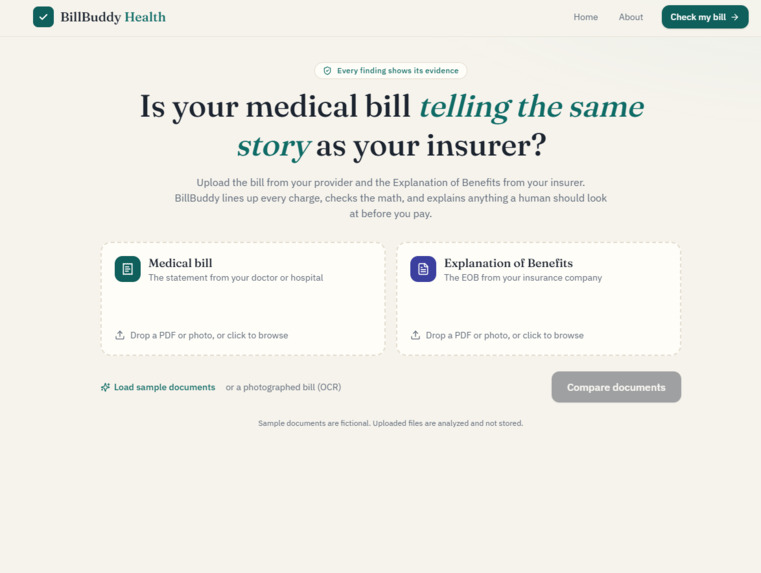
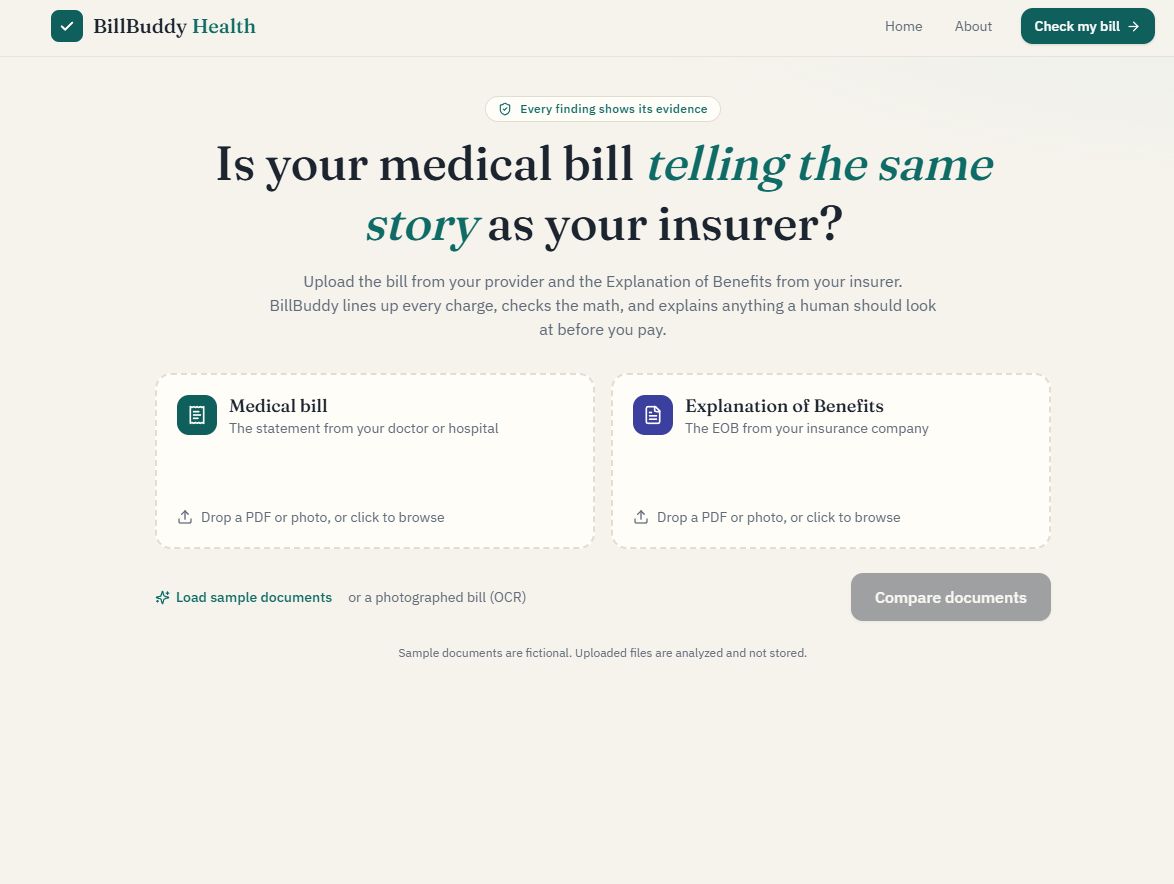
Upload page
Inspiration
About 4 in 10 insured adults under 65 received a medical bill they didn't expect in the past year: a bill they thought insurance would cover, or one higher than they anticipated (Peterson-KFF).
After a visit, you usually get two documents: a bill from your provider and an Explanation of Benefits (EOB) from your insurer. Comparing them line by line is the best way to catch a mistake, but they use different wording, different layouts, and terms like "allowed amount" and "coinsurance" that most people never learned. So most people just pay.
We wanted to build the friend who sits down with you, lines the two documents up, and says: "These don't match. Here's why, and here's what to ask."
What it does
Upload your bill and your EOB (PDFs or photos), and BillBuddy Health:
- Lines up every charge across both documents, even when they describe the same service differently ("CBC w/ auto diff" vs. "Blood count; complete, automated")
- Checks the math with 12 rules: duplicate charges, price differences, mismatched dates and codes, totals that don't add up, and whether the bill's amount due matches what the EOB says you owe
- Shows its evidence: every flag includes the exact numbers and document lines behind it, what we can't determine, and a question to ask your provider or insurer
- Explains your services in plain English and compares each charge with what Medicare pays for the same service
- Tracks your deadlines (bill due date, when to call, the 180-day insurance appeal window) with one-click calendar reminders
- Exports a PDF report you can bring to a billing call
In our demo, the bill asks for \$299 and the EOB says \$254. BillBuddy finds a duplicate blood draw, a lab billed at a different price, and an EOB line that doesn't add up, and shows they explain the entire gap:
$$ \underbrace{\$20}{\text{price difference}} + \underbrace{\$35}{\text{duplicate}} - \underbrace{\$10}_{\text{EOB overstates your share}} = \$45 = \$299 - \$254 $$
How we built it
Our guiding rule: AI assists, arithmetic decides.
- Reading. Text PDFs are read with PyMuPDF, which gives each piece of text with its position on the page. We rebuild rows from those positions so table columns stay separate. Scans and photos go through Tesseract OCR.
- Understanding. A rules parser (Python regular expressions) finds dates, billing codes, money columns from the header row, totals, and due dates. If it can't read a layout, Google Gemini extracts the same structure as schema-validated JSON (Pydantic).
- Matching. Every bill line is scored against every EOB line, and pairs are assigned greedily from the highest score:
$$ \text{score} = 50\cdot[\text{same code}] + 20\cdot[\text{same date}] + 0.25\cdot\text{sim}(d_{\text{bill}}, d_{\text{EOB}}) + 10\cdot[\text{same amount}] $$
where $\text{sim}$ is RapidFuzz token-set similarity (0–100) after expanding medical abbreviations. A pair needs $\text{score} \ge 45$ to match.
- Checking. Twelve deterministic rules recompute the documents' own arithmetic. For example, on an EOB line:
$$ \text{allowed} = \text{plan paid} + \text{you owe}, \qquad \text{you owe} = \text{deductible} + \text{copay} + \text{coinsurance} $$
Gemini never decides what counts as a discrepancy.
- Explaining. Gemini writes a short summary and plain-English code explanations. A fair-price check computes
$$ \text{ratio} = \frac{\text{billed}}{\text{Medicare rate}} $$
using the 2026 Medicare Physician Fee Schedule, and highlights anything at $3\times$ or more.
- Delivering. A React + TypeScript frontend (Vite, Tailwind, Recharts) shows the results. ReportLab builds the PDF report, and calendar reminders are generated as standard
.icsfiles in the browser. The backend is FastAPI, and everything ships as one Docker container on Render.
Everything except Gemini works offline: with no API key, the parser, all 12 checks, and built-in code explanations still run.
Challenges we ran into
The deployed server kept crashing with what looked like a memory error. Locally, everything worked. On Render's free tier, uploading documents returned 502 errors, and the logs showed the server restarting in the middle of a request. Because the free instance has very little RAM and OCR is memory-hungry, we first treated it as an out-of-memory crash. We processed PDF pages one at a time, OCR'd in grayscale at 200 DPI instead of 300, downsized large photos, capped uploads at 10 pages, and limited Tesseract to one thread. Peak memory on a scanned bill dropped from about 218 MB to 160 MB.
The 502s kept happening. To find out why, we added logging around every analysis request that recorded memory and timing. The next crash showed memory at only 100 MB, but it also showed a Gemini "503: model experiencing high demand" right before the restart. The real culprit wasn't memory: our slow work (parsing, OCR, and Gemini retries with pauses) ran on FastAPI's single request loop. While it waited on Gemini, the server couldn't answer Render's health checks, so Render decided the app was dead and restarted it mid-request.
The fix was to move all blocking work into worker threads (run_in_threadpool), so health checks stay responsive, and to put hard time budgets on every Gemini call. We verified it by simulating a slow analysis: health checks kept answering in about 0.05 seconds while the upload finished normally. The memory work wasn't wasted, either; it gave us headroom on a tiny server.
Other challenges:
- Text that overlapped columns. One test bill printed a code so close to the date column that standard extraction read
85025and09/14/26as8502059/14/26. Reading text by its position on the page (PyMuPDF spans) instead of character by character fixed it. - An unreliable AI dependency. Gemini returned overload errors during testing, so we built retries, fallback models, a plain-JSON fallback mode, and built-in text, and made sure the core product

Log in or sign up for Devpost to join the conversation.