Inspiration
In many small businesses and teams, shared expenses are still tracked in spreadsheets, email threads, or piles of paper receipts. This makes it hard to see who spent what, which client or project an expense belongs to, and whether everything has been reimbursed. Bill Companion was inspired by this gap: we wanted a simple, mobile‑first way for teams to capture receipts on the go and keep a clean, auditable record of shared costs for business use.
What it does
Bill Companion helps teams scan receipts, categorize expenses, and split costs across people, projects, or departments. A team member can snap a receipt right after a client meeting, tag it to a project, and assign shares to colleagues or cost centers. The app then summarizes who is responsible for which portion, making it easier for finance or founders to reconcile budgets, handle reimbursements, and maintain transparent records.
How we built it
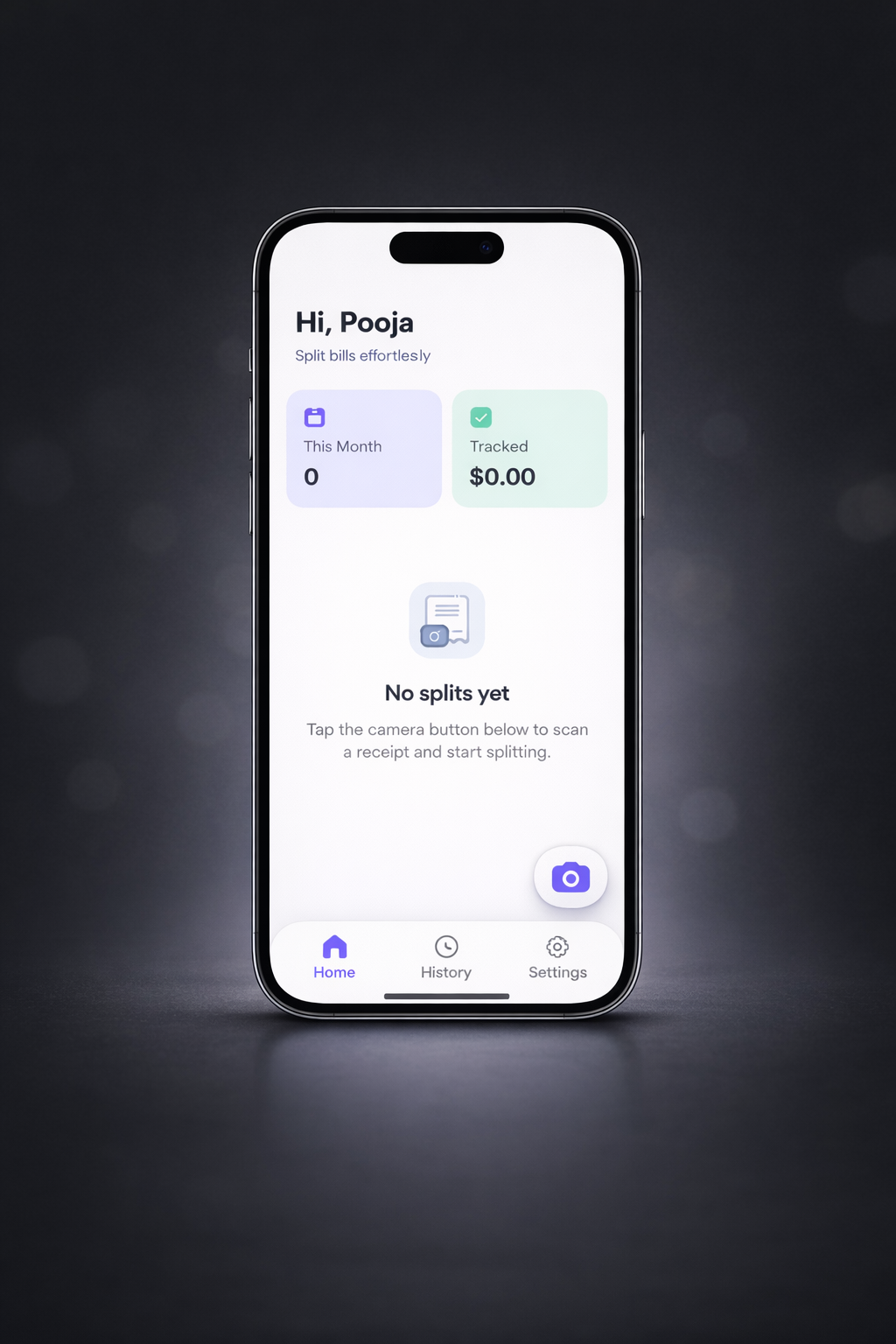
We built Bill Companion as a React Native / Expo application so it can run on both iOS and Android for field teams and on‑the‑go employees. The app’s structure separates core tabs (Home, History, Settings) from specialized flows (camera capture, review, people/project assignment, summary, and detail screens), which maps well to business expense workflows. We developed and previewed the experience in Replit, iterating on the UI to surface key business metrics like “this month’s spend” and “tracked amount” on the home screen, while keeping the flow from capture to summary fast for busy professionals.
Challenges we ran into
Designing a flow that works both for simple one‑off team lunches and more complex project or client billing was challenging. We had to think carefully about how to represent business concepts like cost centers, billable vs non‑billable expenses, and shared items without overwhelming the user. Another challenge was ensuring that state stayed consistent across multiple steps if a user edits an item, changes who it’s assigned to, or updates a project tag, the history and summaries still need to remain accurate and easy to audit.
Accomplishments that we're proud of
We’re proud that Bill Companion feels like a lightweight expense tool that small businesses can actually adopt without training. The “Hi, Pooja” dashboard showing monthly totals, combined with a clear history of past bills, already gives founders or finance owners quick visibility into spending patterns. Architecturally, the app is modular enough that we can plug in future capabilities like export to accounting tools, manager approvals, or policy checks without rewriting the core flows.
What we learned
We learned that business users care as much about clarity and accountability as they do about automation. It’s not enough to split a bill; they need to understand how each amount was calculated and be able to justify it later to clients, auditors, or finance teams. This pushed us to design cleaner summaries, predictable navigation, and data structures that can later support features like approvals, integrations, and more advanced reporting.
What's next for Bill Companion
Next, we want to extend Bill Companion from a simple bill‑splitting tool into a lightweight expense‑management companion for small teams. Planned features include richer receipt OCR, project and client tagging, export to CSV/accounting tools, and optional manager approval flows. Over time, we envision Bill Companion becoming a bridge between on‑the‑go employees capturing receipts in the field and the back‑office systems that handle accounting, invoicing, and reimbursement.
Built With
- amazon-web-services
- openai
- replit

Log in or sign up for Devpost to join the conversation.