-
-

Home Screen where user enters their desired destination
-
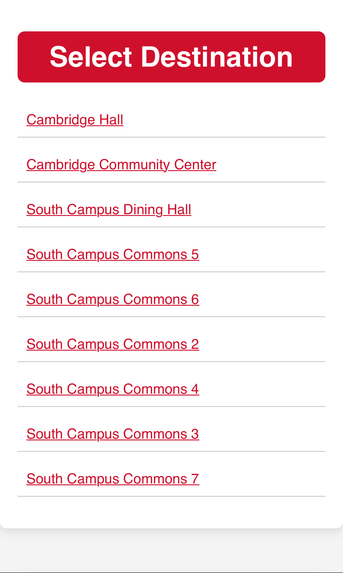
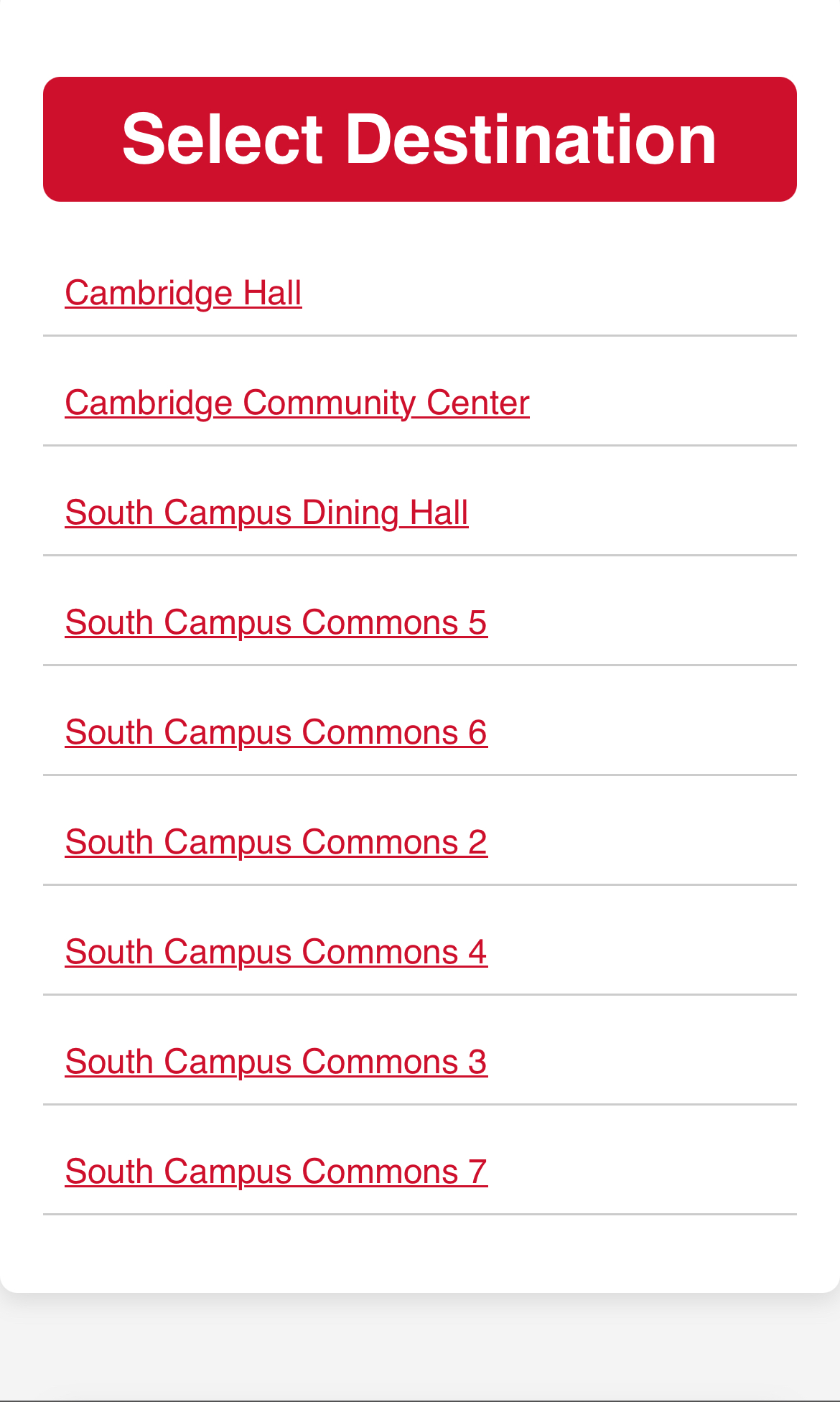
Landing page where user selects their destination from a list of partial matches
-
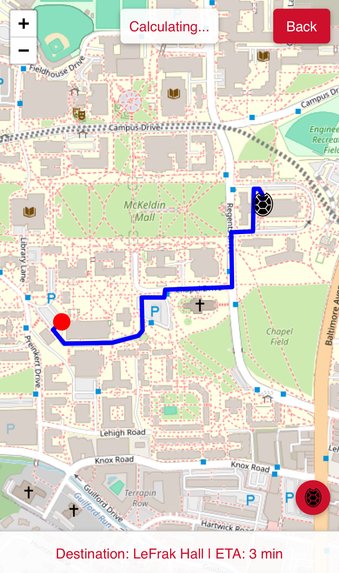
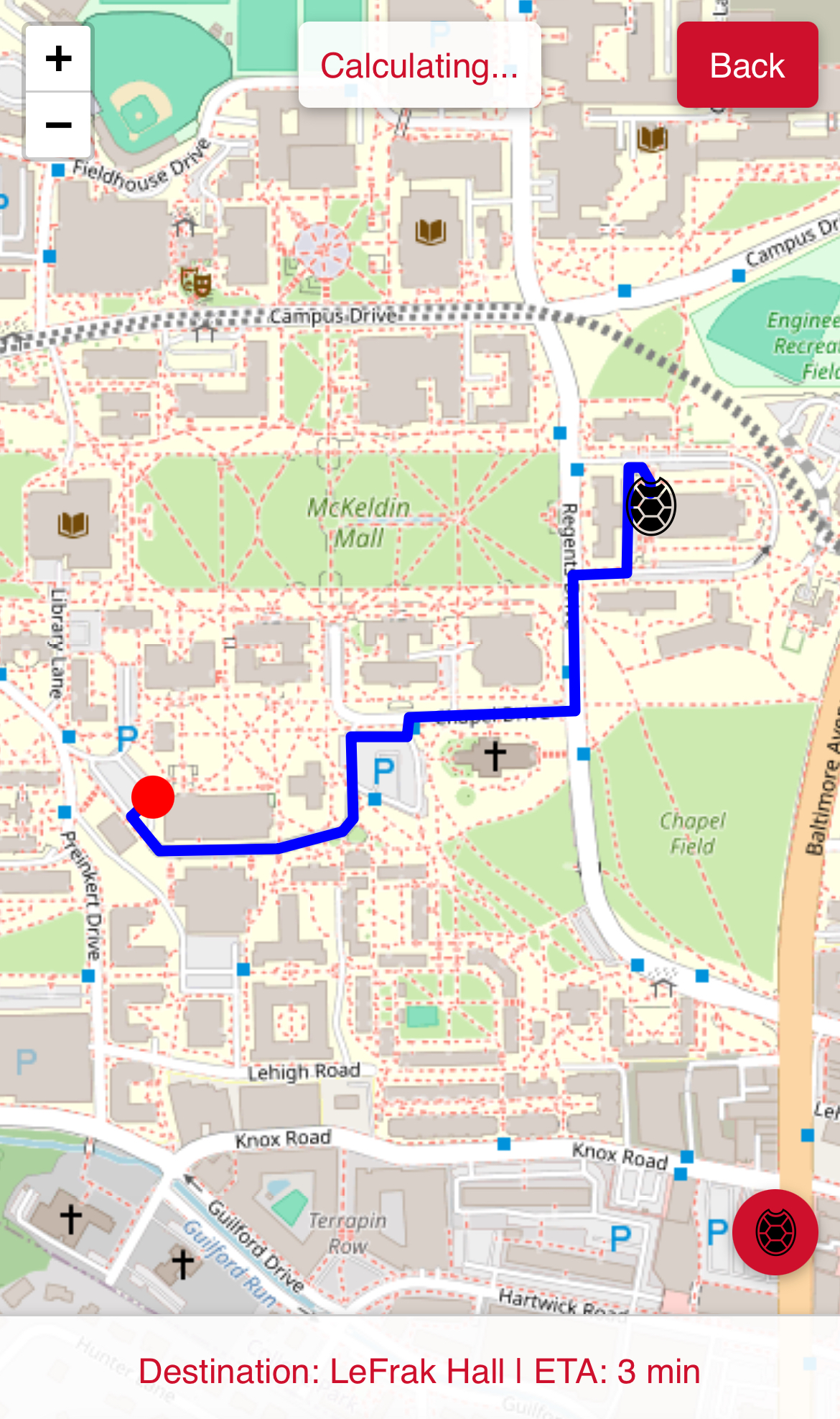
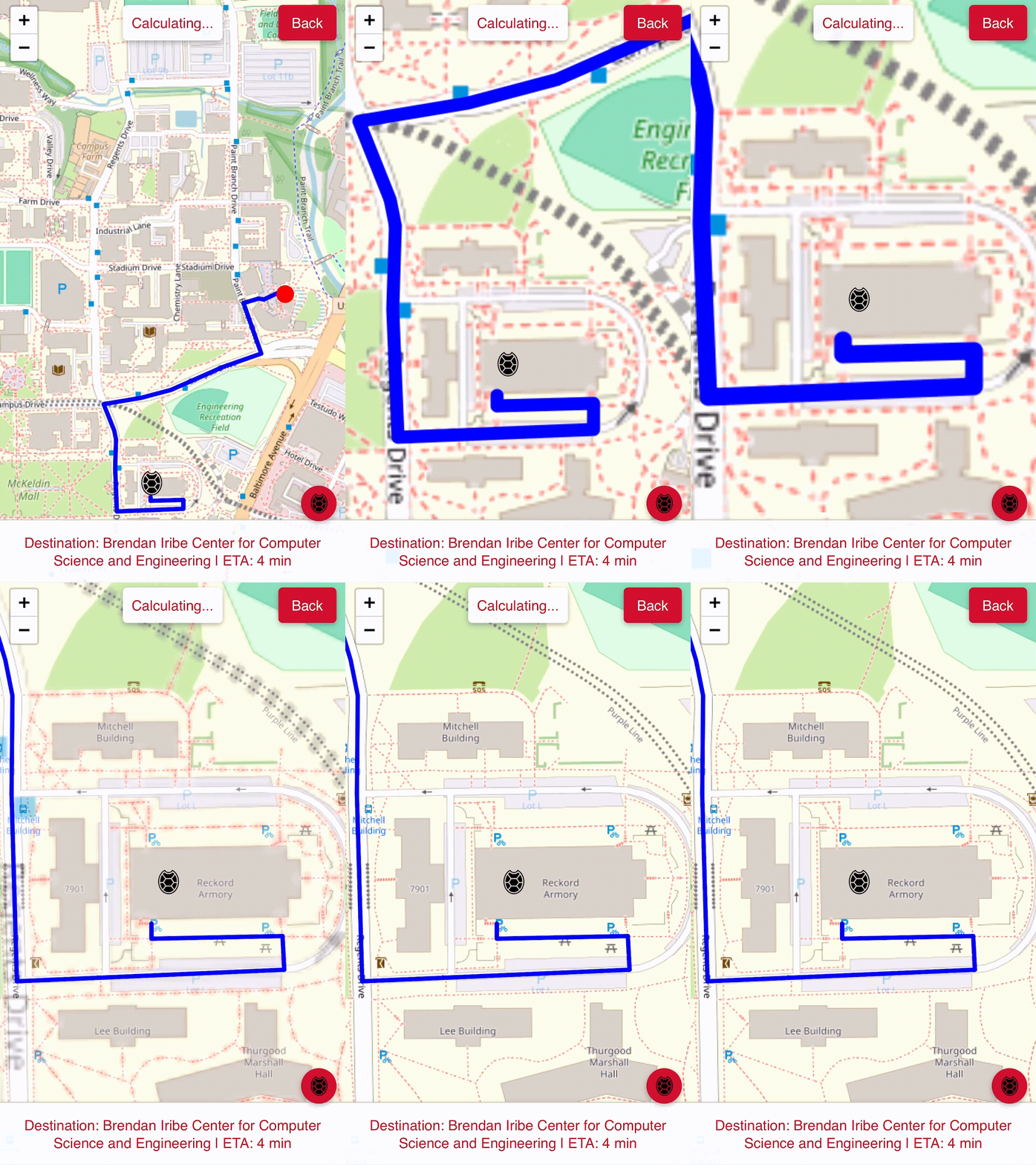
OUR route from Reckord Armory to LeFrak Hall
-
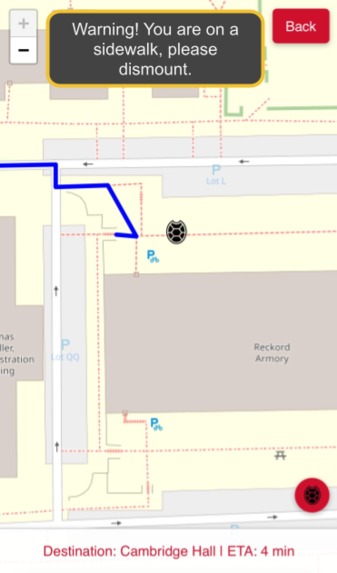
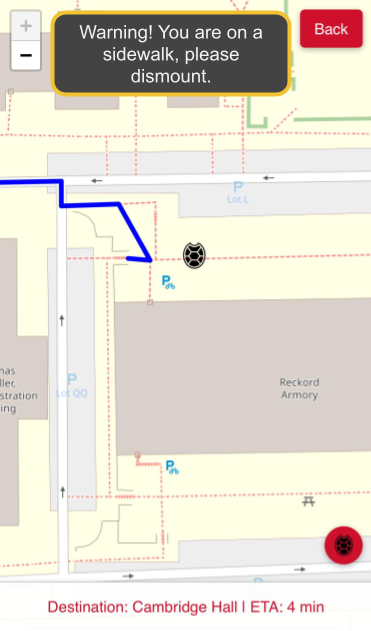
Gentle reminder to dismount when detected to be on a sidewalk.
-
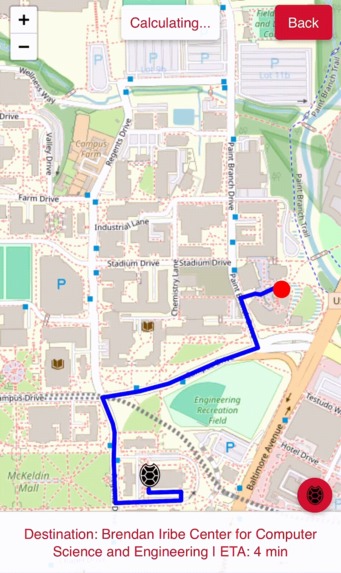 GIF
GIF
Red Turtle Shell Icon offers an easy, one-tap zoom to user
-
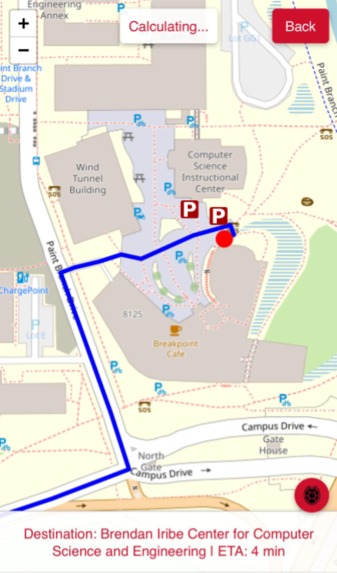
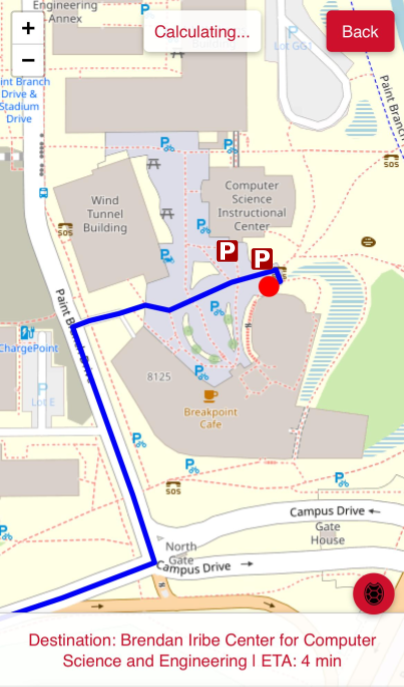
2 bike racks closest to the destination are marked on the map

Inspiration
On campus, biking is very unsafe because Google Maps cycling directions lead bicyclists onto the sidewalk. This endangers BOTH pedestrians and the cyclists, as they have to swerve around. Furthermore, it slows down cyclists who have to stop for pedestrians. We knew there had to be a better way!
What it does
Our app, BikeSafe UMD finds safer, better, and faster bike routes that avoid sidewalks and stairs and utilizes roads as much as possible.
It offers a streamlined, modern navigating experience similar to that of Google Maps, but with much better routing for cyclists.
It offers gentle dismount reminders if you are detected to be on a sidewalk.
It also highlights the two bike racks closest to the destination so you'll never have to worry about parking your bike!
Home Screen:
 Select Destination Page:

Map UI:

Compare with Google Maps' Driving Directions:
 And compare with Google Maps' even worse cycling directions:
 Parking Racks Highlighted:

Sidewalk Warning:

How we built it
We used Python and HTML/JavaScript. We obtained the campus geographic data using Overpass Turbo to interface with OpenStreetMaps data. Then, we used geopandas to interact with the .geojson files and we used networkx to make a custom graph with unique weights. We used Flask for the web app's backend and used Leaflet.JS for the blank, interactive map.
We used Terraform to automate the deployment of our app on Railway so that whenever we pushed to our repo, the app would be redeployed.
Challenges we ran into
We struggled to find a free hosting service that offered enough resources (memory and CPU) for our app, but we solved this with Railway.
We struggled with having to redeploy our app after every Github commit, but we solved this using Terraform to automatically redeploy our app after every push - no manual redeploy required!
We also struggled with making our application cross-platform and cross-browser compatible, as different browsers handled the location permissions differently, but we solved this by using Leaflet.JS.
Built With
- css
- html
- leaflet.js
- python
- railway
- terraform


Log in or sign up for Devpost to join the conversation.