-
-
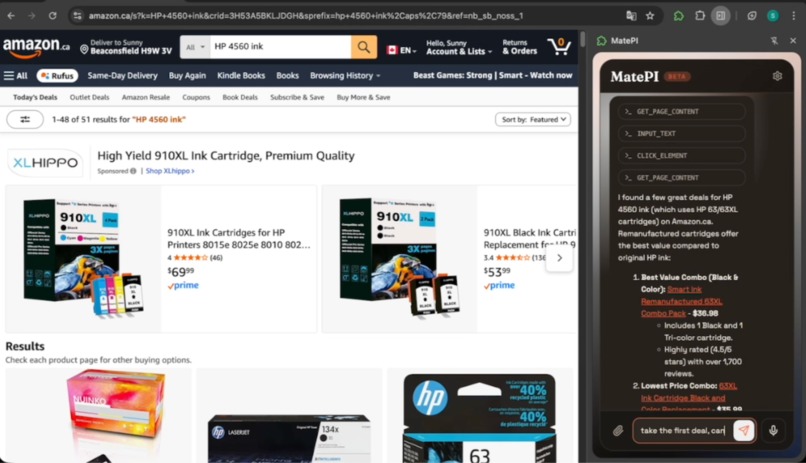
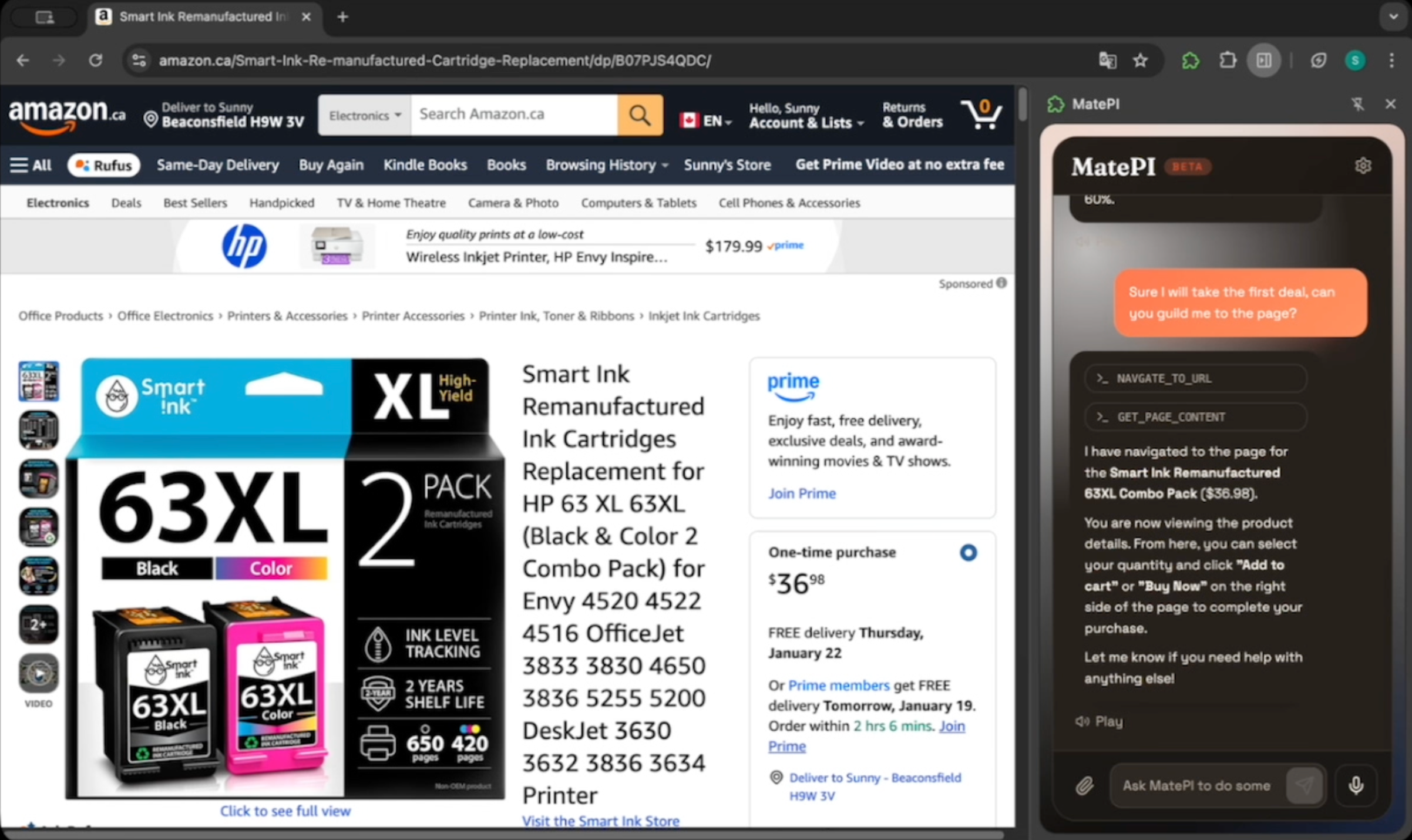
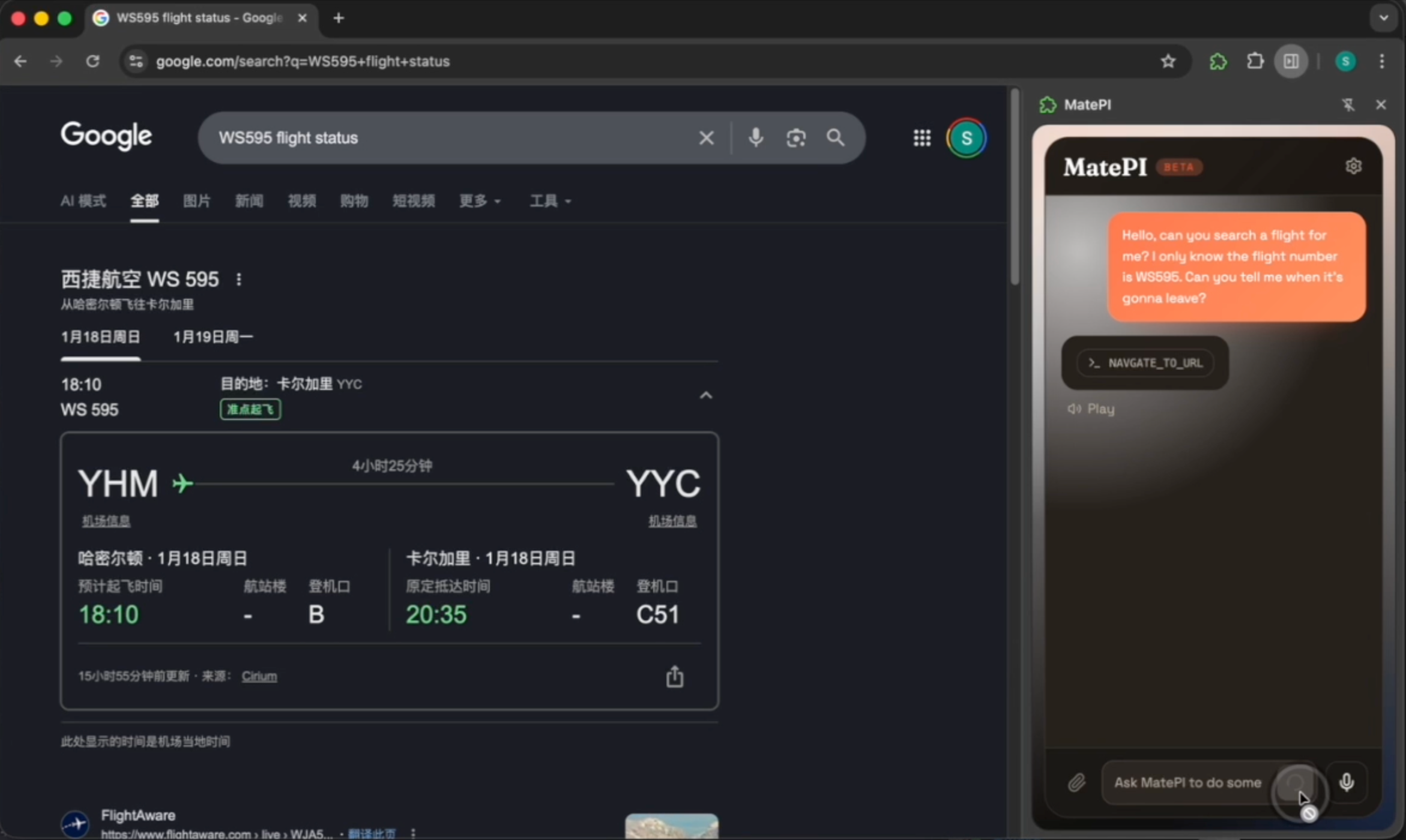
Amazon Search
-
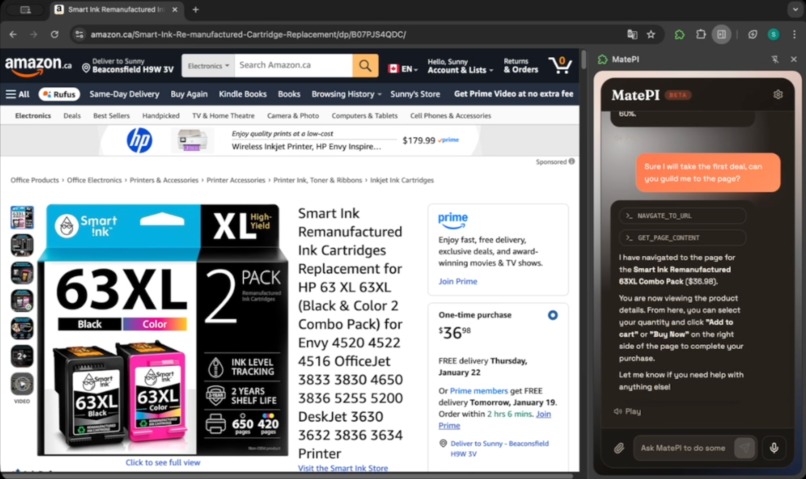
select the product
-
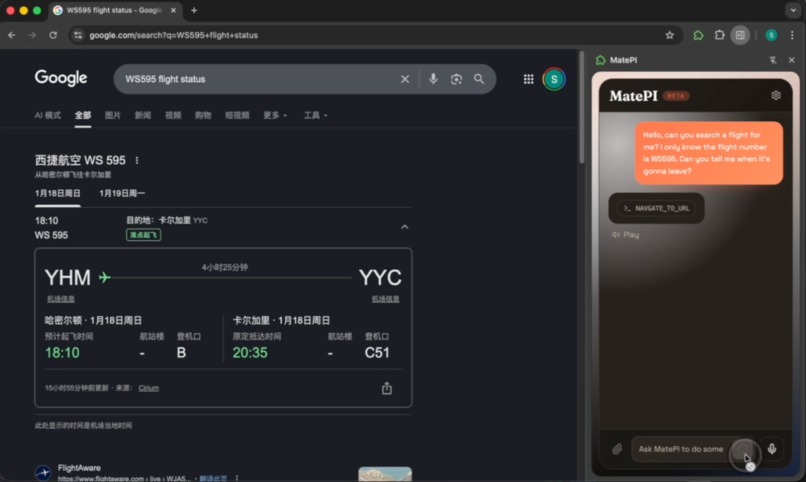
help search
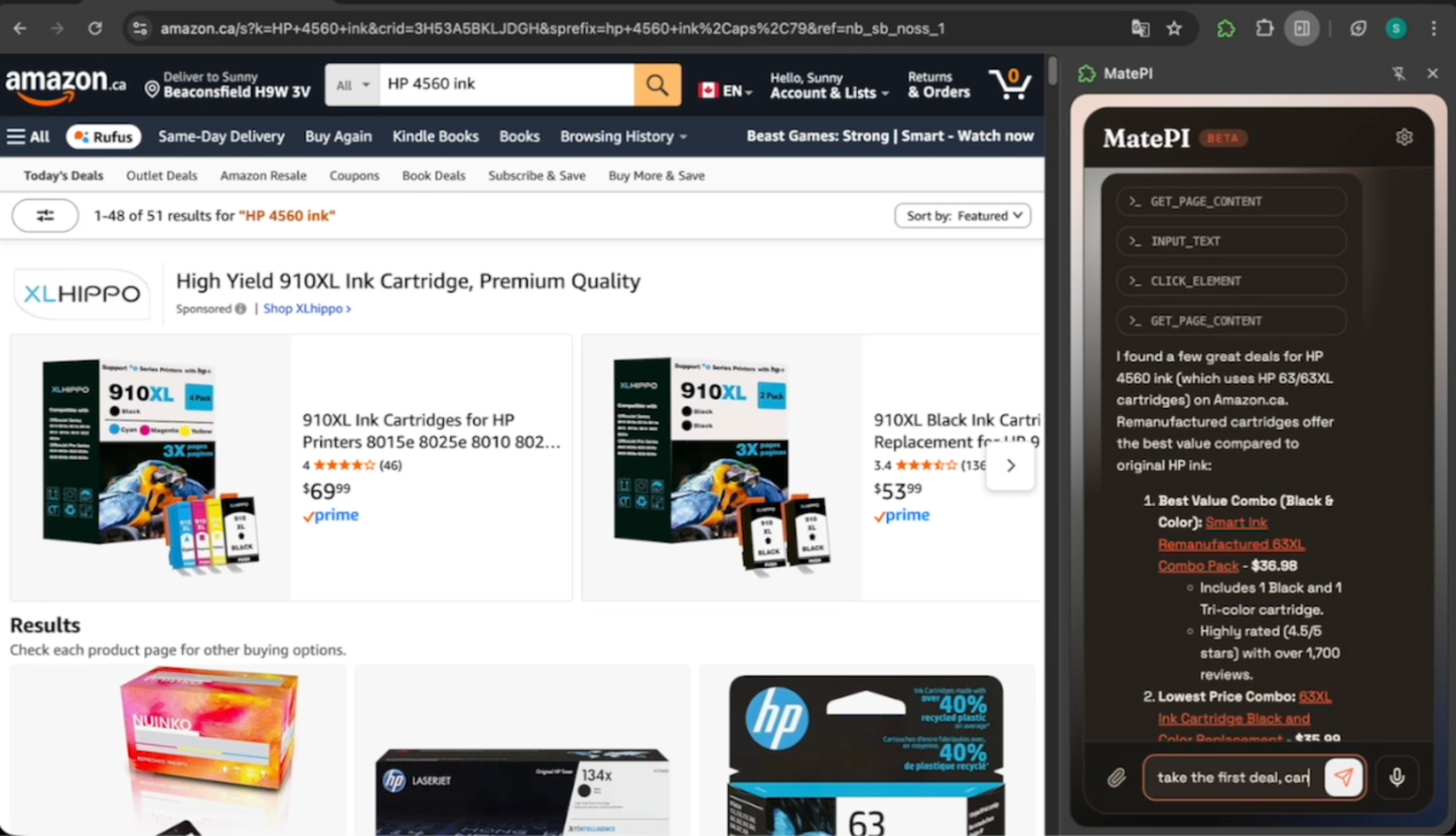
Inspiration
We wanted an AI that doesn’t just talk about webpages—it can actually do the work.
What it does
MatePI Copilot lives in Chrome’s side panel. You chat, and it can:
- Read the page: understand the current tab’s content, summarize it, or find details
- Click elements: buttons, links, checkboxes, icons
- Type for you: fill forms, search boxes, write text
- Go to a URL: open a specific website
- Go back: return to the previous page
All actions are shown step by step, so you always know what it’s doing.
How we built it
- Chrome Extension (side panel + content scripts) to execute actions on webpages
- React-based chat UI for the conversation experience
- Gemini/OpenAI Function Calling to translate natural language into browser actions (read / click / type / navigate / back)
- Local, on-device settings (provider / model / API key)
- ElevenLabs voice for hands-free spoken input and output
Challenges we ran into
- Integrating function tools effectively — deciding when the AI should reason versus act, and ensuring each function call is reliable and predictable.
- Using voice permissions responsibly — balancing hands-free interaction with user trust, privacy concerns, and browser permission limitations.
- Choosing what to showcase — making clear trade-offs under limited time and scope to highlight MatePI’s core value.
Accomplishments that we’re proud of
- Smooth, real-time streaming chat
- Reliable multi-step actions (read → type → click)
- Every action is visible and inspectable
What we learned
- How to communicate effectively as a team — aligning on goals, responsibilities, and decisions to move fast without confusion.
- How to use function calls in practice — understanding when and how to connect AI reasoning with real, executable actions.
- How to deliver a complete product — taking an idea from concept to a working, end-to-end project within real constraints.
What’s next for MatePI
Stronger website interaction
By adding scroll, wait, and hover capabilities, MatePI can handle dynamic loading content and dropdown-based navigation more reliably.Visual and spatial understanding
With native visual context (seeing rendered pages instead of raw HTML), MatePI can better understand layouts, charts, and spatial relationships on real websites.Add Agent Skills support Current function tools clearly produce illusions in large-scale contexts. Introducing agent skills can both reduce costs and minimize illusions.
Resources
Built With
- elevenlabs
- gemini
- react
- typescript
- wxt


Log in or sign up for Devpost to join the conversation.