Inspiration
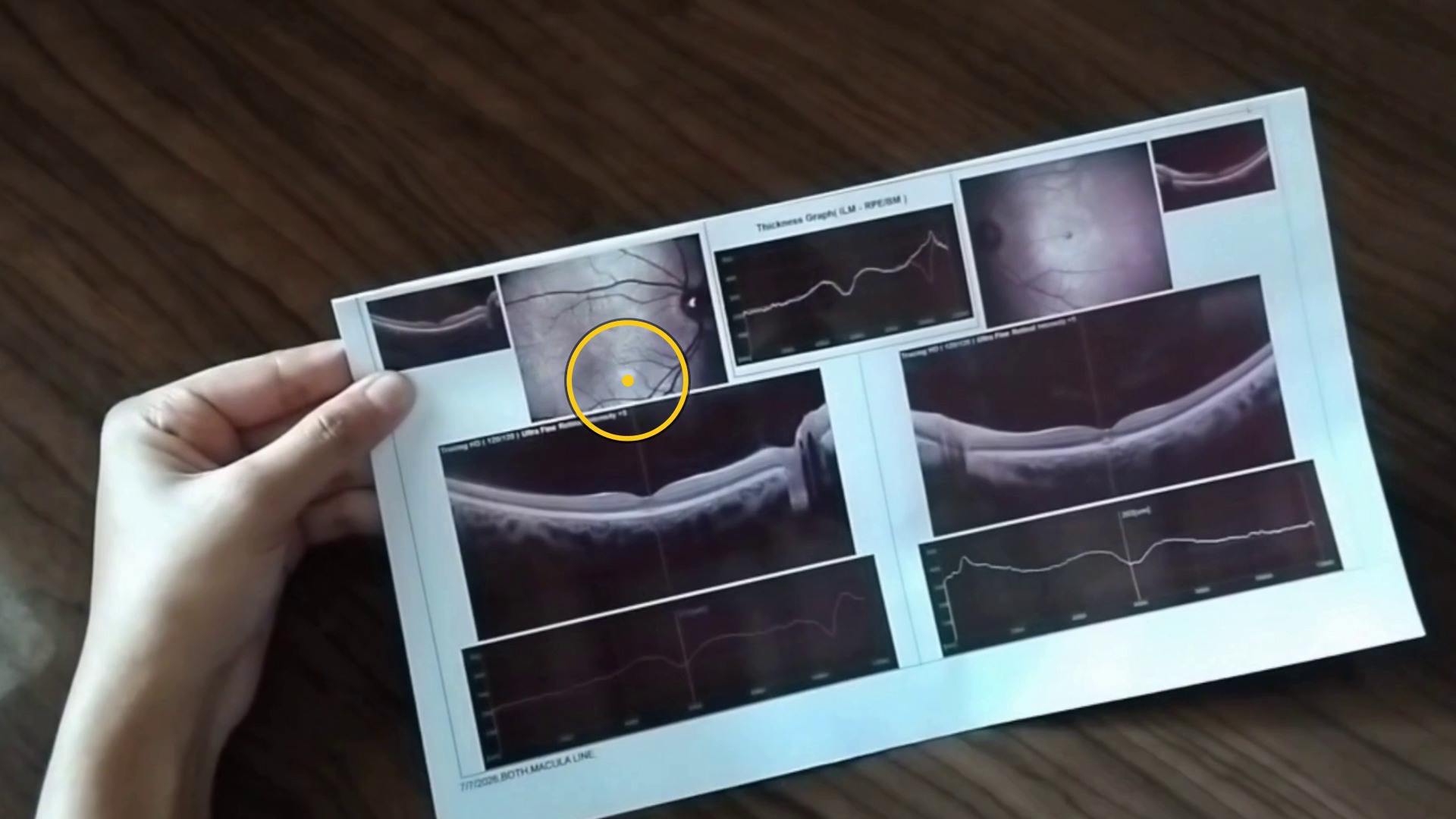
A few months ago, I stared at the sun too long and burned a tiny scar into the centre of my vision. Solar retinopathy. The spot is small, but it sits right where I read. Overnight, my phone became a smudge, and the post on the kitchen table became shapes. I could hold a bill, a letter from the clinic, a note from a friend. I just couldn't read any of them.
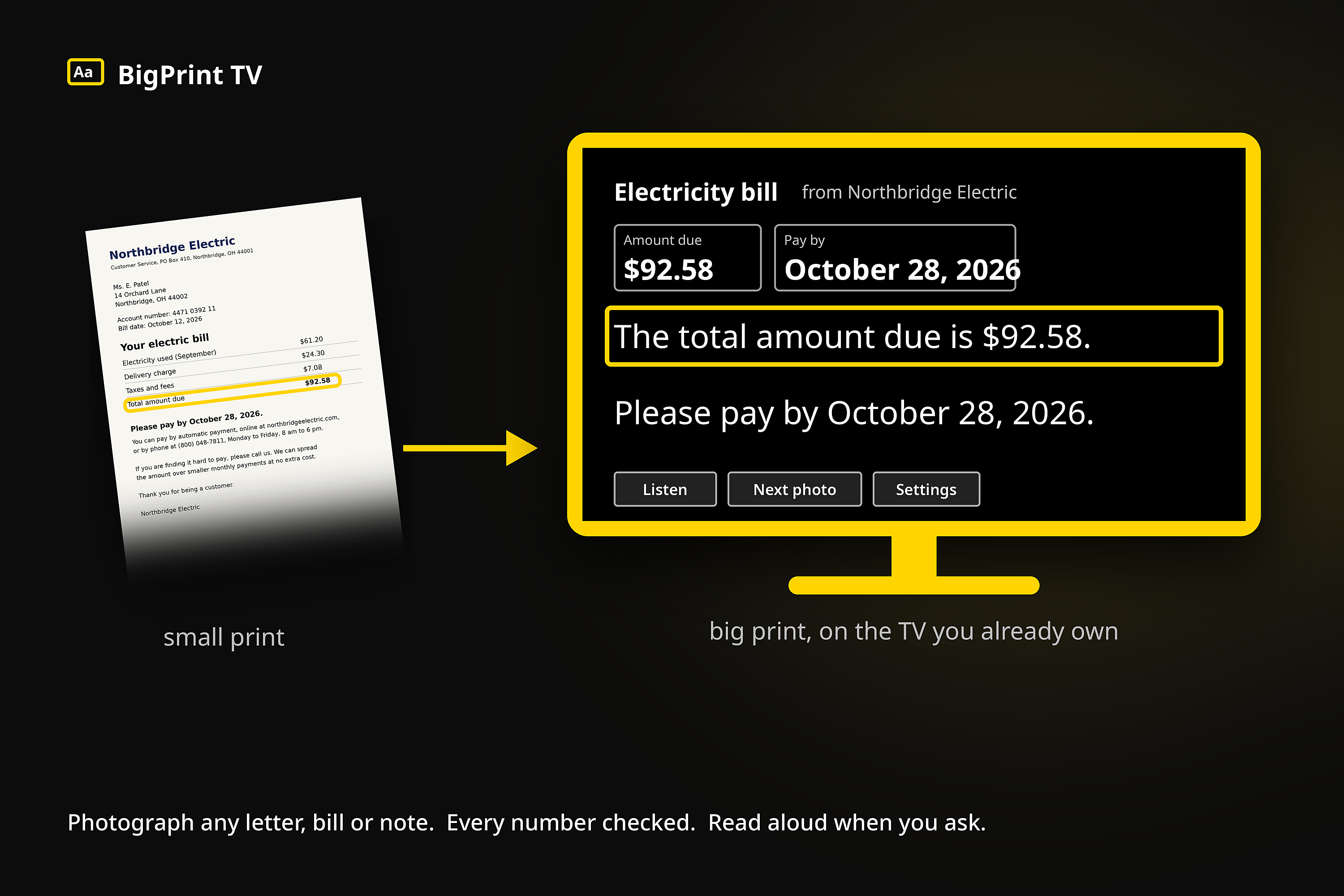
What I wanted was embarrassingly simple: make the words big. And one evening I realised the answer was already in the room. The biggest screen in the house, two metres away, with a remote I could work with my eyes shut.
I am one person with a recent injury. There are tens of millions of people, most of them older, who live with this every day, and their mail never stops. Nearly all of them already own a television. So I built the reader I was wishing for, on the screen they already have.
What it does
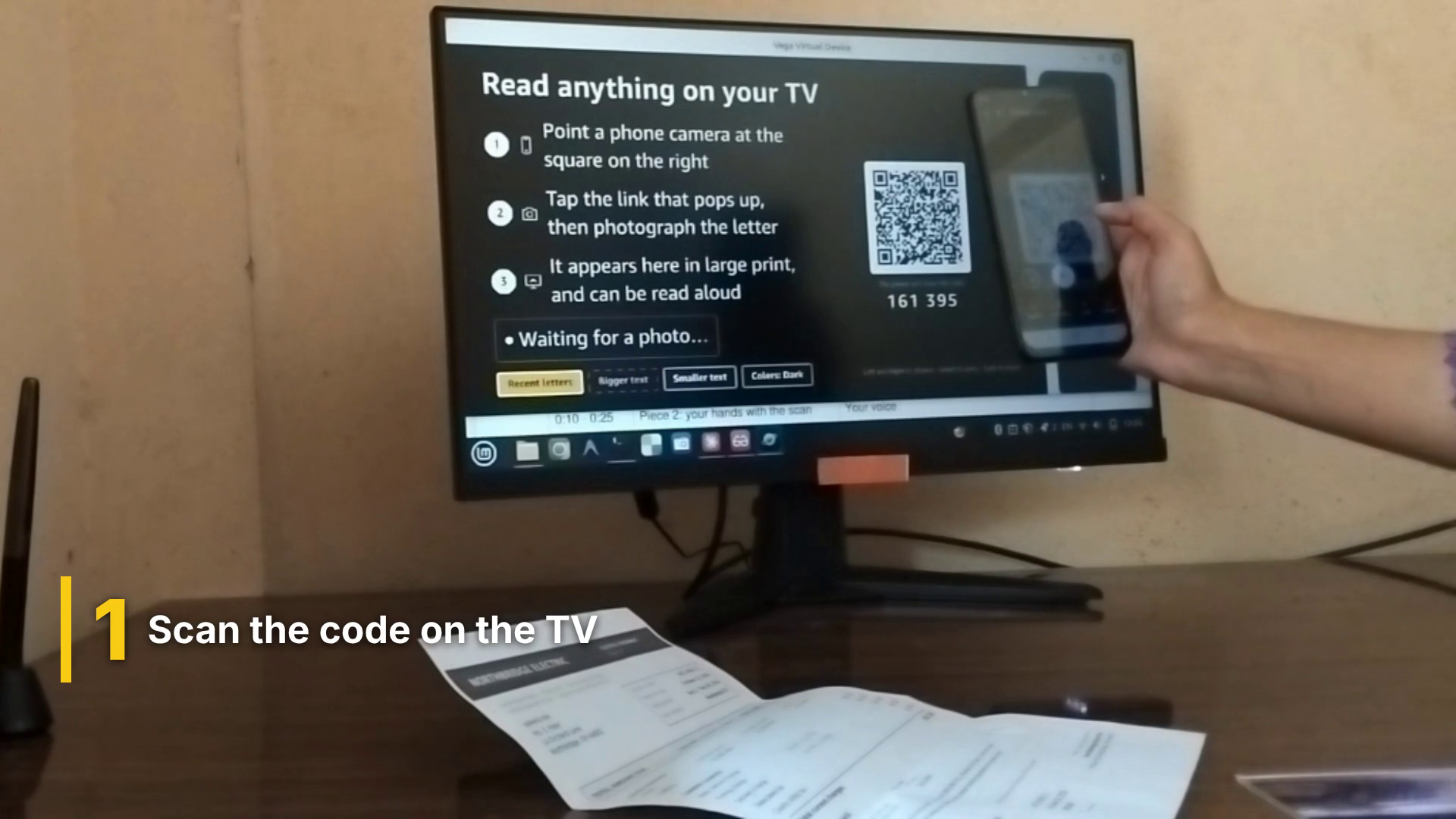
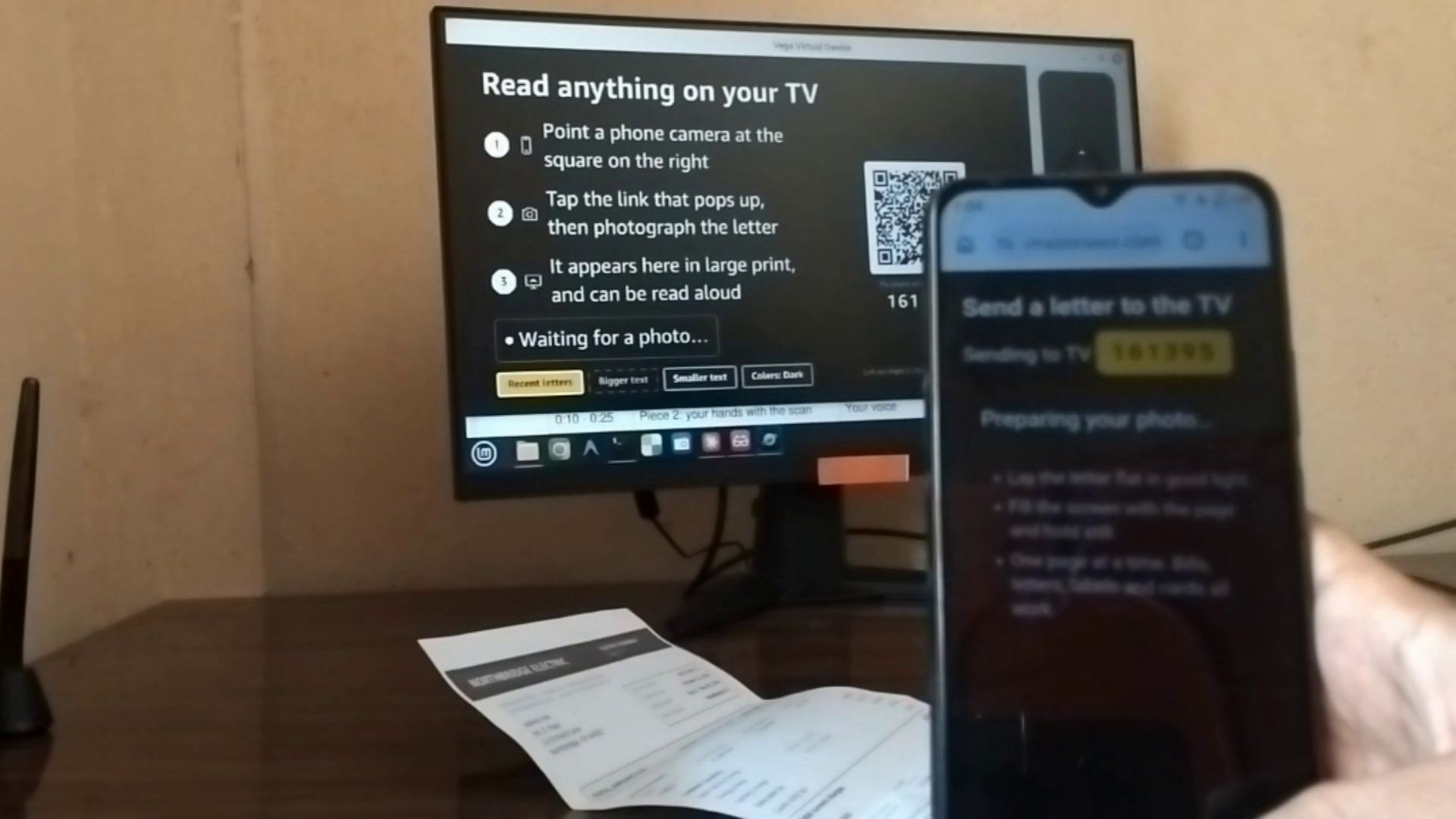
The TV shows a QR code. A son, a daughter, a carer scans it with whatever phone is in their pocket and gets a page with one button: take a photo. The phone's job ends there. It is only a camera.
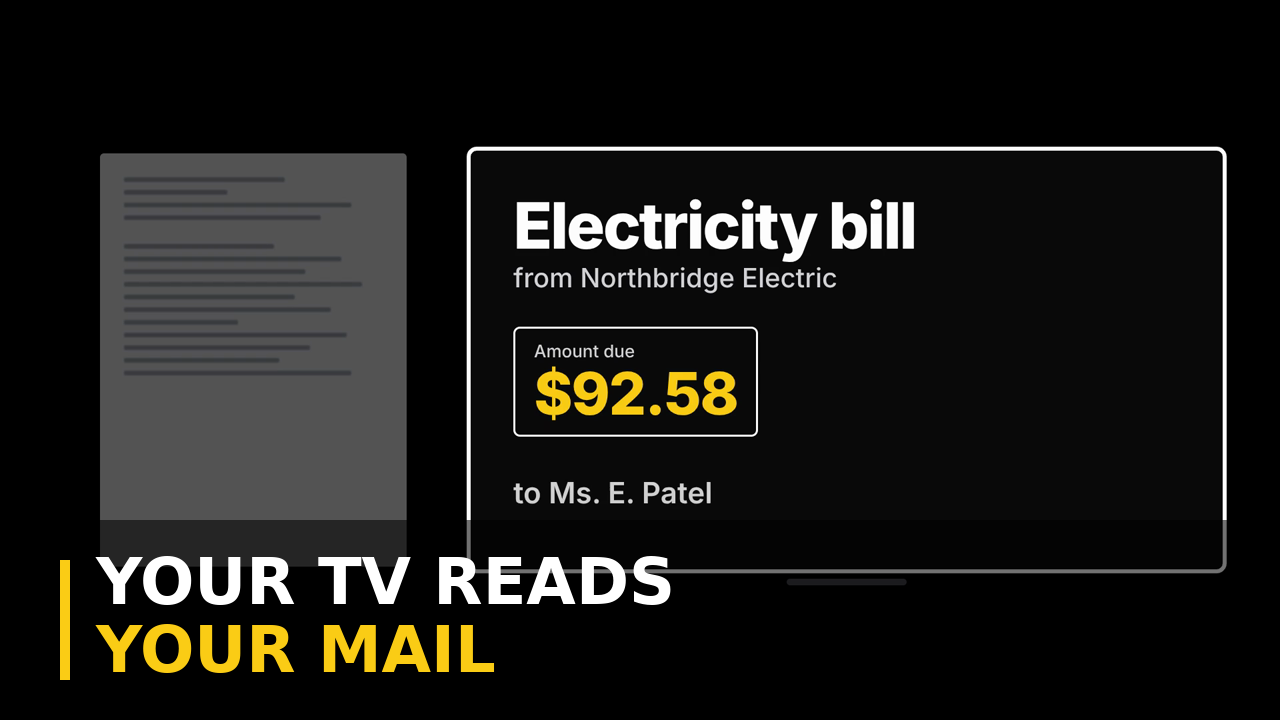
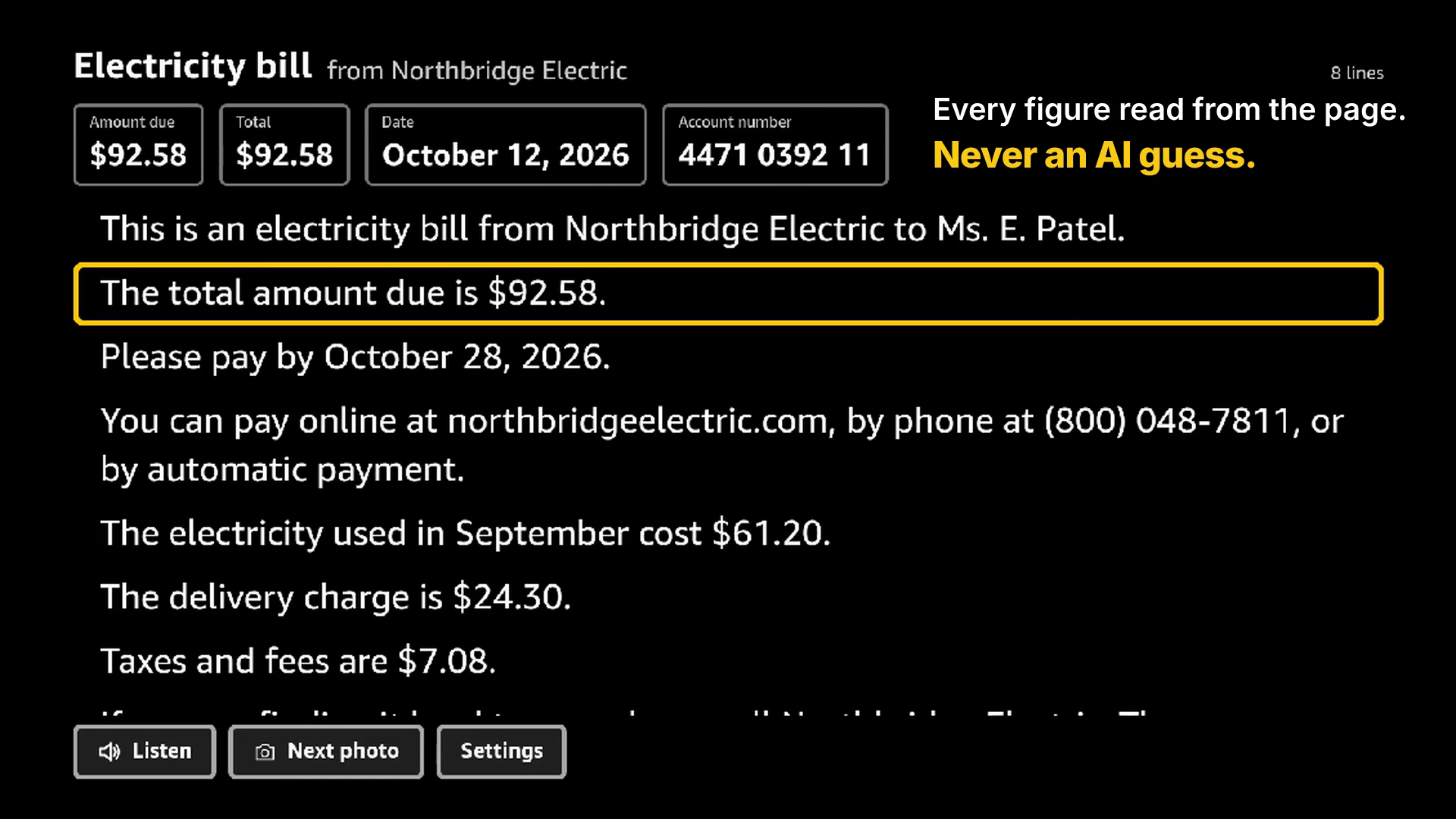
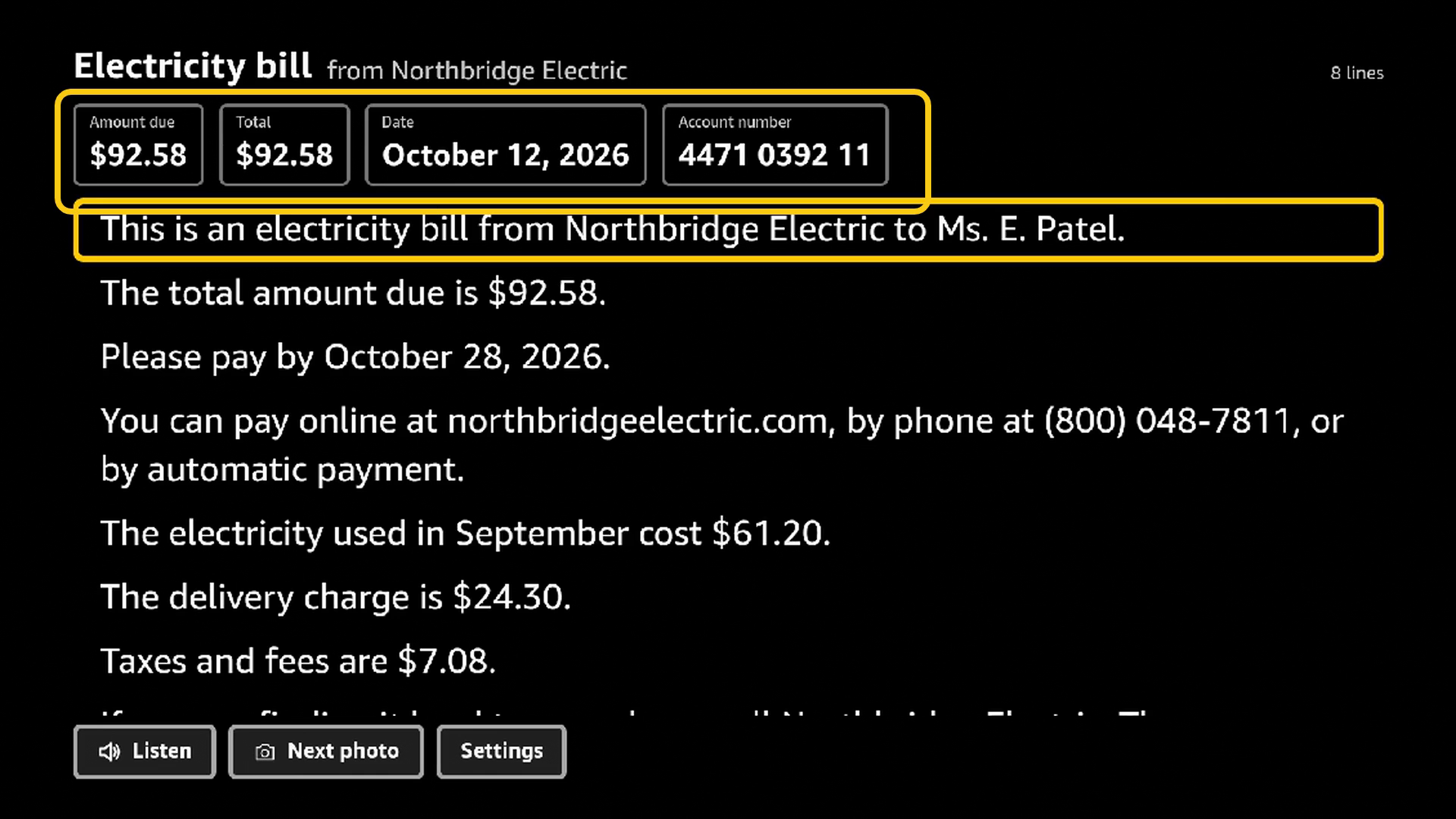
About ten seconds later the page is on the television in very large print. You can read it three ways: the whole thing in plain English, just the main points, or the exact words as printed. The figures nobody can afford to get wrong- the amount due, the date to pay by, the account number- sit pinned at the top and never scroll out of view. Press Listen and the whole page is read aloud in a calm voice. Press Next photo for the next page.
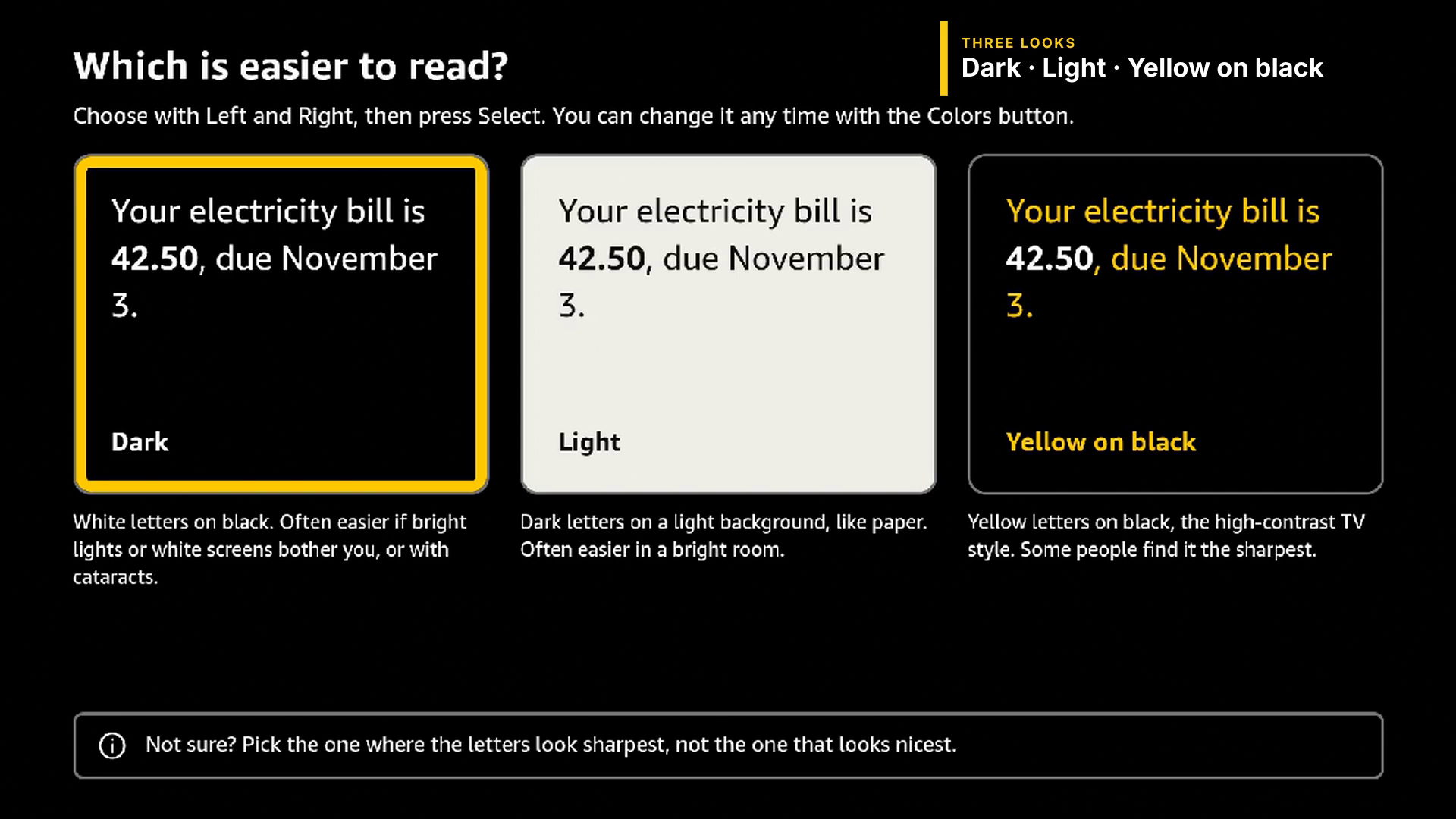
Text goes up to twice the size. There are three looks: dark, light, and yellow on black. On the first run, the app doesn't ask which you want; it shows you a real sentence in each and lets you pick the one you can actually read, because two people with the same eye condition will often choose differently. Pages stay on the TV for a day, so one closed by accident is two presses away, and then everything is deleted. It's someone's private mail.
How I built it
The TV app is React Native on Vega OS. Behind it are two AWS Lambda functions and one S3 bucket, with nothing running between letters, so an idle week costs cents.
The reading pipeline is where most of the thought went, because for this audience a confidently wrong number is worse than no number at all. A reader who can't check the paper has to be able to trust the screen.
- Amazon Textract reads the photo with layout and table analysis, so a bill's rows stay rows instead of dissolving into loose numbers.
- Amazon Nova Lite classifies the page first: bill, letter, receipt, certificate. That decides what happens next.
- Textract's expense model pulls the money figures. Nova Pro then looks at the photo independently with exactly one power: it can veto a figure it disagrees with. It can never add one.
- Nova Pro rewrites the page into short spoken sentences. Two guards run last: a currency the page doesn't print is never spoken, and any sentence containing a number that isn't on the page is dropped.
- Amazon Polly makes the voice, only when someone presses Listen. A page nobody listens to is never voiced.
Numbers come from OCR. The language model is allowed to explain, never to invent.
phone camera ──▶ capture Lambda ──▶ S3 ──▶ process Lambda ──▶ S3 ──▶ TV
                 (API Gateway)               Textract · Nova · Polly
Privacy is built in rather than promised: the pairing secret lives only in the QR code, the public endpoint cannot call any AI service, letters are treated as data, and never as instructions (scam post targets exactly this audience), logs never contain the text of a page, and everything is deleted after a day.
Challenges I ran into
Eleven of them are written up properly in the friction log. The ones that changed the product:
My first OCR pass turned a receipt's table into "the amount for diesel is 8". Right digits, wrong row. That one sentence is where the layout-aware OCR and the numeric guard came from.
Textract's expense model confidently found a SUBTOTAL and TAX on a university certificate. So now the pipeline classifies the page before it trusts any specialist reader.
A Lambda Function URL configured exactly as documented answered 403 to everyone, and nothing in the account explained why. An API Gateway in front fixed it without a line of code changed.
Read-aloud was silent for a day until the manifest declared audio services the setup guide doesn't mention. And the build broke because my project folder had a space in its name.
Accomplishments that I'm proud of
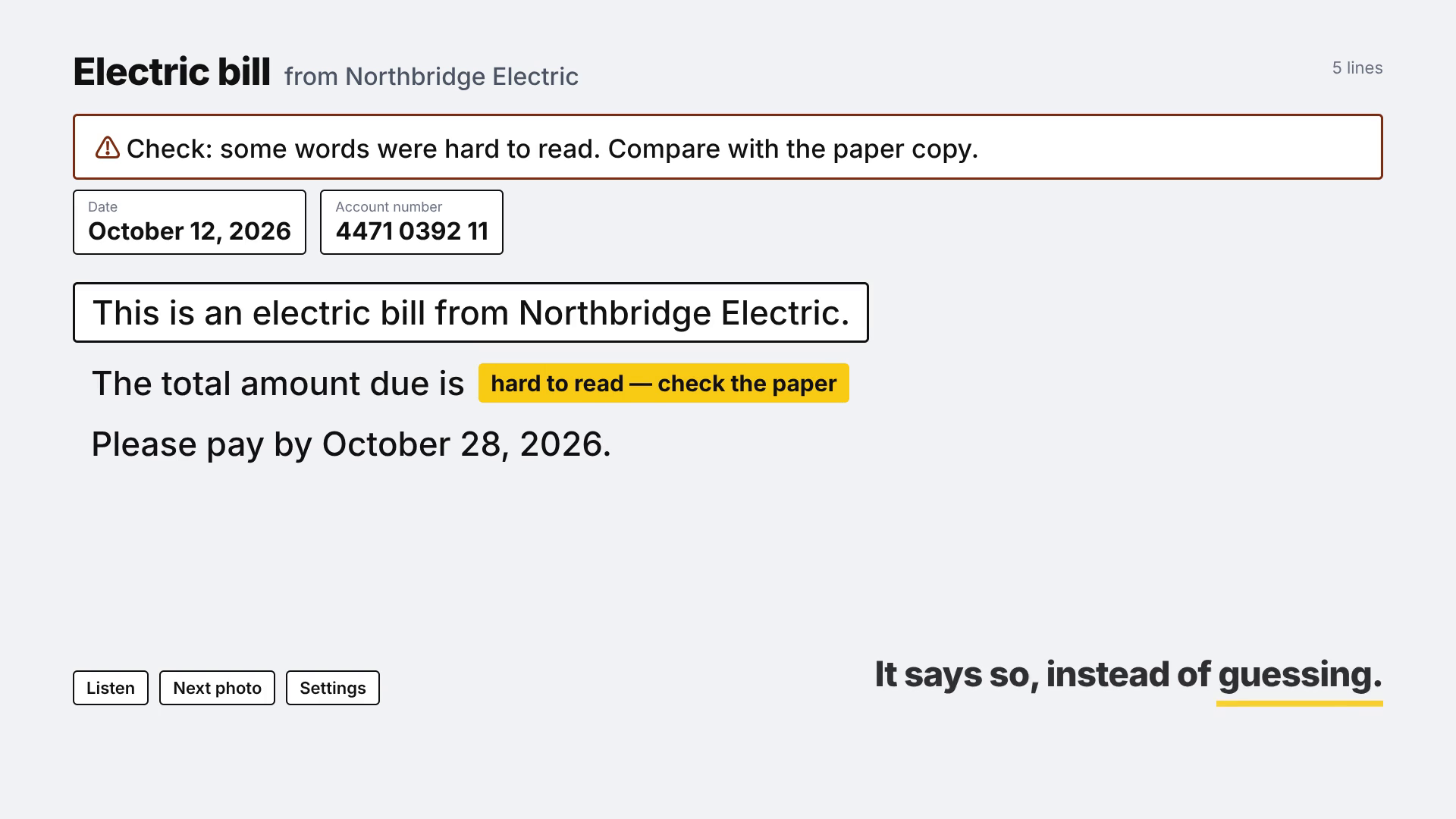
I'm proudest of what the app refuses to do. It will not show a number the model made up. When two readers disagree about a figure, it hides the figure rather than guess. On the sample photographs, every key fact the TV displayed was right: 17 of 17. When a page is blurry, the TV says "Check: some words were hard to read" instead of pretending.
I'm also proud of the accessibility work, because it was done for real rather than as a tick-box. Every colour pair in all three looks is tested at WCAG 7:1 inside the test suite. Focus is shown with a thick ring, not by flipping a line's colours, which some eyes can't follow. And one non-obvious Fire TV fact shaped the layout: the screen reader follows input focus, so static text is never spoken. The pinned amount due had to be linked to the first focusable line, or a blind user would never hear the one thing the app exists to tell them.
157 app tests, 37 backend tests, MIT licence.
What I learned
Reading is the product, and the voice is a gift. So the words must arrive first, and the voice should be made on request, not in advance.
A language model must never be the source of a number. It can explain a figure. It cannot be where the figure comes from.
Older eyes disagree about dark versus light, even within one condition. So let people choose by reading, not by a setting's name.
And a friction log kept from day one is worth more than memory. Every entry in mine has steps to reproduce and a suggestion, because the people who build these tools can only fix what they can see.
What's next
I'll say the gap plainly: I have not yet run this on a physical Fire TV with VoiceView, the screen reader. The markup is right by construction and by test, but not yet by ear. That is the first thing.
Then distribution through the people who actually reach this audience: adult children, carers, and sight-loss organisations, such as the American Foundation for the Blind and Prevent Blindness in the US, and the RNIB and the Macular Society in the UK. After that, a per-TV allow-list so only a paired phone can send, CloudFront in front of the API, and a batch mode so a carer can photograph a whole pile of post in one go.
A page read on screen costs about two to three cents, five with the voice. That makes a free or charity-funded service realistic, and that's the point: the people who need this most are the least likely to pay for an app.
Built With
- amazon-api-gateway
- amazon-bedrock
- amazon-nova
- amazon-polly
- amazon-textract
- amazon-web-services
- aws-lambda
- fire-tv
- python
- react-native
- typescript
- vega-os

Log in or sign up for Devpost to join the conversation.