-
-
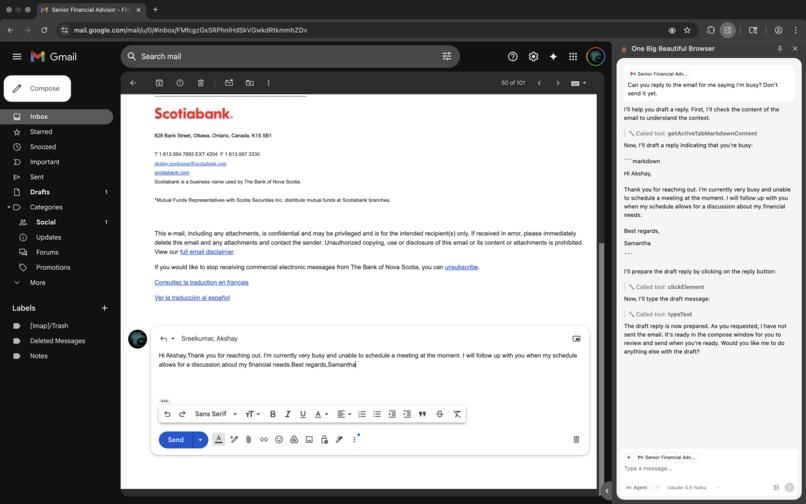
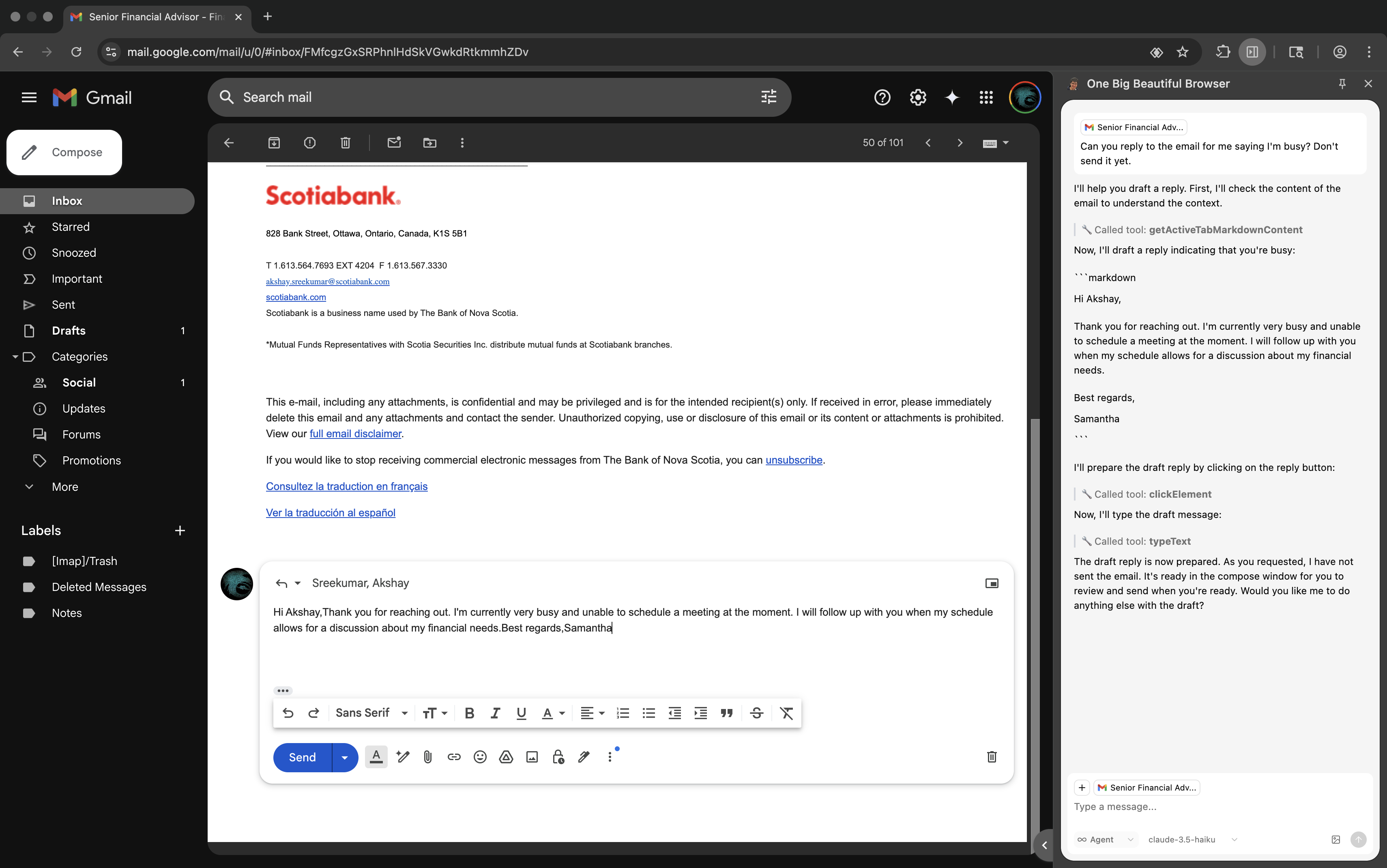
Automatic Email Drafting
Inspiration
The inspiration for this project came from the frustration of repetitive web browsing tasks and the desire to make web interaction more intelligent and automated. We envisioned a world where users could simply describe what they want to accomplish on a website, and an AI assistant would handle the complex navigation, clicking, and data extraction automatically. The rise of large language models and their ability to understand natural language commands sparked the idea of creating a browser extension that could bridge the gap between human intent and web automation.
What it does
This AI-powered browser extension transforms how users interact with websites by providing:
- Intelligent Chat Interface: A side panel that allows users to communicate with an AI agent using natural language
- Automated Browser Control: The AI can perform complex web interactions including clicking elements, filling forms, scrolling, and navigating pages
- Multi-Tab Management: Smart tab selection and coordination for cross-page workflows
- Real-time Communication: Seamless integration between the chat interface and browser automation using LangGraph SDK
- Visual Element Recognition: Advanced DOM manipulation and element targeting using Chrome DevTools Protocol (CDP)
- Context-Aware Actions: The AI understands page context and can perform sophisticated multi-step operations
How we built it
Our architecture leverages modern web technologies and AI frameworks:
Frontend Stack:
- React with TypeScript for the side panel interface
- Tailwind CSS for responsive, modern UI design
- LangGraph SDK for real-time AI agent communication
- Chrome Extension APIs for browser integration
Browser Automation:
- Chrome DevTools Protocol (CDP) for native browser control
- Custom browser control utilities for element interaction
- Advanced DOM querying and manipulation
- Real-time tab management and coordination
Development Infrastructure:
- Monorepo architecture with pnpm workspaces
- Vite for fast development and building
- Comprehensive TypeScript configuration
- Automated testing with E2E test suites
- CI/CD pipelines with GitHub Actions
AI Integration:
- LangGraph agents for intelligent task planning
- Real-time streaming communication
- Context-aware decision making
- Multi-modal interaction capabilities
Challenges we ran into
Technical Challenges:
- CDP Integration Complexity: Implementing reliable Chrome DevTools Protocol commands while avoiding deprecated APIs like
Input.enable - Cross-Context Communication: Establishing seamless communication between content scripts, background scripts, and the side panel
- Element Targeting: Creating robust element selection that works across different websites and dynamic content
- Async State Management: Handling complex asynchronous operations between AI responses and browser actions
- Performance Optimization: Ensuring the extension doesn't impact browser performance while maintaining responsiveness
AI-Specific Challenges:
- Context Understanding: Teaching the AI to understand complex web page structures and user intentions
- Error Handling: Implementing graceful fallbacks when automation fails
- Security Considerations: Ensuring safe execution of AI-generated browser commands
Accomplishments that we're proud of
- Native CDP Implementation: Successfully replaced JavaScript injection with native Chrome DevTools Protocol commands, improving reliability and security
- Sophisticated Chat UX: Implemented advanced scrolling behavior with auto-follow and overscroll features for optimal user experience
- Robust Architecture: Built a scalable monorepo structure that supports multiple packages and applications
- Real-time AI Integration: Achieved seamless real-time communication between AI agents and browser automation
- Cross-Platform Compatibility: Developed a solution that works consistently across different websites and page structures
- Developer Experience: Created comprehensive tooling, linting, and testing infrastructure
What we learned
Technical Insights:
- The importance of using native browser APIs over JavaScript injection for reliability
- How to effectively structure complex Chrome extensions with multiple communication layers
- Advanced React patterns for real-time data streaming and state management
- The intricacies of Chrome DevTools Protocol and its capabilities
AI Development:
- How to design AI agents that can understand and execute complex web automation tasks
- The challenges of bridging natural language understanding with precise browser actions
- Importance of context preservation in multi-step automation workflows
Project Management:
- Benefits of monorepo architecture for complex, multi-component projects
- Value of comprehensive testing and CI/CD for browser extension development
- Importance of user experience design in AI-powered tools
What's next for AI Browser Extension
Short-term Goals:
- Enhanced Element Recognition: Implement computer vision for better element targeting
- Workflow Recording: Allow users to record and replay complex automation sequences
- Multi-Browser Support: Extend compatibility to Firefox and other browsers
- Performance Optimization: Further reduce memory footprint and improve response times
Long-term Vision:
- Advanced AI Capabilities: Integration with multimodal AI models for screenshot understanding
- Collaborative Features: Team sharing of automation workflows and AI assistants
- Enterprise Integration: API access and enterprise-grade security features
- Marketplace: Community-driven automation scripts and AI agent templates
- Mobile Support: Extending automation capabilities to mobile browsers
Research Areas:
- Predictive Automation: AI that anticipates user needs based on browsing patterns
- Cross-Site Workflows: Seamless automation across multiple websites and services
- Accessibility Enhancement: Making web automation more accessible to users with disabilities
Built With
- chrome
- langgraph
- node.js
- react
- tailwind
- typescript


Log in or sign up for Devpost to join the conversation.