-
-
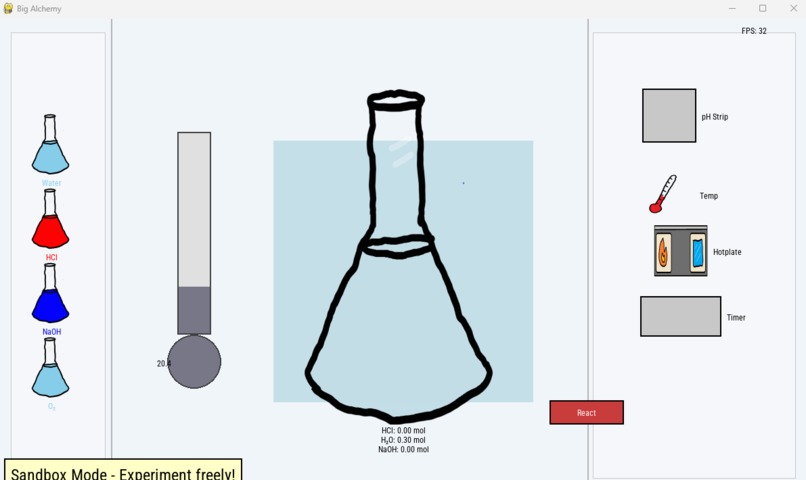
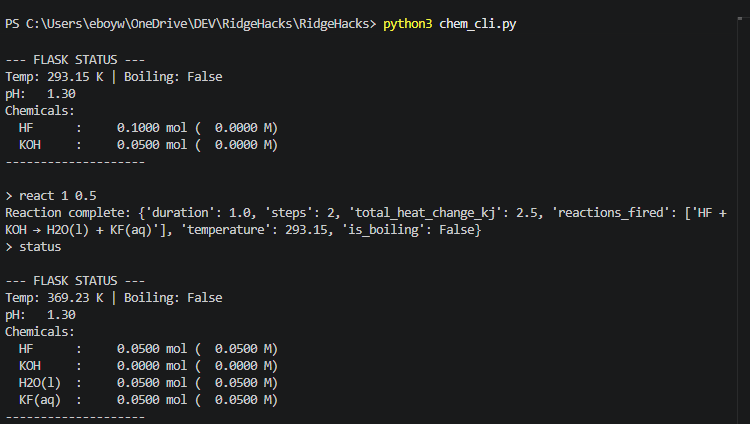
This is the result of an acid base neutralization reaction.
-
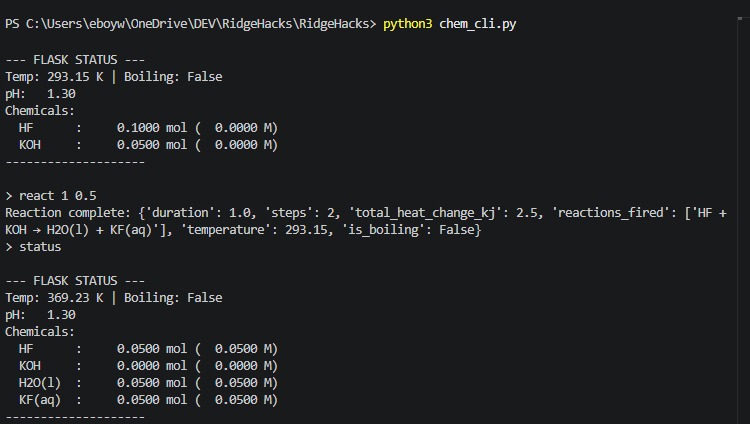
CLI tool in action
-
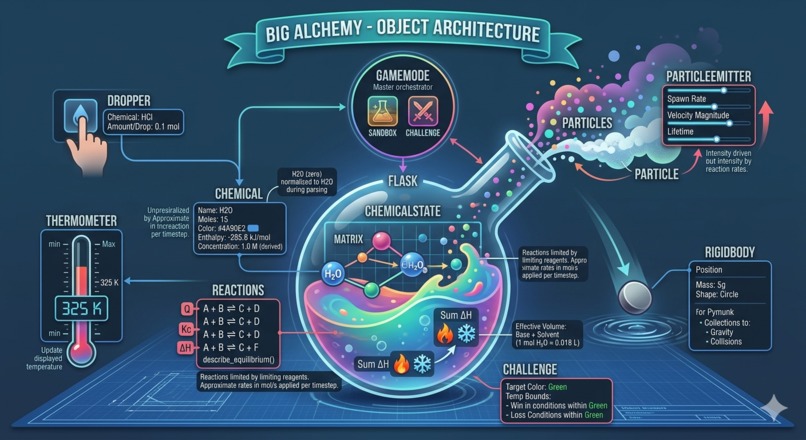
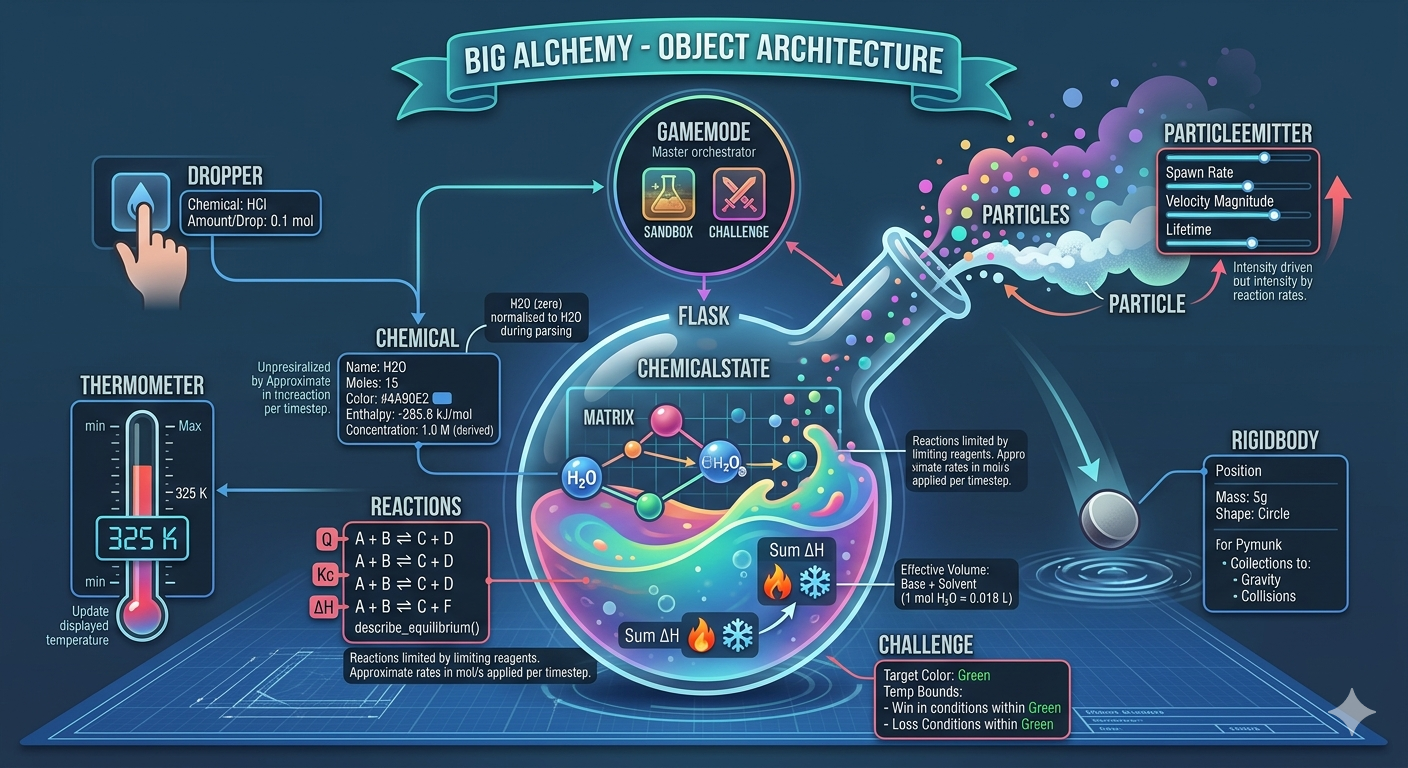
This is the structure of our objects and how they relate to each-other
-
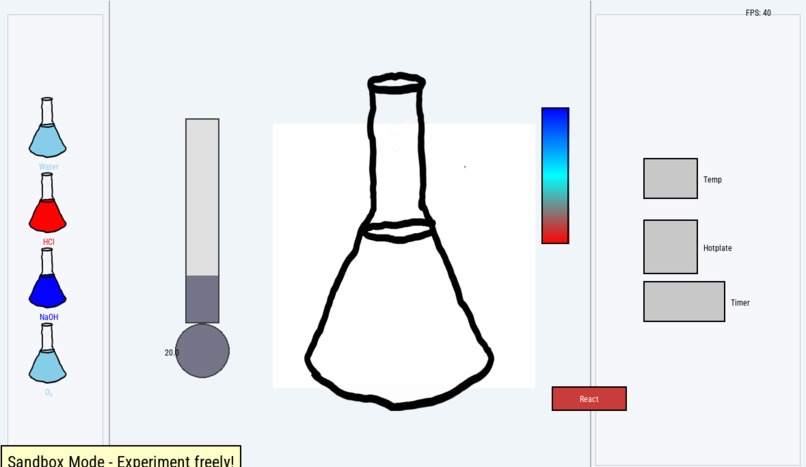
The virtual lab
-
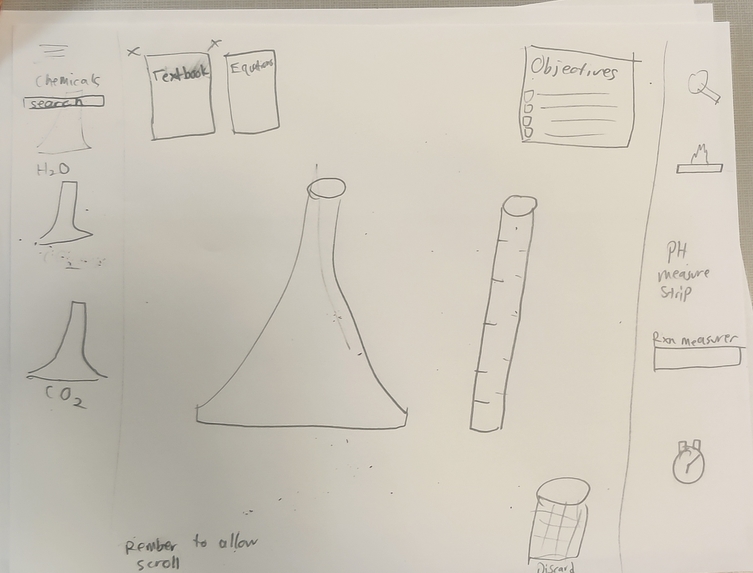
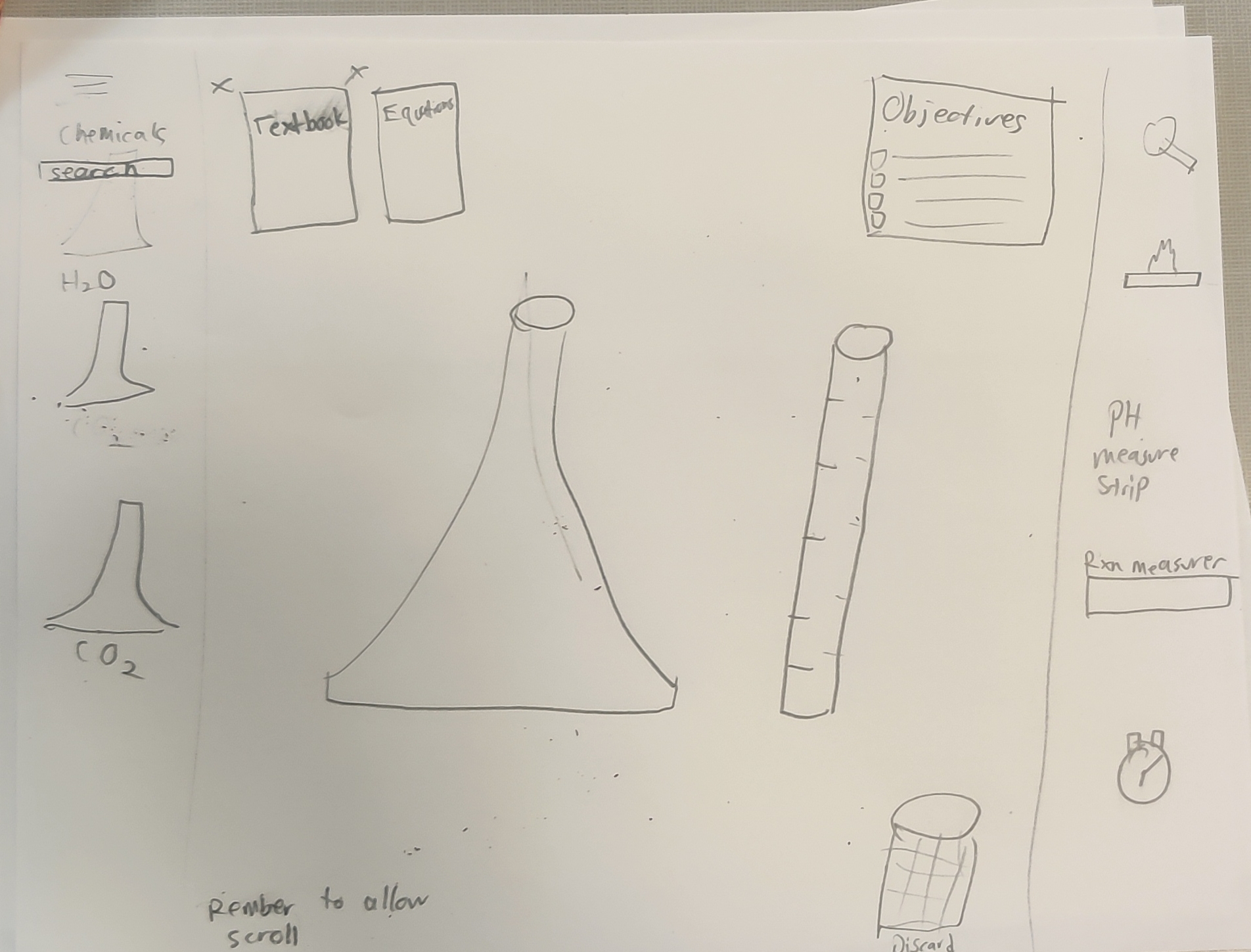
The vision for our virtual lab
-
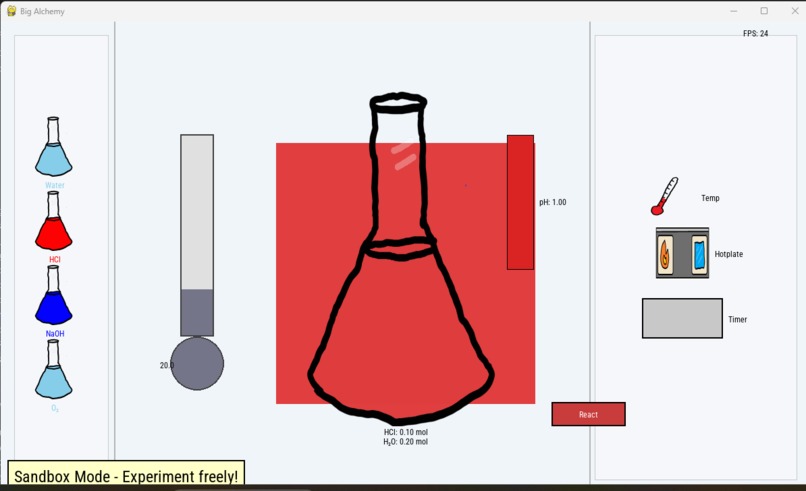
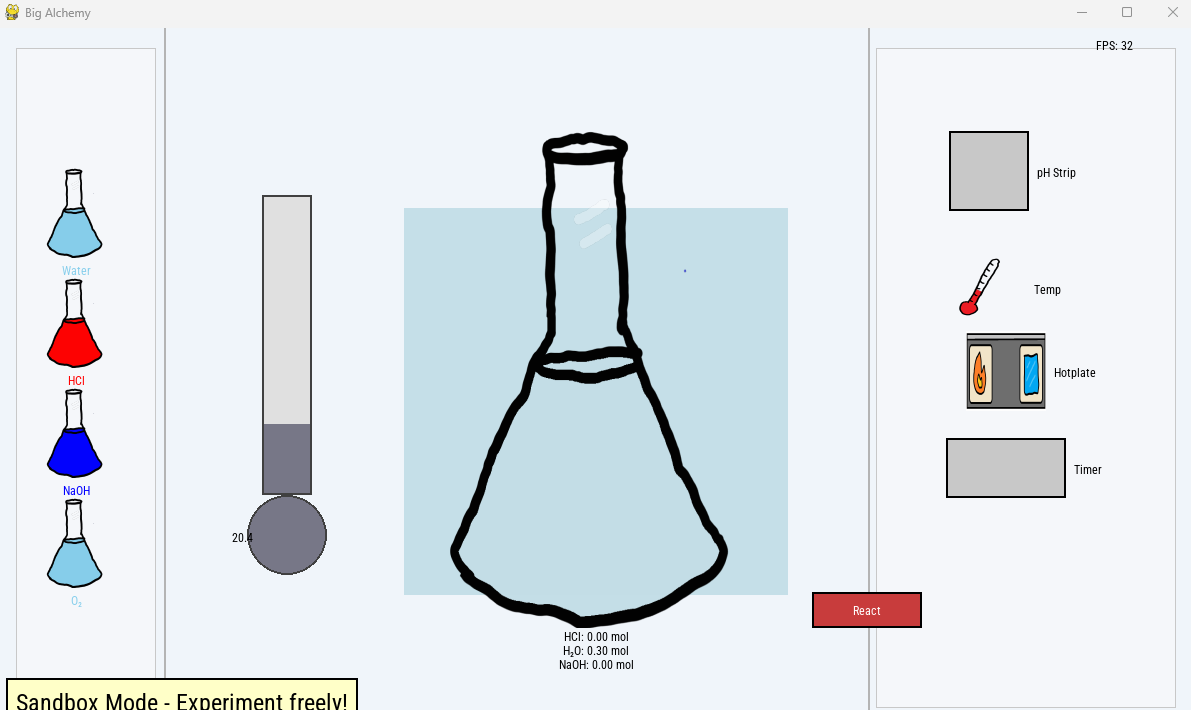
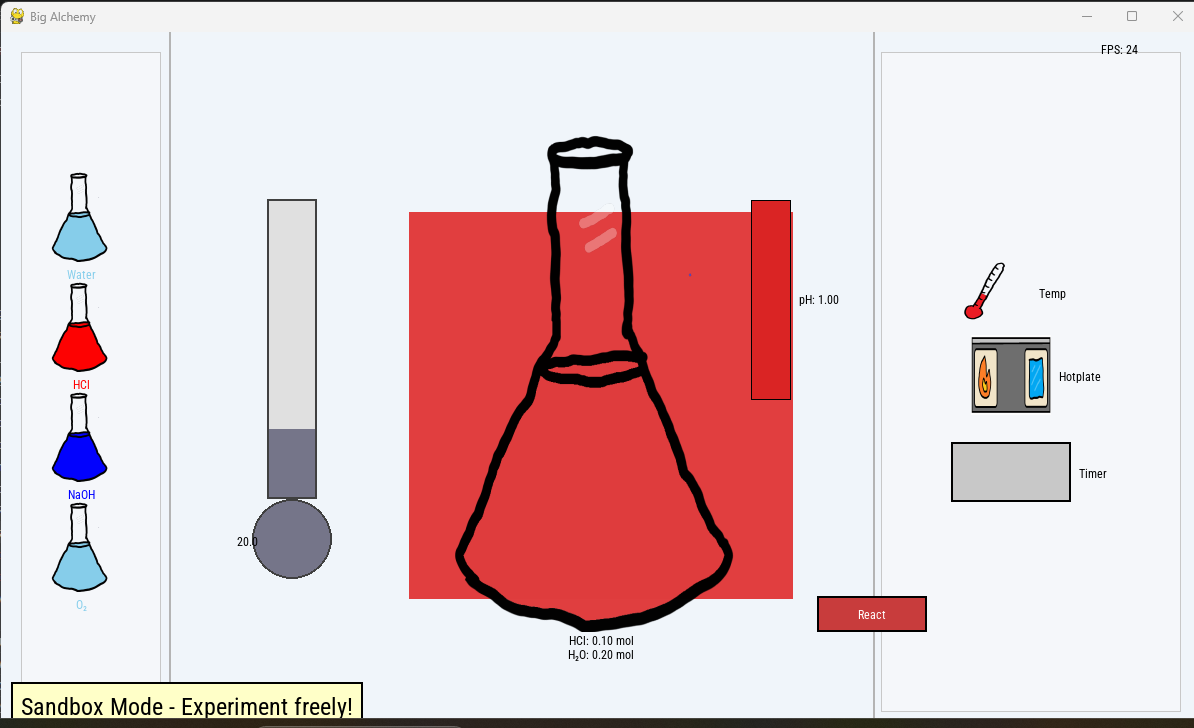
This is what happens when acid is added to a beaker.
-
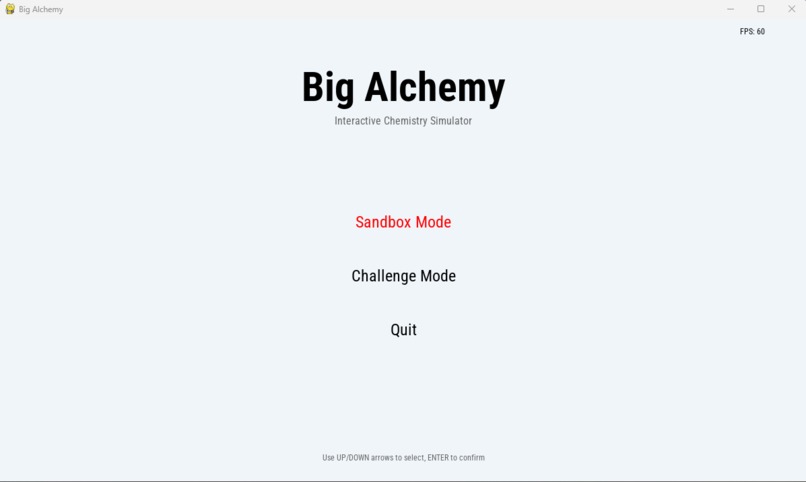
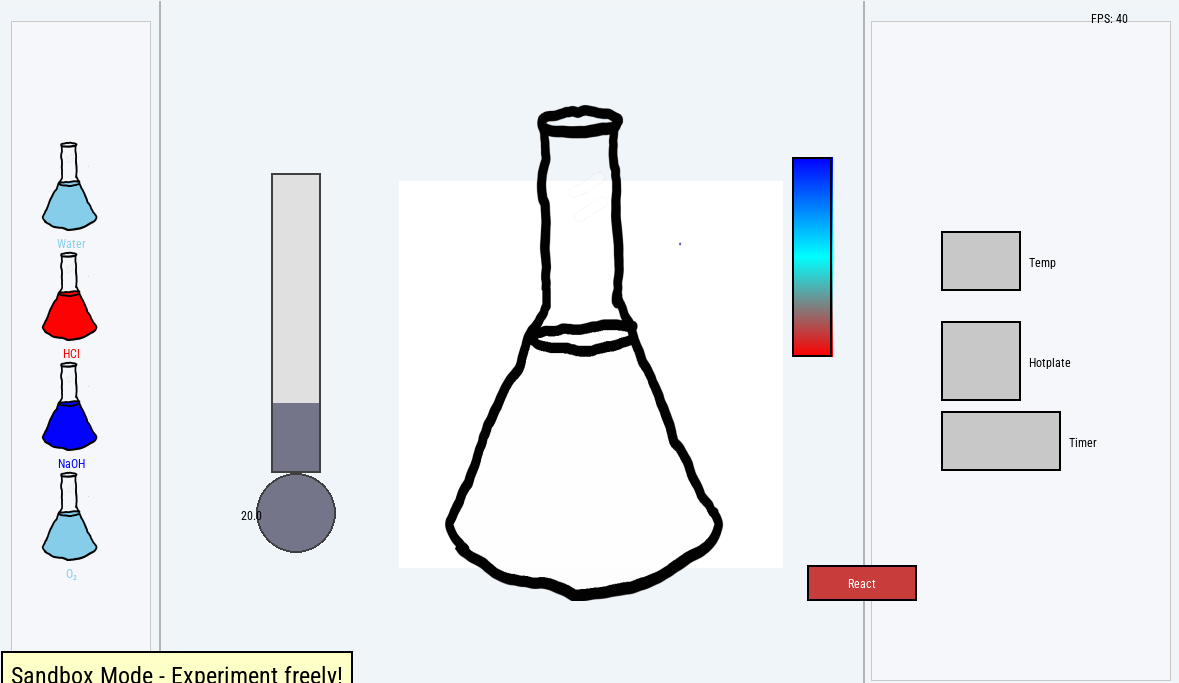
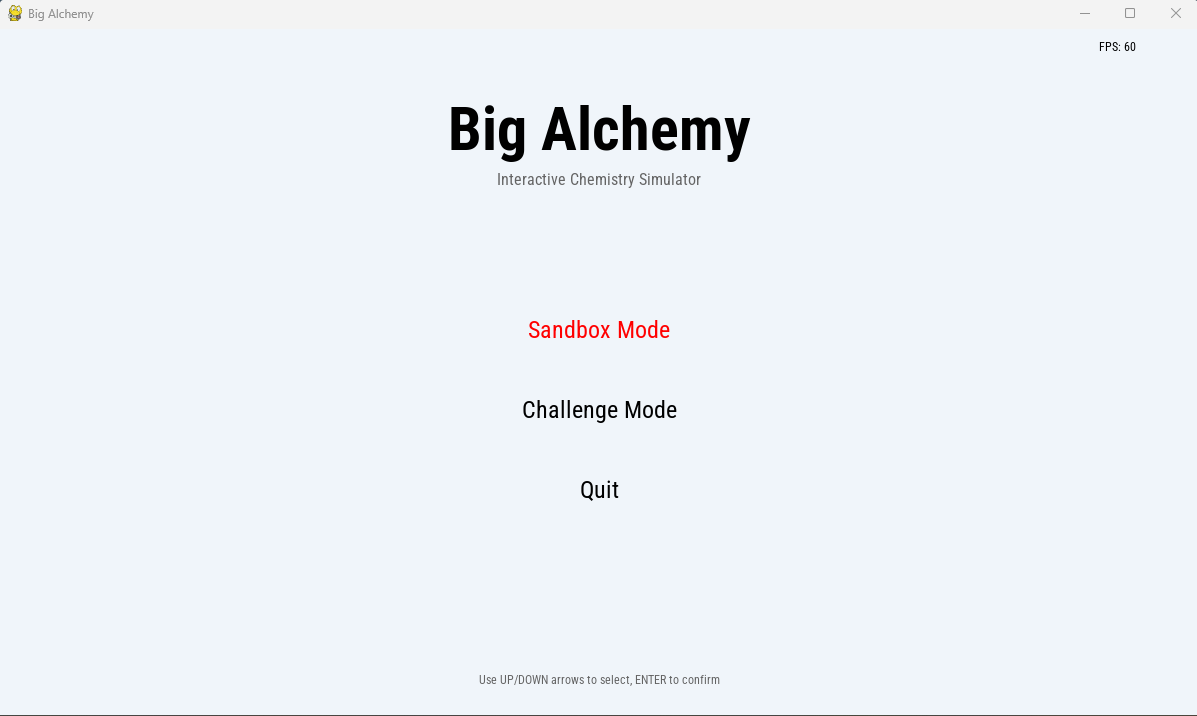
This is the home screen of the desktop app
-
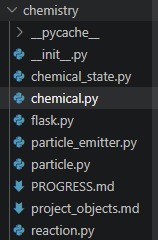
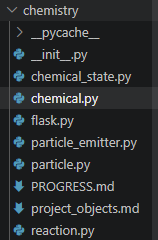
These are our objects for chemistry.
Inspiration
As two AP Chemistry students, we know firsthand just how brutal the curriculum can be. Recently, our class took a quiz on chemical equilibrium, and even after a generous curve, the class average was a 71. Our titration quiz didn't fare much better at a 79.
The problem is that these concepts—especially dynamic shifts and Le Chatelier’s principle—are incredibly abstract. When you are just staring at static equations on a whiteboard, it is hard to conceptualize what is actually happening in the beaker. We wanted to put the "Science in Computer Science" by building a tool to help our classmates. We were inspired to create a living, breathing sandbox where students can physically "see" the math—watching temperatures spike and colors shift in real-time as they mess around with volatile reactions. Thus, Big Alchemy was born.
What it does
Big Alchemy is a two-part educational chemistry engine.
The Backend (CLI Tool): We built a command-line tool that allows us to rigorously define chemical reactions, tracking the math behind equilibrium and thermal energy release.
The Frontend (Virtual Lab): A 2D interactive GUI built in Python. In our "Sandbox Mode," users can select various reactants (like H 2 O, HCl, NaOH, and O 2 ) and introduce them into a central flask. The UI features a real-time thermometer, a pH/heat gradient scale, and controls for a hotplate. When you hit "React," the engine calculates the interactions based on the backend logic.
How we built it
We utilized a Python stack to handle both the complex calculations and the rendering.
We used Pygame to drive the main application loop, render the graphics, and handle frame-rate management (running at a smooth 40 FPS!).
We custom-built the graphical assets (including our beloved hand-drawn Erlenmeyer flask) to give it a tactile, sketch-book feel.
The backend CLI tool was written to act as the "brain" of the operation, parsing chemical rules and passing state changes (like temperature spikes or color shifts) to the Pygame rendering layer.
Challenges we ran into
With only 8 hours to build a physics and chemistry engine from scratch, we hit a wall connecting our backend math to our frontend visuals.
State Management: Syncing the complex reaction data from the CLI to update the visual GUI in real-time without crashing the Pygame loop proved incredibly difficult.
The UI/UX Crunch: Rendering dynamic fluid levels, mapping color gradients accurately to pH, and keeping UI elements from clipping (as you can see in our current build!) took way more time than anticipated.
Bugs: We have a few "features" right now where the visual rendering doesn't quite match the math happening behind the scenes.
Accomplishments that we're proud of
Despite the bugs, we are incredibly proud that we actually got a functional game loop running that talks to a backend chemistry solver. Building a custom CLI tool to parse chemical reactions is a massive feat for an 8-hour sprint. We are also proud of our ambition—we didn't just build a web form; we attempted to build a dynamic game engine for science.
What we learned
Scope is everything: We learned the hard way that connecting a backend logic engine to a frontend game loop takes double the time you expect.
State synchronization: We learned a lot about how Pygame handles frame-by-frame rendering and how to pass variables (like our thermometer data) into a continuous loop without freezing the application.
What's next for Big Alchemy
First, squashing the bugs and refining the UI to make the visual feedback match our CLI math! Once the sandbox is stabilized, we want to implement our massive Kinetic Particle System to simulate expanding gases (like the Elephant Toothpaste reaction). Finally, we plan to add the "Challenge Mode," where the app gives the user a target (e.g., "Shift the equilibrium to orange without exceeding 40 degrees Celsius") and challenges them to solve it using real chemistry principles, along with more resources to help our users learn chemistry!


Log in or sign up for Devpost to join the conversation.