Inspiration
The world's smartest evidence-first bid AI.
BidWright Tender AI reads tenders and drafts responses for small firms, small consultancies and freelance bid writers; contractors and suppliers bid with it.
A tender can run to a hundred pages, and one missed requirement can disqualify a bid. Bid teams already plan their work in Jira and write their responses in Confluence, yet the tender itself usually sits there as a PDF that someone reads line by line and copies into tickets by hand. For Codegeist we brought BidWright Tender AI into those two tools, so the reading happens where the team already works.
What it does
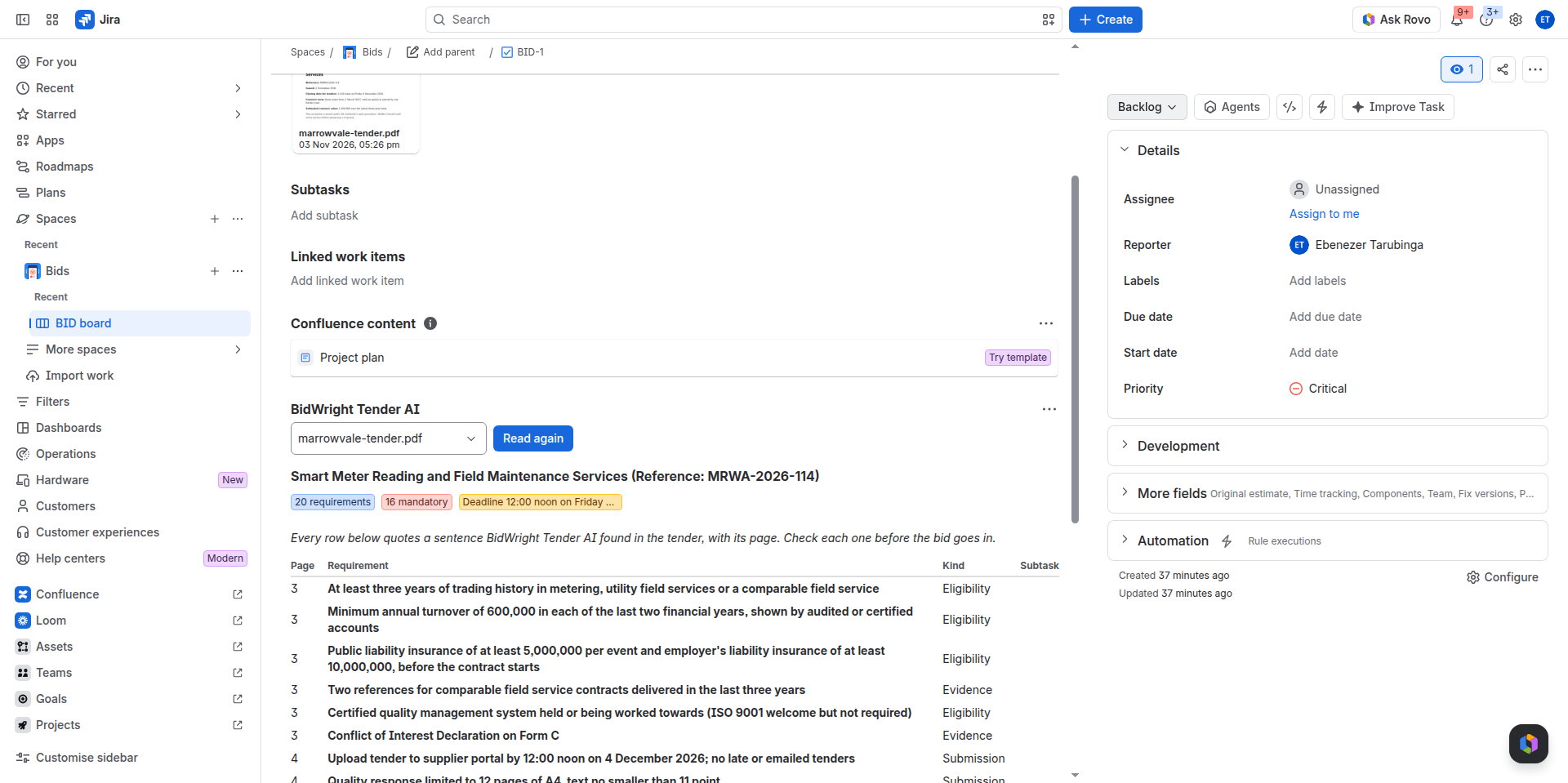
In Jira, attach a tender to an issue and press Read tender in the BidWright Tender AI panel. The app reads the whole file, PDF, Word or text, and lists every requirement with its page, its kind and the tender's own sentence, marking the mandatory ones. Create subtasks then makes one subtask per requirement. Each title starts with the page, and each description quotes the tender, so every owner can see what is left.
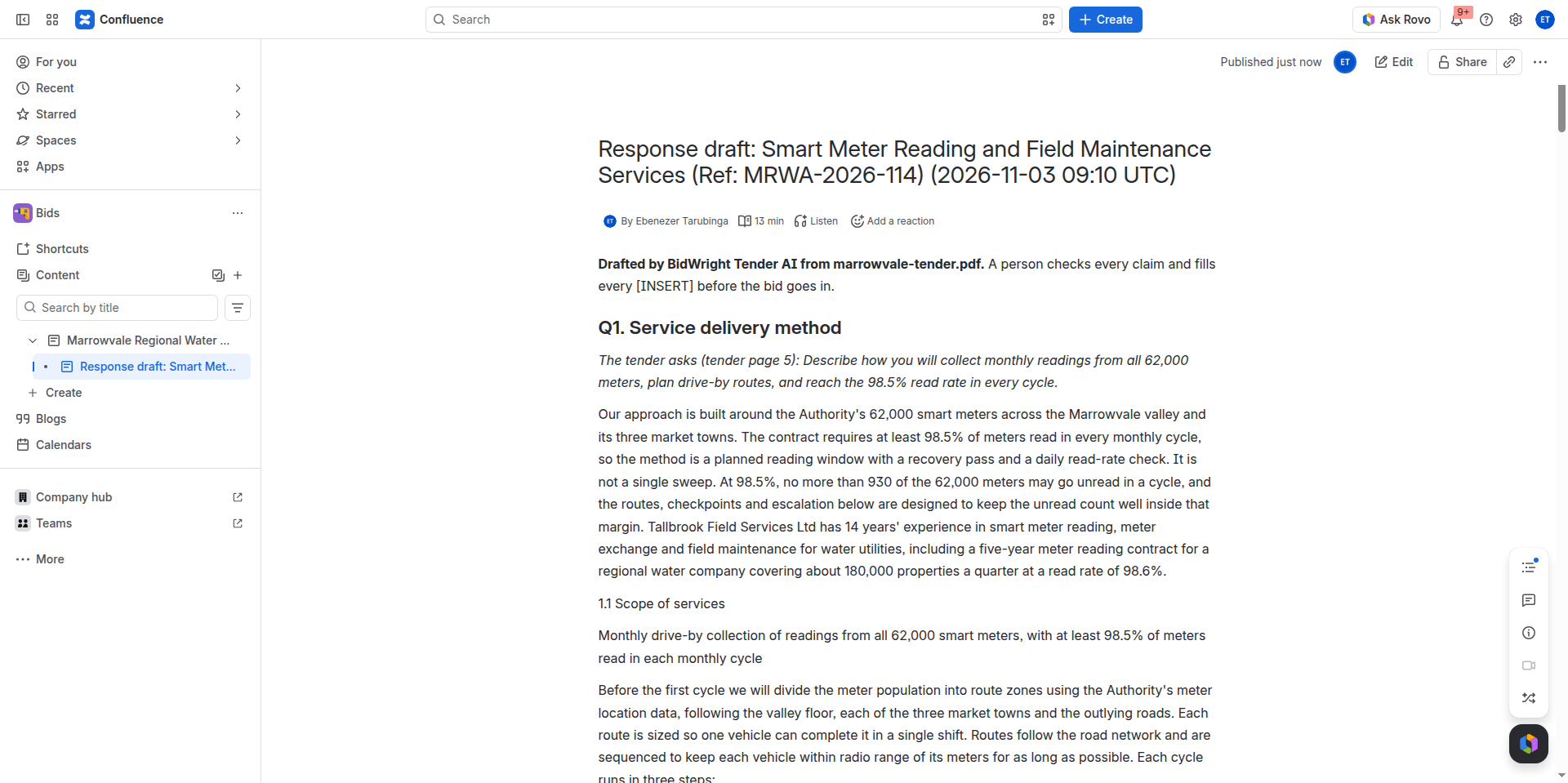
In Confluence, insert the BidWright Tender AI response draft macro on a page, enter the company's details in its settings and attach the tender. Read tender and draft writes a first draft under each heading the tender asks for, and Create the response page saves the drafts as a child page for the team to edit.
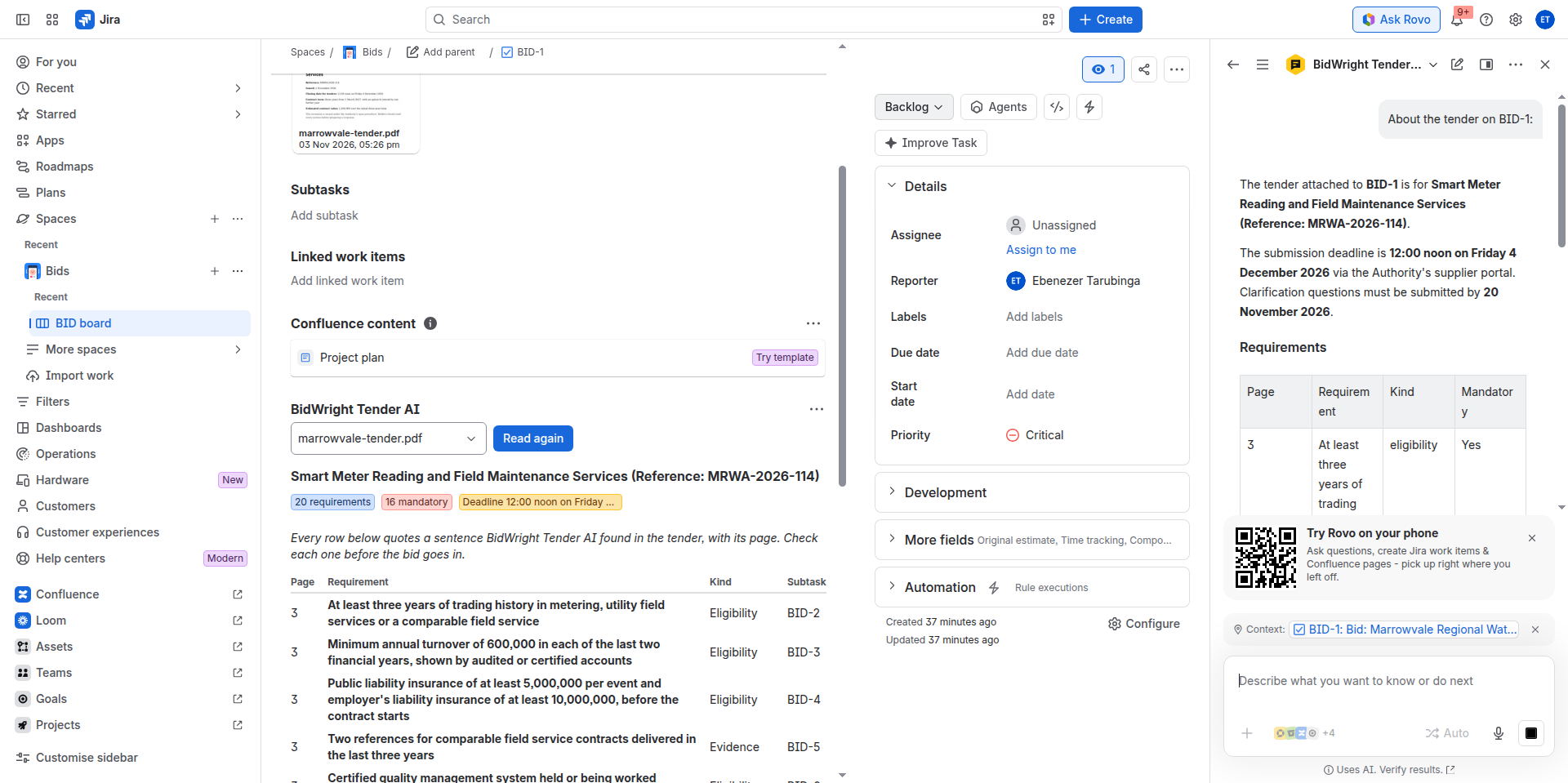
The BidWright Tender AI agent in Rovo answers questions such as "What insurance does this tender need?" from the tender's text, giving the page and the exact sentence. When a quote cannot be matched to the tender word for word, the agent says so, and when the tender says nothing on a point, the agent says that too.
A person checks every claim before a bid goes in. The app never submits a bid itself.
How we built it
The app runs on Forge's Node.js 24 runtime. The Jira issue panel and the Confluence macro are built in UI Kit, and the Rovo agent has two actions, one that answers a question and one that lists the requirements. Reading a long tender takes longer than a single resolver call allows, so each reading runs as a background job on a Forge async event queue, and the panel shows each step as it happens.
The job downloads the chosen attachment through the Jira or Confluence REST API and pulls out its text page by page, with unpdf for PDFs and mammoth for Word files. It then sends the text to BidWright Tender AI's own service, the only outside address in the app's manifest. Results stay in Forge storage on the customer's own site. Before any reading or drafting starts, the app checks that the person can edit the issue or page, because the result is stored there for everyone who can see it.
Challenges we ran into
The hardest part was keeping every quote accurate. The page number has to stay attached to each sentence from the moment the text is extracted, so that the agent can match each quote against the tender before showing it.
Accomplishments that we're proud of
A water authority tender with 20 requirements became 20 subtasks, each quoting its page. The Rovo agent answered questions about the same tender with the pages it came from, and the macro drafted five response sections and saved them as a new Confluence page.
What's next
The web version of BidWright Tender AI already drafts in English, French and Spanish and scores a draft the way the evaluator will. Both are next for the Jira and Confluence app, followed by a listing on the Atlassian Marketplace.
Bid right.
Built With
- atlassian-forge
- confluence
- forge-ui-kit
- javascript
- jira
- mammoth
- node.js
- react
- rovo
- unpdf
