BidForge AI 🚀
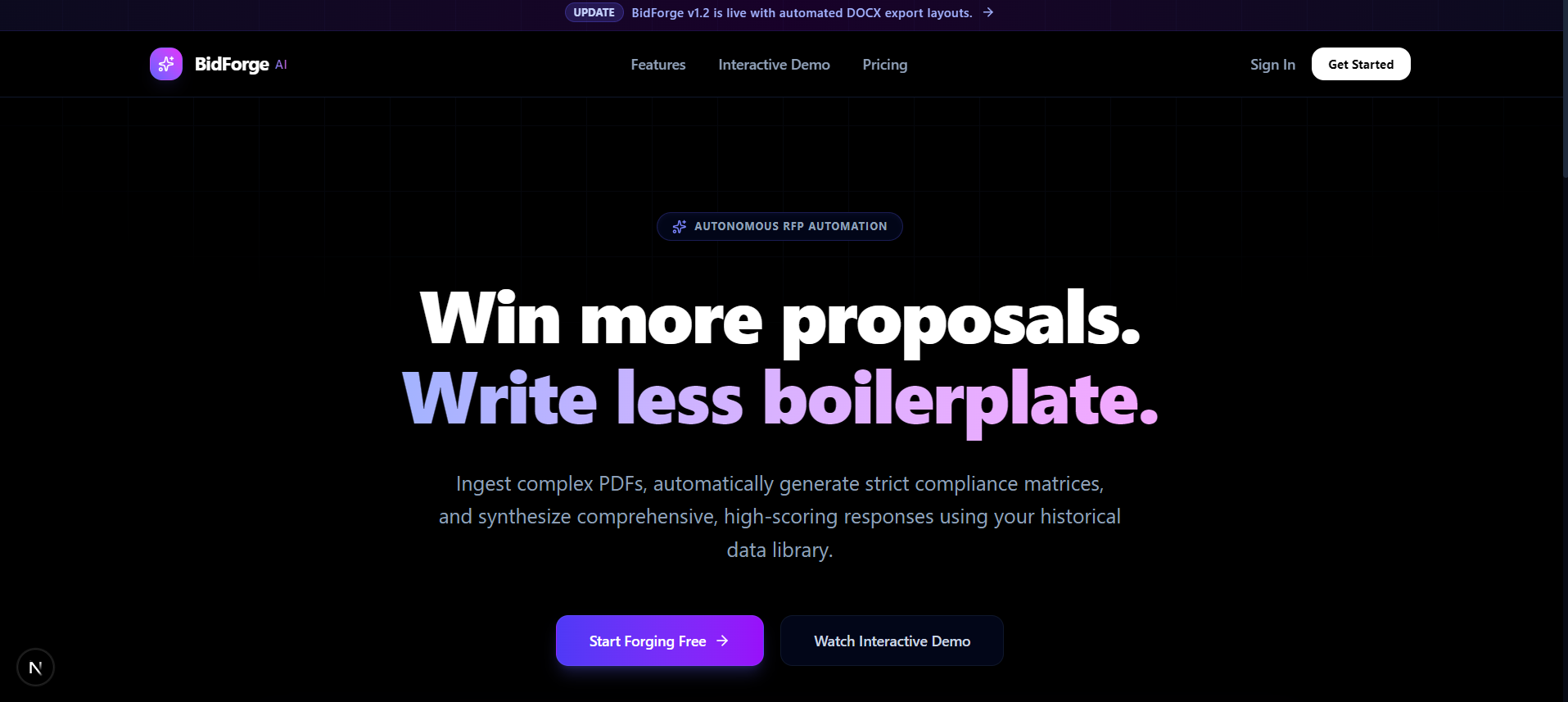
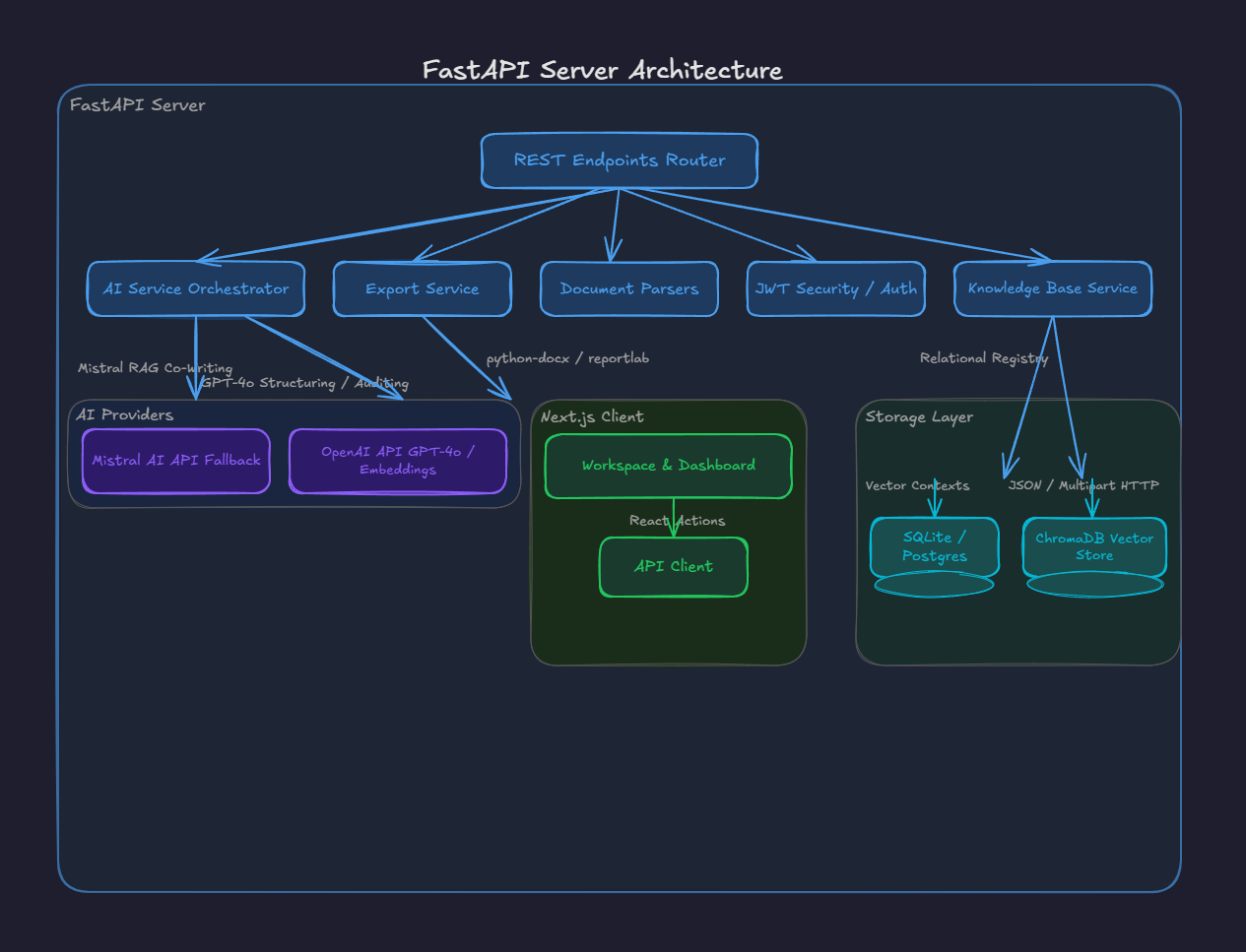
BidForge is an AI-powered Request for Proposal (RFP) and Bid Automation system. It streamlines the creation of sales bids, proposals, and compliance checks by leveraging LLM capability (OpenAI + Mistral AI fallback) and a Retrieval-Augmented Generation (RAG) knowledge base.
🌟 Key Features
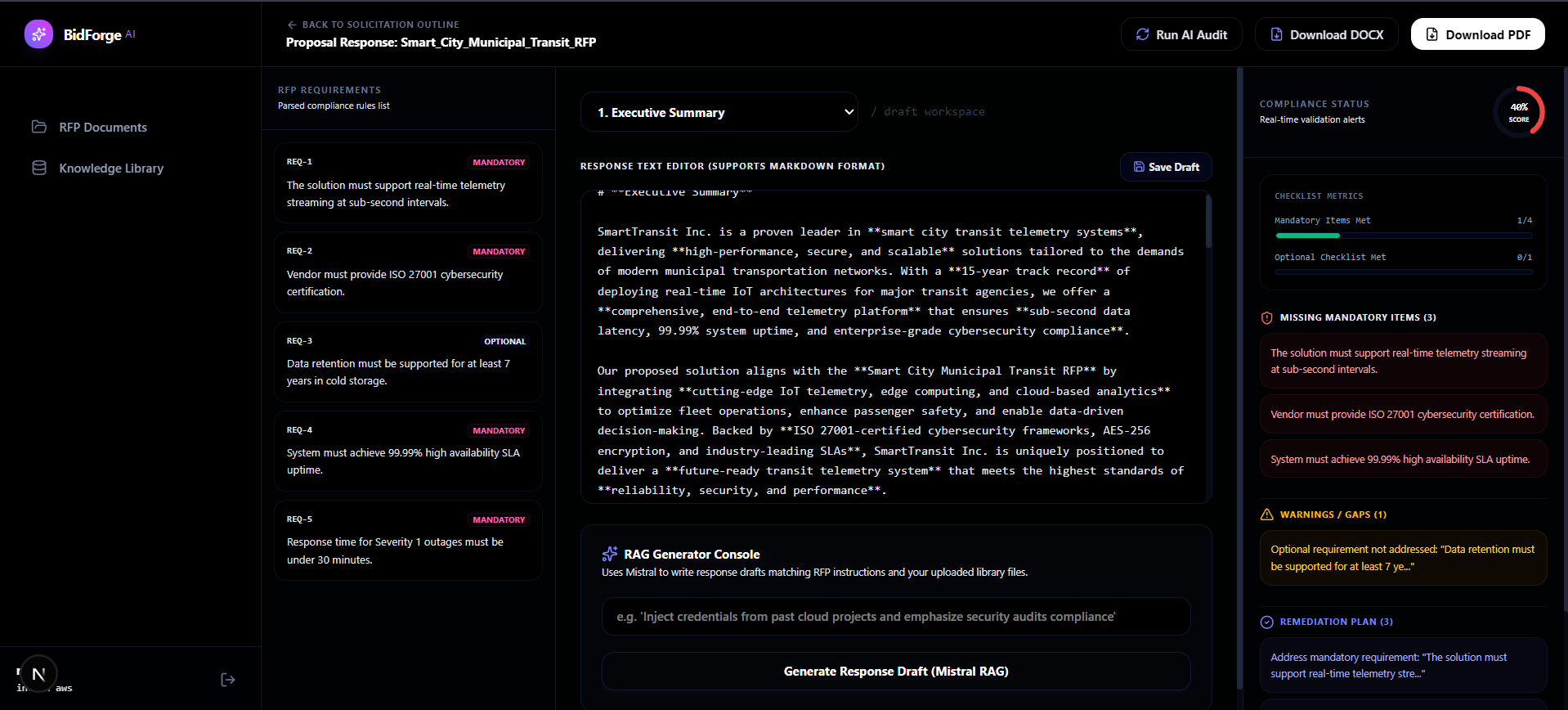
- RFP Document Ingestion: Upload RFPs in PDF or DOCX format. The system automatically parses requirements and stores them.
- RAG Knowledge Base: Upload company context, past proposals, brochures, and Q&A documents. The text is vectorized and stored in a Chroma DB vector database for semantic search.
- AI-Powered Proposal Generation: Generates highly tailored, professional answers to RFP questions based on relevant context retrieved from the Knowledge Base.
- Automated Compliance Checking: Evaluates generated proposals against RFP compliance criteria and lists improvements.
- Export Capabilities: Export finalized proposals to professional PDF or Word formats.
* User Management: Secure authentication using JWT tokens and encrypted password storage.
📁 Repository Structure
BidForge/
├── backend/          # FastAPI Backend (Python)
│   ├── app/          # API, schemas, models, and core logic
│   ├── uploads/      # Temporary storage for uploaded RFPs
│   ├── exports/      # Staging area for generated PDF/DOCX bids
│   ├── requirements.txt
│   └── .env.example
├── frontend/         # Next.js Frontend (React/TypeScript)
│   ├── src/          # Page routes, components, and API client
│   ├── public/       # Static assets
│   ├── package.json
│   └── tsconfig.json
└── .gitignore        # Global gitignore configuration
🛠️ Tech Stack
- Frontend: Next.js (App Router), React, TypeScript, Tailwind CSS
- Backend: FastAPI, Uvicorn, SQLAlchemy
- Database: PostgreSQL / SQLite
- Vector Search (RAG): Chroma DB
- LLM Integration: Dual-engine OpenAI GPT Models & Mistral AI Fallback (Mistral Large)
- Document Parsers & Generators: PyMuPDF (
fitz), python-docx, ReportLab (PDF generator)
* Containerization: Docker (Multi-stage Node.js & Python slim)
🚀 Getting Started
Prerequisites
Ensure you have the following installed on your machine:
* Node.js 18+
Backend Setup (FastAPI)
- Navigate to the backend directory:
bash cd backend - Create a virtual environment:
bash python -m venv .venv - Activate the virtual environment:
- Windows:
powershell .venv\Scripts\activate - macOS/Linux:
bash
source .venv/bin/activate
- Windows:
- Install dependencies:
bash pip install -r requirements.txt - Configure environment variables:
Copy the example environment file and configure your API keys:
bash cp .env.example .envOpen.envand fill in the values:- Set
OPENAI_API_KEYto your OpenAI Key. - Update
DATABASE_URLto your PostgreSQL database connection string, or use SQLite (e.g.,sqlite:///./bidforge.db).
- Set
- Run the Backend server:
bash
uvicorn app.main:app --reload
The API docs will be available at http://localhost:8000/docs. --- ### Frontend Setup (Next.js) - Navigate to the frontend directory:
bash cd ../frontend - Install dependencies:
bash npm install - Run the development server:
bash
npm run dev
Open http://localhost:3000 with your browser to see the BidForge application dashboard. --- ## 🐳 Docker & GCP Cloud Run Deployment
Both the backend and frontend services are containerized and can be built/deployed directly to Google Cloud Run:
1. Backend Service
- Create and configure environment variables in
backend/.env(setMISTRAL_API_KEYfor Mistral generation fallback). - Deploy the local folder to GCP:
bash
gcloud run deploy bidforge-backend --source backend/ --project=YOUR_PROJECT_ID --region=us-central1 --allow-unauthenticated
2. Frontend Service
- Create a
frontend/.env.productionfile pointing to your deployed backend URL:env NEXT_PUBLIC_API_URL="https://your-backend-cloud-run-url.a.run.app" - Deploy the frontend folder to GCP:
bash
gcloud run deploy bidforge-frontend --source frontend/ --project=YOUR_PROJECT_ID --region=us-central1 --allow-unauthenticated
🔒 License
This project is licensed under the MIT License - see the LICENSE file for details.
Built With
- chromadb
- fastapi
- nextjs
- node.js
- postgresql
- pymupdf
- python
- react
- typescript
- uvicorn


Log in or sign up for Devpost to join the conversation.