-
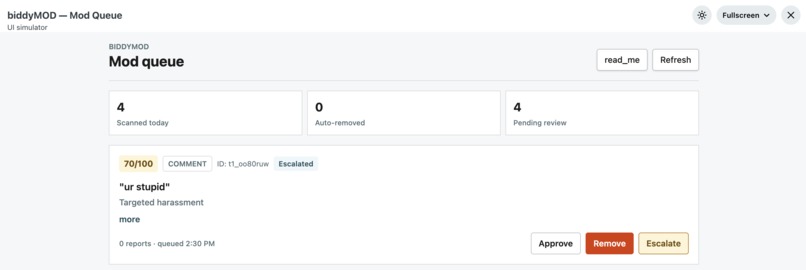
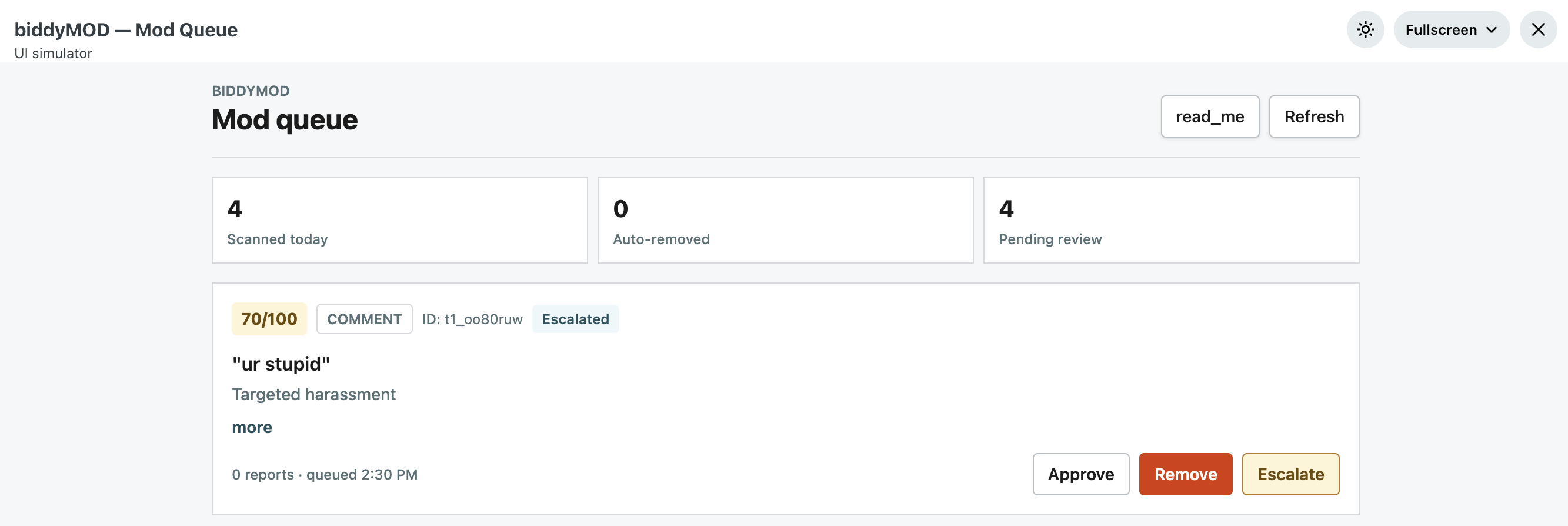
ex. comment on a post in mod queue scored on toxicity and other factors
This project is named after my dog, Biddy. He is very territorial and a dog that you don't mess with. That's pretty much exactly the energy I wanted for this tool. Subreddits can get out of hand fast, and mods are just humans trying to keep up. He inspired me to create biddyMOD. Something that sits there, watches everything coming in, and flags the bad comments and posts before it becomes a problem that might be hard to reach with the amount of posts and comments.
biddyMOD is a Devvit app that automatically scans every post and comment submitted to a subreddit the moment it goes live. It runs each piece of content through a two-layer AI pipeline: first Google's Perspective API for a fast toxicity check, then Gemini 1.5 Flash for a deeper review on anything that falls in the grey zone. Based on the final score (0-100), content gets routed into one of three buckets: dismissed (clearly fine), escalated to the mod queue with an AI-written summary, or auto-removed immediately. Mods get a custom UI panel showing everything that was flagged, sorted by severity, with one-tap approve, remove, and escalate buttons.
The project was built over three days using TypeScript and the Devvit web platform, which runs a Hono server on Reddit's infrastructure.
Day one was the data pipeline, which included setting up Redis key-value storage to aggregate reports per post, writing trigger handlers for onPostSubmit and onCommentCreate, and building out all the Redis helpers for the mod queue sorted set.
Day two was the AI layer. I went with a hybrid approach to keep costs down: Perspective API handles the first pass for free, and Gemini Flash only gets called on content that scores in the ambiguous middle range (0.3-0.6). This cuts the number of Gemini calls by around 80% while still getting LLM-quality reasoning on the stuff that actually needs it.
Day three was the frontend, which meant building a React mod queue UI built with Tailwind that reads from Redis, shows each flagged item with its AI summary and score badge, and lets mods take action directly from the panel.
The biggest challenge was figuring out how Devvit's platform actually works in practice. The documentation covers the happy path well but the edge cases --- like how entrypoints are switched, how secrets are stored, which Redis methods are available and under what type signatures --- required a lot of trial and error. The \texttt{zRange} return type in particular was inconsistent between what the TypeScript types said and what actually came back at runtime, which caused some fun debugging.
Getting the Perspective API integrated was also trickier than expected. There's a delay after enabling the API in Google Cloud Console before it actually accepts requests, which caused some confusing 403 errors early on. And writing the Gemini prompt to reliably return clean JSON (no markdown fences, no preamble) took a few iterations to get right.
On the Devvit UI side, switching between entrypoints doesn't work via URL parameters the way I initially assumed. The correct method is {requestExpandedMode(event, 'entrypointName')}, which is only documented indirectly through example code rather than the main docs.
The biggest thing was how much you can get done in three days if you keep the architecture simple and use free-tier APIs smartly. The two-layer Perspective + Gemini approach was something I figured out on the fly and I'm pretty happy with how it turned out. I also got a lot more comfortable with Hono, Redis sorted sets, and building Devvit apps from scratch. And I learned that naming projects after your dog is always a good call.
Built With
- gemini-api
- google-cloud
- perspective-comment-analyzer-api
- typescript

Log in or sign up for Devpost to join the conversation.