-
-
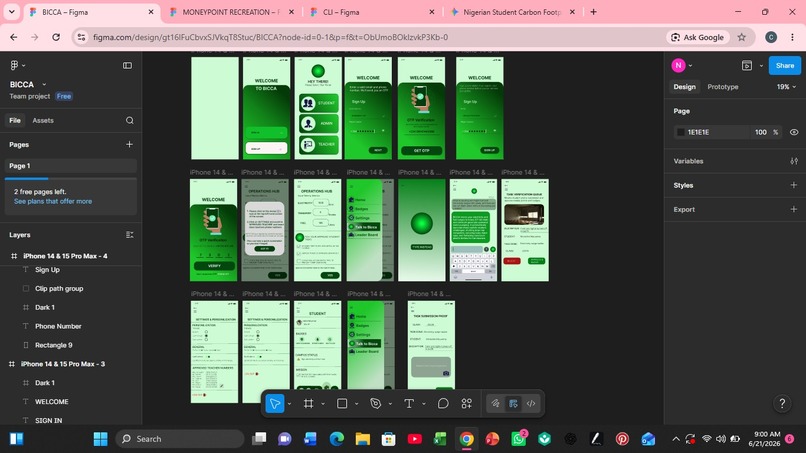
Working screen
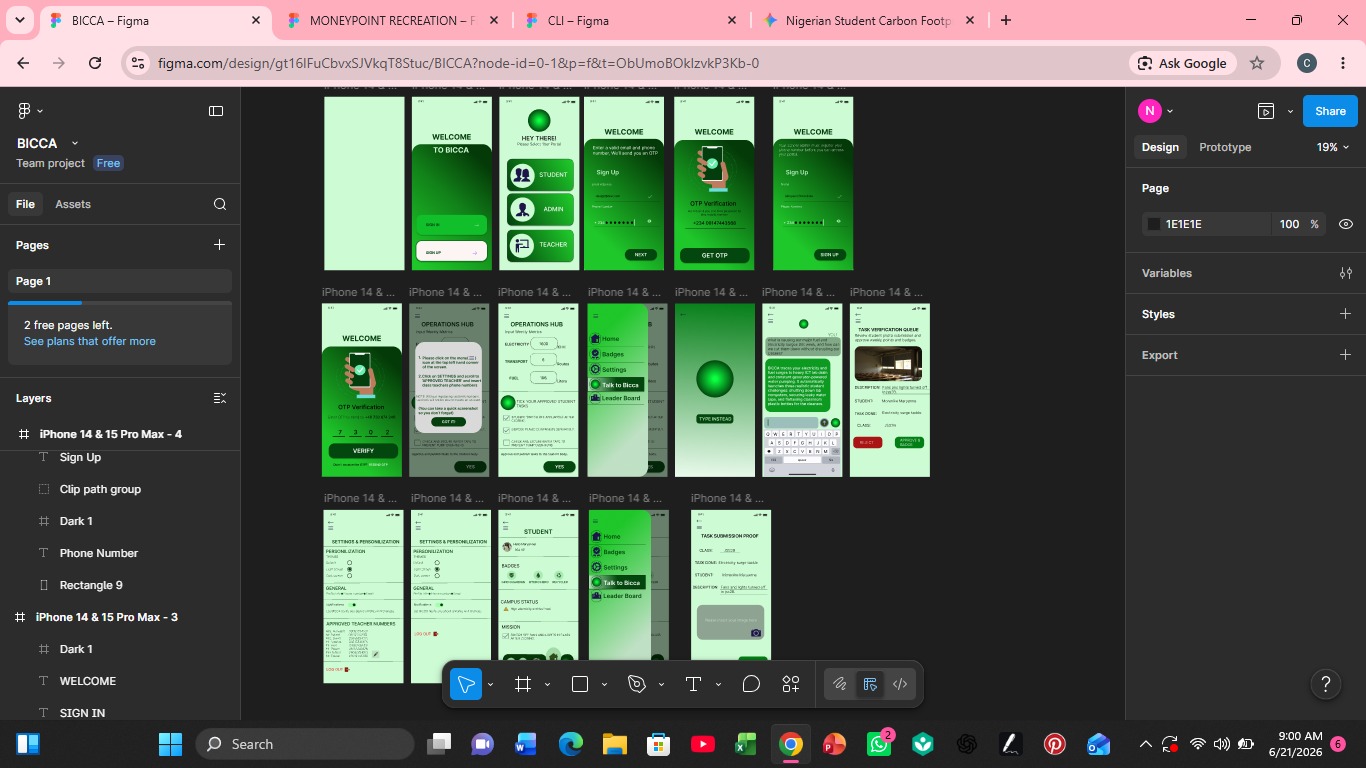
Inspiration
Since the hackathon challenged us to tackle our school's environmental footprint to combat climate change, we immediately looked at how sustainability data is handled in schools.
- We realized a core issue: raw environmental data (like utility bills, electricity logs, or transportation fuel sheets) usually sits locked away on an administrator's private desktop. Leaving the student body with no clear, practical direction on how or where to begin creating a real climate impact. *We designed BICCA the way it is because we believe technology should translate raw data into direct human action. *We chose not to build a passive tracking sheet but instead, we were inspired to create a proactive ecosystem where an intelligent AI acts as a secure, background bridge. The AI privately evaluates the school's footprint and instantly translates that data into clear awareness and personalized, localized daily tasks for students. We built this specific layout so that real-world climate numbers immediately fuel a dynamic, gamified student culture.
What it does
BICCA is an AI-powered climate action ecosystem featuring two distinct, interconnected interfaces:
- *For School Administrators: A dedicated portal where they input weekly consumption metrics like electricity (kWh), transportation data, and gasoline usage. **For Students: A highly gamified dashboard. Instead of giving generic tips, BICCA’s AI analyzes the school's raw emission data and generates targeted Climate Tasks to directly counter that week's specific footprint (e.g., if gasoline emissions spike, the AI pushes a task for neighborhood tree-planting to maximize carbon sequestration). *Students complete tasks, track their community impact, and log them in the app. Once verified by the administration, students earn Badges/Patches commemorating their achievements and compete for a spot on the monthly Top-3 Leaderboard displayed on the ranking screen. It also includes a fully customizable Settings column where students can personalize their AI themes, layouts, and display colors.
How we built it
We developed an interactive Figma prototype simulating a secure, conditional role-based flow. *We began by wireframing the initial gateway screen where the Student or School administrator choice is selected. Clicking either role routes the user down entirely separate UI architecture paths. *We then built out the dashboard interfaces using Figma’s auto-layout constraints, component variants and smart-animates. The student experience is organized into clear navigation tabs and UI Customization Settings. When a user selects a new layout or color scheme inside the settings panel, the entire prototype changes accent colors and themes instantly to reflect real-time interface personalization.
Challenges we ran into
As high schoolers who didn't know how to write complex backend code, our biggest hurdle was realizing we had to build everything as a working visual model in Figma. Although my partner already have some knowledge in UI designing, we still faced challenges like: *We struggled to design separate spaces for students and mentors without making the screens look cluttered and confusing. We had to redesign our frames multiple times just to make them easy to navigate. *Since Figma isn't a real database, making a button on the admin screen change what happens on the student's screen was incredibly difficult. We had to make a visual exampyof this activities and connecting hundreds of interaction wires so the app would actually feel like a real, working AI system. *We had so many big ideas for different features, we ran out of time qquickly because we were still learning how to navigate perfect through figma. We had to make the hard choice to cut out the extra pages and focus purely on making our core onboarding and task loops work perfectly.
Accomplishments that we're proud of
* *A Mastered Tool: We went from knowing nothing about Figma to building a professional, high-fidelity interactive prototype. **The "Wires" actually worked: We successfully wired a complex, separate-path system for both students and mentors that feels like a real, working app.
- **A Smart AI Concept: We designed a meaningful AI setup.
What we learned
What we learned
We learned that you don't need to be a master programmer to build something that matters. Starting with zero coding knowledge, this project taught us how to design an actual user interface, how to think like product developers, and how to conquer the absolute puzzle of Figma prototyping wires.
What's next for BICCA
What's next for BICCA
We want this prototype to become a reality in schools. Our ultimate goal is to watch friends use this app, earn their badges, and see our community actually change. We started with no coding knowledge, just a big dream to protect our environment—and we aren't stopping here.
Built With
- figma


Log in or sign up for Devpost to join the conversation.