-
-
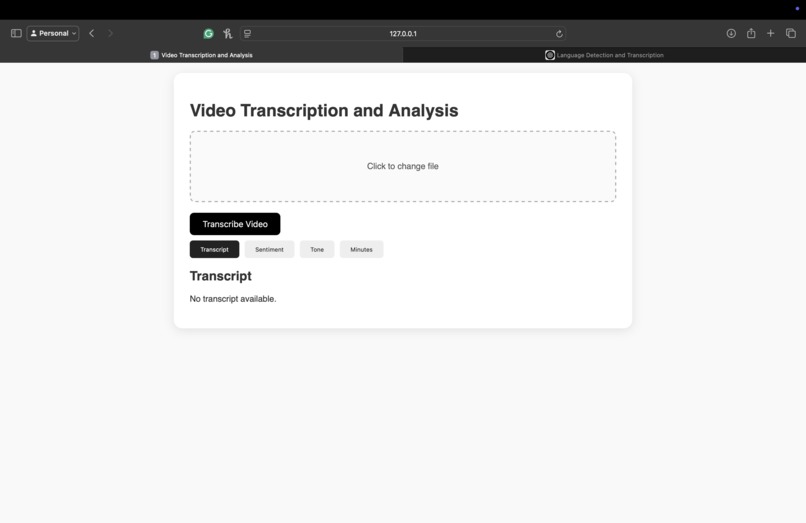
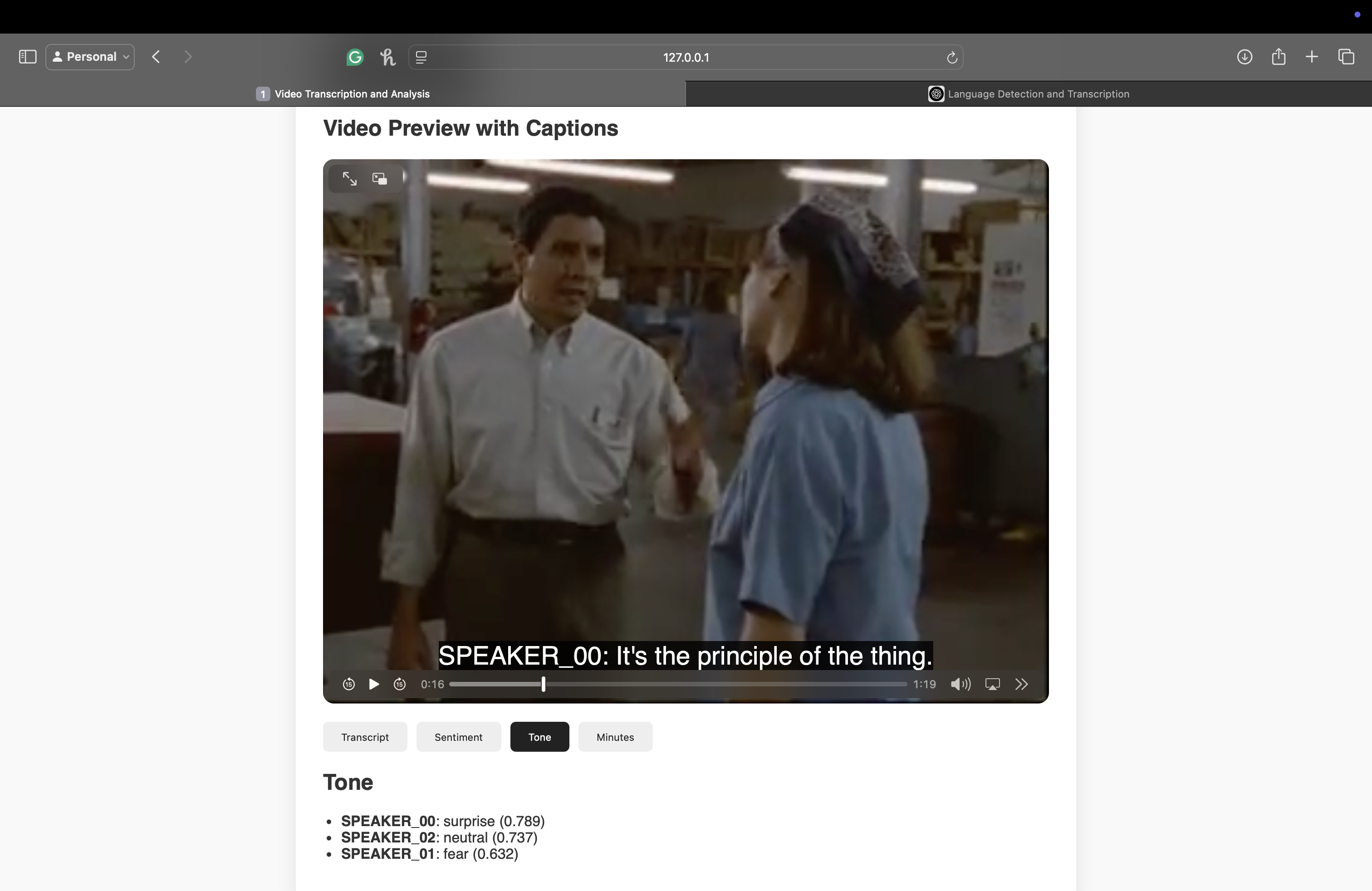
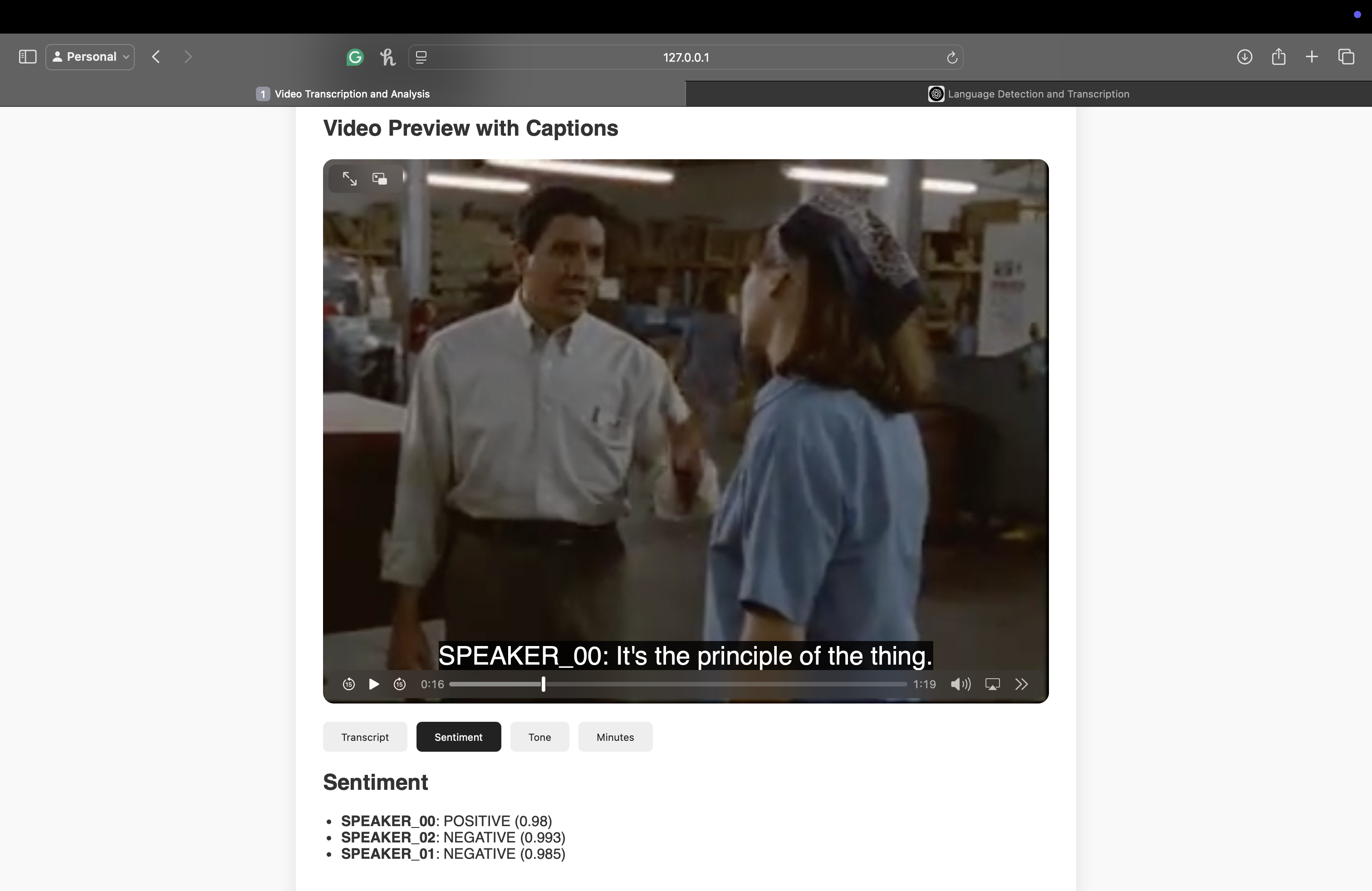
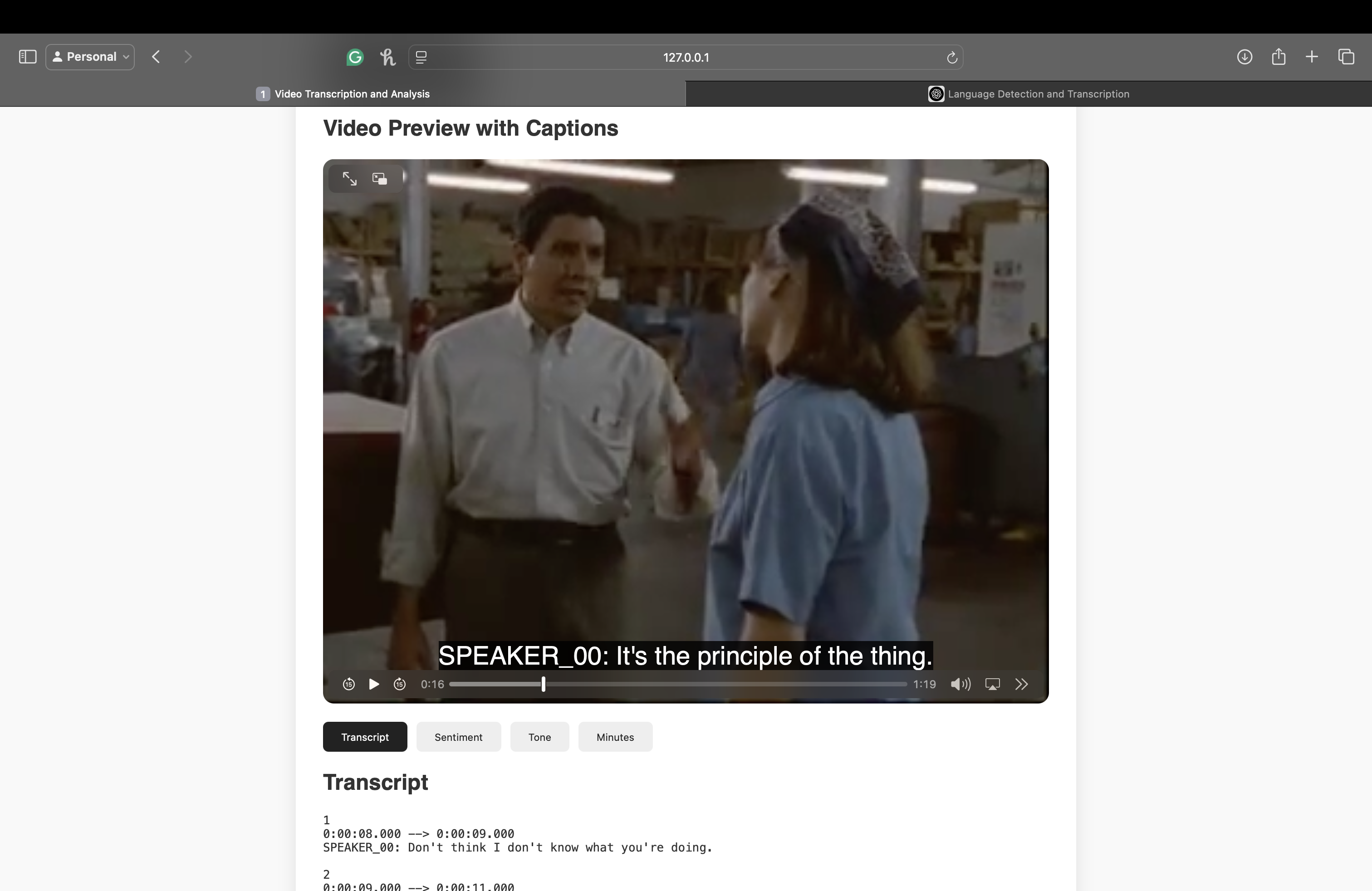
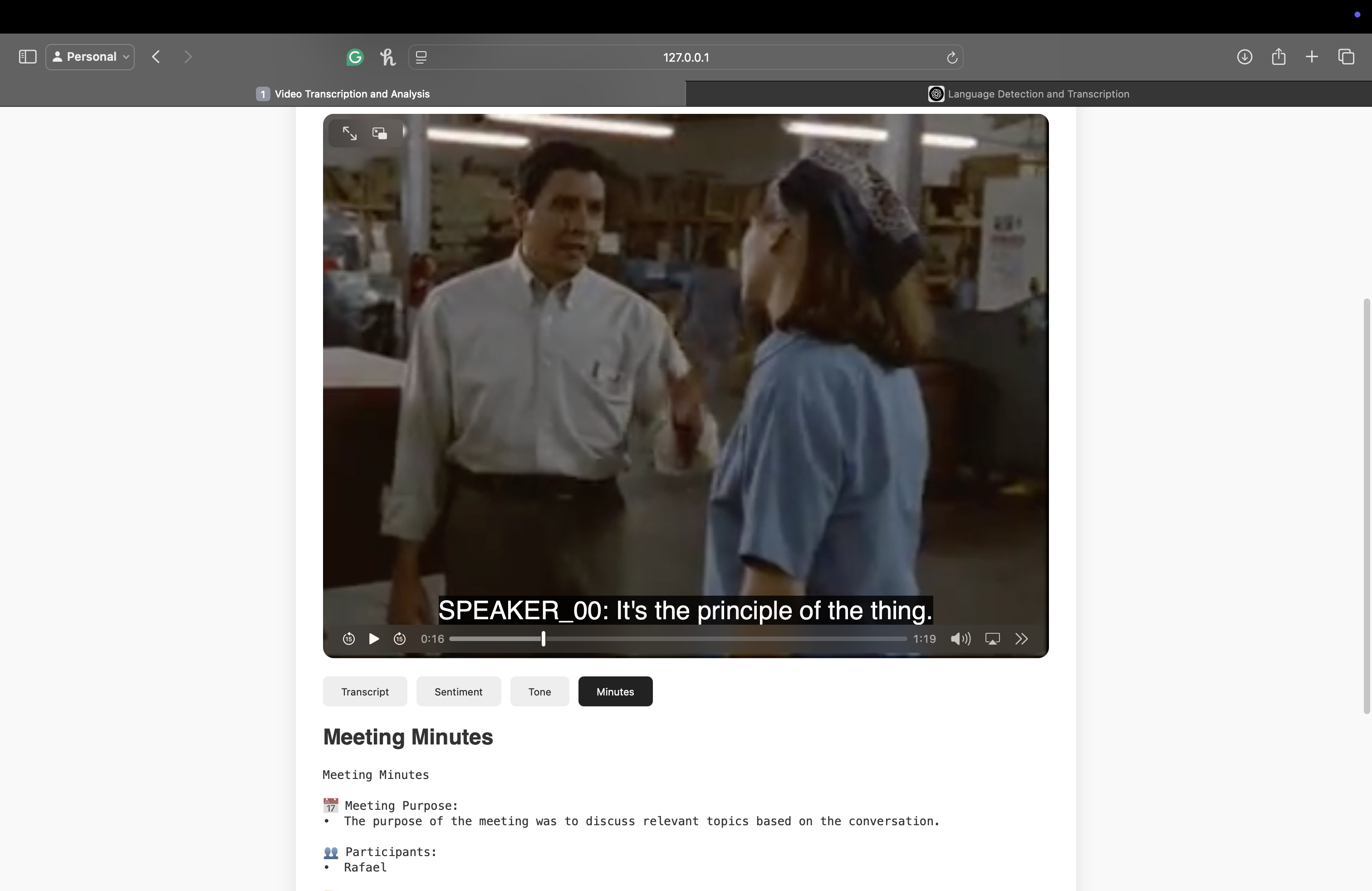
Bibble UI Interface
-
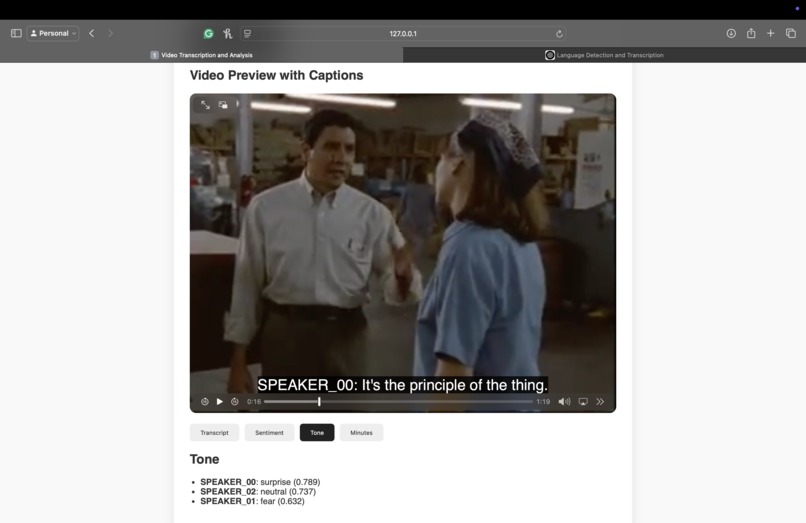
Tone Analysis
-

Sentiment Analysis
-
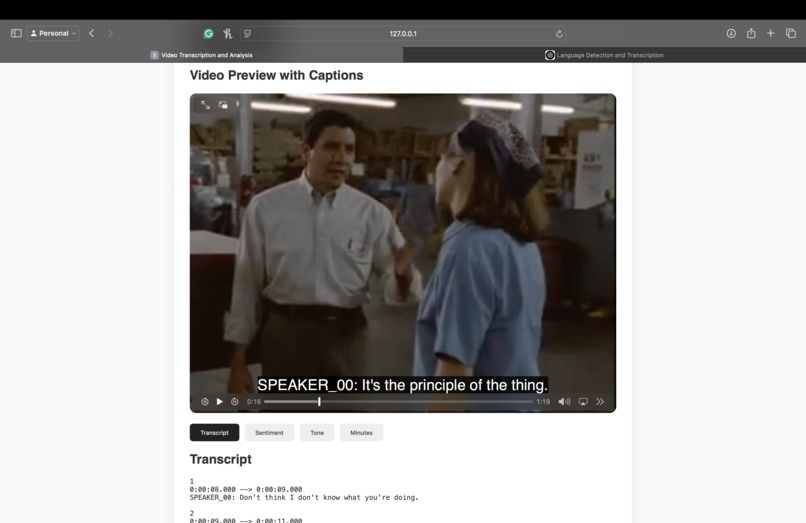
Transcript
-

Meeting Minutes
-
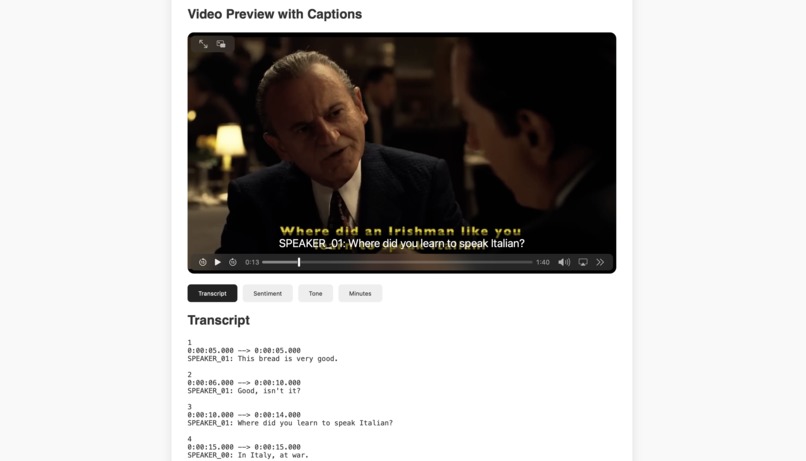
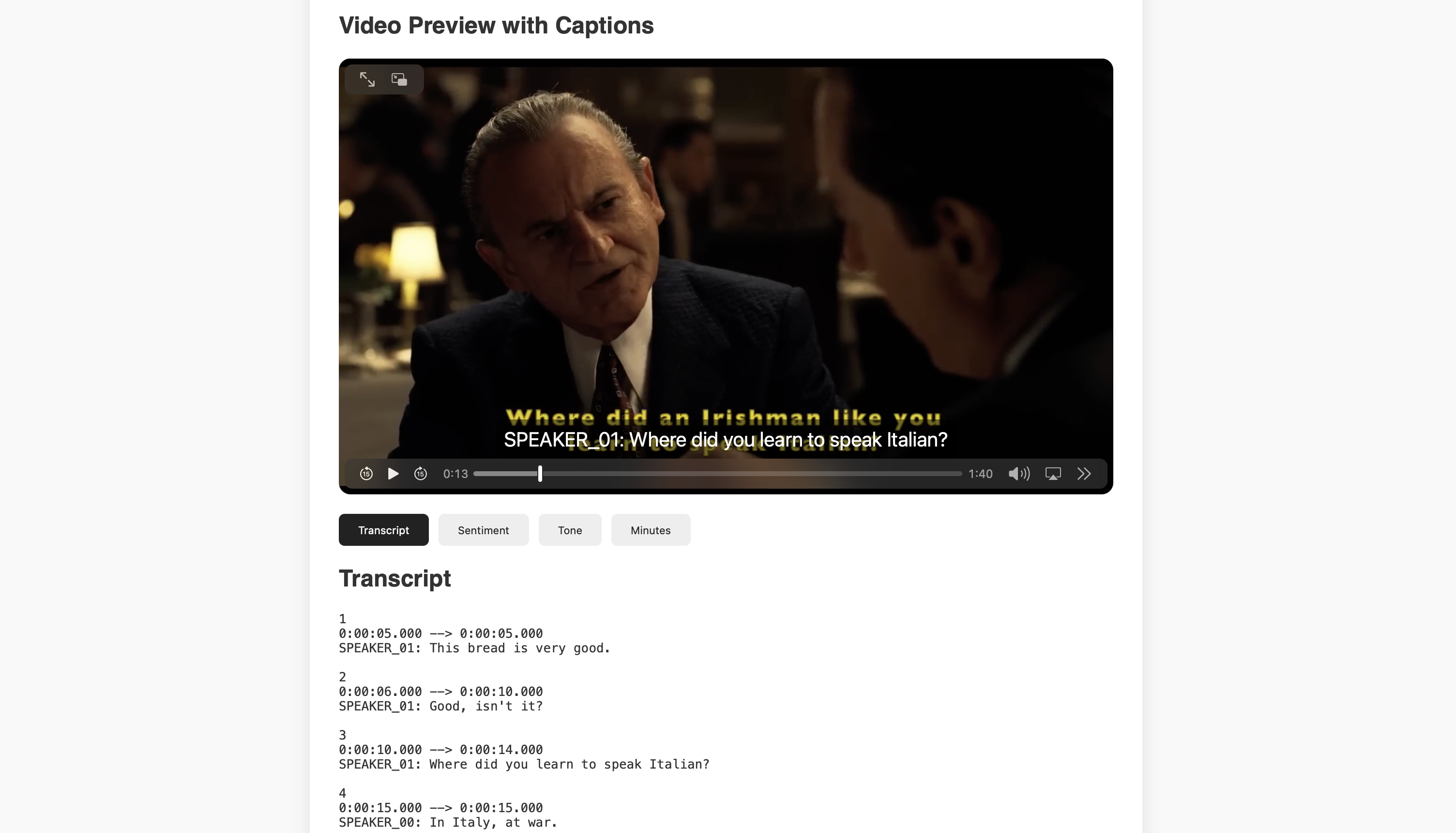
Multilingual Support - Italian

🚀 SVM_Hackathon - Bibble: Meeting Transcriber & Summarizer
💫 Project Overview
This project is a comprehensive video processing and analysis platform that allows users to upload video files in various languages, extract audio, perform transcription, analyze sentiment and emotions, generate meeting minutes, summaries, and identify individual speakers. It leverages advanced natural language processing and speech recognition models to deliver powerful insights from spoken content.
🎯 Objective
To build an AI-powered video intelligence tool that processes multilingual video content and provides:
- 🎙️ Speech-to-text transcription
- 😊 Sentiment analysis
- 😢 Emotion detection
- 📝 Summarization of dialogues
- 🧠 Speaker diarization (who said what and when)
🧰 Tools & Technologies Used
| Category | Tools/Frameworks |
|---|---|
| Frontend | HTML5, CSS3 |
| Backend | Python, Flask |
| ASR (Transcription) | Whisper, WhisperX |
| NLP Models | HuggingFace Transformers |
| Summarization | BART (SAMSum Dataset fine-tuned) |
| Sentiment Analysis | DistilBERT (fine-tuned SST-2) |
| Emotion Detection | DistilRoBERTa (Emotion classification model) |
| Speaker Diarization | PyAnnote.audio |
| Audio Processing | FFmpeg, PyDub |
| NLP Processing | SpaCy |
| Misc | NumPy, SciPy |
⚙️ How It Works
- Upload Video via web interface.
- Audio Extraction & Conversion using PyDub and FFmpeg.
- Transcription using Whisper / WhisperX.
- Sentiment & Emotion Analysis via HuggingFace transformers.
- Summarization using pre-trained SAMSum model.
- Speaker Diarization using PyAnnote.
- Outputs:
- Captions (.vtt)
- Converted Audio (.mp3)
- Emotion & Sentiment results
- Summarized conversation
🎯 Target User Benefit: Supporting Individuals with Autism or Social Communication Challenges
This platform is particularly valuable for individuals with autism spectrum disorder (ASD) or those who struggle with interpreting social cues and facial expressions. Such individuals often face difficulties in understanding tone, emotion, and sentiment during conversations.
Our solution provides a clear, AI-generated analysis of each speaker's sentiment and emotional tone, along with accurate transcriptions—either in English or translated from other languages. By analyzing everyday conversations, users can review interactions they found confusing or emotionally ambiguous.
Whether it's a recorded conversation, a meeting in a noisy environment, or a scenario where they felt unsure of the social dynamics, users can revisit the event and:
- Review transcripts
- Understand speaker’s emotions and sentiments
- Access summarized meeting minutes
This empowers users to build better social understanding, gain confidence in communication, and make sense of interpersonal dynamics they might otherwise miss.
🔁 Workflow & Pipeline: Bibble
- Video Upload
- User uploads a video file via the web interface.
- Audio Extraction
- The video is converted to .mp3 using FFmpeg and PyDub and stored in a temporary wav file.
- Speech-to-Text
- Audio is transcribed using Whisper or WhisperX.
- NLP Analysis
- Transcribed text is passed through:
- Sentiment Analysis (distilbert-base-uncased)
- Emotion Detection (distilroberta-base emotion model)
- Summarization (bart-large-cnn-samsum)
- Named Entity Recognition (NER) using SpaCy
- Transcribed text is passed through:
- Speaker Diarization
- Identifies and separates speakers using PyAnnote.audio.
- Output Generation
- Transcriptions are converted to .vtt subtitle format.
- Audio files and captions are saved in the uploads/ directory.
- Summaries and analysis results are displayed to the user.
- Multi-lingual analysis
- We tested with 3 different languages mainly Spanish, Italian, and Hindi as well. As an instance, we input the Hindi video file, then it is translated in English and again the transcription, meeting minutes, sentiments, and tone is recognized.
🛠️ How to Run the Project
Prerequisites
- Python 3.8+
- FFmpeg installed and configured
- HuggingFace account (for PyAnnote and transformers)
- Whisper module source:
pip install git+https://github.com/openai/whisper.git
To use the gated Hugging Face model pyannote/speaker-diarization-3.1, you need to:
- Create a Hugging Face Token: https://huggingface.co/settings/tokens
- Click “New Token”, give it a name, and select read access
- Copy the token
- Install required versions of
pyannote.audio, andpyannote-audio-segmentation - Authenticate with Hugging Face and paste your token when prompted
- This will cache the credentials and allow model access automatically
- Load the Gated Model in code
- (Optional) Store Token in Config
🚀 Future Enhancements
- Currently, we have tested 3 languages other than English mainly: Spanish, Italian, and Hindi. For future work, we plan on incorporating even more languages for our prototype and plan to make it vastly available.
- Real-time transcription and analysis
- Enhanced speaker identification with names


Log in or sign up for Devpost to join the conversation.