Inspiration
“Let’s stick with first-name badges. Some of the international names are hard to pronounce.”
Racial → cultural erasure Puts majority comfort over colleagues’ identities.
“We need one point-man to own the migration.”
Gender → masculine generic Uses male-coded title as default leadership term.
60% of workers encounter bias or micro-aggressions, and they often originate in everyday email or doc comments. (https://www.cpedv.org/sites/main/files/file-attachments/how_to_be_an_effective_ally-lessons_learned_microaggressions.pdf)
Even well-intentioned writers can unintentionally perpetuate with subtle biases about race, gender, ability, or any of the many dimensions of identity. In a world that values inclusivity and equity, we wanted a lightweight tool to become aware of their own biases, and protect every community involved; the senders, the receivers, and the internet community.
The safest & cheapest place to fix risky language is before it hits “Send.”
What it does
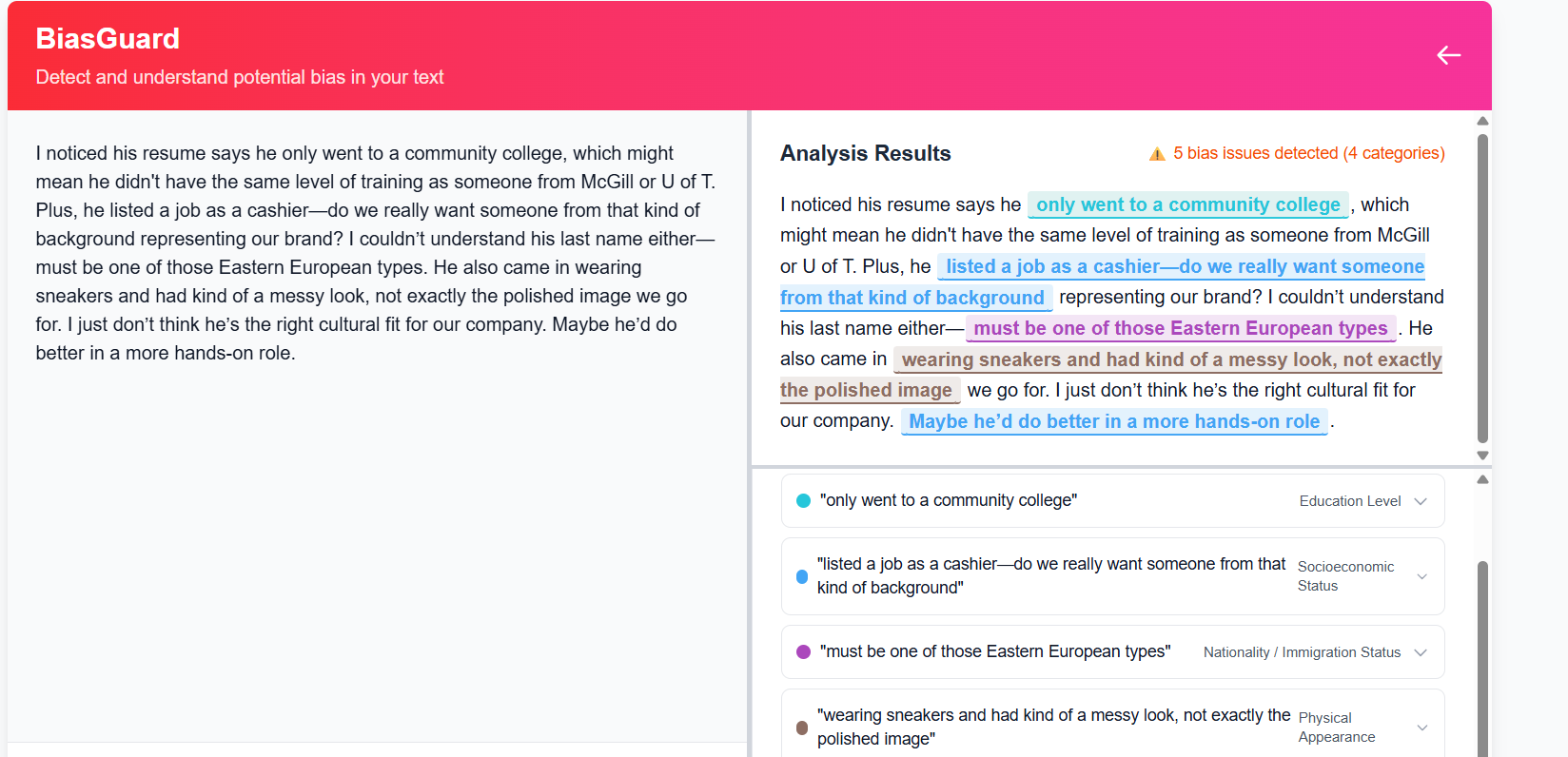
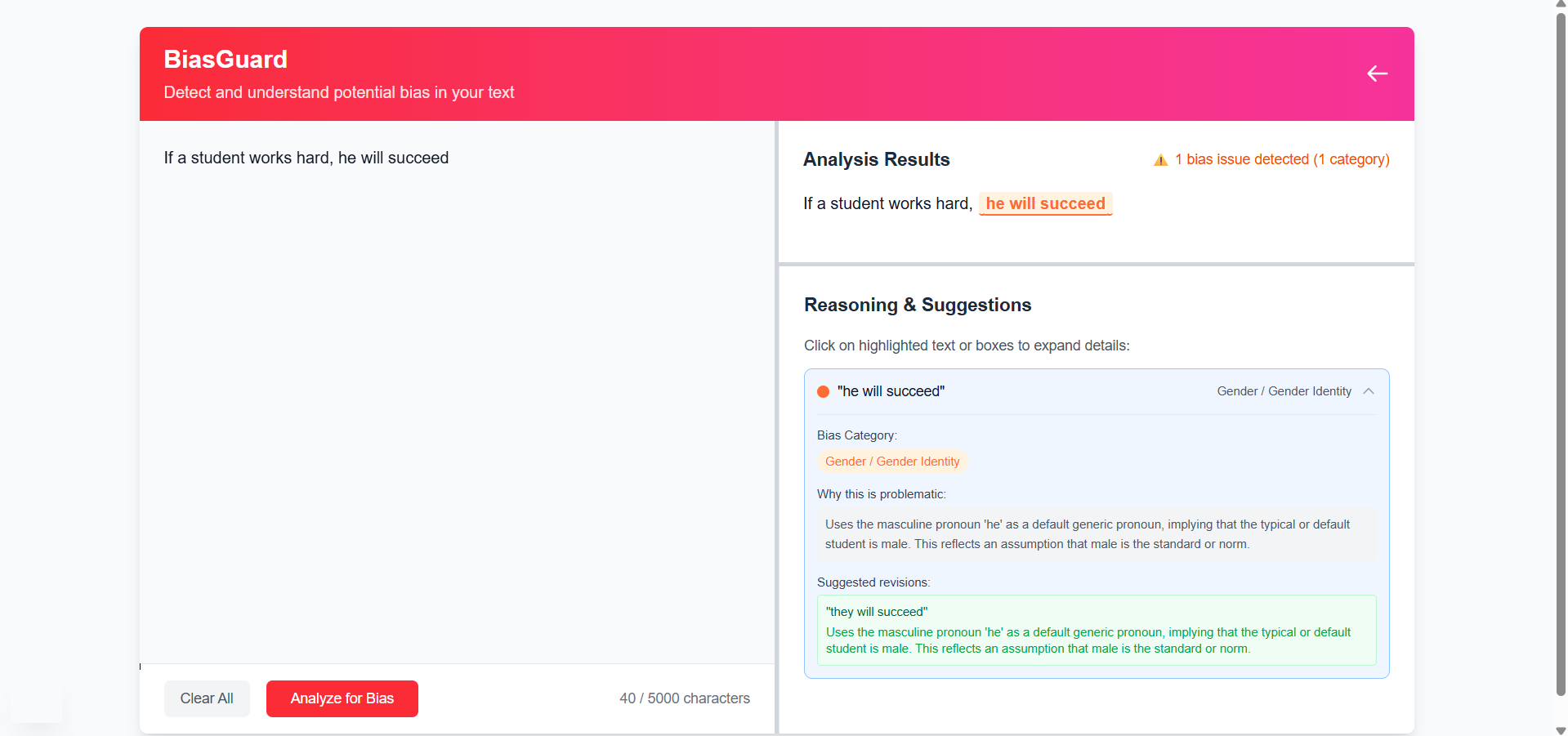
BiasGuard analyzes a user’s paragraph and highlights specific text where subtle bias exists. For each flagged word, it shows a tooltip that explains why the chosen wording could perpetuate stereotypes or exclusion
Our current coverage is trained on ten bias categories (racial, disability, gender, sexuality, religious, nationality, age, socioeconomic, educational, physical, political), each with its own tailored guidance.
How we built it
- Bias Detection Model: A fine-tuned ML model built on ModernBERT-large that scans text and returns spans plus a bias category label.
- Frontend: A React-based editor component that hooks into the user’s text input.
- Prompt Engine: For each flagged span, we map the label to one of our hyperspecific LLM prompts (e.g., "The phrase
<SPAN>may reflect ableist assumptions...") and query an LLM to generate the tooltip content. - Tooltip UI: Lightweight hover tooltips that show the explanation + rephrase, styled for minimal distraction.
- Chrome Extension: Users can shield themselves from microaggressions online using our universal text hiding tool
Challenges we ran into
- Subtlety vs. Precision: Balancing the model’s sensitivity so it doesn’t overflag harmless phrases, while still catching nuances.
- Category Overlap: Some spans could fall under multiple bias types (e.g., “immigrant” is both nationality and socioeconomic). We had to design a priority hierarchy.
- Context Preservation: Ensuring the suggested rewrites preserved the original intent and tone of the author.
Accomplishments that we're proud of
- Built a unified pipeline from user text → model inference → LLM-driven rewrite suggestions in under two weeks.
- Developed ten fully-customized prompt templates that dive deep into each bias type, ensuring tooltips are both educational and actionable.
- Achieved an initial user study score of 4.3/5 for “helpfulness” in spotting and fixing biased language.
What we learned
- Effective bias detection requires more than keyword lists; contextual embeddings are key to catching subtle prejudices.
- Hyperspecific prompts (one per bias category) yield clearer, more accurate suggestions than broad “remove bias” instructions.
- The user experience hinges on seamless integration—the fewer clicks, the more likely writers adopt the tool.
What's next for BiasGuard
- Expand Categories: Add more nuanced axes (e.g., body-size bias, neurodiversity).
- In-Context Learning: Allow users to “teach” BiasGuard by confirming/correcting flags, improving model accuracy over time.
- IDE/Platform Plugins: Ship extensions for VS Code, Google Docs, and popular CMS platforms.
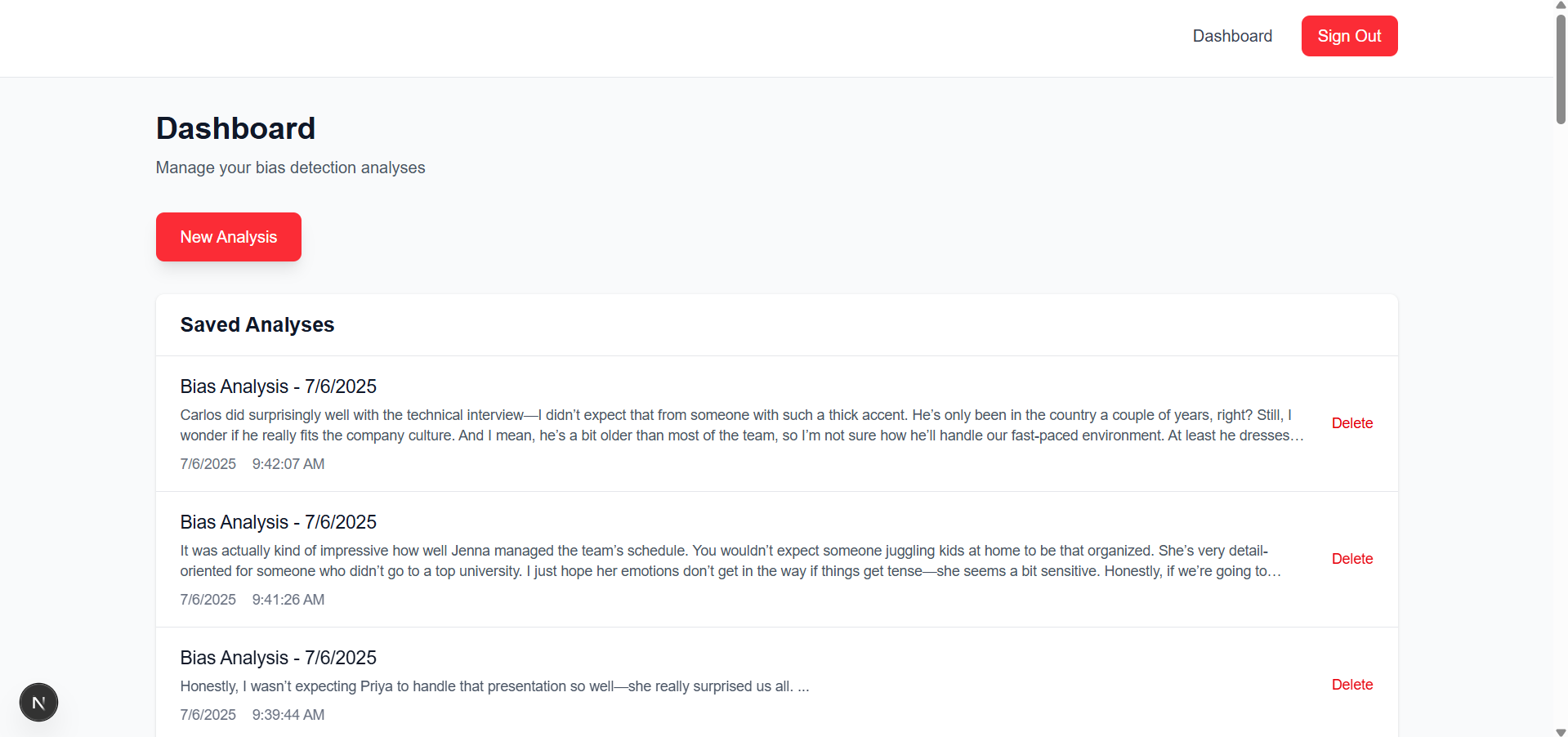
- Team Collaboration: Add shared style guides and bias-report dashboards for editorial teams.

Log in or sign up for Devpost to join the conversation.