-
-
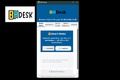
BHDesk_Panel
-
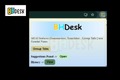
BHDesk_pop_up
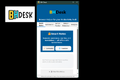
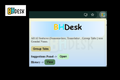
Inspiration
The idea for BHDesk was born from a simple frustration — the browser chaos. Dozens of tabs, scattered notes, and repetitive tasks were slowing down our productivity. We often needed to summarize long articles, translate snippets, or organize related tabs (group tabs) — and every tool available online came with a catch: internet dependency and privacy risks. That’s when we asked: “What if your browser could think with you — securely, privately, and offline?” This question led to BHDesk, an AI-powered, offline-first productivity hub built directly inside Chrome, powered by Gemini Nano.
What it does
BHDesk emerged as a powerful offline productivity companion: Helps users summarize, translate, and organize efficiently. Learns browsing patterns to suggest study notes and tab grouping. Works entirely offline, ensuring full data privacy. It represents a step forward in how AI can enhance productivity without compromising user trust
How we built it
We developed BHDesk as a Chrome Extension leveraging Gemini Nano (via Chrome’s built-in AI capabilities). The architecture was designed around modularity — each tab (Quick Notes, Automator, Tracker, etc.) being a distinct module communicating via background scripts.
Key Technologies Used: Frontend: HTML, CSS, JavaScript (Manifest V3)
APIs: Prompt API → for generating intelligent tab-grouping and smart suggestions Summarizer API → for concise text summarization from user highlights Translator API → for seamless Hindi ↔ English translation Chrome Extensions API → for tab management, context menus, and local storage
Offline Capability: All AI features use Gemini Nano, Chrome’s on-device AI model, ensuring zero data leaves the user’s machine.
Challenges we ran into
Like any innovation, BHDesk came with its own set of hurdles: Gemini Nano Integration: Getting Gemini Nano’s offline inference to work consistently through Chrome’s experimental APIs required extensive debugging.
Performance & Timing Issues: AI actions (summarization/grouping) sometimes took 1–2 minutes. We had to introduce user-gesture handling and efficient callback systems to manage Chrome’s async behavior.
UI Consistency: Maintaining a single unified suggestion UI across all tabs was a major design challenge — solved by consolidating logic into one modular component.
Pattern Recognition Logic: Implementing study-note and topic-tracker patterns required fine-tuning thresholds — for example, detecting highlights above 50 characters on three or more unique URLs. Ensuring suggestions trigger only when patterns are meaningful.
Accomplishments that we're proud of
We are proud that we made an extension which not only integrates group tabs , summarize and translate features but also give suggestions while detecting certain patterns to perform the recommended action (all offline).
What we learned
Throughout development, we deepened our understanding of: On-device AI integration and prompt execution using Chrome’s new Prompt API. Efficient state management between background scripts, service workers, and popup UIs. The importance of UI/UX in browser extensions — how subtle layout and delay management affect perceived performance. Building a truly offline-first AI system, ensuring all functionality works without an internet connection. We also learned how local LLMs can be optimized for tasks such as summarization and topic grouping through prompt tuning — an interesting application of prompt engineering
What's next for BHDesk - Browser Helper for your Productivity Desk
Analyzer Tab with online AI model support Multi-language summarization Cloud sync (optional & privacy-conscious) UI redesign for accessibility
Built With
- chromedevelopertools
- chromextensionsapi
- css
- gemininano
- git&github
- googlechrome
- html
- javascript
- manifestv3
- promptapi
- summarizerapi
- translatorapi

Log in or sign up for Devpost to join the conversation.