-
-
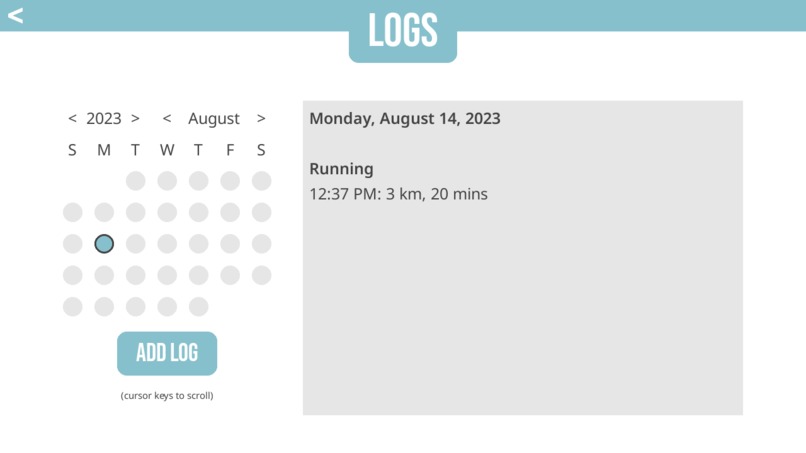
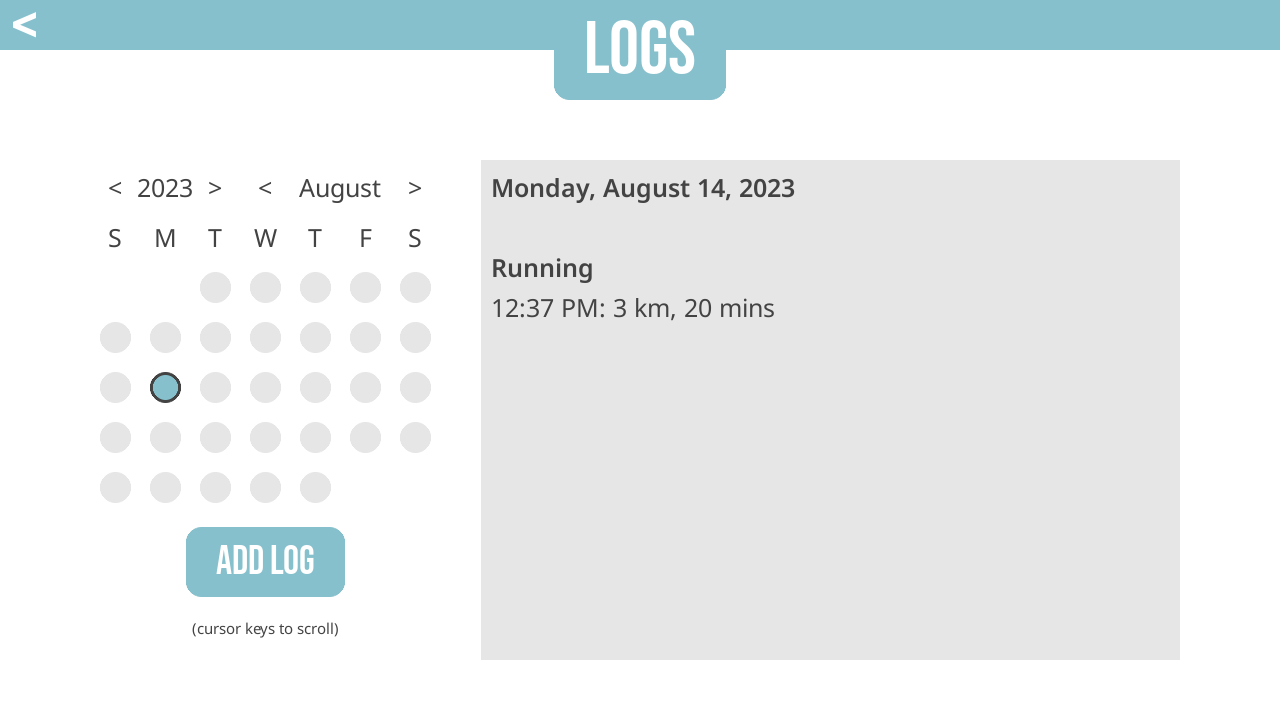
Screenshot of logs page with calendar
Inspiration
Our goal was to create an app that has everything a user needs to start forming and keeping healthy habits. While there are many different apps that have similar functionalities, they are all more limited, in that they seem to have a narrower focus on a particular aspect of forming habits. For example, a user may have to track their reading habits in one app, their running habits in another, as well as manually transfer information over to a third app to track their progress towards their goals. Our design philosophy was to keep our app and its menus as simple and accessible as possible, while simultaneously having as many functionalities as possible. Despite how ridiculous it sounds to say it out loud, it can be shockingly easy for beginners to feel overwhelmed or anxious over something as trivial as having to work within three different apps, and this may contribute to them dropping beneficial habits.
What it does
The user is able to log data about an activity: the name of the activity, along with up to four numerical metrics by which the activity is measured. For example, a user could log that they read 18 pages, that it took 20 minutes and that it was 1 chapter. The activity and metrics are all custom input and the user can measure anything that they’d like. For example, it is also possible to log that they ran for 2.5 kilometres and that their pace was 6 minutes/kilometre, with a total time of 15 minutes. These logs are viewable in a calendar format; simply click on the date on which the log was made, and the details will appear. This app also comes with a goal-setting capability, where the user is able to set a goal. This goal is completely customizable and can track activities. For example, if the user indicates that they want to read once a day for 7 days, the goal tracker will pull the relevant data from the .json file and display the time remaining and whether or not the goal has been met. The goal is flexible, can include a tracking metric and allows custom input for frequency and timeframes. For example, it is also possible to set a goal of reading for 20 minutes twice every 3 days for the next 30 days. Every time a reading session of 20 minutes or over is logged, it will contribute towards the goal progression, with a limit of 2 contributions every 3 days. Custom goals can also be added, which are not tracked by the app, but can display any text input by the user.
How we built it
After brainstorming the idea and doing the necessary research, we decided to start creating mockups of each menu and discussing the overall layout and functionality of the app. After several rounds of mocking up and simplifying the menus and navigation as much as possible, eliminating unnecessary menus, etc., we started creating the app. BeWell is written using Python and uses the PyGame library instead of a UI toolkit. Each menu and widget (textboxes, the log calendar, etc.) was manually created completely from scratch. All data is stored in an easily readable .json file alongside the app.
Challenges we ran into
By far, the biggest challenge was the limited manpower available. With only one experienced programmer on the team, it was a balancing act between the value of a function and the time it would take to implement it. None of the code is technically challenging or difficult to write, but many of the fine details and quality of life improvements took a very long time to implement, on top of the complex and tedious processes involved in creating the core functionalities in the first place, as well as integrating that with a functional, completely custom UI. While efforts were made to divide the workload as evenly as possible, the time it took to program features was still the bottleneck on progress.
Accomplishments that we’re proud of
This was an entirely new project for both of us. Neither have any experience in UI design, nor did we know any of the research behind goal-setting and how to create an app that would facilitate goal-setting. We’re proud that we were able to take that risk and end up with the product that we did. The app, in our opinion, has a great amount of functionality and polish for something created within 48 hours. It was very rewarding for the both of us to see it come together with the level of quality that it has reached.
What we learned
In creating this project, we researched methods for effective goal-setting and common barriers to keeping those goals. This knowledge was the foundation for our application and the manner in which it was designed. One of the best ways to start improving one’s health is to create small, sustainable and healthy habits; it can be as simple as starting with a five-minute walk every other day. We’ve discovered that another important aspect to goal-setting is that it should be specific to the person setting the goal. It may feel alienating, overwhelming or even embarrassing to set a goal in an app that isn’t designed for you. If your goal is just to get out of the house and go on a walk every day, it can be discouraging to open a running app and have to deal with the app making attempts to have you track your pace or distance. The type of goals that the running app helps you to set isn’t always the type of goal that you’re looking to set. The flexibility of BeWell’s goal-setting platform allows anyone to set any goal, whether it’s as small as reading a little every day, or as intense as marathon training for two hours thrice a week. The user completely tailors the experience towards themselves, and can track any activity using any metric they wish to, or no metrics at all.
What’s next for BeWell
The first thing we would implement, as a quality of life improvement, would be visual progress bars in the goal-setting tab. It’s important to be able to track progress towards one’s goals, and this ability was intended to be a part of this project, though the time constraints ultimately prevented us from implementing it in time. After that, one of the critical next steps in this project is to expand BeWell’s capabilities. Ultimately, the goal is not only to have a tracking app, but one which also comes with activities built in to help improve mindfulness and brain health, such as breathing exercises, meditation, crosswords, sudoku, chess, etc. These were out of the scope for the hackathon, as they would each likely need to interface with a different API to pull them from the web, as well as have their own individual UIs created, which, for something like Sudoku, would be relatively complex and take at least several hours. This was an intended part of the app’s functionality from its inception, though obviously not intended to be made as a part of the hackathon due to the time limit. Following that, these could even integrate with the logging system and automatically track time spent on activities. Then, to wrap up the project, various quality of life improvements could be made, such as minor UI changes like having a cursor appear in text fields to indicate that the field is selected.


Log in or sign up for Devpost to join the conversation.