-
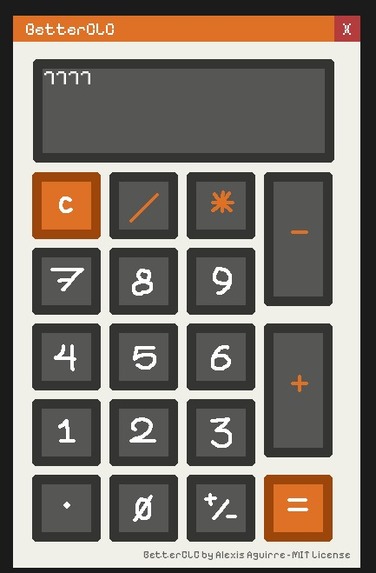
First BetterCLC version
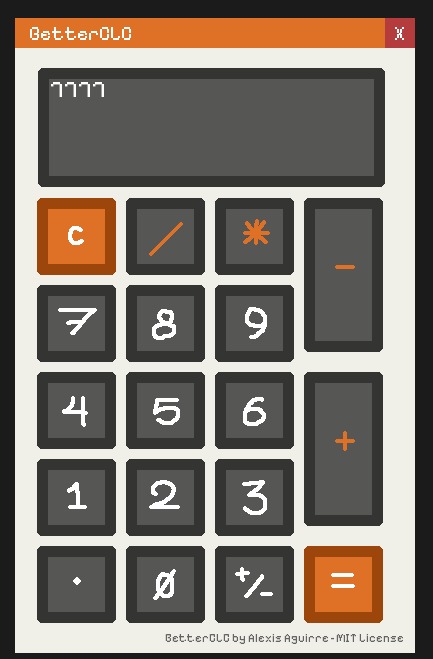
Inspiration
I wanted to improve the experience with a faster, more intuitive, and handmade version of the Integrated Calculator system. I wanted to create a unique and visually engaging calculator that goes beyond the standard look and feel. Inspired by retro design and full UI control, I aimed to build a calculator with a retro aesthetic, full interactivity, and customized layout.
What it does
This calculator handles basic and advanced arithmetic operations, offers a stylized graphical interface with custom buttons, draggable window, and enhanced number formatting. Every element is designed from scratch to provide a smooth and unique user experience.
How I built it
I developed the calculator using C++, SFML framework and WinAPI. I manually built the GUI system, including rendering buttons, handling mouse interactions, and processing user input in real-time. The layout is fully customized and independent of any traditional UI libraries.
Challenges I ran into
Handling dynamic input, formatting numbers correctly, and making the interface responsive were all significant challenges. It also required precise control over event handling and graphical updates, especially without relying on built-in GUI toolkits.
Accomplishments that I'm proud of
I’m proud of designing an entirely custom UI (with assets) and achieving a distinctive retro style while keeping the calculator fully functional.
What I learned
This project taught me how to manage graphical interfaces manually, how event loops and rendering work in SFML, and how to structure larger C++ projects. I also improved my debugging and UI design skills significantly.
What's next for BetterCLC
I plan to add support for keyboard input, expression parsing, and theming options. I’m also considering packaging it into an installable desktop app and exploring more advanced math functions, Function Definition for custom formulas and lots of stuff!
Built With
- c++
- sfml
- winapi

Log in or sign up for Devpost to join the conversation.