Better Xcode ibeam cursor
Better i-beam (text cursor) for Xcode for dark background / light text color themes.
Directions:
The easy way
curl -L https://raw.githubusercontent.com/egold/better-xcode-ibeam-cursor/master/install.sh | bash
The manual way
- Clone this repository (or fork it if you want to customize the tiff yourself!)
- Create a backup of
/Applications/Xcode.app/Contents/SharedFrameworks/DVTKit.framework/Resources/DVTIbeamCursor.tiff - Copy (
sudo cp) the tiff to/Applications/Xcode.app/Contents/SharedFrameworks/DVTKit.framework/Resources/DVTIbeamCursor.tiff - Restart Xcode
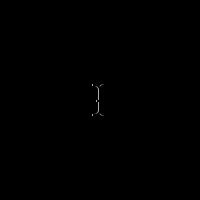
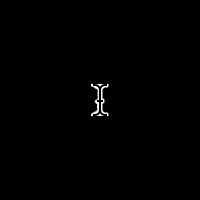
You should now have an i-beam that is more easy to see on a dark or black background.
Before:
After:
Background
I find it more enjoyable to code with the Midnight color theme in Xcode, but found myself always hunting for the cursor, especially on a large monitor. I found a pretty good TIFF someone created, so I cleaned up a bit of the outline thickness and posted it here!

Log in or sign up for Devpost to join the conversation.