Inspiration
Every time someone wanted to track changes on a Confluence page, they would manually add notes in the summary field. Over time, this became unmanageable—cluttered, inconsistent, and easily overwritten. We wanted a way to version a page without touching the summary or the page body, and keep the history accessible and structured.
What it does
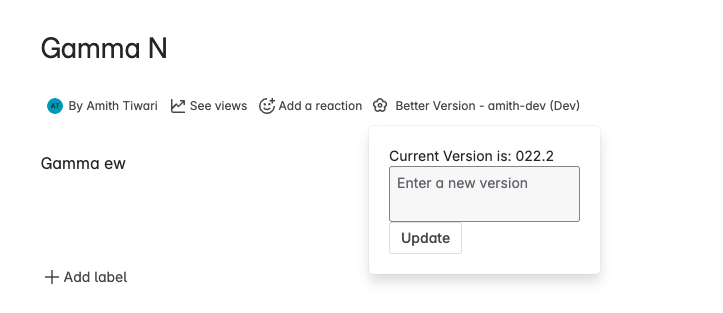
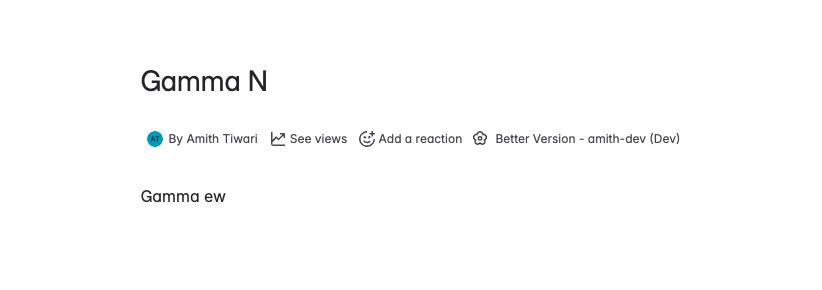
Better Version stores version history of a Confluence page in Page Properties instead of the summary or body. It displays a version log in the page's content byline, allowing users to view and manage past changes without cluttering the visible page content.
How we built it
We built the app using Atlassian Forge and the UI Kit. The version metadata is stored in content property of page.
Challenges we ran into
One major challenge was the lack of working examples for Dynamic Page Properties in Forge. We had to explore undocumented patterns to make version data persist and display correctly. Understanding the scope and limitations of content byline, and making it work smoothly with updates, also took several iterations.
Accomplishments that we're proud of
- Cleanly separated version history from page content.
- Successfully used
contentbylineto make the version always visible yet unobtrusive. - Built a useful internal tool that teams can adopt without changing how they write or structure content.
What we learned
- How to extend Confluence using Forge UI Kit and content lifecycle APIs.
- The importance of clean UI/UX in internal tooling.
- Dealing with sparse or incomplete documentation by testing and iteration.
What's next for Better Version
- Add support for custom tags or labels on each version.
- Maintain history
- Allow rollback to previous versions (view-only or restore).
- Introduce filters to compare versions or highlight differences.
- Package it for the Atlassian Marketplace so others can benefit.

Log in or sign up for Devpost to join the conversation.