-
-
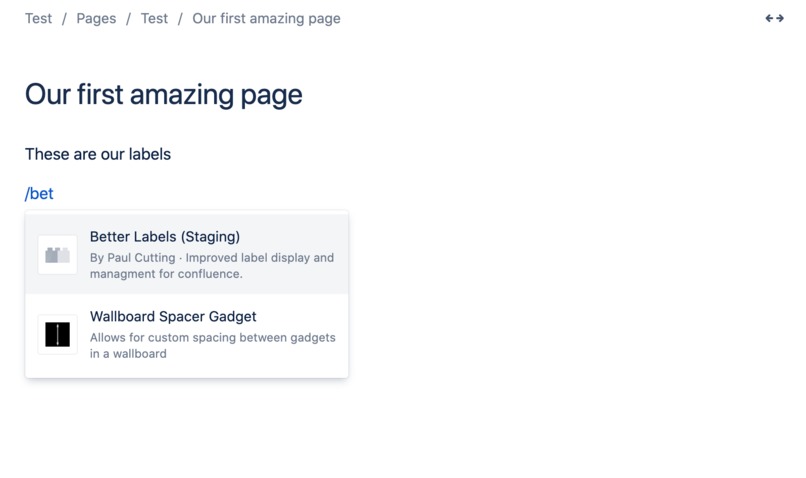
Easily add a macro to the page
-
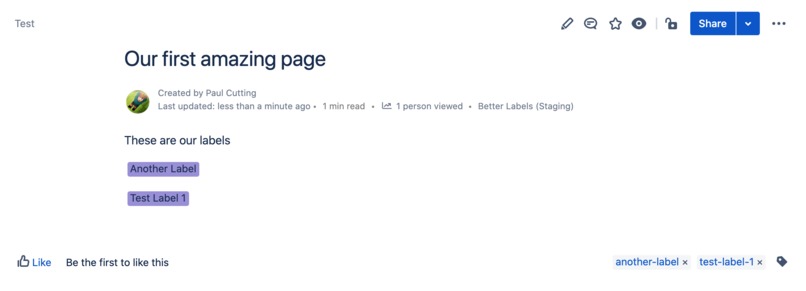
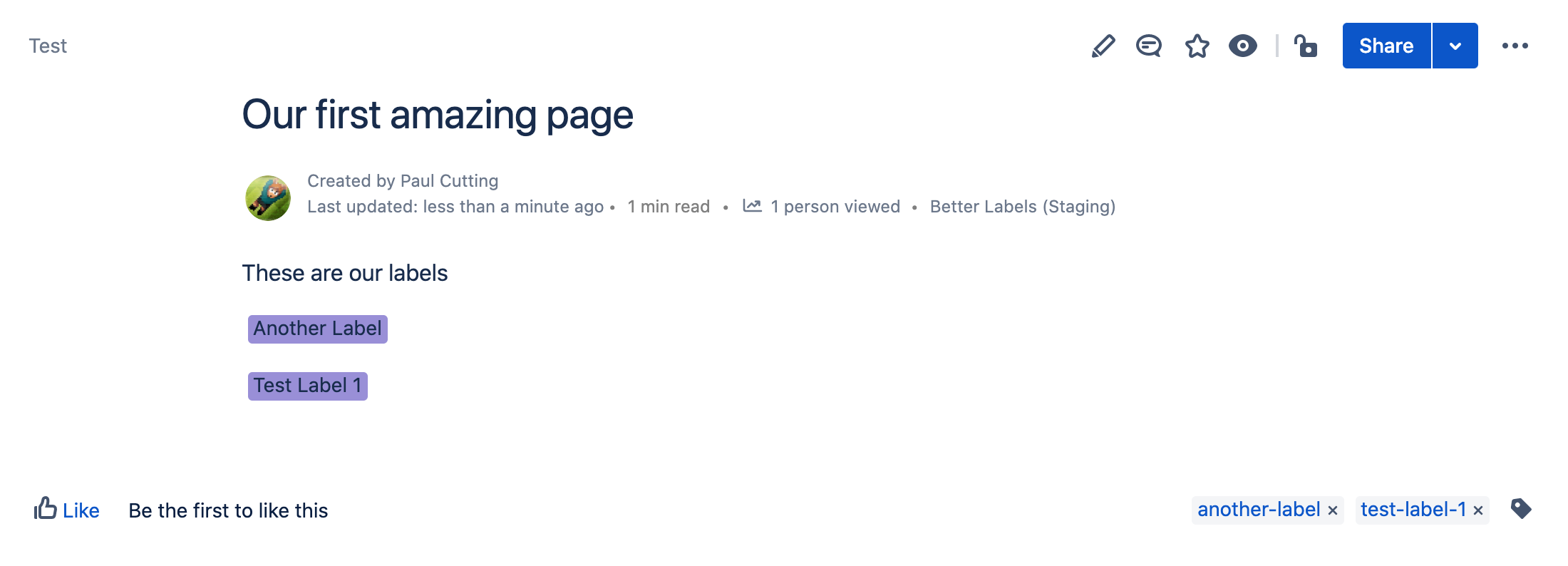
Display labels where (and in the colour) you want
-
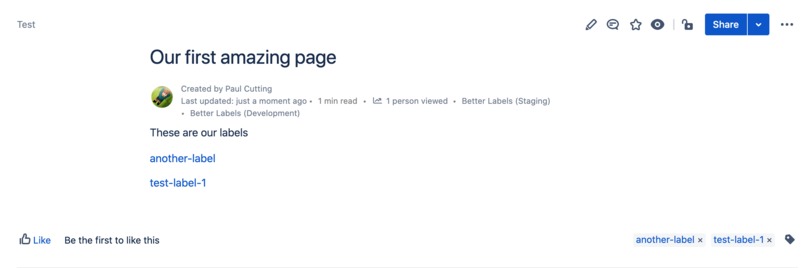
Display labels as links
-
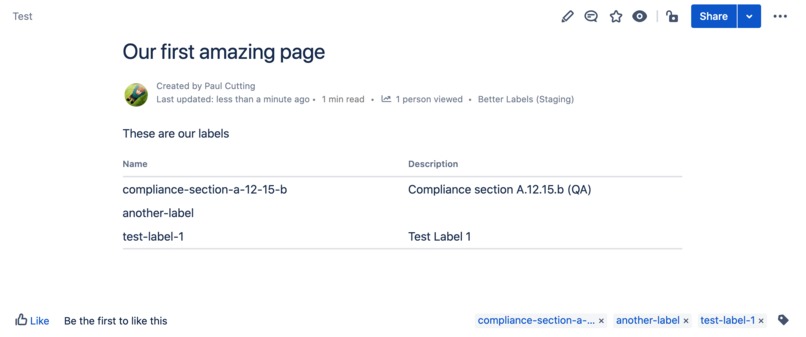
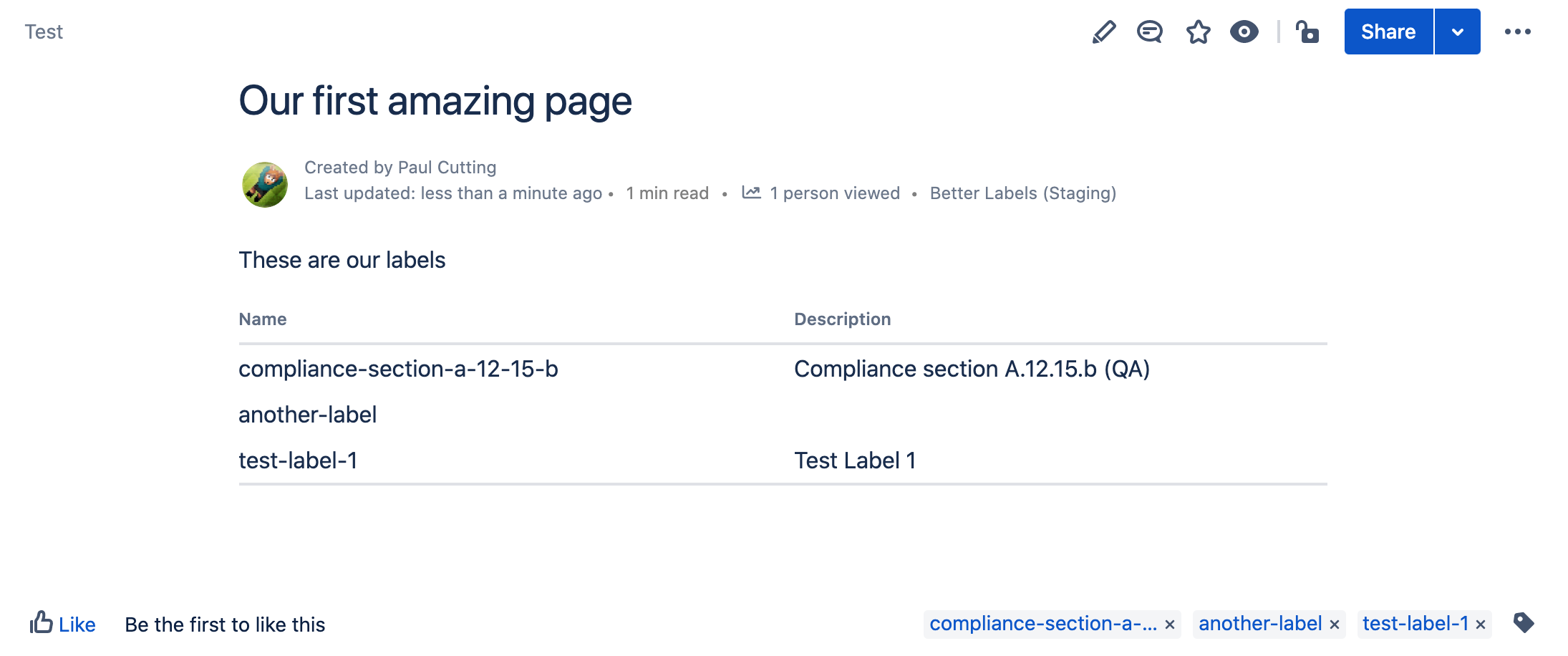
Display labels as a table
-
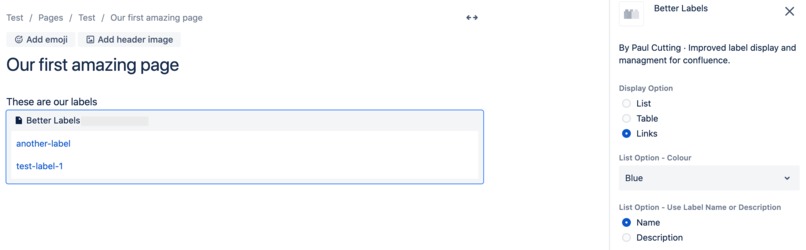
Configure your macro
-
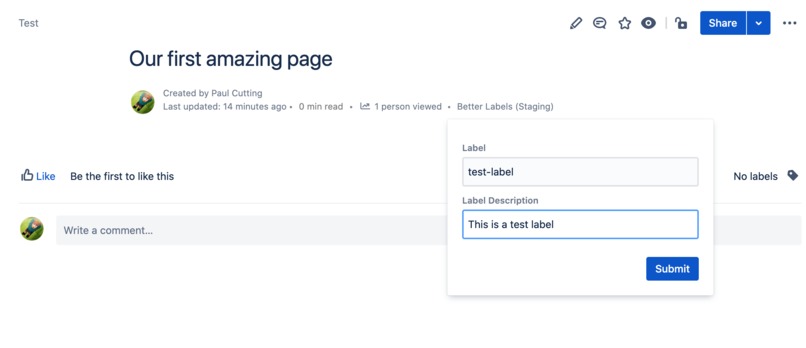
Add a label description




Inspiration
Labels within confluence are great and very effective at categorising and organising pages. However in some circumstances you need labels to....
- a) be more visible
- b) display free text
Compliance teams can use labels to show which control or standard a page helps to justify. However often you want to know which controls are impacted by the page. Using better labels you can ensure your labels are visible anywhere on the page, and you no longer have to be limited by the label name.
HR teams may want to follow a similar pattern. Adding labels to pages to determine which pages are for new starters or mandatory training.
What it does
Better labels allows users to display a macro in any page, clearly showing the labels where a user wants them to be, not at the end of a page. Within the macro a user can choose the colour of the labels or alternatively display a table view or as links. Additionally using a byline module a user can add a free text description to a label, giving greater insight into what the label is used for.
How we built it
Using Forge and the UI Kit.
Challenges we ran into
Limitations with the Forge and Confluence API. We would have liked to add labels to a page via an app to ensure it was easier for users to add a description from the start. However this is not permitted via the current APIs.
Accomplishments that we're proud of
Building a first Forge app.
What we learned
Major learnings have been around the Forge UI platform and it's capabilities.
What's next for Better Labels for Confluence
A key feature we would have liked to add was ensuring the macro display was mirrored on the PDF export. However this option is not available in Forge yet. Once this is we plan to release an update.


Log in or sign up for Devpost to join the conversation.