-
-
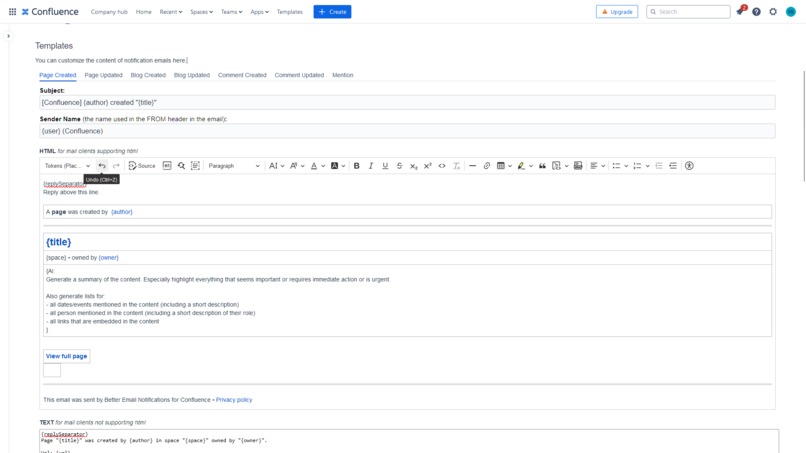
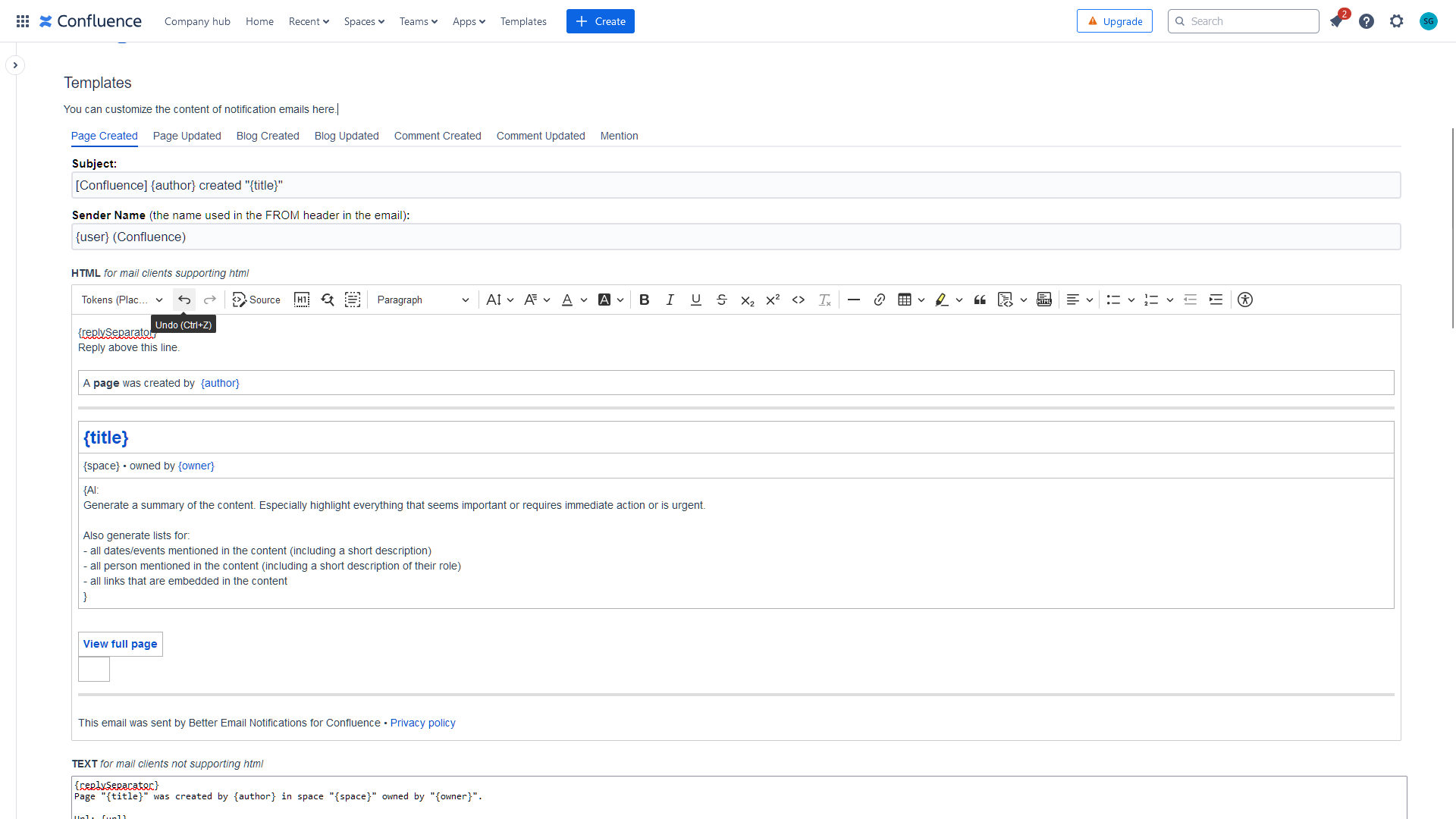
Configuration Page with WYSIWYG Editor
-
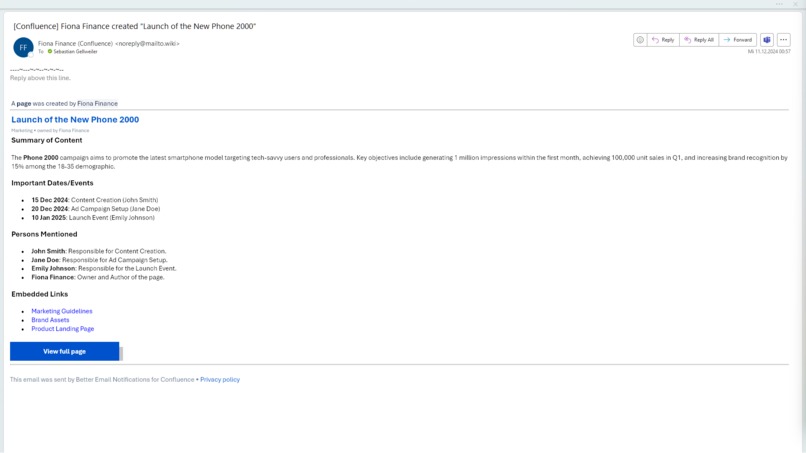
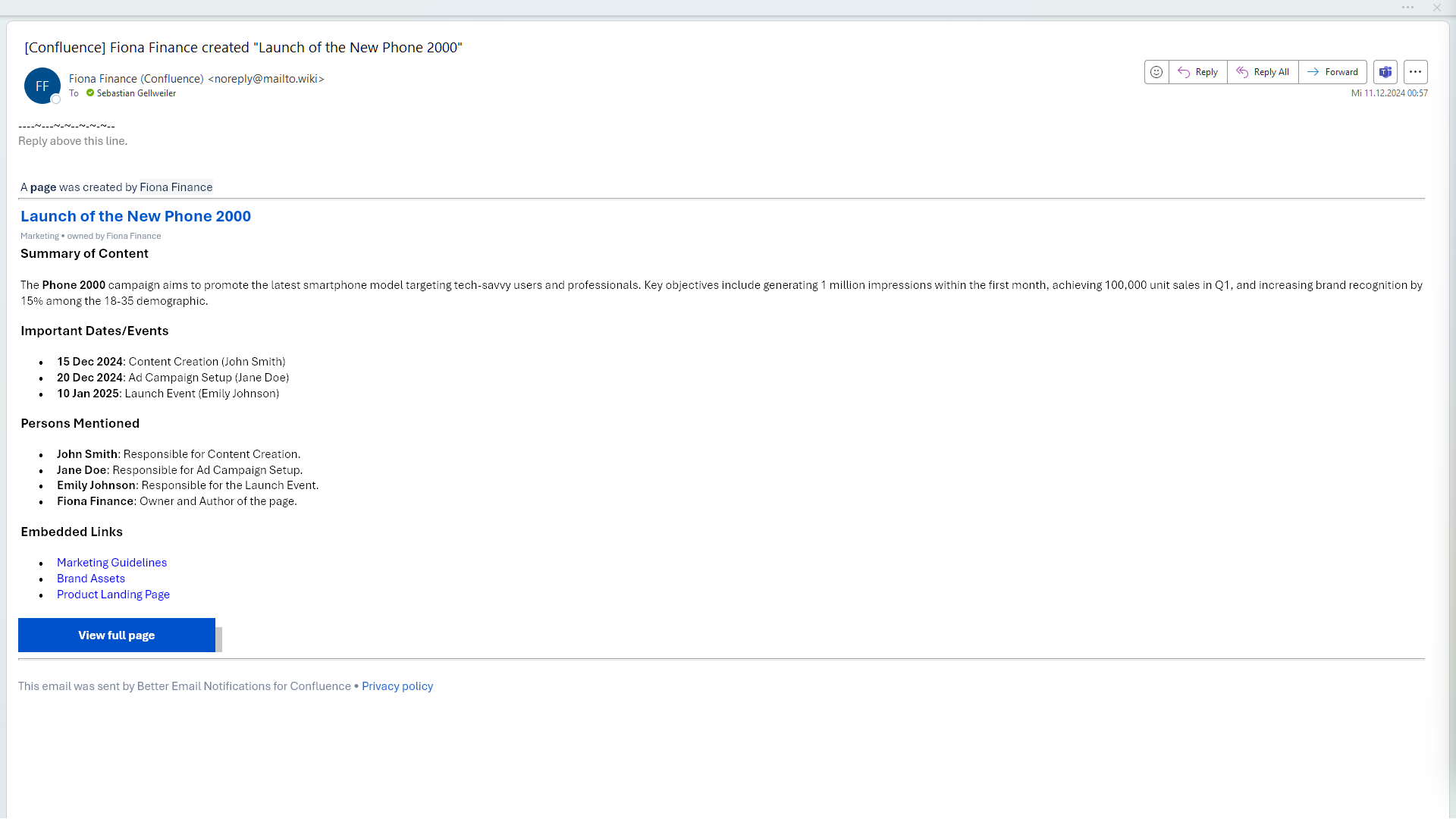
Page Created – Example Email (HTML View)
-
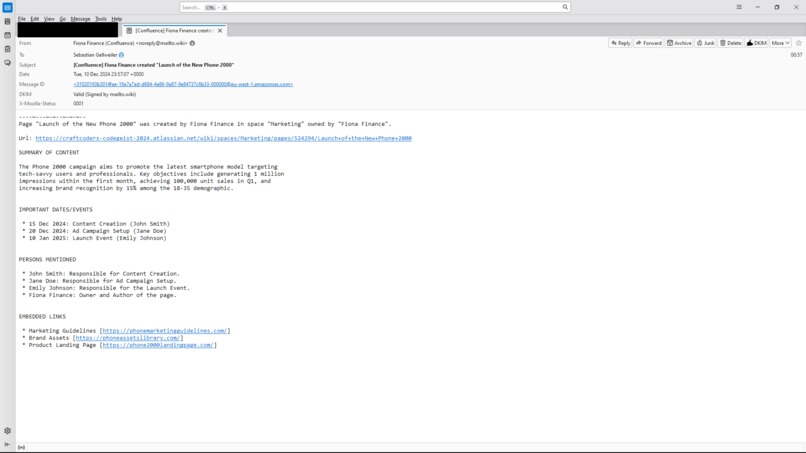
Page Created – Example Email (Text View)
-
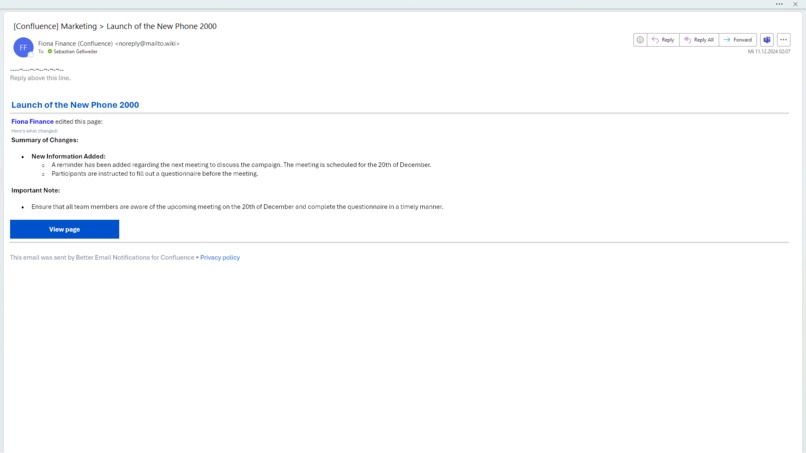
Page Updated – Example Email
-
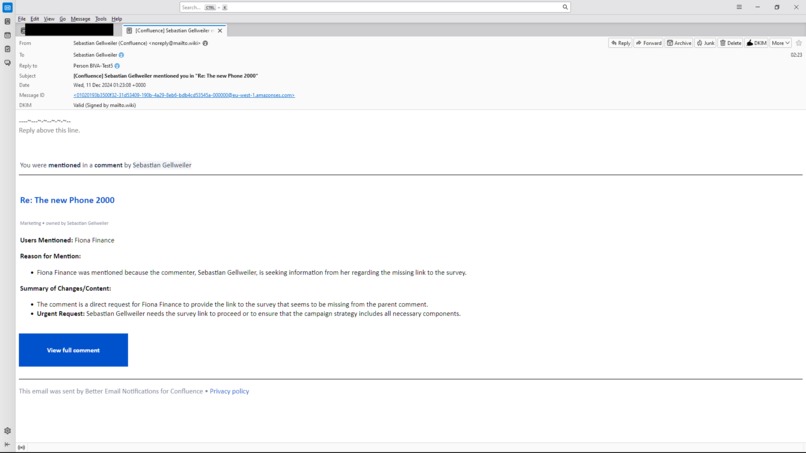
Mention – Example Email
-
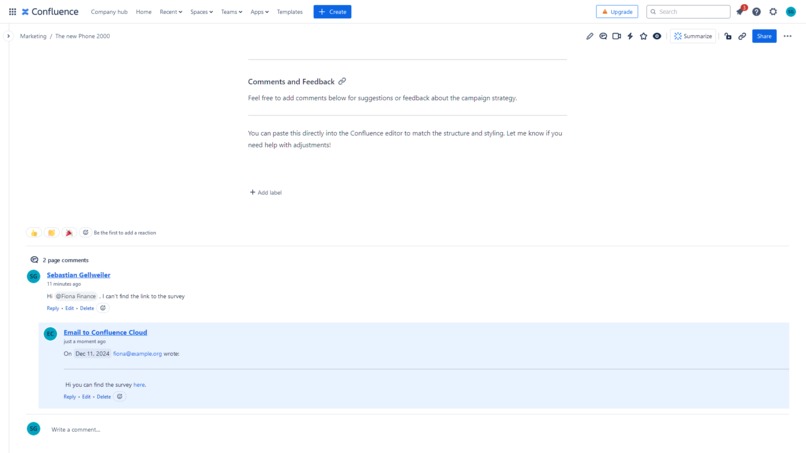
Comment Created from Reply
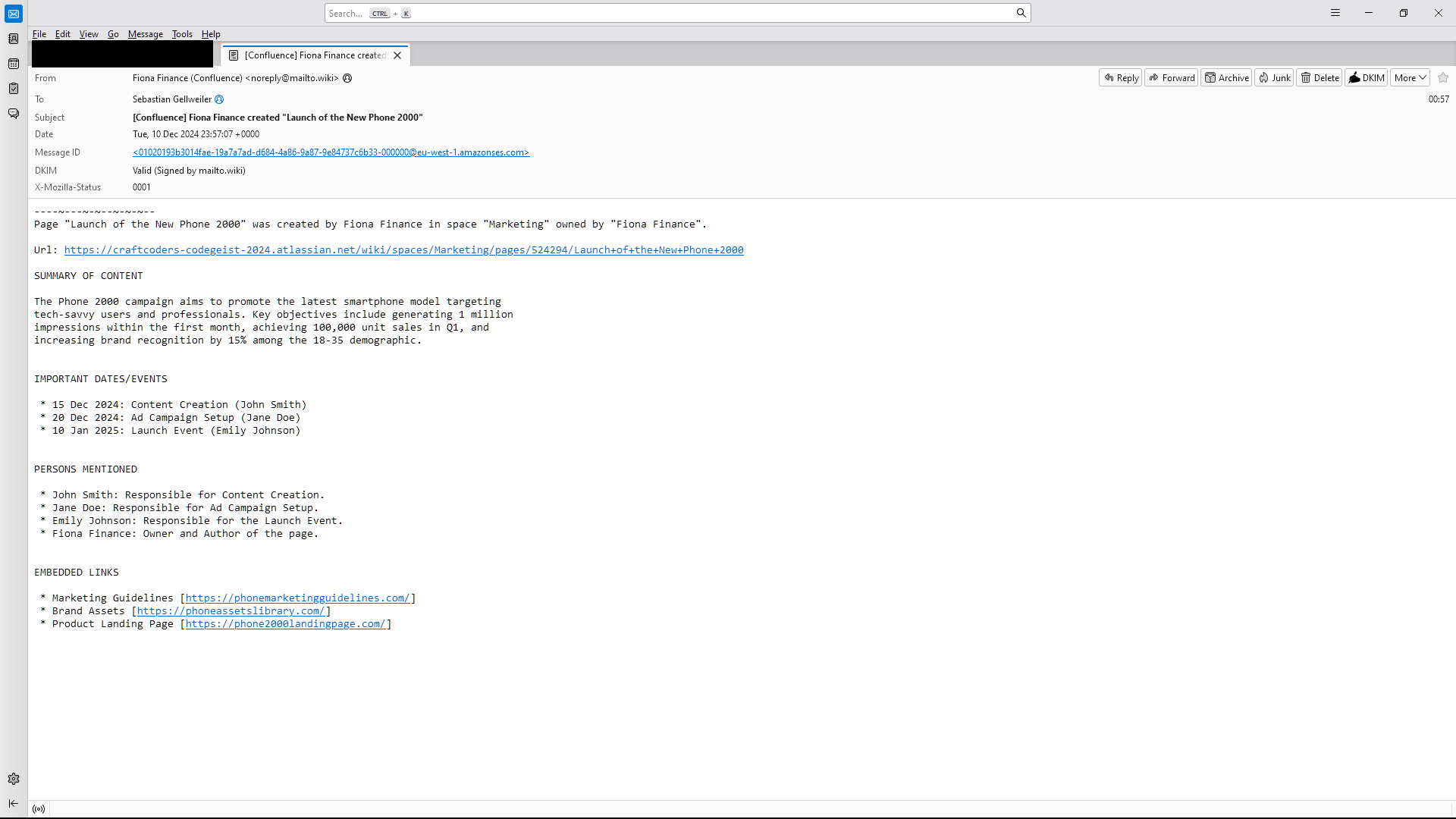
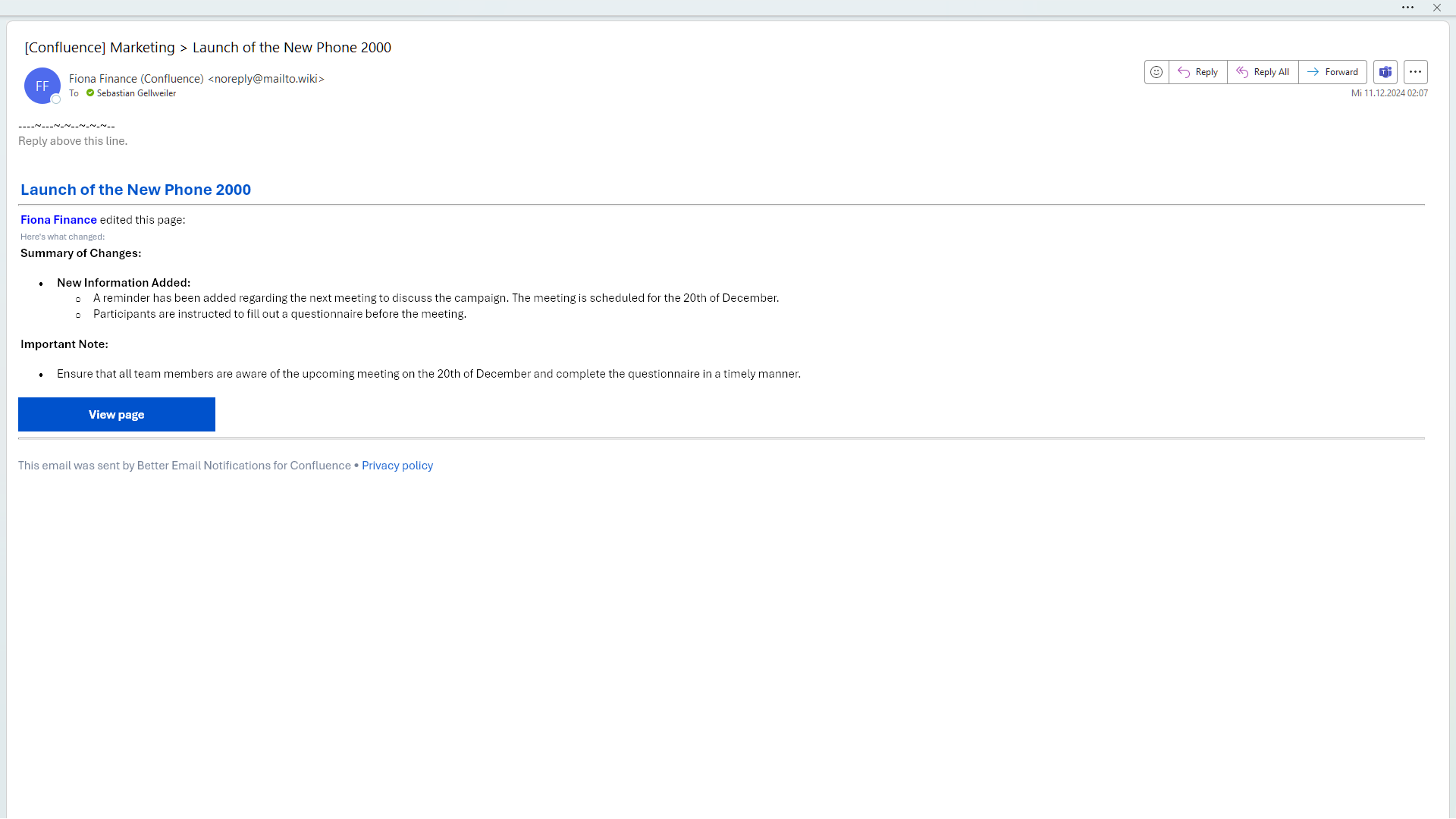
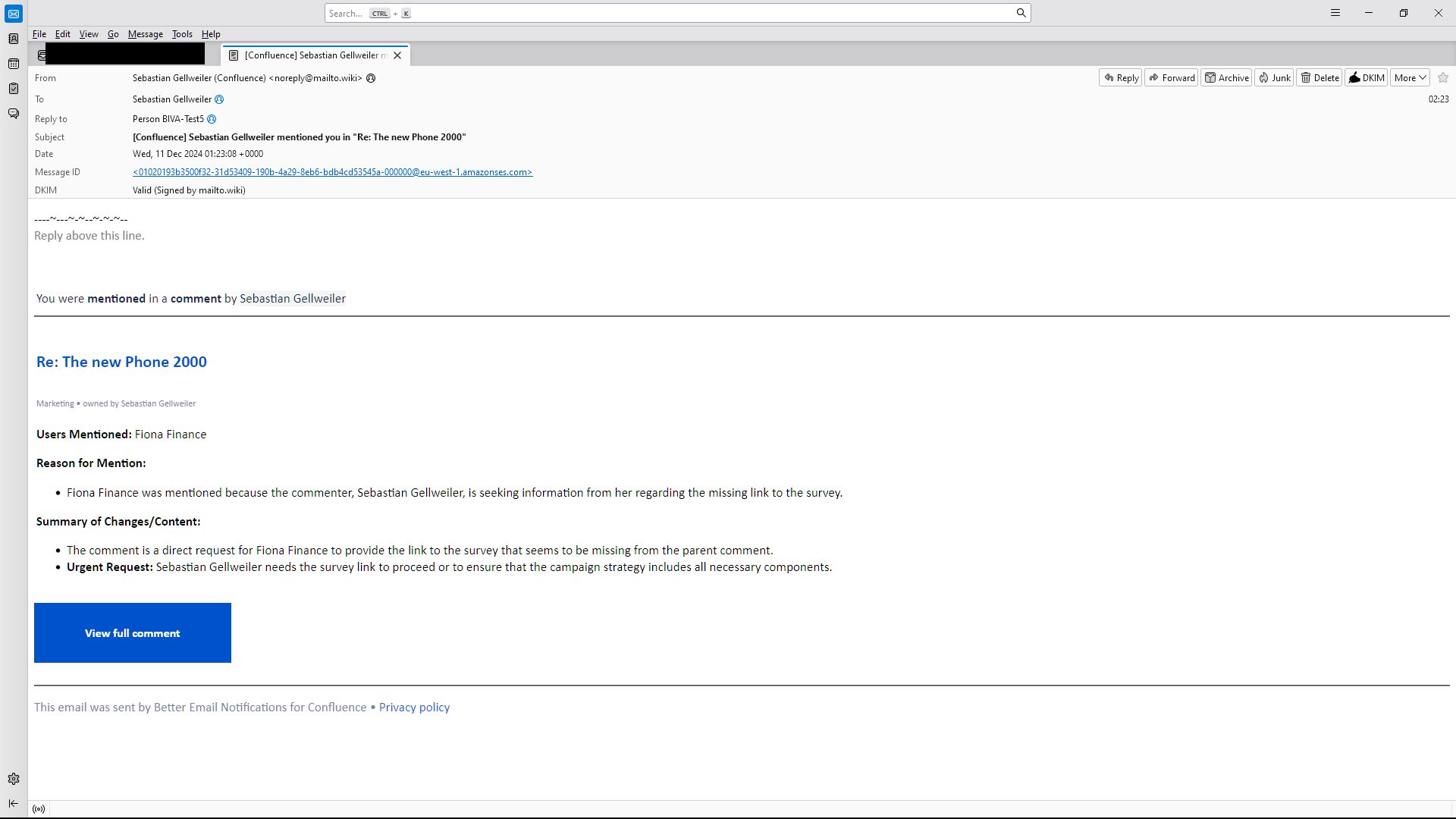
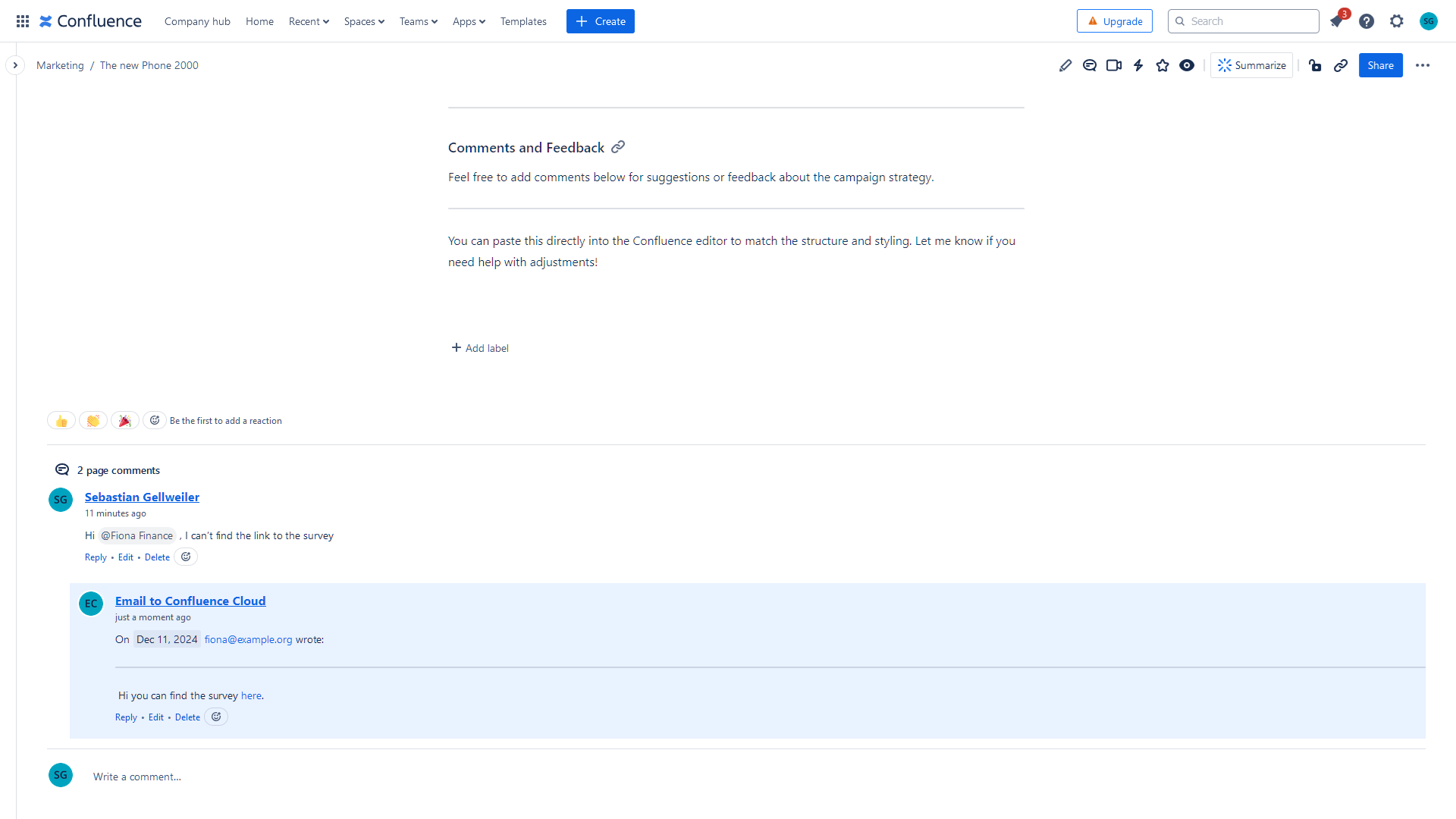
What It Does
Our app replaces Confluence's standard email notifications with a highly customizable solution. Admins can use a WYSIWYG editor with placeholders to craft personalized notifications tailored to their workflows.
By integrating a large language model (LLM), the app extracts actionable insights such as costs, involved team members, urgent tasks, or concise summaries directly from Confluence content.
Additionally, users can interact with notifications by replying to them. Admins have the flexibility to configure replies to go to the user that triggered the notification, a dedicated inbox, or as comments within Confluence.
Inspiration
As the developers of mailto.wiki – Email for Confluence, we bring extensive experience in converting Confluence content to emails and vice versa. Many customers requested more flexibility in notifications and reply functionality.
Recognizing the need for customizable and efficient notification systems, we developed a solution that empowers teams with tailored content delivery and actionable insights to improve collaboration and productivity.
How We Built It
The app is built on Atlassian Forge. Customization is achieved through a user-friendly editor (CKEditor) to edit HTML email templates. Advanced content analysis is powered by AWS Nova, a next-generation LLM, decoupled from processing to comply with Forge's 30-second time limit.
Our expertise from mailto.wiki ensures notifications are formatted correctly, with CSS inlining, Jira macro rendering, and other features for improved readability.
Workflow Overview:
- Event Listening: Using Forge triggers, we track events such as page creation or updates.
- Data Processing: Relevant content is extracted, watchers identified, and details compiled for email generation.
- LLM Integration: Context is sent to AWS Step Functions & AWS Nova to generate user-defined insights.
- Forge Web Trigger: AWS Step Functions calls a Forge Web Trigger.
- Email Delivery: AWS SES delivers the final notification.
Processing takes up to 3 minutes, which is acceptable for email notifications.
For mentions, the app scans content to detect and process them in the absence of direct triggers.
mailto.wiki Integration
When integrated with mailto.wiki, our app enables users to turn email replies into Confluence comments. This is done via a special reply-to address containing encoded information such as the cloudId, content type, content ID, and version.
mailto.wiki decodes this address to determine where to place the comment.
AES encryption ensures security, eliminating the need for direct app communication.
Outlook
We plan to expand the app’s functionality with:
- User-Level Customization: Allowing notifications to be tailored to individual user preferences.
- Notification Summarization: Grouping multiple changes into summaries, similar to Atlassian's daily digests.
- Expanded Triggers: Supporting more event types for broader notification capabilities.
- Integration with Atlassian AI: Transitioning to Atlassian AI as soon as relevant APIs are available.
To ensure scalability, we rely on AWS-hosted LLMs and use asynchronous task handling to maintain responsiveness. Prompt engineering and fine-tuning enhance the relevance and accuracy of insights.
🎅 Forge Wishlist 🎄
We’re excited about Atlassian Forge's ongoing evolution, including the Email API (FRGE-275), which made this app possible.
To further enhance the app, we hope Forge introduces:
- Atlassian AI Support: A Forge-accessible API for Atlassian AI to enhance functionality and improve security by reducing external dependencies.
- Additional Triggers: Expanding the range of events to support more use cases.
.asUser()in Triggers: Allowing API calls with user permissions from triggers to avoid app-wide content access requirements.- An API for Sending Emails: A Forge-accessible API to send emails would be very helpful and eliminate the need for AWS SES.
Privacy
We prioritize privacy and security. Except for sent emails, all data remains within Atlassian Forge. The AI feature is optional, and when enabled, data is processed by AWS. Currently, AWS Nova operates in the USA, but we plan to migrate services to Europe for GDPR compliance.
As Atlassian AI and Forge continue to develop, we aim to transition to using Atlassian-native services entirely, running everything within Forge. Our app is designed to minimize reliance on external services, making it ready to adapt as new APIs become available, ensuring enhanced security and privacy for our customers.
The app requires appropriate Confluence permissions and interacts with the following endpoints:
- https://email.eu-west-1.amazonaws.com: For sending emails.
- https://states.us-east-1.amazonaws.com: To trigger the LLM.
- https://s3.us-east-1.amazonaws.com: To temporarily store LLM prompts and responses.
- *.atlassian.net and *.cloudfront.net: To fetch CSS files.
Installation
Follow these steps to install and configure the app:
Install the App
Use the provided installation link to add the app to your Confluence instance.Navigate to the Configuration Page
Go to Apps → Better Email Notifications in your Confluence Settings menu.Customize Notifications
Configure the app to suit your needs using the WYSIWYG editor. Set the timezone and decide how replies should be handled.Disable Default Notifications (Recommended)
To avoid duplicate emails and ensure only customized notifications are sent, disable Confluence’s default email notifications:- Navigate to General Configuration in Confluence.
- Uncheck the Email notification checkbox.
- Click Save to confirm changes.
- Navigate to General Configuration in Confluence.
With these settings, the Better Email Notifications app takes over, allowing you to fully utilize its advanced features and customization options.
Built With
- aws-nova
- aws-ses
- aws-stepfunctions
- forge
- typescript


Log in or sign up for Devpost to join the conversation.