-
-
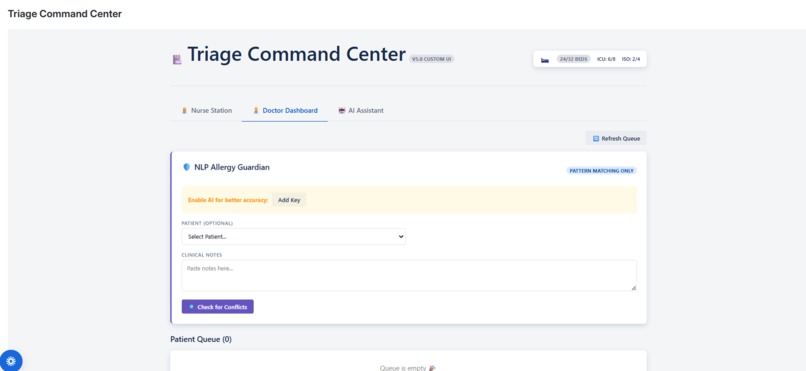
Turning 45-minute hospital handoffs into 5-second clinical insights.
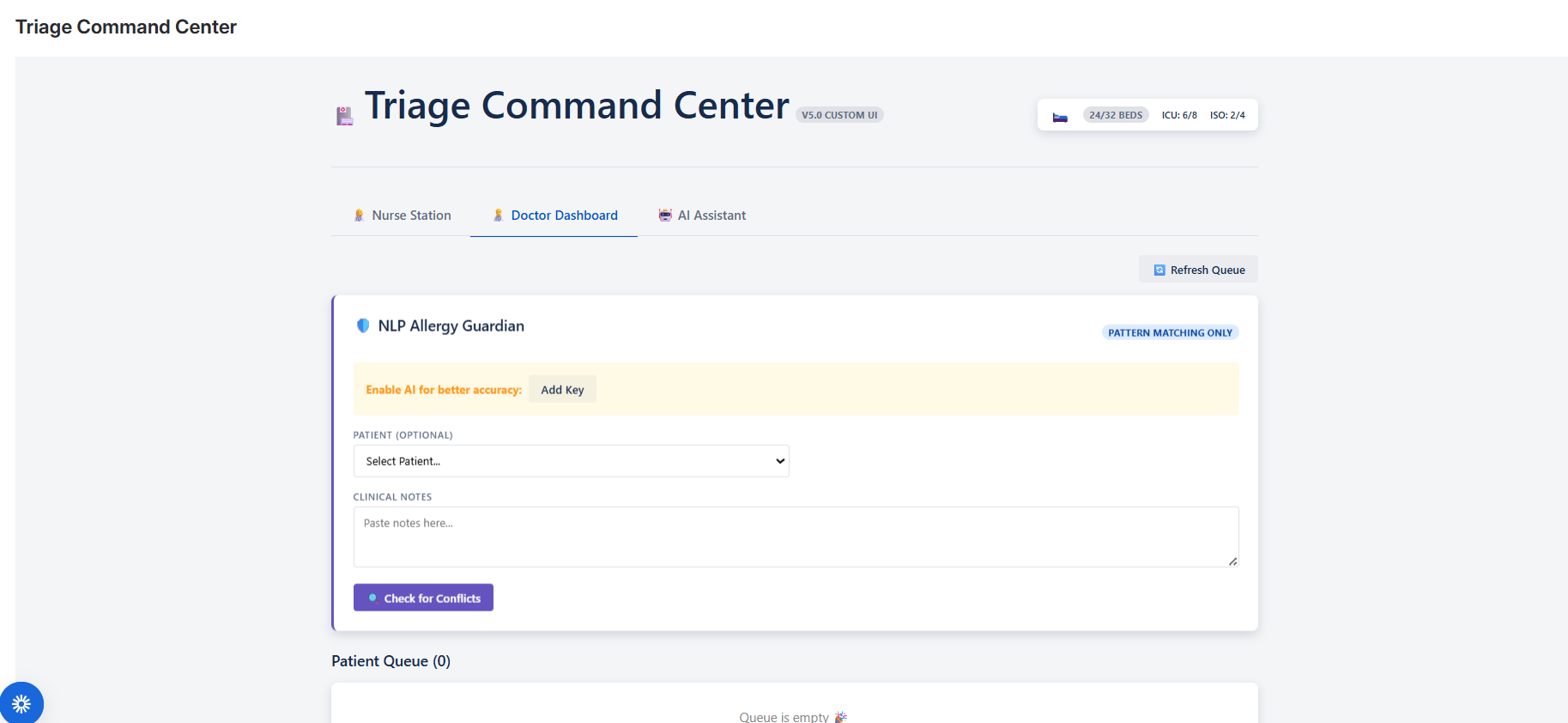
Triage Command Center: Bringing Order to Emergency Chaos
Inspiration
The inspiration for the Triage Command Center came from observing the critical, high-pressure environment of Emergency Rooms. In these settings, a split-second delay or a miscommunication can have dire consequences. We realized that while Jira is powerful for tracking work, its default interface doesn't capture the urgency and specific workflow of a medical triage unit. We wanted to build a "Command Center" that feels less like a ticketing system and more like a life-saving instrument—where the workflow from Nurse Registration to Doctor Handoff is strictly controlled, visual, and instantaneous.
What We Learned
Throughout this journey, we learned that user trust is paramount in medical software.
- Explicit Actions > Automation: Initially, we thought automating the queue would be helpful. We learned that in high-stakes environments, users prefer explicit control. A Nurse must physically click "Send to Doctor" to confirm a patient is ready. Automation can sometimes hide accountability; explicit actions enforce it.
- Optimistic UI is Critical: An ER nurse cannot wait 2 seconds for a server response. We learned to implement optimistic updates, where the UI updates instantly ($t \approx 0ms$) while the backend processes in the background. This perceived performance builds confidence in the tool.
How We Built It
We built the Triage Command Center using Atlassian Forge with Custom UI.
- Frontend: We used React to build a bespoke interface. The Nurse Station and Doctor Dashboard are completely separate views but share the same data source.
- Backend (Jira as Database): Instead of a traditional SQL database, we utilized Jira Issues as our patient records.
- Patients = Jira Issues
- Vitals = Custom Fields
- Queue Status = Labels (
ready-for-doctor,discharged)
- Strict State Machine: We implemented a strict logic flow: $$ \text{Registration} \xrightarrow{\text{Nurse Review}} \text{Triage Queue} \xrightarrow{\text{Explicit Push}} \text{Doctor Queue} $$ The system prevents "queue jumping" or accidental assignments.
Challenges We Faced
- Latency vs. Consistency: One of our biggest challenges was the "Doctor Busy" logic. We needed to calculate the doctor's load ($L_d$) dynamically: $$ L_d = \sum_{p \in P} (p_{status} \neq \text{'Done'} \land p_{label} \in \text{'ready-for-doctor'}) $$ Calculating this efficiently without slowing down the Nurse's registration flow required optimizing our Jira Query Language (JQL) requests and caching strategies.
- Duplicate Patient Handling: We faced a challenge where nurses would accidentally re-register existing patients. We solved this by implementing a check-before-create logic. If a patient exists ($P_{exist}$), we perform an update ($U$) instead of a create ($C$): $$ \text{Action} = \begin{cases} U(vitals), & \text{if } \exists P_{id} \ C(patient), & \text{otherwise} \end{cases} $$ This ensured data integrity without disrupting the workflow.
- Deployment & Compliance: Moving from a development environment to production required ensuring that all our custom field definitions and permissions mapped correctly, teaching us the importance of rigorous environment management.
Built with ❤️ using Atlassian Forge.

Log in or sign up for Devpost to join the conversation.