-
-
logo
-
Build inside of unity
-
Mapping climb
-
-
Inspiration
We got the idea for Beta from how different climbing can feel depending on the person. Two people can look at the exact same wall and approach it completely differently.
We wanted to see if we could recreate a real climbing wall in VR and show someone an example of how a route could be climbed before they actually try it. From there, the bigger idea is eventually making those routes and examples more personalized to the climber.
What it does
Beta has two parts: a web app and a VR demo.
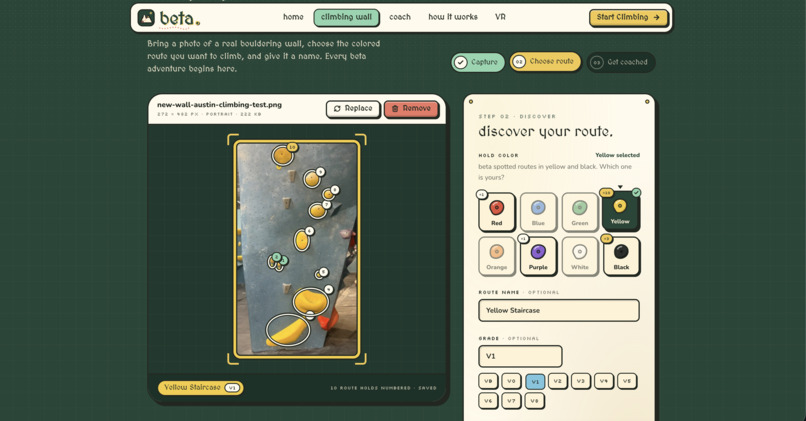
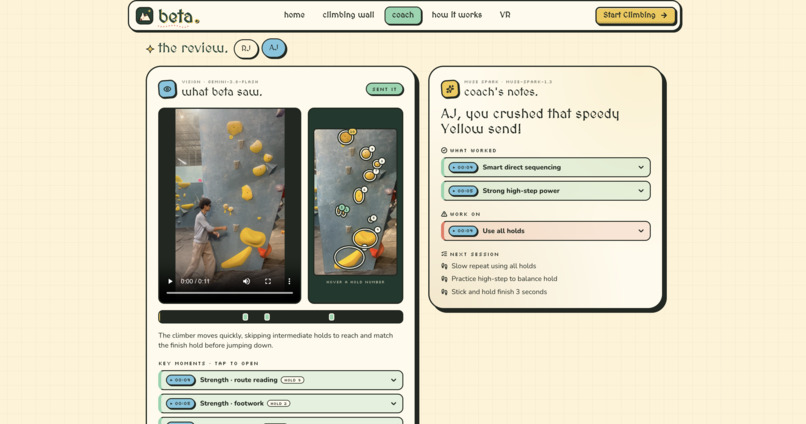
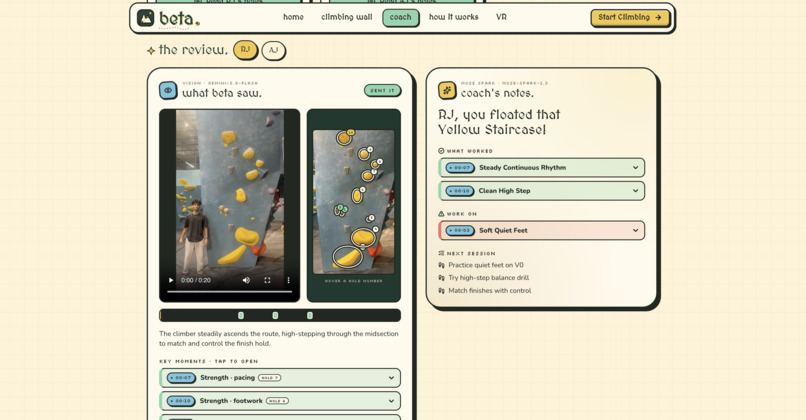
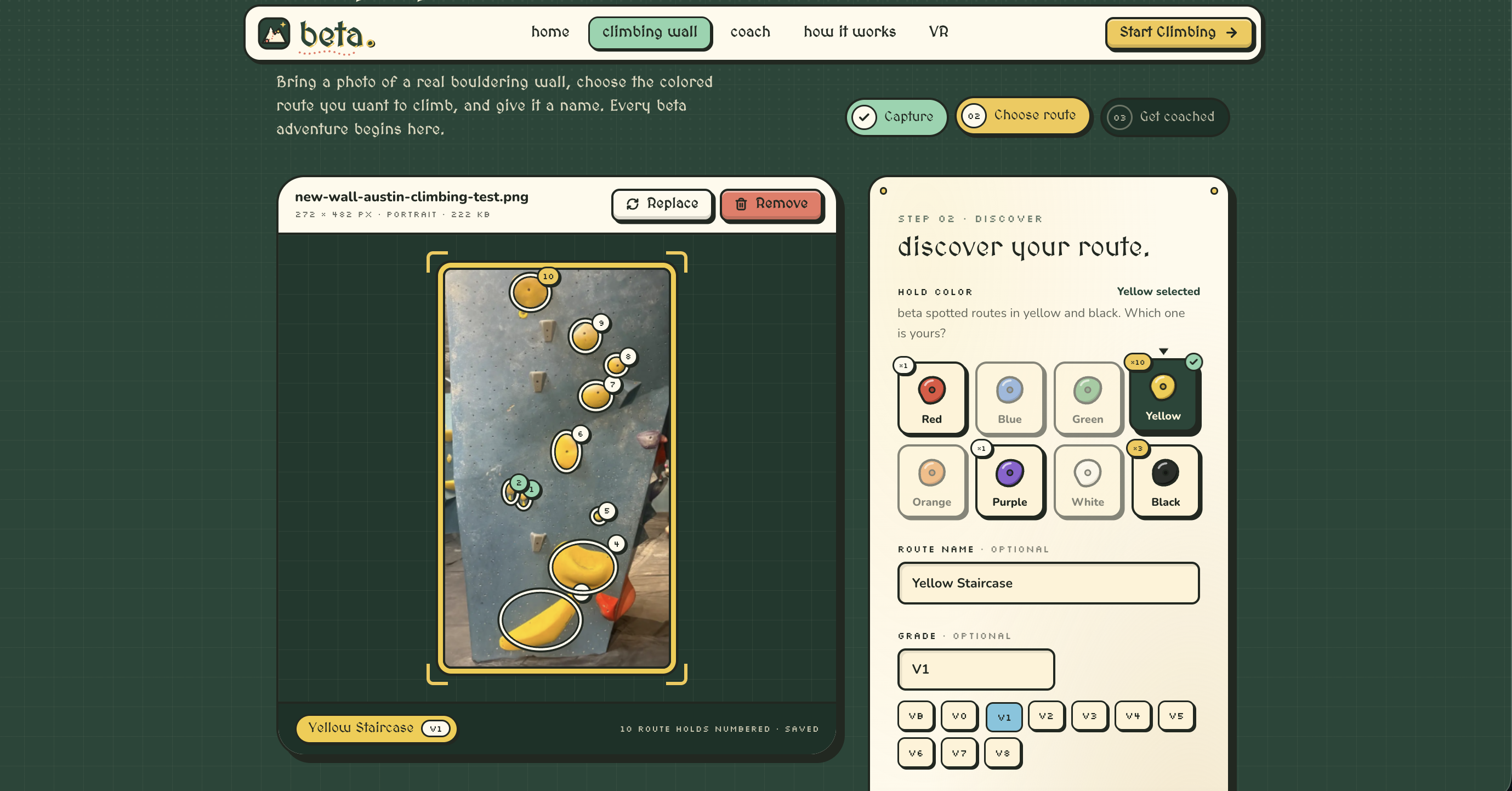
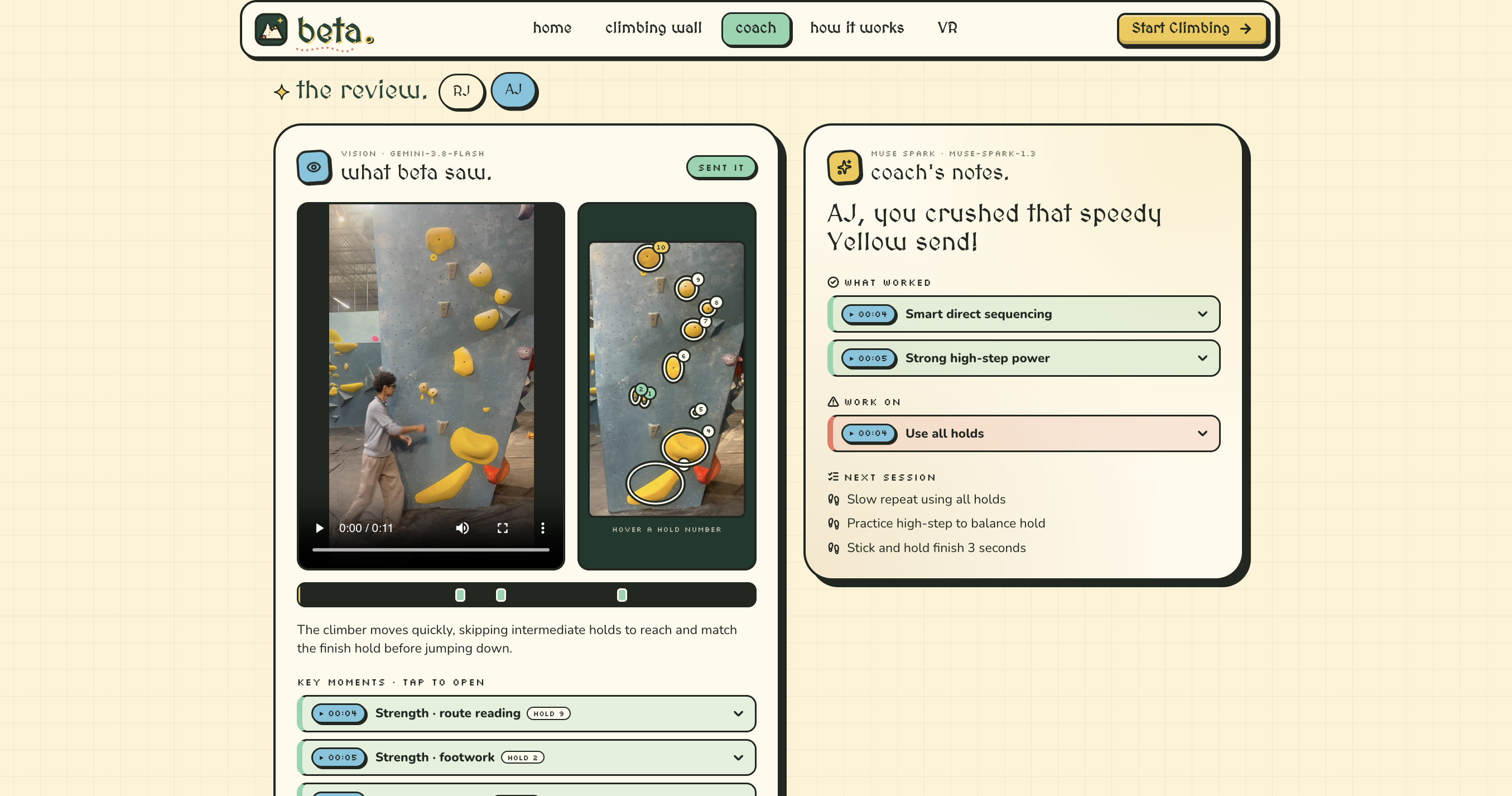
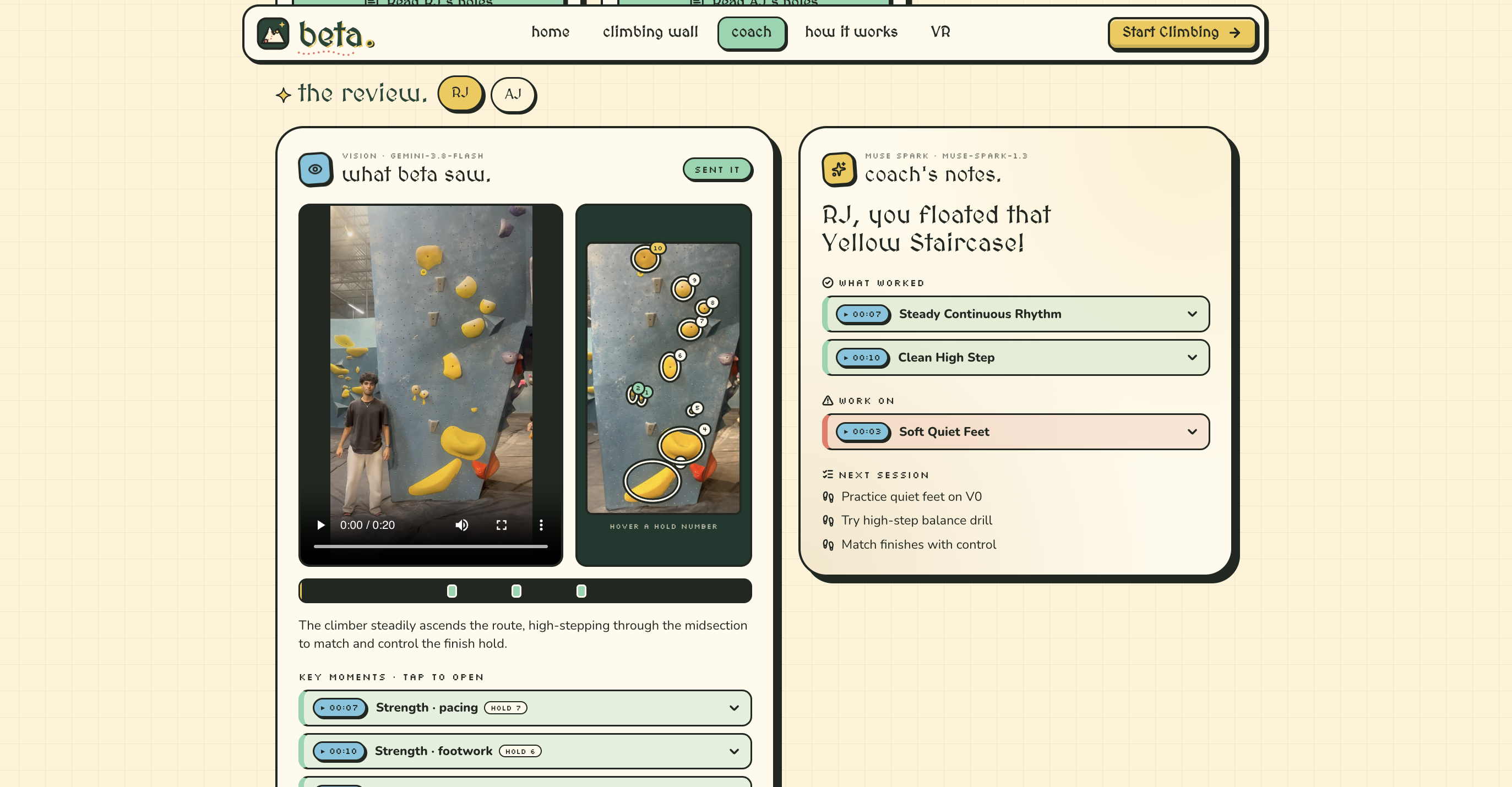
On the web app, you upload a photo of a bouldering wall and Beta finds the holds. You pick the color of the route you're climbing and it numbers the holds from start to finish. Then you enter your height, wingspan and experience level and upload a video of yourself climbing. Beta goes through the video, marks the important moments, and connects each move to a hold number. You get feedback on what you did well, what to fix, and a drill for each fix. Clicking a timestamp jumps the video to that part.
If your friends climbed the same wall, they can add their videos too, up to four people. Beta compares everyone and suggests who should show who which move, plus a plan for your next session together. There's also a chat where you can ask the coach questions about your climb.
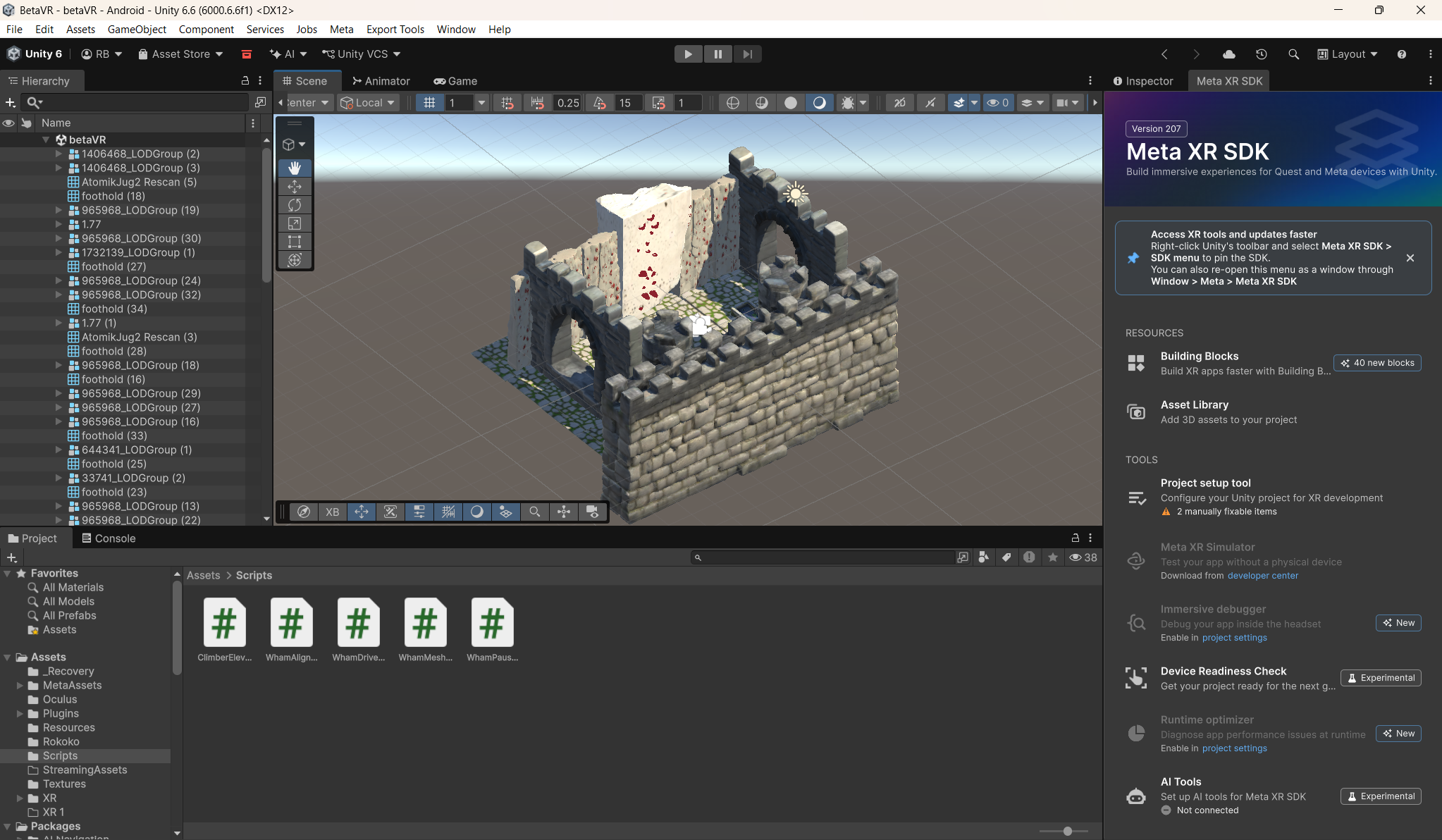
Then you can see the route in VR on the Quest 2. In our demo, the wall in the headset is the same wall from the photo we uploaded to the web app, rebuilt in 3D at full size with the route's holds in place. A 3D climber shows the beta for the route from start to finish, so you can see how to approach the wall before you try it yourself. You can pause it with the A button to look at a move more closely. For this demo we built the wall in Unity by hand. Next, we want the VR wall to be generated straight from whatever photo you upload.
How we built it
The web app is React and TypeScript (Vite, Tailwind) with a small Express server so our API keys aren't exposed in the browser. Gemini looks at the wall photo to find the holds, then watches the climbing video and writes down what happens: timestamps, which hand or foot moved, and which hold it went to. That goes to Meta's Muse Spark along with the climber's height, wingspan and experience, and Muse Spark writes the coaching, the crew session plan and the chat replies. Both models reply in a fixed JSON format so the site can turn the feedback into clickable timestamps and hold numbers.
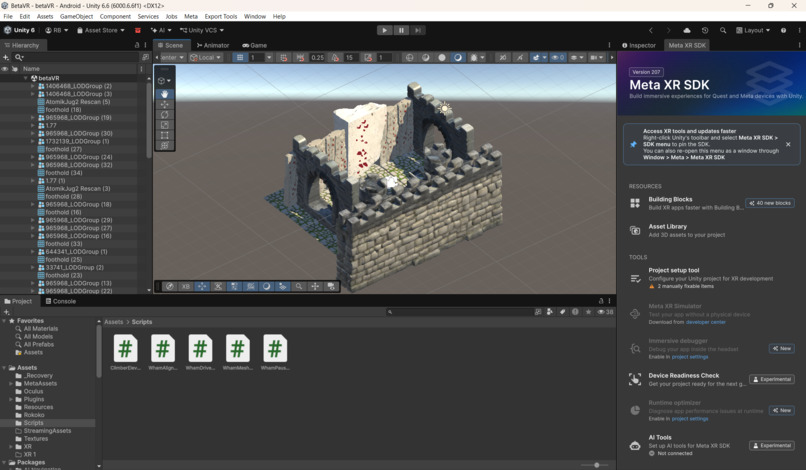
For VR, we filmed someone climbing the same wall we use in the web app demo and ran it through WHAM on WSL2 Ubuntu. WHAM gave us a full body mesh for every frame of the video: 747 frames, 6,890 vertices each. Unity can't open WHAM's output, so we wrote a Python script that converts it into our own binary file with the vertices and triangles for every frame. In Unity 6 with the Meta XR SDK, our WhamMeshPlayer.cs script reads that file and updates the mesh 30 times a second, and WhamPauseController.cs pauses and resumes it with the A button. The wall is a scanned model that we put in a castle scene. We lined up the climber with the wall by hand and placed red holds where its hands and feet land.
Challenges we ran into
The hardest part was getting the WHAM climber to line up with the actual climbing wall.
WHAM could reconstruct the person's body movement, but it had no idea where our Unity wall was. We had to deal with scale, position, orientation, elevation, and getting the hands and feet to visually match the holds.
At one point we also tried Rokoko because its skeletal animation looked cleaner, but the version we generated didn't track the climber moving upward, so we went back to WHAM.
Getting everything onto the Quest caused another set of issues, including Android SDK problems, VR camera setup, LODs disappearing, and optimizing large scanned models.
On the web side, the hard part was getting feedback that was actually specific. We number the holds first and make the models reply in a set format, so every piece of feedback has to point to a time in the video and a hold on the wall. Gemini also got overloaded a few times during the hackathon, so we added retries, backup models and caching so the app doesn't break.
Accomplishments that we're proud of
We got a real person's climb, filmed on a normal camera, turned into a 3D body climbing a recreation of the same wall in VR. Getting WHAM's output into Unity meant writing our own converter and mesh player, and we're proud we got the climber's hands and feet to line up with the holds.
On the web side, we're proud that the feedback points to the exact second and hold instead of giving general climbing tips, and that you can compare climbs with your friends.
What we learned
Getting a 3D body out of a video is only part of the work. WHAM doesn't know anything about the scene, so putting the climber on the wall in the right spot and at the right size took a lot of trial and error.
Storing every vertex for every frame gets big fast: 59 MB for about 25 seconds. Building for a standalone headset also brought its own problems with the Android tools, LODs and model size.
On the AI side, we learned the models give much better feedback when you give them structure, like numbered holds, the climber's measurements, and an exact format to answer in.
What's next for Beta
Right now the VR wall is built by hand and the VR climber is always the same person. Next, we want to use the holds Gemini finds in your photo to build the VR wall automatically, so any wall you upload shows up in the headset. WHAM's body model also has shape settings, so we want to resize the climber to match your height and wingspan. We'd like to let people run their own climb through WHAM so they can watch it next to the example in VR, and connect the website to the headset so the route you pick online is the one you see in VR.
Built With
- cursor
- meta
- quest
- typescript
- unity
- vr

Log in or sign up for Devpost to join the conversation.