-
-
Study Genie!
-
Flashcard Generation!
-
Highlight text and go!
-
Dynamic glossary!
Why We Built Study Genie?
As a team of students, we've experienced the frustration of using information online to study. While the internet is a treasure trove of knowledge, it often feels more like a maze, forcing us to spend hours digging for details, creating flashcards, searching for definitions and summarising content into notes, all while forgetting to take regular breaks in-between! Managing multiple tools for these tasks adds stress, wastes time and takes the fun away from learning which leads to burnout and less productive learning.
We asked ourselves: "What if studying could be simpler?" What if a single tool could transform any webpage into a dynamic, personalized learning environment? A tool that lets students focus on learning instead of organizing.
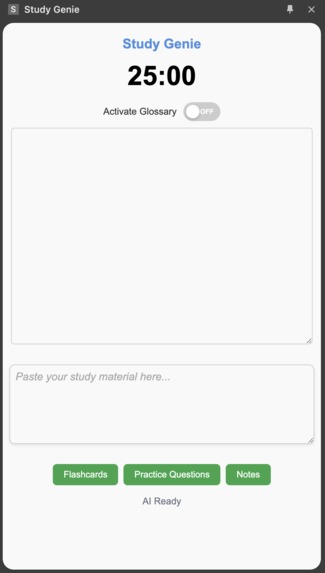
That's why we built Study Genie-a Chrome extension powered by Gemini Nano designed by students for students. It is a one-stop solution to turn any webpage into an interactive learning hub, addressing the challenges we face every day.
What can Study Genie do?
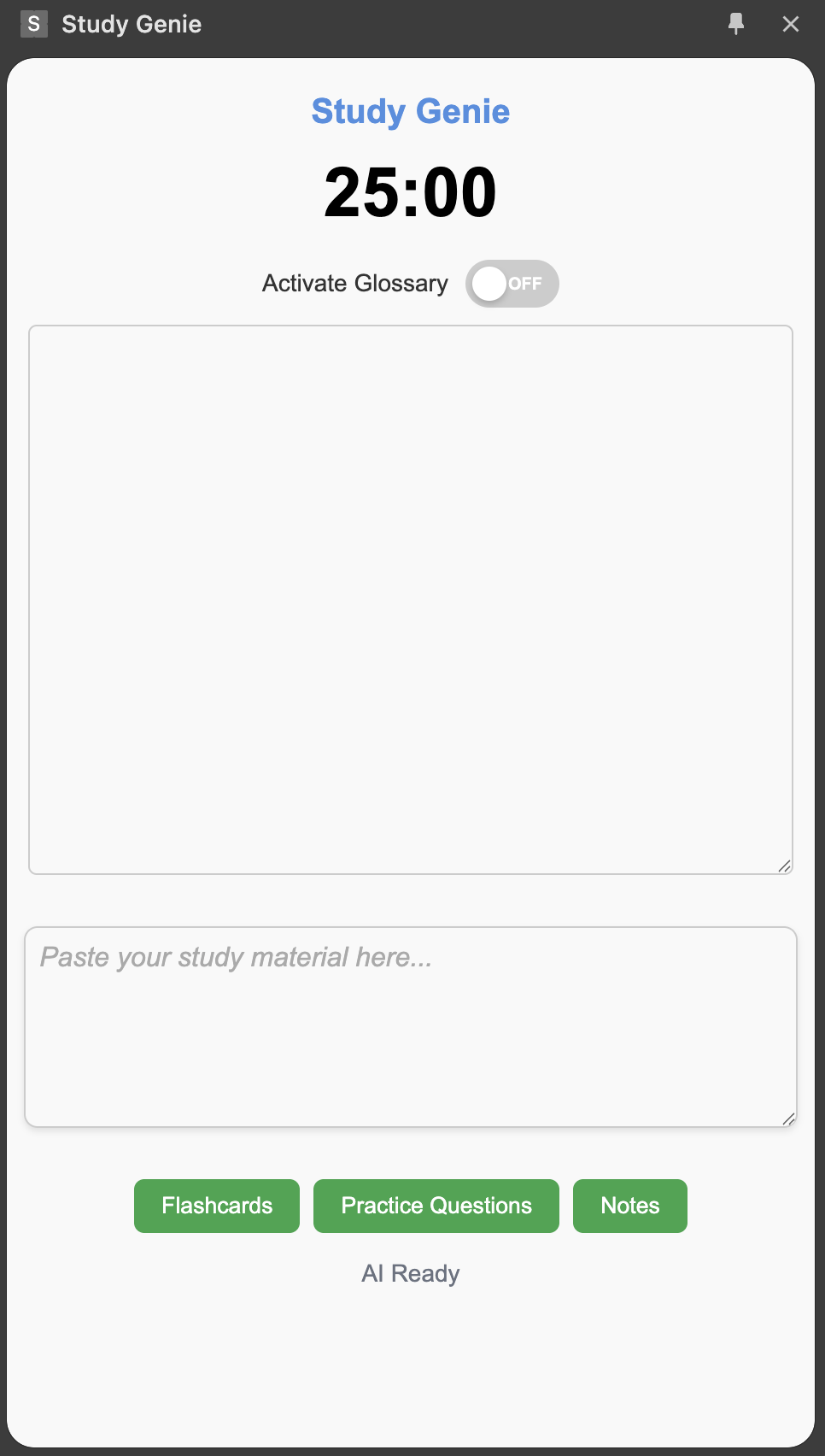
Study Genie provides is packed with powerful features that help students study smarter, not harder. Here's how it can make your study sessions more efficient and interactive:
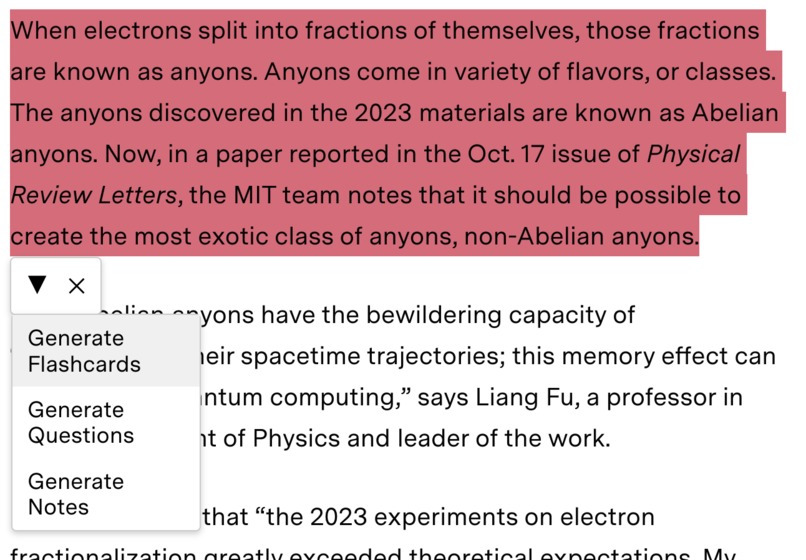
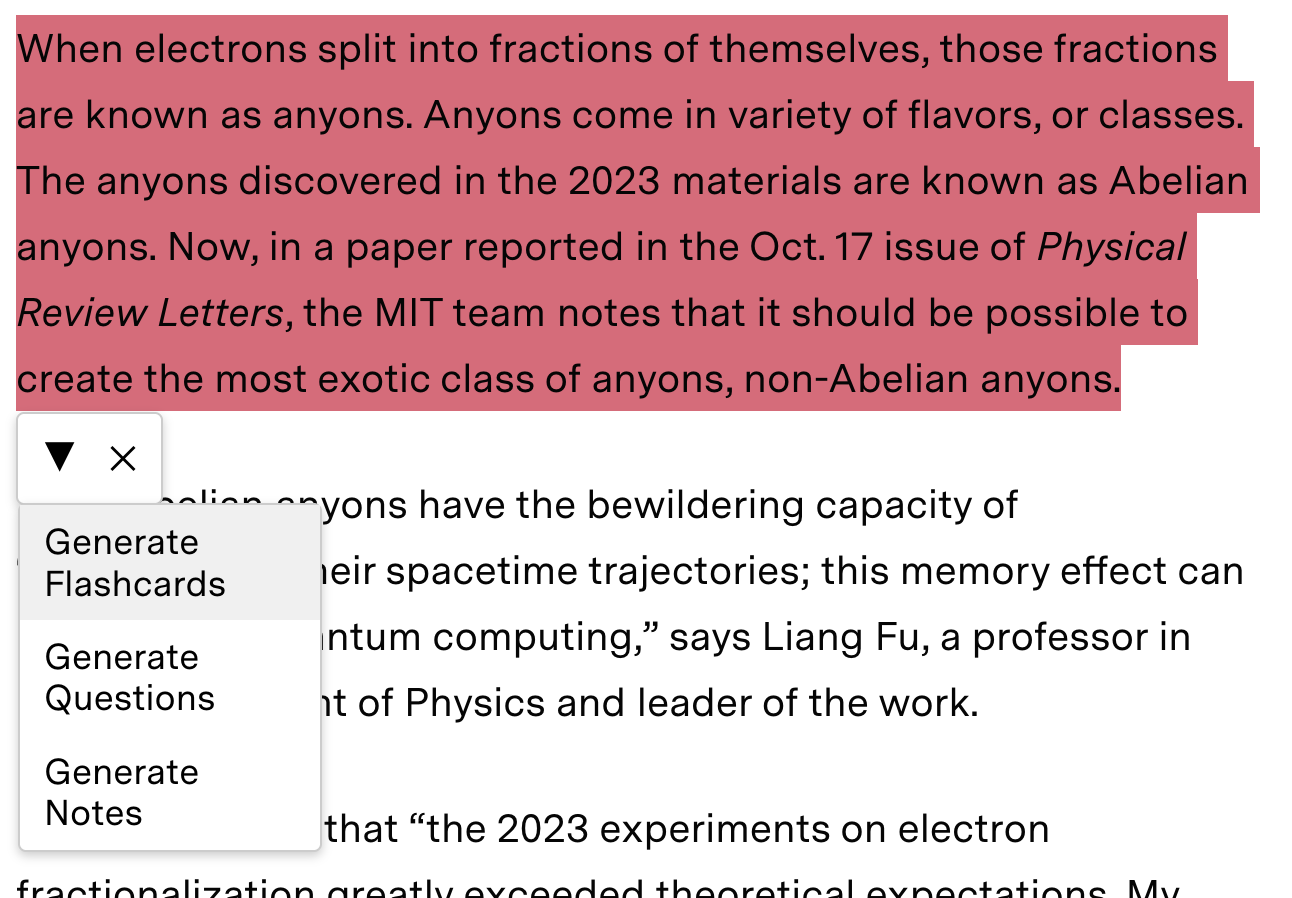
Paste or Highlight Content: Users can either paste content directly into the extension or highlight text on a webpage. This makes it easy to instantly turn any online content into actionable study material.
Condense Information into Notes: Study Genie can automatically condense lengthy text into concise, digestible notes, helping students quickly grasp key concepts without feeling overwhelmed.
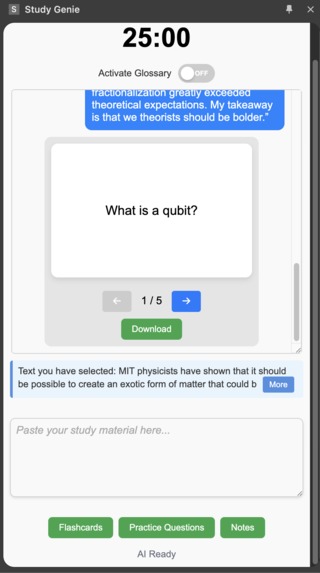
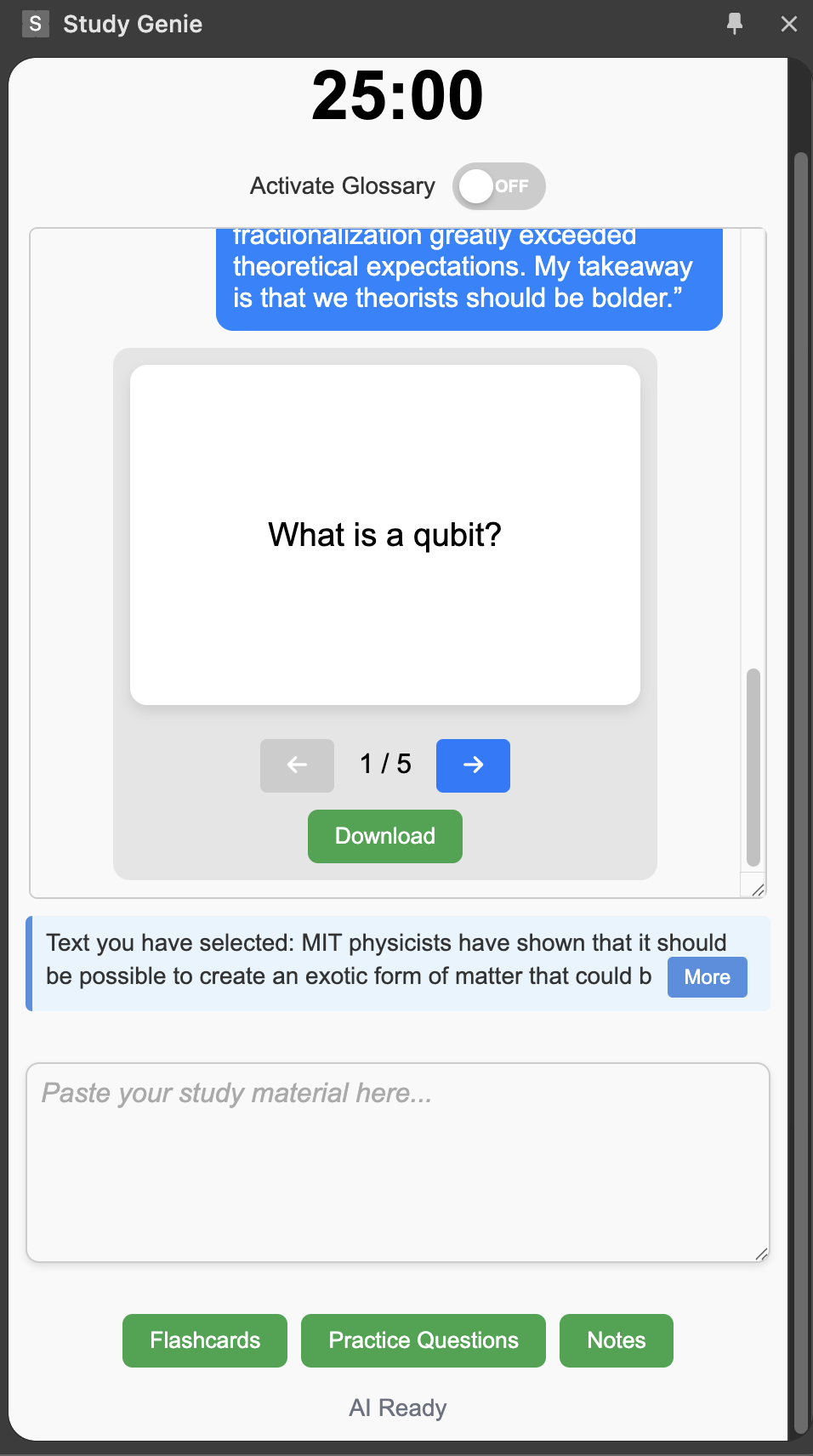
Visual Flashcards: Study Genie creates interactive flashcards that can be flipped and navigated directly from the side panel. Users can download flashcards in a format compatible with major flashcard apps like Anki and Quizlet, making it easy to sync with other tools.
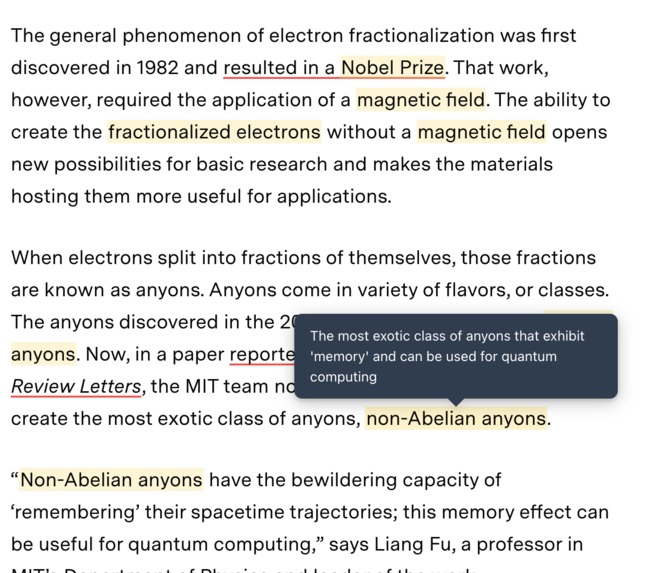
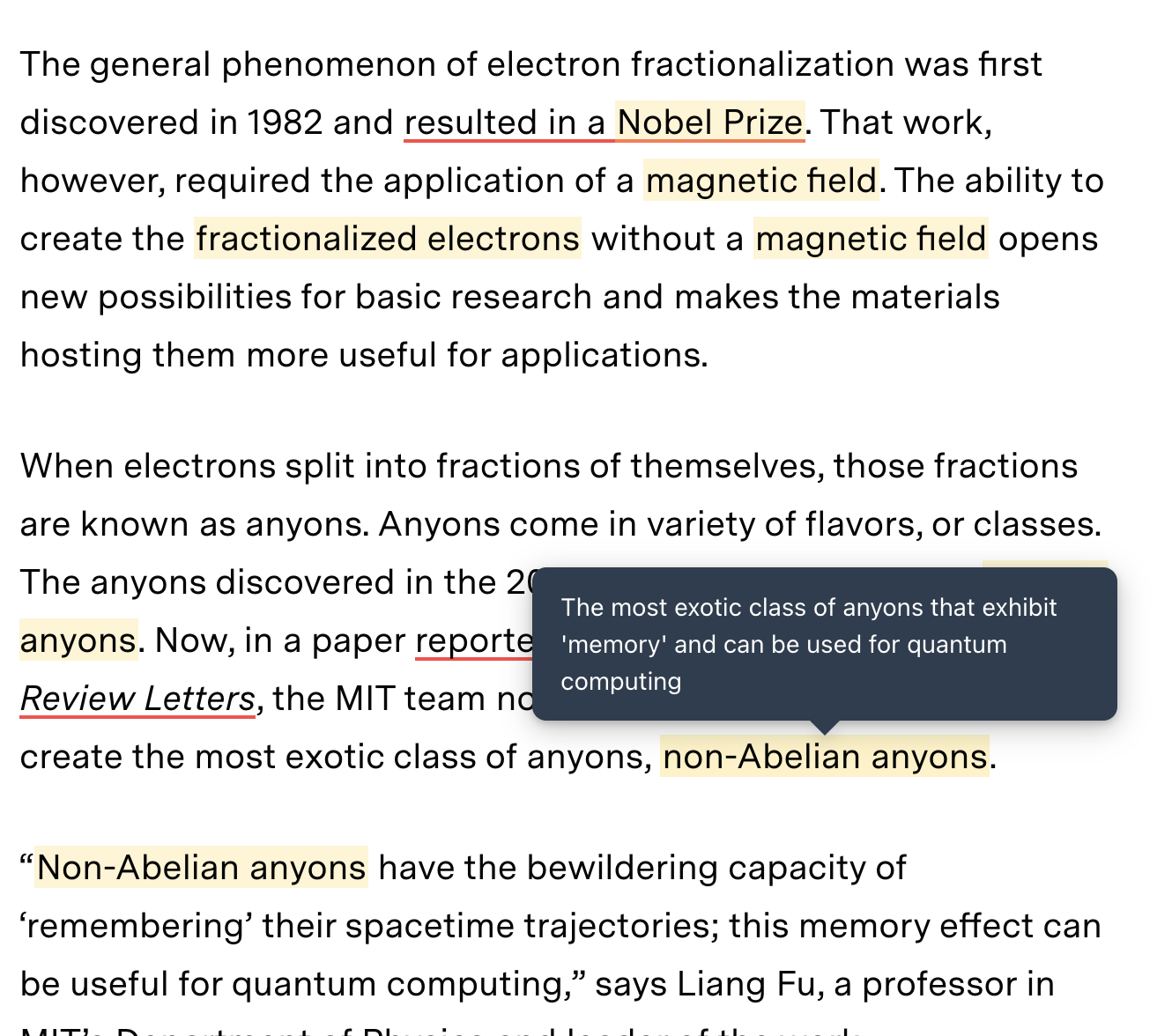
Dynamic Glossary: When activated, the dynamic glossary identifies keywords on any webpage. By simply hovering over the highlighted words, users get instant definitions—perfect for understanding complex terms without breaking focus.
Personal Quizzes: Generate personalized practice questions based on the selected content to help reinforce learning and prepare for exams.
Pomodoro Timer: To enhance productivity, Study Genie includes a Pomodoro-style timer that encourages users to work in focused intervals with regular breaks, promoting better study habits and reducing burnout.
How we built Study Genie
Technologies Used: Vite.js for its ease of use and rapid front-end development. We also used TypeScript for better maintainability and scalability.
APIs: Gemini Nano APIs for all the AI-driven functionalities.
UI/UX Design: A side-panel interface ensures a non-intrusive yet accessible design for all features.
Challenges we faced
Having very little front-end experience, building a chrome extension was definitely a plunge in the deep end for us. Despite this we are incredibly proud of how well we have learnt and adapted to bring Study Genie to life. Here are some specific challenges we ran into:
Prompt Engineering and Structured Output: It was crucial for us to get JSON output from Gemini Nano so that we could parse the ouput to display as flashcards or practice questions. We had a lot of fun learning and integrating prompt engineering techniques such as chain of thought and one-shot prompting to improve the reliability of the model outputs.
Text Extraction for Dynamic Glossary: The Dynamic Glossary requires us to extract text from websites. There are such a wide range of website structures and formats, that extracting the right text can be challenging. We learnt a lot about the structure of websites and which tags and classes are used for the main text content.
Timer Functionality: Creating a working timer was one of the hardest parts of Study Genie. It involved a lot of research of the chrome storage api and many prototype versions to make a timer that doesn't constantly running in the background and keeps running even if you close the extension!
Cross platform compatibility: Addressing runtime issues to ensure cross-platform compatibility.
What we learned
Chrome Extension Development: We have learnt lot about the chrome APIs and the structure of chrome extensions. We can't wait to use this knowledge in new projects.
Prompt Engineering: Effective skills and techniques to prompt language models, which will definitely be helpful daily.
Designing Practical Features: How to design features that address real-world student challenges in a practical and user-friendly way.
What's next for Study Genie
We are gutted to not have had more time to work on Study Genie since there is so much more we would have liked to add.
Advanced AI Features: Expanding functionality to include deeper insights, such as topic connections and more refined quizzes.
Personalised Study: Learn from user study patterns and suggest study techniques and improvements.
User Customization: Allowing students to tailor the timer intervals or content extraction rules to suit their unique preferences.
Cloud Integration: Providing cloud sync options for flashcards and summaries, enabling multi-device accessibility.
Built With
- chrome
- css
- devtools
- gemini-nano
- github
- html
- javascript
- typescript
- vite.js


Log in or sign up for Devpost to join the conversation.