-
-
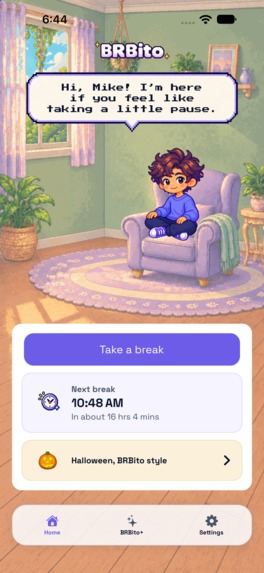
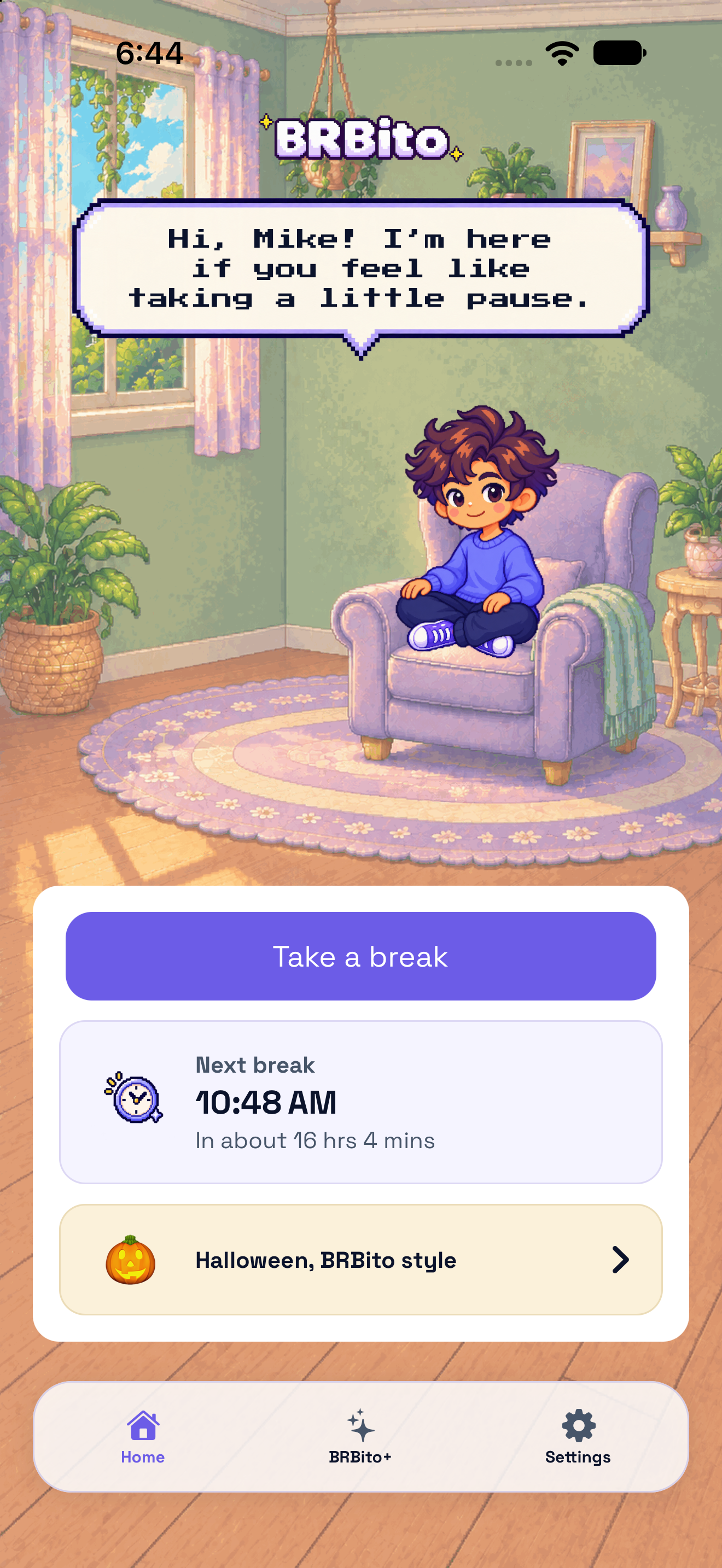
Home screen
-
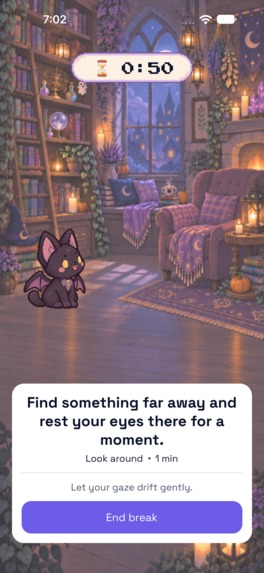
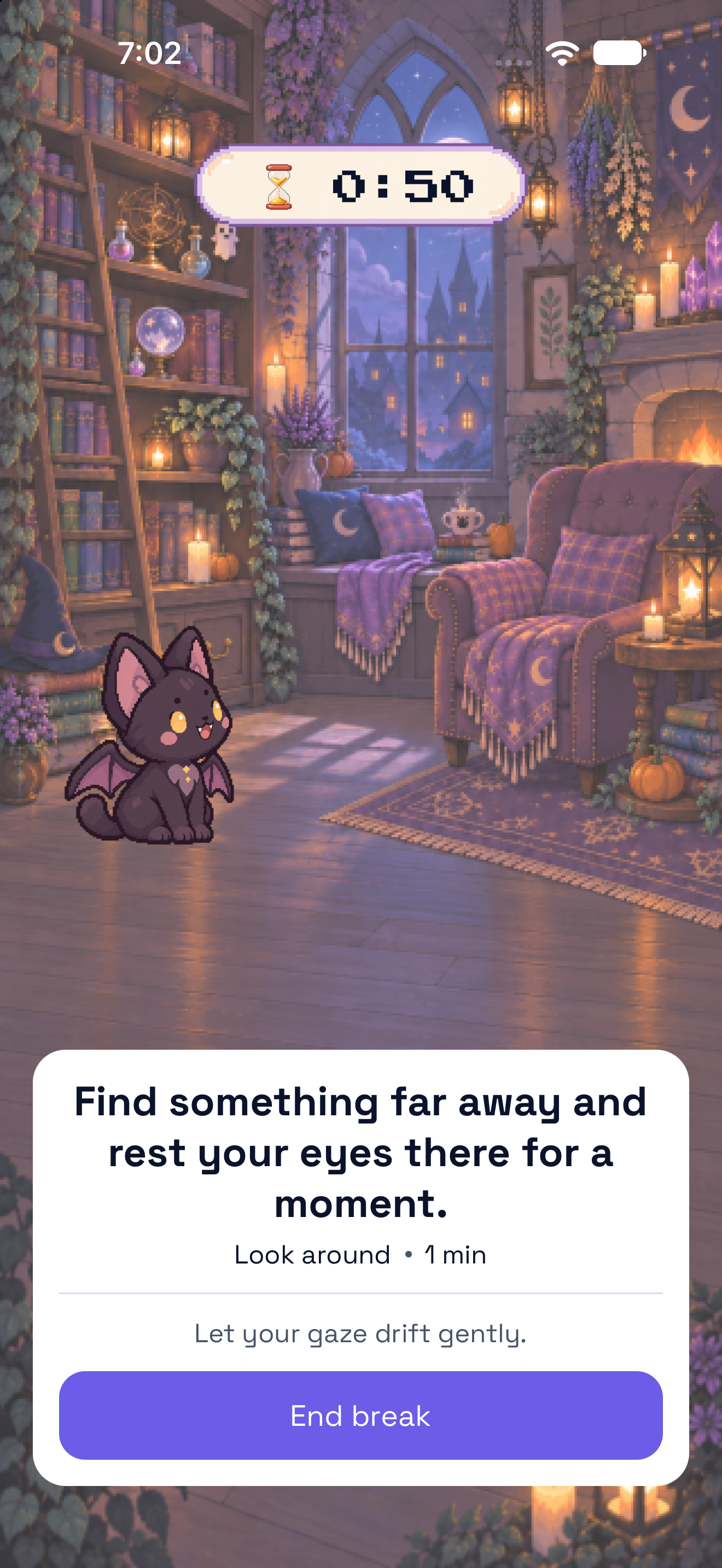
Active pause screen
-
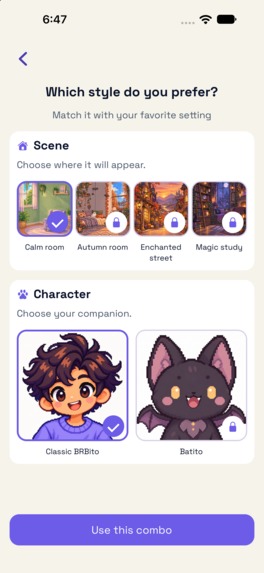
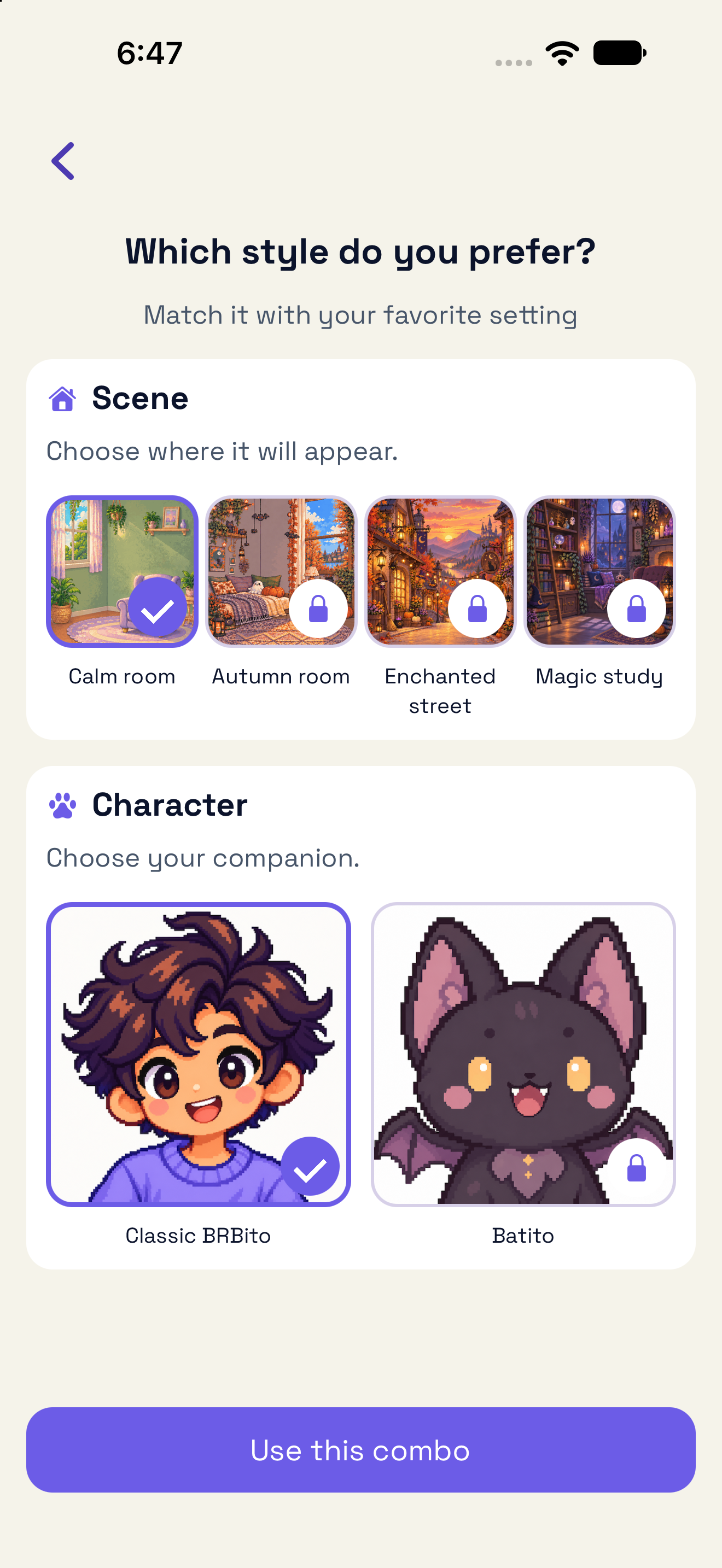
Customize screen
-
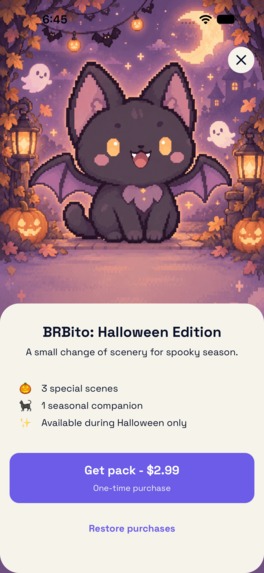
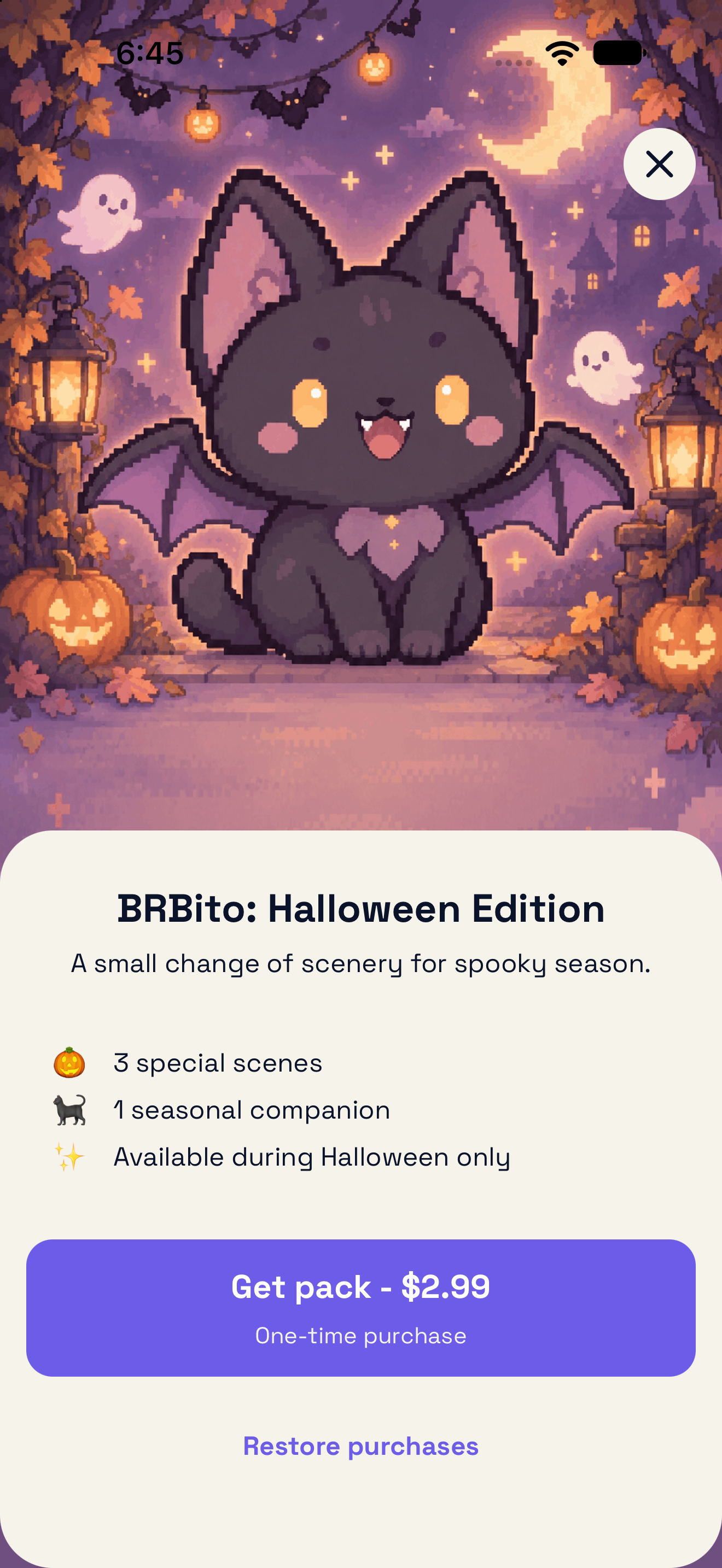
Paywall
-

App icon

About BRBito
BRBito is a calm break companion for people who spend long periods focused, sitting, or in front of a screen.
Our early research showed that the problem was often not a lack of information about taking breaks. People told us they forget, lose track of time, or avoid stopping because they do not want to interrupt their concentration.
At the same time, they were wary of tools that create even more interruptions, pressure them with streaks, or make breaks feel like another task to complete.
We built BRBito around a different idea:
Suggest the moment. Let the person decide.
BRBito helps people introduce small changes of pace into their day without punishment when the timing is not right.
What BRBito does
People can configure:
- the days and hours when BRBito is allowed to send reminders;
- how often they want to be reminded;
- the kinds of breaks they prefer;
- their language in Spanish or English.
BRBito then schedules local reminders based on those choices.
A break can also be started manually at any time.
During a break, BRBito keeps the experience intentionally simple: a short activity, a timer, and the option to finish early.
When the break is over, the app does not ask for streaks, scores, or another task. The goal is to let the person return to their day.
What makes it different
We did not want BRBito to become another productivity timer or habit tracker.
Our design principles became:
- Context over constant reminders
- Autonomy over obligation
- No guilt for skipping
- A small emotional reward without turning rest into performance
That also shaped the product's personality.
- Before a break, BRBito invites. - During a break, BRBito guides. - After a break, BRBito lets go.
The visual system combines a contemporary interface with a softer pixel-art world and companion, giving the app personality without making every interaction visually demanding.
Monetization
We wanted the core break experience to remain free.
Rather than charging for more breaks or putting essential functionality behind a paywall, our first monetization experiment focuses on optional visual personalization.
Using RevenueCat, BRBito offers a one-time Halloween Pack that unlocks:
- three additional environments;
- Batito, a seasonal companion.
The base room, BRBito's classic companion, reminders, and the complete break flow remain free.
We see this pack as a first monetization hypothesis, not the final business model.
How RevenueCat is used
RevenueCat manages purchase state and access to the Halloween Pack.
BRBito waits for RevenueCat to confirm a successful purchase or restoration before unlocking premium content.
We also handle cases such as:
- purchase cancellation;
- pending purchases;
- errors;
- restoring previous purchases;
- reopening the app after purchasing;
- temporary failures when checking purchase status.
If access was previously confirmed and a later check temporarily fails, BRBito preserves the last confirmed access instead of immediately locking content again.
This integration taught us that adding a purchase was not simply a matter of showing a paywall — the difficult part was keeping the purchase state and the interface consistent.
How we built it
BRBito is built with:
- React Native + Expo
- Expo Router
- TypeScript
- MMKV
- Expo Notifications
- i18next
- Firebase
- RevenueCat
We intentionally avoided requiring an account for the core experience.
Name, break state, schedules, notification preferences, and other settings are stored locally on the device.
Firebase supports analytics and diagnostics, while RevenueCat handles purchases and premium access.
This let us avoid building authentication and a dedicated backend that the first version did not need.
One codebase, two platforms
React Native allows us to share most of BRBito between iOS and Android, but building the app showed us how many differences remain.
We encountered platform-specific behavior around time pickers, keyboards, navigation, spacing, notifications, and accessibility.
One of our most useful bugs came from our original pixel-style typeface: it worked well on our iPhone tests but became too wide inside speech bubbles on smaller Android devices and at larger accessibility text sizes.
That pushed us to rethink both typography and the flexibility of those components.
Building the visual system
Our earliest screens sometimes combined the environment and companion into a nearly complete illustration.
That worked with one room and one character.
It stopped working once we introduced personalization.
We changed the implementation so environments, companion sprites, and UI are independent layers. This lets us reuse backgrounds, swap poses and companions, and add future visual content without rebuilding each screen from scratch.
What we had to cut
Our first concept was much larger.
We imagined:
- several companions;
- accessories;
- more environments;
- a larger break library;
- a full customization store;
- subscriptions;
- and potentially rewarded advertising.
Six weeks forced us to prioritize.
Instead of implementing several monetization models partially, we chose one small purchase that could be completed and tested.
The biggest lesson was not how much we could build with new tools.
It was learning what we needed to build first.
Build in Public
We documented BRBito throughout the Ship-a-ton through blog posts and social content.
We shared:
- how we selected the original idea;
- what we learned from early research;
- our visual and content decisions;
- naming BRBito;
- the transition from prototypes to implementation;
- the technical problems we encountered;
- and the decisions we made as scope became tighter.
Building in public did not replace user research.
Research helped us understand the problem. Sharing publicly helped us articulate our decisions, document what changed, and make the reasoning behind the product visible while it was still evolving.
What we learned
At the beginning of Shipaton, we expected AI-assisted tools to let us build a much larger first version.
They absolutely accelerated exploration.
We could test visual directions, content, references, and ideas much faster.
But exploration and shipping turned out to move at different speeds.
A real product still required research, prioritization, accessibility decisions, state management, QA, store requirements, purchase handling, and many small corrections.
The question we kept returning to was:
What is the smallest version we can ship that still feels like BRBito?
The answer was not a feature list.
It was the core experience: small breaks, user autonomy, low-pressure reminders, and a companion that supports without demanding attention.
What comes next
The first release gives us something we did not have six weeks ago: a product we can observe with real users.
Next, we want to learn:
- which types of breaks people actually use;
- how they respond to reminders;
- whether visual personalization matters;
- whether people are willing to pay for it;
- and which parts of our current experience deserve to grow.
BRBito is intentionally small today.
Now we can start learning what should become bigger.
Awards we are targeting
We are submitting BRBito for:
- RevenueCat Design Award
- RevenueCat Peace Prize
- #BuildInPublic Award
Built With
- accessibility
- android
- expo-notifications
- expo-router
- expo.io
- firebase
- i18next
- ios
- mmkv
- mobile
- react-native
- revenuecat
- typescript
- ux-design

Log in or sign up for Devpost to join the conversation.