-
-
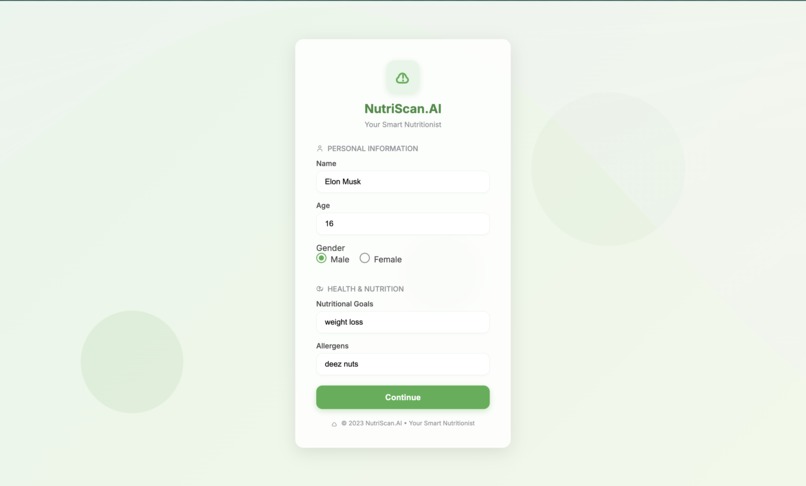
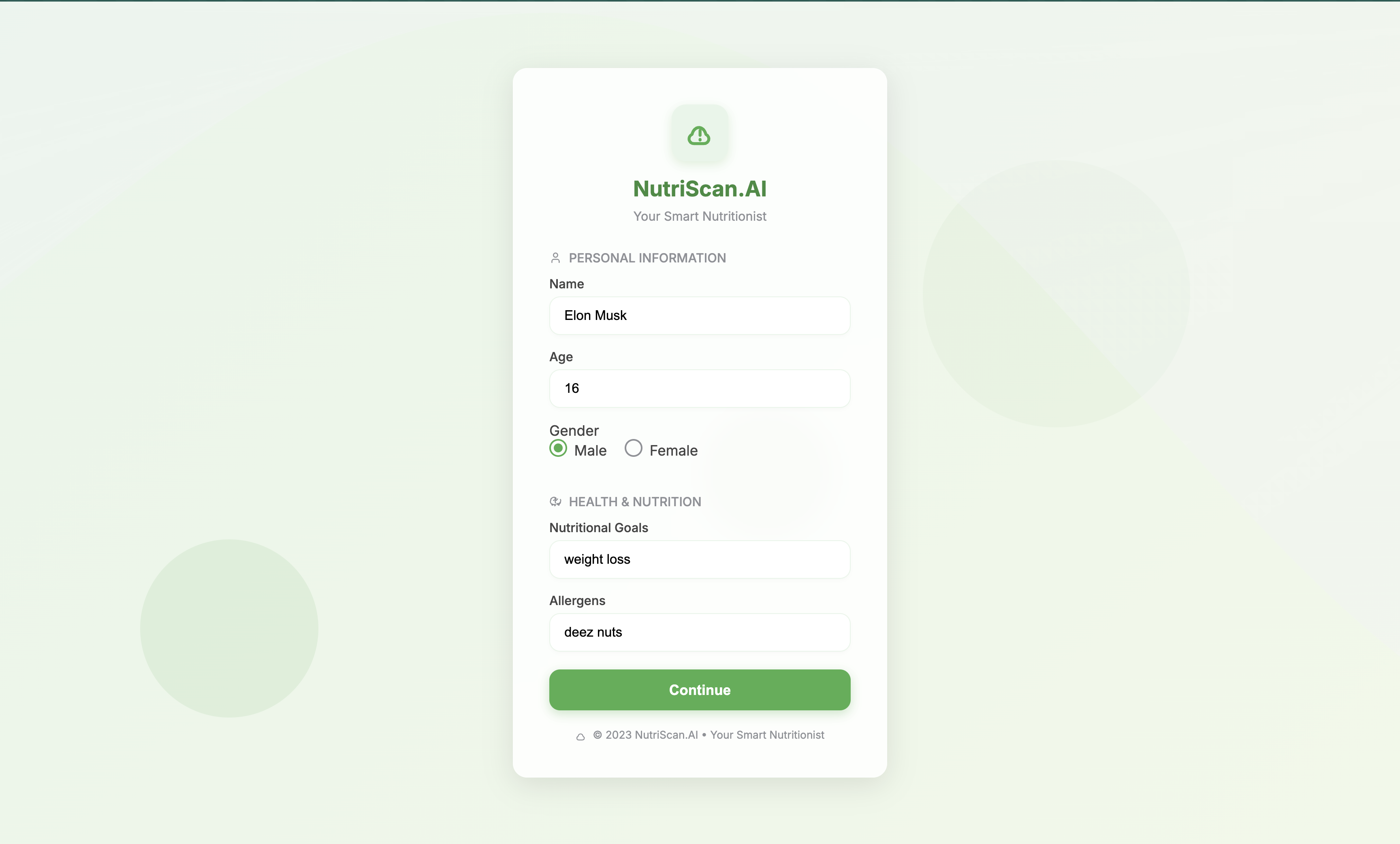
entry page
-
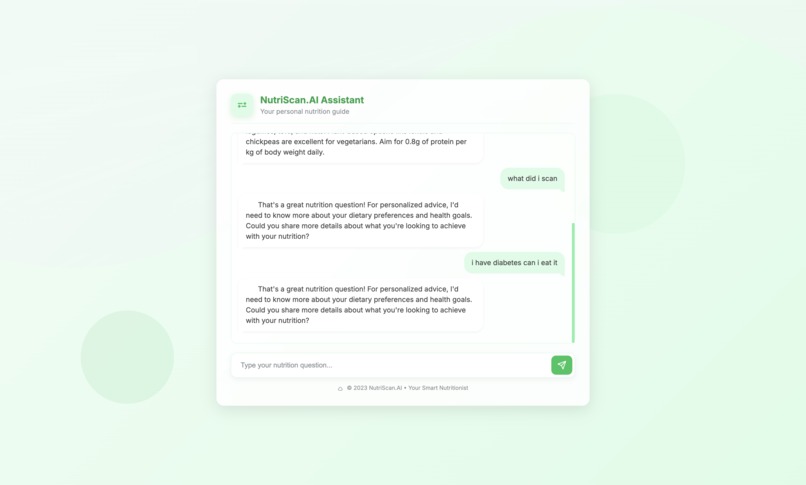
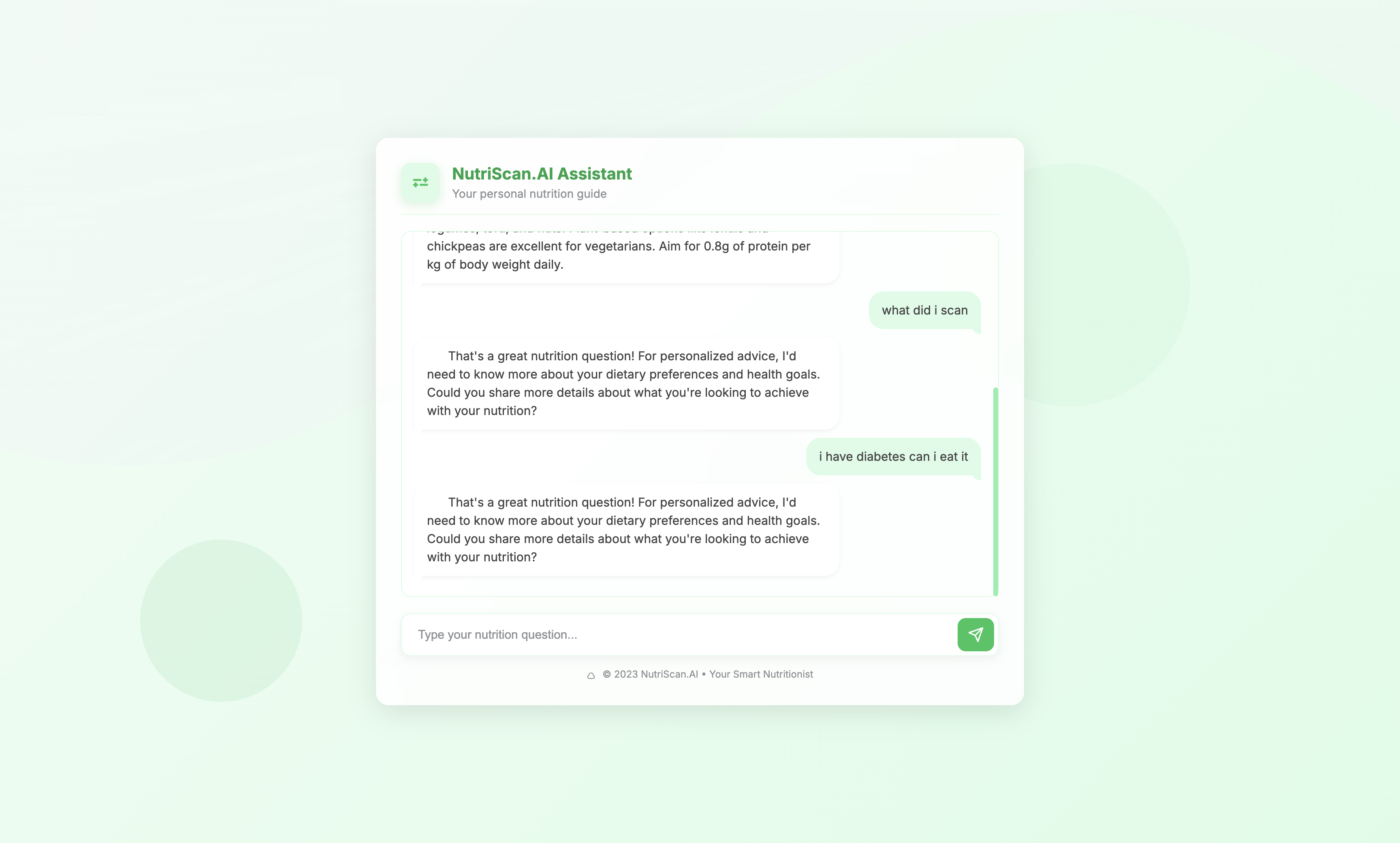
ask questions
-
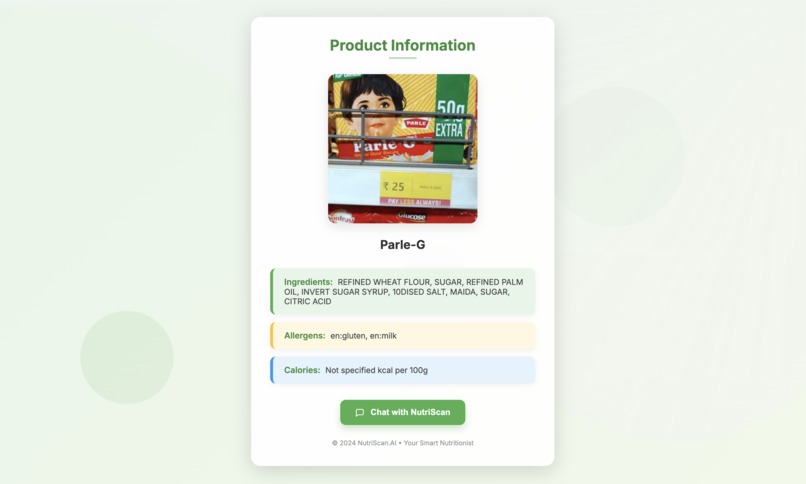
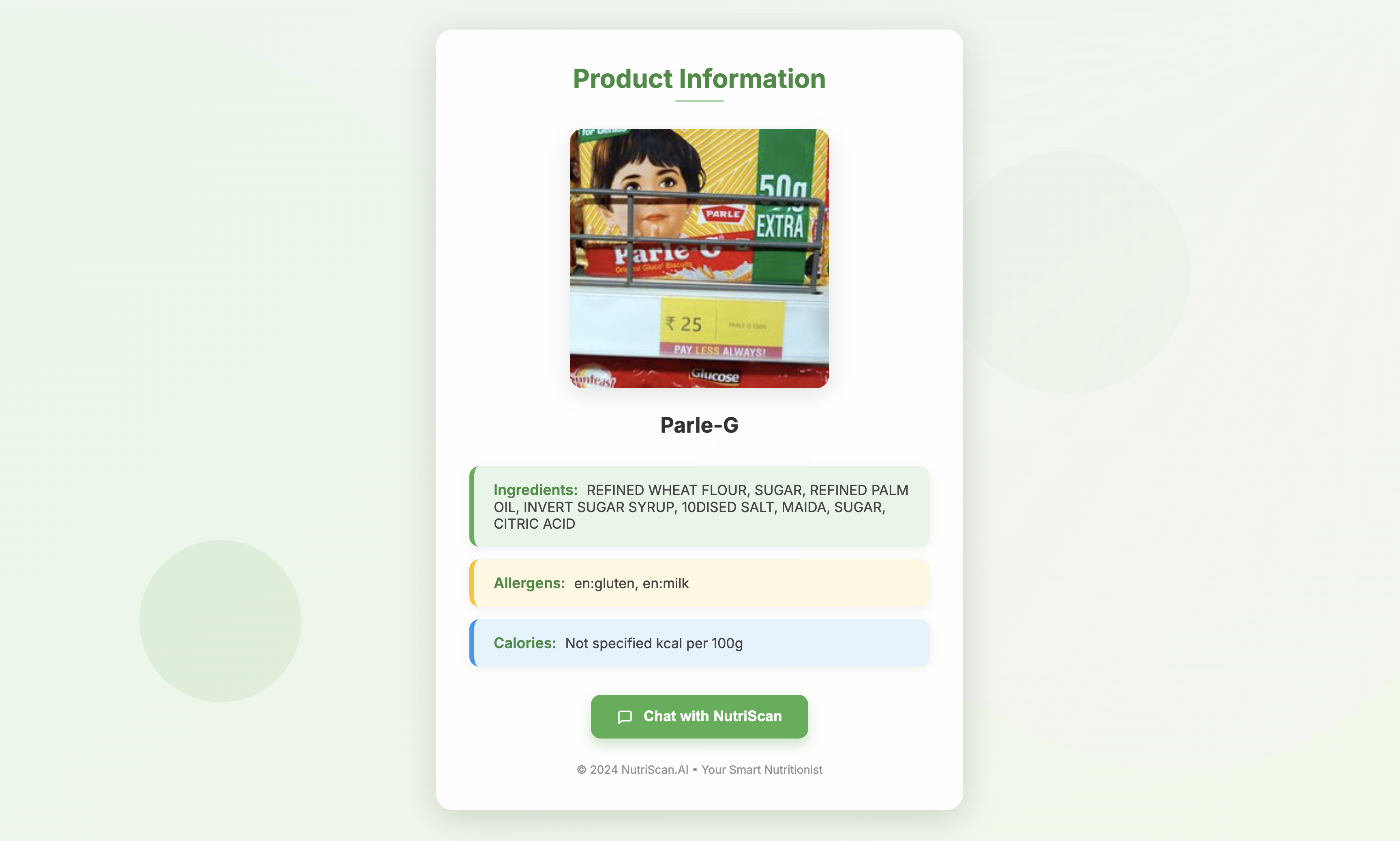
get info
-
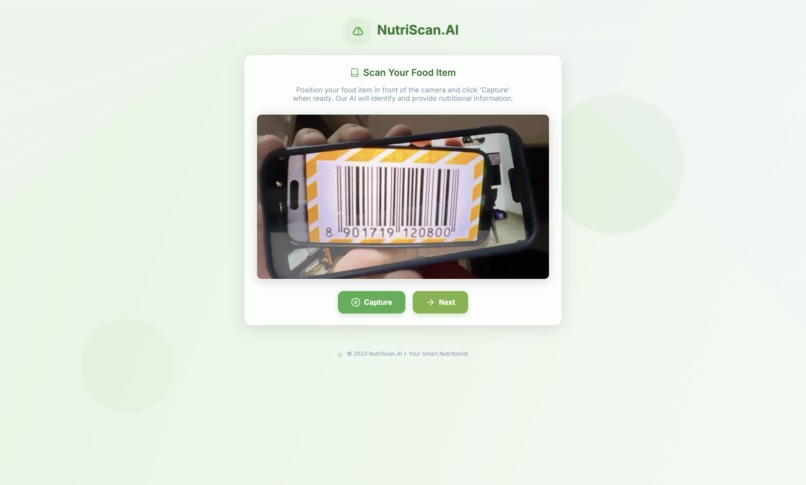
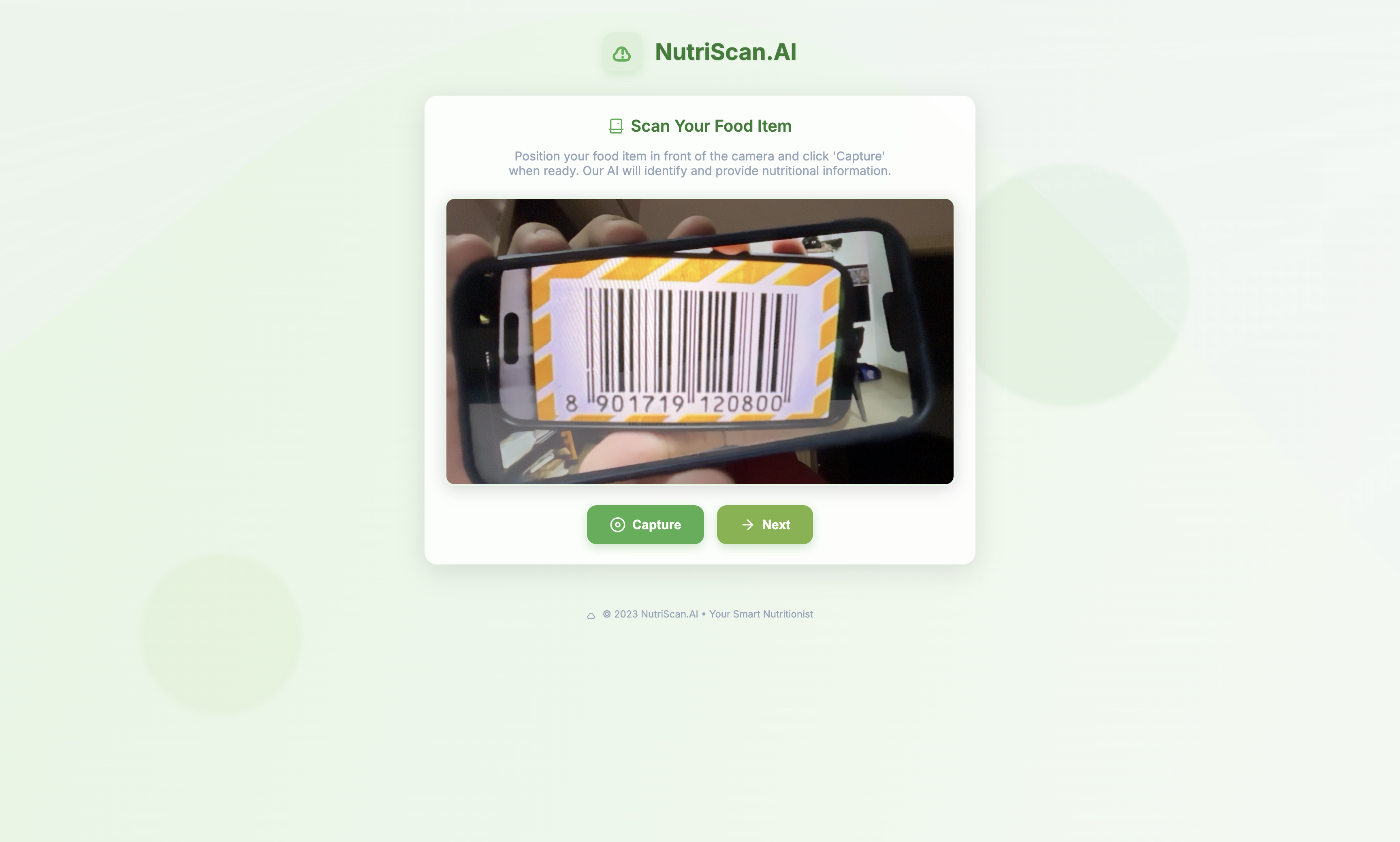
Scan your barcode
🥗 NutriScan AI: Smart Nutrition Simplified
NutriScan AI is your personal nutrition assistant. Designed especially for people with dietary restrictions (like diabetes or allergies), NutriScan AI helps you make smarter food choices by simply scanning a product's barcode.
💡 About the Project
Have you ever tried reading the back of a packaged food item only to find complex chemical names like ascorbic acid or monosodium glutamate and wondered what they actually mean? Many people—especially those managing health conditions—struggle to interpret nutritional labels.
NutriScan AI was built to solve this. Inspired by real-life challenges faced by people with specific dietary needs, our goal was to make food decisions quick, clear, and safe.
🔧 Features
Barcode Scanning Quickly scan food product barcodes using your device's camera. Built with OpenCV and pyzbar.
Instant Nutritional Information Get clear, simplified breakdowns of calories, ingredients, and nutrients using data from the OpenFoodFacts API.
Allergen Alerts Input your allergens (e.g., gluten, peanuts) once, and the app will automatically highlight any matching ingredients in red when you scan a product.
Personalized Profiles Save your name, age, nutrition goals (like weight loss or muscle gain), and allergen details for fully personalized results.
AI-Powered Chatbot Ask questions like “Can I eat this with high cholesterol?” or “What can I pair this with?” and get personalized responses using OpenAI’s GPT API.
Clean, Modern Interface Built with HTML, CSS, and Flask backend for a smooth and user-friendly experience.
⚙️ Tech Stack
- Python
- Flask
- OpenCV
- pyzbar
- OpenFoodFacts API
- OpenAI API
- HTML/CSS
🧠 What We Learned
- How to integrate real-time camera input with Python and Flask
- How to parse and display nutritional data in a user-friendly format
- Personalizing AI responses using user input
- Importance of UI/UX in accessibility for users with dietary needs
🚧 Challenges
- Ensuring accurate detection from blurry barcodes
- Mapping complex ingredient names to easy terms
- Making AI responses context-aware and medically sound
📦 How to Run Locally
1. Clone the repository
2. Create a virtual environment
3. Install requirements using pip
4. Add your OpenAI API key in a `.env` file
5. Run `flask run`
6. Open the app on `localhost:5000`
🙌 Looking Ahead
We're currently working on:
- Deploying the app publicly using platforms like Heroku or AWS
- Collecting real-world feedback to refine features
- Partnering with health experts to improve recommendation accuracy
🤝 Contributions Welcome
We're open to feedback, ideas, and contributions. Check out the GitHub repo: github.com/BENi-Aditya/NutriScan-AI
🙏 Thank You
Follow the journey on Instagram @aditya.beni_ and check out more cool projects on GitHub: BENi-Aditya


Log in or sign up for Devpost to join the conversation.