Inspiration
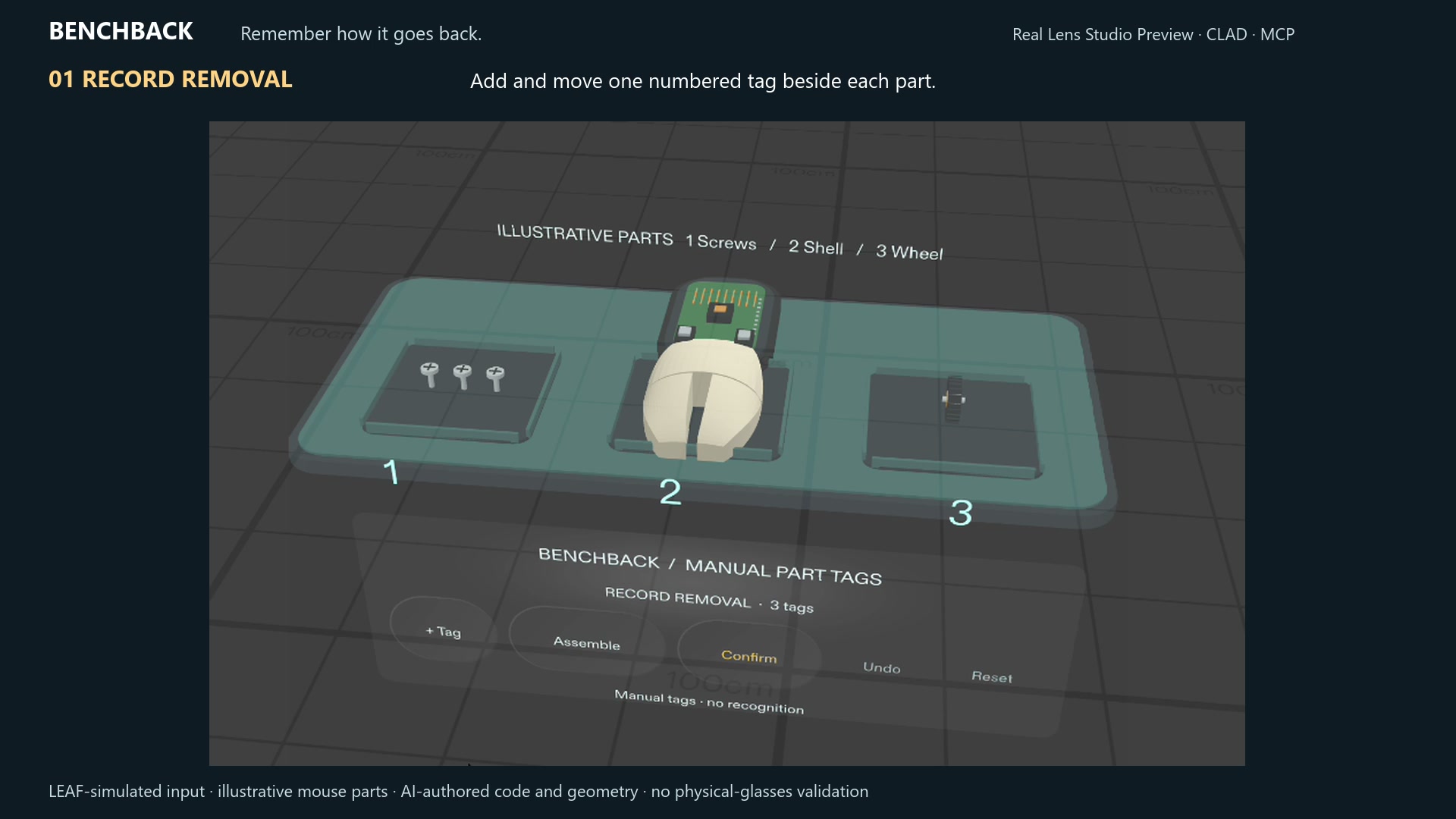
Taking a computer mouse apart creates a small spatial-memory problem: which part came out when, and where did it go? BenchBack puts numbered annotations beside the parts, helping the person follow the task without constantly consulting a separate checklist.
The entrant chose the computer-mouse use case, requested manual marking followed by reverse reassembly, and approved the interaction plan. The assistant proposed the initial concept and authored the implementation and original procedural geometry. The planning documents preserve these contributions.
What it does
Select Add tag, then pinch and drag its number beside a removed part. Each marker keeps its world-space position within the current session.
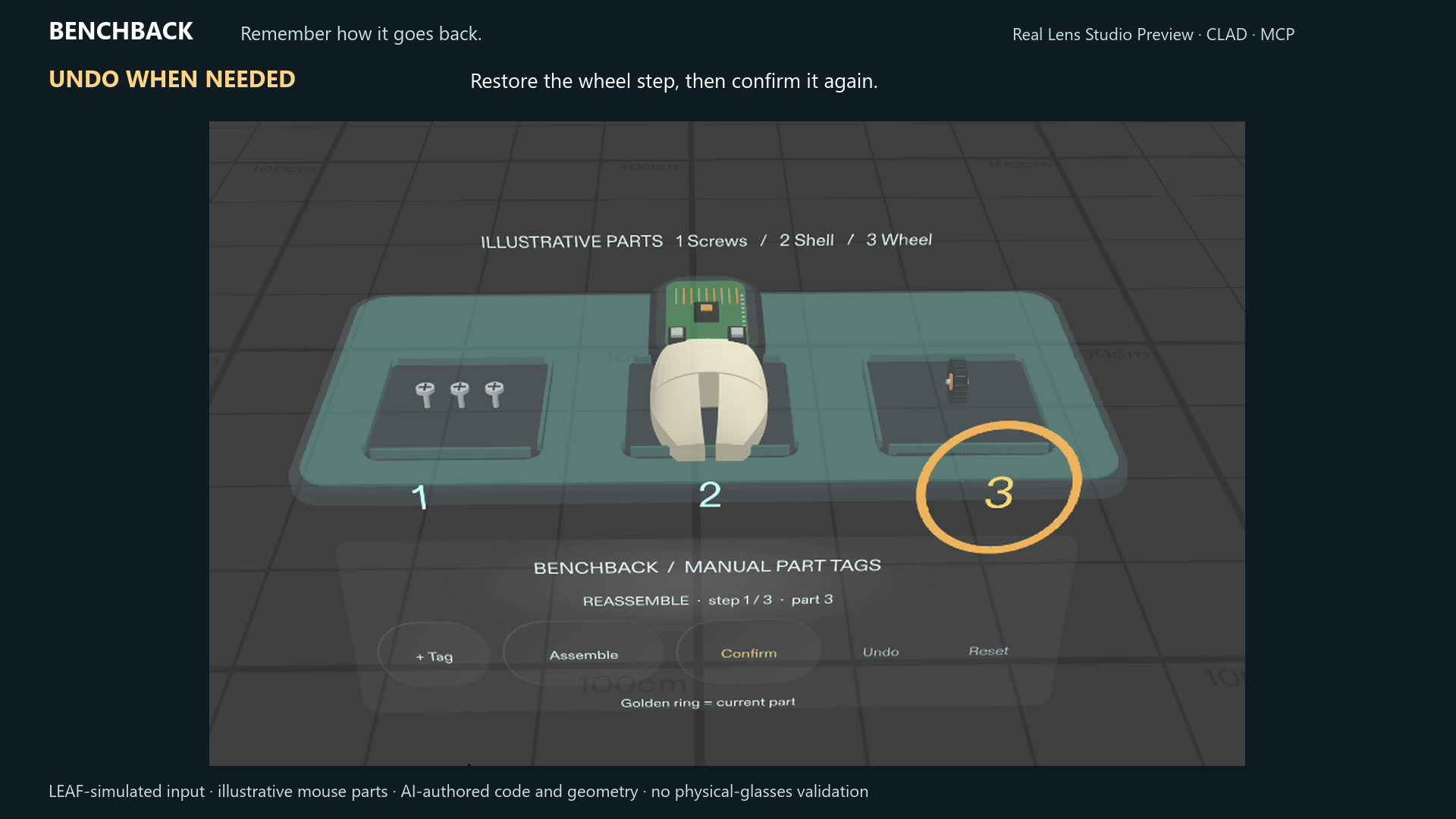
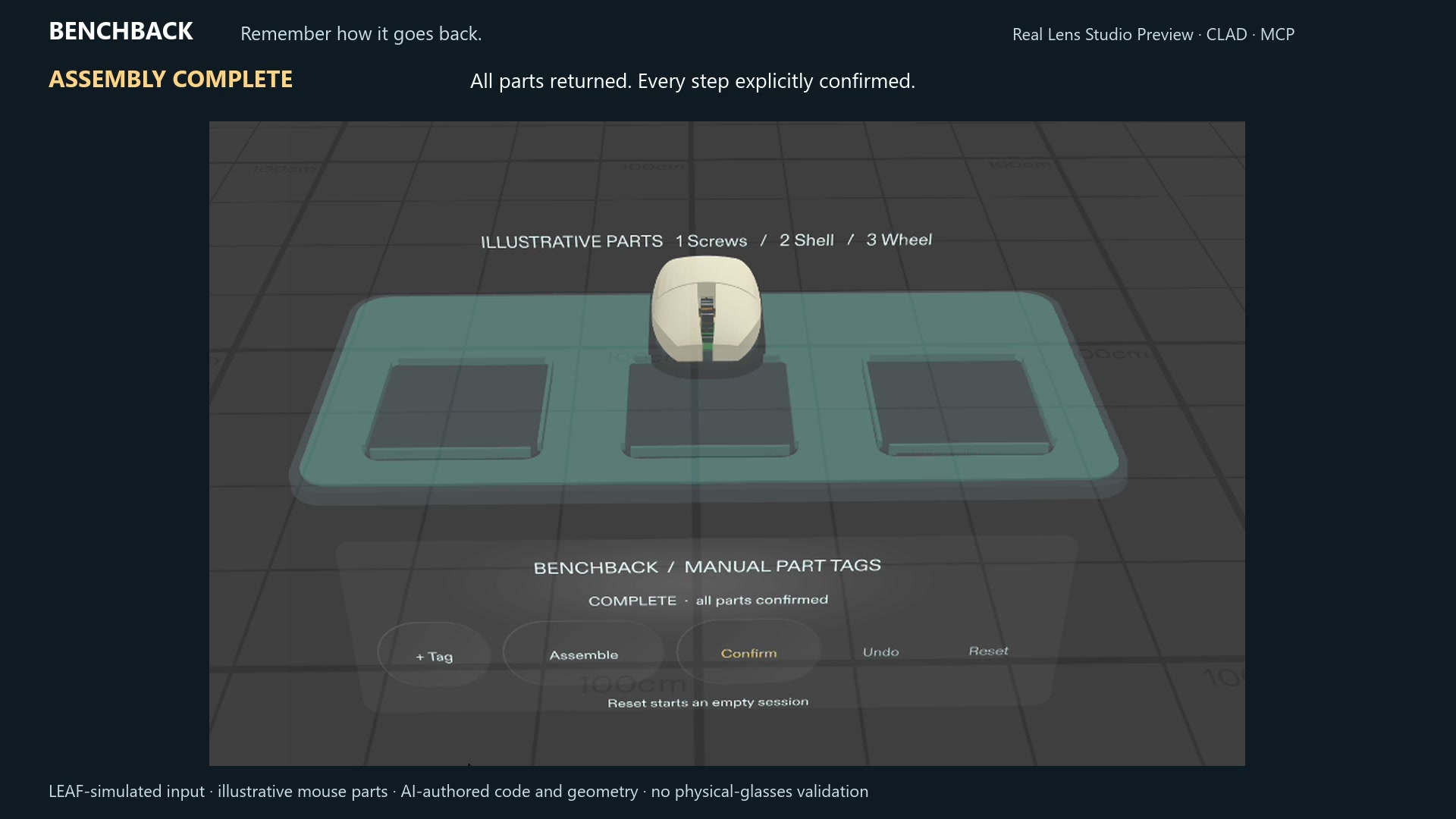
Assemble selects the last recorded part. A larger number and gold ring identify the current step. Each Confirm advances explicitly through the sequence in reverse order. Undo restores the previous action, and Reset starts an empty session. A directional cue helps locate an active marker outside the view.
The refined demonstration uses an original, unbranded mouse illustration: a curved two-button shell, exposed circuit board, ribbed wheel, screws and organized trays. Animated removal and return make the sequence easier to follow.
These animations are illustrative. The markers are placed manually; BenchBack does not recognize hardware, infer repair instructions or verify that a repair is correct.
How we built it
Planning used the official Devpost Learn skill pack, with the interview, approved design brief and build plan included in the repository’s devpost folder.
The Lens was built through CLAD and the official Lens Studio MCP in Lens Studio 5.23.2. Original TypeScript separates session state, application control, composed UIKit views and procedural MeshBuilder geometry. Spectacles Interaction Kit supplies the actual button and marker-manipulation behavior.
MIT covers original BenchBack contributions. Snap resources and other dependencies retain their own terms, documented in THIRD_PARTY_NOTICES.md.
Demonstration and validation
The refined 80-second video is a continuous recording of the actual Lens Studio Interactive Preview, cropped and captioned in English. LEAF-simulated input operates the real SIK controls and draggable markers, as disclosed in the film.
The video shows the complete workflow: adding and positioning three tags, moving the actual camera while markers remain anchored, reverse assembly, explicit confirmation, Undo, completion and Reset. No generated mockups replace runtime frames.
All five required acceptance criteria passed in the desktop Preview: sequential movable tags, stable placement during camera movement, recording undo and numbering, explicit reverse confirmation, and assembly undo with directional-cue recovery and reset. The off-view directional cue was tested separately. An optional IK check timed out before execution and is not counted as a pass.
Challenges and learning
Package compatibility and readable spatial UI required iteration. Supported APIs and compatible dependencies resolved the editor mismatch. Preview testing exposed a stale directional cue, which was corrected and checked on look-away and return.
The visual refinement added a recognizable mouse, organized trays, compact controls and a clear gold current-part ring while preserving the manual workflow.
The central design lesson was to keep the annotation beside the task and let the person decide when each step is complete.
What's next
Test with actual users and physical glasses, measuring marker drift, reach, readability and comfort during real work.
The current prototype has not been validated on physical glasses or during an actual mouse repair. Session data is temporary and is lost on reset or restart. There is no automatic recognition, cloud service or remote AI/API dependency.
Links
Demo: https://youtu.be/lUrFyqV3LJc
Source, planning documents and validation instructions: https://github.com/jacman1988-super/benchback-specs-2026
Built With
- clad
- leaf
- lens-studio
- lens-studio-mcp
- meshbuilder
- openai
- spectacles-interaction-kit
- spectacles-ui-kit
- typescript

Log in or sign up for Devpost to join the conversation.