-
-
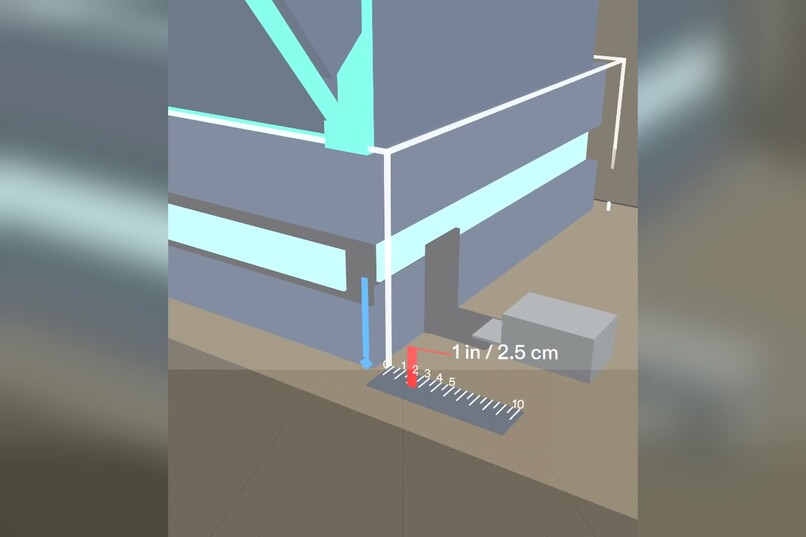
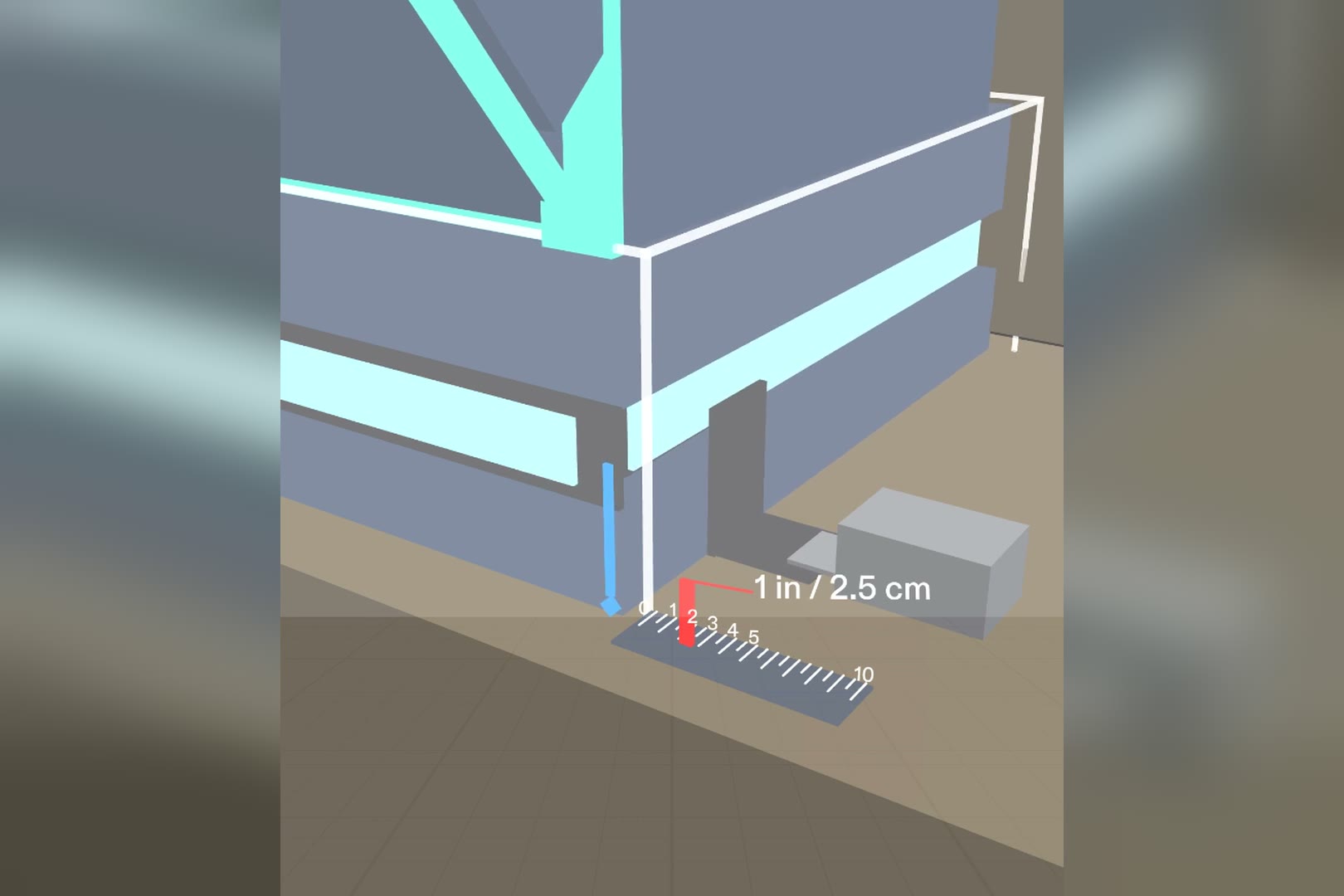
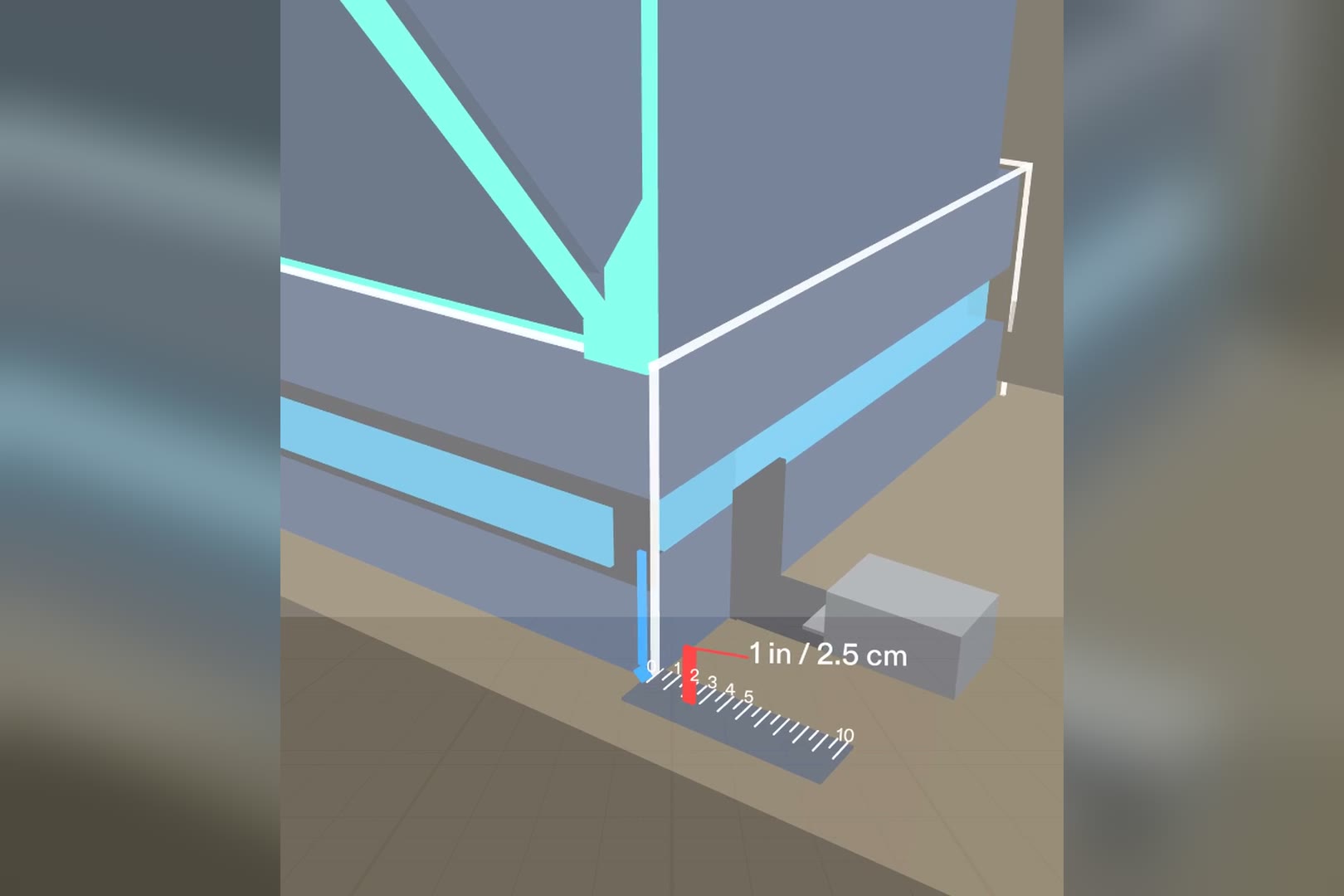
Shake the seat: the blue pin rides the seat edge over a 1-inch ruler. The ghost line marks where it started.
-
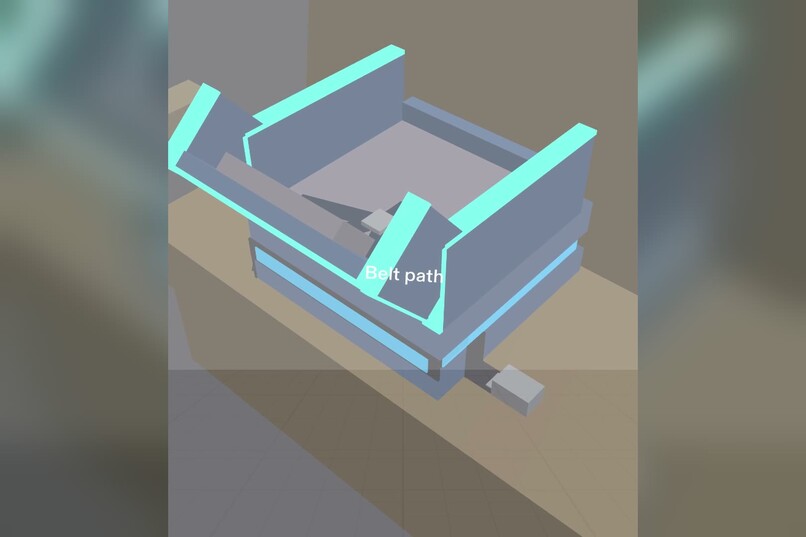
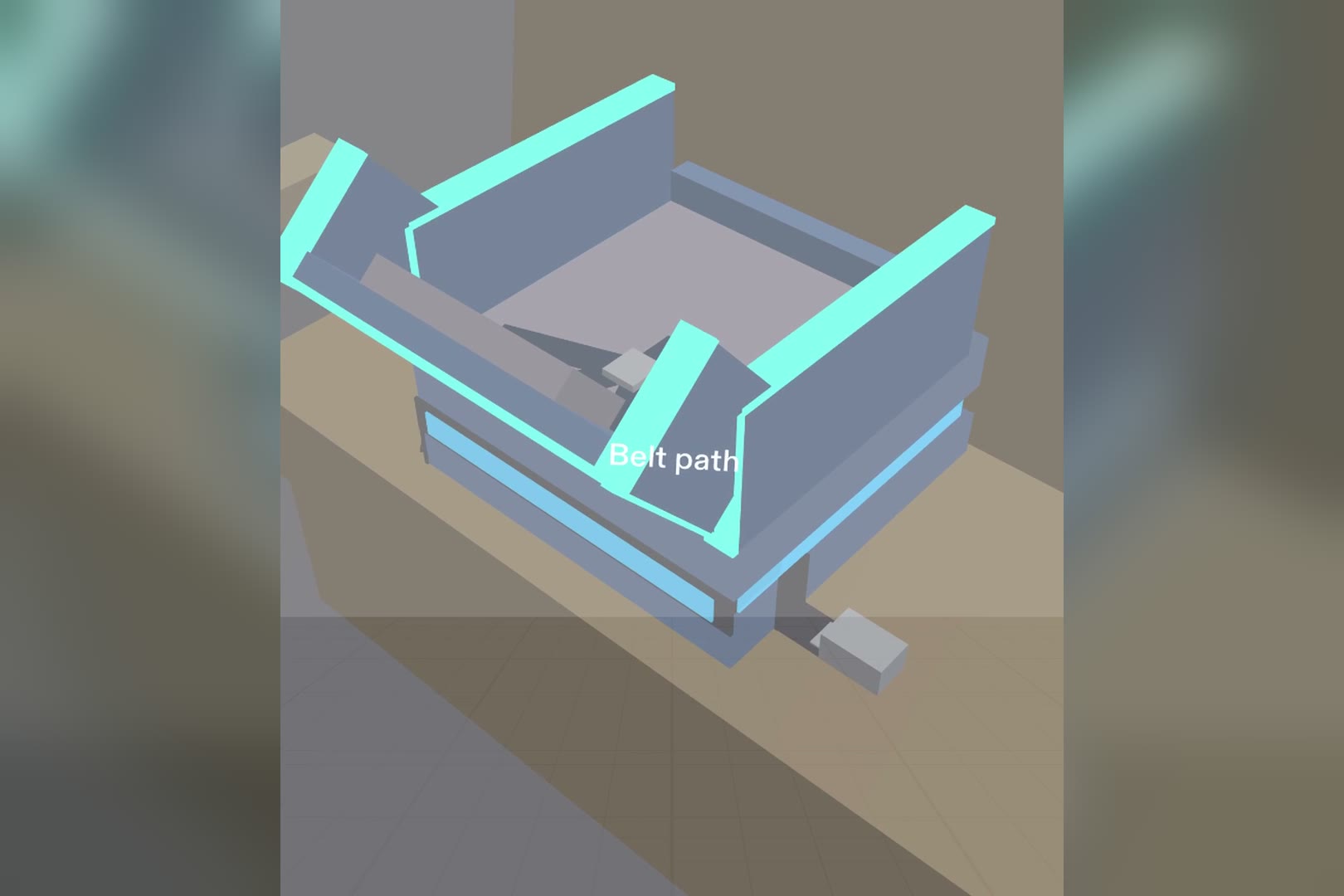
From the car door: one band and one word. Everything else waits.
-
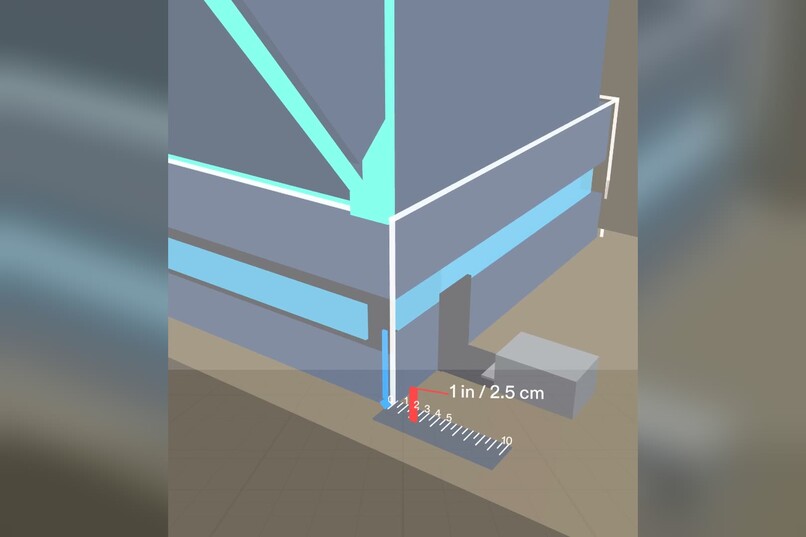
Kneel down and the ruler appears at the belt path, about 55 cm from the eyes.
-
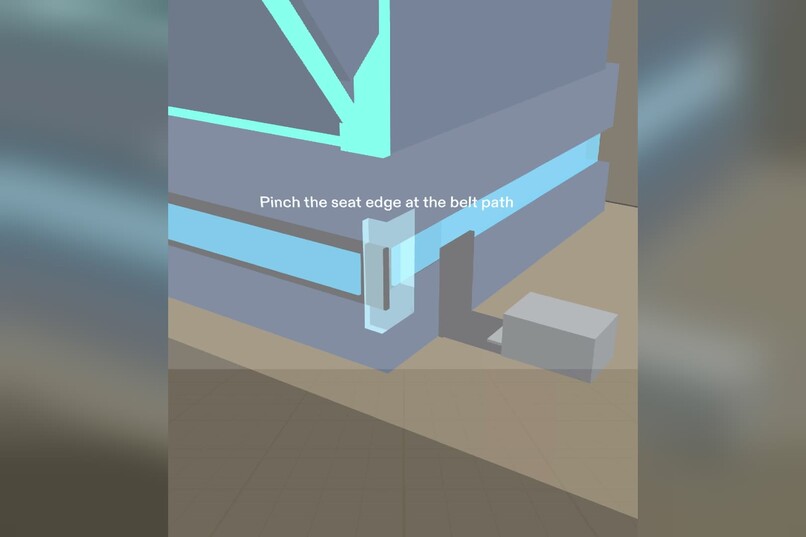
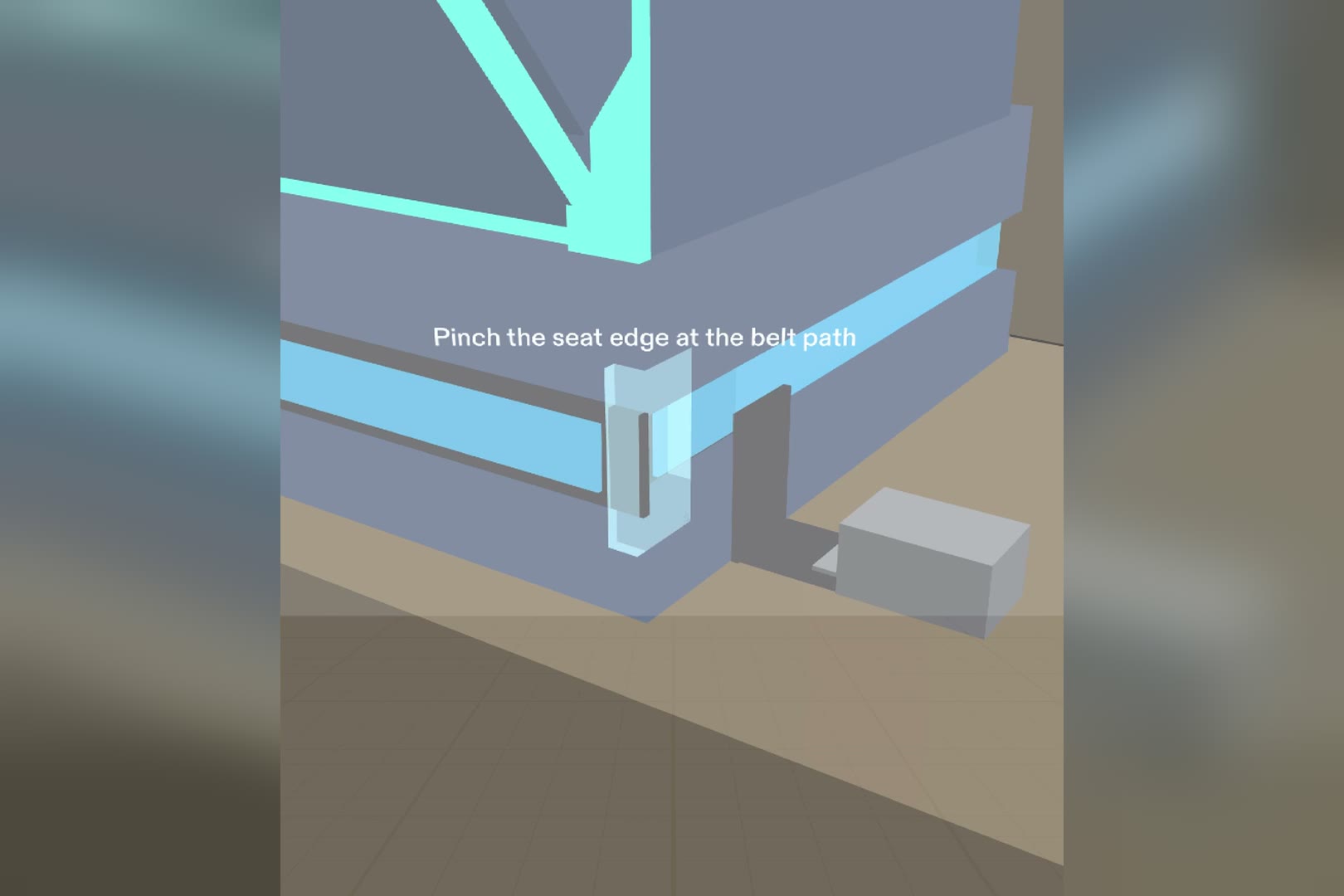
One pinch on the seat edge sets the ruler's zero.
-
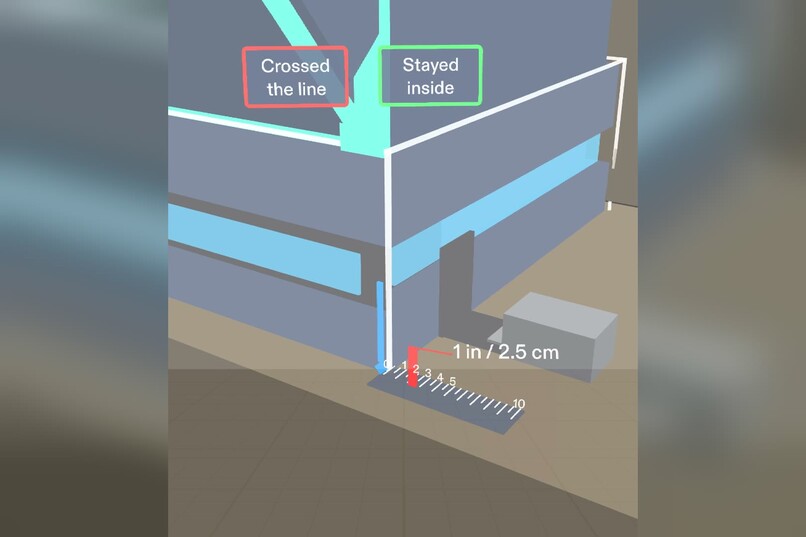
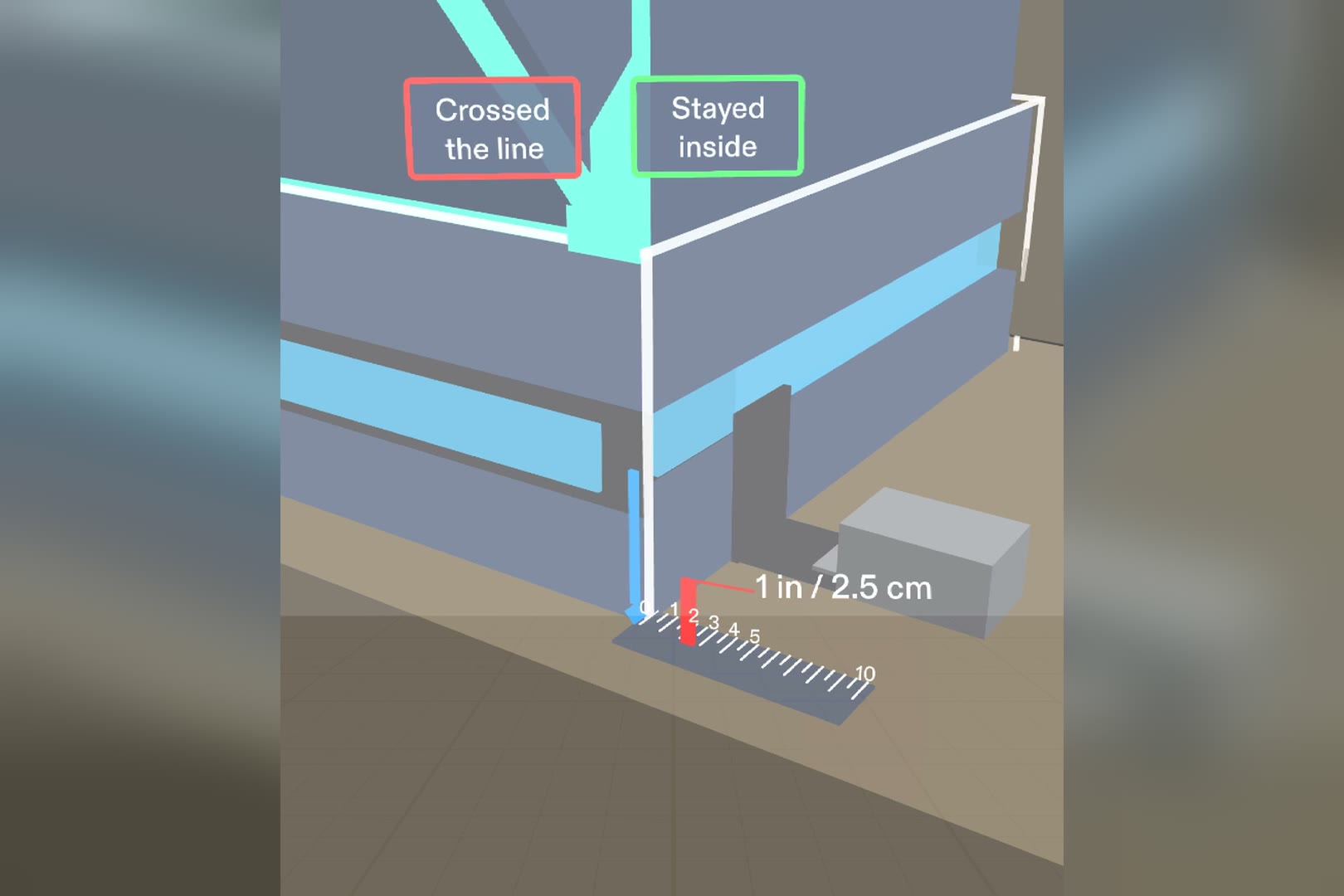
Let go: two big buttons. The parent decides; the Lens never measures.
-
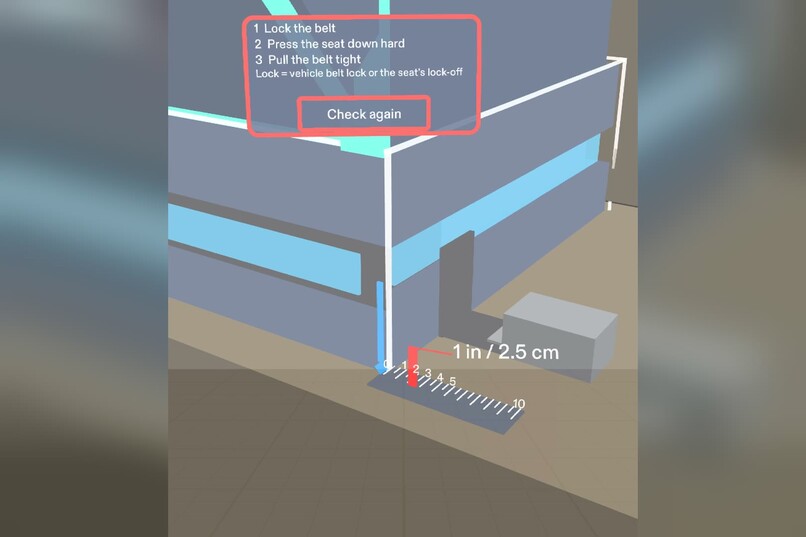
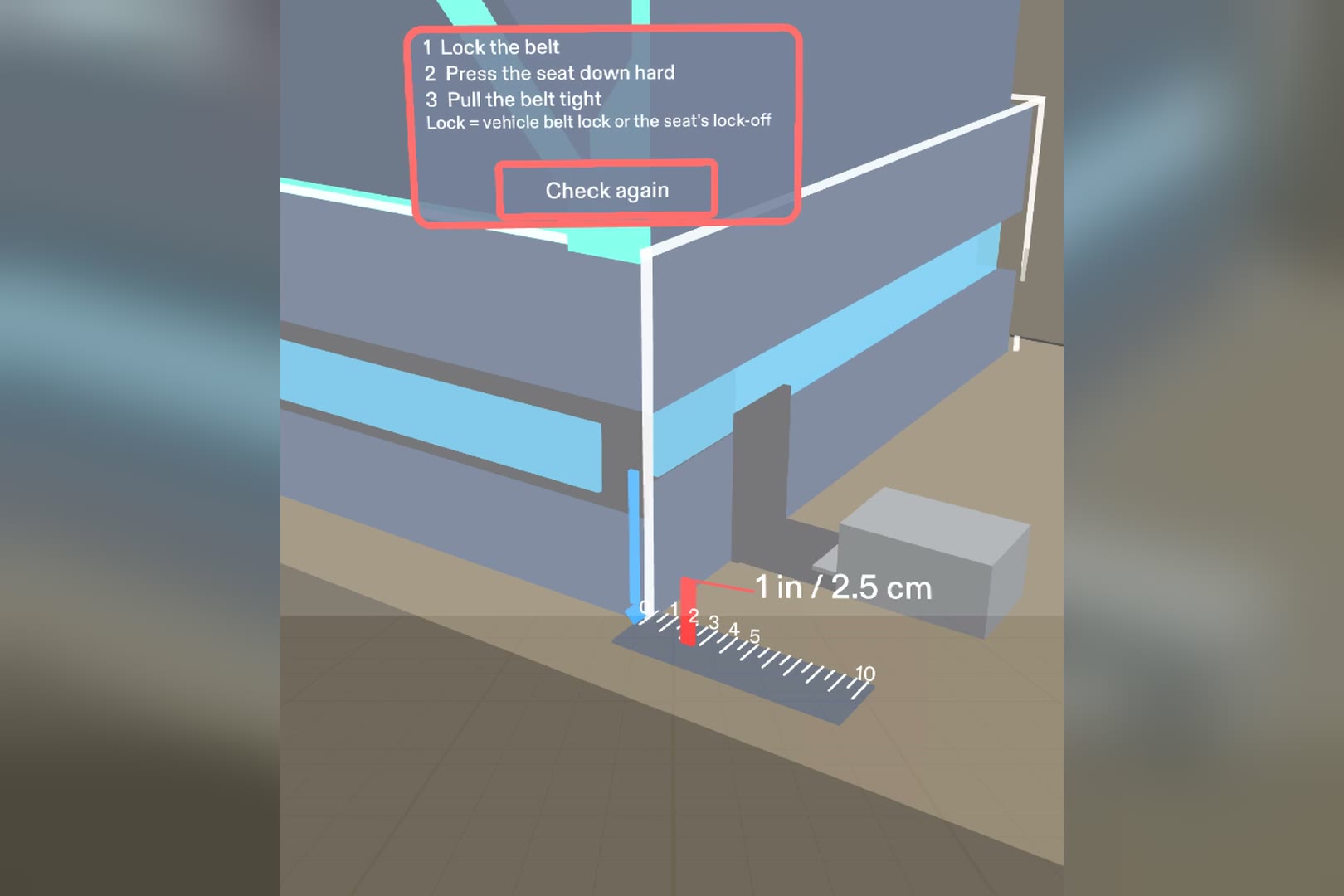
Crossed the line: NHTSA's three steps.
-
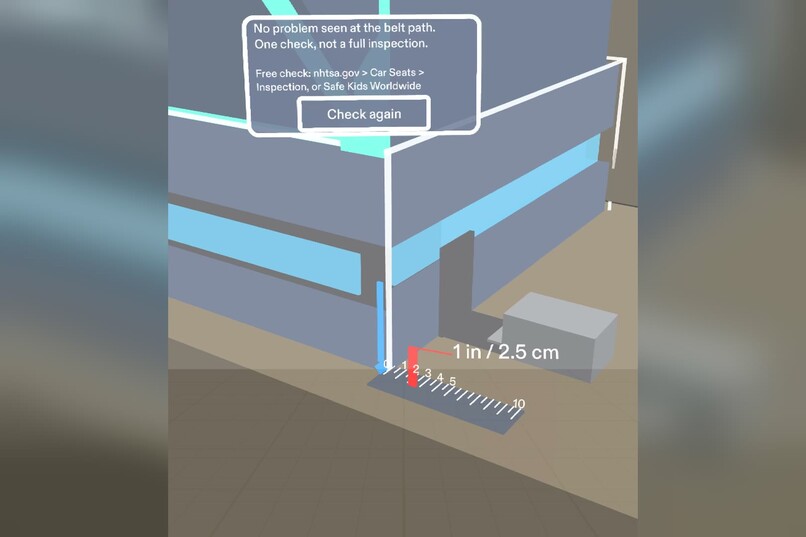
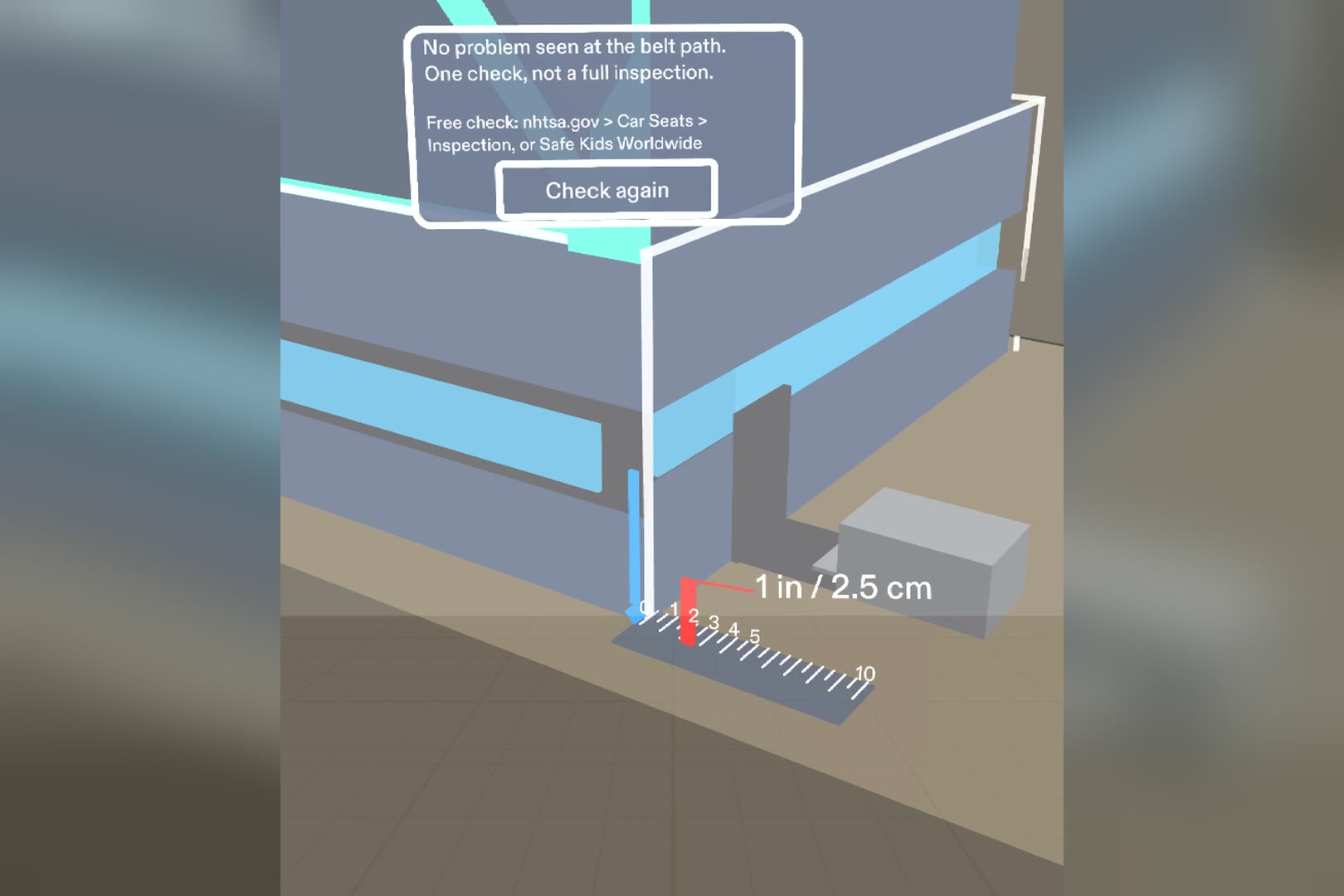
Stayed inside: one check, not a full inspection, plus where to get a free check.
-
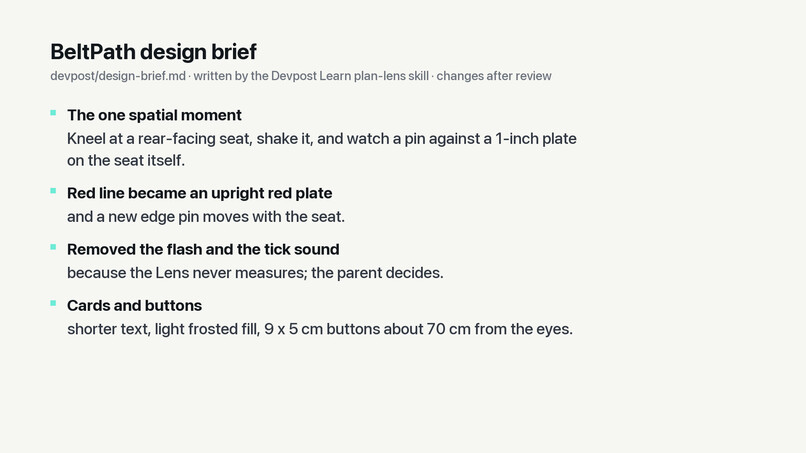
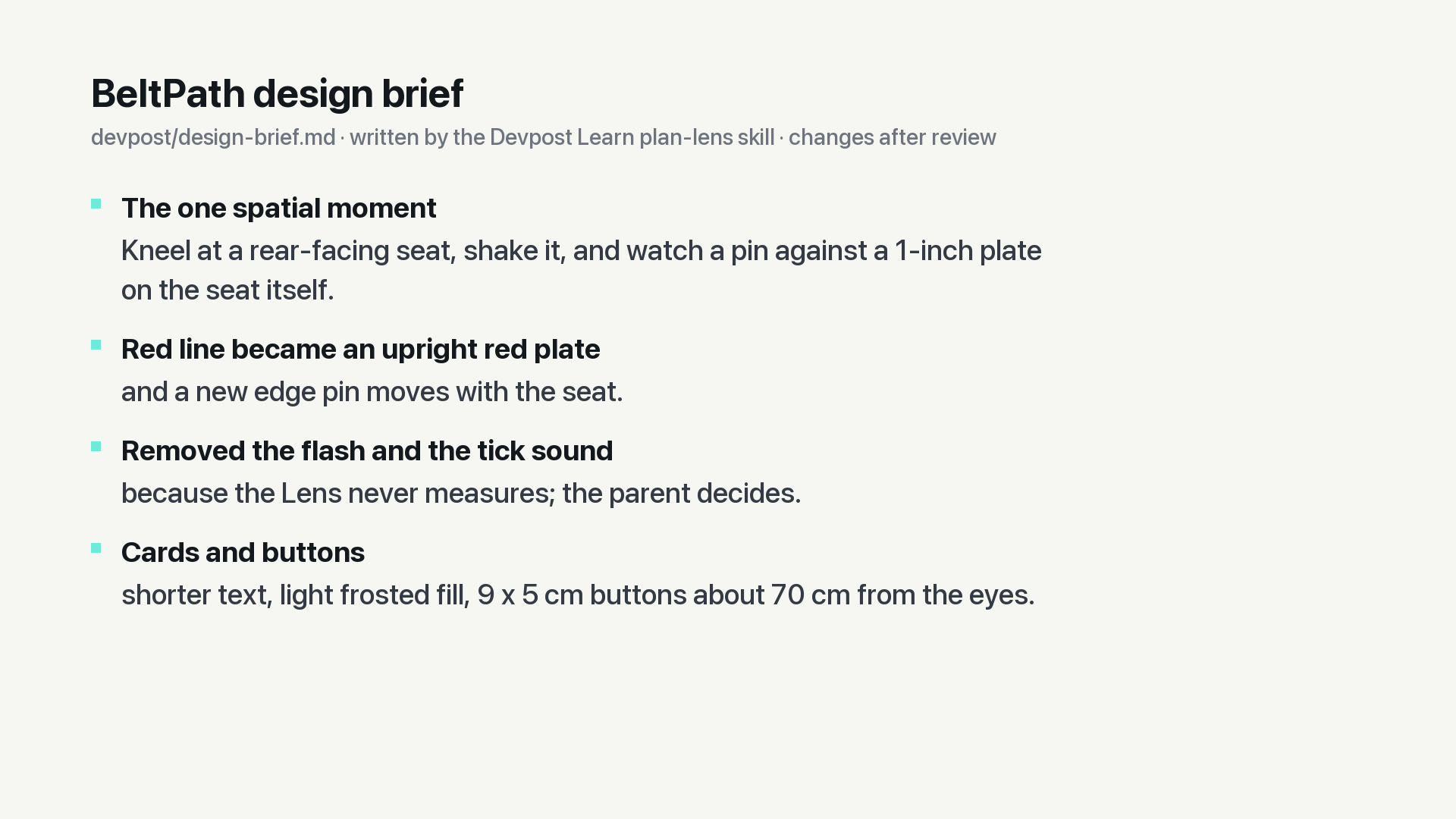
The design brief from the Devpost Learn skill pack: what changed after review (devpost/design-brief.md).
In four lines
- The problem: in NHTSA's national study, 44% of rear-facing convertible seats were misused and 36% moved 1 inch or more at the belt path. The 1-inch check needs both hands on the seat, so there is no hand left for a phone or a ruler.
- Who it's for: a parent or grandparent installing a rear-facing seat with the vehicle belt, alone in the back seat.
- Why glasses: a 1-inch ruler sits on the seat itself while both hands shake it; from the door you see one band, kneeling you see the ruler.
- What's new: it draws the rule and refuses to judge. No measuring, no "safe", no score: the parent watches the pin against the red plate and answers one question.
What it does
BeltPath is a Spectacles Lens for one check on a rear-facing car seat: does it move more than 1 inch side to side at the belt path?
- From the car door, the Lens shows one thing: a light-blue band on the belt path and the word "Belt path".
- Kneel down and a 10 cm ruler appears right on the seat, with an upright red plate at 2.5 cm (1 inch). One pinch on the seat edge sets its zero, and a short hint says "Grab the seat here and shake".
- Shake the seat. A blue pin rides the seat edge; a white ghost line stays where the seat started. The parent watches the pin against the red plate.
- Let go, and two big buttons ask one question: "Crossed the line" or "Stayed inside".
- Crossed: NHTSA's three steps (lock the belt, press the seat down hard, pull the belt tight), and the real buckle lights up. Stayed inside: "No problem seen at the belt path. One check, not a full inspection." plus where to get a free check.
- Stand up, and the ruler gets out of the way.
Who it's for
A parent or grandparent installing a rear-facing convertible seat with the vehicle belt, alone in a back seat, with both hands on the seat. In NHTSA's National Child Restraint Use Special Study (DOT HS 812 142), 44% of these seats were misused and 36% moved 1 inch or more when checked at the belt path. The 1-inch rule is simple; checking it with your hands full is not.
Why glasses (what I applied from the concept video)
- Shares your view: what you look at decides what shows. Standing at the door you get one band and one word; kneeling, you get the ruler. If the seat is out of view, a small arrow and a chime point to it.
- Draws in the world: the ruler, the ghost line and the pin sit on the seat itself, at real size, about 55 cm from the eyes when kneeling. No panel floats in front of your face.
- Leaves your hands free: both hands stay on the seat and the belt. The only inputs are one pinch on the edge, a grab, and one big button.
What the Lens never does
It never measures the seat, never says "pass" or "safe", and never reacts when the pin crosses the red plate: no flash, no sound, no score. The parent judges with their own eyes, and a plain rule picks the card. A LEAF scenario (C11) checks exactly this: dragging past the plate changes no color, no text and no sound.
How the skill pack helped
I ran the Devpost Learn plan-lens skill inside the project. The brief it wrote is in the repo at devpost/design-brief.md:
- One spatial moment: it cut the idea down to one installation type (rear-facing, vehicle belt) and one check (belt path, 1 inch). Harness height, forward-facing seats and LATCH went to "Out of scope".
- Preview limits: the preview can't see a real seat, so the brief defines honest stand-ins: a virtual seat you grab, and a demo-only Loose/Tight switch on the door armrest, outside the main view.
- Where things live: the kneeling eye at 75 cm high and 55 cm from the belt path; 9 x 5 cm buttons about 70 cm from the eyes; a frosted fill at about 5.4:1 contrast with white text.
- Done criteria: its six testable criteria became the first six LEAF scenarios.
- Changes after review: two design reviews moved the viewpoint 35° off the seat axis so the belt is visible, turned the red line into an upright plate, added the edge pin, removed the red-line flash and tick sound, and widened the align target to 3 cm.
Built with
Lens Studio 5.23.2, Snap's CLAD plugin and the Lens Studio MCP, Spectacles Interaction Kit (pinch, grab, drag), Spectacles UI Kit buttons, TypeScript, and LEAF for tests.
Tests
14 LEAF scenarios drive real pinches and drags in the preview, and all pass: kneel view; Loose 4 cm / Tight 1 cm limits; buttons and exact card text with a forbidden-word check; Check again; the demo switch out of view; pinch-to-align within 0.5 cm; the distance switch; the 3-second shake hint; the buckle highlight; the off-view arrow; "never measures"; reduce motion; switching to Tight mid spring-back; and cards taking the pinch first.
What I learned
Designing for glasses is mostly deciding what not to show. The narrow view and the additive display forced everything into one small spot near the hands, with no black and no panels. The hardest decision was what the Lens should not claim: it draws a ruler and lets the parent decide.
Limits
Preview only; not yet tried on real glasses (hand tracking, aligning to a real seat edge, comfort). The seat is virtual, so Loose/Tight is a demo setting. Side to side only. Not a substitute for a certified Child Passenger Safety Technician.
Sources
NHTSA, Results of the National Child Restraint Use Special Study, DOT HS 812 142 (2015). NHTSA, How to Install Rear-Facing Car Seats. NHTSA, car seat inspection help.
Built With
- clad
- leaf
- lens-studio
- snap-spectacles
- spectacles-interaction-kit
- spectacles-ui-kit
- typescript

Log in or sign up for Devpost to join the conversation.