-
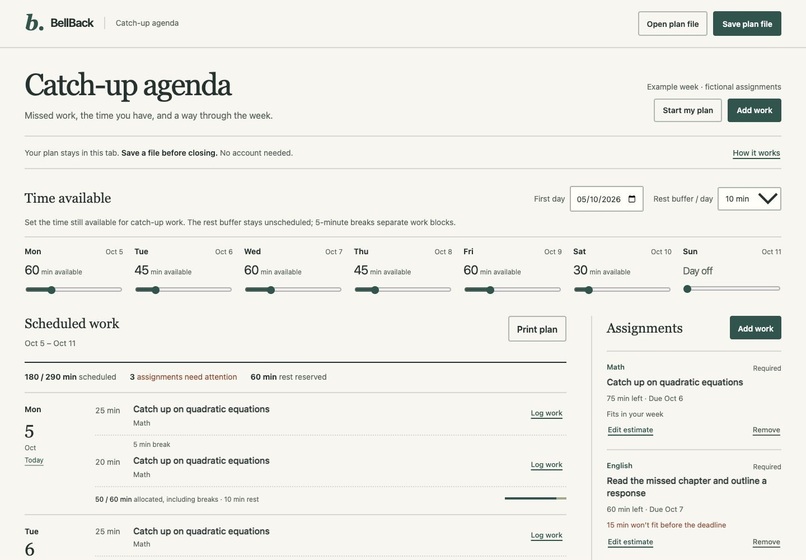
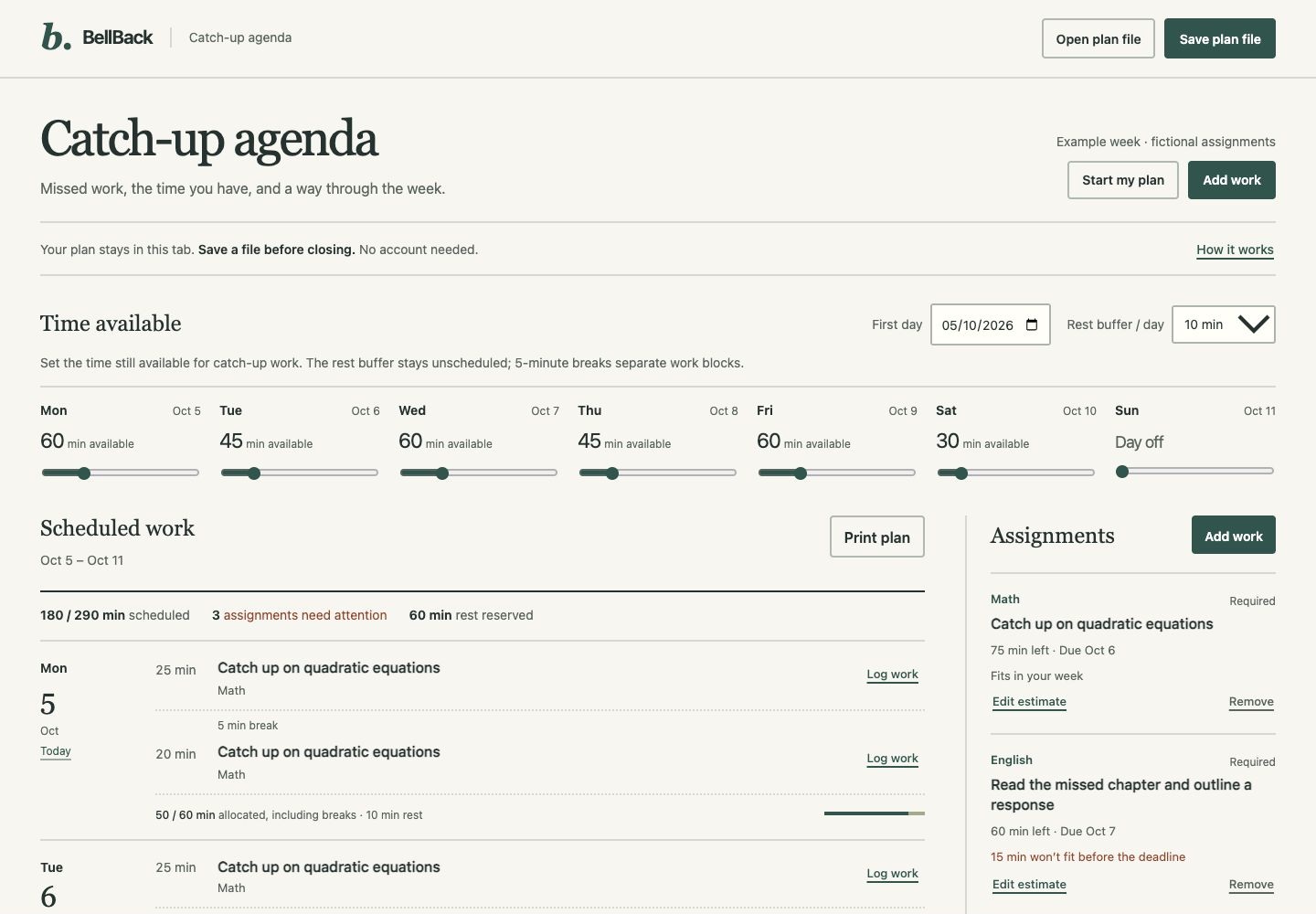
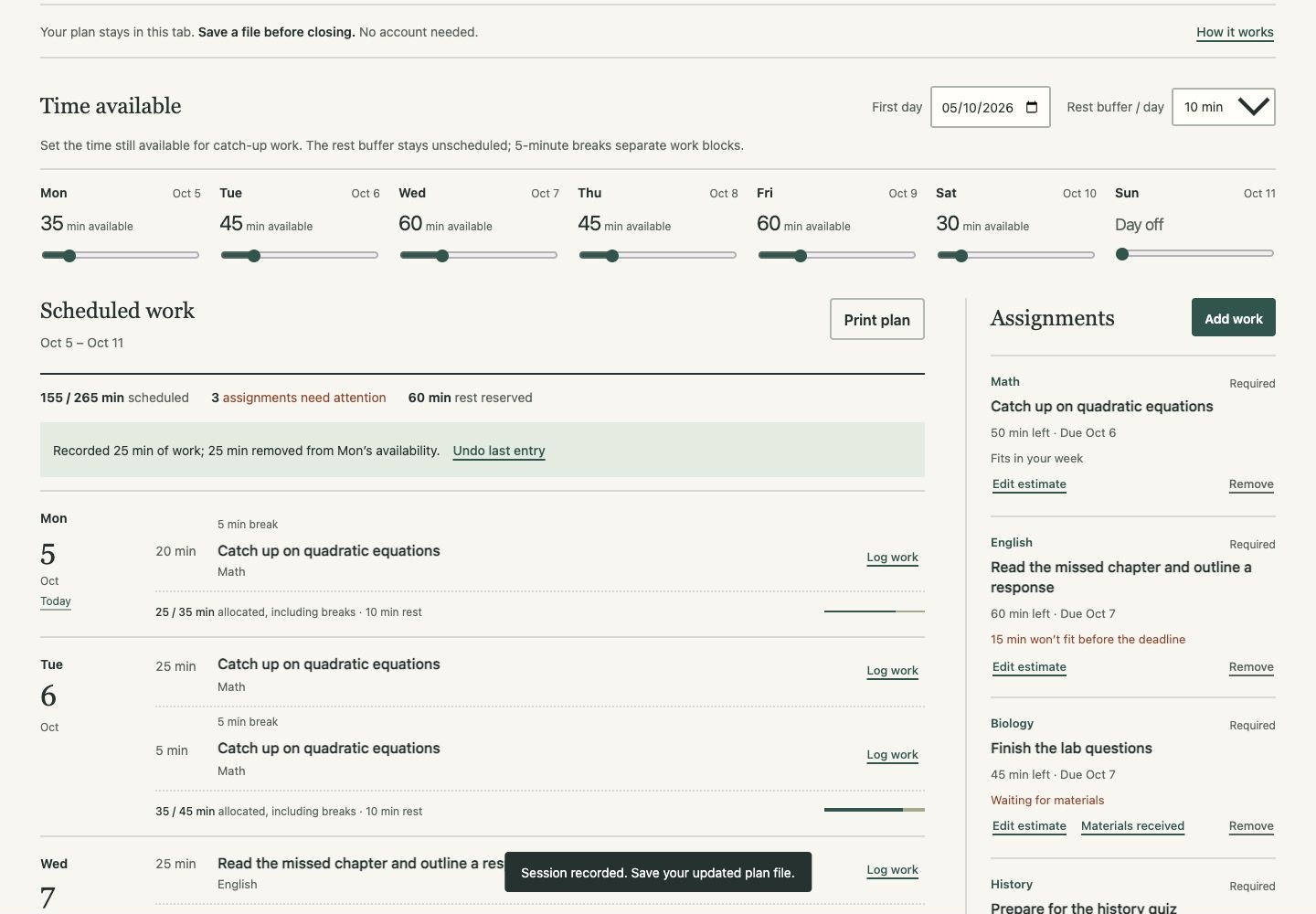
Updated agenda: open daily rows, remaining time, protected rest, and direct work logging. Example assignments are fictional.
-
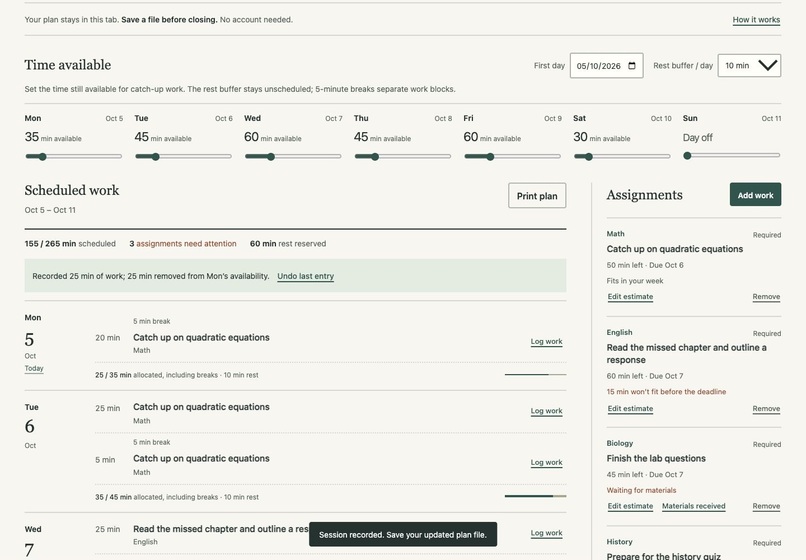
After logging 25 minutes: Monday availability falls to 35, Math effort falls to 50, and the next break and rest stay protected.
-
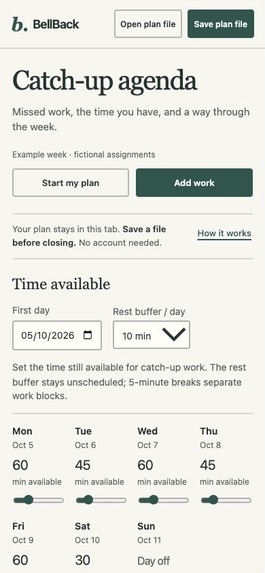
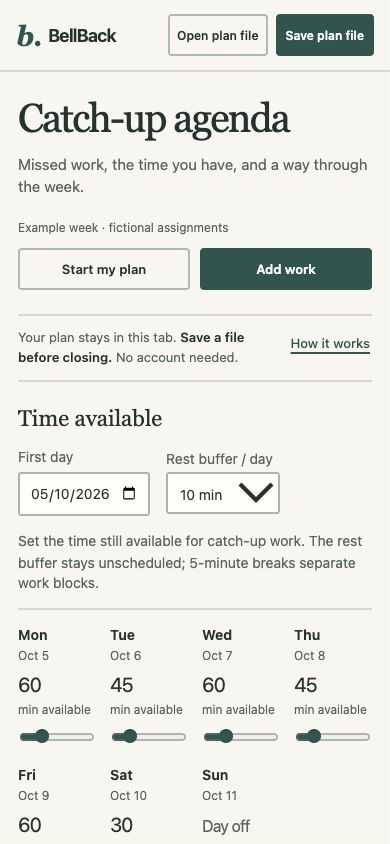
Updated phone layout: direct Add work action, local plan files, and adjustable remaining time for each day.
-
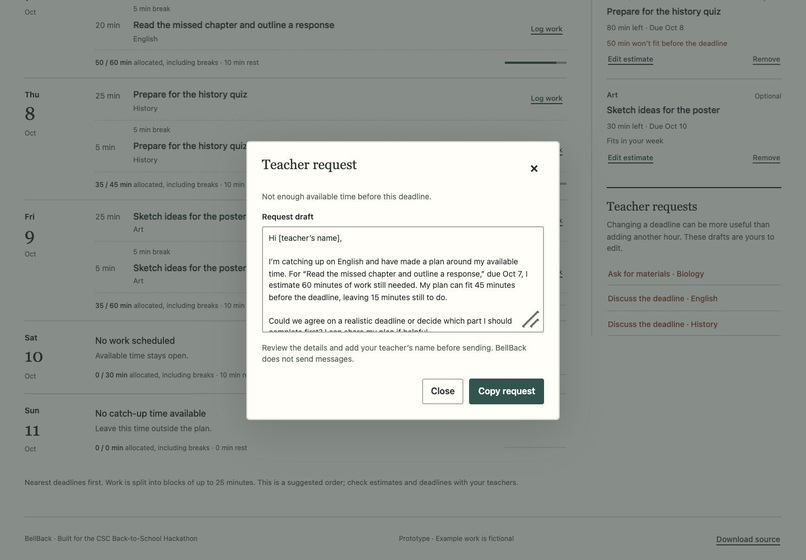
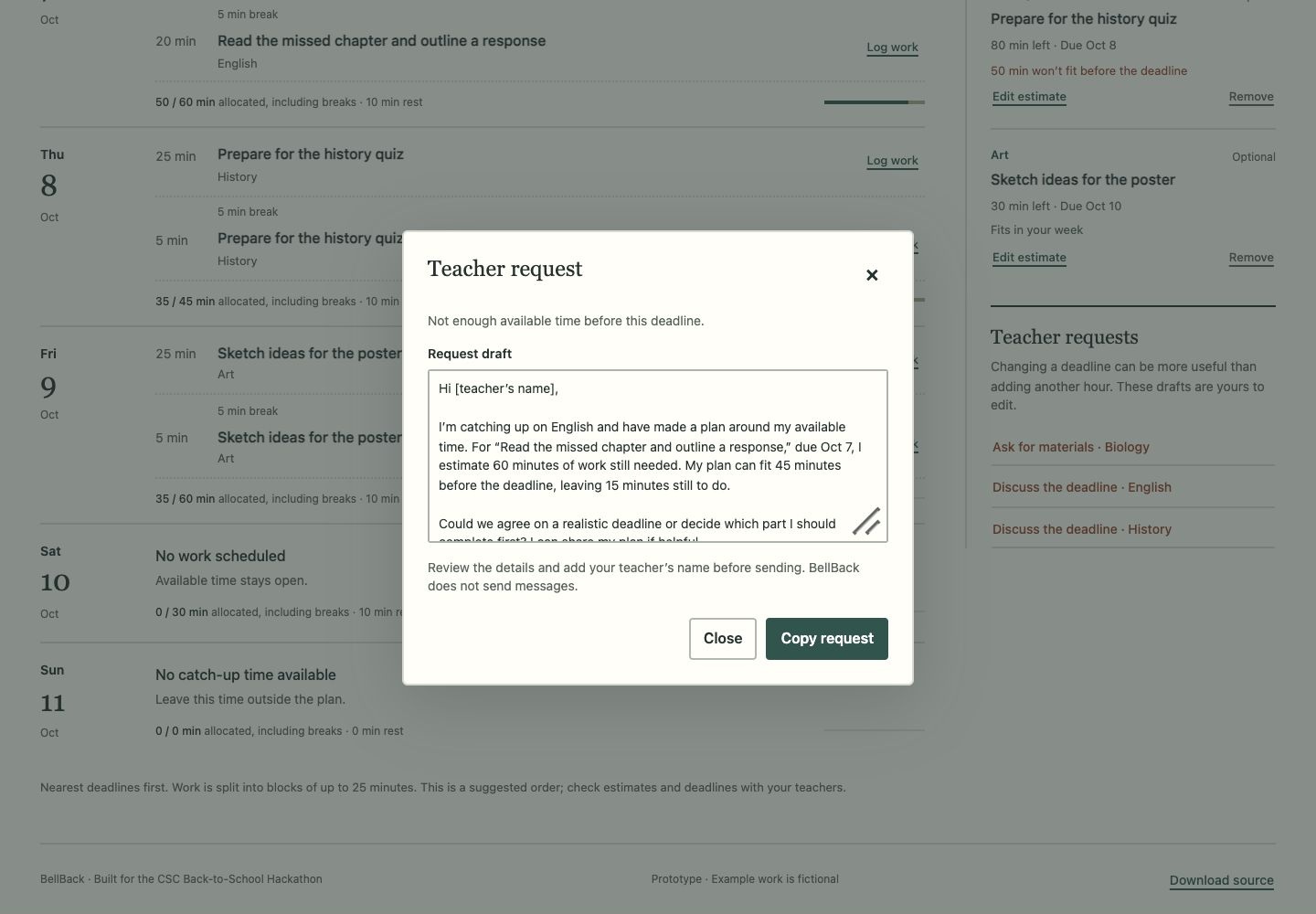
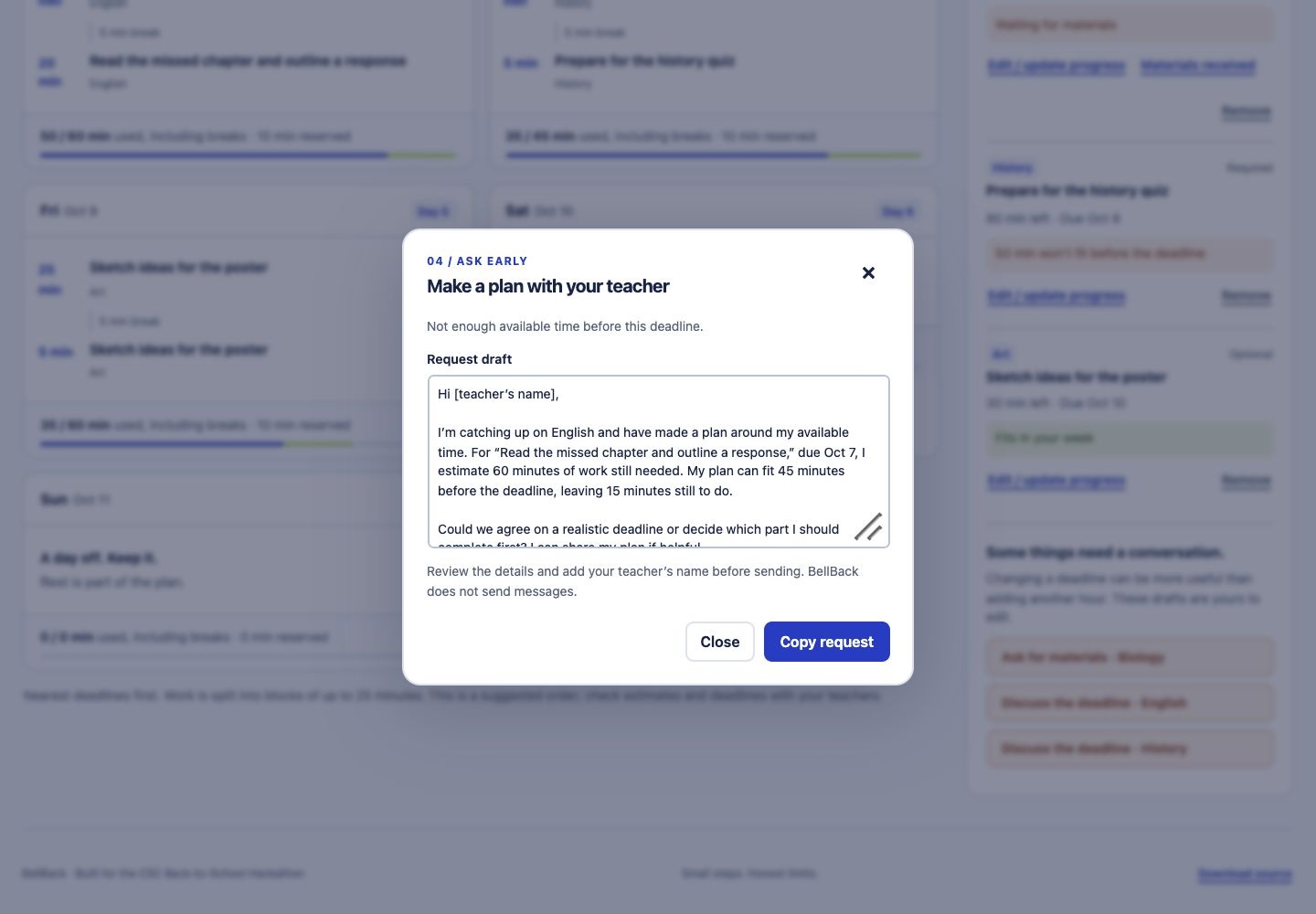
Revised teacher request: the English deadline leaves a 15-minute shortfall. The draft is editable and is never sent automatically.
-
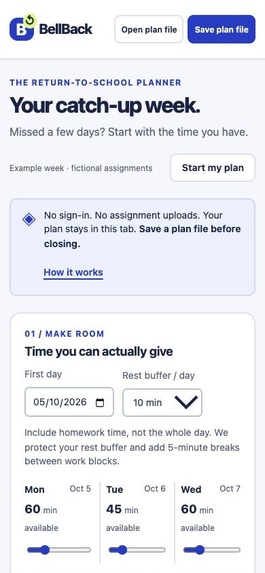
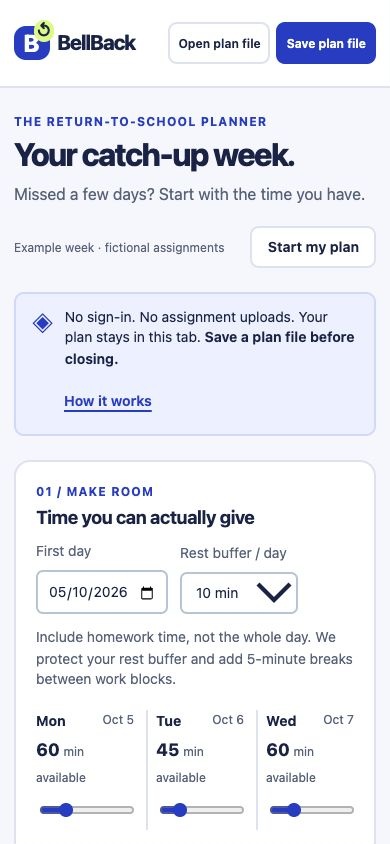
Earlier prototype phone layout, before the agenda redesign. See the updated phone screenshot for the current interface.
-
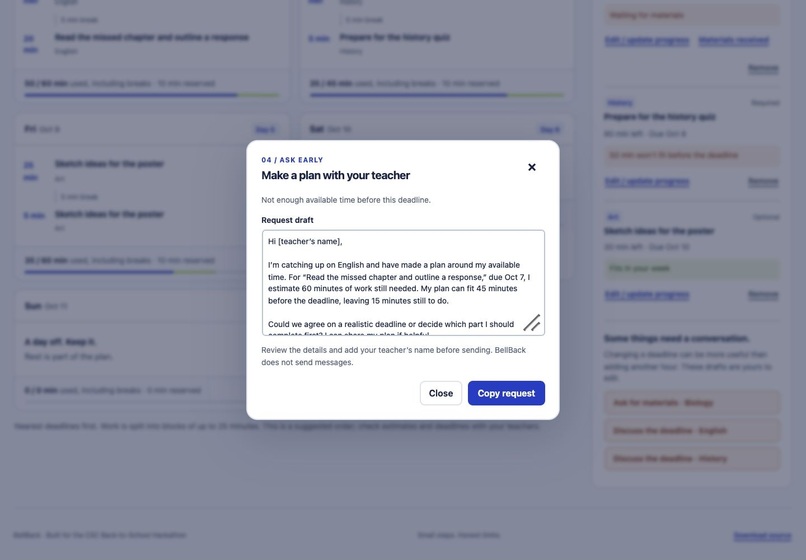
Earlier prototype teacher draft. The revised request screenshot shows the current interface. Messages remain manually sent.
-
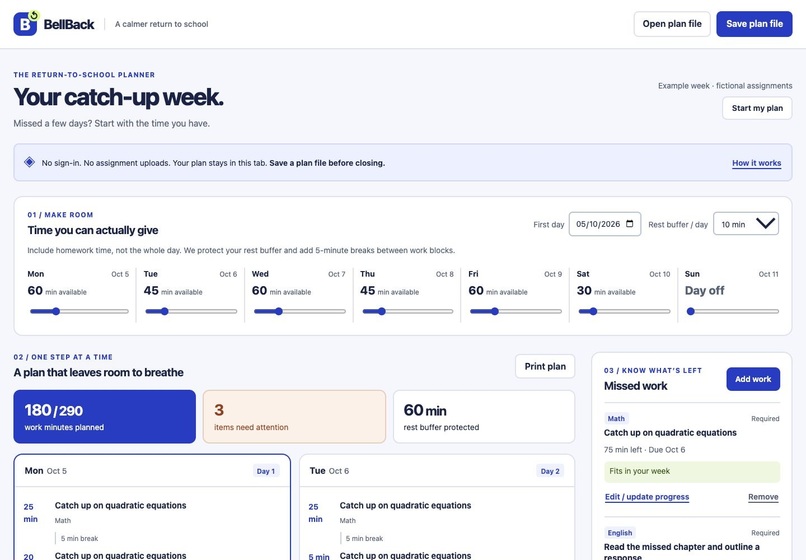
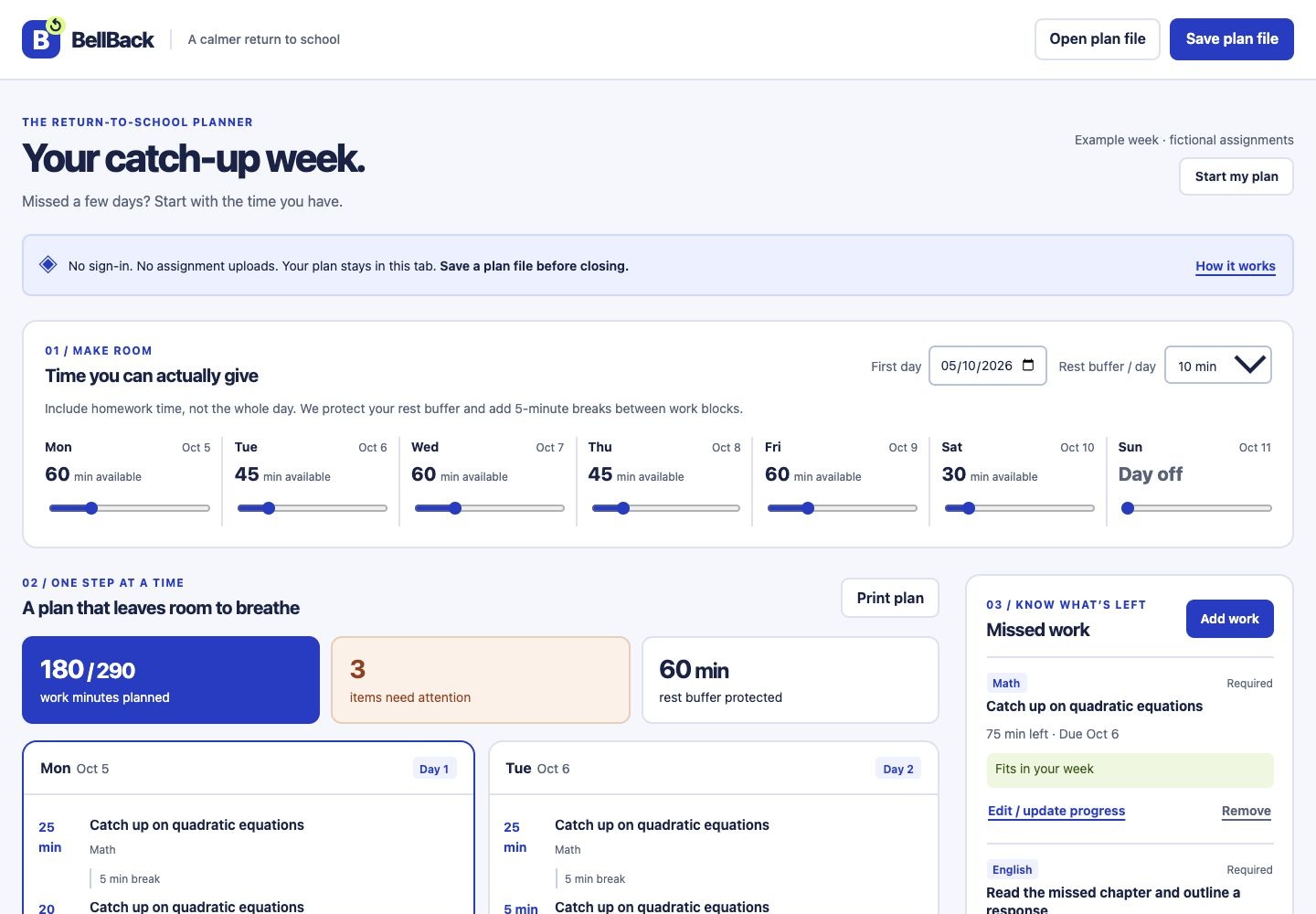
Earlier prototype with boxed daily cards. The updated agenda screenshot shows the current design and work logger.
Inspiration
Returning to school after an absence can mean several missed assignments, original deadlines, and missing notes. A task list shows what is overdue, but it does not answer the question that matters most: what can realistically fit into the time available?
BellBack starts with that constraint. The goal is a manageable return to school and an earlier, clearer conversation when the work does not fit.
What it does
BellBack is a seven-day catch-up planner. Students set daily time limits, protect a rest buffer, and enter missed assignments with deadlines, estimated minutes still needed, and whether the required materials are available.
It schedules ready work in blocks of up to 25 minutes, includes five-minute breaks between blocks, and never schedules past a deadline or beyond a day's available time. The plan recalculates when capacity, estimates, deadlines, or material availability change.
It distinguishes four reasons for unfinished work: missing materials, an already-past deadline, insufficient time before a deadline, and work beyond the current seven-day view. Each case has an editable teacher-request draft. BellBack does not send messages or change school deadlines.
Students can log completed work and actual time spent, undo the latest entry, save and reopen a plan file, and print their week. Logging updates both the work remaining and daily availability, while preserving rest and the break before the next block. Estimates can also be corrected separately. No account or assignment upload is needed. The opening example uses fictional assignments and demonstrates overload and missing-material cases immediately.
How it was built
The application uses HTML, CSS, and JavaScript ES modules. The scheduler is a pure JavaScript function using a transparent earliest-deadline heuristic; required work wins ties. The design reserves the rest buffer before allocating work and includes breaks in the daily budget.
Assignment data stays in the current tab. Plan files are read and written locally in the browser, with validation for dates, estimates, identifiers, and supported fields. There is no database, analytics integration, external dataset, or runtime AI model. The hosted demo and downloadable source allow judges to inspect both the behavior and implementation.
The interface is organized as a school agenda: open daily rows, a date column, serif headings, a restrained green accent, and plain-text status. Repeated cards and decorative badges were removed so the schedule is easier to scan. A prominent add-work action is available on phones.
Development checks use Node.js's built-in test runner. Python's static server was used for local previews. OpenAI Sites hosts the demo.
Challenges
The main scheduling challenge was accounting for both work and breaks without silently overbooking a day. A 60-minute limit with a 10-minute rest buffer cannot contain two full 25-minute blocks and the break between them. BellBack instead fits 25 minutes, a five-minute break, and 20 minutes, protecting the final 10 minutes.
Logging progress introduced another accounting issue: reducing effort alone would make spent time available again. The logger subtracts actual time and carries a five-minute break into the recalculated schedule.
Another challenge was explaining why work remains. Missing a handout should produce a request for materials, while an impossible deadline should produce a discussion about priorities or an extension. A deadline after the seven-day view should not be mislabelled as a missed deadline.
Accomplishments
The working prototype covers the complete flow from available time and missed work to a constrained plan and an editable request for help. Thirteen automated tests passed, including 500 reproducible generated workloads that check daily limits, deadline compliance, block size, material readiness, and conservation of estimated effort. Desktop and phone layouts were checked at 1440, 390, and 320 CSS pixels without horizontal overflow.
Technical takeaways
The build illustrates that explicit constraints can be more useful than a longer task list. It also shows the value of a small, inspectable scheduling function and invariant tests: the application must account for every estimated minute, either as planned work or as an explained shortfall.
The scheduler is a heuristic, not a guarantee of an optimal timetable. Logging a completed session consumes actual daily time as well as estimated effort, and a required break survives save/import. Daily limits represent time still available; the app retains no full session history. The prototype has not yet been evaluated with real students or teachers, and no claims about grades or wellbeing outcomes are made.
OpenAI Codex was used to host the "Try it out" link website.
What's next
The next step is permission-based feedback from students and teachers, especially on effort estimates and the usefulness of the conversation prompts. Possible later features include teacher-approved deadline changes and multiweek planning. Automatic school-system access and cloud storage are outside this prototype.

Log in or sign up for Devpost to join the conversation.