-
-
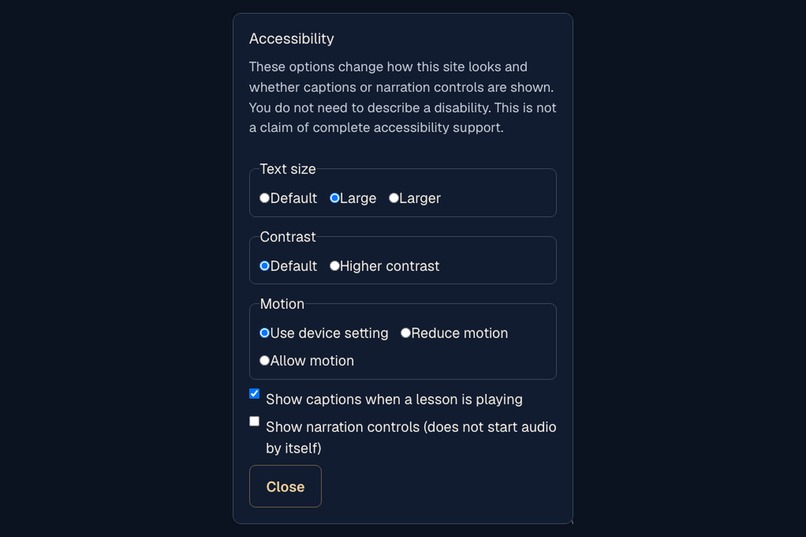
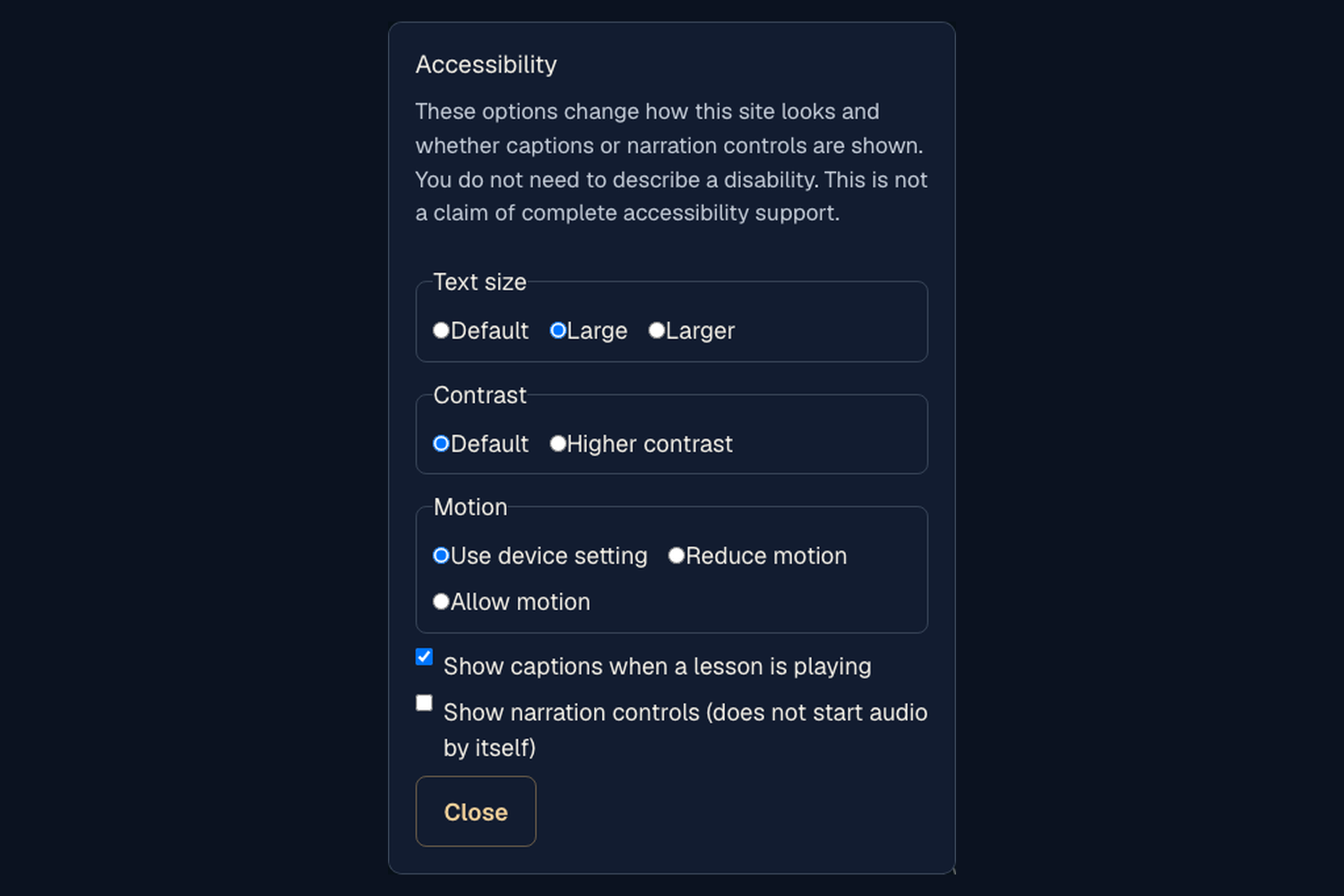
Full Accessibility dialog, Large selected, Close unclipped.
-
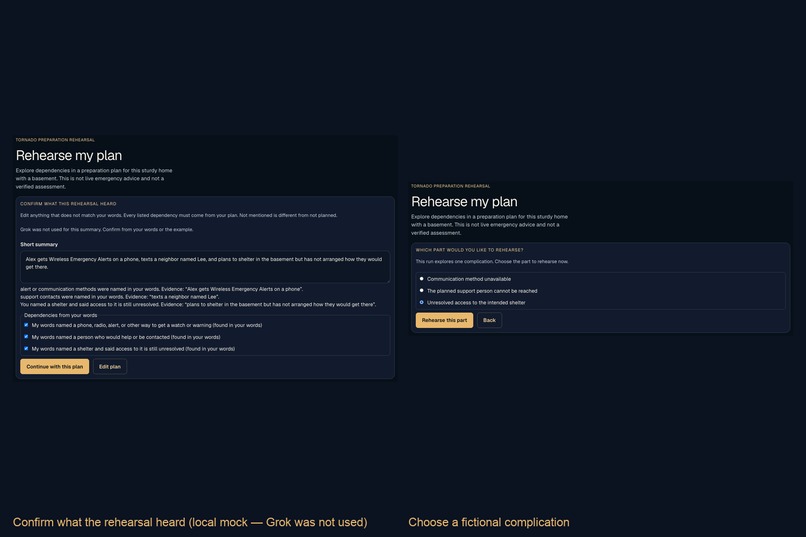
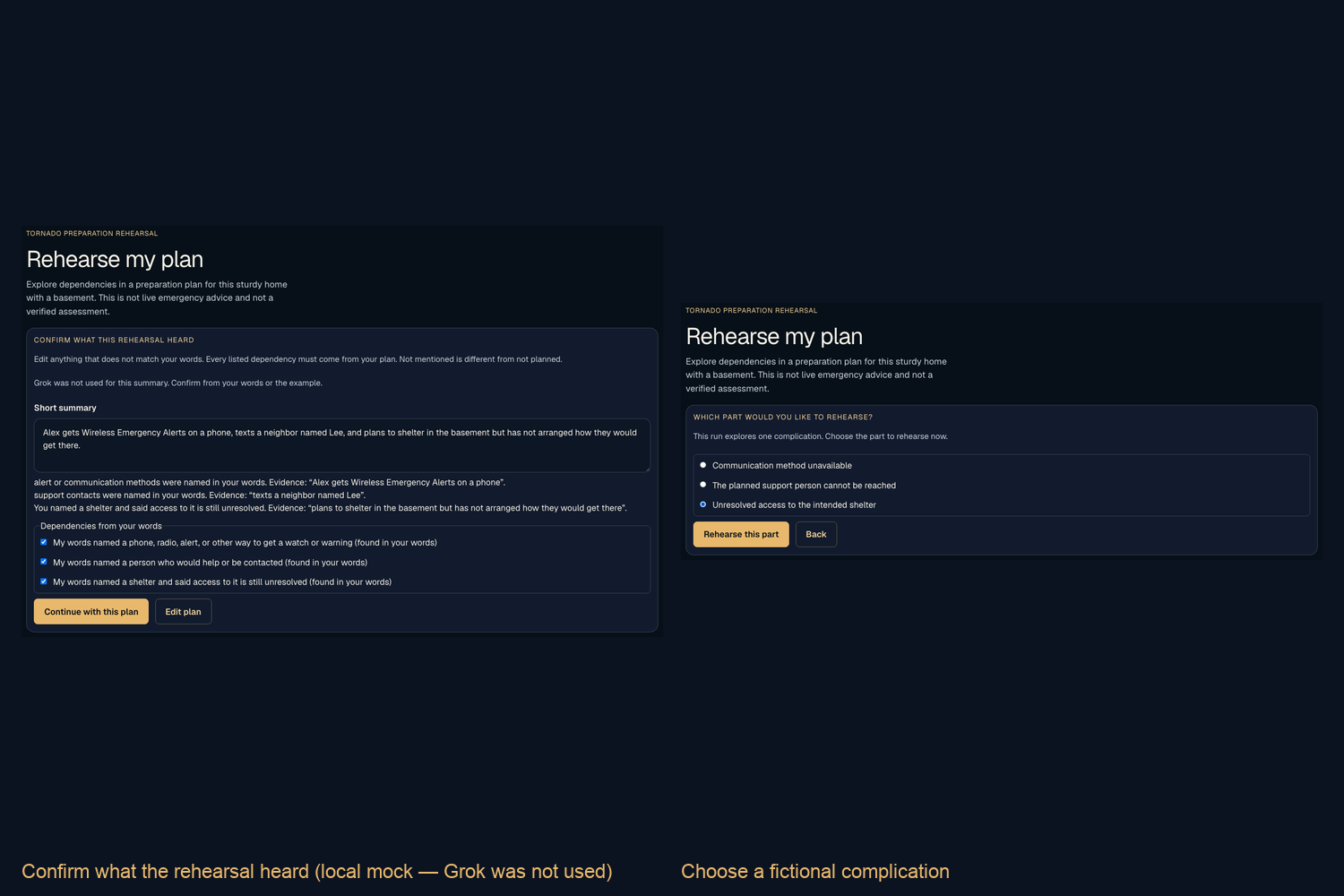
Confirmation (fallback note + three dependencies) beside complication radios, shelter access selected.
-
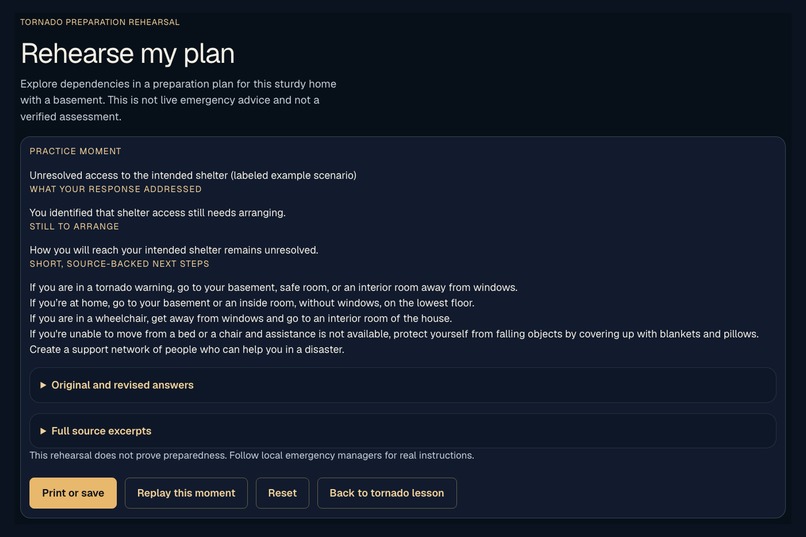
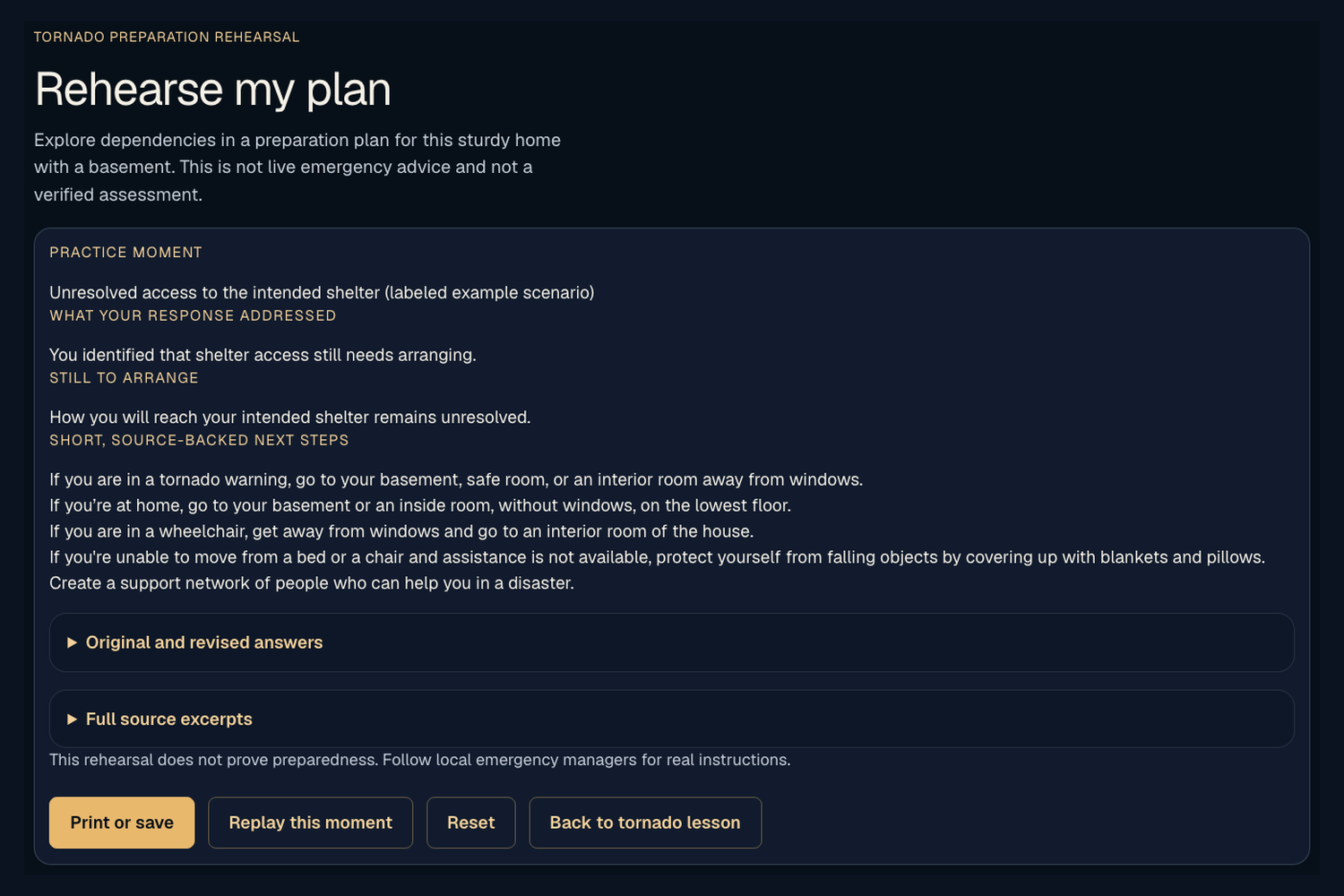
Preparation card: unresolved shelter access, labeled example scenario, Print or save visible.
-
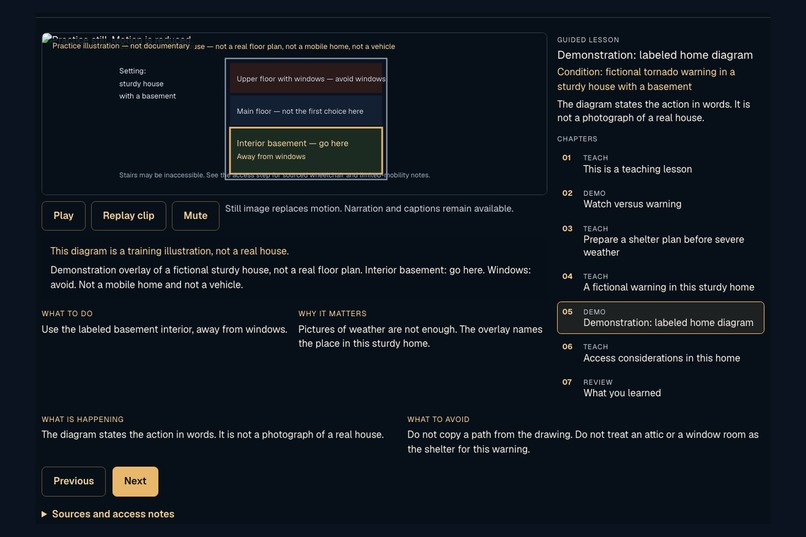
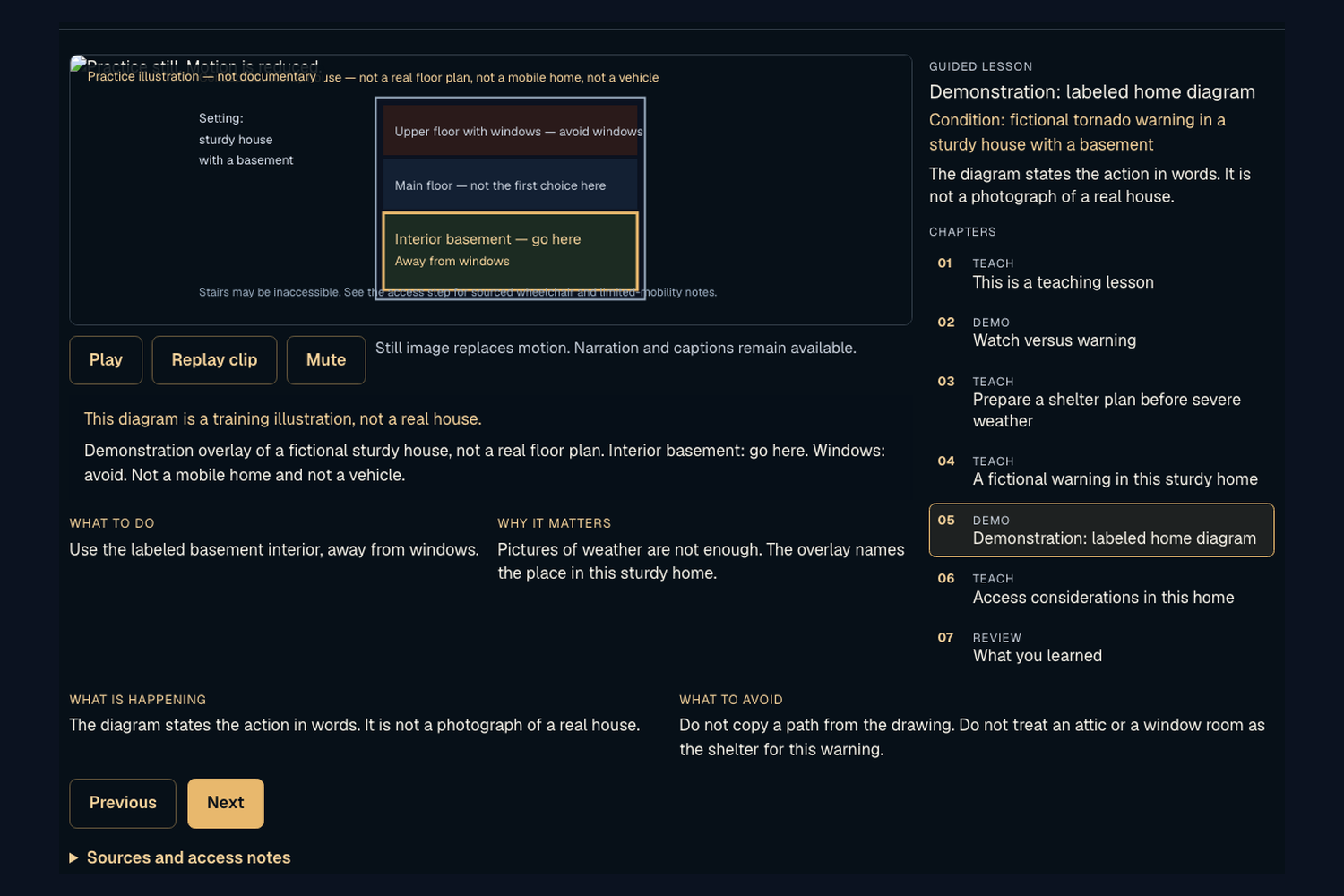
Tornado labeled-home diagram plus What to do / Why it matters.
-
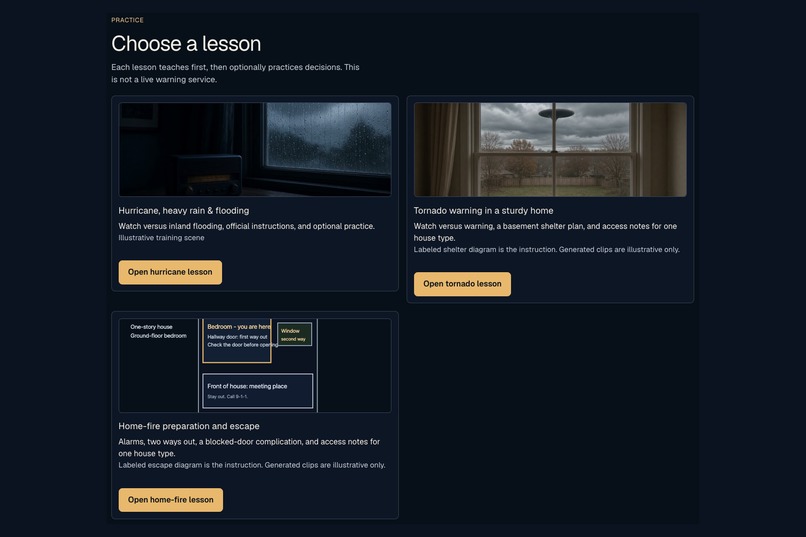
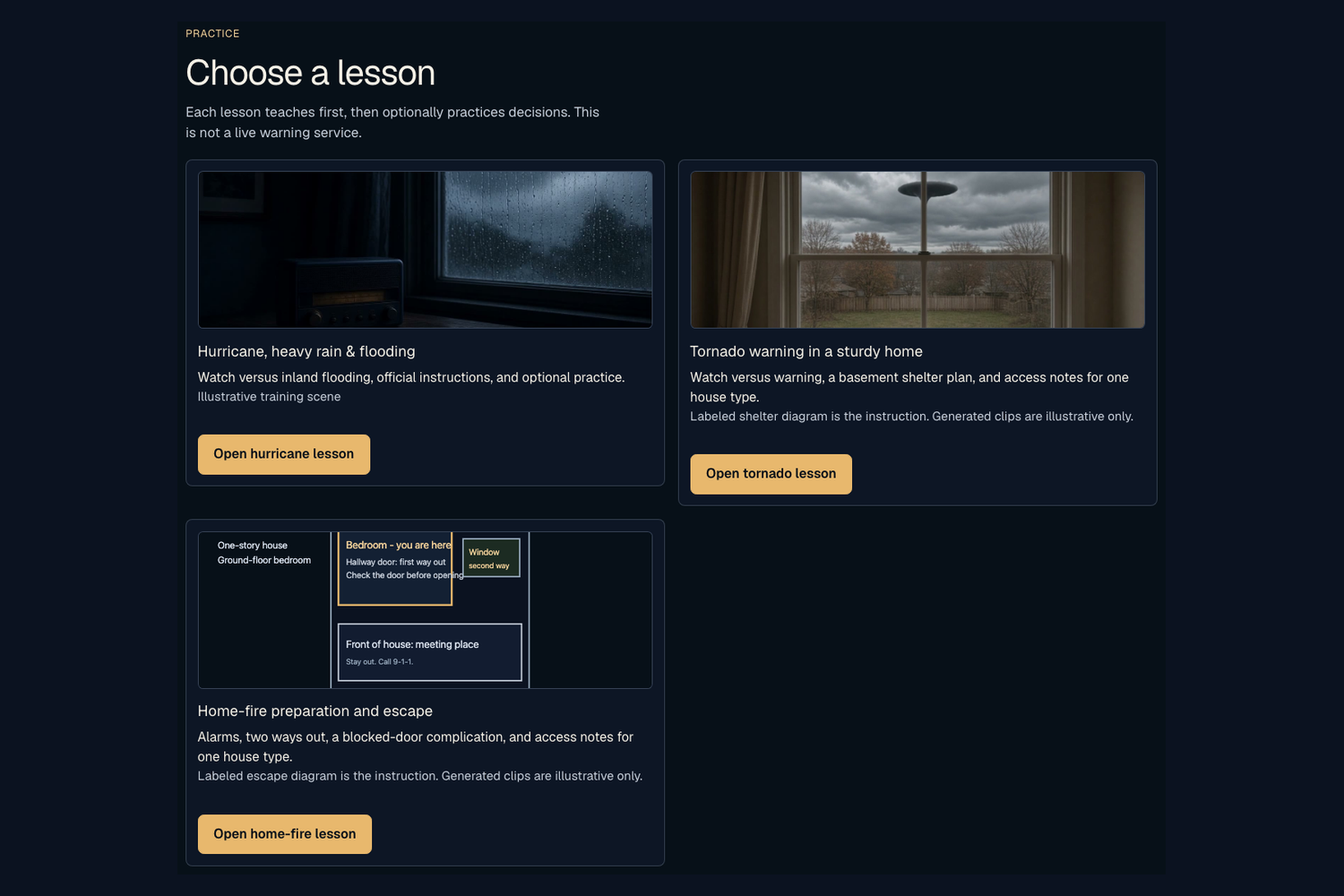
All three lesson cards and Open buttons are in frame.
Inspiration
Emergency instructions often assume we can hear an alarm, read a warning, or reach a shelter. But what happens when those assumptions do not match someone’s access needs?
I built BeforeZero to help people connect emergency guidance to their own circumstances before a crisis. Designed with people with disabilities in mind, it combines different ways to learn with opportunities to explore a personal preparation plan.
BeforeZero: Practice before it matters.
What it does
BeforeZero brings together three experiences: Learn, Practice, and Alerts.
Learn
Explore sourced case studies of Hurricanes Harvey and Ian, connecting past incidents with preparation lessons.
Practice
Watch guided lessons for hurricanes and flooding, tornadoes, and home fires. Each lesson teaches first, demonstrates through illustrative scenes and labeled diagrams, then offers optional decision practice.
Spoken guidance, captions, adjustable text size, contrast options, and reduced-motion support give users different ways to engage with the material.
Rehearse my plan makes the experience personal. Users type or speak their arrangements, review Grok’s interpretation, and choose a supported dependency to explore through an authored fictional complication.
For example, someone might identify a basement as their tornado shelter without having arranged how to reach it. BeforeZero helps them explore that gap and produces a printable preparation card that separates reported arrangements from tasks still unresolved.
Alerts
Look up official National Weather Service alerts for a confirmed location, with an optional Grok explanation. Training samples are clearly separated from live alerts.
BeforeZero is a preparation and learning tool—not disaster prediction, emergency dispatch, or a verified assessment of preparedness.
How I built it
I built BeforeZero solo using Cursor, Next.js, React, and TypeScript, and deployed it on Vercel.
The Grok products serve distinct roles:
- Grok models interpret typed or transcribed plans into structured observations that users review and confirm.
- Grok Imagine generated illustrative training videos.
- Grok Voice provides spoken narration and speech transcription.
Instructional diagrams were authored separately from generated footage. Safety content is tied to sources including Ready.gov, USFA, NWS, and CDC.
I used FFmpeg to combine video, narration, and timed captions. API calls run server-side, and personal rehearsal answers stay in session memory rather than being saved by default.
Challenges I faced
The first prototype felt too much like a questionnaire. I redesigned it around teach → demonstrate → optional practice, so users receive useful guidance before being asked what they would do.
Another challenge was distinguishing a completed arrangement from an intention. “I still need to arrange help” must not become “help is arranged.” I added evidence checks, user confirmation, and regression tests for negation, uncertainty, and unfinished tasks.
Accessibility also affected media design. Narration needed to remain available with reduced motion, captions needed to stay readable, and generated scenes could not substitute for precise instructional diagrams.
Finally, I resolved API integration failures, media-generation issues, and overlapping demo captions while keeping the working application intact.
Accomplishments I’m proud of
- Built and deployed three narrated emergency lessons as a solo hacker.
- Added personal-plan rehearsal for all three hazards.
- Integrated Grok text, Imagine, and Voice into a connected experience.
- Created preparation cards that preserve unresolved tasks without claiming someone is prepared.
- Reached 152 passing automated tests, alongside lint, production builds, and browser checks.
What I learned
I learned that useful AI needs more than a fluent answer. It needs evidence, boundaries, and a clear way for people to correct its interpretation.
I also learned that accessibility shapes the entire experience—from presenting instructions to allowing someone to respond. Offering voice, text, captions, and display choices became part of the product’s foundation.
What’s next
I want to test BeforeZero with people with disabilities and emergency-preparedness educators, use their feedback to improve the lessons, and expand the range of household settings and access situations.
Future work includes multilingual lessons and more flexible preparation planning. The current prototype has not been evaluated for preparedness outcomes or certified for accessibility compliance.
Why SpaceXAI
BeforeZero applies AI to public-health education and accessible learning. Built with Cursor, it combines Grok’s language interpretation, Imagine’s illustrative media, and Voice’s spoken interaction to help people move from general instructions toward understanding what their own plan still needs.
Built With
- cursor
- node.js
- react
- typescript

Log in or sign up for Devpost to join the conversation.