-
-
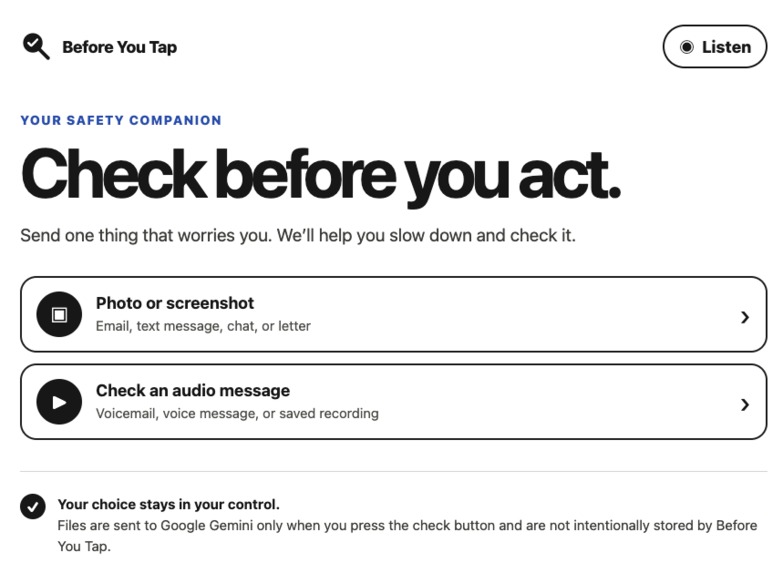
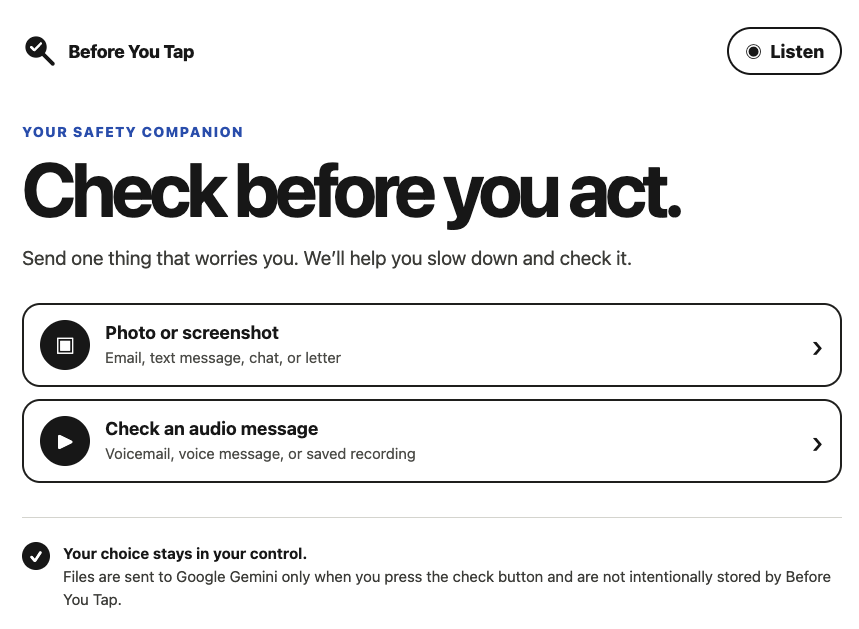
The accessible home screen offers clear choices for checking images or saved audio.
-
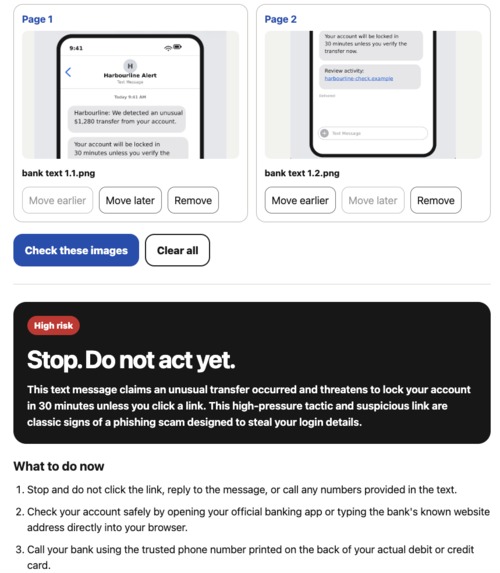
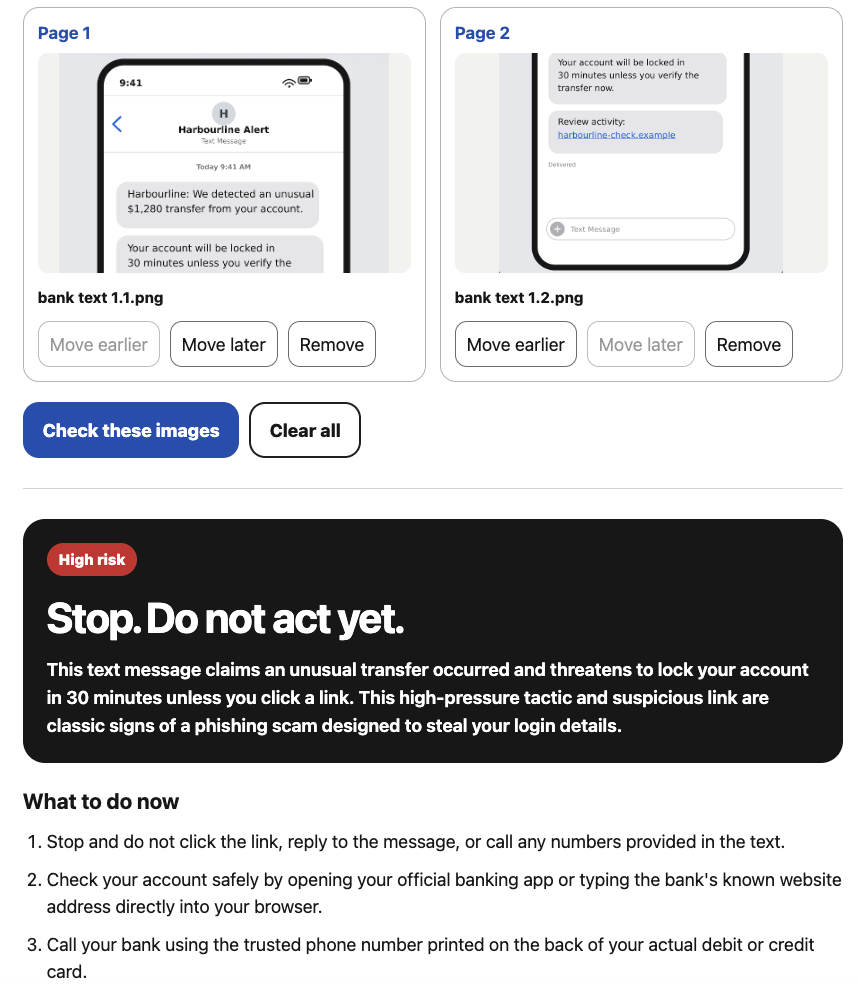
Multiple screenshots are analysed together to identify the strongest warning signs.
-
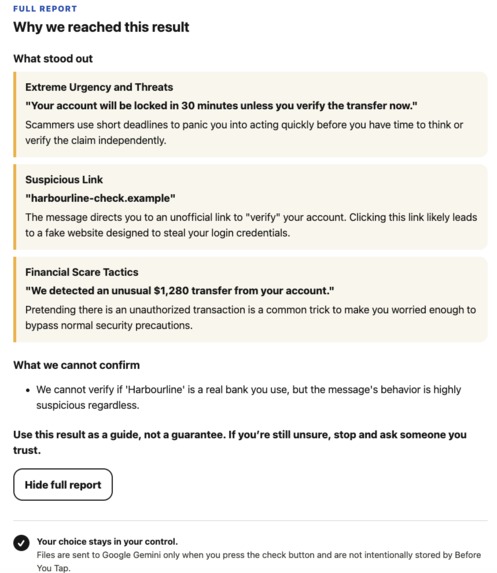
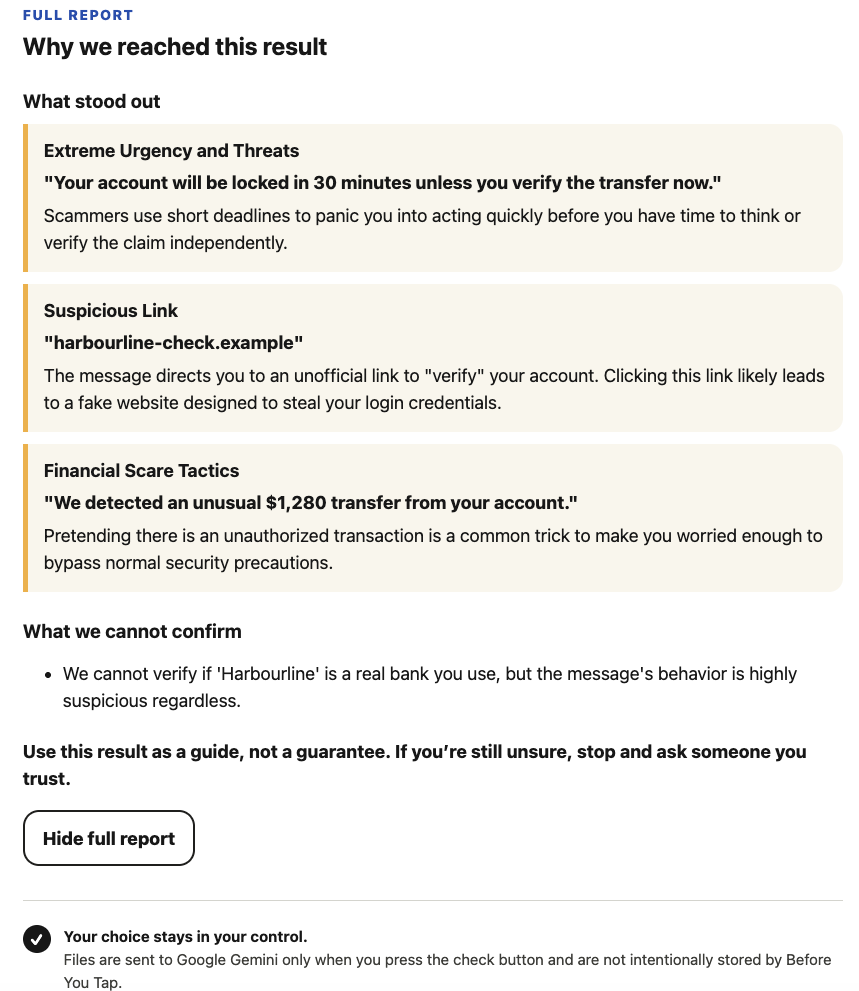
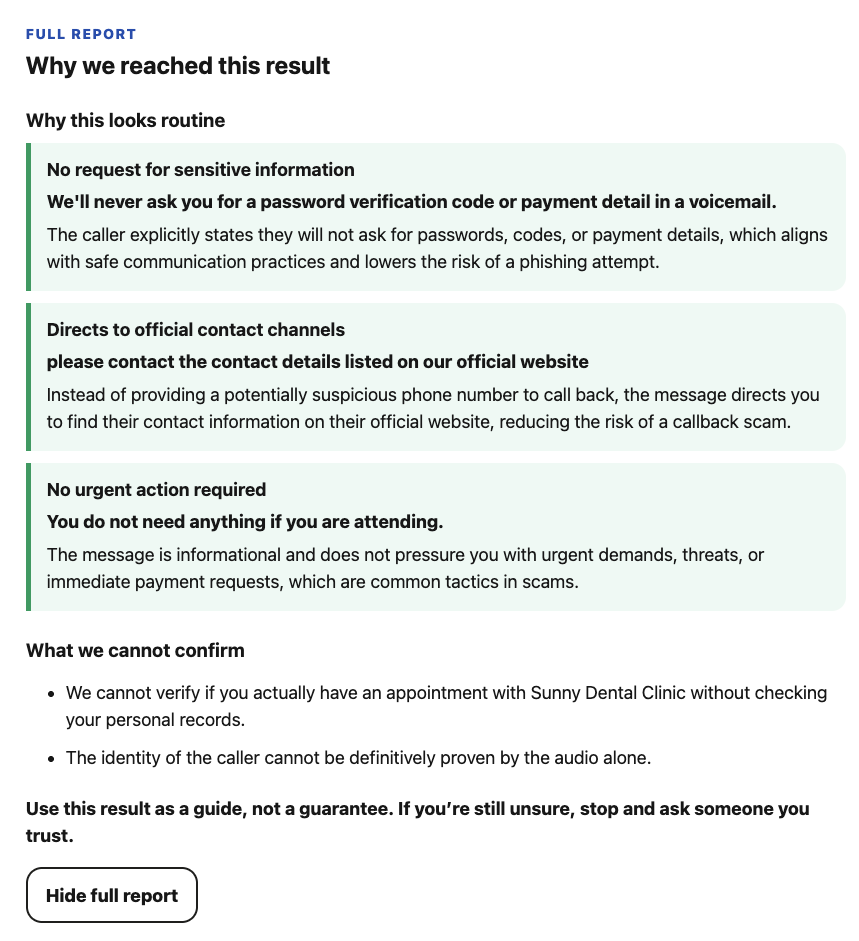
The full report explains the specific warning signs, the evidence behind them, and what the agent cannot verify.
-
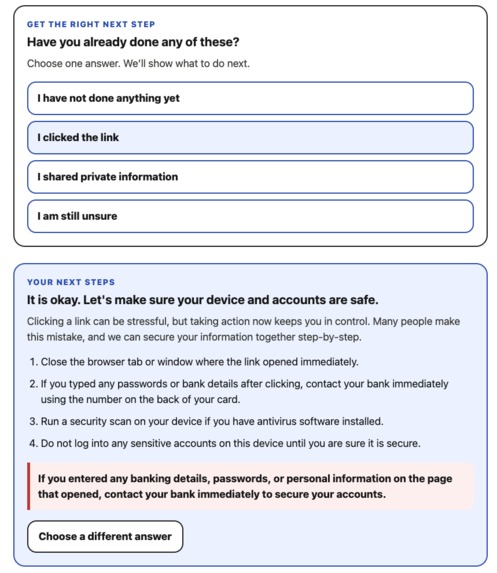
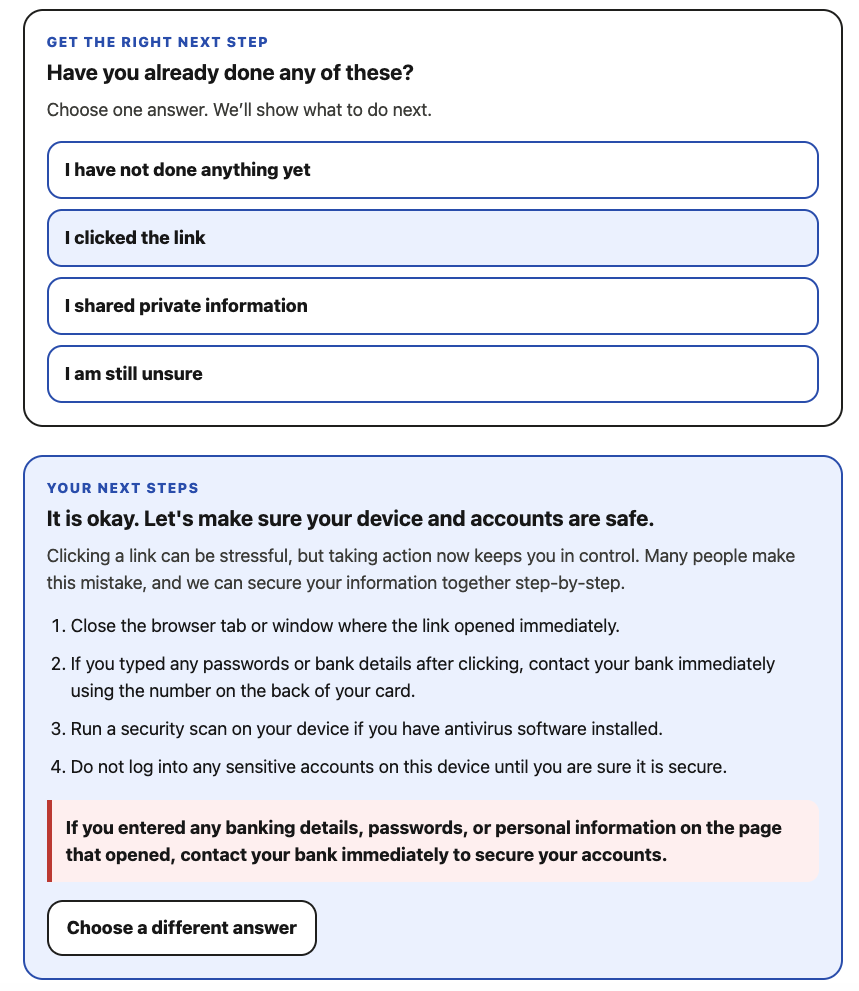
After the user selects “I clicked the link,” the agent adapts its guidance into immediate, situation-specific protective steps.
-
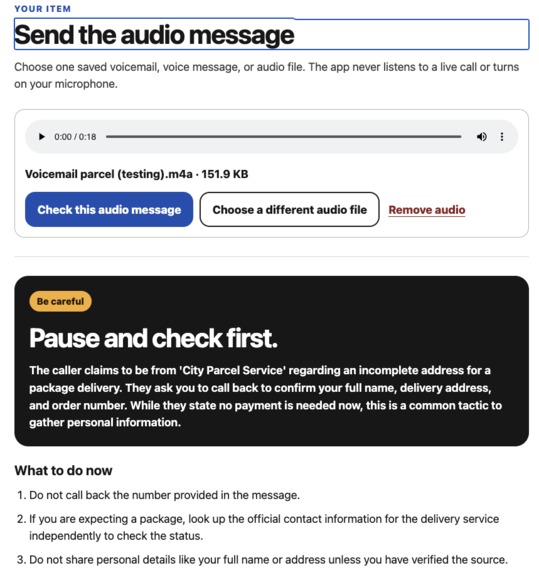
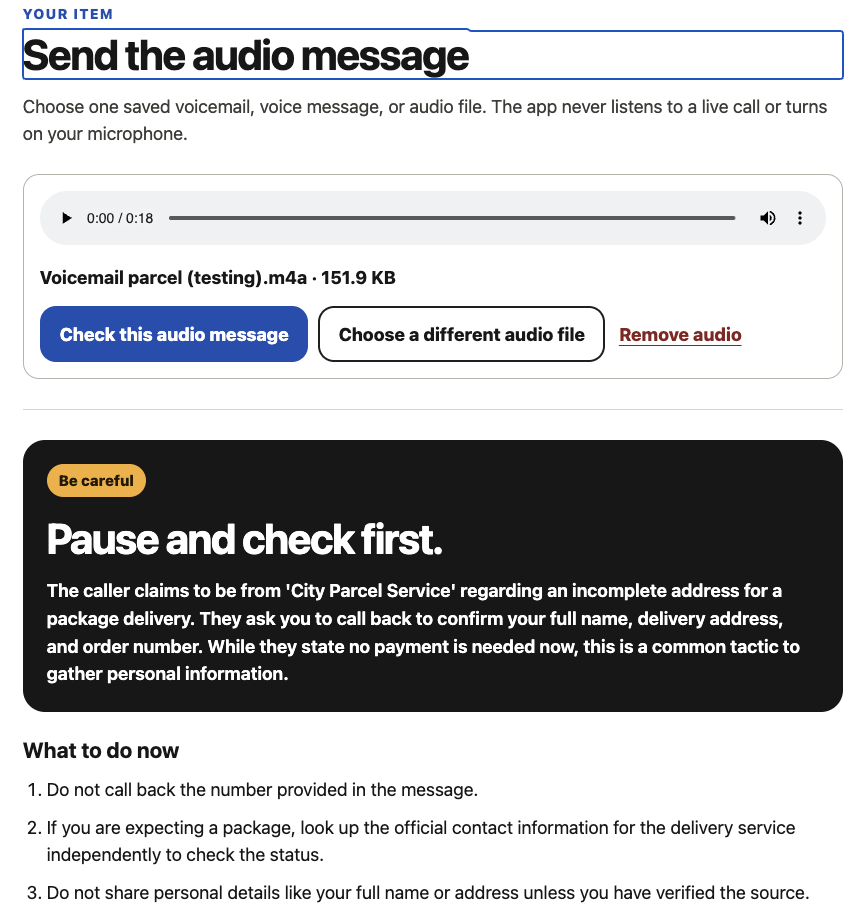
A saved parcel voicemail receives a Be careful result with clear steps to verify the caller through an independently found official channel.
-
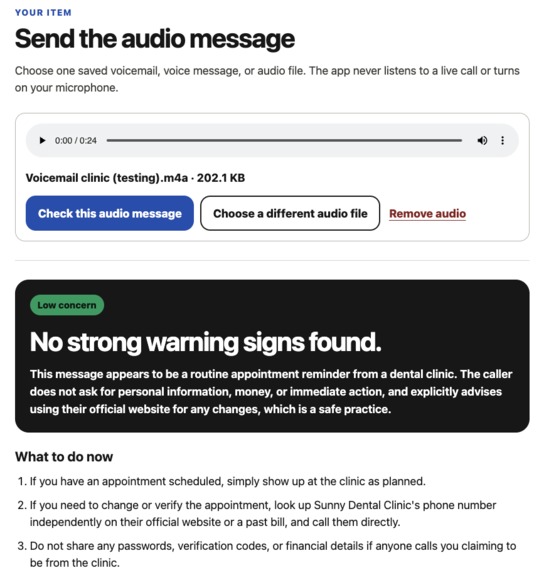
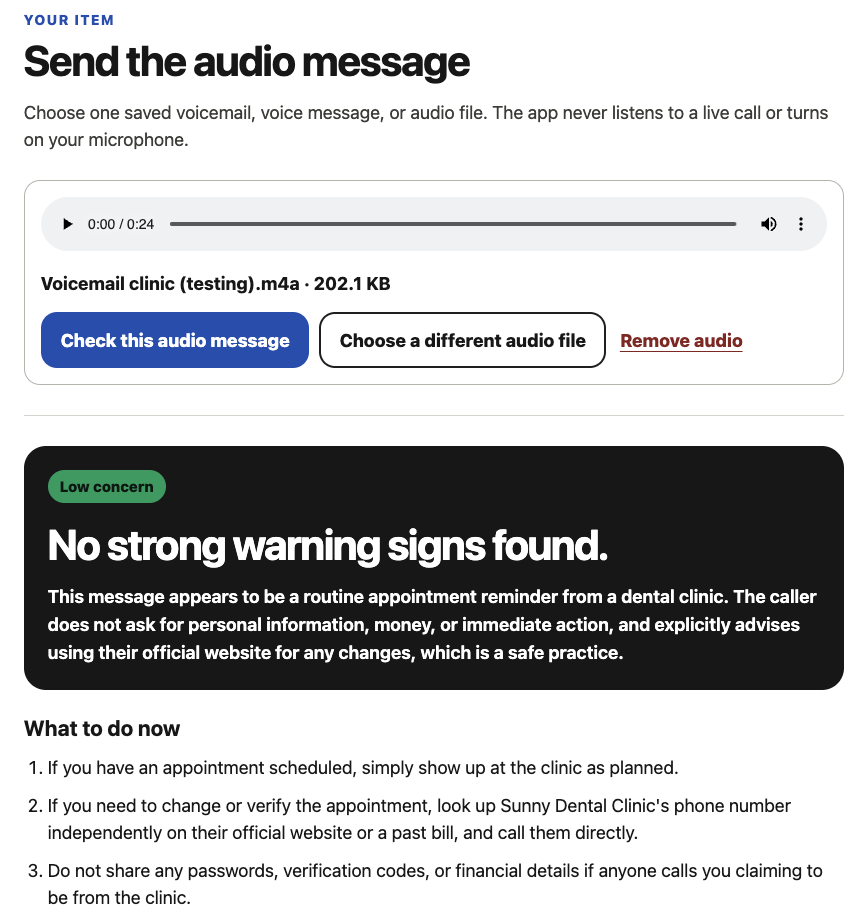
A routine clinic voicemail receives a Low concern result with safe verification steps.
-
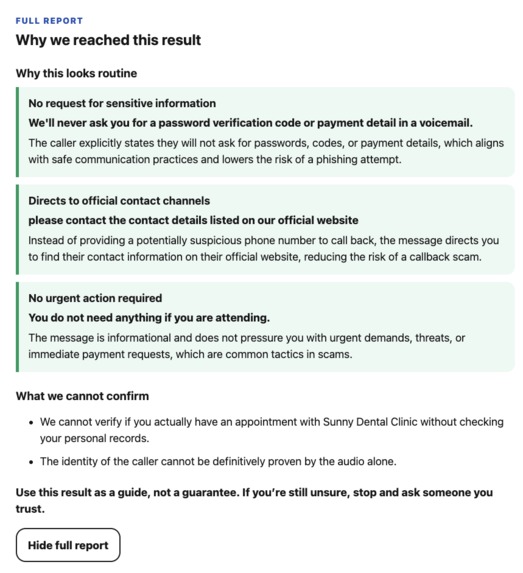
Low concern is evidence-based, not a guarantee: the report explains what looks routine and what the audio alone cannot confirm.
-
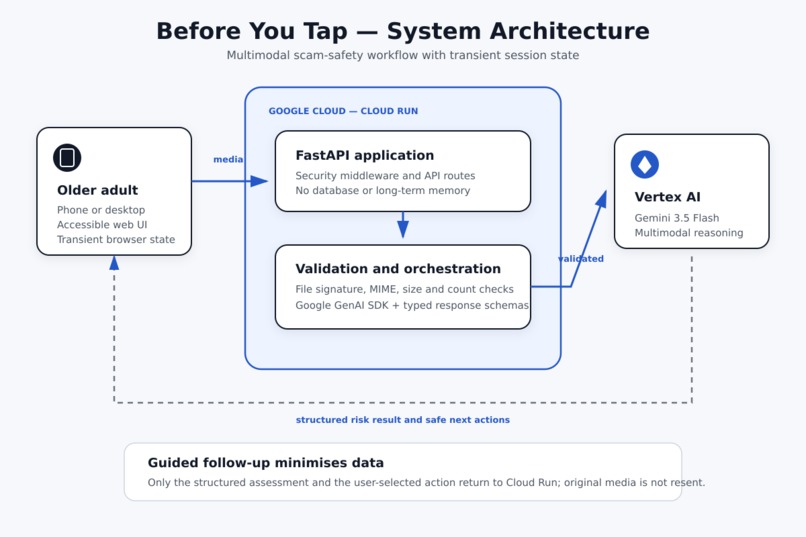
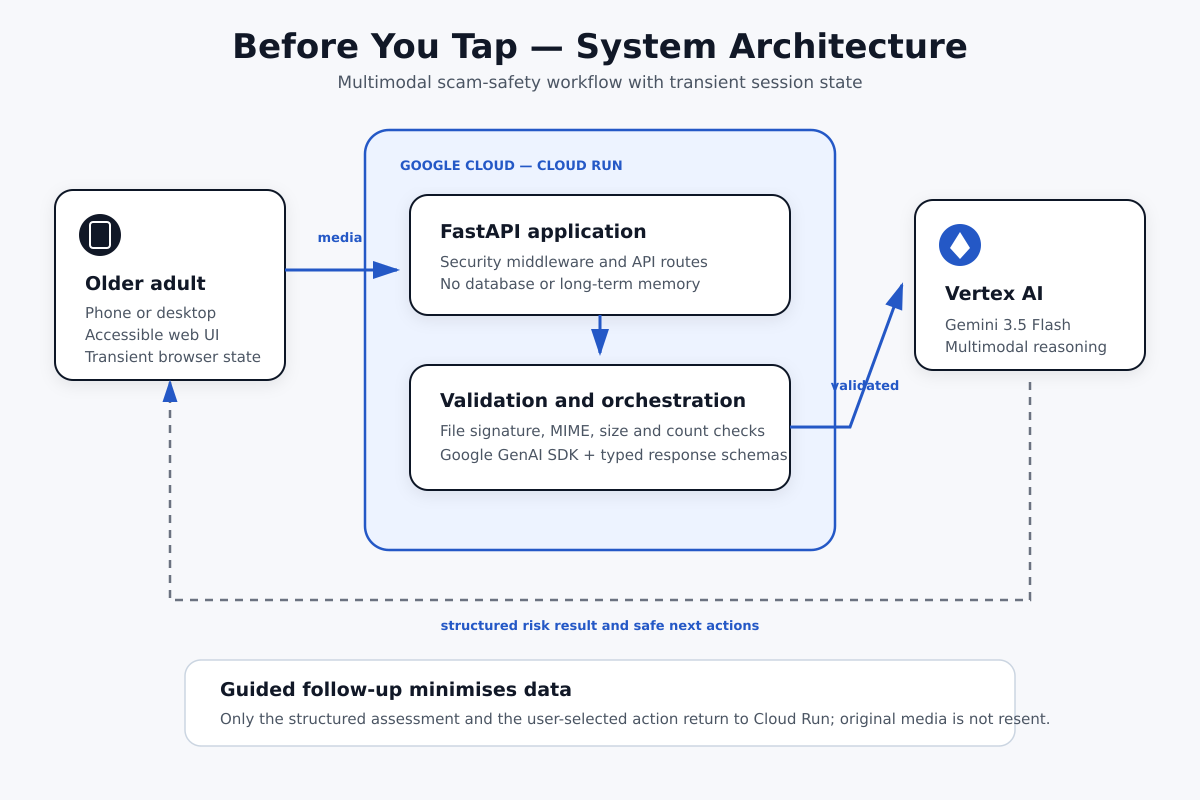
Cloud Run and FastAPI connect the app to Gemini 3.5 Flash through Vertex AI.
Inspiration
Scams often work by creating urgency, fear, or confusion before someone has time to stop and verify what they are being told. I wanted to build something for the moment just before a person clicks a link, calls a number, sends money, or shares personal information.
Before You Tap is designed especially with older adults in mind. Instead of giving a technical score or a vague warning, it explains what it noticed in calm, plain English and helps the user decide what to do next.
What it does
The user can upload up to five screenshots from the same conversation or choose a saved voicemail or voice message. Before You Tap analyses the visible or audible evidence and returns one of three clear results: Low concern, Be careful, or High risk.
The result includes:
- a short summary and the safest immediate action;
- specific warning signs, with the evidence that triggered them;
- what the system cannot verify from the supplied content;
- practical next steps using independently found official contact details; and
- a small set of follow-up choices that match the situation.
The result is not the end of the workflow. If the user says, for example, I clicked the link, I replied or called, I shared private information, or I sent money, the agent uses the existing structured assessment and that selected action to prepare more relevant protective steps. It does not send the original image or audio again during this follow-up.
Before You Tap is decision support, not a guarantee that a message is safe or fraudulent.
How I built it
The frontend is a responsive, accessible interface built with HTML, CSS, and JavaScript. A FastAPI backend runs on Google Cloud Run and accepts only files the user deliberately selects.
The backend validates file count, size, declared MIME type, and file signature before analysis. It then uses the Google GenAI SDK for Python to call Gemini 3.5 Flash through Vertex AI. Gemini returns a structured risk assessment that is validated with strict Pydantic schemas before the interface renders it as text.
The current assessment lives only in transient browser-session state. The app has no database or long-term user memory, and it does not intentionally retain uploaded media, generated transcripts, or assessments. API responses are marked no-store, secrets stay on the server, and the frontend never receives a model credential.
What makes it agentic
I did not want to build a generic chatbot or a one-shot scam classifier. Before You Tap completes a bounded safety workflow:
- it checks whether the supplied content is usable and related;
- it extracts concrete evidence across images or from saved audio;
- it evaluates risk while keeping uncertainty visible;
- it selects only the follow-up actions relevant to that evidence; and
- it adapts the next instructions to what the user says they have already done.
The agent is intentionally constrained. It cannot open links, contact a bank, call emergency services, or guarantee that content is genuine. Instead, it helps the user pause, verify through an independent official channel, and involve a trusted person when appropriate.
Challenges I ran into
The hardest part was balancing usefulness with uncertainty. A safety tool can cause harm if it sounds more certain than the evidence allows, so the prompts prohibit definitive fraud or safety claims and require the response to explain missing context.
Multi-image analysis was another challenge. Several screenshots may belong to one conversation, but unrelated files should not be merged into a false story. The workflow asks Gemini to check continuity first and to keep unrelated items separate while using the highest observed risk as the overall result.
I also had to make the system helpful after the first result without turning it into an unrestricted chat. I solved this with controlled follow-up actions and typed responses, which keep the interaction focused on the user's immediate safety.
Accomplishments that I am proud of
- The live app handles ordered multi-image checks and saved-audio checks through one accessible workflow.
- High-risk, cautious, and low-concern results all explain the evidence instead of showing only a score.
- Follow-up guidance changes based on what the user has already done.
- The Cloud Run deployment uses Vertex AI with a server-side cloud identity rather than exposing an API key in the browser.
- Invalid uploads and invalid model output fail clearly instead of producing a fabricated safety result.
- The repository includes automated tests, reproducible setup instructions, deployment steps, and a documented architecture and trust boundary.
What I learned
I learned that an agent can feel more useful by making a small number of careful decisions than by trying to do everything. Structured outputs, explicit uncertainty, validation, and narrow follow-up choices made the experience clearer for the user and made the backend safer to operate.
I also learned how to connect the Google GenAI SDK, Vertex AI, FastAPI, and Cloud Run as one production-style flow, and how much accessibility and failure handling influence the architecture rather than simply the visual design.
What's next for Before You Tap
Next, I would like to add multilingual guidance, better camera capture, optional trusted-contact handoff, and more accessible voice guidance. I would also test the language and interaction design with older adults and carers before treating it as anything beyond an early safety-support prototype.
Development disclosure
Before You Tap was created during the hackathon submission period. I used OpenAI Codex as an AI coding assistant. Product direction, safety decisions, acceptance testing, demonstration, and the final submission are my own responsibility. No external dataset or pre-existing proprietary project code was used.
Built With
- css3
- docker
- fastapi
- gemini-3.5-flash
- google-cloud
- google-cloud-run
- google-genai-sdk
- html5
- javascript
- pydantic
- python
- vertex-ai

Log in or sign up for Devpost to join the conversation.