-
-
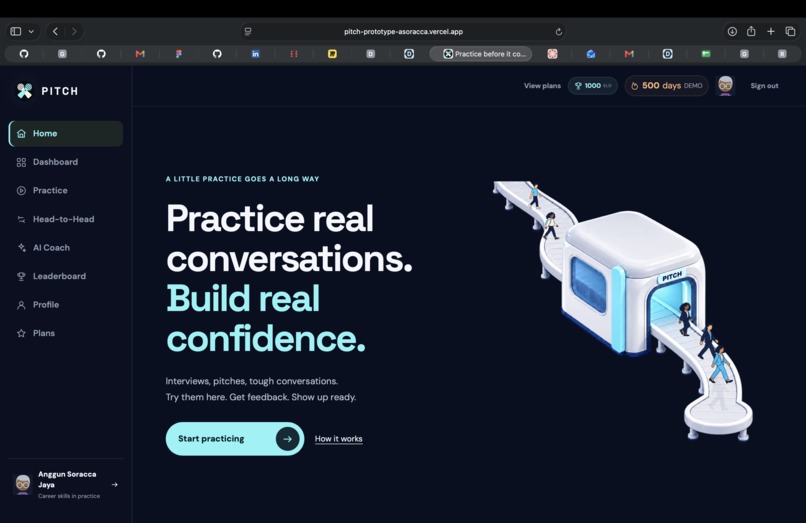
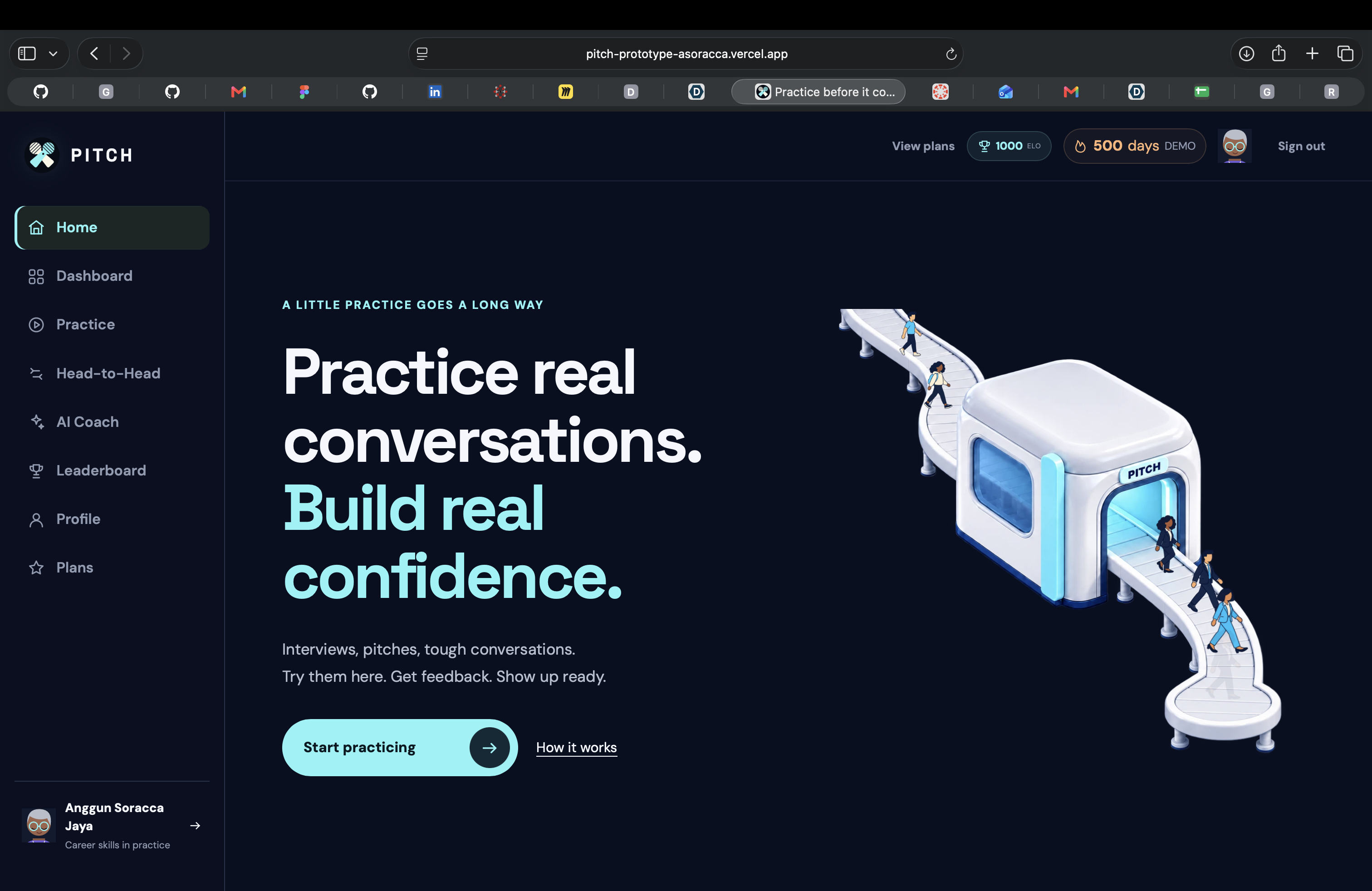
Home: Practice real conversations. Build confidence before interviews, pitches and difficult conversations.
-
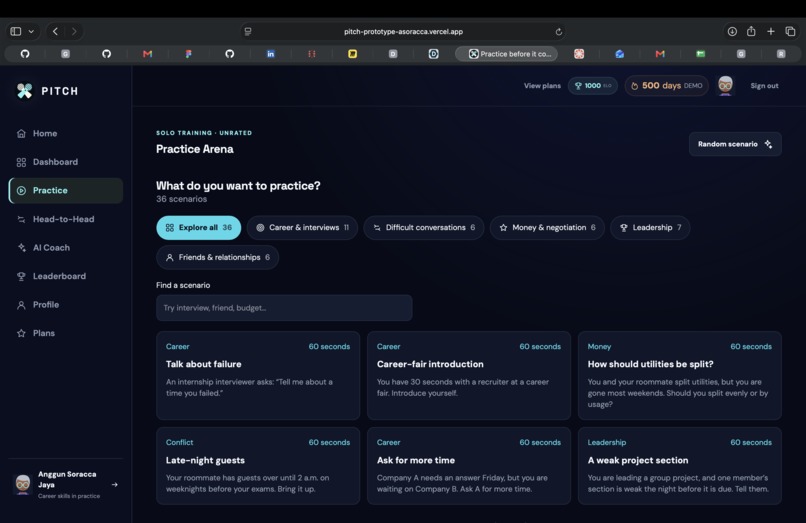
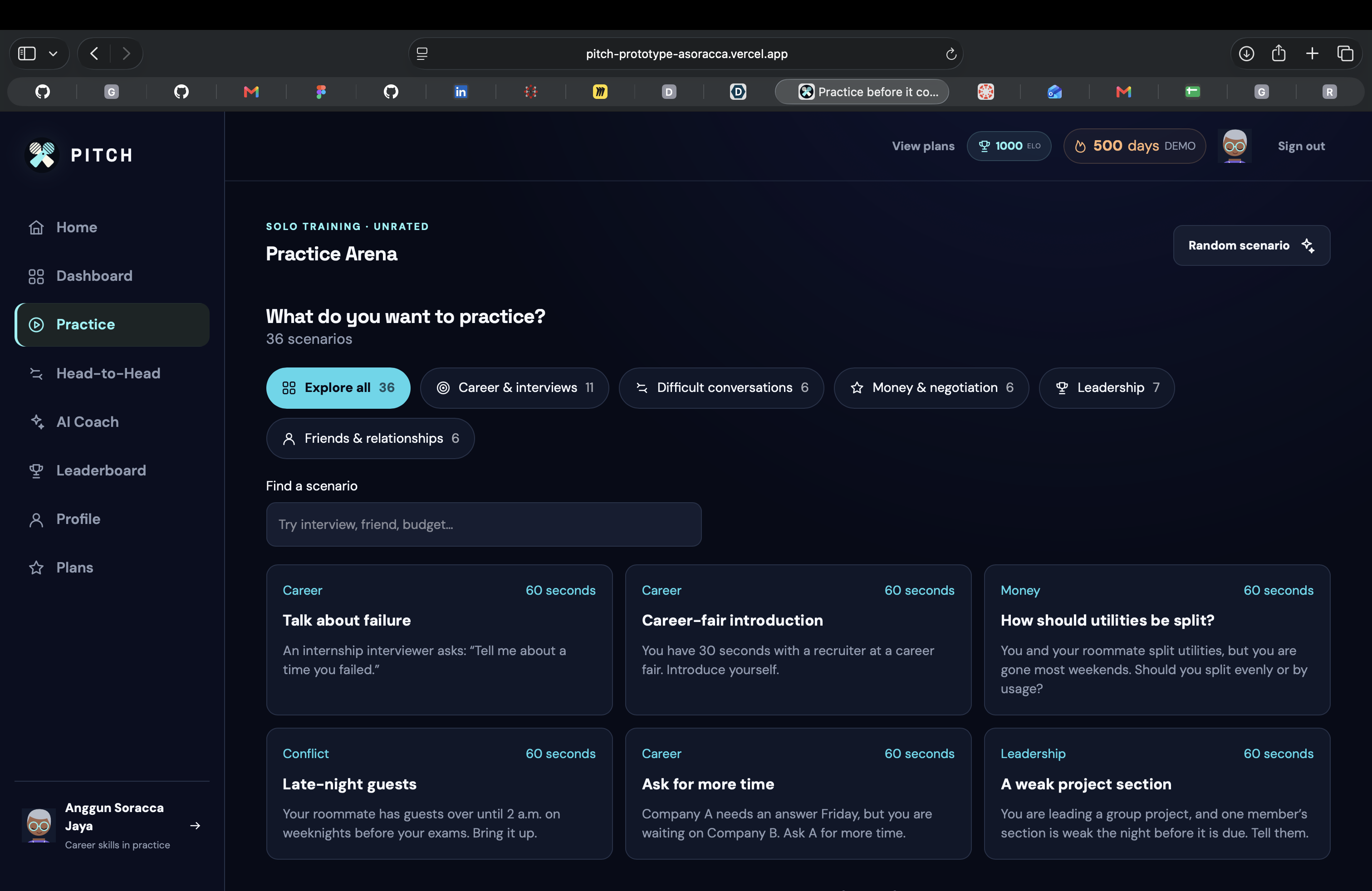
Practice Arena: Choose a scenario, speak or type your response, and review your transcript and feedback.
-
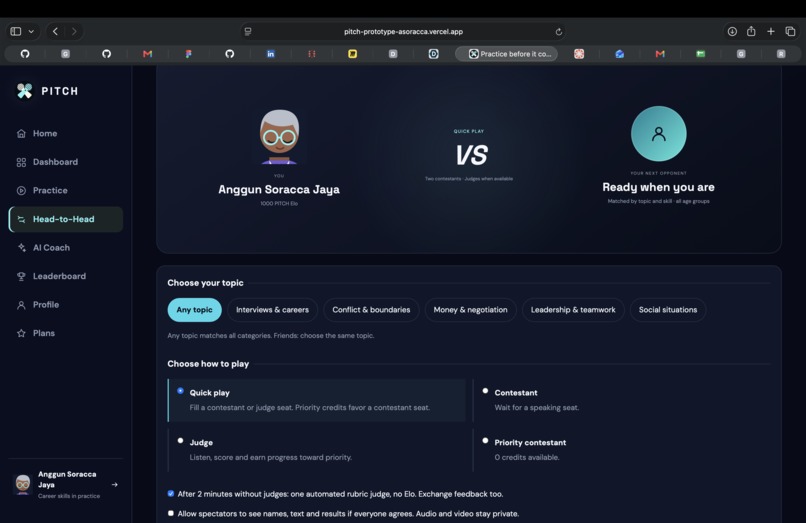
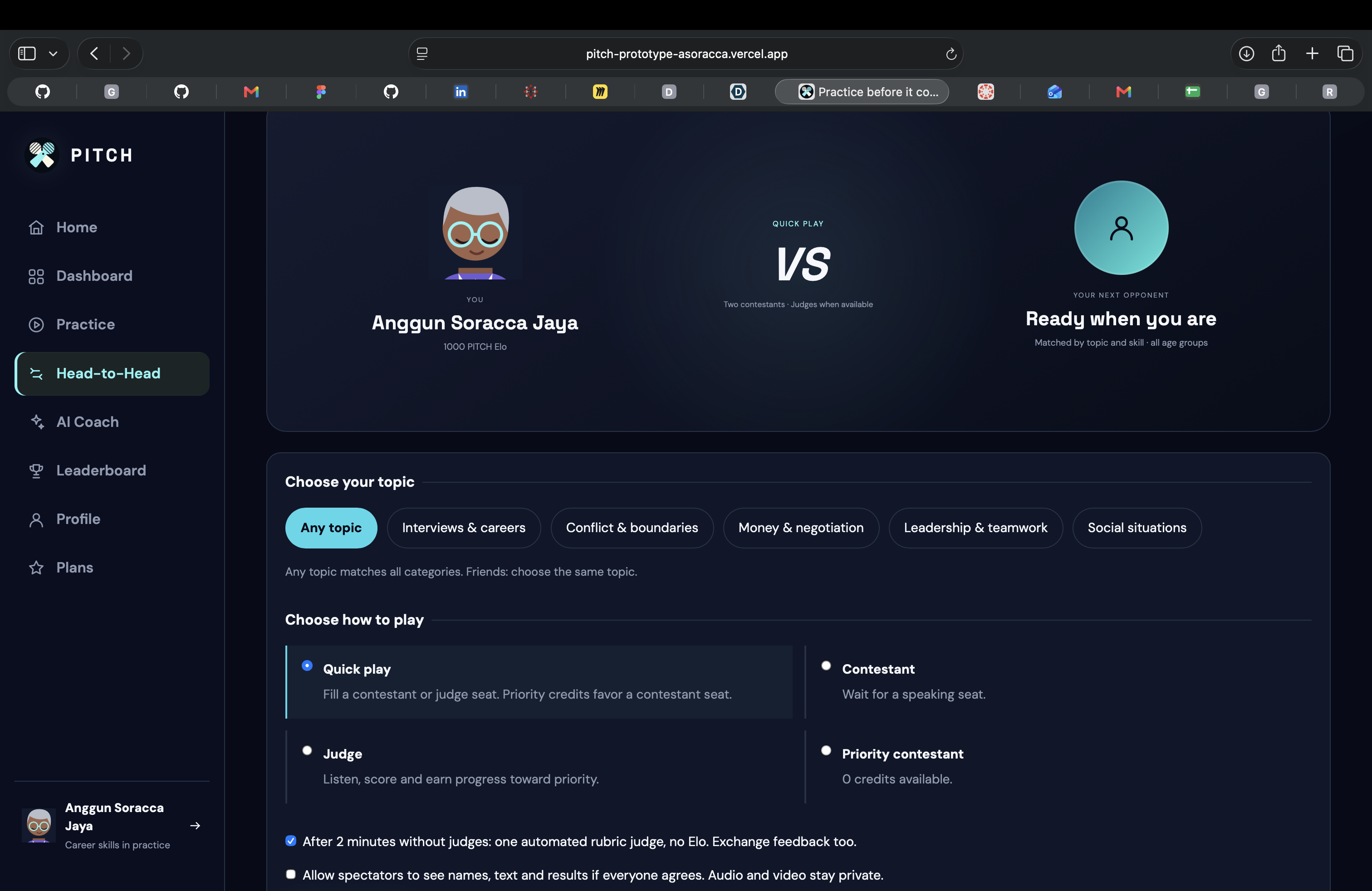
Head-to-Head: Match by topic, face another player and exchange feedback on the same scenario.
-
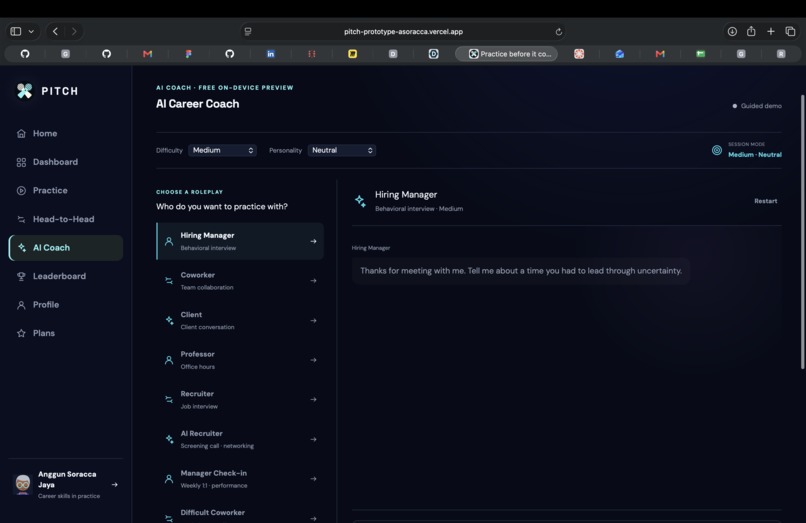
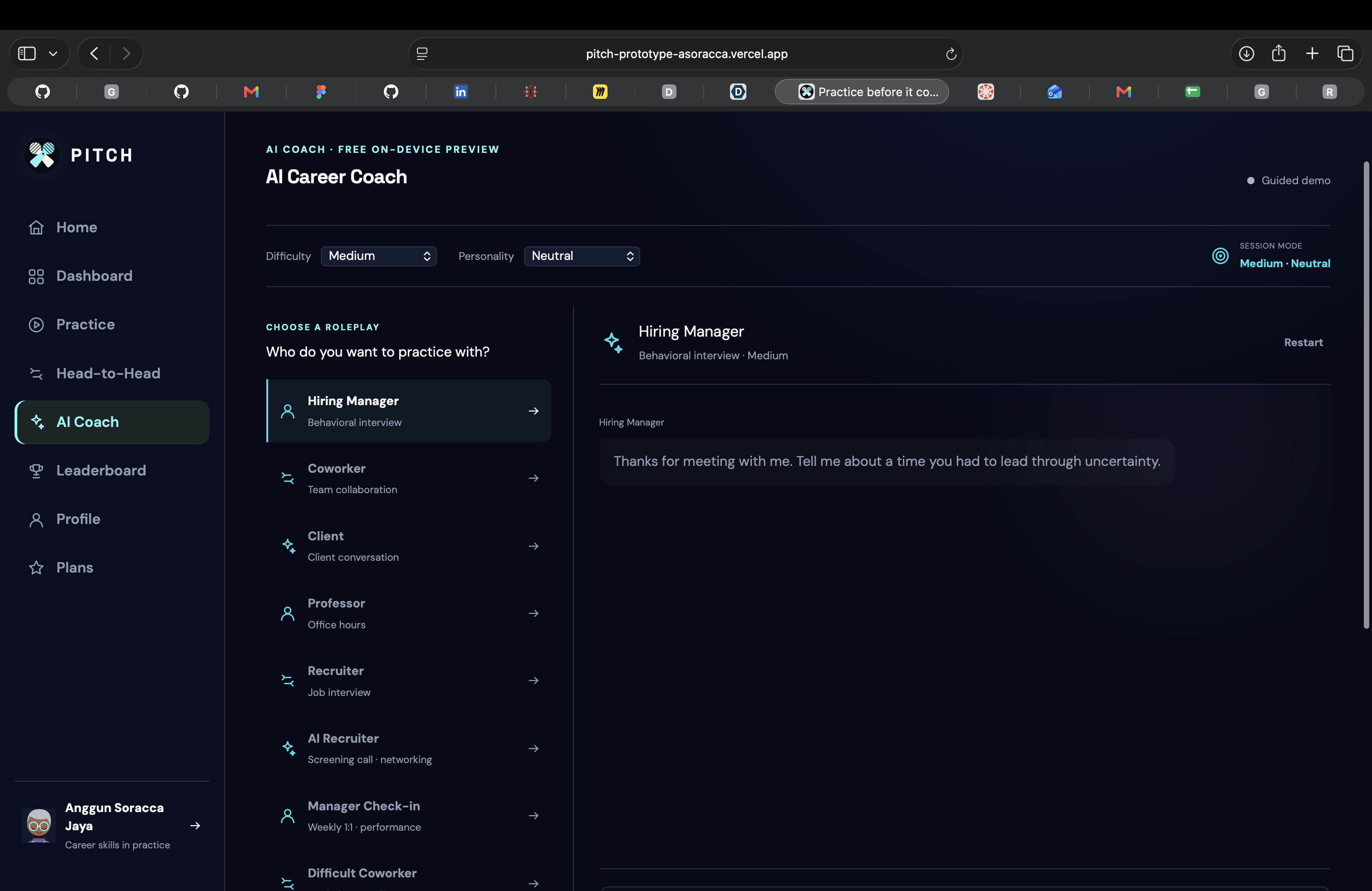
AI Coach: Practice with hiring managers, coworkers and clients through guided roleplay or optional on-device AI.
-
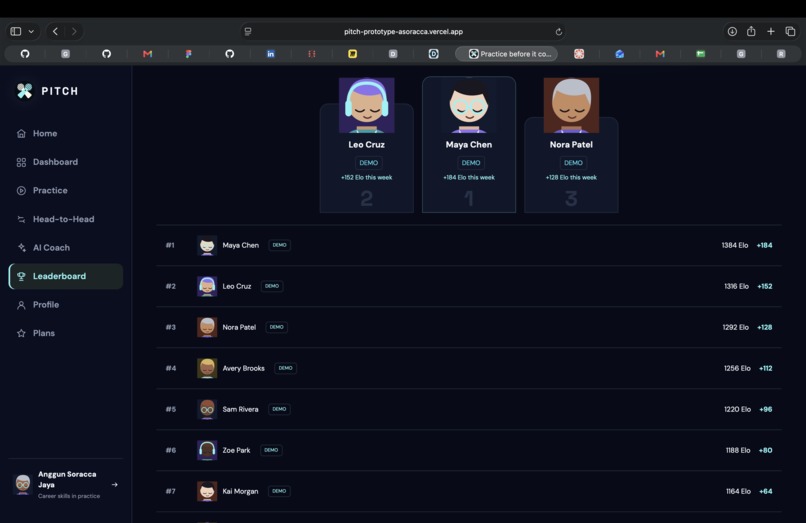
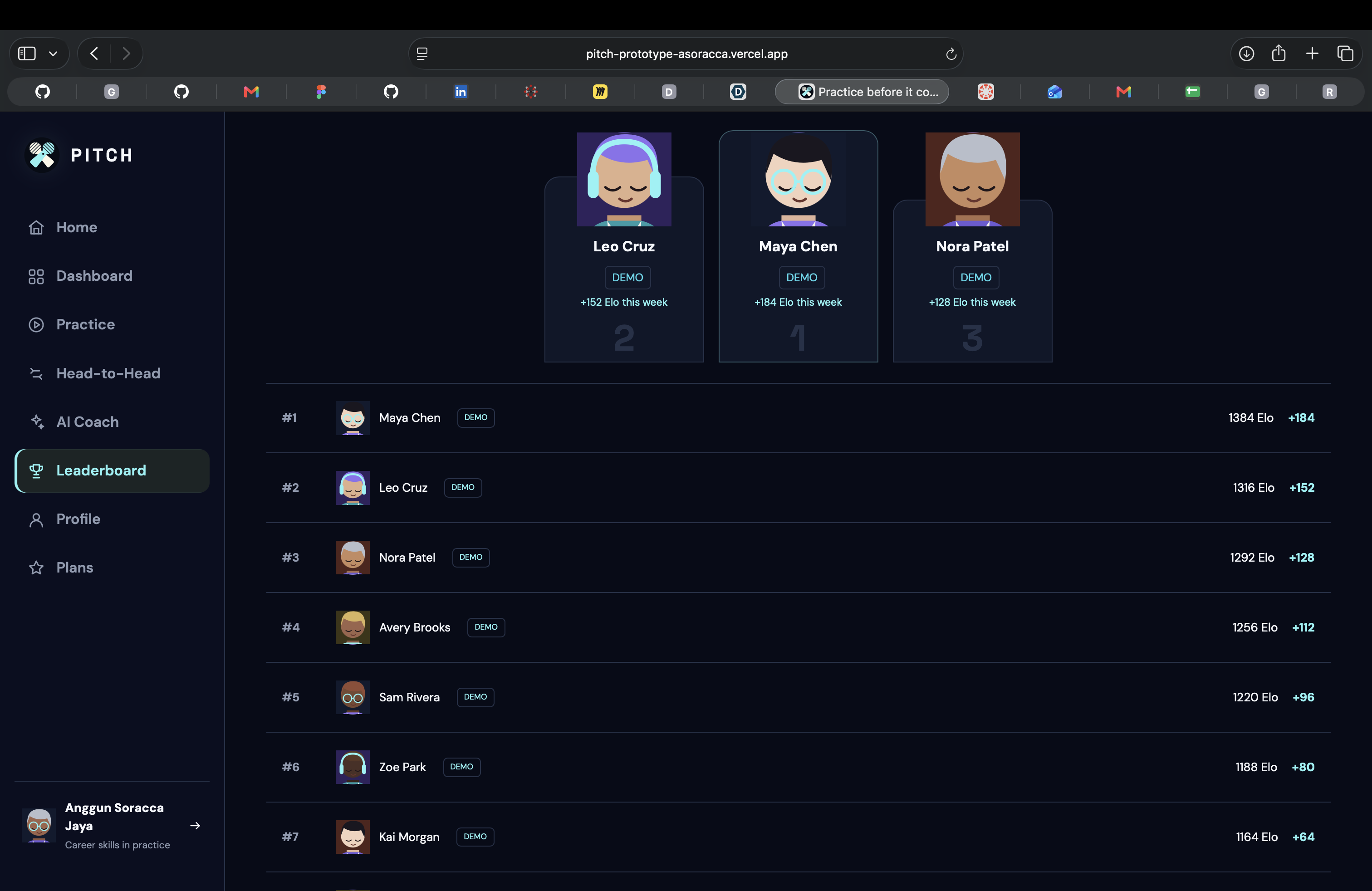
Leaderboard: Explore weekly rankings and PITCH Elo, illustrated with labelled demo players.
-
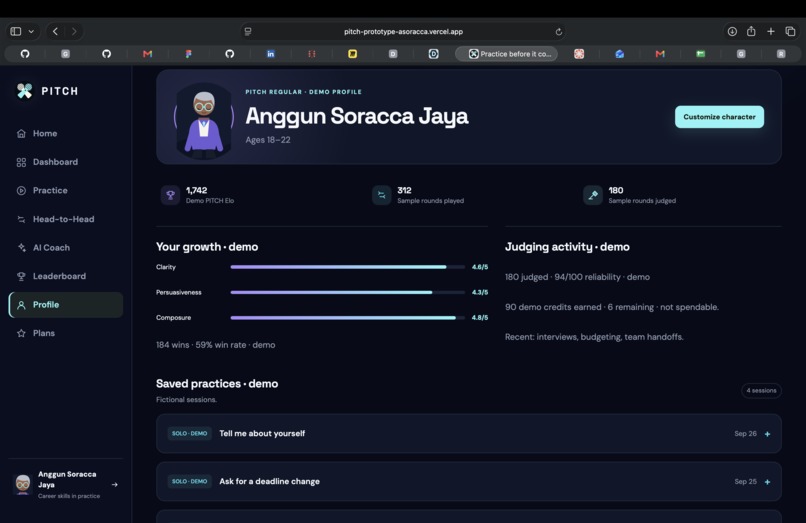
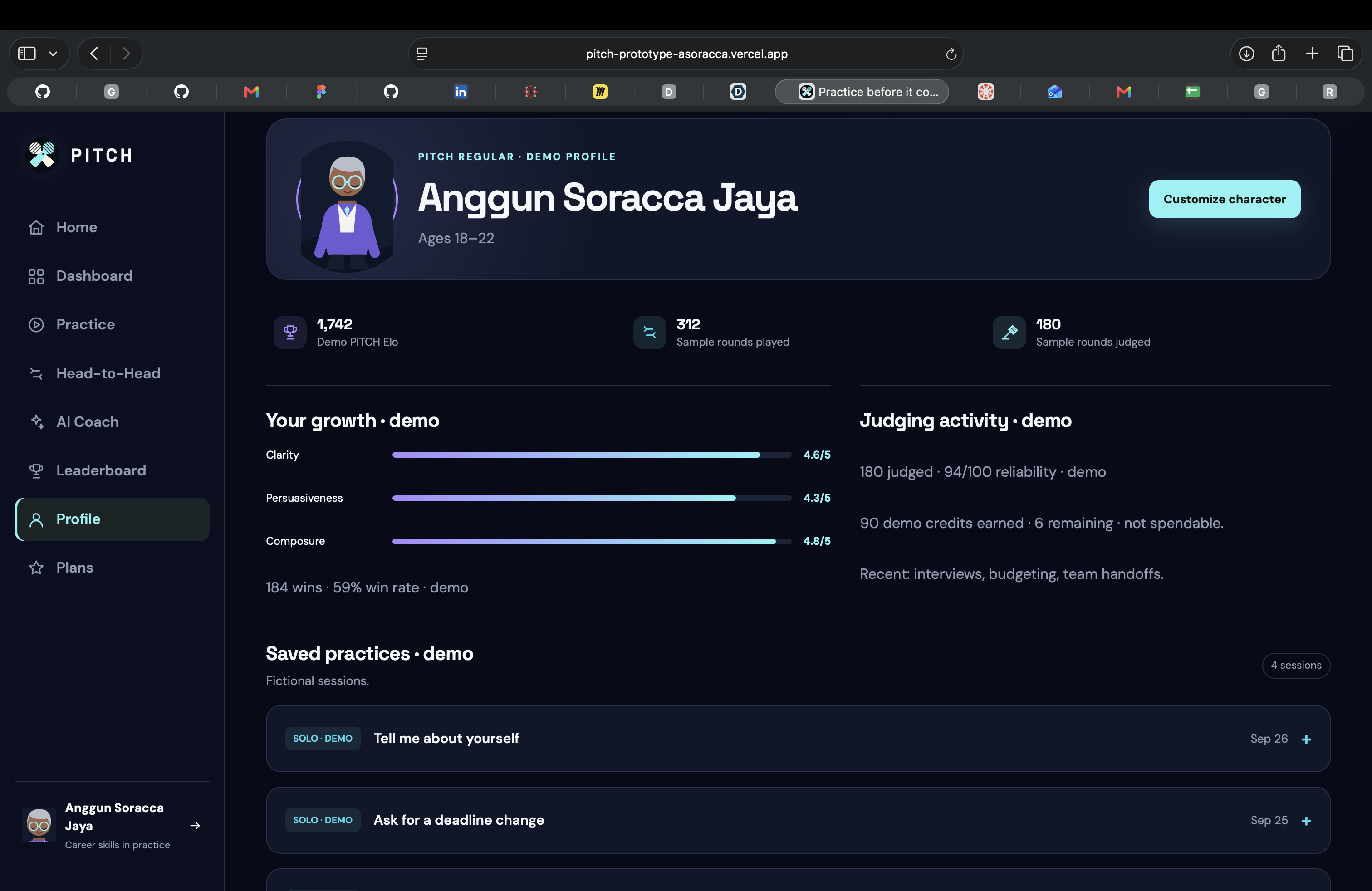
Profile: Review practice logs, match history and judging activity. Sample data demonstrates the experience.
-
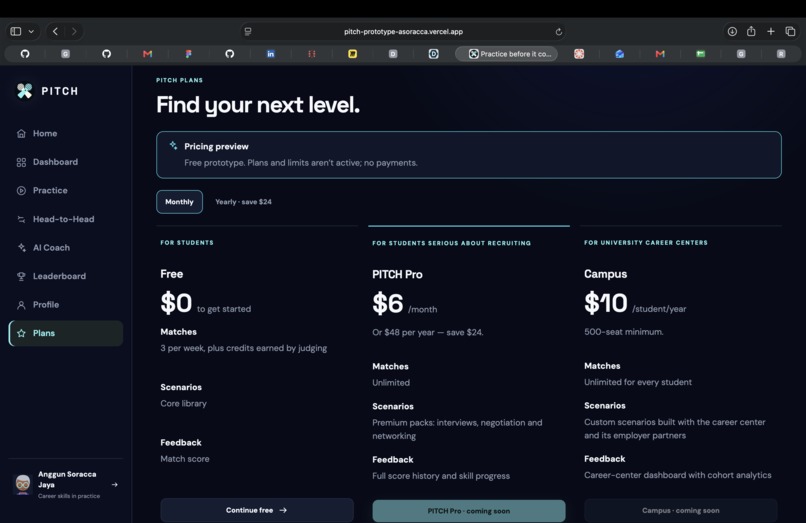
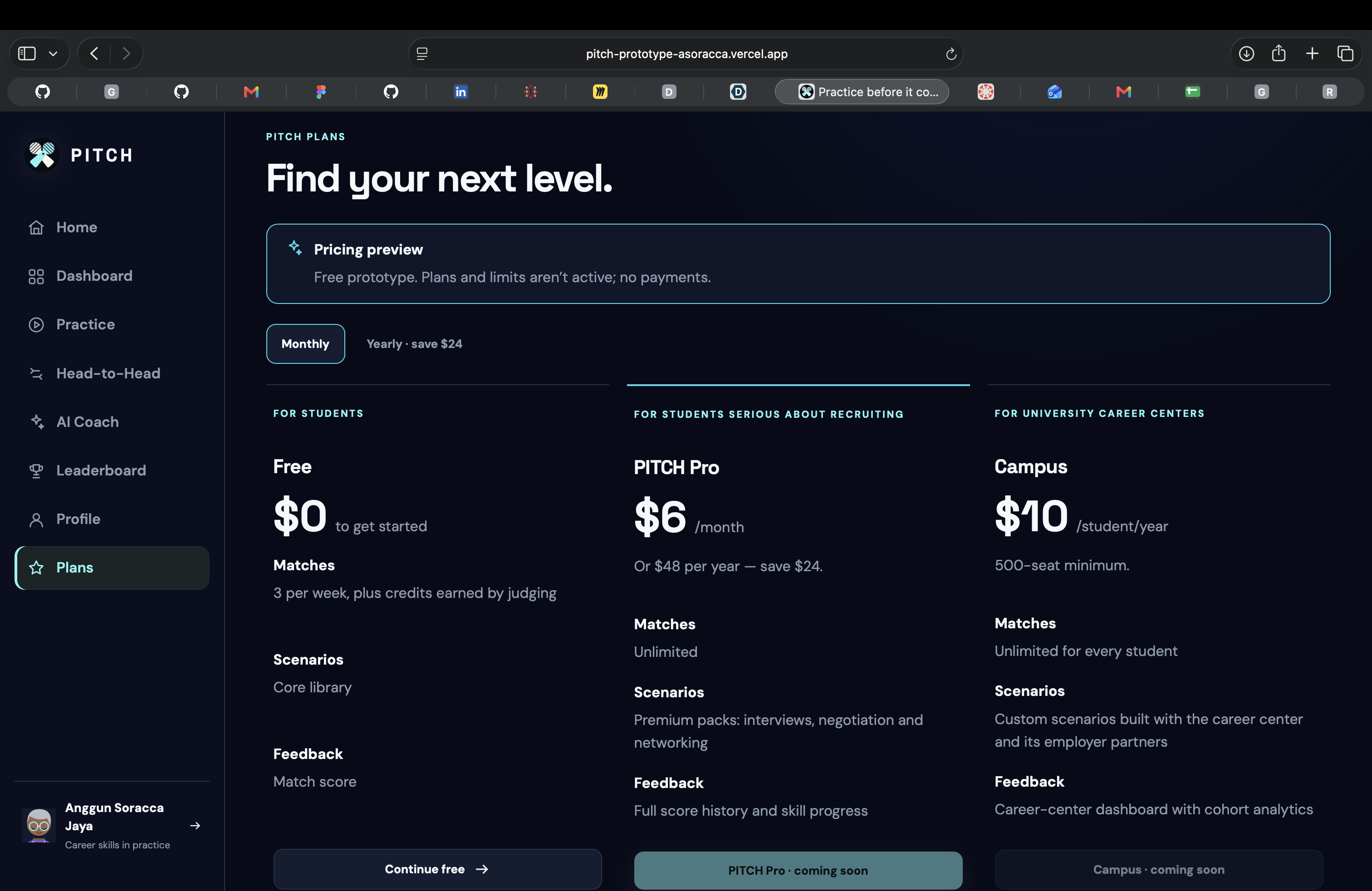
Plans: Preview Free, PITCH Pro and Campus plans. Paid subscriptions are not enabled.
-
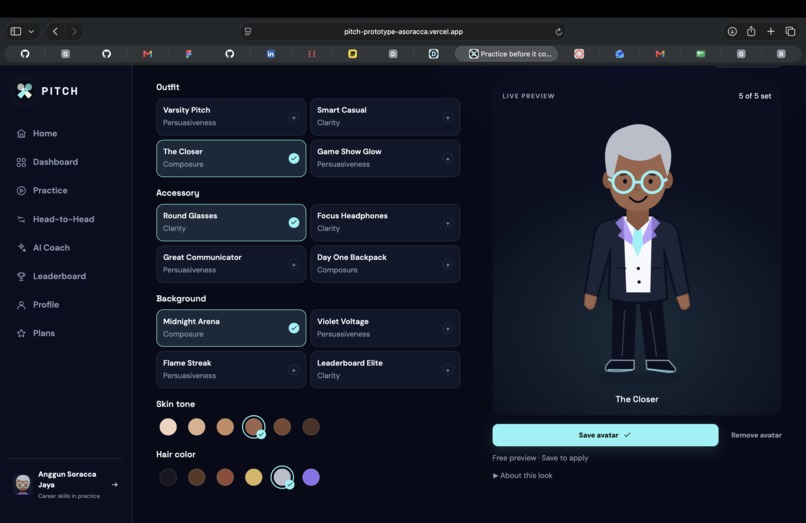
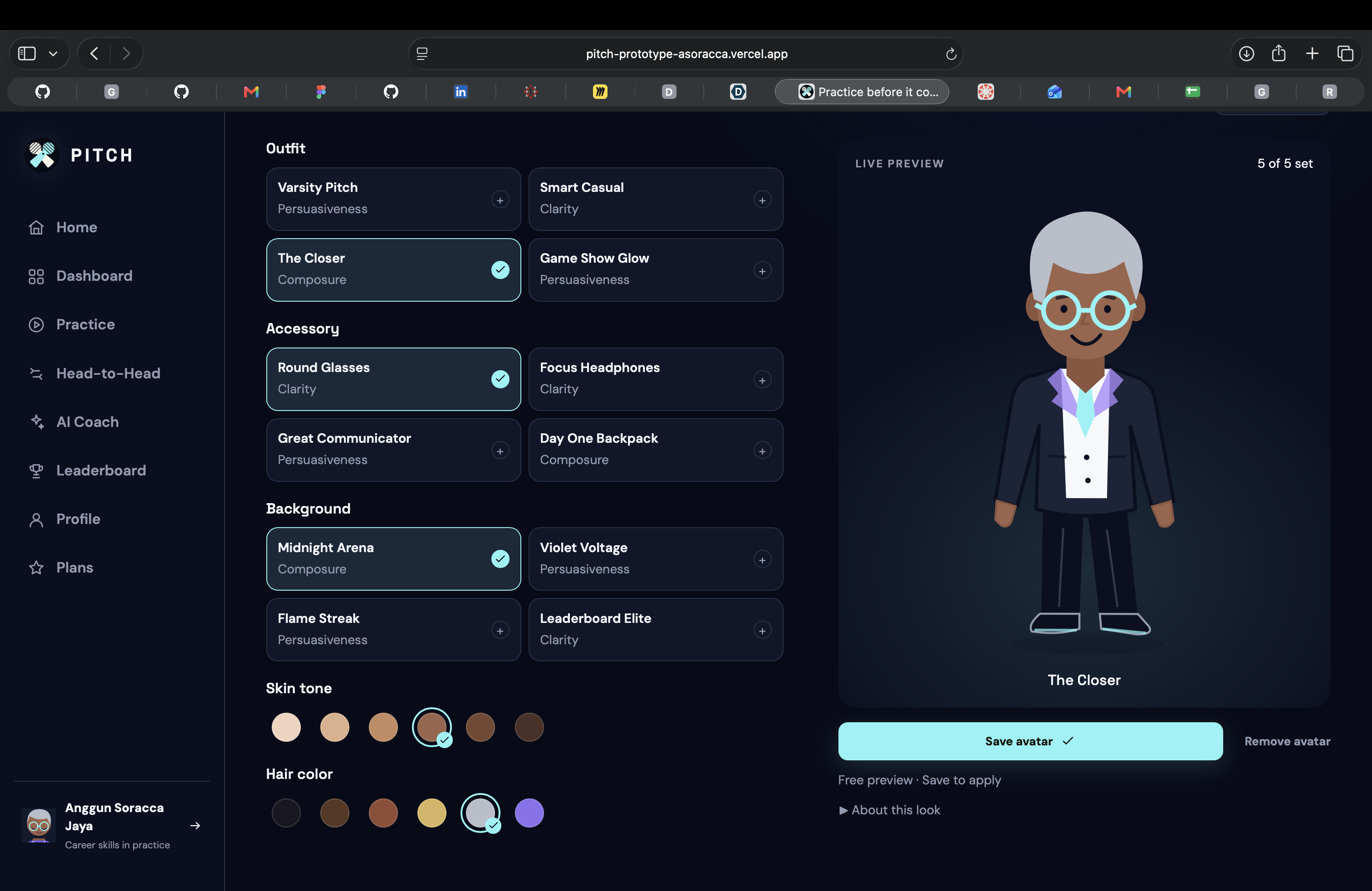
Character: Create your look with outfits, accessories, skin tones, hair colors and backgrounds.
Inspiration
Students prepare their résumés, but rarely get enough practice with the conversations that shape their careers: interviews, negotiations, teamwork and difficult feedback.
We built PITCH to make that practice approachable, social and worth repeating.
What it does
PITCH is a website where students practice real conversations before they count.
- Practice Arena: Pick a scenario, respond through text or voice, and optionally record video. Review your transcript, delivery measurements and feedback.
- Head-to-Head: Respond to the same scenario as another player. Human judges give feedback, and rated rounds contribute to PITCH Elo.
- AI Coach: Practice conversations with roles such as hiring managers, coworkers and clients. Guided conversations work immediately; optional AI runs on supported devices.
- Personal progress: Save practices, review match history, add friends and customize your avatar.
A clearly labelled solo demo lets visitors experience a round without waiting for other players.
How we built it
We designed the interface in Figma Make and built the frontend with React, TypeScript, Vite and Tailwind CSS.
Our TypeScript backend handles accounts, matchmaking, judging, ratings, profiles and saved practices. We use Turso and Drizzle for persistent data, GitHub for collaboration, and Vercel for deployment.
WebRTC supports live voice and video. Browser speech recognition provides transcription, while WebLLM powers optional on-device AI.
Challenges we faced
Connecting the frontend designs to working backend features required careful coordination.
Matchmaking also needed to work with a small user base. We added an optional automated rubric judge after two minutes without human judges. These fallback rounds remain unrated.
Another challenge was preserving the final spoken words when a timed turn ended. We separated recording, transcription and submission so responses could finish processing correctly.
What we learned
A useful prototype needs more than attractive screens. Clear feedback, reliable state changes and honest distinctions between real functionality and demonstrations matter just as much.
We also learned how browser permissions, device capabilities and AI model downloads affect the experience.
Accomplishments
We built a working prototype with persistent accounts, topic-based matchmaking, peer feedback, practice history and customizable avatars. Our automated checks cover core flows, permissions and rating consistency.
What’s next
We want to test PITCH with students and career centers, improve browser compatibility, expand scenarios and refine judging fairness using real feedback.

Log in or sign up for Devpost to join the conversation.