-
-

ONA App Icon
-
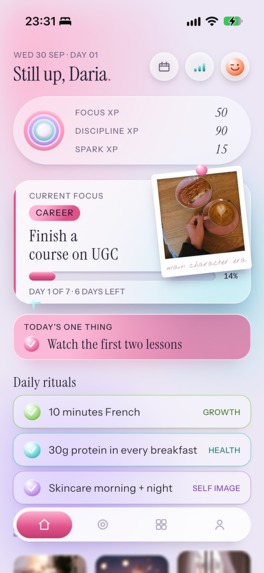
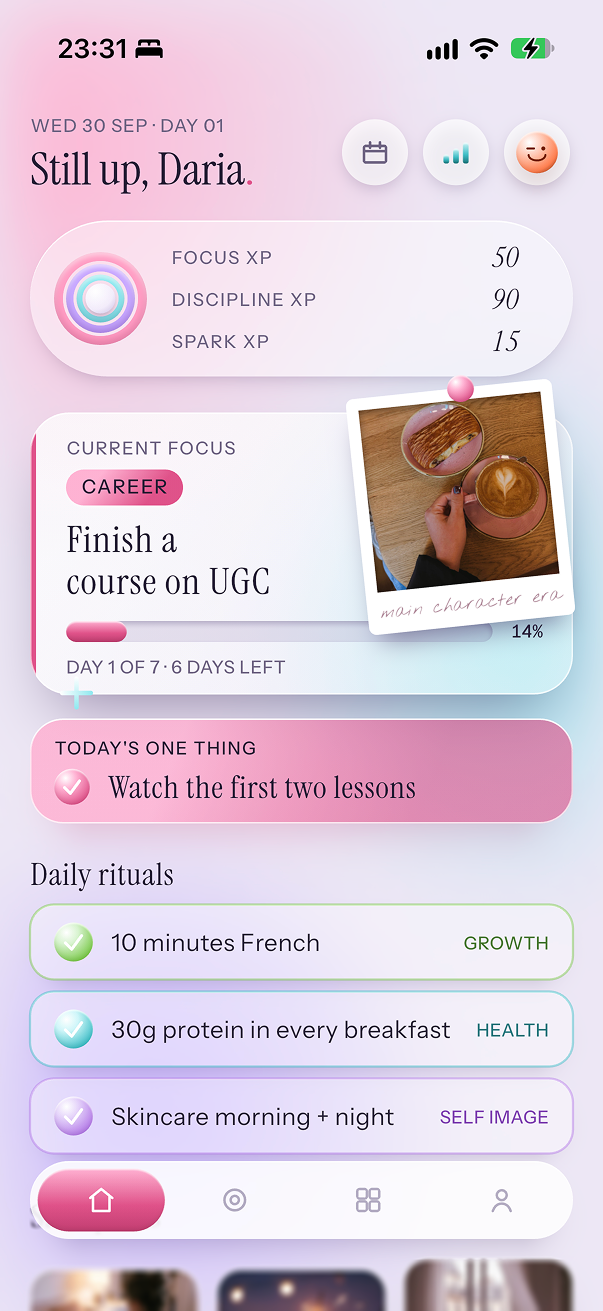
ONA Main Dashboard View: Goal
-
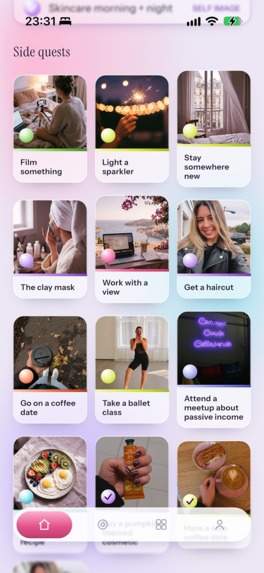
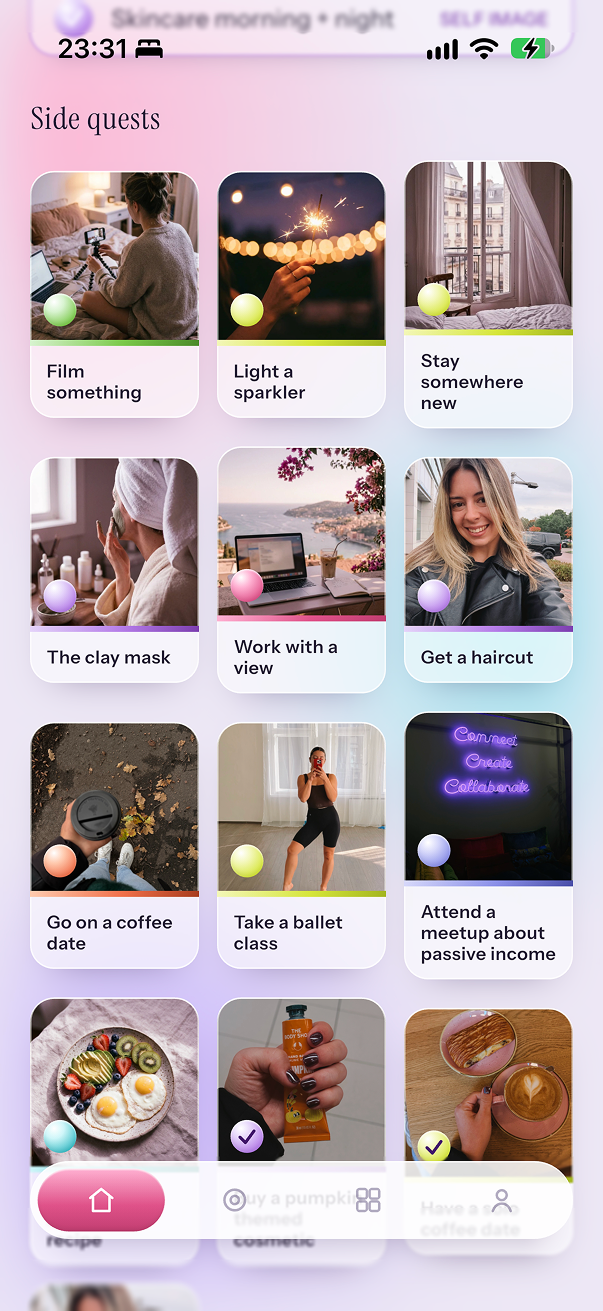
ONA Main Dashboard View: Side Quests
-
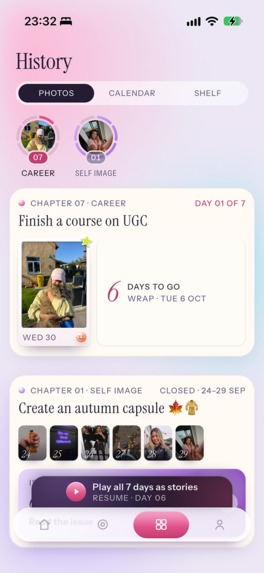
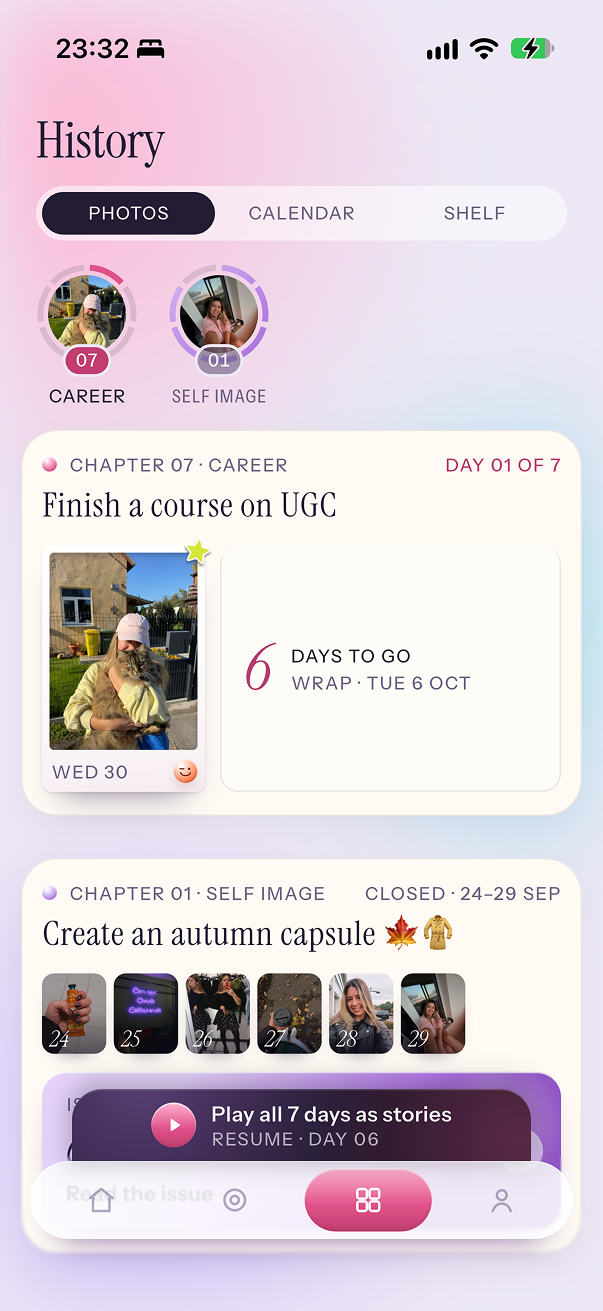
ONA History View: Photos
-
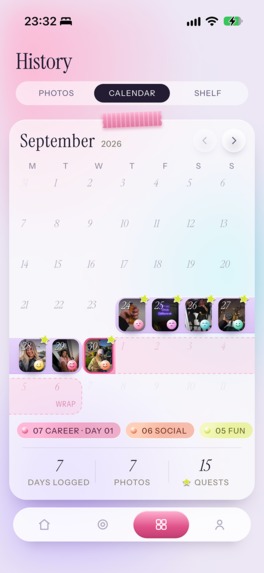
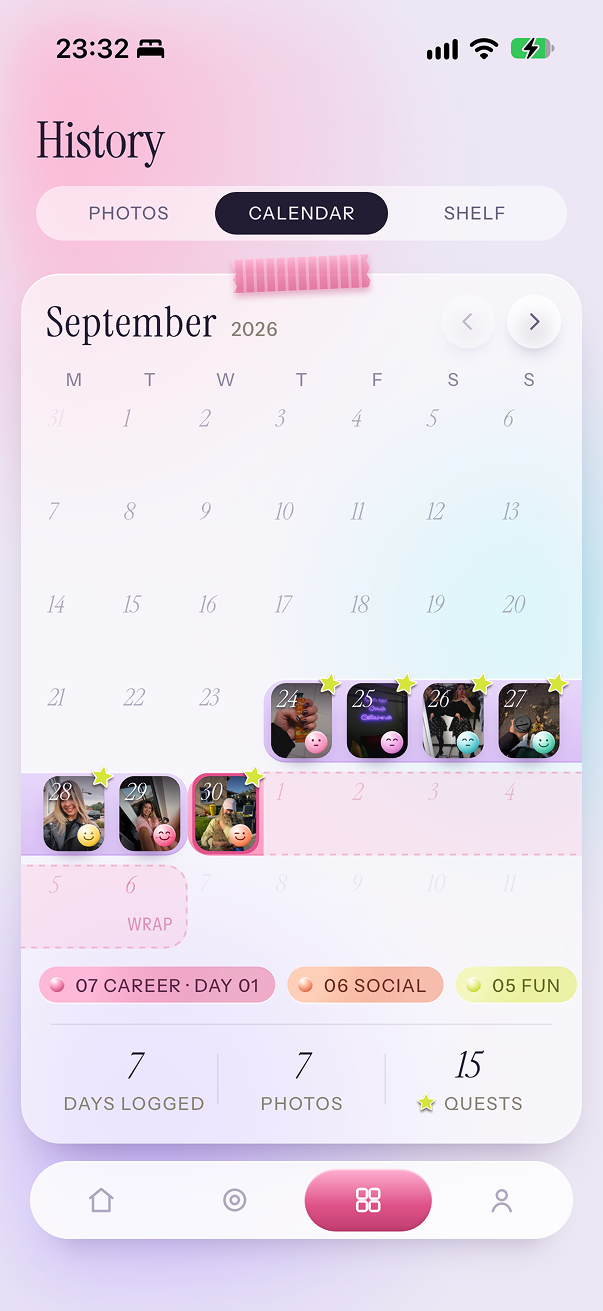
ONA History View: Calendar
-
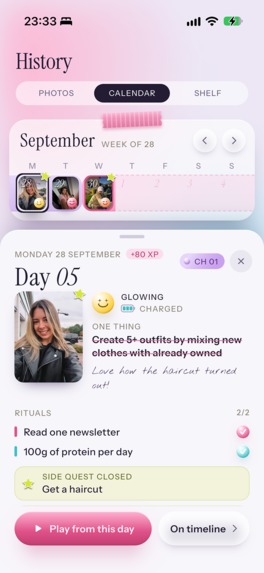
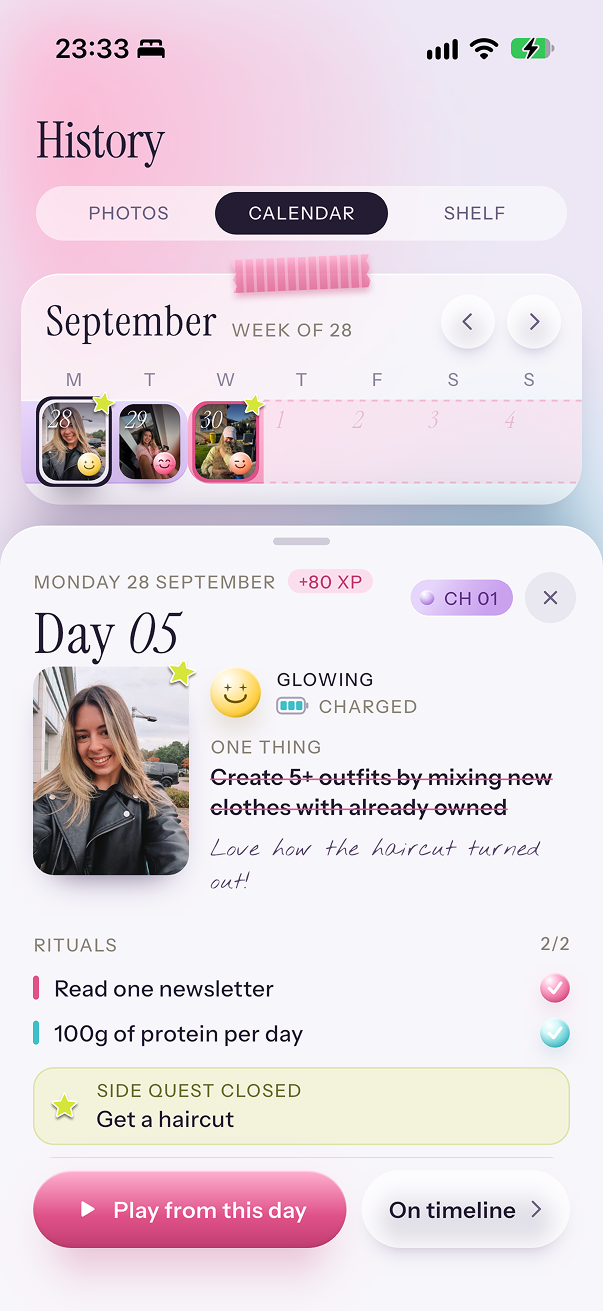
ONA History View: Calendar Day
-
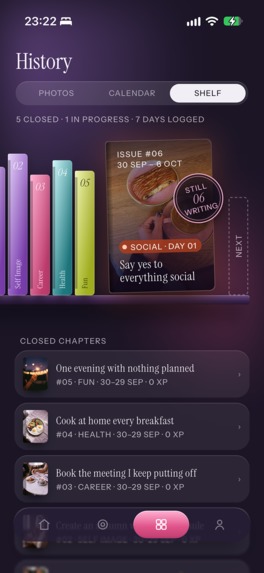
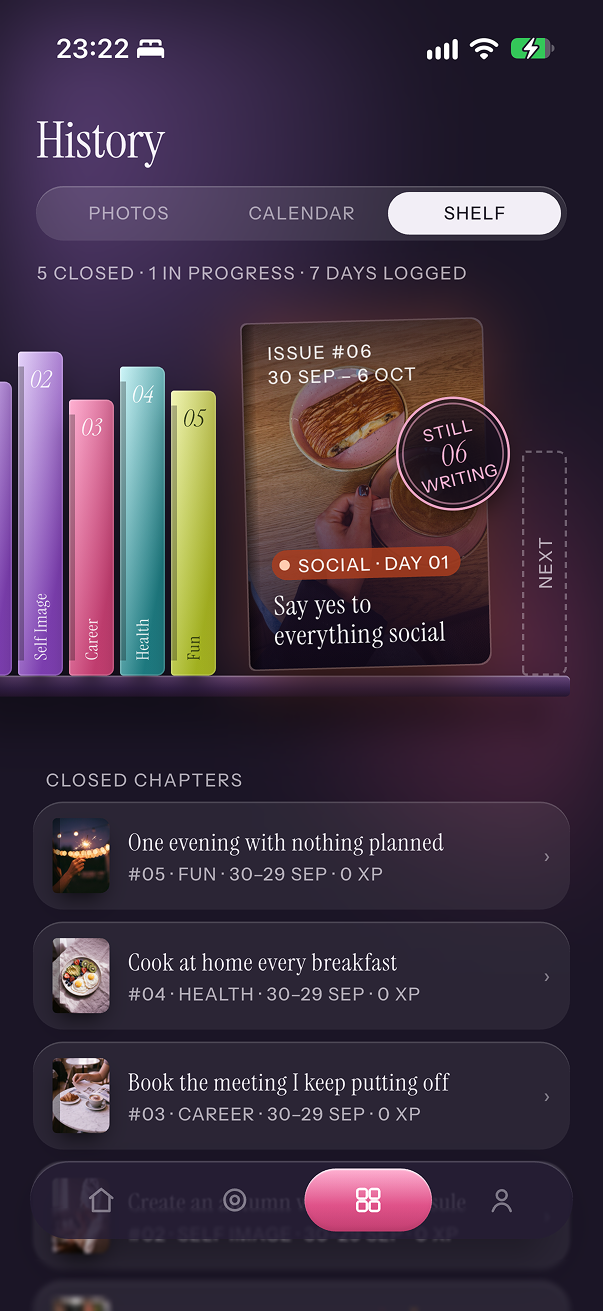
ONA History View: Shelf
-
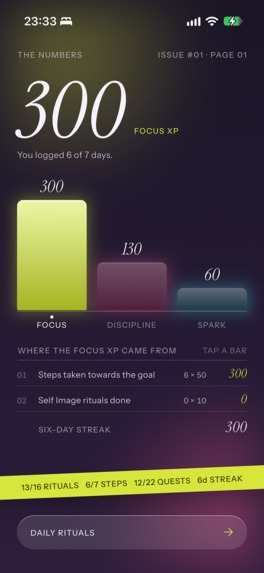
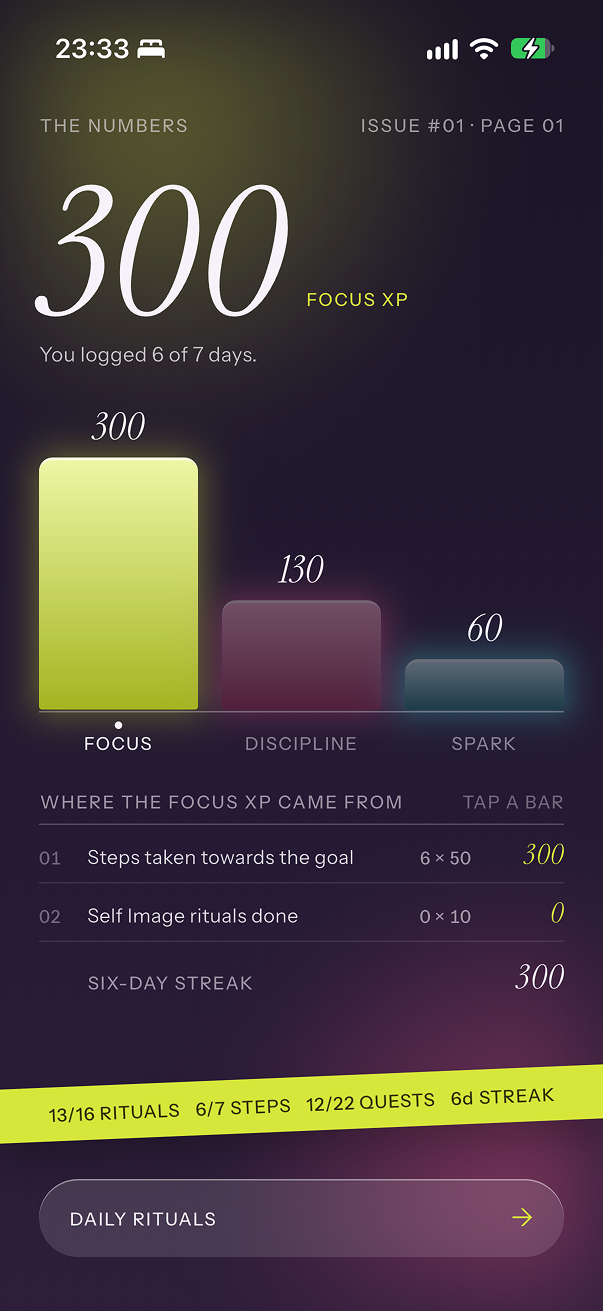
ONA Chapter Wrap Up: XP Stats
-
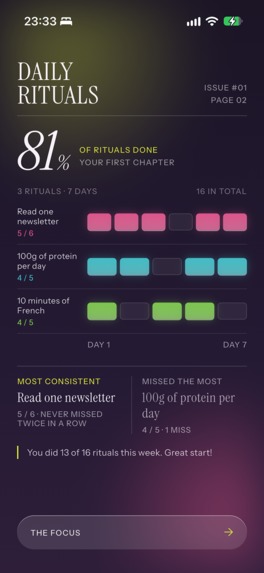
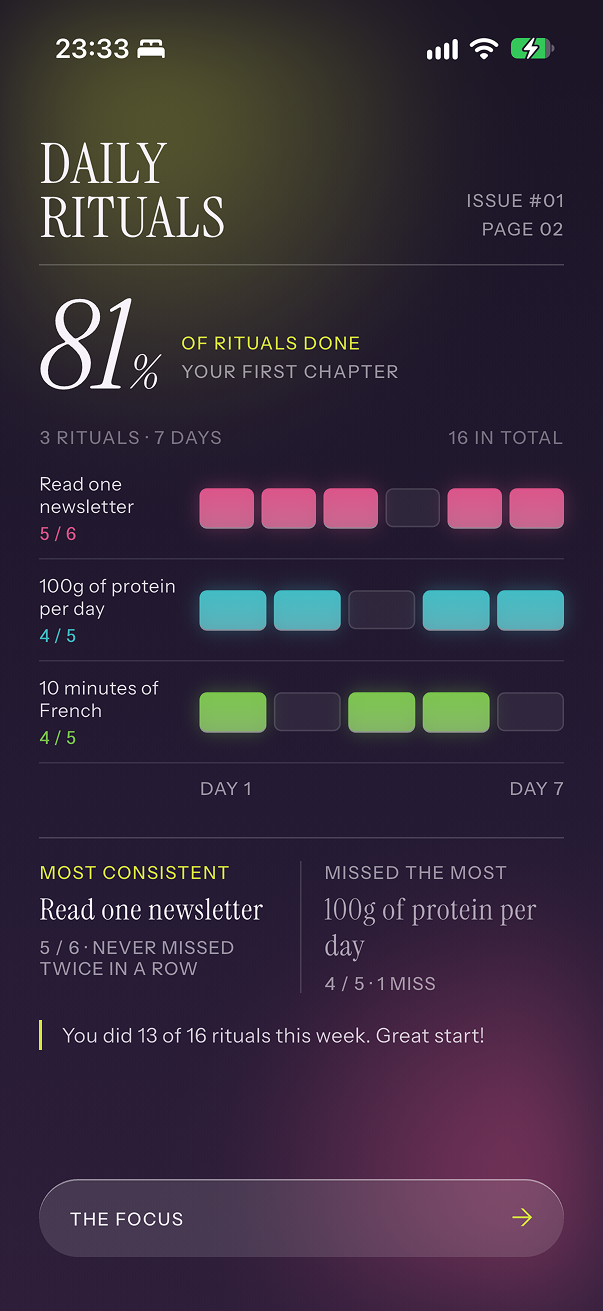
ONA Chapter Wrap Up: Habits Stats
-
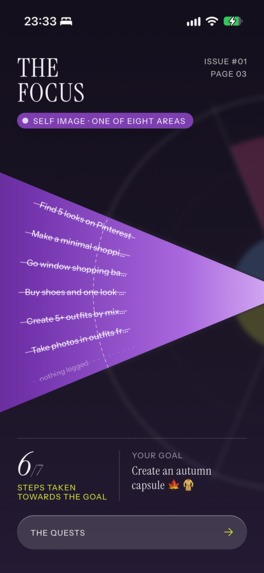
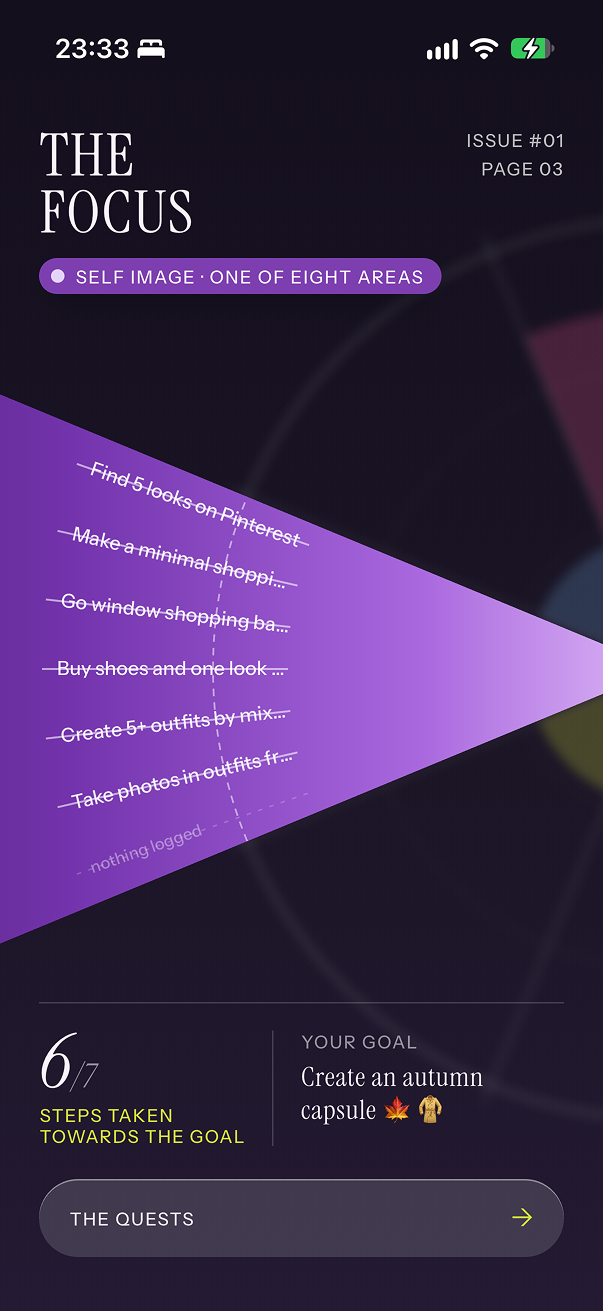
ONA Chapter Wrap Up: One Thing A Day Stats
-
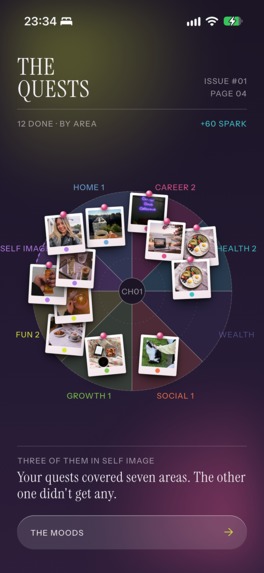
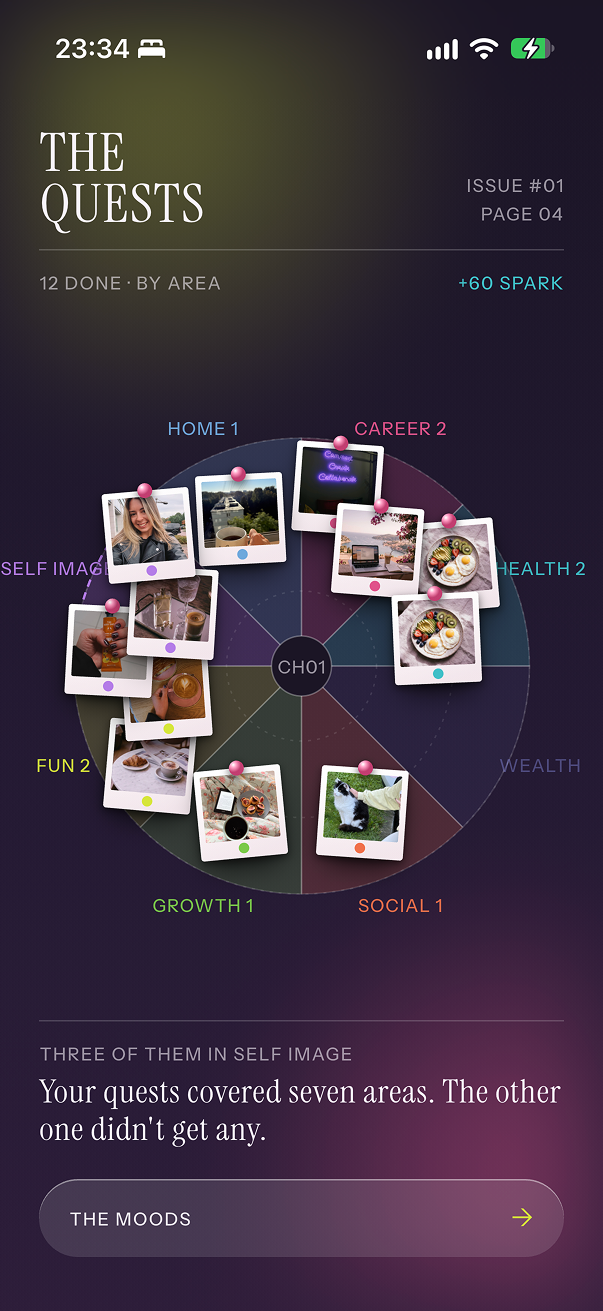
ONA Chapter Wrap Up: Side Quests On Life Wheel
-
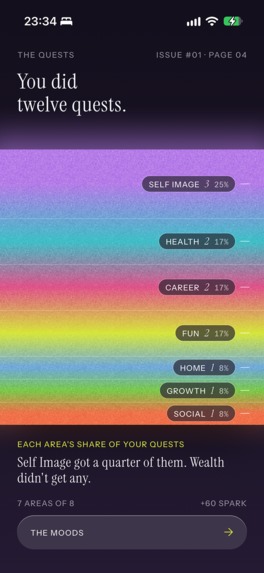
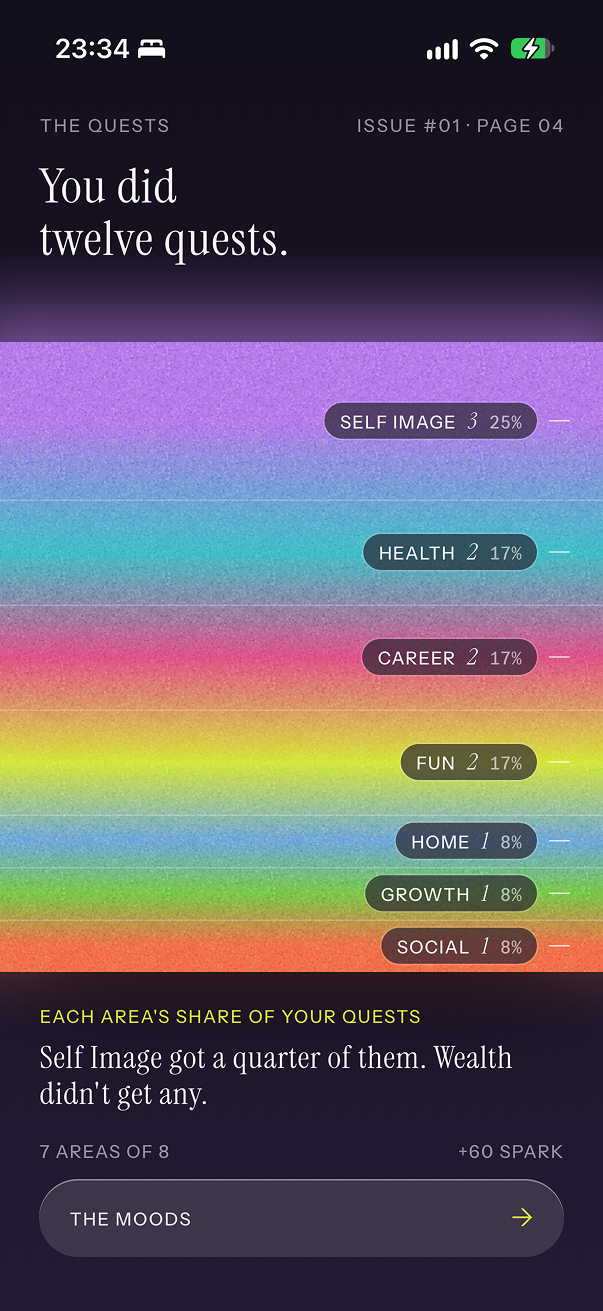
ONA Chapter Wrap Up: Side Quests Gradient Distribution
-
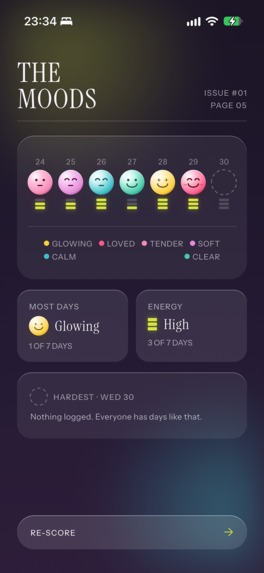
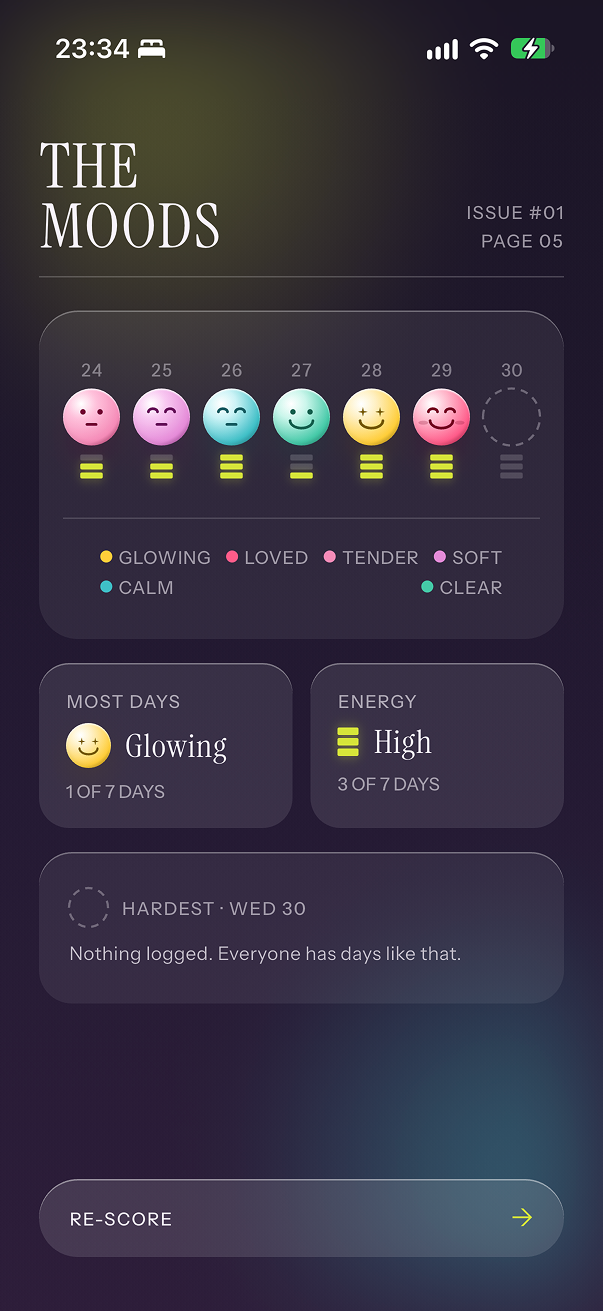
ONA Chapter Wrap Up: Mood & Energy Stats
-
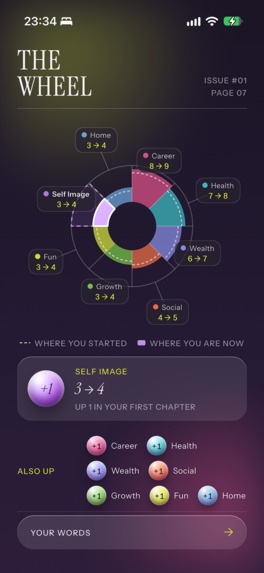
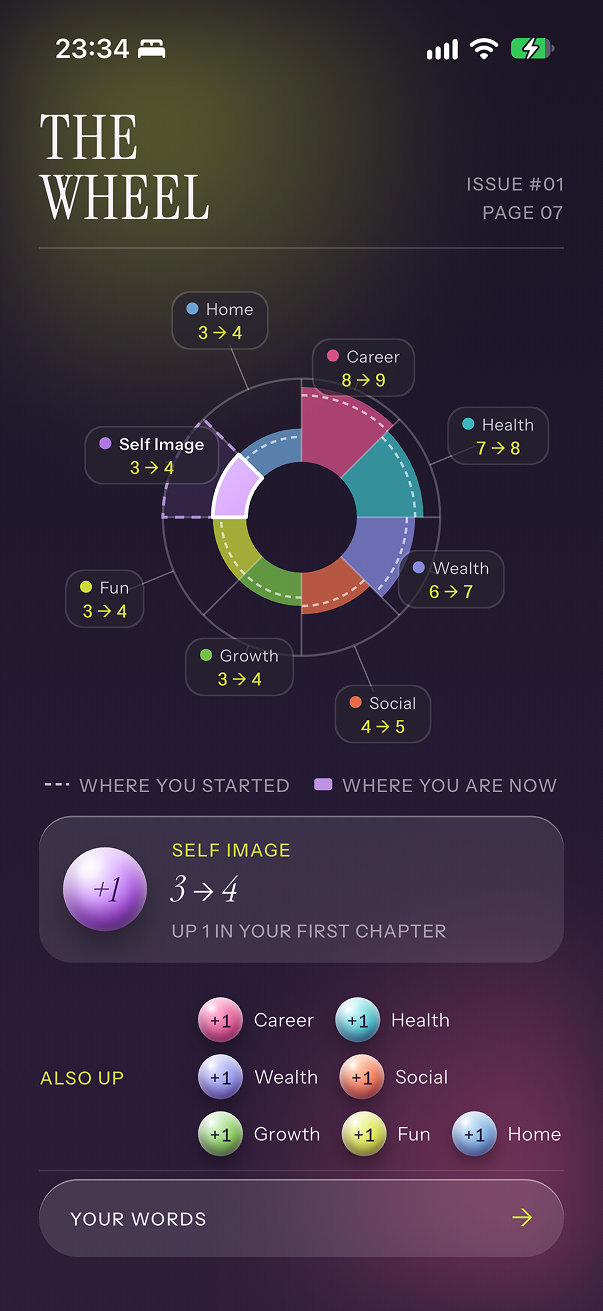
ONA Chapter Wrap Up: Life Wheel Status
-
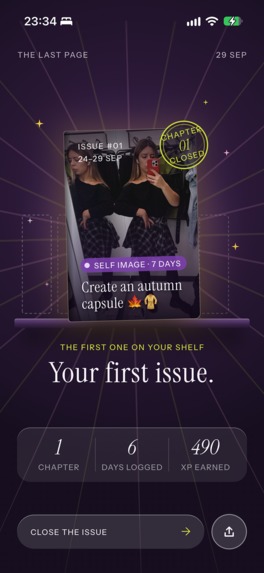
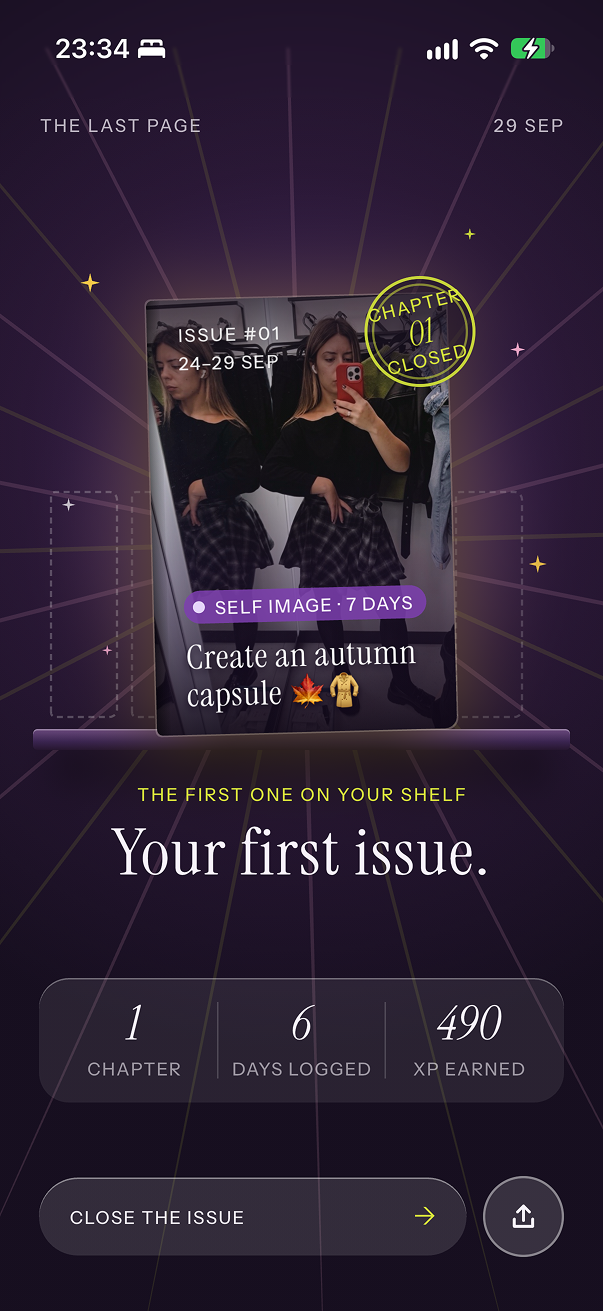
ONA Chapter Wrap Up: Chapter Cover

Inspiration
The almost-30 life crisis hits everyone differently, right? Well, mine came in the form of a list of “30 goals and dreams I want to achieve before 30.”
The problem is that this list appeared when I was 29, with a little less than a year to complete the goals I’d been postponing for the past 10 years. Oopsie.
But it’s not that I actually have a problem with achieving goals. Career? Professional development? Please, I’m an overachiever.
Meanwhile, my guitar has been gathering dust without me being able to play two chords in a row, my Spanish level has somehow been going backwards, and don’t ask me how many times I’ve tried to finally figure out my style.
Somehow, I just can’t seem to give the same focus to the areas of life that are lacking.
So I built ONA, a goal-tracking app that helps me build a more balanced life by focusing on one goal at a time.
What it does
At the centre of ONA is your Life Wheel. You start with an honest assessment of your life, rating it from 1 to 10 across 8 areas: Health, Career, Home, Social, Fun, Growth, Self Image and Wealth.
Then you select which area you want to focus on in this chapter. ONA suggests starting with your lowest-rated one, but that's up to you!
Next, you select the duration of your chapter. But there is a catch: at first, you can't select a chapter longer than one week. You need to prove that you can focus by completing two one-week goals before you can unlock a two-week chapter. And then, eventually, a month-long one.
You do that by logging your ONE THING A DAY.
You need to do just ONE THING A DAY towards your goal. But every single day. Consistency over intensity.
Every time you log your one thing, you get 50 Focus XP. You need 700 Focus XP to unlock the next duration level.
Besides focused goals, you can also work on Discipline by nurturing habits. Each habit belongs to an area of your Life Wheel too, so you can choose habits from the same area as your goal and go full focus mode, or select them from different areas to keep your life balanced.
You start with 3 habit slots, and to unlock more, similar to Focus, you earn Discipline XP by ticking your habits off.
Finally, to keep it fun, we also have side quests. These are one-off fun activities that you can track to keep that spark alive. They are unlimited, and you can select them from our curated library or create your own.
For a more holistic approach, in each daily log you can also track your mood, energy level, journal entry and photo of the day. At the end of the day, you get a pretty image with your results that you can view in the app or share on social media.
At the end of each chapter, you get a magazine-style wrap-up: a beautiful edition with a summary of your achievements, interesting statistics, fun graphs and photo proof of your journey.
This magazine goes on your shelf, so you can pick it up and flip through it at any time.
Then you reassess your Life Wheel and move on to the next chapter.
With time, you build a whole library of your becoming.
How we built it
I spent an embarrassingly long time on the design concept. See, I'm not a designer, I'm a developer, and even though I have some visions in my head and I dare to say I have taste, when I try to apply it in Figma... what can I say, a five-year-old could probably do it better.
So I experimented with different AI design tools to try to bring my vision to life. From generic ChatGPT to specialised tools like Stitch, Screendesign and many more, none of them gave me the result I wanted. Everything was just "not it".
Until I met Claude Design.
After several meaningful iterations, we finally landed on a concept that we could work with. Claude Design turned out to be quite an advanced tool for designing, easily building design systems and maintaining consistency across the app.
The app itself is built with my classic stack of Flutter + Firebase (and, of course, RevenueCat!), just like a billion apps I've built before.
Most of the app was built by Claude Code though. We're in 2026, ok?
But all of the initial architecture planning, security decisions and supervision were, of course, done by me.
Since it's built with Flutter, the app works out of the box on both iOS and Android, although the Android version is still in review at the time of writing.
Challenges we ran into
Because I spent so much time on the design before actually bringing the app to life, I was very tight on the Shipaton deadline. I knew that with Apple I basically had one shot: if the app DID get into review in time but got rejected, I probably wouldn't have enough time to appeal and resubmit. So I spent a lot of time making sure I handled everything I had learned from my previous experience with Apple... and I got approved on the first try!
The app design is full of gradients, blurs and opacities, which are usually the culprits behind visual performance issues, especially when implemented by AI. I ran into exactly that problem, and it took several iterations to improve it. There is still some work to do to make the experience completely flawless and efficient.
This was the first time I made an adaptive app icon. The icon changes when you start a new chapter based on the area you selected. On Android, changing the icon requires the app to be relaunched, which usually happens when the app goes into the background. The problem is that opening a photo picker also counts as going into the background, so the app was crashing when I selected a photo for the chapter. We ended up postponing the icon change until after the photo selection was complete.
This is the first time I'm trying a monetisation strategy with a hard paywall, and there were several technical decisions related to that. For example, I didn't want to store information gathered during onboarding in the remote database unless the user actually purchased a subscription. And because ONA doesn't have accounts, we also needed to create a separate way for Google reviewers to test purchases, since they can't use free trials the same way Apple reviewers can.
ONA has several core elements: goal & focus, habits and side quests. That can be a little overwhelming at first, so we had to carefully plan the onboarding around introducing these concepts gradually. This is also something I expect to keep polishing once feedback from real users starts coming in.
Accomplishments that we're proud of
After billions of iterations of design concepts, I'm actually really happy with how the final app turned out.
I've been using ONA myself since I launched it, and honestly, I get more and more addicted to it every day. For me, that's a pretty good sign that the concept is working and the app is actually doing its job.
Getting approved by Apple on the first try with the very first version is... a first for me! I've published many apps before, and finally all of those painful lessons paid off.
Until the very end, I wasn't sure I would make the Shipaton deadline, and I did, so I'm really proud of that too. Now I'm excited to dive into marketing ONA, because I genuinely think it has a lot of potential.
What we learned
Thinking about the launch, the store listings, the ASO strategy, the website, the marketing strategy... all of this needs to be treated as seriously as actually building and publishing the app if your goal is growth. So there was a lot of preparation around the launch itself, not just the product.
No matter how confident your AI agent sounds, and no matter how many thousands of tests it says it has written, proper testing and actual proof are still required.
Better to decide on the app name before it's too late. For the longest time, the working name of the app was “Becoming Her”, but that name was already taken (about 10 times, at that), so I decided I didn't want to fight for it. After considering literally hundreds of different names, I came up with ONA (“she” in many Slavic languages) and I think it fits the concept of the app very nicely.
What's next for ONA: Her Glow Up Goal Tracker
Currently, ONA supports one goal at a time, but support for multiple goals is coming.
Achievements in the form of productivity techniques: cards that she unlocks by gaining XP in different areas, with descriptions of different productivity techniques like Pomodoro, the Pareto Principle, and many more.
And, of course, iteration based on user feedback! This will probably be the most important part. Now that ONA is out in the world, I want to see how real users actually use it and keep improving the product based on that.

Log in or sign up for Devpost to join the conversation.