Inspiration
Every woman is already beautiful. A good haircut and the right lipstick go a long way, but confidence is what makes you shine. Most beauty try-on apps start by smoothing your skin and reshaping your face, so the "after" picture isn't really you. I wanted to start from the woman as she is and only show what suits her.
What it does
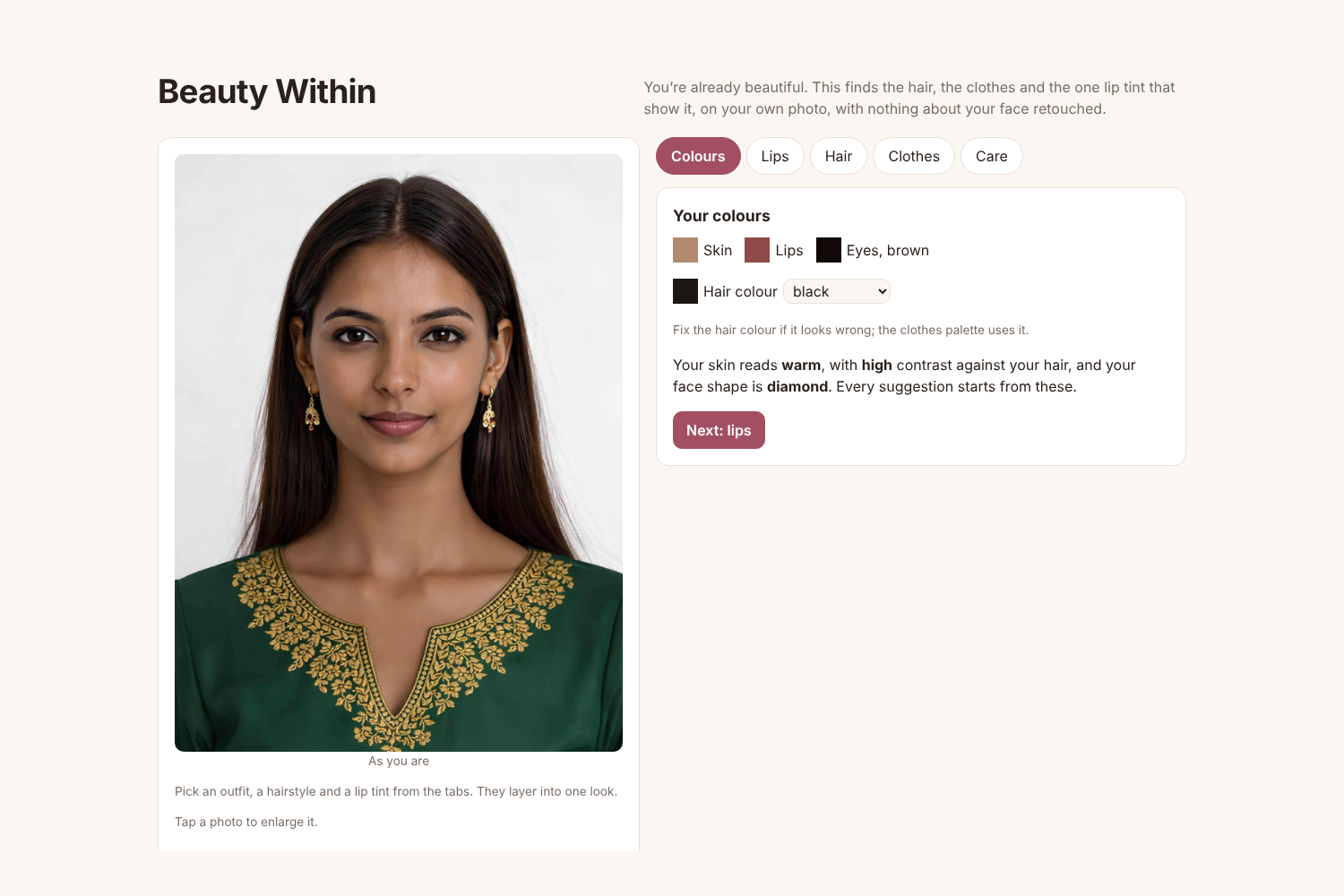
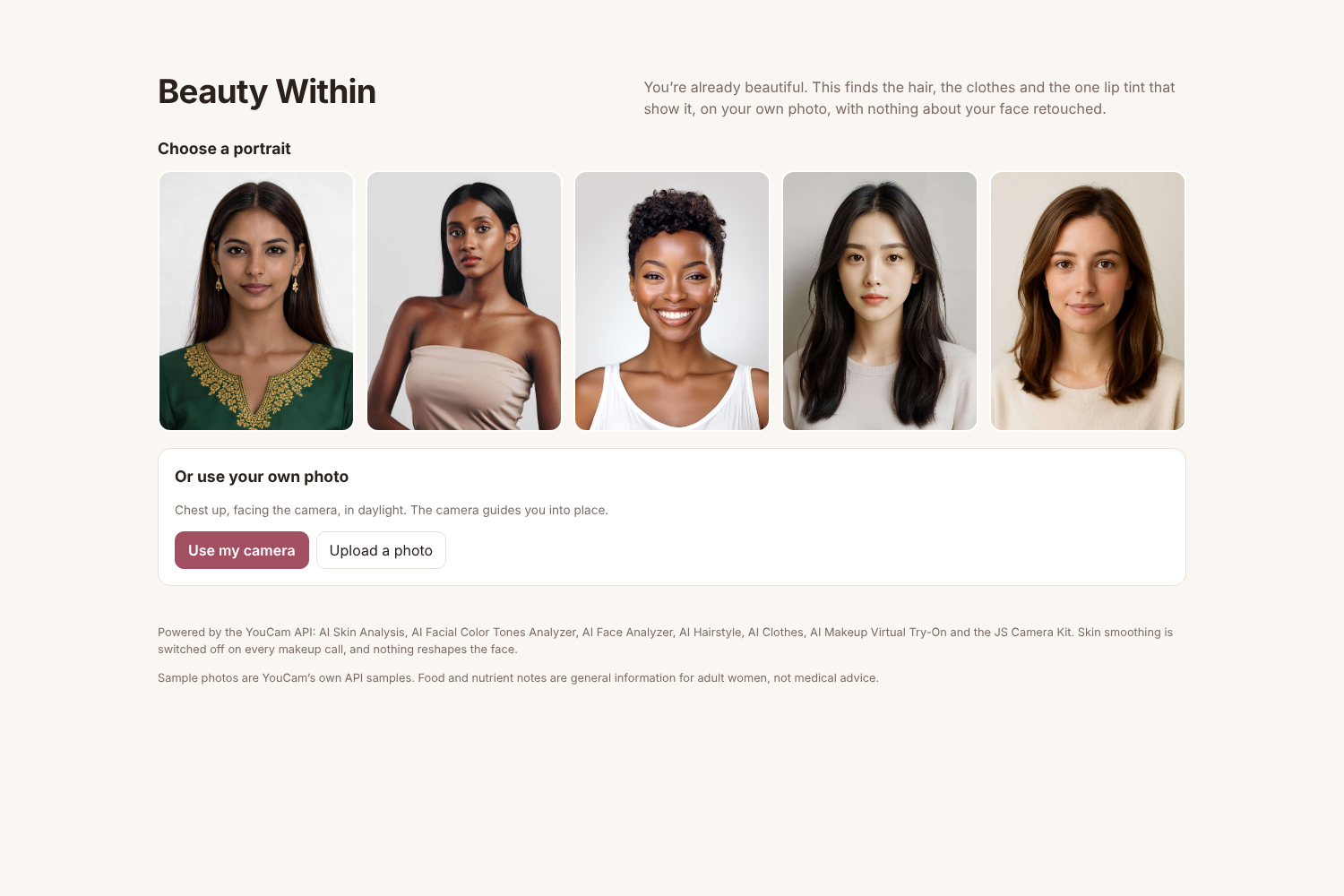
Pick one of five sample portraits, take a photo with the camera, or upload one.
- Camera. YouCam's JS Camera Kit opens the camera and guides face position, size and lighting before it takes the photo.
- Your colours. The Facial Color Tones Analyzer measures skin, lip and eye colour, and the Face Analyzer reads face shape. Hair colour can be corrected with one tap.
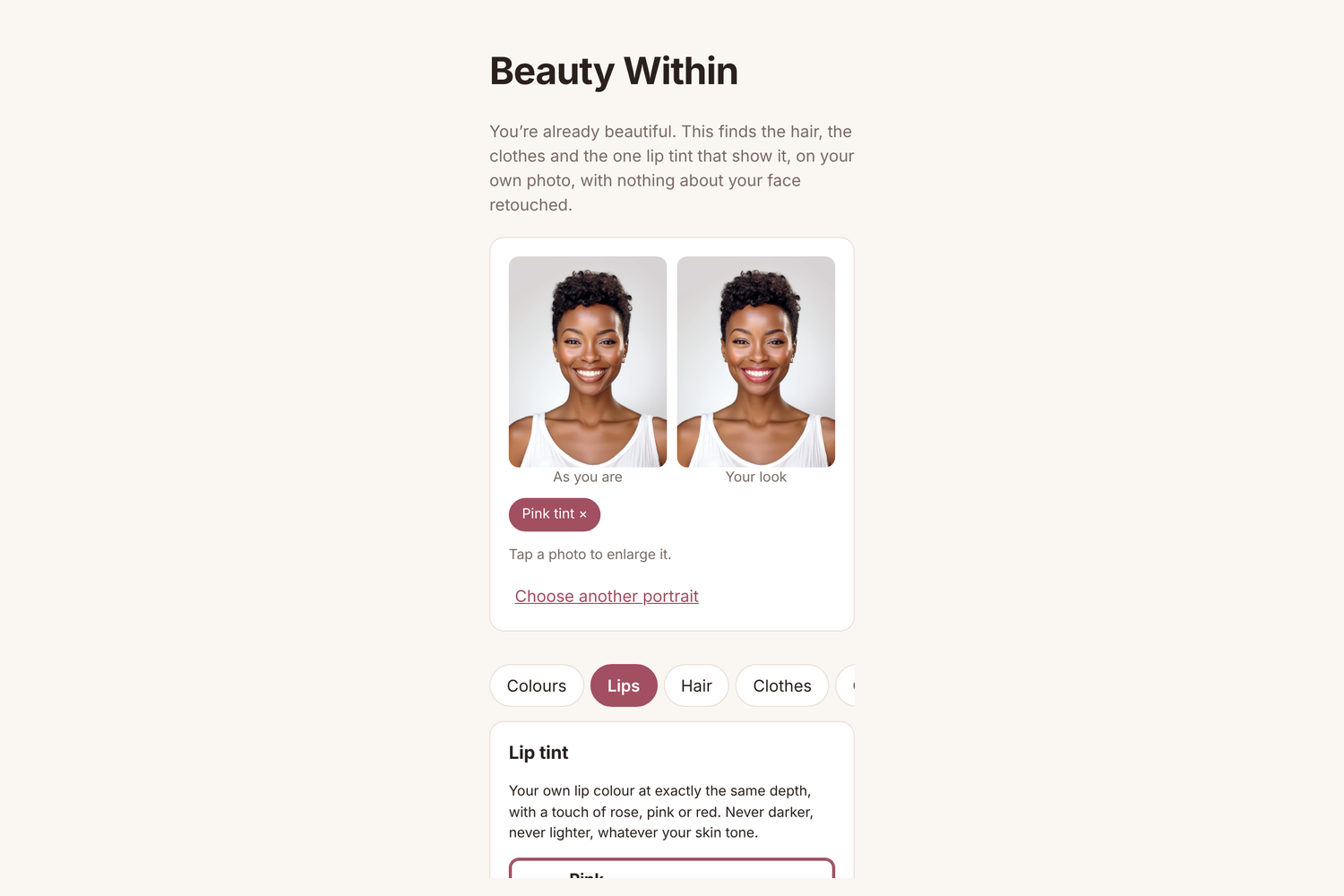
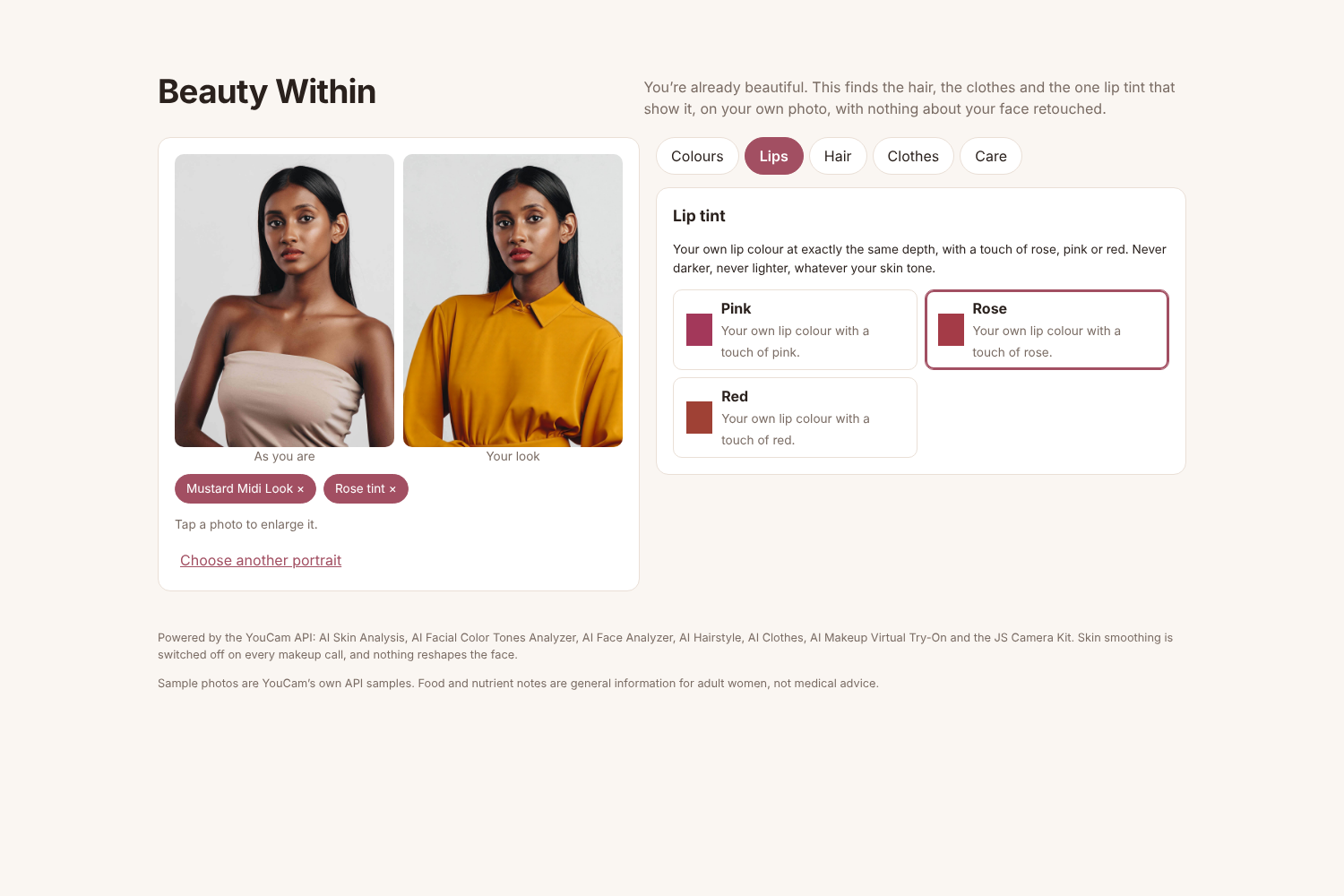
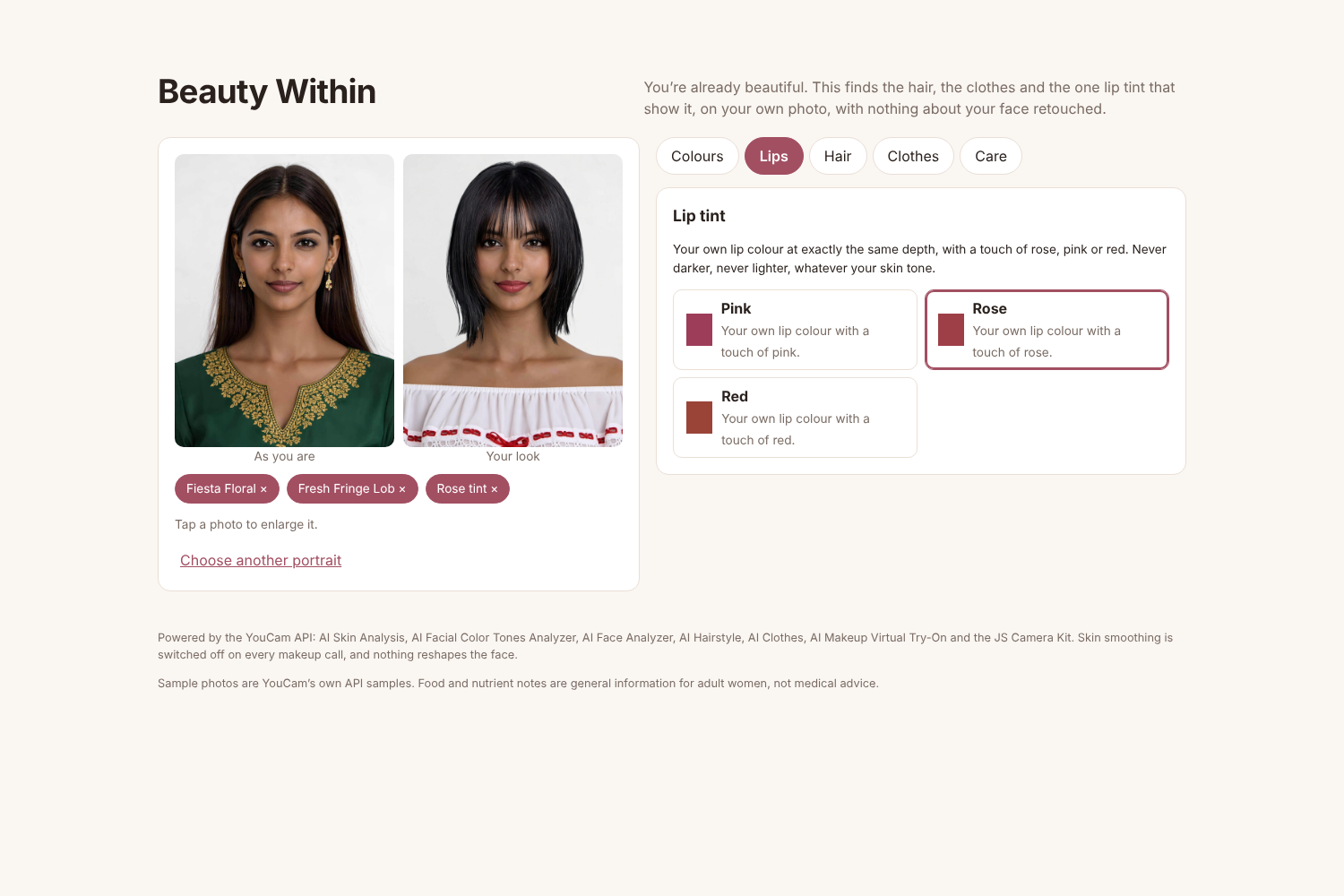
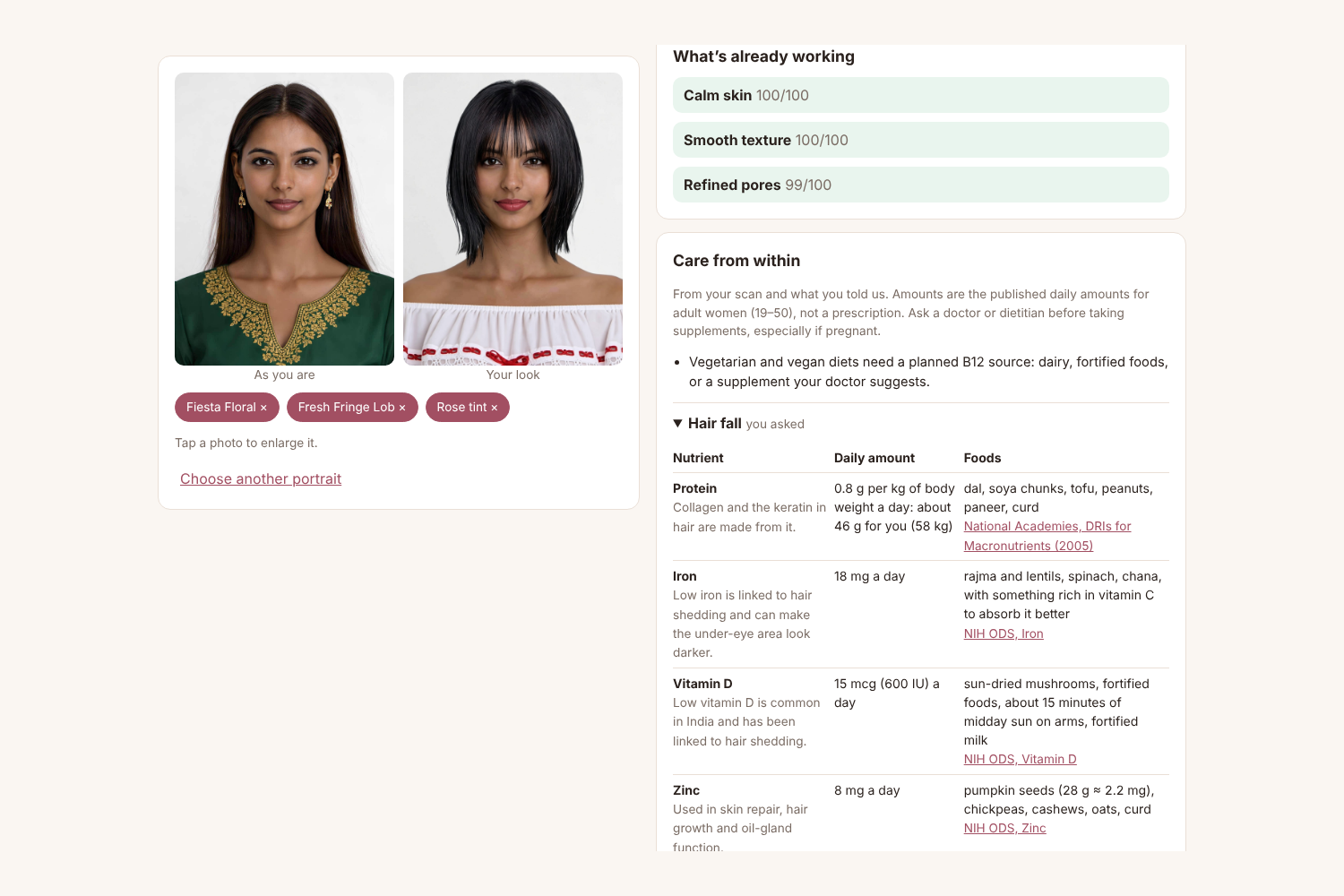
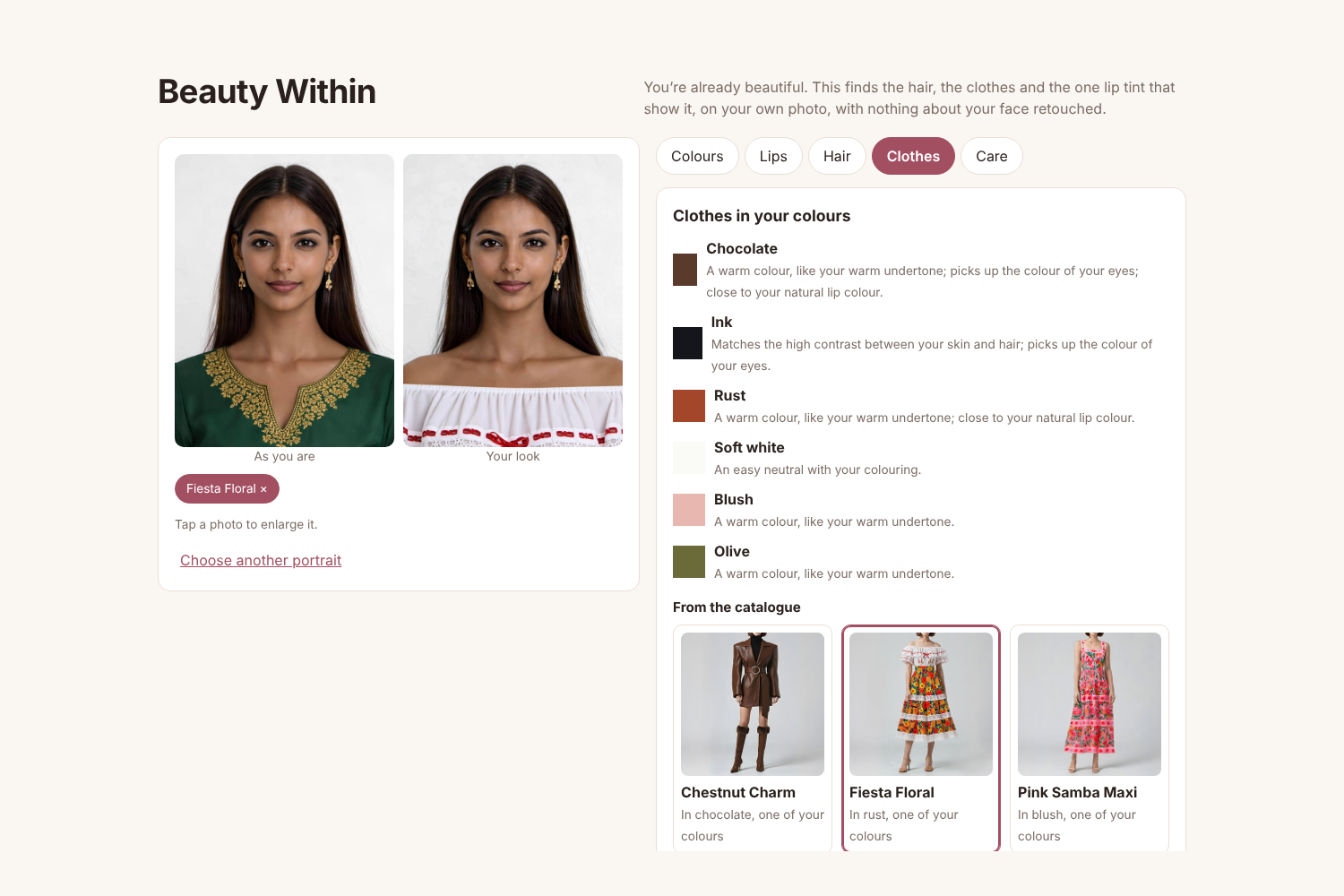
- One look, in layers. An outfit, a hairstyle and a lip tint stack onto the same photo, in that order, and any of them can come off again.
- Clothes: six colours picked from your undertone, the contrast between your skin and hair, and your eye and lip colour. Outfits from YouCam's clothes catalogue in those colours go on with AI Clothes.
- Hair: styles from YouCam's hairstyle templates chosen for your face shape. AI Hairstyle keeps your own hair colour.
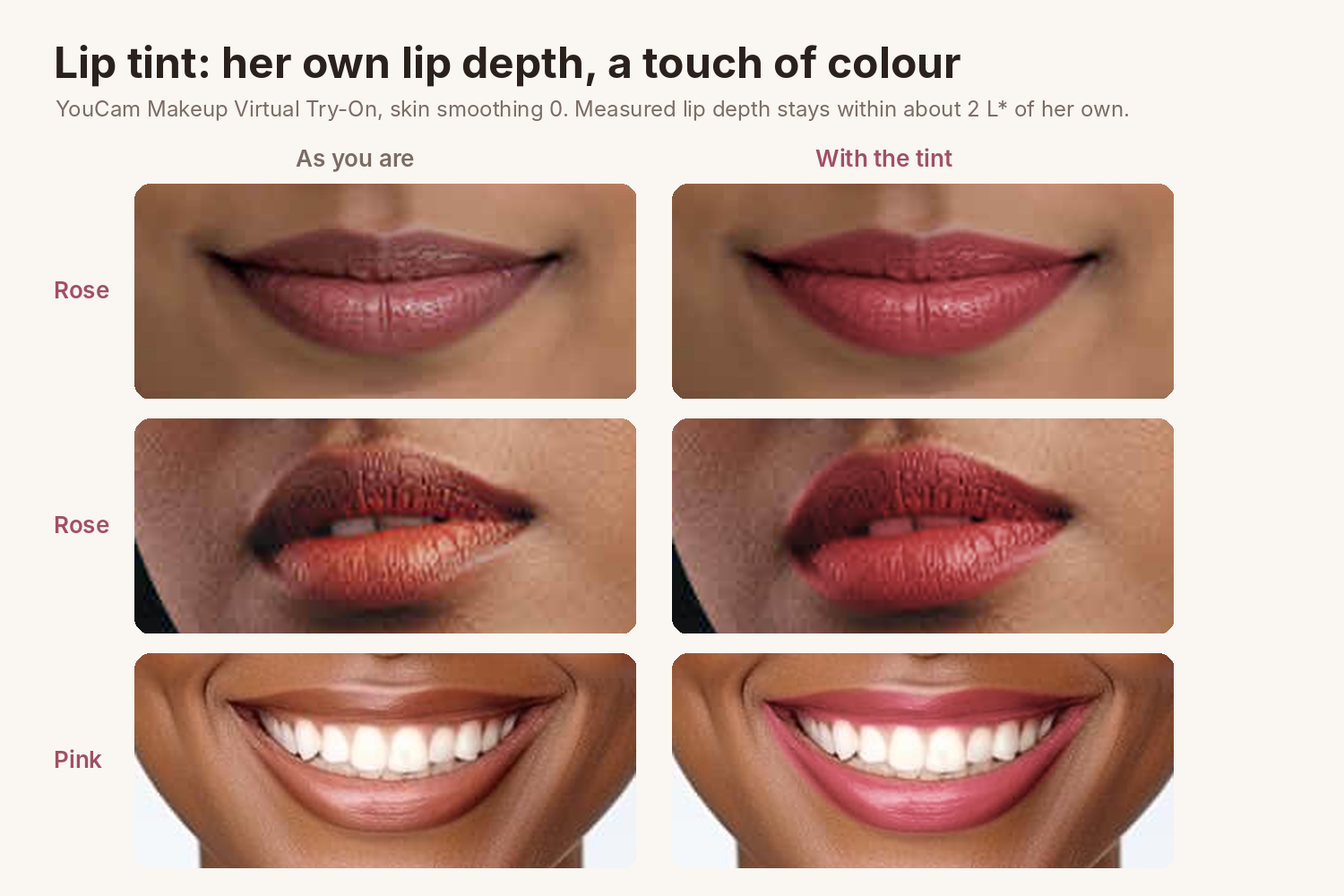
- Lip tint, the only makeup: your own lip colour at the same depth, with a touch of rose, pink or red. It never goes darker or lighter, so it works the same for a deep-skinned woman and a fair one. Makeup Virtual Try-On runs with skin smoothing at 0.
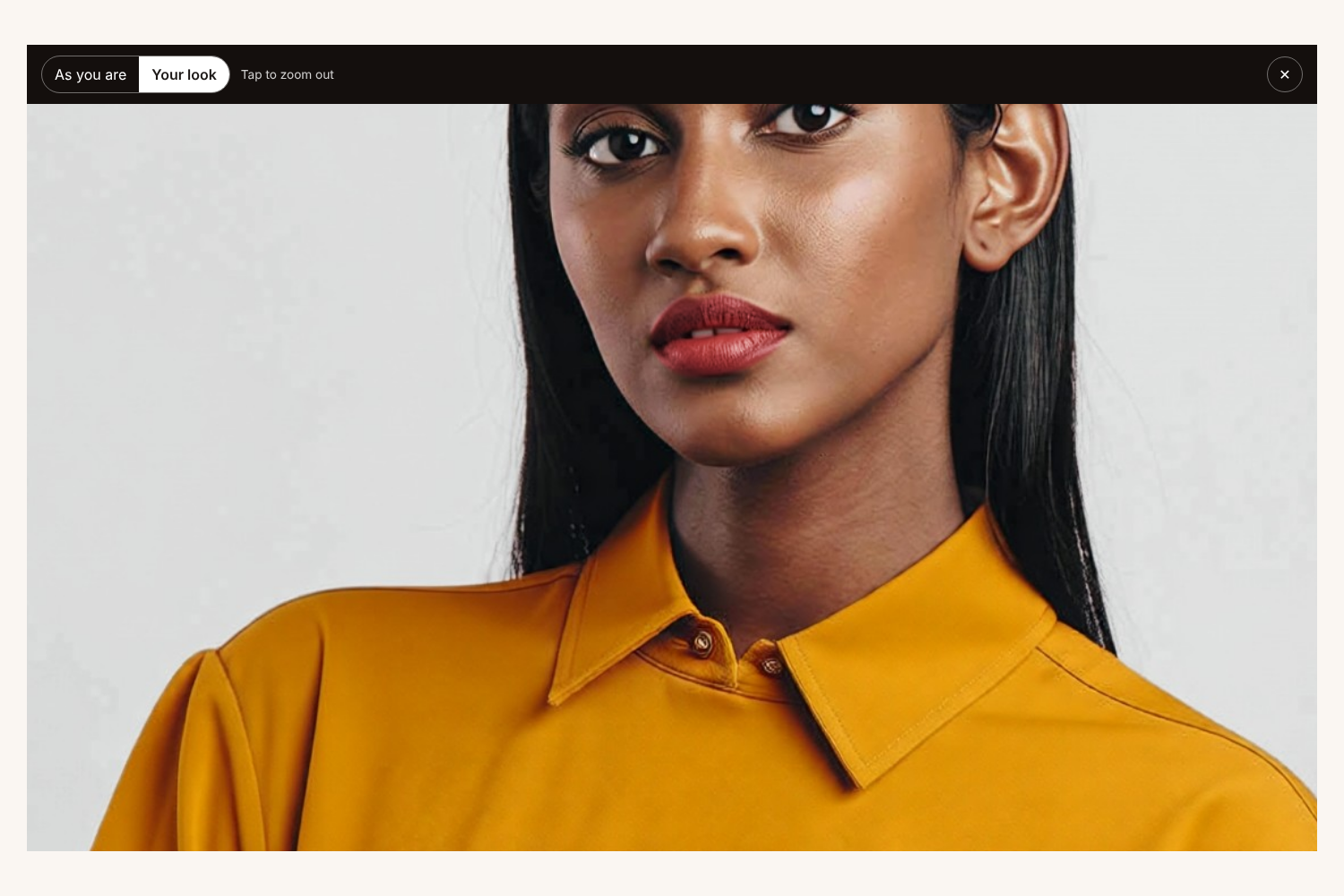
- Zoom to compare. Tap any photo to open it full screen, tap again to zoom in on the lips or hair, and flip between "As you are" and "Your look" at the same zoom.
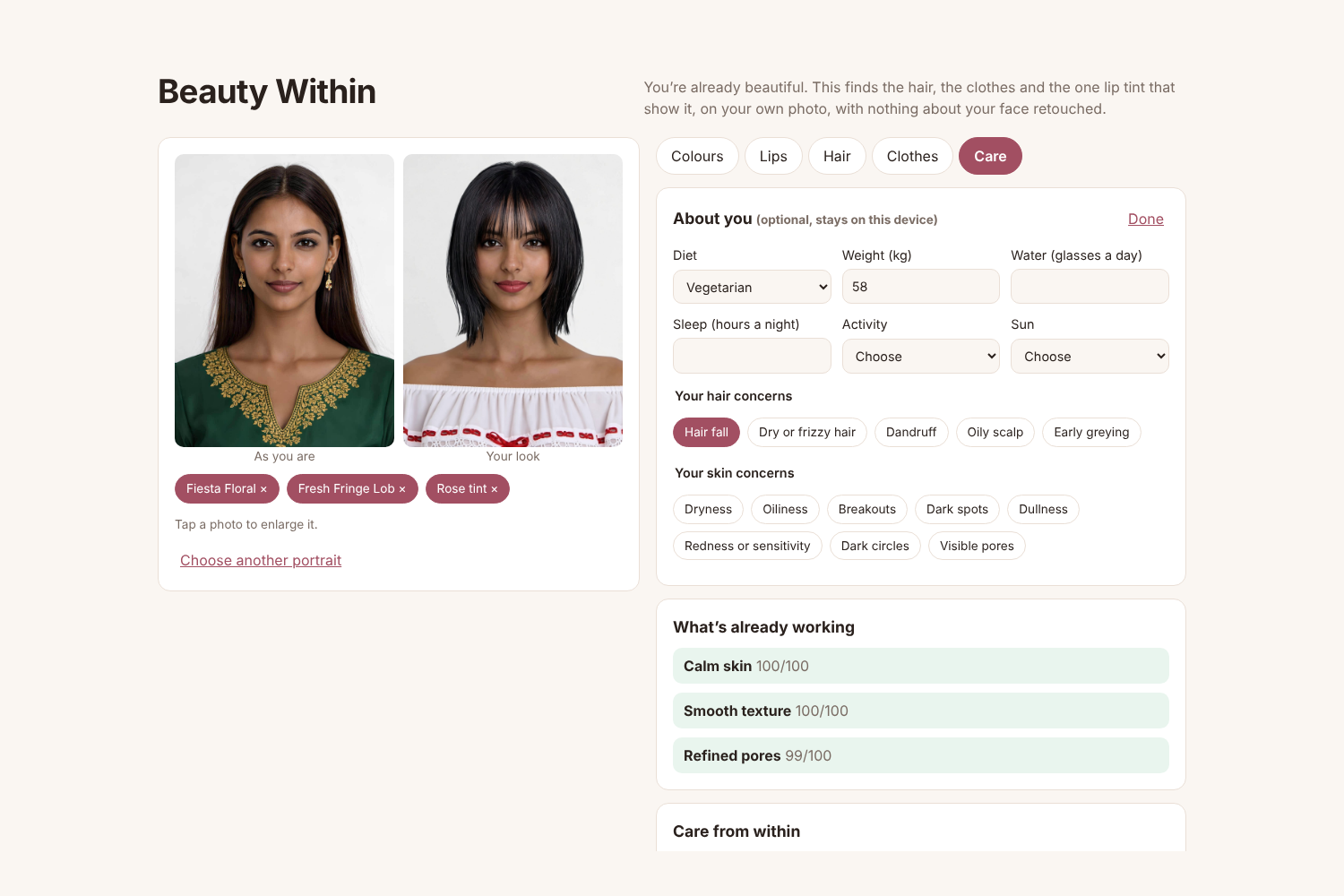
- Care from within. Tell the app your diet (vegetarian, eggetarian, non-vegetarian or vegan), weight, water, sleep, activity and time in the sun, plus your own hair and skin concerns. AI Skin Analysis shows what's already working first. Then each concern, and your lowest scan areas, get the nutrients involved, the published daily amounts for adult women (NIH Office of Dietary Supplements, National Academies), foods that fit your diet and a few habits, each with a source link. It's general information, not a prescription.
How I built it
- React and TypeScript on the front end, Cloudflare Pages Functions for the API, so the YouCam key stays on the server.
- YouCam APIs: AI Skin Analysis, Facial Color Tones Analyzer, Face Analyzer, AI Clothes (v4), AI Hairstyle (v2.1 transfer), Makeup Virtual Try-On, and the JS Camera Kit in the browser.
- A look is built layer by layer: each try-on runs on the previous result. Every prefix of layers is cached in Workers KV, so changing one layer only re-runs from there, and a repeat view costs no API units.
- Colour maths in CIELAB with CIEDE2000, for lip depth, palette contrast and matching outfits to colours.
- 37 unit tests cover the colour maths, the response parsers, the care rules and the layer order.
Challenges
- The first lip tint was nearly invisible, and the engine darkens lips. Measuring lips before and after showed Makeup Virtual Try-On makes lips about 5 L* darker. I calibrated against rendered lips on three skin tones: the colour sent is lifted so the result lands on her own lip depth, with enough added colour to see, capped for lips that are already rich in colour.
- Hair colour changed her face. YouCam's hair-colour try-on brightened the cheek and background by 10 to 13 points (RGB 0–255) as well as the hair, so I took it out. The point is not to change her face.
- Undertone was unfair to deep skin. Reading undertone from hue alone called every deep skin tone in the cast "cool", because deep skin sits redder in colour space. The reading now adjusts for depth, and a test checks it.
- Hair read. YouCam read two black-haired women as blonde, and gave no read for two more, so the user can fix the hair colour before the palette uses it.
What I measured
On YouCam's own sample photos, on Nov 1:
- Lip depth: the default makeup render made lips about 5 L* darker; the calibrated render keeps her lip depth within about 2 L* on three lips (medium L*≈40, deep and saturated L*≈40, light L*≈63).
- Skin smoothing is 0 instead of the engine's default of 50.
- Cost: a full portrait reading is 44 API units, each layer of a look 1 or 2, and a repeat view 0.
What I haven't measured is whether this lowers wrong-shade purchases or returns. There's no baseline yet. A store could measure it by comparing return rates for lip shades and outfits bought after a Beauty Within try-on against those bought without one.
What I learned
Try-on engines come with defaults that quietly change a face: skin smoothing at 50, lips rendered darker. The only way to keep a promise like "never darker" was to measure the rendered pixels and calibrate against them. Colour rules also need to account for skin depth, or they fail deeper skin first.
What's next
- A store mode that loads a retailer's own lipstick and clothing catalogue and matches it with the same rules.
- Full-length photos, so dresses and trousers can be tried on whole.
Built With
- ai-clothes
- ai-hairstyle
- ai-skin-analysis
- cielab
- cloudflare-kv
- cloudflare-pages
- cloudflare-workers
- face-analyzer
- js-camera-kit
- makeup-virtual-try-on
- perfect-corp
- playwright
- react
- typescript
- vite
- vitest
- youcam-api

